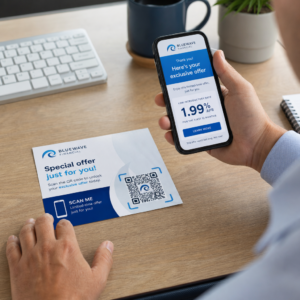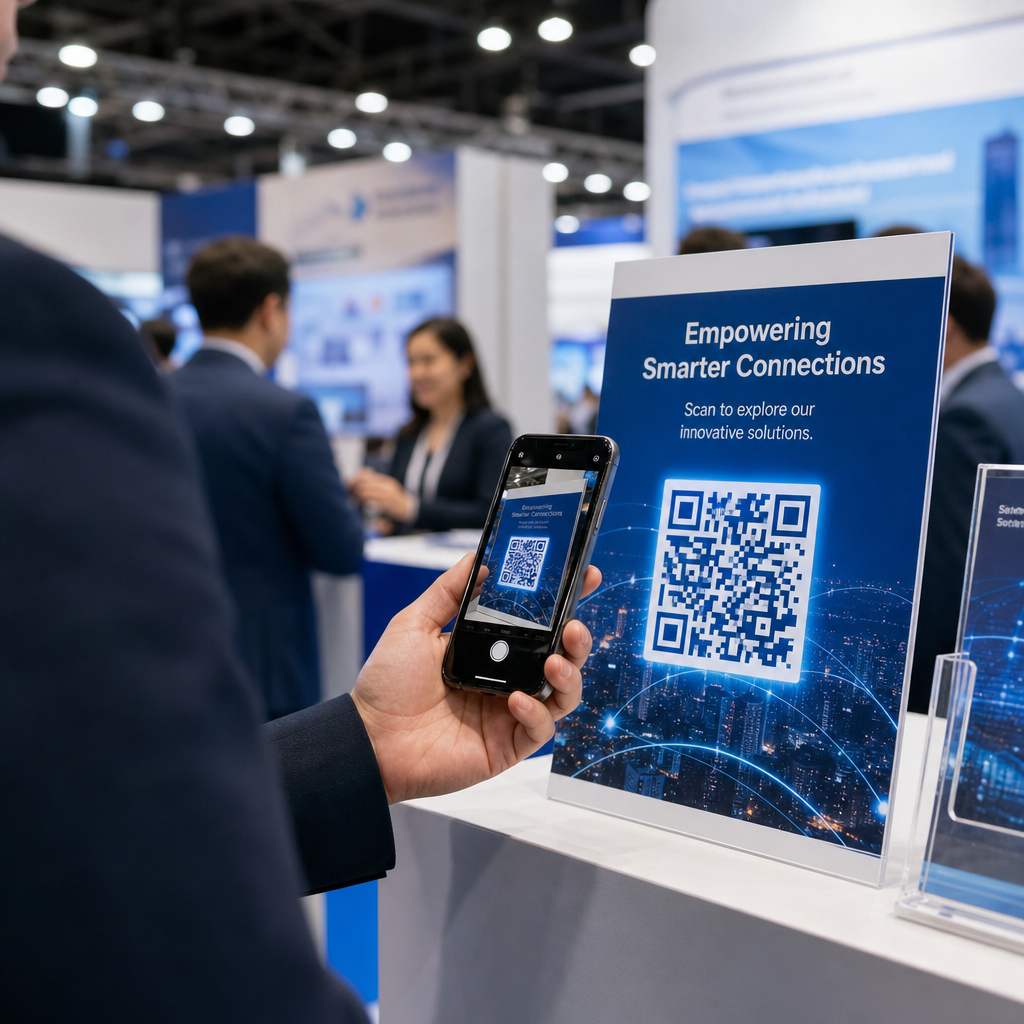
هل تغادر أرض المعرض التجاري وبحوزتك كومة من بطاقات العمل وليس لديك طريقة واضحة للمتابعة؟ ما يقرب من 80% من العملاء المحتملين في المعارض التجارية لا تتم متابعتهم أبدًا، مما يحول استثمارات الأجنحة باهظة الثمن إلى فرص ضائعة. يرشدك هذا الدليل عبر طرق عملية ومُثبتة لاستخدام رموز QR في معرضك التجاري القادم لالتقاط عملاء محتملين أفضل، وإشراك الحضور، وتحويل محادثات الجناح إلى مسار مبيعات فعلي.
لماذا تنتمي رموز QR إلى كل جناح معرض تجاري
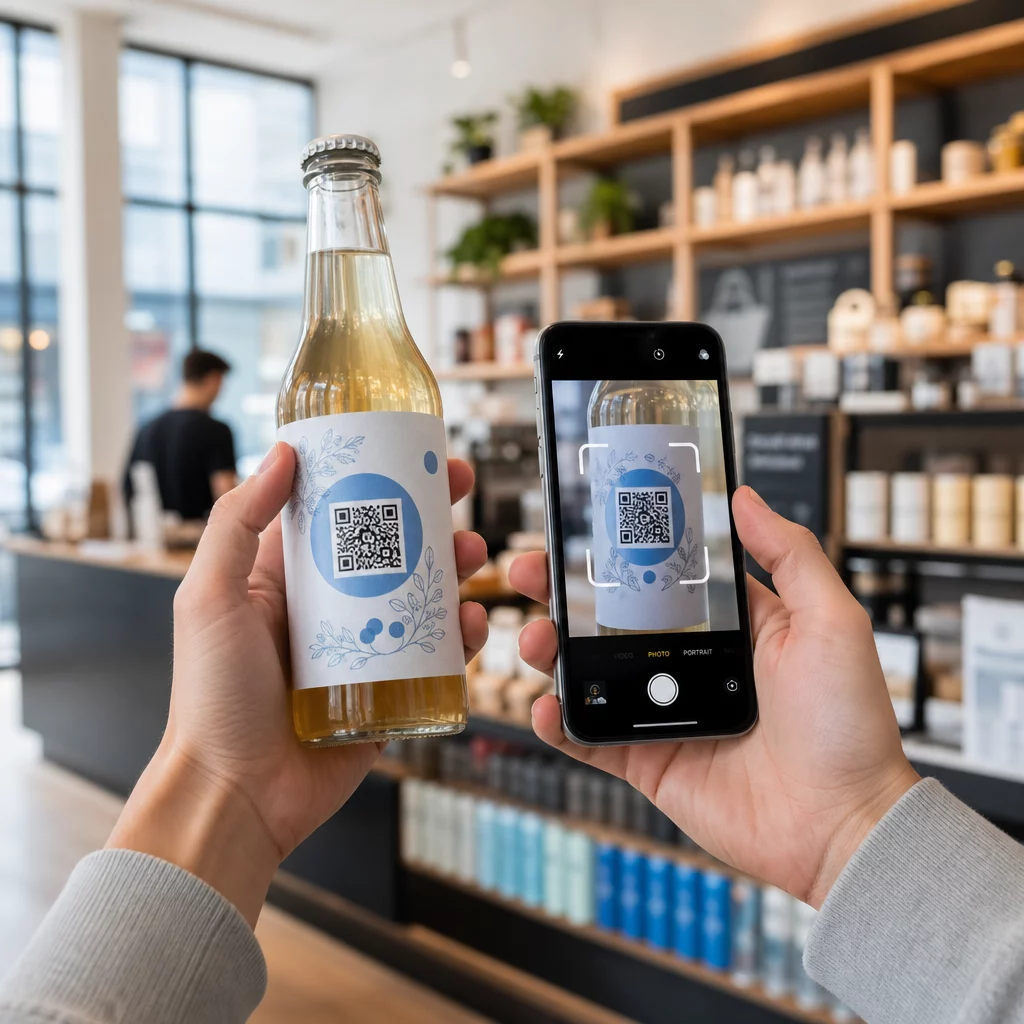
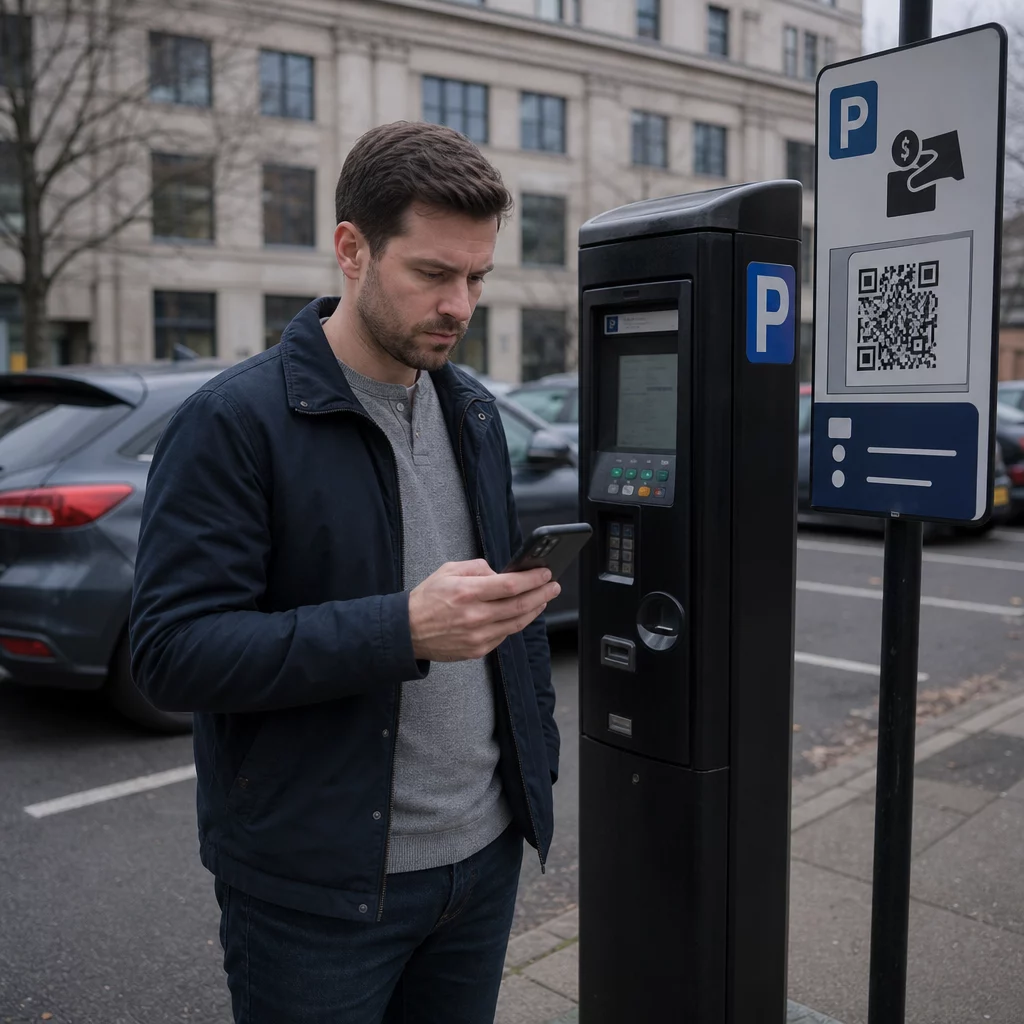
المعارض التجارية هي بيئات عالية الاحتكاك. يتحرك الحضور بسرعة، وموظفوك يديرون محادثات متعددة، وتضيع النماذج الورقية أو تُهمل. تزيل رموز QR هذا الاحتكاك عن طريق ربط لحظة مادية – شخص يقف في جناحك – بإجراء رقمي يحدث فورًا على هاتفه.
الأرقام تدعم هذا التحول. قام حوالي 99.5 مليون مستخدم للهواتف الذكية في الولايات المتحدة بمسح رموز QR في عام 2025، بزيادة قدرها 19% عن عام 2022. يعرف الحضور بالفعل كيفية استخدامها. مهمتك هي نشرها بشكل استراتيجي بحيث يخدم كل مسح غرضًا.
يمكن لرموز QR في المعارض التجارية أن:
- توجيه الزوار إلى نموذج التقاط العملاء المحتملين دون الحاجة إلى تدخل الموظفين
- مشاركة مواصفات المنتج أو الكتالوجات أو مقاطع الفيديو التجريبية على الفور
- استبدال بطاقات العمل الورقية بجهة اتصال رقمية قابلة للمسح
- تسجيل الحضور للعروض التوضيحية أو الاستشارات بعد المعرض
- تتبع نقاط الاتصال في الجناح التي تولد أكبر قدر من التفاعل
التمييز الرئيسي الذي يجب فهمه قبل البدء هو رموز QR الديناميكية مقابل الثابتة. يقوم رمز QR الثابت بتضمين عنوان URL ثابت مباشرة في النمط – بمجرد طباعته، لا يمكن تغييره. يستخدم رمز QR الديناميكي عنوان URL قصيرًا لإعادة التوجيه يمكنك تحديثه في أي وقت دون إعادة طباعة المادة المادية. بالنسبة للمعارض التجارية، حيث قد تتغير رسائل الجناح بين أيام العرض أو حيث يكون تغيير صفحة الهبوط في اللحظة الأخيرة ممكنًا دائمًا، فإن الرموز الديناميكية هي الخيار العملي.
ابدأ في بناء رموز QR لمعرضك التجاري أنشئ رموز QR ديناميكية يمكنك تحديثها بسرعة، وتتبعها في الوقت الفعلي، وتخصيصها لتناسب هوية جناحك التجارية. جرب مولد رمز الاستجابة السريعة للبدء مجانًا.
كيفية استخدام رموز QR لالتقاط العملاء المحتملين في جناحك
حالة الاستخدام الأكبر لرموز QR في المعارض التجارية من حيث عائد الاستثمار هي التقاط العملاء المحتملين. عندما تتم متابعة العملاء المحتملين من المعرض التجاري في غضون 7-10 أيام، يتحول حوالي 20-30% منهم إلى فرص مبيعات – ولكن هذا لا ينجح إلا إذا قمت بالفعل بالتقاط العميل المحتمل بسياق كافٍ للمتابعة بفعالية.
اربط مباشرة بنموذج التقاط العملاء المحتملين
ضع رمز QR بشكل بارز في جناحك يربط بنموذج قصير ومُحسّن للجوال. اجعل النموذج من خمسة إلى سبعة حقول كحد أقصى، مرتبة بتدفق محادثة طبيعي – الاسم، الشركة، البريد الإلكتروني، الاهتمام الرئيسي، وسؤال أو سؤالين مؤهلين. الإجابات متعددة الخيارات تعمل بشكل أفضل من النص المفتوح على شاشة الهاتف.
أ رمز الاستجابة السريعة لنموذج جوجل هي طريقة سريعة لبناء هذا بدون تطوير مخصص. أنشئ نموذجك، انسخ رابط المشاركة، أنشئ رمز QR، وستكون جاهزًا. للفرق التي ترغب في تدفق البيانات الملتقطة مباشرة إلى نظام إدارة علاقات العملاء (CRM)، يمكن أن يؤدي إقران رمز QR ديناميكي مع webhook أو أداة أتمتة إلى توجيه كل إرسال تلقائيًا. الدليل حول أتمتة سير عمل مسح رمز QR يغطي نهجًا خطوة بخطوة لإعداد هذا.
استبدل بطاقات العمل الورقية بمشاركة جهات الاتصال الرقمية
توزيع البطاقات الورقية في معرض تجاري هو مقامرة – ينتهي المطاف بالعديد منها في جيب المعطف ولا تُرى مرة أخرى أبدًا. أ رمز الاستجابة السريعة vCard يتيح للعميل المحتمل مسح رمزك وحفظ تفاصيل الاتصال الخاصة بك مباشرة في دفتر عناوين هواتفهم في ثوانٍ، بدون إدخال يدوي وبدون أخطاء في النسخ.
لأداة تواصل أكثر اكتمالاً، أ بطاقة عمل رمز الاستجابة السريعة يمكن أن يتضمن اسمك، المسمى الوظيفي، الشركة، الهاتف، البريد الإلكتروني، والموقع الإلكتروني. يمكنك عرضه على شارة، أو لافتة طاولة، أو بطاقة مخصصة توزعها أثناء المحادثات. المسح الضوئي يتولى نقل البيانات، ويمكنك تتبع عدد الأشخاص الذين قاموا بحفظ معلوماتك بالفعل. لإلقاء نظرة أوسع على كيفية دعم رموز QR للتواصل في الفعاليات، الدليل حول تحويل مصافحات الفعاليات إلى عملاء محتملين يستعرض المسار الكامل من المسح الأول إلى إدخال نظام إدارة علاقات العملاء (CRM).
حوّل كل مصافحة إلى عميل محتمل ملتقط أنشئ رمز QR لبطاقة vCard يتيح للحاضرين حفظ جهة اتصالك على الفور. استخدم الـ مولد رمز QR لبطاقة vCard لإنشاء خاصتك في دقائق.
شارك مواد المنتج عند الطلب
الكتيبات المطبوعة باهظة الثمن وغالباً ما ينتهي بها المطاف في سلة المهملات. PDF رمز الاستجابة السريعة يتيح لك ربط كتالوج منتج أو ورقة مواصفات أو دراسة حالة مباشرة برمز قابل للمسح. يحصل الحضور على المحتوى على هواتفهم فوراً، وتوفر في تكاليف الطباعة.
نظراً لأن ملف PDF الأساسي مستضاف ديناميكياً، يمكنك تحديث المستند بين أيام المعرض – استبدال قائمة أسعار منقحة أو كتيب منتج محدث – دون لمس رمز الاستجابة السريعة المطبوع على لافتتك.
ادفع تسجيل الفعاليات من الجناح
إذا كنت تستضيف ندوة عبر الإنترنت بعد المعرض، أو عرضًا توضيحيًا للمنتج، أو استشارة متابعة، فإن جناحك هو المكان المناسب لالتقاط التسجيلات. QR لحدث يربط مباشرة بصفحة الهبوط الخاصة بالتسجيل يتيح للموظفين توجيه الزوار المهتمين إلى مسح بدلاً من جمع عناوين البريد الإلكتروني يدويًا في منتصف المحادثة.
لمزيد من المعلومات حول دمج رموز QR مع سير عمل تسجيل الأحداث الخاص بك، الدليل على بناء رموز QR ديناميكية لتسجيل الدخول في نظام إدارة علاقات العملاء (CRM) يغطي كيفية ملء حقول CRM مسبقًا من مسح بحيث تكون المتابعة مخصصة من أول اتصال.
تأهيل العملاء المحتملين في المعرض، وليس مجرد التقاطهم
التقاط اسم وبريد إلكتروني هو نقطة بداية، وليس عميلاً محتملاً مكتملًا. تحتاج فرق المبيعات إلى سياق – ما المنتج الذي كان العميل المحتمل مهتمًا به، ومدى إلحاح حاجتهم، ومكانهم في دورة الشراء – للمتابعة بفعالية.
بعض الممارسات التي تحسن جودة العملاء المحتملين عند نقطة الالتقاط:
- حدد أسئلة التأهيل الخاصة بك مسبقًا واربطها بملف تعريف العميل المثالي الخاص بك. حدد الحقول المطلوبة للمبيعات وقم ببنائها في نموذجك قبل افتتاح المعرض.
- استخدم نظام تقييم بسيطًا (أ، ب، ج أو اهتمام عالٍ، متوسط، منخفض) حتى يتمكن موظفو الجناح من تحديد مدى إلحاح كل عميل محتمل في وقت المحادثة. أضف هذا كقائمة منسدلة في نموذجك أو التقطه في حقل الملاحظات.
- أضف حقل ملاحظات إلى نموذج العميل المحتمل حيث يمكن للموظفين تسجيل تفاصيل محددة حول المحادثة – التحدي الذي ذكره العميل المحتمل، المنتج الذي سألوا عنه، أو الجدول الزمني الذي قدموه. هذا السياق هو ما يجعل المتابعة تبدو شخصية بدلاً من عامة.
- تدرب قبل المعرض. قم بتشغيل عملية التقاط العملاء المحتملين مع موظفي الجناح في لعب الأدوار بحيث يكون سير العمل طبيعيًا ولا تقاطع إدخال البيانات المحادثة.
تحديد هذا الهيكل مسبقًا، بدلاً من محاولة تسويته أثناء المعرض، هو ما يفصل قائمة الأسماء عن خط أنابيب مؤهل.
وضع رموز QR في جميع أنحاء جناحك لتحقيق أقصى مدى وصول
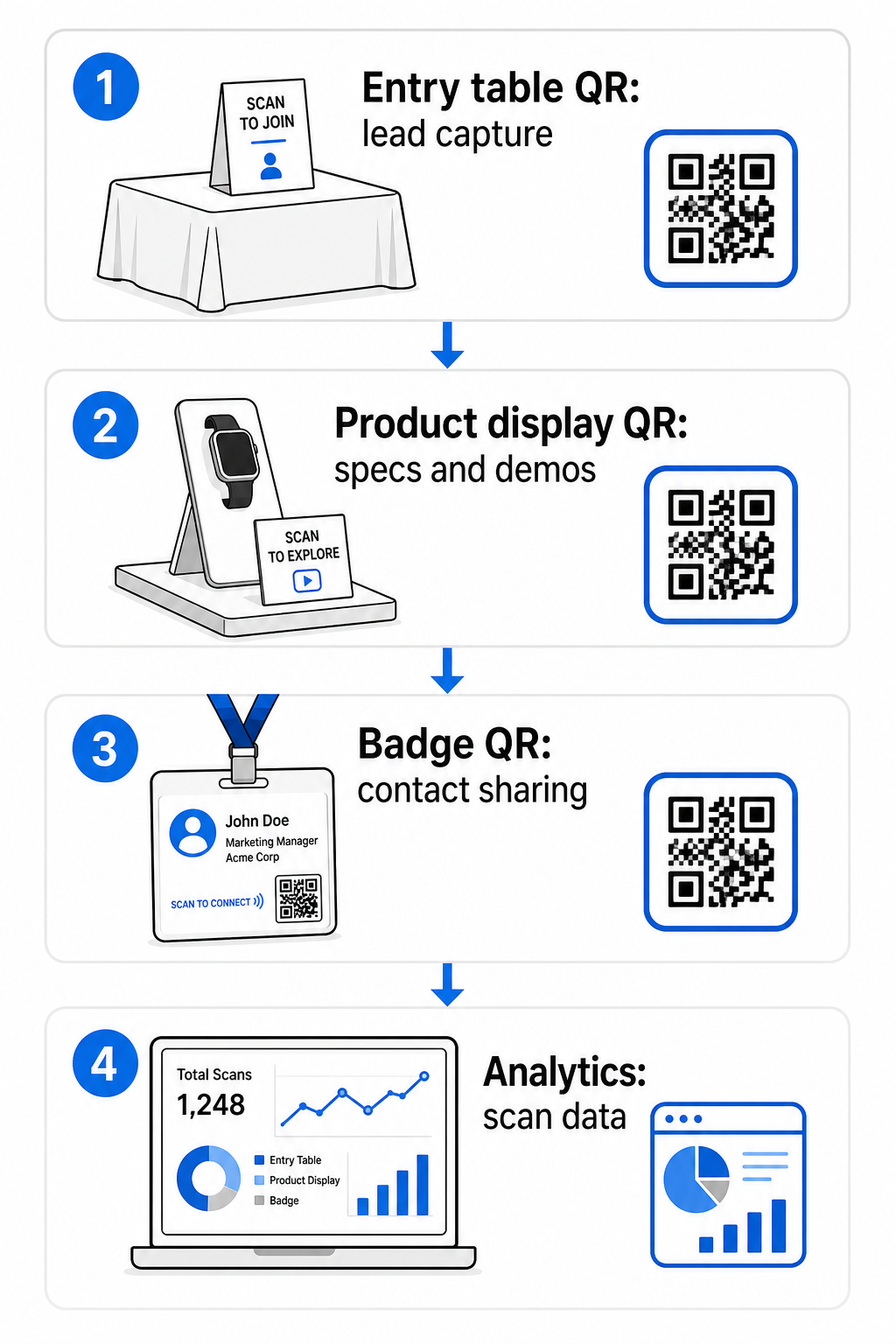
رمز QR واحد في زاوية واحدة من جناحك يفوت معظم حركة المرور الخاصة بك. وزع الرموز عبر نقاط اتصال متعددة حتى يواجهها الحضور بشكل طبيعي في لحظات مختلفة من زيارتهم.
تشمل مواقع التنسيب الفعالة:
- طاولة الاستقبال أو المدخل: نموذج التقاط عميل محتمل أو رمز بطاقة اتصال كأول تفاعل
- شاشات عرض المنتج: روابط لأوراق المواصفات، مقاطع فيديو توضيحية، أو دراسات حالة ذات صلة بكل منتج
- لافتات الطاولة: رمز QR يربط بمحفظتك، صفحة الاتصال، أو عرض خاص بالمعرض
- المنشورات والهدايا: رمز على أي مادة مطبوعة يعيد الحضور إلى وجودك الرقمي بعد المعرض
- الشارة أو بطاقة الاسم: رمز vCard شخصي لمحادثات التواصل الفردية
لكل موضع، اتبع الـ قاعدة نسبة الحجم إلى مسافة المسح 10:1: يجب أن يكون عرض الرمز حوالي عُشر من مسافة المسح المتوقعة. يحتاج الرمز الموجود على لافتة طاولة يُنظر إليها من مسافَة قدمين إلى أن يكون عرضه 2-3 بوصات على الأقل. تحتاج لافتة تُرى من مسافة ستة أقدام إلى رمز أكبر نسبيًا. اطبع بدقة 300 نقطة في البوصة أو أعلى باستخدام تنسيقات المتجهات (SVG، EPS، أو PDF) للحفاظ على وضوح النمط.
إرشادات وضع إضافية تؤثر على موثوقية المسح في بيئة معرض تجاري مزدحمة:
- ضع الرموز في مستوى العين أو أقل قليلاً, ، في الأماكن التي يتوقف فيها الحضور بشكل طبيعي
- يستخدم الأسطح المسطحة، غير اللامعة، وغير العاكسة لتجنب الوهج من إضاءة الجناح
- حافظ على مسافة منطقة هادئة – هامش واضح بعرض أربع وحدات على الأقل – حول كل رمز حتى يتمكن الماسحون من تمييزه عن الرسومات المحيطة
- أضف دعوة موجزة للعمل بجانب كل رمز (“امسح لتنزيل دليل منتجاتنا” أو “امسح للدخول في سحبنا”) حتى يعرف الحضور بالضبط ما يحصلون عليه قبل المسح
لمزيد من التفاصيل حول معايير الطباعة والتصميم، الدليل على أفضل الممارسات لقابلية قراءة رمز الاستجابة السريعة يغطي نسب التباين، متطلبات الدقة، واعتبارات السطح بالكامل.
تتبع أداء الجناح باستخدام تحليلات رمز QR
إحدى المزايا الأكثر استخدامًا لرموز QR الديناميكية في المعارض التجارية هي بيانات الأداء التي تولدها. كل مسح ينشئ نقطة بيانات: متى حدث، على أي جهاز، من أي موقع جغرافي. عبر معرض متعدد الأيام، تخبرك هذه البيانات أي نقاط اتصال الجناح تعمل وأيها لا تعمل.
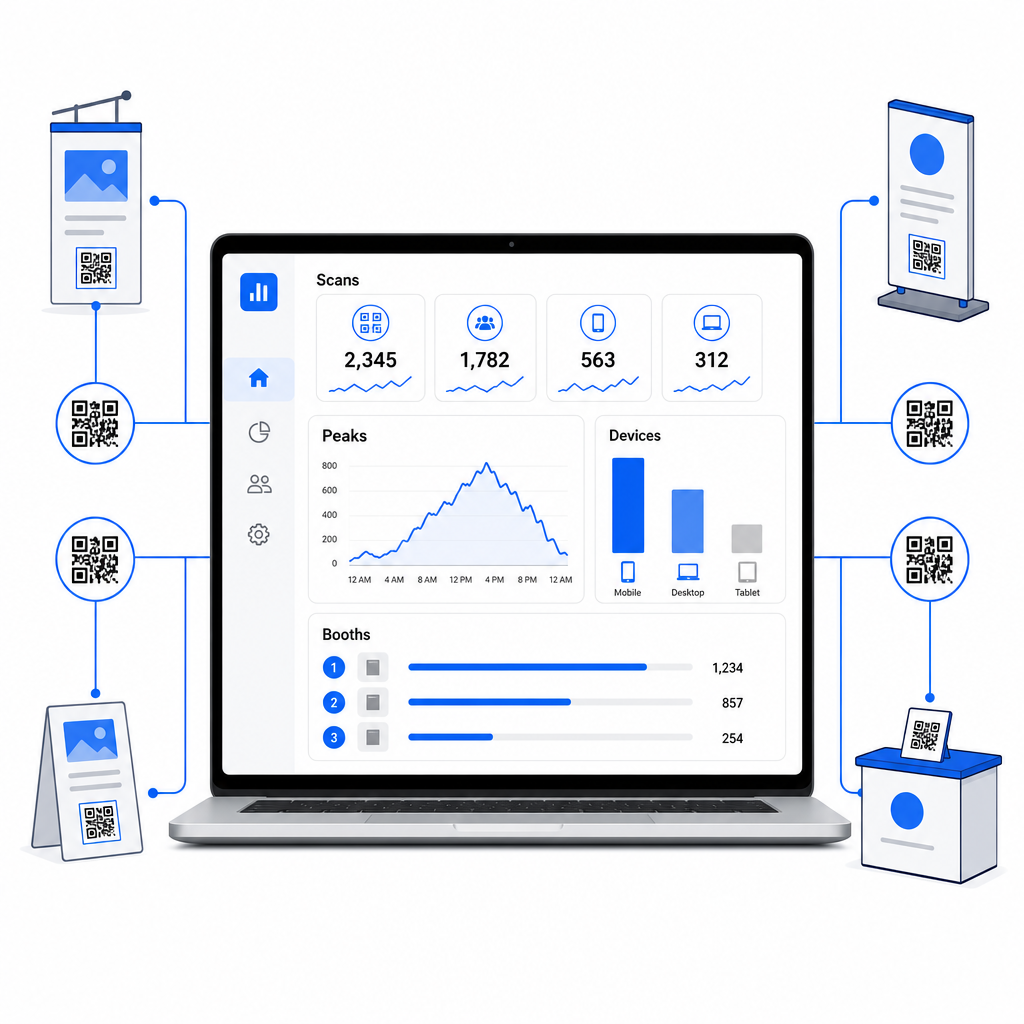
باستخدام لوحة تحليلات Pageloot، يمكنك مراقبة:
- عدد المسحات حسب الرمز: أي المواد أو شاشات العرض تولد أكبر قدر من الاهتمام
- وقت المسحات: متى خلال يوم المعرض يكون الحضور أكثر تفاعلاً
- أنواع الأجهزة: ما إذا كانت صفحات الهبوط الخاصة بك على الهاتف المحمول محسّنة للجمهور المناسب
- البيانات الجغرافية: مفيد للحملات متعددة الأماكن أو متعددة المعارض
هذا هو الفرق بين معرفة أن لديك 300 زائر جناح ومعرفة أن 220 منهم قاموا بمسح رمز عرض المنتج الخاص بك، و80 قاموا بمسح بطاقة الاتصال الخاصة بك، وأن حركة المرور بلغت ذروتها في أول ساعتين من كل يوم عرض. هذا المستوى من الرؤية يحسن بشكل مباشر كيفية تخصيص الموظفين وتحديد أولويات المتابعة. للحصول على نظرة أعمق على ما تكشفه هذه الأدوات وكيفية التصرف بناءً على البيانات، الدليل على أدوات رمز الاستجابة السريعة لتتبع الأحداث يغطي المقاييس الرئيسية التي تستحق المراقبة.
تعرف على نقاط الاتصال في الجناح التي تعمل بالفعل تتبع عمليات المسح حسب الموقع والوقت والجهاز عبر جميع رموز الاستجابة السريعة الخاصة بمعرضك التجاري. استخدم الـ مولد رمز الاستجابة السريعة للروابط لإنشاء رموز قابلة للتتبع مع تحليلات مدمجة.
المتابعة قبل أن تبرد الفرص
47% من زوار المعرض التجاري هم أكثر عرضة للشراء من العارضين الذين يلتقون بهم في المعرض، و51% يطلبون زيارة متابعة من ممثل مبيعات. الفرصة حقيقية – لكنها حساسة للوقت.
ابدأ المتابعة في غضون 24–48 ساعة بينما لا يزال الحدث حديثًا. رسالة تأكيد بسيطة عبر البريد الإلكتروني أو رسالة شكر تبقي شركتك في صدارة اهتمامات الحضور قبل أن ينتقلوا إلى المعرض التالي في جدولهم.
من هناك، قم بتقسيم فرصك حسب مستوى الاهتمام وحسب اهتمام منتج أو حل معين. الملاحظات التي التقطها موظفو جناحك أثناء المحادثات تصبح المادة الخام للتواصل المخصص – بالإشارة إلى التحدي المحدد الذي ذكره العميل المحتمل، أو المنتج الذي سألوا عنه، أو الخطوة التالية التي قالوا إنهم يفكرون فيها.
المتابعة الفعالة بعد المعرض تتضمن عادةً:
- أ بريد إلكتروني أولي مخصص في غضون 48 ساعة بالإشارة إلى المعرض والمحادثة
- أ دعوة محددة للعمل – جدولة عرض توضيحي، الانضمام إلى ندوة عبر الإنترنت، مراجعة مورد ذي صلة – بدلاً من “دعنا نبقى على اتصال” عامة”
- ملكية مخصصة لكل فرصة حتى لا تضيع الفرص الواعدة بين الفرق
- أ تسلسل المتابعة للفرص الدافئة والباردة التي تستمر في التفاعل على مدى أسبوعين إلى أربعة أسابيع
إذا قمت بجمع الفرص من خلال نموذج مرتبط برمز الاستجابة السريعة ومدمج مع نظام إدارة علاقات العملاء (CRM) الخاص بك، يمكن أتمتة الكثير من هذا التسلسل من لحظة إرسال النموذج. الدليل على أتمتة سير عمل مسح رمز QR يشرح كيفية إعداد ذلك من البداية إلى النهاية.
رموز الاستجابة السريعة بعد المعرض لها دور هنا أيضًا. يمكن لرمز الاستجابة السريعة في بريدك الإلكتروني للمتابعة أو على مواد ما بعد الحدث أن يربط بنموذج ملاحظات، أو عرض خاص، أو صفحة حجز – مما يوسع التفاعل الرقمي إلى ما بعد أرض المعرض.
وضع علامة تجارية لرموز الاستجابة السريعة الخاصة بمعرضك التجاري
يندمج رمز الاستجابة السريعة الأبيض والأسود العادي في خلفية جناح مزدحم. رمز ذو علامة تجارية – باستخدام ألوان شركتك، ودمج شعارك، وتصميمه ليتناسب مع جمالية جناحك – يلفت الانتباه ويشير إلى الاحترافية. يمكن لرموز الاستجابة السريعة ذات العلامة التجارية مع الشعارات أن تزيد معدلات المسح بنسبة 30% إلى 70% مقارنة بالرموز العامة.
للحفاظ على موثوقية المسح عند إضافة عناصر بصرية:
- حافظ على أي شعار مدمج صغيرًا وبعيدًا عن أنماط البحث الثلاثة في زوايا الرمز
- يستخدم تصحيح أخطاء عالي (المستوى H، حتى 30%) بحيث يظل الرمز قابلاً للمسح حتى مع تراكب الشعار
- حافظ على مسافة نسبة تباين لا تقل عن 4:1 بين ألوان مقدمة الرمز وخلفيته – الوحدات الداكنة على خلفية فاتحة هي التركيبة الأكثر موثوقية
- اختبر الرمز النهائي على أجهزة متعددة وتطبيقات ماسح ضوئي، في ظروف الإضاءة الفعلية لمساحة جناحك، قبل افتتاح المعرض
لمزيد من إرشادات التصميم، الـ أمثلة رموز QR ذات العلامة التجارية المقال يوضح كيفية دمج رموز الاستجابة السريعة في هويتك البصرية دون التضحية بإمكانية المسح. يمكنك أيضًا تصفح حلول رموز الاستجابة السريعة حسب الصناعة لترى كيف تتعامل القطاعات الأخرى مع تطبيقات الأجنحة والفعاليات.
قائمة التحقق من رمز الاستجابة السريعة لمعرضك التجاري
قبل افتتاح المعرض، اتبع هذه الخطوات للتأكد من أن إعداد رمز الاستجابة السريعة الخاص بك قوي:
| المهمة | التفاصيل |
|---|---|
| حدد أهداف جمع الفرص | حدد البيانات التي تحتاجها وقم ببناء حقول النموذج الخاص بك وفقًا لذلك |
| إنشاء رموز QR ديناميكية | استخدم رموزًا ديناميكية بحيث يمكن تحديث الوجهات دون إعادة الطباعة |
| إعداد صفحات الهبوط | تأكد من أن كل وجهة محسّنة للجوال وتحمل بسرعة |
| ضع علامة تجارية لرموزك | أضف شعارًا وألوانًا وإطار دعوة للعمل إلى كل رمز |
| ضع الرموز بشكل استراتيجي | طاولة المدخل، شاشات عرض المنتجات، النشرات، اللافتات، والشارات |
| حجم الرموز بشكل صحيح | طبق نسبة 10:1؛ بحد أدنى 2-3 بوصات للافتات الجناح |
| اختبر قبل المعرض | امسح على أجهزة متعددة، في ظروف الإضاءة الفعلية للجناح |
| أطلع فريقك | قم بتوجيه الموظفين خلال سير عمل جمع الفرص وعملية التأهيل |
| راقب التحليلات أثناء المعرض | تحقق من بيانات المسح كل يوم واضبط الموضع أو الرسائل حسب الحاجة |
| ابدأ المتابعة في غضون 48 ساعة | أرسل تواصلًا مخصصًا بينما لا تزال المحادثات حديثة |
الأسئلة الشائعة
تُعد رموز QR الديناميكية الخيار الأفضل للمعارض التجارية. إنها تسمح لك بتحديث عنوان URL الوجهة دون إعادة طباعة أي مواد، وهو أمر مفيد إذا تغيرت صفحة هبوط بين أيام المعرض أو إذا كنت ترغب في تبديل المحتوى بعد الحدث. توفر الرموز الديناميكية أيضًا تحليلات المسح الضوئي – الأعداد والأوقات والمواقع وأنواع الأجهزة – التي لا تستطيع الرموز الثابتة توفيرها. يمكنك إنشاء رموز ديناميكية باستخدام منشئ رموز QR.
ثلاثة عوامل تدفع معدلات المسح في المعارض التجارية: الموضع، والتصميم، والسياق. ضع الرموز على مستوى العين في الأماكن التي يتوقف فيها الحضور بشكل طبيعي. استخدم رموزًا ذات علامة تجارية وتباين عالٍ تبرز بصريًا. واحرص دائمًا على تضمين دعوة موجزة لاتخاذ إجراء بجانب الرمز – “امسح لتنزيل ورقة المواصفات الخاصة بنا” أو “امسح للدخول في سحبنا” – حتى يعرف الحضور بالضبط ما سيحصلون عليه قبل المسح. التبادل الواضح للقيمة هو الطريقة الأكثر موثوقية لزيادة التفاعل.
ابدأ بالتقاط العملاء المحتملين من خلال نموذج مرتبط بـ QR يغذي البيانات مباشرة في نظام إدارة علاقات العملاء الخاص بك، بما في ذلك أي ملاحظات سجلها موظفوك خلال المحادثة. يمنح هذا فريق مبيعاتك السياق الذي يحتاجونه للتواصل المخصص. بعد المعرض، قم بتضمين رموز QR في رسائل البريد الإلكتروني للمتابعة التي تربط بصفحة حجز، أو تسجيل عرض توضيحي، أو مورد ذي صلة. لأتمتة عملية التسليم من المسح إلى إدخال CRM، يتناول الدليل الخاص بأتمتة سير عمل مسح رمز QR الإعداد الفني خطوة بخطوة.
الفجوة بين كشك مزدحم وإيرادات قابلة للقياس تعود إلى مدى منهجية التقاطك وتأهيلك ومتابعتك لكل محادثة. تمنحك رموز QR طريقة خفيفة الوزن وقابلة للتطوير للقيام بكل هذه الأمور الثلاثة – دون إضافة تعقيد إلى سير عمل فريقك في أرض المعرض. قم بإعداد رموزك الديناميكية قبل المعرض التالي، وتتبع ما ينجح، ودع البيانات توجه استراتيجية المتابعة الخاصة بك.
أنشئ إعداد رمز QR الكامل لمعرضك التجاري أنشئ، وقم بتمييز، وادِر جميع رموز QR الخاصة بمعرضك التجاري من لوحة تحكم واحدة – مع تضمين التحليلات. ابدأ بـ مولد رمز الاستجابة السريعة اليوم.