Шукаєте практичні способи зробити ваші уроки інтерактивнішими та зменшити обсяг рутинної роботи? Набирання довгих URL-адрес витрачає час уроку та розчаровує учнів ще до початку навчання. Цей посібник охоплює креативні, дієві способи використання QR-кодів у викладанні, залученні учнів та управлінні класом.
Чому QR-коди працюють у класі
QR-код – це зображення, яке можна сканувати, що миттєво спрямовує телефон або планшет учня на URL-адресу, PDF-файл, відео, аудіофайл або форму – без необхідності набору тексту. Це саме по собі вирішує одну з найпоширеніших проблем у класі.
Окрім зручності, дослідження підтверджують їхню цінність. Дослідження в саудівських школах показало, що учні, які використовували QR-коди, вбудовані в підручники, досягли значно вищої успішності, ніж ті, хто цього не робив, і не повідомили про помітні технічні труднощі. Окреме дослідження професійно-технічних учнів виявило, що ті, хто мав сильнішу цифрову грамотність, демонстрували більш сприятливе ставлення до навчання, коли QR-коди були частиною інструкції.
Практичний результат: QR-коди є недорогими, легкими у створенні та ефективними, коли вчителі ретельно їх готують і перевіряють, чи відповідає пов’язаний контент віку. Такі інструменти, як освітнє рішення для QR-кодів від Pageloot дозволяють легко створювати класні коди, які можна редагувати, є безпечними та завжди актуальними.
15 способів використання QR-кодів у класі
1. Посилання на додаткові ресурси
Друкуйте QR-коди на робочих аркушах, підручниках або настінних дисплеях, щоб надати учням миттєвий доступ до онлайн-статей, відео, симуляцій або навчальних посібників. Це усуває необхідність набирати довгі веб-адреси та підтримує темп навчання. Або QR-код URL-адреси є найпростішим форматом для цього – вставте посилання, згенеруйте код і роздрукуйте.
2. Проведіть квест або пошук скарбів
Розмістіть QR-коди по класу або школі, кожен з яких посилається на запитання або підказку. Лише правильна відповідь спрямовує учнів до наступного місця; неправильна відповідь повертає підказку. Цей підхід змушує учнів рухатися, заохочує до вирішення проблем і перетворює повторення матеріалу на гру. Він особливо добре працює для вивчення лексики, історичних фактів або наукових концепцій.

3. Створіть навчальні станції
Призначте окремий QR-код для кожної станції в ротації. Кожен код посилається на вміст, специфічний для станції – відео, завдання, тест або читання. Учні можуть працювати самостійно у власному темпі, і ви можете легко диференціювати навчання, посилаючись на матеріали різного рівня складності без друку кількох версій чогось.
Переведіть свої навчальні станції в онлайн Створіть окремі QR-коди для кожної навчальної станції, використовуючи Генератор QR-кодів Pageloot і оновлюйте пов'язаний контент у будь-який час, не передруковуючи жодного аркуша.
4. Збирайте вихідні квитки та зворотний зв'язок
Прив'яжіть QR-код до Google Форми або швидкого опитування та відобразіть його в кінці уроку. Студенти сканують і надсилають свої відповіді менш ніж за хвилину, надаючи вам дані про розуміння в реальному часі, перш ніж вони покинуть кімнату. Google Form QR: генератор для Google Форм робить це налаштування швидким – створіть форму, скопіюйте посилання для спільного доступу та згенеруйте код.
5. Діліться навчальними матеріалами без паперу
Замість друку навчальних програм, конспектів лекцій або списків для читання, закодуйте їх як PDF QR код і розмістіть код на стіні класу або в презентації. Студенти сканують один раз і отримують цифрову копію. Якщо ви оновлюєте документ, динамічний QR-код дозволяє замінити пов'язаний файл без створення або передруку нового коду.
6. Підтримуйте студентів з труднощами читання
Записуйте аудіоверсії інструкцій, списків словникових слів або ключових уривків і завантажуйте їх на YouTube або хостингову платформу. Закодуйте посилання як QR-код MP3 і діліться ним зі студентами, яким легше слухати, ніж читати. Цей підхід підтримує учнів з вадами зору, дислексією або потребами у вивченні англійської мови, не виділяючи нікого окремо.
7. Демонструйте роботи студентів
Попросіть студентські групи записати коротке відео, пояснюючи, що вони дізналися, як вони вирішили проблему або що вони створили під час проєкту. Завантажте ці відео на YouTube або Google Drive, потім закодуйте посилання як QR-коди та розмістіть їх у класі або коридорі. Батьки, однолітки та адміністратори можуть сканувати, щоб переглянути роботи під час відкритих вечорів або батьківських зборів.
8. Відстежуйте відвідуваність цифровим способом
Розмістіть QR-код біля входу в клас, пов'язаний з формою реєстрації. Студенти сканують його по прибутті, автоматично надсилаючи своє ім'я та час. Це усуває потребу в ручних перекличках і генерує запис з відміткою часу, який ви можете переглянути пізніше. Pageloot’s освітні інструменти включають опції для відстеження сканувань та залученості, що робить облік відвідуваності простим.
9. Сприяйте груповій співпраці
Прив'яжіть QR-код до спільного Google Doc, Jamboard або спільної платформи, де студентські групи отримують доступ до своїх інструкцій, вносять ідеї або документують свій прогрес. Кожна група може мати свій власний код, що вказує на її власний спільний простір, зберігаючи проекти організованими та зменшуючи час, витрачений на розповсюдження матеріалів.
10. Додайте QR-коди до лабораторних установок
Прикріпіть QR-коди до лабораторного обладнання, моделей або експериментальних станцій. Кожен код може посилатися на лист безпеки, покрокову процедуру, демонстраційне відео або додаткові питання. Студенти отримують необхідну інформацію в контексті, саме тоді, коли вона їм потрібна, без необхідності шукати окремий роздатковий матеріал.
11. Увімкніть голосування та опитування в класі
Відобразіть QR-код на початку або в кінці заняття, який посилається на живе опитування. Студенти сканують, щоб проголосувати з дискусійного питання, оцінити свою впевненість у темі або взяти участь у швидкому класному рішенні. Це добре працює для розминок, опитувань громадської думки перед дебатами або перевірки розуміння концепції в аудиторії.
12. Створіть студентський дослідницький центр
Запропонуйте студентам знайти та відібрати ресурси за темою, а потім закодувати їхні джерела як QR-коди, розміщені на дошці оголошень або поширені в цифровому вигляді. Це створює “стіну, що говорить” – візуальну, скановану бібліографію, яку можуть досліджувати однолітки. Це розвиває дослідницькі навички та дає студентам аудиторію для їхньої роботи, що виходить за межі лише вчителя.
13. Підтримуйте диференційоване навчання
Створіть кілька QR-кодів, що посилаються на різні версії одного й того ж контенту – базове пояснення, стандартне завдання та додаткове завдання. Розмістіть усі три та дозвольте студентам самостійно обирати, або призначте конкретні коди дискретно. Це дозволяє вам задовольняти потреби студентів там, де вони є, не роблячи диференціацію очевидною або логістично складною.
14. Зв'яжіться з батьками та родинами
Додайте QR-коди до інформаційних бюлетенів, обкладинок табелів або виставок студентських проектів. Посилайтеся на календарі подій, дозволи, відео проектів або додаткову інформацію, яка підтримує залученість сімей до того, що відбувається в класі. Це зменшує обмін електронними листами та надає батькам легку, скановану точку входу до шкільних комунікацій.
15. Просувайте шкільні події
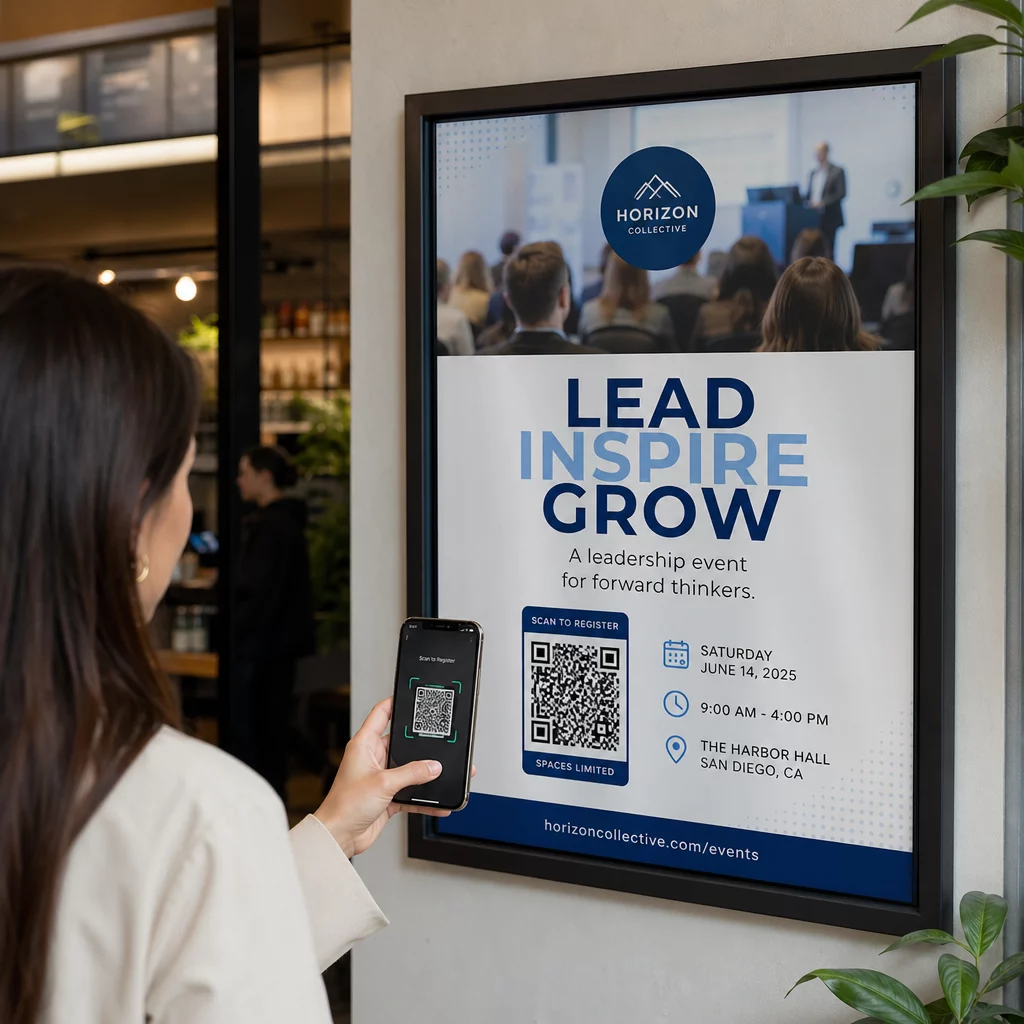
Розмістіть QR-коди на плакатах у коридорах або листівках, що ведуть безпосередньо до реєстрації на події, форм підтвердження участі або деталей розкладу. Учні та батьки сканують їх замість того, щоб записувати URL-адресу або шукати вручну, що збільшує участь та зменшує кількість неявок на такі заходи, як виступи, спортивні події чи гуртки.
Практичні поради перед початком
Кілька речей, які варто перевірити перед друком та розповсюдженням кодів:
- Перевіряйте кожен код перед друком. Скануйте кожен з них щонайменше на двох різних пристроях, щоб переконатися, що посилання працює, а вміст завантажується правильно.
- Розмір має значення для відстані сканування. Для коду, розміщеного на стіні або плакаті, прагніть розміру щонайменше 4 × 4 см, щоб учні могли сканувати з комфортної відстані. Дивіться посібнику з розмірів QR-кодів для отримання додаткової інформації.
- Використовуйте динамічні QR-коди для всього, що може змінюватися. Динамічні коди дозволяють оновлювати пов'язаний вміст після друку, тому код на дисплеї в класі залишається корисним протягом усього року. Дізнайтеся більше про статичними та динамічними QR-кодами щоб вирішити, який підходить для кожного випадку використання.
- Зберігайте високий контраст. Темний візерунок на світлому фоні надійно сканується. Перегляньте рекомендацій щодо читабельності QR-кодів якщо ви налаштовуєте кольори або додаєте логотип.
- Додайте коротку мітку. Короткий рядок тексту під кодом – “Скануйте для сьогоднішнього читання” або “Скануйте, щоб подати свій вихідний квиток” – усуває здогадки та збільшує кількість сканувань.
QR-коди працюють найкраще, коли вони зменшують тертя, а не додають його. Чим чіткіше позначений код, тим надійніше він сканується і тим більше він сприяє зосередженому навчальному середовищу.

Створіть QR-коди для класу за лічені хвилини Підтримка Pageloot 25+ типів QR-кодів включно з посиланнями, PDF-файлами, формами, зображеннями та аудіо – усе це можна налаштовувати та відстежувати. Розпочніть безкоштовну 14-денну пробну версію, щоб створити свій перший набір QR-кодів для класу вже сьогодні.
Поширені запитання
Ні. Більшість сучасних смартфонів і планшетів можуть сканувати QR-коди безпосередньо через вбудований додаток камери. Учням достатньо відкрити камеру, навести її на код і торкнутися сповіщення, що з'явиться. Для старих пристроїв замість цього можна використовувати безкоштовний додаток для сканування QR-кодів.
Статичний QR-код посилається на фіксоване призначення, яке не можна змінити після друку. Динамічний QR-код зберігає коротку URL-адресу перенаправлення, тому ви можете оновлювати пов'язаний вміст – нове відео, переглянутий робочий аркуш або іншу форму – без повторного друку коду. Для навчальних матеріалів, які змінюються протягом року, динамічні коди є більш практичним вибором.
Ви контролюєте, на що посилається кожен код, тому ви вирішуєте, до чого студенти можуть мати доступ. Використовуйте надійні платформи, такі як Google Диск, YouTube (з відповідними налаштуваннями конфіденційності) або схвалені школою інструменти для розміщення контенту. Перевіряйте кожне посилання перед розповсюдженням кодів і розгляньте можливість використання платформи, такої як освітнє рішення Pageloot, яка дозволяє оновлювати або вимикати посилання в будь-який час, якщо вміст потребує змін.