Tražite li praktične načine da svoje časove učinite interaktivnijim i smanjite nepotreban rad? Kucanje dugih URL adresa troši vreme na času i frustrira učenike pre nego što učenje i počne. Ovaj vodič pokriva kreativne, primenljive načine korišćenja QR kodova u nastavi, angažovanju učenika i upravljanju učionicom.
Zašto QR kodovi funkcionišu u okruženju učionice
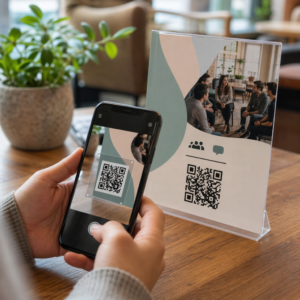
QR kod je slika koja se može skenirati i koja trenutno usmerava telefon ili tablet učenika na URL, PDF, video, audio datoteku ili obrazac – bez potrebe za kucanjem. To samo po sebi rešava jednu od najčešćih tačaka trenja u učionici.
Osim pogodnosti, istraživanja podržavaju njihovu vrednost. Studija u saudijskim školama otkrila je da su učenici koji su koristili QR kodove ugrađene u udžbenike postigli značajno bolje akademske rezultate od onih koji nisu, i nisu prijavili značajne tehničke poteškoće. Odvojeno istraživanje o učenicima stručnih škola pokazalo je da su oni sa jačom digitalnom pismenošću pokazali povoljnije stavove prema učenju kada su QR kodovi bili deo nastave.
Praktičan zaključak: QR kodovi su jeftini, lako se generišu i efikasni kada ih nastavnici pažljivo pripreme i provere da li je povezani sadržaj primeren uzrastu. Alati poput Pageloot-ovog rešenja za QR kodove za obrazovanje olakšavaju kreiranje kodova za učionicu koji su podesivi, sigurni i uvek ažurni.
15 načina za korišćenje QR kodova u učionici
1. Povezivanje sa dodatnim resursima
Odštampajte QR kodove na radnim listovima, udžbenicima ili zidnim displejima kako biste učenicima omogućili trenutni pristup onlajn člancima, video zapisima, simulacijama ili vodičima za učenje. Ovo eliminiše potrebu za kucanjem dugih veb adresa i održava zamah učenja. A QR код URL-а je najjednostavniji format za ovo – nalepite link, generišite kod i odštampajte.
2. Organizujte potragu za blagom ili traganje za predmetima
Postavite QR kodove po učionici ili školi, pri čemu svaki vodi do pitanja ili traga. Samo tačan odgovor usmerava učenike na sledeću lokaciju; netačan odgovor vraća nagoveštaj. Ovaj pristup podstiče učenike na kretanje, ohrabruje rešavanje problema i pretvara pregled sadržaja u igru. Posebno dobro funkcioniše za rečnik, istorijske činjenice ili naučne koncepte.

3. Postavite stanice za učenje
Dodajte različit QR kod svakoj stanici u rotaciji. Svaki kod vodi do sadržaja specifičnog za stanicu – video zapisa, aktivnosti, kviza ili teksta za čitanje. Učenici mogu raditi samostalno svojim tempom, a vi možete lako diferencirati nastavu povezivanjem sa materijalima različitih nivoa složenosti bez štampanja više verzija bilo čega.
Prebacite svoje učioničke stanice na internet Kreirajte zasebne QR kodove za svaku stanicu za učenje koristeći Пагелоот генератор КР кодова i ažurirajte povezani sadržaj bilo kada bez ponovnog štampanja ijednog lista.
4. Prikupljajte izlazne kartice i povratne informacije
Povežite QR kod sa Google obrascem ili brzom anketom i prikažite ga na kraju časa. Učenici skeniraju i šalju svoje odgovore za manje od minuta, dajući vam podatke o razumevanju u realnom vremenu pre nego što napuste prostoriju. The Google Form QR kod generator čini ovo podešavanje brzim – kreirajte obrazac, kopirajte link za deljenje i generišite kod.
5. Delite materijale za kurs bez papira
Umesto štampanja silabusa, beleški sa predavanja ili spiskova za čitanje, kodirajte ih kao ПДФ КР код i postavite kod na zid učionice ili prezentaciju. Učenici skeniraju jednom i imaju digitalnu kopiju. Ako ažurirate dokument, dinamički QR kod vam omogućava da zamenite povezani fajl bez generisanja ili ponovnog štampanja novog koda.
6. Podržite učenike sa poteškoćama u čitanju
Snimite audio verzije uputstava, spiskova rečnika ili ključnih odlomaka i otpremite ih na YouTube ili platformu za hosting. Kodirajte link kao MP3 QR kod i podelite ga sa učenicima kojima više odgovara slušanje nego čitanje. Ovaj pristup podržava učenike sa oštećenjem vida, disleksijom ili potrebama za učenjem engleskog jezika, a da nikoga ne izdvaja.
7. Predstavite rad učenika
Zatražite od grupa učenika da snime kratak video objašnjavajući šta su naučili, kako su rešili problem ili šta su kreirali tokom projekta. Otpremite te video zapise na YouTube ili Google Drive, zatim kodirajte linkove kao QR kodove i postavite ih u učionici ili hodniku. Roditelji, vršnjaci i administratori mogu skenirati da bi pregledali rad tokom otvorenih večeri ili roditeljskih sastanaka.
8. Pratite prisustvo digitalno
Postavite QR kod na ulazu u učionicu povezan sa obrascem za prijavu. Učenici skeniraju po dolasku, automatski šaljući svoje ime i vreme. Ovo eliminiše potrebu za ručnim prozivanjem i generiše zapis sa vremenskom oznakom koji možete kasnije pregledati. Pageloot’s obrazovni alati uključuju opcije za praćenje skeniranja i angažovanja, što olakšava evidentiranje prisustva.
9. Olakšajte grupnu saradnju
Povežite QR kod sa deljenim Google dokumentom, Jamboard-om ili platformom za saradnju gde studentske grupe pristupaju svojim uputstvima, doprinose idejama ili dokumentuju svoj napredak. Svaka grupa može imati svoj kod koji pokazuje na sopstveni deljeni prostor, čime se projekti održavaju organizovanim i smanjuje vreme provedeno u distribuciji materijala.
10. Dodajte QR kodove u laboratorijske postavke
Pričvrstite QR kodove na laboratorijsku opremu, modele ili eksperimentalne stanice. Svaki kod može da vodi do bezbednosnog lista, procedure korak po korak, demonstracionog videa ili dodatnih pitanja. Studenti dobijaju informacije koje su im potrebne u kontekstu, tačno kada im trebaju, bez potrebe da traže poseban materijal.
11. Omogućite glasanje i ankete u učionici
Prikažite QR kod na početku ili kraju časa koji vodi do ankete uživo. Studenti skeniraju da bi glasali o pitanju za diskusiju, rangirali svoje samopouzdanje o nekoj temi ili učestvovali u brzoj odluci na času. Ovo dobro funkcioniše za zagrevanja, ankete mišljenja pre debate ili proveru razumevanja koncepta u učionici.
12. Izgradite centar za studentska istraživanja
Neka studenti pronađu i urede resurse o nekoj temi, a zatim kodiraju svoje izvore kao QR kodove postavljene na oglasnoj tabli ili deljene digitalno. Ovo stvara “zid koji govori” – vizuelnu, skenirajuću bibliografiju koju vršnjaci mogu istraživati. Razvija istraživačke veštine i daje studentima publiku za njihov rad izvan samo nastavnika.
13. Podržite diferenciranu nastavu
Kreirajte više QR kodova koji vode do različitih verzija istog sadržaja – osnovno objašnjenje, standardni zadatak i izazov za proširenje. Postavite sva tri i pustite studente da sami biraju, ili diskretno dodelite specifične kodove. Ovo vam omogućava da se prilagodite studentima tamo gde su, a da diferencijacija ne bude očigledna ili logistički složena.
14. Povežite se sa roditeljima i porodicama
Dodajte QR kodove u biltene, na korice svedočanstava ili na izložbe studentskih projekata. Povežite ih sa kalendarima događaja, saglasnostima, video zapisima projekata ili dodatnim informacijama koje drže porodice angažovanim u onome što se dešava u učionici. Ovo smanjuje razmenu e-pošte i pruža roditeljima laku, skenirajuću ulaznu tačku za školsku komunikaciju.
15. Promovišite školske događaje
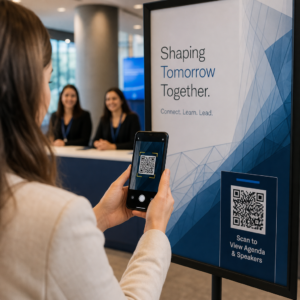
Postavite QR kodove na plakate u hodnicima ili flajere koji direktno vode do registracije za događaje, RSVP obrazaca ili detalja rasporeda. Studenti i roditelji skeniraju umesto da zapisuju URL ili ručno pretražuju, što povećava učešće i smanjuje izostanke za stvari kao što su predstave, sportski događaji ili klubovi.
Praktični saveti pre nego što počnete
Nekoliko stvari koje treba proveriti pre štampanja i distribucije kodova:
- Testirajte svaki kod pre štampanja. Skenirajte svaki na najmanje dva različita uređaja kako biste potvrdili da veza radi i da se sadržaj ispravno učitava.
- Veličina je važna za udaljenost skeniranja. Za kod postavljen na zid ili poster, ciljajte na najmanje 4 × 4 cm kako bi učenici mogli da skeniraju sa udobne udaljenosti. Pogledajte vodiču za veličinu QR koda za više detalja.
- Koristite dinamičke QR kodove za sve što se može promeniti. Dinamički kodovi vam omogućavaju da ažurirate povezani sadržaj nakon štampanja, tako da kod na školskom displeju ostaje koristan tokom cele godine. Saznajte više o statičkih i dinamičkih QR kodova da odlučite koji odgovara svakom slučaju upotrebe.
- Održavajte visok kontrast. Tamni obrazac na svetloj pozadini se pouzdano skenira. Pregledajte najbolje prakse čitljivosti QR kodova ako prilagođavate boje ili dodajete logo.
- Dodajte kratku oznaku. Kratak red teksta ispod koda – “Skenirajte za današnje čitanje” ili “Skenirajte da predate svoju izlaznu kartu” – eliminiše nagađanje i povećava stope skeniranja.
QR kodovi najbolje funkcionišu kada smanjuju trenje, a ne kada ga dodaju. Što je kod jasnije označen, to se pouzdanije skenira i više doprinosi fokusiranom okruženju u učionici.

Kreirajte QR kodove za učionicu za nekoliko minuta Подржава Pageloot 25+ tipova QR kodova uključujući linkove, PDF-ove, obrasce, slike i audio – sve prilagodljivo i pratljivo. Započnite besplatnu probnu verziju od 14 dana da biste danas napravili svoj prvi set kodova za učionicu.
Često postavljana pitanja
Ne. Većina modernih pametnih telefona i tableta može skenirati QR kodove direktno preko ugrađene aplikacije kamere. Studenti jednostavno otvore kameru, usmere je ka kodu i dodirnu obaveštenje koje se pojavi. Za starije uređaje, besplatna aplikacija za skeniranje QR kodova može se koristiti umesto toga.
Statički QR kod vodi do fiksne destinacije koja se ne može promeniti nakon štampanja. Dinamički QR kod čuva kratak URL za preusmeravanje, tako da možete ažurirati povezani sadržaj – novi video, revidirani radni list ili drugačiji obrazac – bez ponovnog štampanja koda. Za materijale za učionicu koji se menjaju tokom godine, dinamički kodovi su praktičniji izbor.
Vi kontrolišete na šta se svaki kod povezuje, tako da vi odlučujete čemu studenti mogu pristupiti. Koristite pouzdane platforme kao što su Google Drive, YouTube (sa odgovarajućim podešavanjima privatnosti) ili alate odobrene od strane škole za hostovanje sadržaja. Testirajte svaki link pre distribucije kodova i razmislite o korišćenju platforme kao što je Pageloot-ovo obrazovno rešenje koje vam omogućava da ažurirate ili onemogućite linkove u bilo kom trenutku ako se sadržaj mora promeniti.