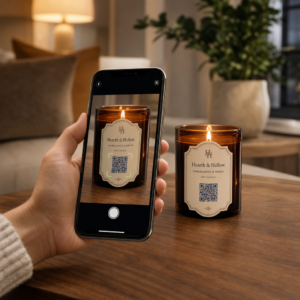
Leter du etter praktiske måter å gjøre leksjonene dine mer interaktive og redusere unødvendig arbeid? Å skrive lange URL-er kaster bort klassetid og frustrerer elevene før læringen i det hele tatt begynner. Denne guiden dekker kreative, handlingsrettede måter å bruke QR-koder på tvers av undervisning, studentengasjement og klasseromsledelse.
Hvorfor QR-koder fungerer i et klasserom
En QR-kode er et skannbart bilde som umiddelbart dirigerer en elevs telefon eller nettbrett til en URL, PDF, video, lydfil eller et skjema – ingen skriving nødvendig. Bare det løser et av de vanligste friksjonspunktene i klasserommet.
Utover bekvemmelighet støtter forskning deres verdi. En studie i saudiarabiske skoler fant at elever som brukte QR-koder innebygd i lærebøker, oppnådde betydelig høyere akademisk ytelse enn de som ikke gjorde det, og rapporterte ingen bemerkelsesverdige tekniske vanskeligheter. Separat forskning på yrkesfagstudenter fant at de med sterkere digital kompetanse viste mer positive læringsinnstillinger når QR-koder var en del av undervisningen.
Den praktiske konklusjonen: QR-koder er rimelige, enkle å generere og effektive når lærere forbereder dem omtenksomt og verifiserer at lenket innhold er alderspassende. Verktøy som Pageloots løsning for QR-koder for utdanning gjør det enkelt å lage klasseromskoder som er redigerbare, trygge og alltid oppdaterte.
15 måter å bruke QR-koder i klasserommet på
1. Lenke til tilleggsressurser
Skriv ut QR-koder på arbeidsark, lærebøker eller veggutstillinger for å gi elevene umiddelbar tilgang til nettartikler, videoer, simuleringer eller studieveiledninger. Dette eliminerer behovet for å skrive lange nettadresser og holder læringsmomentumet i gang. En URL QR-kode er det enkleste formatet for dette – lim inn lenken, generer koden og skriv ut.
2. Arranger en skattejakt eller rebusløp
Plasser QR-koder rundt i klasserommet eller skolen, der hver lenker til et spørsmål eller en ledetråd. Bare det riktige svaret dirigerer elevene til neste sted; et feil svar gir et hint. Denne tilnærmingen får elevene i bevegelse, oppmuntrer til problemløsning og gjør innholdsgjennomgang til et spill. Det fungerer spesielt bra for vokabular, historiske fakta eller vitenskapelige konsepter.

3. Sett opp læringsstasjoner
Tildel en forskjellig QR-kode til hver stasjon i en rotasjon. Hver kode lenker til stasjonsspesifikt innhold – en video, en aktivitet, en quiz eller en lesetekst. Elevene kan jobbe uavhengig i sitt eget tempo, og du kan enkelt differensiere ved å lenke til materiell med varierende kompleksitetsnivåer uten å skrive ut flere versjoner av noe.
Ta klasseromsstasjonene dine på nett Lag separate QR-koder for hver læringsstasjon ved å bruke Pageloot QR-kodegenerator og oppdater det lenkede innholdet når som helst uten å skrive ut et eneste ark på nytt.
4. Samle inn utgangsbilletter og tilbakemeldinger
Koble en QR-kode til et Google-skjema eller en rask undersøkelse og vis den på slutten av timen. Elevene skanner og sender inn svarene sine på under ett minutt, noe som gir deg sanntidsdata om forståelse før de forlater rommet. Den Google Form QR-kode generator gjør dette oppsettet raskt – opprett skjemaet, kopier delingslenken og generer koden.
5. Del kursmateriell papirløst
I stedet for å skrive ut pensum, forelesningsnotater eller leselister, kod dem som en PDF QR-kode og legg ut koden på klasseromsveggen eller lysbildepresentasjonen. Elevene skanner én gang og har en digital kopi. Hvis du oppdaterer dokumentet, lar en dynamisk QR-kode deg bytte ut den lenkede filen uten å generere eller skrive ut en ny kode på nytt.
6. Støtt elever med lesevansker
Spill inn lydversjoner av instruksjoner, ordforrådslister eller viktige passasjer og last dem opp til YouTube eller en vertsplatform. Kod lenken som en MP3 QR-kode og del den med elever som drar nytte av å lytte i stedet for å lese. Denne tilnærmingen støtter elever med synshemming, dysleksi eller engelskspråklige læringsbehov uten å peke ut noen.
7. Vis frem studentarbeid
Be elevgrupper om å spille inn en kort video som forklarer hva de lærte, hvordan de løste et problem, eller hva de skapte under et prosjekt. Last opp disse videoene til YouTube eller Google Disk, kod deretter lenkene som QR-koder og legg dem ut i klasserommet eller gangen. Foreldre, jevnaldrende og administratorer kan skanne for å se arbeidet under åpne kvelder eller foreldre-lærermøter.
8. Spor oppmøte digitalt
Plasser en QR-kode ved klasseromsinngangen som er koblet til et innsjekkingsskjema. Studenter skanner når de ankommer, og sender inn navn og tid automatisk. Dette fjerner behovet for manuelle opprop og genererer en tidsstemplet oversikt du kan gjennomgå senere. Pageloot’s utdanningsverktøy inkluderer alternativer for sporing av skanninger og engasjement, noe som gjør fremmøteregistrering enkel.
9. Tilrettelegg for gruppesamarbeid
Koble en QR-kode til et delt Google Doc, Jamboard eller en samarbeidsplattform der studentgrupper får tilgang til instruksjonene sine, bidrar med ideer eller dokumenterer fremdriften sin. Hver gruppe kan ha sin egen kode som peker til sitt eget delte område, noe som holder prosjekter organisert og reduserer tiden brukt på å distribuere materialer.
10. Legg til QR-koder i laboratorieoppsett
Fest QR-koder til laboratorieutstyr, modeller eller eksperimentstasjoner. Hver kode kan lenke til et sikkerhetsark, en trinnvis prosedyre, en demonstrasjonsvideo eller utvidelsesspørsmål. Studenter får informasjonen de trenger i kontekst, akkurat når de trenger den, uten å måtte finne et separat utdelingsark.
11. Aktiver avstemninger og meningsmålinger i klasserommet
Vis en QR-kode ved starten eller slutten av timen som lenker til en live meningsmåling. Studenter skanner for å avgi en stemme på et diskusjonsspørsmål, rangere sin selvtillit på et emne, eller delta i en rask klassebeslutning. Dette fungerer bra for oppvarminger, meningsmålinger før en debatt, eller for å sjekke stemningen i rommet om et konsept.
12. Bygg et studentforskningssenter
La studentene finne og kuratere ressurser om et emne, og deretter kode kildene sine som QR-koder som er lagt ut på en oppslagstavle eller delt digitalt. Dette skaper en “vegg som snakker” – en visuell, skannbar bibliografi som jevnaldrende kan utforske. Det bygger forskningsferdigheter og gir studentene et publikum for arbeidet sitt utover bare læreren.
13. Støtt differensiert undervisning
Lag flere QR-koder som lenker til forskjellige versjoner av samme innhold – en grunnleggende forklaring, en standardoppgave og en utfordring for videreføring. Legg ut alle tre og la studentene velge selv, eller tildel spesifikke koder diskret. Dette lar deg møte studentene der de er uten å gjøre differensiering åpenbar eller logistisk kompleks.
14. Koble til foreldre og familier
Legg til QR-koder i nyhetsbrev, karakterkortomslag eller studentprosjektutstillinger. Koble dem til arrangementskalendere, samtykkeskjemaer, prosjektvideoer eller tilleggsinformasjon som holder familier engasjert i det som skjer i klasserommet. Dette reduserer e-postfrem og tilbake og gir foreldre et enkelt, skannbart inngangspunkt til skolekommunikasjon.
15. Fremme skolearrangementer
Plasser QR-koder på gangplakater eller flygeblader som lenker direkte til arrangementsregistrering, RSVP-skjemaer eller tidsplaninformasjon. Studenter og foreldre skanner i stedet for å skrive ned en URL eller søke manuelt, noe som øker deltakelsen og reduserer fravær for ting som forestillinger, sportsarrangementer eller klubber.
Praktiske tips før du starter
Noen ting å sjekke før du skriver ut og distribuerer koder:
- Test hver kode før utskrift. Skann hver enkelt på minst to forskjellige enheter for å bekrefte at lenken fungerer og at innholdet lastes inn riktig.
- Størrelse betyr noe for skanneavstanden. For en kode plassert på en vegg eller plakat, sikt på minst 4 × 4 cm slik at studentene kan skanne fra en behagelig avstand. Se størrelsesguide for QR-koder for mer detaljer.
- Bruk dynamiske QR-koder for alt som kan endre seg. Dynamiske koder lar deg oppdatere det lenkede innholdet etter utskrift, slik at en kode på en klasseromsdisplay forblir nyttig hele året. Lær mer om statiske vs dynamiske QR-koder for å bestemme hvilken som passer for hvert bruksområde.
- Hold kontrasten høy. Mørkt mønster på lys bakgrunn skanner pålitelig. Se over beste praksis for lesbarhet av QR-koder hvis du tilpasser farger eller legger til en logo.
- Legg til en kort etikett. En kort tekstlinje under koden – “Skann for dagens lesing” eller “Skann for å levere din exit-billett” – fjerner gjetting og øker skannefrekvensen.
QR-koder fungerer best når de reduserer friksjon i stedet for å legge til den. Jo tydeligere en kode er merket, desto mer pålitelig skannes den, og desto mer bidrar den til et fokusert klasseromsmiljø.

Lag klasseroms-QR-koder på minutter Pageloot-støtter 25+ QR-kodetyper inkludert lenker, PDF-er, skjemaer, bilder og lyd – alt kan tilpasses og spores. Start en gratis 14-dagers prøveperiode for å bygge ditt første sett med klasseromskoder i dag.
Ofte stilte spørsmål
Nei. De fleste moderne smarttelefoner og nettbrett kan skanne QR-koder direkte via den innebygde kameraappen. Studentene åpner ganske enkelt kameraet, retter det mot koden, og trykker på varselet som vises. For eldre enheter kan en gratis QR-kodeskannerapp brukes i stedet.
En statisk QR-kode lenker til en fast destinasjon som ikke kan endres etter utskrift. En dynamisk QR-kode lagrer en kort omdirigerings-URL, slik at du kan oppdatere det lenkede innholdet – en ny video, et revidert arbeidsark eller et annet skjema – uten å skrive ut koden på nytt. For klasseromsmateriell som endres gjennom året, er dynamiske koder det mest praktiske valget.
Du kontrollerer hva hver kode lenker til, så du bestemmer hva elevene kan få tilgang til. Bruk pålitelige plattformer som Google Disk, YouTube (med passende personverninnstillinger), eller skolegodkjente verktøy for å hoste innhold. Test hver lenke før du distribuerer koder, og vurder å bruke en plattform som Pageloots utdanningsløsning som lar deg oppdatere eller deaktivere lenker når som helst hvis innholdet må endres.