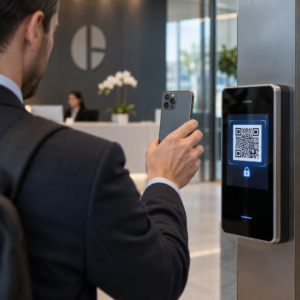
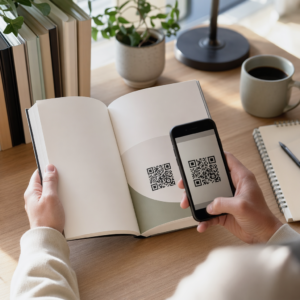
Derslerinizi daha etkileşimli hale getirmek ve angaryayı azaltmak için pratik yollar mı arıyorsunuz? Uzun URL'ler yazmak ders zamanını boşa harcar ve öğrenme başlamadan öğrencileri hayal kırıklığına uğratır. Bu kılavuz, QR kodlarını öğretim, öğrenci katılımı ve sınıf yönetimi genelinde kullanmanın yaratıcı, uygulanabilir yollarını kapsar.
QR Kodları Sınıf Ortamında Neden İşe Yarar?
Bir QR kodu, bir öğrencinin telefonunu veya tabletini anında bir URL'ye, PDF'ye, videoya, ses dosyasına veya forma yönlendiren taranabilir bir görüntüdür – yazmaya gerek yoktur. Bu tek başına en yaygın sınıf sürtünme noktalarından birini çözer.
Kolaylığın ötesinde, araştırmalar değerlerini desteklemektedir. Suudi okullarında yapılan bir çalışma, ders kitaplarına gömülü QR kodlarını kullanan öğrencilerin kullanmayanlara göre önemli ölçüde daha yüksek akademik başarı elde ettiğini ve kayda değer teknik zorluklar bildirmediğini bulmuştur. Mesleki öğrenciler üzerinde yapılan ayrı bir araştırma, dijital okuryazarlığı daha güçlü olanların, QR kodları öğretimin bir parçası olduğunda daha olumlu öğrenme tutumları sergilediğini ortaya koymuştur.
Pratik sonuç: QR kodları düşük maliyetli, oluşturulması kolay ve öğretmenler bunları özenle hazırladığında ve bağlantılı içeriğin yaşa uygun olduğunu doğruladığında etkilidir. Gibi araçlar Pageloot'un eğitim QR kodu çözümü düzenlenebilir, güvenli ve her zaman güncel sınıf kodları oluşturmayı kolaylaştırır.
Sınıfta QR Kodlarını Kullanmanın 15 Yolu
1. Ek Kaynaklara Bağlantı Verin
Öğrencilere çevrimiçi makalelere, videolara, simülasyonlara veya çalışma kılavuzlarına anında erişim sağlamak için çalışma sayfalarına, ders kitaplarına veya duvar panolarına QR kodları yazdırın. Bu, uzun web adresleri yazma ihtiyacını ortadan kaldırır ve öğrenme ivmesini sürdürür. Bir URL QR kodu bunun için en basit formattır – bağlantıyı yapıştırın, kodu oluşturun ve yazdırın.
2. Çöpçü Avı veya Hazine Yolu Düzenleyin
Sınıfın veya okulun etrafına, her biri bir soruya veya ipucuna bağlanan QR kodları yerleştirin. Yalnızca doğru cevap öğrencileri bir sonraki konuma yönlendirir; yanlış bir cevap bir ipucu döndürür. Bu yaklaşım öğrencileri hareket ettirir, problem çözmeyi teşvik eder ve içerik incelemesini bir oyuna dönüştürür. Özellikle kelime bilgisi, tarihi gerçekler veya bilim kavramları için çok iyi çalışır.

3. Öğrenme İstasyonları Kurun
Bir rotasyondaki her istasyona farklı bir QR kodu atayın. Her kod istasyona özel içeriğe bağlanır – bir video, bir etkinlik, bir sınav veya bir okuma. Öğrenciler kendi hızlarında bağımsız olarak çalışabilirler ve hiçbir şeyin birden fazla sürümünü yazdırmadan farklı karmaşıklık seviyelerindeki materyallere bağlantı vererek kolayca farklılaştırabilirsiniz.
Sınıf İstasyonlarınızı Çevrimiçi Hale Getirin Her öğrenme istasyonu için ayrı QR kodları oluşturun Pageloot QR Kodu Oluşturucu ve tek bir sayfa yeniden yazdırmadan bağlantılı içeriği istediğiniz zaman güncelleyin.
4. Çıkış Biletleri ve Geri Bildirim Toplayın
Bir QR kodunu bir Google Form'a veya hızlı bir ankete bağlayın ve dersin sonunda görüntüleyin. Öğrenciler tarayarak yanıtlarını bir dakikadan kısa sürede gönderir, bu da odadan ayrılmadan önce anlama konusunda size gerçek zamanlı veri sağlar. Google Form QR Kod Oluşturucu bu kurulumu hızlı hale getirir – formu oluşturun, paylaşım bağlantısını kopyalayın ve kodu oluşturun.
5. Ders Materyallerini Kağıtsız Paylaşın
Ders programları, ders notları veya okuma listeleri yazdırmak yerine, bunları bir olarak kodlayın PDF QR kodu ve kodu sınıf duvarınıza veya slayt destenize asın. Öğrenciler bir kez tarar ve dijital bir kopyaya sahip olurlar. Belgeyi güncellerseniz, dinamik bir QR kodu, yeni bir kod oluşturmadan veya yeniden yazdırmadan bağlantılı dosyayı değiştirmenize olanak tanır.
6. Okuma Güçlüğü Çeken Öğrencileri Destekleyin
Talimatların, kelime listelerinin veya önemli pasajların sesli versiyonlarını kaydedin ve bunları YouTube'a veya bir barındırma platformuna yükleyin. Bağlantıyı bir olarak kodlayın MP3 QR kodu ve okumak yerine dinlemekten fayda sağlayan öğrencilerle paylaşın. Bu yaklaşım, görme engelli, disleksi veya İngilizce dil öğrenme ihtiyaçları olan öğrencileri kimseyi ayırmadan destekler.
7. Öğrenci Çalışmalarını Sergileyin
Öğrenci gruplarından ne öğrendiklerini, bir sorunu nasıl çözdüklerini veya bir proje sırasında ne yarattıklarını açıklayan kısa bir video kaydetmelerini isteyin. Bu videoları YouTube'a veya Google Drive'a yükleyin, ardından bağlantıları QR kodları olarak kodlayın ve bunları sınıfa veya koridora asın. Ebeveynler, akranlar ve yöneticiler, açık gecelerde veya veli-öğretmen etkinliklerinde çalışmayı görüntülemek için tarayabilirler.
8. Katılımı Dijital Olarak Takip Edin
Sınıf girişine bir giriş formuna bağlı bir QR kodu asın. Öğrenciler geldiklerinde tarayarak adlarını ve saatlerini otomatik olarak gönderirler. Bu, manuel yoklama ihtiyacını ortadan kaldırır ve daha sonra inceleyebileceğiniz zaman damgalı bir kayıt oluşturur. Pageloot'un eğitim araçları taramaları ve etkileşimi izleme seçenekleri içerir, bu da katılım kaydını kolaylaştırır.
9. Grup İşbirliğini Kolaylaştırın
Bir QR kodunu, öğrenci gruplarının talimatlarına erişebileceği, fikirlerini katkıda bulunabileceği veya ilerlemelerini belgeleyebileceği paylaşılan bir Google Dokümanı, Jamboard veya işbirliği platformuna bağlayın. Her grup, projeleri düzenli tutmak ve materyal dağıtma süresini azaltmak için kendi paylaşılan alanına işaret eden kendi koduna sahip olabilir.
10. Laboratuvar Kurulumlarına QR Kodları Ekleyin
Laboratuvar ekipmanlarına, modellere veya deney istasyonlarına QR kodları iliştirin. Her kod bir güvenlik sayfasına, adım adım bir prosedüre, bir tanıtım videosuna veya ek sorulara bağlanabilir. Öğrenciler ihtiyaç duydukları bilgiyi bağlam içinde, tam da ihtiyaç duydukları anda, ayrı bir el ilanı bulmak zorunda kalmadan alırlar.
11. Sınıf Oylamalarını ve Anketlerini Etkinleştirin
Dersin başında veya sonunda canlı bir ankete bağlanan bir QR kodu görüntüleyin. Öğrenciler bir tartışma sorusu hakkında oy kullanmak, bir konudaki güvenlerini sıralamak veya hızlı bir sınıf kararına katılmak için tarama yaparlar. Bu, ısınma etkinlikleri, bir tartışma öncesi fikir anketleri veya bir kavram hakkındaki sınıfın nabzını kontrol etmek için iyi çalışır.
12. Bir Öğrenci Araştırma Merkezi Oluşturun
Öğrencilerin bir konu hakkında kaynak bulmalarını ve düzenlemelerini sağlayın, ardından kaynaklarını bir bülten panosuna asılan veya dijital olarak paylaşılan QR kodları olarak kodlayın. Bu, akranların keşfedebileceği görsel, taranabilir bir bibliyografya olan “konuşan bir duvar” oluşturur. Araştırma becerilerini geliştirir ve öğrencilere çalışmalarını sadece öğretmenin ötesinde bir kitleye sunma imkanı verir.
13. Farklılaştırılmış Öğretimi Destekleyin
Aynı içeriğin farklı versiyonlarına (temel bir açıklayıcı, standart bir ödev ve bir ek meydan okuma) bağlanan birden fazla QR kodu oluşturun. Üçünü de yayınlayın ve öğrencilerin kendi kendilerine seçmelerine izin verin veya belirli kodları gizlice atayın. Bu, farklılaştırmayı açık veya lojistik olarak karmaşık hale getirmeden öğrencileri bulundukları yerde karşılamanıza olanak tanır.
14. Ebeveynler ve Ailelerle Bağlantı Kurun
Bültenlere, karne kapaklarına veya öğrenci proje sergilerine QR kodları ekleyin. Bunları etkinlik takvimlerine, izin belgelerine, proje videolarına veya aileleri sınıfta olup bitenlerle meşgul eden ek bilgilere bağlayın. Bu, e-posta trafiğini azaltır ve ebeveynlere okul iletişimlerine kolay, taranabilir bir giriş noktası sağlar.
15. Okul Etkinliklerini Tanıtın
Koridor posterlerine veya el ilanlarına doğrudan etkinlik kaydına, RSVP formlarına veya program detaylarına bağlantı veren QR kodları yerleştirin. Öğrenciler ve veliler, bir URL yazmak veya manuel olarak aramak yerine tarama yaparak katılımı artırır ve performanslar, spor etkinlikleri veya kulüpler gibi şeyler için gelmeyenlerin sayısını azaltır.
Başlamadan Önce Pratik İpuçları
Kodları yazdırmadan ve dağıtmadan önce kontrol etmeniz gereken birkaç şey:
- Her kodu yazdırmadan önce test edin. Bağlantının çalıştığını ve içeriğin doğru yüklendiğini doğrulamak için her birini en az iki farklı cihazda tarayın.
- Tarama mesafesi için boyut önemlidir. Bir duvara veya postere yerleştirilen bir kod için, öğrencilerin rahat bir mesafeden tarayabilmesi için en az 4 × 4 cm boyutunu hedefleyin. Bkz. QR kodu boyut kılavuzu daha fazla ayrıntı için.
- Değişebilecek her şey için dinamik QR kodları kullanın. Dinamik kodlar, yazdırdıktan sonra bağlantılı içeriği güncellemenize olanak tanır, böylece bir sınıf ekranındaki kod tüm yıl boyunca kullanışlı kalır. Daha fazla bilgi edinin: statik ve dinamik QR kodları her kullanım durumuna hangisinin uygun olduğuna karar vermek için.
- Kontrastı yüksek tutun. Açık arka plan üzerindeki koyu desen güvenilir bir şekilde taranır. İnceleyin: QR kodu okunabilirlik en iyi uygulamaları renkleri özelleştiriyorsanız veya bir logo ekliyorsanız.
- Kısa bir etiket ekleyin. Kodun altına kısa bir metin satırı – “Bugünün okuması için tarayın” veya “Çıkış biletinizi göndermek için tarayın” – tahmini ortadan kaldırır ve tarama oranlarını artırır.
QR kodları, sürtünmeyi artırmak yerine azalttığında en iyi şekilde çalışır. Bir kod ne kadar net etiketlenirse, o kadar güvenilir bir şekilde taranır ve odaklanmış bir sınıf ortamına o kadar katkıda bulunur.

Sınıf QR Kodlarını Dakikalar İçinde Oluşturun Pageloot destekler 25'ten fazla QR kod türü bağlantılar, PDF'ler, formlar, görseller ve ses dahil – hepsi özelleştirilebilir ve izlenebilir. İlk sınıf kodlarınızı oluşturmak için bugün ücretsiz 14 günlük deneme sürümünü başlatın.
Sıkça sorulan sorular
Hayır. Çoğu modern akıllı telefon ve tablet, yerleşik kamera uygulaması aracılığıyla QR kodlarını doğrudan tarayabilir. Öğrenciler sadece kamerayı açar, kodu gösterir ve beliren bildirime dokunur. Daha eski cihazlar için bunun yerine ücretsiz bir QR kod tarayıcı uygulaması kullanılabilir.
Statik bir QR kodu, basıldıktan sonra değiştirilemeyen sabit bir hedefe bağlantı verir. Dinamik bir QR kodu, kısa bir yönlendirme URL'si depolar, böylece bağlantılı içeriği – yeni bir video, revize edilmiş bir çalışma sayfası veya farklı bir form – kodu yeniden yazdırmadan güncelleyebilirsiniz. Yıl boyunca değişen sınıf materyalleri için dinamik kodlar daha pratik bir seçimdir.
Her kodun neye bağlandığını siz kontrol edersiniz, böylece öğrencilerin neye erişebileceğine siz karar verirsiniz. İçeriği barındırmak için Google Drive, YouTube (uygun gizlilik ayarlarıyla) veya okul onaylı araçlar gibi güvenilir platformları kullanın. Kodları dağıtmadan önce her bağlantıyı test edin ve içerik değişmesi gerektiğinde bağlantıları istediğiniz zaman güncellemenize veya devre dışı bırakmanıza olanak tanıyan Pageloot'un eğitim çözümü gibi bir platform kullanmayı düşünün.