Потеряли питомца и полагаетесь на крошечный гравированный жетон, чтобы вернуть его домой? Гравированные жетоны имеют реальные ограничения – номера телефонов меняются, текст стирается, и просто нет места для медицинских данных или альтернативных контактов. QR-код на жетоне питомца решает все это, связывая любого, кто найдет вашего питомца, с полным цифровым профилем за считанные секунды.
Почему стандартный гравированный жетон часто не справляется
Традиционный идентификационный жетон питомца может вместить, возможно, две строки текста. Этого может быть достаточно для имени и одного номера телефона, но он упускает все, что действительно нужно нашедшему в стрессовой ситуации: запасной контакт, медицинские показания вашего питомца, наличие у него микрочипа или инструкции по обращению с тревожным животным.
Физические жетоны также изнашиваются. Гравировка выцветает, жетоны царапаются, и если вы переезжаете или меняете номер, жетон мгновенно устаревает. American Humane отмечает, что микрочип воссоединяет питомца с его владельцем только тогда, когда контактная информация в базе данных точна и актуальна – тот же принцип применим к любому методу идентификации, который вы используете. Жетоны с QR-кодом полностью обходят проблему обновления, потому что вы меняете информацию в цифровом виде, а не заменяете физический жетон.
Как работает жетон питомца с QR-кодом
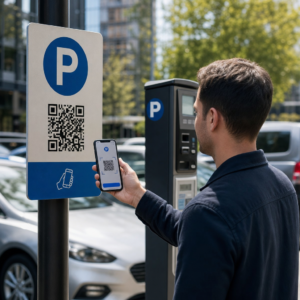
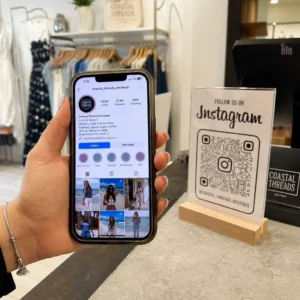
QR-код — это сканируемый шаблон, который любая современная камера смартфона может прочитать без специального приложения. Когда кто-то находит вашего питомца, он наводит свой телефон на жетон, камера распознает код, и через несколько секунд они видят профиль вашего питомца – ваше имя, номер телефона, адрес, медицинские потребности вашего питомца и все остальное, что вы включили.
Ключ к надежной работе этого со временем — использование динамический QR-код а не статического. Статический QR-код кодирует информацию непосредственно в свой шаблон, что означает, что его никогда нельзя изменить. Динамический QR-код указывает на короткую ссылку перенаправления, которую вы контролируете, поэтому вы можете обновить пункт назначения – ваш номер телефона, ваш адрес, новый экстренный контакт – не касаясь физического жетона. В сравнение статических и динамических QR-кодов подробно объясняется это различие, если вы хотите углубиться, прежде чем решить, какой тип использовать.
Всегда поддерживайте актуальность профиля вашего питомца Использовать Динамический QR код: генератор чтобы создать QR-код жетона, который вы можете редактировать в любое время – изменить свой номер телефона, добавить новый контакт или обновить медицинскую информацию без перепечатки или замены жетона.
Что включить в цифровой профиль вашего питомца
Цель состоит в том, чтобы предоставить нашедшему все необходимое для связи с вами и безопасного обращения с вашим питомцем – не перегружая его информацией. Вот что следует включить:

- Ваше имя и основной номер телефона – самые важные данные, в центре внимания
- Запасной номер телефона или экстренный контакт – на случай, если вы недоступны
- Ваш адрес – полезно, если ваш питомец найден поблизости
- Имя вашего питомца – помогает нашедшему успокоить животное и общаться с ним
- Медицинские показания или лекарства – особенно важно для питомцев с диабетом, принимающих сердечные препараты или животных с тяжелыми аллергиями
- Поведенческие заметки – дружелюбен ли ваш питомец, тревожен ли он рядом с незнакомцами или склонен к побегам
- Номер микрочипа – полезно, если нашедший отвезет вашего питомца к ветеринару или в приют, где могут сканировать чипы
- Контактная информация ветеринара – дополнительный ресурс, если медицинская помощь требуется быстро
Одним из практичных форматов для этого является vCard QR-код, который кодирует контактную информацию в стандартном формате, который смартфоны распознают изначально. При сканировании устройство автоматически предлагает нашедшему сохранить ваши данные непосредственно в свои контакты. В QR код с контактами vCard позволяет создать именно такой тип кода – просто введите свое имя и хотя бы один метод связи, чтобы начать. Вы можете найти дополнительные рекомендации по структурированию кодов vCard в руководстве по QR-кодам vCard.
Если вы хотите поделиться чем-то большим, чем просто контактными данными – полный профиль питомца с медицинскими заметками, фотографиями и несколькими контактами – то целевую страницу QR-кода предоставляет вам единое место сканирования, которое содержит все это в чистом, удобном для мобильных устройств формате. Вы также можете использовать Мульти QR код: несколько ссылок в одном коде чтобы создать код, который одновременно ссылается на несколько ресурсов, таких как ваша контактная страница, номер вашего ветеринара и форма сообщения о найденном питомце.
Разработка QR-кода, который надежно сканируется на жетоне питомца
Жетон питомца мал, и он постоянно перемещается на активном животном. Эти факторы делают сканируемость здесь более важной, чем почти в любом другом приложении QR-кодов. Следуйте этим рекомендациям, чтобы убедиться, что код работает в реальных условиях:
- Минимальный размер 0,8 × 0,8 дюйма (2 × 2 см) – минимальный рекомендуемый для сканирования с близкого расстояния; больший размер лучше, если жетон это позволяет
- Высокий контраст – используйте темный узор на светлом фоне и стремитесь к контрастности не менее 4:1; избегайте цветовых комбинаций, которые снижают читаемость
- Чистая свободная зона – оставьте чистое поле белого пространства вокруг кода, примерно 0,25 дюйма с каждой стороны, чтобы сканер мог отличить код от поверхности бирки
- Прочный материал и покрытие – бирки для животных подвергаются царапинам, влаге и постоянному износу; по возможности используйте матовое покрытие, чтобы уменьшить блики, и выбирайте гравированные или УФ-печатные коды вместо бумажных этикеток
- Вывод высокого разрешения – скачайте ваш QR-код в векторном формате, таком как SVG или EPS, чтобы он оставался четким при любом размере печати без пикселизации
В руководство по лучшим практикам читаемости QR-кодов и руководство по печать QR-кодов на этикетках подробнее освещают эти принципы. Также стоит добавить короткую фразу с призывом к действию рядом с биркой или на ней, если позволяет дизайн – что-то вроде “Сканируйте для информации о владельце” устраняет любую неопределенность для нашедшего, который может не сразу понять, для чего нужен QR-код.
Поддержание актуальности профиля вашего питомца
Одно из самых практичных преимуществ бирки для животных с динамическим QR-кодом заключается в том, что ваша физическая бирка никогда не устаревает. Переехали в новый город? Обновите свой адрес в панели управления. Получили новый номер телефона? Измените его за считанные секунды. Добавить медицинское состояние, которое разовьется у вашего питомца позже в жизни? Готово – без заказа новой бирки.
Это важно, потому что статическая информация теряет свою полезность в тот момент, когда ваши обстоятельства меняются. С динамическим кодом вы редактировать назначение QR-кода из панели управления вашей учетной записью, и физическая бирка продолжает работать точно так же, как и раньше. Платформа Pageloot также предоставляет вам аналитику сканирований, чтобы вы могли видеть, был ли и когда код отсканирован – полезный контекст, если ваш питомец пропал, и вы пытаетесь отслеживать ситуацию в реальном времени.
Создайте полный профиль питомца в одном месте Изучите все функции, доступные через Платформа QR-кодов Pageloot для создания, настройки и управления QR-кодом бирки для животных, который остается актуальным независимо от изменений в вашей жизни.
QR-бирки и микрочипы: Используйте и то, и другое
QR-код-жетон и микрочип выполняют разные функции и лучше всего работают вместе. Микрочип требует сканера в ветеринарной клинике или приюте для считывания – он невидим для публики и не помогает обычному человеку, который находит бродячую собаку на улице. QR-код-жетон, напротив, может быть считан любым смартфоном и немедленно связывает нашедшего с вашей контактной информацией, без какого-либо оборудования.

Исследование приюта Университета штата Огайо показало, что собаки с микрочипами возвращались владельцам в 52,2% случаев, по сравнению с 21,9% для собак без микрочипов – значительное улучшение. Но видимые идентификационные жетоны по-прежнему важны, потому что это первое, что видит любой человек, когда сталкивается с потерянным животным. QR-код-жетон делает этот видимый идентификатор гораздо более мощным, чем просто выгравированный текст, потому что он предоставляет полный, актуальный профиль, а не статичную строку текста.
Практичный подход заключается в использовании QR-код-жетона в качестве основного видимого идентификатора – с динамическим кодом, который ссылается на полный цифровой профиль – и сохранении микрочипа в качестве резервного слоя на случай потери жетона или снятия ошейника.
QR-код на жетоне питомца снимает проблему с информацией. Вместо того чтобы надеяться, что двухстрочной гравировки будет достаточно, вы даете любому нашедшему немедленный доступ ко всей необходимой информации. Настройте динамический QR-код, чтобы ваш профиль оставался актуальным независимо от изменений, выберите прочный формат жетона, который выдерживает ежедневный износ, и всегда проверяйте сканирование, прежде чем жетон будет надет на ошейник вашего питомца.
Создайте QR-жетон для вашего питомца сегодня Начните с Генератор QR-кодов для ссылок или Динамический QR код: генератор чтобы создать сканируемый профиль питомца, который вы можете обновлять в любое время.
Часто задаваемые вопросы
Да. Любой современный смартфон со встроенным приложением камеры может сканировать QR-код без загрузки дополнительного программного обеспечения. Камера автоматически распознает код и открывает связанную страницу в браузере, делая его доступным практически любому, кто найдет вашего питомца.
Если вы используете динамический QR-код, вы просто входите в панель управления своей учетной записью и обновляете контактную информацию. Физический тег остается прежним – QR-код немедленно перенаправляет на обновленный профиль. При использовании статического QR-кода закодированная информация не может быть изменена, поэтому вам потребуется полностью заменить тег.
QR-код vCard разработан специально для контактной информации – при сканировании он предлагает нашедшему сохранить ваши данные непосредственно в контакты своего телефона. QR-код со ссылкой указывает на любой URL-адрес, который может быть полной страницей профиля питомца с историей болезни, фотографиями и несколькими контактами. Для полного профиля питомца QR-код со ссылкой или на целевую страницу дает вам больше гибкости; для быстрого обмена контактами хорошо подходит QR-код vCard.