Vous avez perdu votre animal et vous comptez sur une minuscule médaille gravée pour le ramener à la maison ? Les médailles gravées ont de réelles limites – les numéros de téléphone changent, le texte s'efface, et il n'y a tout simplement pas de place pour les détails médicaux ou les contacts alternatifs. Un code QR sur une médaille pour animal de compagnie résout tout cela en connectant toute personne qui trouve votre animal à un profil numérique complet en quelques secondes.
Pourquoi une médaille gravée standard est souvent insuffisante
Une médaille d'identification traditionnelle pour animal de compagnie peut contenir peut-être deux lignes de texte. Cela pourrait suffire pour un nom et un seul numéro de téléphone, mais cela omet tout ce dont un trouveur a réellement besoin dans une situation stressante : un contact de secours, les conditions médicales de votre animal, s'il est micropucé, ou des instructions pour manipuler un animal anxieux.
Les médailles physiques se dégradent également. La gravure s'estompe, les médailles se rayent, et si vous déménagez ou changez de numéro, la médaille devient instantanément obsolète. American Humane note qu'une micropuce ne réunit un animal avec son propriétaire que lorsque les informations de contact dans la base de données sont exactes et à jour – le même principe s'applique à toute méthode d'identification que vous utilisez. Une médaille avec code QR contourne entièrement le problème de la mise à jour, car vous modifiez les informations numériquement plutôt que de remplacer la médaille physique.
Comment fonctionne une médaille pour animal de compagnie avec code QR
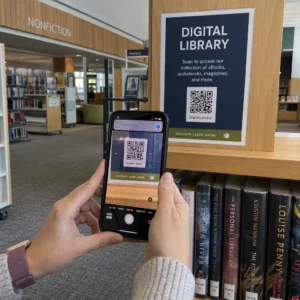
Un code QR est un motif scannable que n'importe quelle caméra de smartphone moderne peut lire sans application dédiée. Quand quelqu'un trouve votre animal, il pointe son téléphone vers la médaille, la caméra reconnaît le code, et en quelques secondes, il consulte le profil de votre animal – votre nom, numéro de téléphone, adresse, les besoins médicaux de votre animal, et tout ce que vous avez inclus d'autre.
La clé pour que cela fonctionne de manière fiable dans le temps est d'utiliser un code QR dynamique plutôt qu'un statique. Un code QR statique encode les informations directement dans son motif, ce qui signifie qu'il ne peut jamais être modifié. Un code QR dynamique pointe vers un court lien de redirection que vous contrôlez, vous pouvez donc mettre à jour la destination – votre numéro de téléphone, votre adresse, un nouveau contact d'urgence – sans toucher la médaille physique. Le comparaison des codes QR statiques et dynamiques explique cette distinction en détail si vous voulez approfondir avant de décider quel type utiliser.
Gardez le profil de votre animal toujours à jour Utilisez le Générateur de QR code dynamique pour créer un code QR de médaille que vous pouvez modifier à tout moment – changez votre numéro de téléphone, ajoutez un nouveau contact ou mettez à jour les informations médicales sans réimprimer ni remplacer la médaille.
Que mettre dans le profil numérique de votre animal
L'objectif est de donner au trouveur tout ce dont il a besoin pour vous contacter et manipuler votre animal en toute sécurité – sans le submerger. Voici ce qu'il faut inclure :

- Votre nom et numéro de téléphone principal – les informations les plus critiques, en évidence
- Un numéro de téléphone de secours ou un contact d'urgence – au cas où vous seriez injoignable
- Votre adresse – utile si votre animal est trouvé à proximité
- Le nom de votre animal – aide le trouveur à calmer et à communiquer avec l'animal
- Conditions médicales ou médicaments – particulièrement critique pour les animaux diabétiques, ceux sous médication cardiaque ou les animaux souffrant d'allergies sévères
- Notes comportementales – si votre animal est amical, anxieux avec les étrangers ou enclin à s'enfuir
- Numéro de micropuce – utile si le trouveur emmène votre animal chez un vétérinaire ou un refuge qui peut scanner les puces
- Coordonnées du vétérinaire – une ressource secondaire si une attention médicale est nécessaire rapidement
Un format pratique pour cela est un Code QR vCard, qui encode les informations de contact dans un format standard que les smartphones reconnaissent nativement. Lorsqu'il est scanné, l'appareil invite automatiquement le trouveur à enregistrer vos coordonnées directement dans ses contacts. Le Générateur de QR code vCard vous permet de créer exactement ce type de code – il suffit d'entrer votre nom et au moins une méthode de contact pour commencer. Vous pouvez trouver des conseils supplémentaires sur la structuration des codes vCard dans le guide des codes QR vCard.
Si vous voulez partager plus que des coordonnées – un profil complet de l'animal avec des notes médicales, des photos et plusieurs contacts – un page de destination de code QR vous offre une destination de scan unique qui contient tout cela dans un format propre et adapté aux mobiles. Vous pouvez également utiliser le Générateur de QR code multi-liens pour créer un code qui renvoie à plusieurs ressources à la fois, tels que votre page de contact, le numéro de votre vétérinaire et un formulaire de signalement d'animal trouvé.
Concevoir un code QR qui scanne de manière fiable sur une médaille pour animal de compagnie
Une médaille pour animal de compagnie est petite et elle bouge constamment sur un animal actif. Ces facteurs rendent la scannabilité plus importante ici que dans presque toute autre application de code QR. Suivez ces directives pour vous assurer que le code fonctionne dans des conditions réelles :
- Taille minimale de 0,8 × 0,8 pouces (2 × 2 cm) – le minimum recommandé pour le scan à courte portée ; plus grand est mieux si la médaille le permet
- Contraste élevé – utilisez un motif sombre sur un fond clair et visez un rapport de contraste d'au moins 4:1 ; évitez les combinaisons de couleurs qui réduisent la lisibilité
- Zone de silence claire – laissez une bordure propre d'espace blanc autour du code, environ 0,25 pouce de chaque côté, afin que le scanner puisse distinguer le code de la surface de l'étiquette
- Matériau et finition durables – les étiquettes pour animaux de compagnie sont soumises aux rayures, à l'humidité et à l'usure constante ; utilisez une finition mate lorsque cela est possible pour réduire l'éblouissement, et choisissez des codes gravés ou imprimés UV plutôt que des étiquettes en papier
- Sortie haute résolution – téléchargez votre code QR dans un format vectoriel tel que SVG ou EPS pour vous assurer qu'il reste net à n'importe quelle taille d'impression sans pixellisation
Le guide des meilleures pratiques de lisibilité des codes QR et le guide sur impression de codes QR sur des étiquettes couvrent ces principes plus en profondeur. Il est également utile d'ajouter une courte phrase d'appel à l'action près ou sur l'étiquette si le design le permet – quelque chose comme “ Scanner pour les informations du propriétaire ” supprime toute incertitude pour un trouveur qui pourrait ne pas reconnaître immédiatement à quoi sert le motif QR.
Maintenir le profil de votre animal à jour
L'un des avantages les plus pratiques d'une étiquette pour animal de compagnie avec code QR dynamique est que votre étiquette physique ne devient jamais obsolète. Vous déménagez dans une nouvelle ville ? Mettez à jour votre adresse dans le tableau de bord. Vous avez un nouveau numéro de téléphone ? Changez-le en quelques secondes. Ajoutez une condition médicale que votre animal développe plus tard dans sa vie ? C'est fait – sans commander une nouvelle étiquette.
Cela est important car les informations statiques perdent de leur utilité dès que vos circonstances changent. Avec un code dynamique, vous modifier la destination du code QR depuis le tableau de bord de votre compte et l'étiquette physique continue de fonctionner exactement comme avant. La plateforme de Pageloot vous offre également des analyses de scan, afin que vous puissiez voir si et quand le code a été scanné – un contexte utile si votre animal disparaît et que vous essayez de suivre la situation en temps réel.
Créez un profil complet pour votre animal en un seul endroit Explorez toutes les fonctionnalités disponibles via le Plateforme de codes QR Pageloot pour créer, personnaliser et gérer un code QR d'étiquette pour animal de compagnie qui reste à jour quels que soient les changements dans votre vie.
Étiquettes QR et micropuces : utilisez les deux
Une étiquette avec code QR et une micropuce remplissent des fonctions différentes et fonctionnent mieux ensemble. Une micropuce nécessite un scanner chez un vétérinaire ou un refuge pour être lue – elle est invisible pour le public et n'apporte aucune aide à une personne ordinaire qui trouve un chien errant dans la rue. Une étiquette avec code QR, en revanche, peut être lue par n'importe quel smartphone et connecte immédiatement un trouveur à vos informations de contact, sans équipement requis.

Une étude menée par un refuge de l'Ohio State University a révélé que les chiens micropucés étaient rendus à leurs propriétaires à un taux de 52,2 %, contre 21,9 % pour les chiens non micropucés – une amélioration significative. Mais les étiquettes d'identification visibles sont toujours importantes car elles sont la première chose que quiconque voit lorsqu'il rencontre un animal perdu. Une étiquette avec code QR rend cette identification visible bien plus puissante que le texte gravé seul, car elle fournit un profil complet et à jour plutôt qu'une ligne de texte statique.
L'approche pratique consiste à utiliser une étiquette avec code QR comme identification visible principale – avec un code dynamique qui renvoie à un profil numérique complet – et à conserver une micropuce comme couche de secours au cas où l'étiquette serait perdue ou le collier se détacherait.
Un code QR sur une étiquette pour animal de compagnie résout le problème de l'information. Au lieu d'espérer qu'une gravure de deux lignes suffise, vous donnez à tout trouveur un accès immédiat à tout ce dont il a besoin. Configurez un code QR dynamique afin que votre profil reste précis quels que soient les changements, choisissez un format d'étiquette durable qui résiste à l'usure quotidienne, et testez toujours le scan avant que l'étiquette ne soit placée sur le collier de votre animal.
Créez l'étiquette QR de votre animal dès aujourd'hui Commencez avec le Générateur de codes QR de liens ou le Générateur de QR code dynamique pour créer un profil d'animal scannable que vous pouvez mettre à jour à tout moment.
Questions fréquentes
Oui. Tout smartphone moderne avec une application appareil photo intégrée peut scanner un code QR sans télécharger de logiciel supplémentaire. L'appareil photo reconnaît le code automatiquement et ouvre la page liée dans le navigateur, le rendant accessible à pratiquement toute personne qui trouve votre animal.
Si vous utilisez un code QR dynamique, vous vous connectez simplement à votre tableau de bord de compte et mettez à jour les informations de contact. Le tag physique reste le même – le code QR redirige immédiatement vers le profil mis à jour. Avec un code QR statique, les informations encodées ne peuvent pas être modifiées, vous devriez donc remplacer entièrement le tag.
Un code QR vCard est conçu spécifiquement pour les informations de contact – lorsqu'il est scanné, il invite le trouveur à enregistrer vos coordonnées directement dans les contacts de son téléphone. Un code QR de lien pointe vers n'importe quelle URL, ce qui pourrait être une page de profil d'animal complète avec l'historique médical, des photos et plusieurs contacts. Pour un profil d'animal complet, un code QR de lien ou de page de destination vous offre plus de flexibilité ; pour un partage rapide des contacts, un code QR vCard fonctionne bien.