Ți-ai pierdut animalul de companie și te bazezi pe o mică etichetă gravată pentru a-l aduce acasă? Etichetele gravate au limite reale – numerele de telefon se schimbă, textul se șterge și pur și simplu nu există loc pentru detalii medicale sau contacte alternative. Un cod QR pe o etichetă pentru animale de companie rezolvă toate acestea, conectând pe oricine îți găsește animalul de companie la un profil digital complet în câteva secunde.
De ce o etichetă gravată standard este adesea insuficientă
O etichetă tradițională de identificare a animalului de companie poate conține poate două rânduri de text. Asta ar putea fi suficient pentru un nume și un singur număr de telefon, dar omite tot ce are nevoie de fapt un găsitor într-o situație stresantă: un contact de rezervă, condițiile medicale ale animalului tău de companie, dacă este microcipat sau instrucțiuni pentru manipularea unui animal anxios.
Etichetele fizice se degradează, de asemenea. Gravura se estompează, etichetele se zgârie, iar dacă te muți sau îți schimbi numărul, eticheta devine instantaneu depășită. American Humane menționează că un microcip reunește un animal de companie cu proprietarul său doar atunci când informațiile de contact din baza de date sunt exacte și actualizate – același principiu se aplică oricărei metode de identificare pe care o utilizezi. O etichetă cu cod QR ocolește complet problema actualizării, deoarece schimbi informațiile digital, în loc să înlocuiești eticheta fizică.
Cum funcționează o etichetă cu cod QR pentru animale de companie
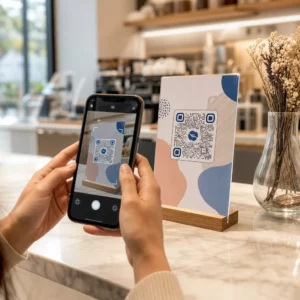
Un cod QR este un model scanabil pe care orice cameră de smartphone modernă îl poate citi fără o aplicație dedicată. Când cineva îți găsește animalul de companie, îndreaptă telefonul către etichetă, camera recunoaște codul, și în câteva secunde se uită la profilul animalului tău de companie – numele tău, numărul de telefon, adresa, nevoile medicale ale animalului tău de companie și orice altceva ai inclus.
Cheia pentru ca acest lucru să funcționeze fiabil în timp este utilizarea unui cod QR dinamic mai degrabă decât unul static. Un cod QR static codifică informațiile direct în modelul său, ceea ce înseamnă că nu poate fi niciodată schimbat. Un cod QR dinamic indică un link scurt de redirecționare pe care îl controlezi, astfel încât poți actualiza destinația – numărul tău de telefon, adresa ta, un nou contact de urgență – fără a atinge eticheta fizică. comparația codurilor QR statice vs. dinamice explică această distincție în detaliu dacă vrei să aprofundezi înainte de a decide ce tip să utilizezi.
Păstrează profilul animalului tău de companie întotdeauna actualizat Folosește Generator cod QR dinamic pentru a crea un cod QR pentru etichetă pe care îl poți edita oricând – schimbă-ți numărul de telefon, adaugă un nou contact sau actualizează informațiile medicale fără a retipări sau înlocui eticheta.
Ce să incluzi în profilul digital al animalului tău de companie
Scopul este să oferi unui găsitor tot ce are nevoie pentru a te contacta și a-ți manipula animalul de companie în siguranță – fără a-l copleși. Iată ce să incluzi:

- Numele tău și numărul de telefon principal – cele mai critice informații, în prim-plan
- Un număr de telefon de rezervă sau un contact de urgență – în cazul în care ești de negăsit
- Adresa ta – util dacă animalul tău de companie este găsit în apropiere
- Numele animalului tău de companie – ajută găsitorul să calmeze și să comunice cu animalul
- Condiții medicale sau medicamente – deosebit de critic pentru animalele de companie diabetice, cele care iau medicamente pentru inimă sau animalele cu alergii severe
- Note comportamentale – dacă animalul tău de companie este prietenos, anxios în preajma străinilor sau predispus să fugă
- Numărul microcipului – util dacă găsitorul duce animalul tău de companie la un veterinar sau adăpost care poate scana pentru cipuri
- Informații de contact ale veterinarului – o resursă secundară dacă este nevoie rapid de îngrijiri medicale
Un format practic pentru aceasta este un Cod QR vCard, care codifică informațiile de contact într-un format standard pe care smartphone-urile îl recunosc nativ. La scanare, dispozitivul îi solicită automat găsitorului să salveze detaliile tale direct în contactele sale. Creare vCard cu cod QR îți permite să creezi exact acest tip de cod – doar introdu numele tău și cel puțin o metodă de contact pentru a începe. Poți găsi îndrumări suplimentare privind structurarea codurilor vCard în ghidul pentru codurile QR vCard.
Dacă vrei să partajezi mai mult decât detalii de contact – un profil complet al animalului de companie cu note medicale, fotografii și contacte multiple – un pagină de destinație cu cod QR îți oferă o singură destinație de scanare care conține toate acestea într-un format curat, adaptat pentru mobil. Poți utiliza și Generator cod QR multiplu pentru a crea un cod care se leagă la mai multe resurse simultan, cum ar fi pagina ta de contact, numărul veterinarului tău și un formular de raportare a animalelor găsite.
Proiectarea unui cod QR care scanează fiabil pe o etichetă pentru animale de companie
O etichetă pentru animale de companie este mică și se mișcă constant pe un animal activ. Acești factori fac scanabilitatea mai importantă aici decât în aproape orice altă aplicație de cod QR. Urmează aceste ghiduri pentru a te asigura că codul funcționează în condiții reale:
- Dimensiune minimă de 0.8 × 0.8 inchi (2 × 2 cm) – minimul recomandat pentru scanare de aproape; mai mare este mai bine dacă eticheta permite
- Contrast ridicat – utilizează un model închis pe un fundal deschis și vizează un raport de contrast de cel puțin 4:1; evită combinațiile de culori care reduc lizibilitatea
- Zonă liniștită clară – lăsați o margine curată de spațiu alb în jurul codului, de aproximativ 0,25 inci pe fiecare parte, astfel încât scanerul să poată distinge codul de suprafața etichetei
- Material și finisaj durabil – etichetele pentru animale de companie se confruntă cu zgârieturi, umiditate și uzură constantă; utilizați un finisaj mat atunci când este posibil pentru a reduce strălucirea și alegeți coduri gravate sau imprimate UV în locul etichetelor de hârtie
- Ieșire de înaltă rezoluție – descărcați codul QR într-un format vectorial, cum ar fi SVG sau EPS, pentru a vă asigura că rămâne clar la orice dimensiune de imprimare, fără pixelare
Cel de bune practici pentru lizibilitatea codurilor QR și ghidul despre imprimarea codurilor QR pe etichete acoperă aceste principii în profunzime. De asemenea, merită să adăugați o scurtă frază de apel la acțiune lângă sau pe etichetă, dacă designul permite – ceva de genul “Scanați pentru informații despre proprietar” elimină orice incertitudine pentru un găsitor care s-ar putea să nu recunoască imediat la ce servește modelul QR.
Păstrarea profilului animalului dvs. de companie
Unul dintre cele mai practice avantaje ale unei etichete dinamice cu cod QR pentru animale de companie este că eticheta fizică nu devine niciodată învechită. Te muți într-un oraș nou? Actualizează-ți adresa în tabloul de bord. Ai un număr de telefon nou? Schimbă-l în câteva secunde. Adaugi o afecțiune medicală pe care animalul tău de companie o dezvoltă mai târziu în viață? Gata – fără a comanda o etichetă nouă.
Acest lucru contează deoarece informațiile statice își pierd utilitatea în momentul în care circumstanțele tale se schimbă. Cu un cod dinamic, tu editați destinația codului QR din tabloul de bord al contului tău, iar eticheta fizică continuă să funcționeze exact ca înainte. Platforma Pageloot îți oferă, de asemenea, analize ale scanărilor, astfel încât poți vedea dacă și când a fost scanat codul – un context util dacă animalul tău de companie dispare și încerci să urmărești situația în timp real.
Creează un Profil Complet al Animalului Tău de Companie într-un Singur Loc Explorează toate funcționalitățile disponibile prin intermediul Platforma de coduri QR Pageloot pentru a crea, personaliza și gestiona un cod QR pentru eticheta animalului de companie care rămâne actualizat indiferent de schimbările din viața ta.
Etichete QR și Microcipuri: Folosește-le pe Ambele
O etichetă cu cod QR și un microcip servesc funcții diferite și funcționează cel mai bine împreună. Un microcip necesită un scaner la cabinetul unui veterinar sau la un adăpost pentru a fi citit – este invizibil pentru public și nu oferă niciun ajutor unei persoane obișnuite care găsește un câine rătăcit pe stradă. O etichetă cu cod QR, prin contrast, poate fi citită de orice smartphone și conectează imediat persoana care o găsește la informațiile tale de contact, fără a fi nevoie de echipament.

Cercetările dintr-un studiu al unui adăpost al Universității de Stat din Ohio au arătat că câinii microcipați au fost returnați proprietarilor lor la o rată de 52,2%, comparativ cu 21,9% pentru câinii nemicrocipați – o îmbunătățire semnificativă. Dar etichetele de identificare vizibile contează în continuare, deoarece sunt primul lucru pe care îl vede oricine atunci când întâlnește un animal pierdut. O etichetă cu cod QR face ca acea identificare vizibilă să fie mult mai puternică decât un text gravat singur, deoarece oferă un profil complet și actualizat, mai degrabă decât o linie statică de text.
Abordarea practică este să folosești o etichetă cu cod QR ca ID-ul tău vizibil principal – cu un cod dinamic care se leagă la un profil digital complet – și să păstrezi un microcip ca strat de rezervă în cazul în care eticheta se pierde sau zgarda se desprinde.
Un cod QR pe o etichetă pentru animale de companie elimină problema informațiilor. În loc să speri că o gravură de două rânduri este suficientă, oferi oricărei persoane care o găsește acces imediat la tot ce are nevoie. Configurează un cod QR dinamic, astfel încât profilul tău să rămână precis indiferent de schimbări, alege un format de etichetă durabil care să reziste la uzura zilnică și testează întotdeauna scanarea înainte ca eticheta să fie pusă pe zgarda animalului tău de companie.
Creează Eticheta QR a Animalului Tău de Companie Astăzi Începeți cu Generator de coduri QR pentru linkuri sau Generator cod QR dinamic pentru a construi un profil scanabil al animalului de companie pe care îl poți actualiza oricând.
Întrebări frecvente
Da. Orice smartphone modern cu o aplicație de cameră încorporată poate scana un cod QR fără a descărca software suplimentar. Camera recunoaște codul automat și deschide pagina legată în browser, făcându-l accesibil practic oricui care îți găsește animalul de companie.
Dacă utilizați un cod QR dinamic, pur și simplu vă conectați la tabloul de bord al contului dumneavoastră și actualizați informațiile de contact. Eticheta fizică rămâne aceeași – codul QR redirecționează imediat către profilul actualizat. Cu un cod QR static, informațiile codificate nu pot fi modificate, așa că ar trebui să înlocuiți întreaga etichetă.
Un cod QR vCard este conceput special pentru informații de contact – atunci când este scanat, solicită persoanei care îl găsește să salveze detaliile tale direct în contactele telefonului său. Un cod QR de link indică orice URL, care ar putea fi o pagină completă de profil al animalului de companie cu istoric medical, fotografii și multiple contacte. Pentru un profil complet al animalului de companie, un cod QR de link sau de pagină de destinație îți oferă mai multă flexibilitate; pentru partajarea rapidă a contactelor, un cod QR vCard funcționează bine.