Evcil hayvanınızı kaybettiniz ve onu eve getirmek için küçük, kazınmış bir etikete mi güveniyorsunuz? Kazınmış etiketlerin gerçek sınırlamaları vardır – telefon numaraları değişir, metin aşınır ve tıbbi detaylar veya alternatif iletişim bilgileri için yer yoktur. Bir evcil hayvan etiketindeki QR kodu, evcil hayvanınızı bulan herkesi saniyeler içinde tam bir dijital profile bağlayarak tüm bunları çözer.
Standart Kazınmış Bir Etiket Neden Genellikle Yetersiz Kalır?
Geleneksel bir evcil hayvan kimlik etiketi belki iki satır metin tutabilir. Bu, bir isim ve tek bir telefon numarası için yeterli olabilir, ancak bulan kişinin stresli bir durumda gerçekten ihtiyaç duyduğu her şeyi dışarıda bırakır: bir yedek iletişim, evcil hayvanınızın tıbbi durumları, mikroçipli olup olmadığı veya endişeli bir hayvanı idare etme talimatları.
Fiziksel etiketler de bozulur. Kazıma solar, etiketler çizilir ve taşınırsanız veya numaranızı değiştirirseniz, etiket anında güncelliğini yitirir. American Humane, bir mikroçipin bir evcil hayvanı sahibiyle ancak veritabanındaki iletişim bilgileri doğru ve güncel olduğunda yeniden birleştirdiğini belirtir – aynı prensip kullandığınız herhangi bir kimlik yöntemine de uygulanır. Bir QR kod etiketi, fiziksel etiketi değiştirmek yerine bilgiyi dijital olarak değiştirdiğiniz için güncelleme sorununu tamamen atlatır.
Bir QR Kodlu Evcil Hayvan Etiketi Nasıl Çalışır?
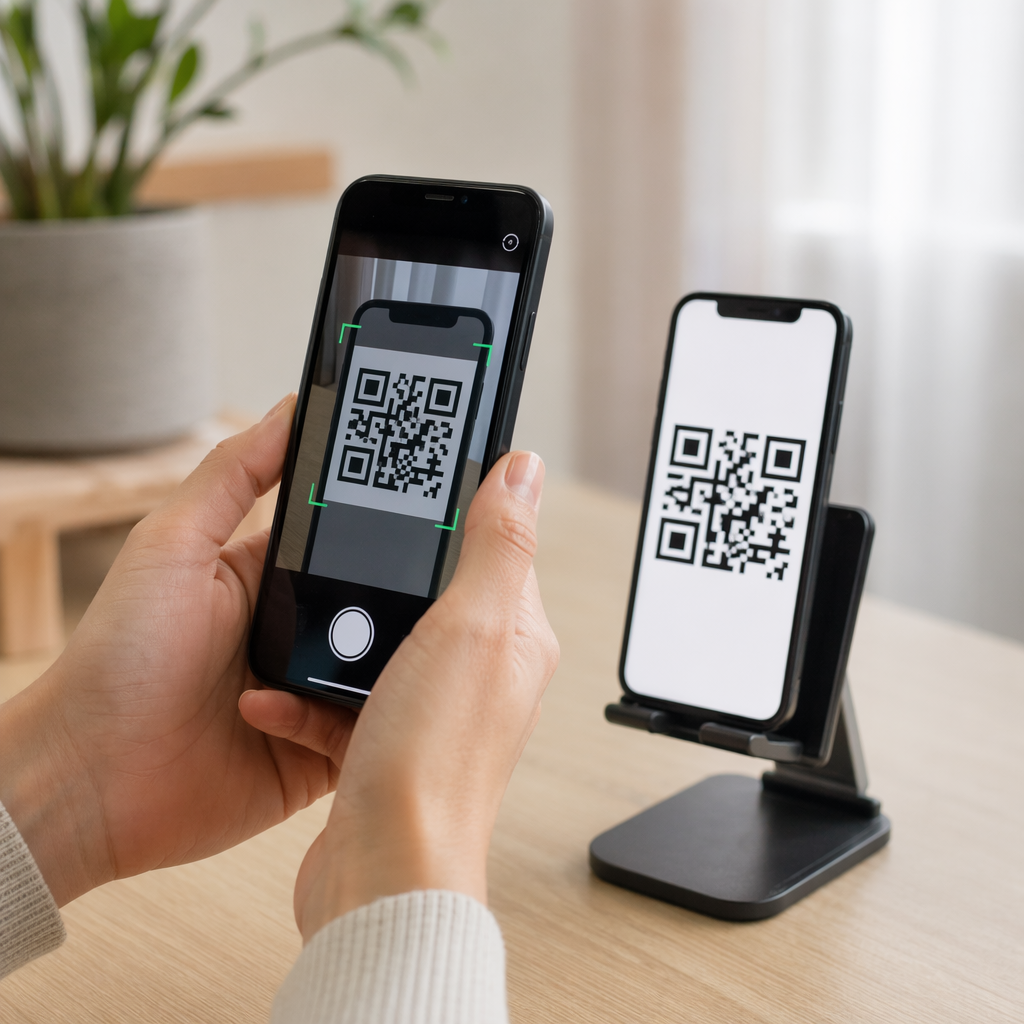
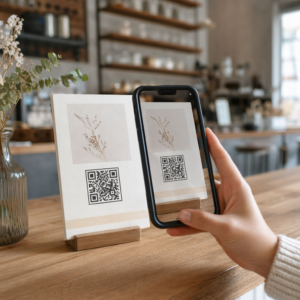
Bir QR kodu, herhangi bir modern akıllı telefon kamerasının özel bir uygulama olmadan okuyabileceği taranabilir bir desendir. Biri evcil hayvanınızı bulduğunda, telefonunu etikete doğrultur, kamera kodu tanır ve saniyeler içinde evcil hayvanınızın profiline bakıyor olurlar – adınız, telefon numaranız, adresiniz, evcil hayvanınızın tıbbi ihtiyaçları ve eklediğiniz diğer her şey.
Bunun zamanla güvenilir bir şekilde çalışmasını sağlamanın anahtarı, bir dinamik QR kodu statik olan yerine dinamik bir tane kullanmaktır. Statik bir QR kodu, bilgiyi doğrudan desenine kodlar, bu da asla değiştirilemeyeceği anlamına gelir. Dinamik bir QR kodu, kontrol ettiğiniz kısa bir yönlendirme bağlantısına işaret eder, böylece fiziksel etikete dokunmadan hedefi – telefon numaranızı, adresinizi, yeni bir acil durum kişisini – güncelleyebilirsiniz. statik ve dinamik QR kodlarının karşılaştırması hangi türü kullanacağınıza karar vermeden önce daha derine inmek isterseniz bu ayrımı ayrıntılı olarak açıklar.
Evcil Hayvan Profilinizi Her Zaman Güncel Tutun Kullan Dinamik QR Kod Oluşturucu etiketi yeniden basmadan veya değiştirmeden istediğiniz zaman düzenleyebileceğiniz bir etiket QR kodu oluşturmak için – telefon numaranızı değiştirin, yeni bir kişi ekleyin veya tıbbi bilgileri güncelleyin.
Evcil Hayvanınızın Dijital Profili'ne Ne Koymalısınız?
Amaç, bulan kişiye sizinle iletişime geçmek ve evcil hayvanınızı güvenli bir şekilde idare etmek için ihtiyaç duyduğu her şeyi – onları bunaltmadan – vermektir. İşte dahil etmeniz gerekenler:

- Adınız ve birincil telefon numaranız – en kritik parçalar, ön planda ve merkezde
- Bir yedek telefon numarası veya acil durum kişisi – size ulaşılamaması durumunda
- Adresiniz – evcil hayvanınız yakınlarda bulunursa faydalı
- Evcil hayvanınızın adı – bulan kişinin hayvanı sakinleştirmesine ve onunla iletişim kurmasına yardımcı olur
- Tıbbi durumlar veya ilaçlar – özellikle diyabetik evcil hayvanlar, kalp ilacı kullananlar veya şiddetli alerjileri olan hayvanlar için kritik
- Davranışsal notlar – evcil hayvanınızın arkadaş canlısı olup olmadığı, yabancılar etrafında endişeli olup olmadığı veya kaçmaya eğilimli olup olmadığı
- Mikroçip numarası – bulan kişi evcil hayvanınızı çip taraması yapabilen bir veterinere veya barınağa götürürse faydalı
- Veteriner iletişim bilgileri – hızlı tıbbi müdahale gerektiğinde ikincil bir kaynak
Bunun için pratik bir format vCard QR kodu, akıllı telefonların doğal olarak tanıdığı standart bir formatta iletişim bilgilerini kodlar. Tarandığında, cihaz bulan kişiye bilgilerinizi doğrudan kişilerine kaydetmesini otomatik olarak ister. vCard QR Kod Oluşturucu tam olarak bu tür bir kod oluşturmanıza olanak tanır – başlamak için adınızı ve en az bir iletişim yönteminizi girmeniz yeterlidir. vCard kodlarını yapılandırma konusunda ek rehberliği vCard QR kodları rehberinde bulabilirsiniz.
İletişim bilgilerinden daha fazlasını – tıbbi notlar, fotoğraflar ve birden fazla iletişim bilgisi içeren tam bir evcil hayvan profili – paylaşmak isterseniz, bir QR kod açılış sayfası tüm bunları temiz, mobil uyumlu bir formatta tutan tek bir tarama hedefi sunar. Ayrıca Çoklu Link QR Kod Oluşturucu iletişim sayfanız, veterinerinizin numarası ve bulunan evcil hayvan bildirim formu gibi birden fazla kaynağa aynı anda bağlantı veren bir kod oluşturmak için kullanabilirsiniz.
Bir Evcil Hayvan Etiketinde Güvenilir Şekilde Taranan Bir QR Kodu Tasarlamak
Bir evcil hayvan etiketi küçüktür ve aktif bir hayvan üzerinde sürekli hareket eder. Bu faktörler, taranabilirliği burada diğer hemen hemen tüm QR kodu uygulamalarından daha önemli hale getirir. Kodun gerçek dünya koşullarında çalıştığından emin olmak için şu yönergeleri izleyin:
- Minimum boyut 0.8 × 0.8 inç (2 × 2 cm) – yakın mesafeli tarama için önerilen minimum; etiket izin veriyorsa daha büyük olması daha iyidir
- Yüksek kontrast – açık bir arka plan üzerinde koyu bir desen kullanın ve en az 4:1 kontrast oranını hedefleyin; okunabilirliği azaltan renk kombinasyonlarından kaçının
- Net sessiz bölge – kodun etrafında, her iki tarafta yaklaşık 0,25 inç temiz bir beyaz boşluk sınırı bırakın, böylece tarayıcı kodu etiket yüzeyinden ayırt edebilir
- Dayanıklı malzeme ve kaplama – evcil hayvan etiketleri çizilmelere, neme ve sürekli aşınmaya maruz kalır; parlamayı azaltmak için mümkün olduğunda mat bir kaplama kullanın ve kağıt etiketler yerine kazınmış veya UV baskılı kodları tercih edin
- Yüksek çözünürlüklü çıktı – QR kodunuzu SVG veya EPS gibi bir vektör formatında indirin, böylece herhangi bir baskı boyutunda pikselleşme olmadan keskin kalmasını sağlarsınız
Bu QR kodu okunabilirlik en iyi uygulamalar kılavuzu ve şu kılavuz: QR kodlarını etiketlere yazdırma bu ilkeleri daha derinlemesine ele alır. Tasarım izin veriyorsa etiketin yakınına veya üzerine kısa bir harekete geçirici mesaj ifadesi eklemek de değerlidir – “Sahip bilgisi için tarayın” gibi bir ifade, QR deseninin ne işe yaradığını hemen anlayamayabilecek bir bulan kişi için herhangi bir belirsizliği ortadan kaldırır.
Evcil Hayvan Profilinizi Güncel Tutmak
Dinamik bir QR kodlu evcil hayvan etiketinin en pratik avantajlarından biri, fiziksel etiketinizin asla eskimeyecek olmasıdır. Yeni bir şehre mi taşındınız? Adresinizi kontrol panelinde güncelleyin. Yeni bir telefon numarası mı aldınız? Saniyeler içinde değiştirin. Evcil hayvanınızın ilerleyen yaşlarda geliştirdiği bir sağlık durumunu mu ekleyeceksiniz? Tamamlandı – yeni bir etiket sipariş etmeden.
Bu önemlidir çünkü statik bilgiler, koşullarınız değiştiği anda kullanışlılığını yitirir. Dinamik bir kodla, siz QR kodu hedefini düzenleyin hesap kontrol panelinizden ve fiziksel etiket eskisi gibi çalışmaya devam eder. Pageloot'un platformu size tarama analizi de sunar, böylece kodun ne zaman ve kaç kez tarandığını görebilirsiniz – evcil hayvanınız kaybolursa ve durumu gerçek zamanlı olarak takip etmeye çalışıyorsanız faydalı bir bağlamdır.
Tek Bir Yerde Eksiksiz Bir Evcil Hayvan Profili Oluşturun aracılığıyla mevcut tüm özellikleri keşfedin Pageloot QR kod platformu hayatınızdaki değişiklikler ne olursa olsun güncel kalan bir evcil hayvan etiketi QR kodu oluşturmak, özelleştirmek ve yönetmek için.
QR Etiketleri ve Mikroçipler: İkisini de Kullanın
Bir QR kod etiketi ve bir mikroçip farklı işlevlere hizmet eder ve birlikte en iyi şekilde çalışır. Bir mikroçip, bir veteriner kliniğinde veya barınakta okunmak için bir tarayıcı gerektirir – halka görünmezdir ve sokakta dolaşan bir köpek bulan sıradan bir kişiye hiçbir yardım sağlamaz. Buna karşılık, bir QR kod etiketi herhangi bir akıllı telefonla okunabilir ve bir bulan kişiyi anında iletişim bilgilerinize bağlar, hiçbir ekipman gerektirmez.

Ohio Eyalet Üniversitesi barınak araştırmasından elde edilen veriler, mikroçipli köpeklerin sahiplerine .2% oranında geri döndürüldüğünü, mikroçipsiz köpekler için bu oranın .9% olduğunu buldu – bu önemli bir gelişmedir. Ancak görünür kimlik etiketleri hala önemlidir çünkü kayıp bir hayvanla karşılaştıklarında herkesin ilk gördüğü şeydir. Bir QR kod etiketi, bu görünür kimliği yalnızca kazınmış metinden çok daha güçlü hale getirir, çünkü statik bir metin satırı yerine eksiksiz, güncel bir profil sunar.
Pratik yaklaşım, bir QR kod etiketini birincil görünür kimliğiniz olarak kullanmaktır – tam bir dijital profile bağlanan dinamik bir kodla – ve etiketin kaybolması veya tasmanın çıkması durumunda bir mikroçipi yedek katmanınız olarak tutmaktır.
Bir evcil hayvan etiketindeki QR kodu, bilgi sorununu ortadan kaldırır. İki satırlık bir gravürün yeterli olacağını ummak yerine, herhangi bir bulan kişiye ihtiyaç duydukları her şeye anında erişim sağlarsınız. Değişiklikler ne olursa olsun profilinizin doğru kalması için dinamik bir QR kodu kurun, günlük aşınmaya dayanıklı dayanıklı bir etiket formatı seçin ve etiket evcil hayvanınızın tasmasına takılmadan önce her zaman taramayı test edin.
Evcil Hayvanınızın QR Etiketini Bugün Oluşturun ile başlayın Bağlantı QR Kod Oluşturucu veya Dinamik QR Kod Oluşturucu istediğiniz zaman güncelleyebileceğiniz taranabilir bir evcil hayvan profili oluşturmak için.
Sıkça sorulan sorular
Evet. Yerleşik bir kamera uygulamasına sahip herhangi modern bir akıllı telefon, ek yazılım indirmeden bir QR kodu tarayabilir. Kamera, kodu otomatik olarak tanır ve bağlantılı sayfayı tarayıcıda açar, bu da onu evcil hayvanınızı bulan hemen hemen herkes için erişilebilir kılar.
Dinamik bir QR kod kullanırsanız, sadece hesap panonuza giriş yapar ve iletişim bilgilerini güncellersiniz. Fiziksel etiket aynı kalır – QR kod hemen güncellenmiş profile yönlendirir. Statik bir QR kod ile, kodlanmış bilgi değiştirilemez, bu yüzden etiketi tamamen değiştirmeniz gerekir.
Bir vCard QR kodu özellikle iletişim bilgileri için tasarlanmıştır – tarandığında, bulan kişiyi bilgilerinizi doğrudan telefonunun kişilerine kaydetmeye yönlendirir. Bir bağlantı QR kodu, tıbbi geçmiş, fotoğraflar ve birden fazla iletişim bilgisi içeren tam bir evcil hayvan profili sayfası olabilecek herhangi bir URL'ye işaret eder. Eksiksiz bir evcil hayvan profili için, bir bağlantı veya açılış sayfası QR kodu size daha fazla esneklik sağlar; hızlı iletişim paylaşımı için ise bir vCard QR kodu iyi çalışır.