क्या आपका पालतू जानवर खो गया है और आप उन्हें घर वापस लाने के लिए एक छोटे से उत्कीर्ण टैग पर निर्भर हैं? उत्कीर्ण टैग की वास्तविक सीमाएँ होती हैं – फ़ोन नंबर बदलते हैं, टेक्स्ट मिट जाता है, और चिकित्सा विवरण या वैकल्पिक संपर्कों के लिए बस कोई जगह नहीं होती। एक पालतू टैग पर एक QR कोड यह सब हल कर देता है, आपके पालतू जानवर को खोजने वाले किसी भी व्यक्ति को कुछ ही सेकंड में एक पूर्ण डिजिटल प्रोफ़ाइल से जोड़कर।.
एक मानक उत्कीर्ण टैग अक्सर क्यों कम पड़ जाता है
एक पारंपरिक पालतू आईडी टैग शायद दो पंक्तियों का टेक्स्ट रख सकता है। वह एक नाम और एक ही फ़ोन नंबर के लिए पर्याप्त हो सकता है, लेकिन यह वह सब कुछ छोड़ देता है जिसकी एक खोजकर्ता को तनावपूर्ण स्थिति में वास्तव में आवश्यकता होती है: एक बैकअप संपर्क, आपके पालतू जानवर की चिकित्सा स्थितियाँ, कि क्या उनमें माइक्रोचिप लगी है, या एक चिंतित जानवर को संभालने के निर्देश।.
भौतिक टैग भी खराब हो जाते हैं। उत्कीर्णन फीका पड़ जाता है, टैग खरोंच जाते हैं, और यदि आप अपना स्थान बदलते हैं या अपना नंबर बदलते हैं, तो टैग तुरंत पुराना हो जाता है। अमेरिकन ह्यूमेन बताता है कि एक माइक्रोचिप केवल तभी एक पालतू जानवर को उसके मालिक से मिलाती है जब डेटाबेस में संपर्क जानकारी सटीक और अद्यतन होती है – वही सिद्धांत आपके द्वारा उपयोग की जाने वाली किसी भी आईडी विधि पर लागू होता है। एक QR कोड टैग अद्यतन समस्या को पूरी तरह से दरकिनार कर देता है, क्योंकि आप भौतिक टैग को बदलने के बजाय जानकारी को डिजिटल रूप से बदलते हैं।.
एक QR कोड पालतू टैग कैसे काम करता है
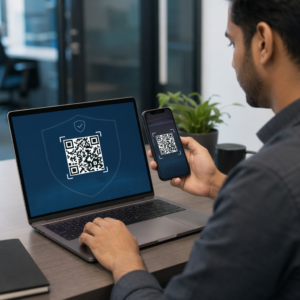
एक QR कोड एक स्कैन करने योग्य पैटर्न है जिसे कोई भी आधुनिक स्मार्टफोन कैमरा बिना किसी समर्पित ऐप के पढ़ सकता है। जब कोई आपके पालतू जानवर को ढूंढता है, तो वे अपने फोन को टैग पर इंगित करते हैं, कैमरा कोड को पहचानता है, और कुछ ही सेकंड में वे आपके पालतू जानवर की प्रोफ़ाइल देख रहे होते हैं – आपका नाम, फ़ोन नंबर, पता, आपके पालतू जानवर की चिकित्सा आवश्यकताएँ, और जो कुछ भी आपने शामिल किया है।.
समय के साथ इसे मज़बूती से काम करने की कुंजी एक गतिशील QR कोड एक स्थिर के बजाय का उपयोग करना है। एक स्थिर QR कोड जानकारी को सीधे अपने पैटर्न में एन्कोड करता है, जिसका अर्थ है कि इसे कभी बदला नहीं जा सकता। एक गतिशील QR कोड एक छोटे रीडायरेक्ट लिंक की ओर इशारा करता है जिसे आप नियंत्रित करते हैं, ताकि आप गंतव्य को – आपका फ़ोन नंबर, आपका पता, एक नया आपातकालीन संपर्क – भौतिक टैग को छुए बिना अपडेट कर सकें। द स्थैतिक बनाम डायनामिक क्यूआर कोड की तुलना इस अंतर को विस्तार से बताता है यदि आप यह तय करने से पहले गहराई से जानना चाहते हैं कि किस प्रकार का उपयोग करना है।.
अपनी पालतू प्रोफ़ाइल हमेशा अद्यतन रखें उपयोग डायनामिक QR कोड जनरेटर एक टैग QR कोड बनाने के लिए जिसे आप कभी भी संपादित कर सकते हैं – अपना फ़ोन नंबर बदलें, एक नया संपर्क जोड़ें, या टैग को दोबारा प्रिंट किए या बदले बिना चिकित्सा जानकारी अपडेट करें।.
अपनी पालतू जानवर की डिजिटल प्रोफ़ाइल में क्या डालें
लक्ष्य एक खोजकर्ता को वह सब कुछ देना है जिसकी उन्हें आपसे संपर्क करने और आपके पालतू जानवर को सुरक्षित रूप से संभालने के लिए आवश्यकता है – उन्हें अभिभूत किए बिना। यहाँ क्या शामिल करना है:

- आपका नाम और प्राथमिक फ़ोन नंबर – सबसे महत्वपूर्ण जानकारी, सामने और केंद्र में
- एक बैकअप फ़ोन नंबर या आपातकालीन संपर्क – यदि आप अनुपलब्ध हैं
- आपका पता – उपयोगी यदि आपका पालतू जानवर पास में पाया जाता है
- आपके पालतू जानवर का नाम – खोजकर्ता को जानवर को शांत करने और उसके साथ संवाद करने में मदद करता है
- चिकित्सा स्थितियाँ या दवाएँ – विशेष रूप से मधुमेह वाले पालतू जानवरों के लिए महत्वपूर्ण, हृदय की दवा लेने वालों के लिए, या गंभीर एलर्जी वाले जानवरों के लिए
- व्यवहार संबंधी नोट्स – कि क्या आपका पालतू जानवर मिलनसार है, अजनबियों के आसपास चिंतित रहता है, या भागने की प्रवृत्ति रखता है
- माइक्रोचिप नंबर – उपयोगी यदि खोजकर्ता आपके पालतू जानवर को एक पशु चिकित्सक या आश्रय में ले जाता है जो चिप्स के लिए स्कैन कर सकता है
- पशु चिकित्सक संपर्क जानकारी – एक द्वितीयक संसाधन यदि तत्काल चिकित्सा ध्यान की आवश्यकता है
इसके लिए एक व्यावहारिक प्रारूप एक vCard QR कोड, है, जो संपर्क जानकारी को एक मानक प्रारूप में एन्कोड करता है जिसे स्मार्टफोन स्वाभाविक रूप से पहचानते हैं। स्कैन किए जाने पर, डिवाइस स्वचालित रूप से खोजकर्ता को आपके विवरण को सीधे उनके संपर्कों में सहेजने के लिए संकेत देता है। द vCard QR कोड जनरेटर आपको ठीक इसी प्रकार का कोड बनाने देता है – बस अपना नाम और कम से कम एक संपर्क विधि दर्ज करें शुरू करने के लिए। आप vCard कोड की संरचना पर अतिरिक्त मार्गदर्शन vCard QR कोड के लिए मार्गदर्शिका में पा सकते हैं।.
यदि आप संपर्क विवरण से अधिक साझा करना चाहते हैं – चिकित्सा नोट्स, फ़ोटो और कई संपर्कों के साथ एक पूर्ण पालतू प्रोफ़ाइल – तो एक क्यूआर कोड लैंडिंग पेज आपको एक एकल स्कैन गंतव्य देता है जो यह सब एक स्वच्छ, मोबाइल-अनुकूल प्रारूप में रखता है। आप मल्टी QR कोड जनरेटर का भी उपयोग कर सकते हैं एक कोड बनाने के लिए जो एक साथ कई संसाधनों से जुड़ता है, जैसे आपका संपर्क पृष्ठ, आपके पशु चिकित्सक का नंबर, और एक खोए हुए पालतू जानवर की रिपोर्टिंग फ़ॉर्म।.
एक QR कोड डिज़ाइन करना जो एक पालतू टैग पर मज़बूती से स्कैन करता है
एक पालतू टैग छोटा होता है, और यह एक सक्रिय जानवर पर लगातार घूमता रहता है। ये कारक यहाँ स्कैन करने की क्षमता को लगभग किसी भी अन्य QR कोड एप्लिकेशन की तुलना में अधिक महत्वपूर्ण बनाते हैं। यह सुनिश्चित करने के लिए इन दिशानिर्देशों का पालन करें कि कोड वास्तविक दुनिया की स्थितियों में काम करता है:
- न्यूनतम आकार 0.8 × 0.8 इंच (2 × 2 सेमी) – निकट-श्रेणी स्कैनिंग के लिए अनुशंसित न्यूनतम; यदि टैग अनुमति देता है तो बड़ा बेहतर है
- उच्च कंट्रास्ट – हल्के बैकग्राउंड पर एक गहरा पैटर्न उपयोग करें और कम से कम 4:1 कंट्रास्ट अनुपात का लक्ष्य रखें; उन रंग संयोजनों से बचें जो पठनीयता को कम करते हैं
- स्पष्ट शांत क्षेत्र – कोड के चारों ओर सफेद जगह का एक साफ बॉर्डर छोड़ें, प्रत्येक तरफ लगभग 0.25 इंच, ताकि स्कैनर कोड को टैग की सतह से अलग कर सके
- टिकाऊ सामग्री और फिनिश – पालतू जानवरों के टैग खरोंच, नमी और लगातार टूट-फूट का सामना करते हैं; चमक कम करने के लिए जब संभव हो तो मैट फिनिश का उपयोग करें, और पेपर लेबल के बजाय उत्कीर्ण या यूवी-मुद्रित कोड चुनें
- उच्च-रिज़ॉल्यूशन आउटपुट – अपने क्यूआर कोड को एसवीजी या ईपीएस जैसे वेक्टर प्रारूप में डाउनलोड करें ताकि यह सुनिश्चित हो सके कि यह पिक्सेलेशन के बिना किसी भी प्रिंट आकार पर तेज रहे
द क्यूआर कोड पठनीयता सर्वोत्तम अभ्यास मार्गदर्शिका और पर मार्गदर्शिका लेबल पर क्यूआर कोड प्रिंट करना इन सिद्धांतों को अधिक गहराई से कवर करें। यदि डिज़ाइन अनुमति देता है तो टैग के पास या उस पर एक छोटा कॉल-टू-एक्शन वाक्यांश जोड़ना भी उचित है – “मालिक की जानकारी के लिए स्कैन करें” जैसा कुछ वाक्यांश उस खोजकर्ता के लिए किसी भी अनिश्चितता को दूर करता है जो तुरंत यह नहीं पहचान सकता कि क्यूआर पैटर्न किस लिए है।.
अपनी पालतू प्रोफ़ाइल को अद्यतन रखना
एक डायनामिक क्यूआर कोड पालतू टैग के सबसे व्यावहारिक लाभों में से एक यह है कि आपका भौतिक टैग कभी पुराना नहीं होता। एक नए शहर में चले गए? डैशबोर्ड में अपना पता अपडेट करें। एक नया फ़ोन नंबर मिला? इसे सेकंडों में बदलें। आपके पालतू जानवर में बाद में जीवन में विकसित होने वाली कोई चिकित्सीय स्थिति जोड़ें? हो गया – एक नया टैग ऑर्डर किए बिना।.
यह मायने रखता है क्योंकि आपकी परिस्थितियाँ बदलते ही स्थिर जानकारी की उपयोगिता कम हो जाती है। एक डायनामिक कोड के साथ, आप क्यूआर कोड गंतव्य को संपादित करें अपने खाते के डैशबोर्ड से और भौतिक टैग पहले की तरह ही काम करता रहता है। पेज्लूट का प्लेटफ़ॉर्म आपको स्कैन एनालिटिक्स भी देता है, ताकि आप देख सकें कि कोड कब और कितनी बार स्कैन किया गया था – उपयोगी संदर्भ यदि आपका पालतू जानवर खो जाता है और आप वास्तविक समय में स्थिति को ट्रैक करने का प्रयास कर रहे हैं।.
एक ही स्थान पर एक पूर्ण पालतू प्रोफ़ाइल बनाएं के माध्यम से उपलब्ध सभी सुविधाओं का अन्वेषण करें पेज्लूट क्यूआर कोड प्लेटफॉर्म एक पालतू टैग क्यूआर कोड बनाने, अनुकूलित करने और प्रबंधित करने के लिए जो आपके जीवन में कोई भी बदलाव होने पर भी अद्यतन रहता है।.
क्यूआर टैग और माइक्रोचिप: दोनों का उपयोग करें
एक क्यूआर कोड टैग और एक माइक्रोचिप अलग-अलग कार्य करते हैं और एक साथ सबसे अच्छा काम करते हैं। एक माइक्रोचिप को पढ़ने के लिए पशु चिकित्सक के कार्यालय या आश्रय में एक स्कैनर की आवश्यकता होती है – यह जनता के लिए अदृश्य है और सड़क पर भटकते हुए कुत्ते को खोजने वाले एक सामान्य व्यक्ति को कोई मदद नहीं देता है। इसके विपरीत, एक क्यूआर कोड टैग को किसी भी स्मार्टफोन द्वारा पढ़ा जा सकता है और यह तुरंत एक खोजकर्ता को आपकी संपर्क जानकारी से जोड़ता है, किसी उपकरण की आवश्यकता नहीं होती है।.

ओहियो स्टेट यूनिवर्सिटी के आश्रय अध्ययन के शोध में पाया गया कि माइक्रोचिप वाले कुत्तों को उनके मालिकों को 52.2% की दर से लौटाया गया, जबकि गैर-माइक्रोचिप वाले कुत्तों के लिए यह 21.9% था – एक सार्थक सुधार। लेकिन दृश्यमान आईडी टैग अभी भी मायने रखते हैं क्योंकि वे पहली चीज हैं जो कोई भी खोए हुए जानवर का सामना करने पर देखता है। एक क्यूआर कोड टैग उस दृश्यमान आईडी को केवल उत्कीर्ण पाठ की तुलना में कहीं अधिक शक्तिशाली बनाता है, क्योंकि यह पाठ की एक स्थिर पंक्ति के बजाय एक पूर्ण, अद्यतन प्रोफ़ाइल प्रदान करता है।.
व्यावहारिक दृष्टिकोण यह है कि क्यूआर कोड टैग को अपनी प्राथमिक दृश्यमान आईडी के रूप में उपयोग करें – एक डायनामिक कोड के साथ जो एक पूर्ण डिजिटल प्रोफ़ाइल से जुड़ता है – और टैग खो जाने या कॉलर उतर जाने की स्थिति में माइक्रोचिप को अपनी बैकअप परत के रूप में रखें।.
पालतू टैग पर एक क्यूआर कोड जानकारी की समस्या को दूर करता है। दो-लाइन की नक्काशी पर्याप्त होने की उम्मीद करने के बजाय, आप किसी भी खोजकर्ता को उनकी ज़रूरत की हर चीज़ तक तत्काल पहुंच प्रदान करते हैं। एक डायनामिक क्यूआर कोड सेट करें ताकि आपके प्रोफ़ाइल में कोई भी बदलाव होने पर भी वह सटीक रहे, एक टिकाऊ टैग प्रारूप चुनें जो दैनिक टूट-फूट का सामना कर सके, और टैग आपके पालतू जानवर के कॉलर पर जाने से पहले हमेशा स्कैन का परीक्षण करें।.
आज ही अपने पालतू जानवर का क्यूआर टैग बनाएं के साथ शुरुआत करें लिंक क्यूआर कोड जनरेटर या डायनामिक QR कोड जनरेटर एक स्कैन करने योग्य पालतू प्रोफ़ाइल बनाने के लिए जिसे आप कभी भी अपडेट कर सकते हैं।.
अक्सर पूछे जाने वाले सवाल
हाँ। बिल्ट-इन कैमरा ऐप के साथ कोई भी आधुनिक स्मार्टफोन अतिरिक्त सॉफ्टवेयर डाउनलोड किए बिना एक QR कोड स्कैन कर सकता है। कैमरा कोड को स्वचालित रूप से पहचानता है और ब्राउज़र में लिंक किए गए पेज को खोलता है, जिससे यह आपके पालतू जानवर को ढूंढने वाले लगभग किसी भी व्यक्ति के लिए सुलभ हो जाता है।.
यदि आप एक डायनामिक क्यूआर कोड का उपयोग करते हैं, तो आप बस अपने अकाउंट डैशबोर्ड में लॉग इन करें और संपर्क जानकारी अपडेट करें। भौतिक टैग वही रहता है – क्यूआर कोड तुरंत अपडेटेड प्रोफाइल पर रीडायरेक्ट हो जाता है। एक स्टैटिक क्यूआर कोड के साथ, एन्कोडेड जानकारी को बदला नहीं जा सकता है, इसलिए आपको पूरे टैग को बदलना होगा।.
एक vCard क्यूआर कोड विशेष रूप से संपर्क जानकारी के लिए डिज़ाइन किया गया है – जब स्कैन किया जाता है, तो यह खोजकर्ता को आपके विवरण को सीधे उनके फ़ोन के संपर्कों में सहेजने के लिए प्रेरित करता है। एक लिंक क्यूआर कोड किसी भी यूआरएल की ओर इशारा करता है, जो चिकित्सा इतिहास, फोटो और कई संपर्कों के साथ एक पूर्ण पालतू प्रोफ़ाइल पृष्ठ हो सकता है। एक पूर्ण पालतू प्रोफ़ाइल के लिए, एक लिंक या लैंडिंग पेज क्यूआर कोड आपको अधिक लचीलापन देता है; त्वरित संपर्क साझाकरण के लिए, एक vCard क्यूआर कोड अच्छी तरह से काम करता है।.