Har du mistet kjæledyret ditt og stoler på en liten gravert brikke for å få dem hjem? Graverte brikker har reelle begrensninger – telefonnumre endres, tekst slites av, og det er rett og slett ikke plass til medisinske detaljer eller alternative kontakter. En QR-kode på en kjæledyrbrikke løser alt dette ved å koble den som finner kjæledyret ditt til en fullstendig digital profil på sekunder.
Hvorfor en standard gravert brikke ofte kommer til kort
En tradisjonell kjæledyr-ID-brikke kan kanskje holde to linjer med tekst. Det kan være nok for et navn og et enkelt telefonnummer, men det utelater alt en finner faktisk trenger i en stressende situasjon: en reservekontakt, kjæledyrets medisinske tilstander, om de er mikrochippet, eller instruksjoner for håndtering av et engstelig dyr.
Fysiske brikker forringes også. Graveringen falmer, brikker blir ripete, og hvis du flytter eller endrer nummeret ditt, blir brikken umiddelbart utdatert. American Humane bemerker at en mikrochip bare gjenforener et kjæledyr med eieren når kontaktinformasjonen i databasen er nøyaktig og oppdatert – det samme prinsippet gjelder for enhver ID-metode du bruker. En QR-kodebrikke omgår oppdateringsproblemet fullstendig, fordi du endrer informasjonen digitalt i stedet for å erstatte den fysiske brikken.
Slik fungerer en QR-kode kjæledyrbrikke
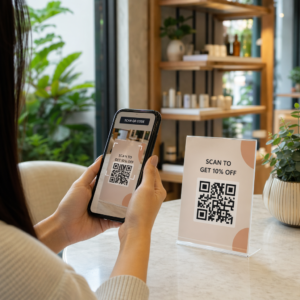
En QR-kode er et skannbart mønster som ethvert moderne smarttelefonkamera kan lese uten en dedikert app. Når noen finner kjæledyret ditt, peker de telefonen sin mot brikken, kameraet gjenkjenner koden, og i løpet av sekunder ser de på kjæledyrets profil – navnet ditt, telefonnummeret ditt, adressen din, kjæledyrets medisinske behov, og hva annet du har inkludert.
Nøkkelen til å få dette til å fungere pålitelig over tid er å bruke en dynamisk QR-kode snarere enn en statisk. En statisk QR-kode koder informasjon direkte inn i mønsteret sitt, noe som betyr at den aldri kan endres. En dynamisk QR-kode peker til en kort omdirigeringslenke som du kontrollerer, slik at du kan oppdatere destinasjonen – telefonnummeret ditt, adressen din, en ny nødkontakt – uten å røre den fysiske brikken. Den sammenligning av statiske vs. dynamiske QR-koder forklarer denne forskjellen i detalj hvis du vil grave dypere før du bestemmer deg for hvilken type du skal bruke.
Hold kjæledyrprofilen din alltid oppdatert Bruke Dynamisk QR-kode generator for å lage en brikke-QR-kode du kan redigere når som helst – endre telefonnummeret ditt, legge til en ny kontakt, eller oppdatere medisinsk informasjon uten å skrive ut på nytt eller erstatte brikken.
Hva du skal legge inn i kjæledyrets digitale profil
Målet er å gi en finner alt de trenger for å kontakte deg og trygt håndtere kjæledyret ditt – uten å overvelde dem. Her er hva du bør inkludere:

- Ditt navn og primære telefonnummer – de mest kritiske delene, foran og i midten
- Et reserve telefonnummer eller nødkontakt – i tilfelle du er utilgjengelig
- Din adresse – nyttig hvis kjæledyret ditt blir funnet i nærheten
- Kjæledyrets navn – hjelper finneren med å roe ned og kommunisere med dyret
- Medisinske tilstander eller medisiner – spesielt kritisk for diabetiske kjæledyr, de som bruker hjertemedisin, eller dyr med alvorlige allergier
- Atferdsnotater – om kjæledyret ditt er vennlig, engstelig rundt fremmede, eller har en tendens til å stikke av
- Mikrochipnummer – nyttig hvis finneren tar kjæledyret ditt til en veterinær eller et krisesenter som kan skanne etter chipper
- Veterinær kontaktinformasjon – en sekundær ressurs hvis medisinsk hjelp er nødvendig raskt
Et praktisk format for dette er en vCard QR-kode, som koder kontaktinformasjon i et standardformat som smarttelefoner gjenkjenner naturlig. Når den skannes, ber enheten automatisk finneren om å lagre detaljene dine direkte i kontaktene sine. Den vCard QR-kode generator lar deg lage akkurat denne typen kode – bare skriv inn navnet ditt og minst én kontaktmetode for å komme i gang. Du kan finne ytterligere veiledning om strukturering av vCard-koder i veiledning til vCard QR-koder.
Hvis du vil dele mer enn kontaktinformasjon – en fullstendig kjæledyrprofil med medisinske notater, bilder og flere kontakter – en QR-kode landingsside gir deg en enkelt skannedestinasjon som inneholder alt i et rent, mobilvennlig format. Du kan også bruke QR-kode generator for flere lenker for å lage en kode som lenker til flere ressurser samtidig, for eksempel kontaktsiden din, veterinærens nummer og et skjema for rapportering av funnet kjæledyr.
Design av en QR-kode som skanner pålitelig på en kjæledyrbrikke
En kjæledyrbrikke er liten, og den beveger seg konstant på et aktivt dyr. Disse faktorene gjør skannbarhet viktigere her enn i nesten alle andre QR-kodeapplikasjoner. Følg disse retningslinjene for å sikre at koden fungerer under virkelige forhold:
- Minimum størrelse på 0,8 × 0,8 tommer (2 × 2 cm) – det anbefalte minimum for skanning på nært hold; større er bedre hvis brikken tillater det
- Høy kontrast – bruk et mørkt mønster på en lys bakgrunn og sikt mot minst et 4:1 kontrastforhold; unngå fargekombinasjoner som reduserer lesbarheten
- Tydelig stille sone – la en ren kant med hvitt rom rundt koden, omtrent 0,25 tommer på hver side, slik at skanneren kan skille koden fra taggens overflate
- Slitesterkt materiale og finish – kjæledyrtagger utsettes for riper, fuktighet og konstant slitasje; bruk en matt finish når det er mulig for å redusere gjenskinn, og velg graverte eller UV-printede koder fremfor papiretiketter
- Høyoppløselig utskrift – last ned QR-koden din i et vektorformat som SVG eller EPS for å sikre at den holder seg skarp i alle utskriftsstørrelser uten pikselering
De veiledningen for beste praksis for lesbarhet av QR-koder og veiledningen om utskrift av QR-koder på etiketter dekker disse prinsippene i større dybde. Det er også verdt å legge til en kort oppfordring til handling nær eller på taggen hvis designet tillater det – noe som “Skann for eierinfo” fjerner all usikkerhet for en finner som kanskje ikke umiddelbart gjenkjenner hva QR-mønsteret er for.
Holde kjæledyrprofilen din oppdatert
En av de mest praktiske fordelene med en dynamisk QR-kode kjæledyrtagg er at din fysiske tagg aldri blir utdatert. Flytter du til en ny by? Oppdater adressen din i dashbordet. Får du et nytt telefonnummer? Endre det på sekunder. Legge til en medisinsk tilstand kjæledyret ditt utvikler senere i livet? Ferdig – uten å bestille en ny tagg.
Dette er viktig fordi statisk informasjon mister sin nytteverdi i det øyeblikket omstendighetene dine endres. Med en dynamisk kode kan du redigere QR-kodens destinasjon fra kontodashbordet ditt og den fysiske taggen fortsetter å fungere nøyaktig som før. Pageloots plattform gir deg også skanneanalyser, slik at du kan se om og når koden ble skannet – nyttig kontekst hvis kjæledyret ditt forsvinner og du prøver å spore situasjonen i sanntid.
Bygg en komplett kjæledyrprofil på ett sted Utforsk alle funksjonene som er tilgjengelige gjennom Pageloot QR-kodeplattform for å opprette, tilpasse og administrere en QR-kode for kjæledyrtagg som holder seg oppdatert uansett hva som endrer seg i livet ditt.
QR-tagger og mikrochips: Bruk begge
En QR-kode tagg og en mikrochip tjener forskjellige funksjoner og fungerer best sammen. En mikrochip krever en skanner hos en veterinær eller et krisesenter for å leses – den er usynlig for publikum og gir ingen hjelp til en vanlig person som finner en bortkommen hund på gaten. En QR-kode tagg, derimot, kan leses av hvilken som helst smarttelefon og kobler umiddelbart en finner til kontaktinformasjonen din, uten behov for utstyr.

Forskning fra en studie ved Ohio State Universitys krisesenter fant at mikrochippede hunder ble returnert til eierne sine med en rate på 52.2%, sammenlignet med 21.9% for ikke-mikrochippede hunder – en betydelig forbedring. Men synlige ID-tagger er fortsatt viktige fordi de er det første noen ser når de møter et bortkommet dyr. En QR-kode tagg gjør den synlige ID-en langt kraftigere enn gravert tekst alene, fordi den leverer en komplett, oppdatert profil i stedet for en statisk tekstlinje.
Den praktiske tilnærmingen er å bruke en QR-kode tagg som din primære synlige ID – med en dynamisk kode som lenker til en full digital profil – og beholde en mikrochip som ditt backup-lag i tilfelle taggen mistes eller halsbåndet faller av.
En QR-kode på en kjæledyrtagg fjerner informasjonsproblemet. I stedet for å håpe at en to-linjers gravering er nok, gir du enhver finner umiddelbar tilgang til alt de trenger. Sett opp en dynamisk QR-kode slik at profilen din holder seg nøyaktig uansett hva som endrer seg, velg et slitesterkt taggformat som tåler daglig bruk, og test alltid skanningen før taggen settes på kjæledyrets halsbånd.
Lag kjæledyrets QR-tagg i dag Kom i gang med Lenke QR-kodegenerator eller Dynamisk QR-kode generator for å bygge en skannbar kjæledyrprofil du kan oppdatere når som helst.
Ofte stilte spørsmål
Ja. Enhver moderne smarttelefon med en innebygd kamera-app kan skanne en QR-kode uten å laste ned tilleggsprogramvare. Kameraet gjenkjenner koden automatisk og åpner den tilknyttede siden i nettleseren, noe som gjør den tilgjengelig for praktisk talt alle som finner kjæledyret ditt.
Hvis du bruker en dynamisk QR-kode, logger du deg ganske enkelt inn på kontooversikten din og oppdaterer kontaktinformasjonen. Den fysiske taggen forblir den samme – QR-koden omdirigerer umiddelbart til den oppdaterte profilen. Med en statisk QR-kode kan den kodede informasjonen ikke endres, så du måtte erstatte hele taggen.
En vCard QR-kode er designet spesifikt for kontaktinformasjon – når den skannes, ber den finneren om å lagre detaljene dine direkte i telefonens kontakter. En lenke QR-kode peker til en hvilken som helst URL, som kan være en full kjæledyrprofilside med medisinsk historie, bilder og flere kontakter. For en komplett kjæledyrprofil gir en lenke eller landingsside QR-kode deg mer fleksibilitet; for rask kontaktdeling fungerer en vCard QR-kode bra.