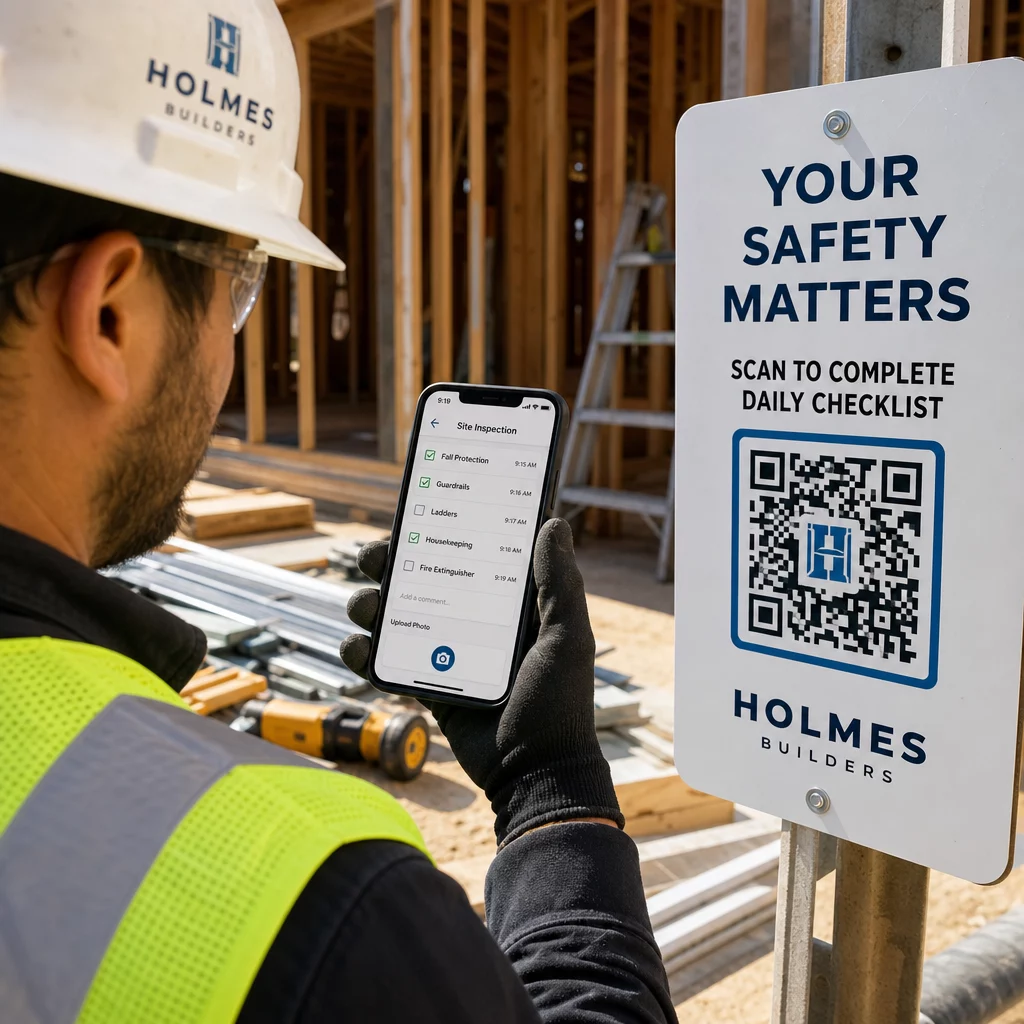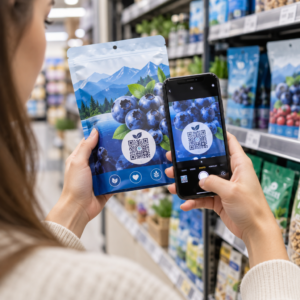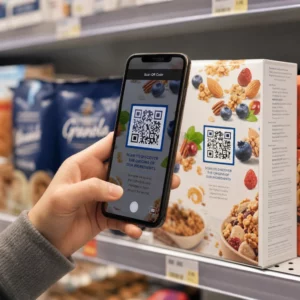
Ваші фізичні маркетингові матеріали не приваблюють трафік до вашого цифрового контенту? Звичайні чорно-білі QR-коди часто зливаються з фоновим візуальним шумом, що призводить до втрачених взаємодій з клієнтами та марнотратства бюджетів кампаній. Застосовуючи стратегічний колірний контраст, індивідуальний брендинг, чіткі заклики до дії та динамічне відстеження, ви можете перетворити прості коди на високоефективні візуальні активи.
Пріоритизуйте сканування за допомогою високого колірного контрасту
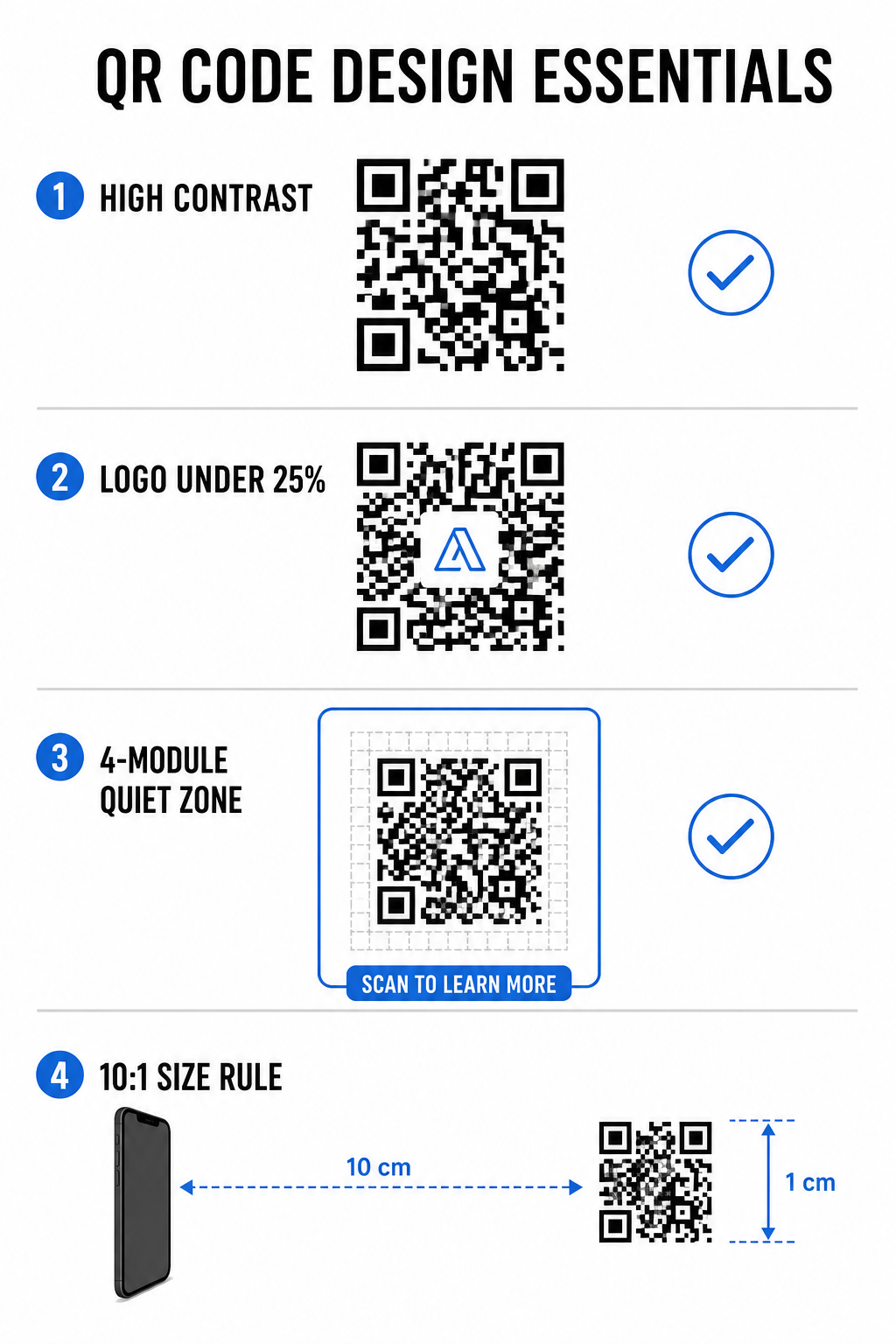
Візуальний дизайн ніколи не повинен компрометувати функціональну зчитуваність. Датчики камери декодують QR-візерунки, вимірюючи контраст відбиття світла між модулями переднього плану та фоновими поверхнями. Темніші відтінки поглинають світло, тоді як світліші відтінки відбивають його, дозволяючи оптичним лінзам чітко зчитувати вбудовані точки даних.
Щоб підтримувати максимальну читабельність в різних умовах освітлення, застосовуйте встановлені рекомендації щодо колірного контрасту QR-кодів:
- Підтримуйте темний передній план на світлому фоні: Обирайте суцільні, темні кольори візерунків, такі як темно-синій, вугільний або темно-бордовий, на чистому, світлому фоні. Стандартний чорний на білому забезпечує оптимальне співвідношення контрастності 21:1.
- Відповідайте стандартним вимогам до співвідношення контрастності: Підтримуйте мінімальне співвідношення контрастності 4.5:1 для невеликих друкованих матеріалів і щонайменше 3:1 для великих рекламних вивісок.
- Уникайте внутрішніх градієнтів та тіней: Відмовтеся від багатотонових градієнтів та м'яких тіней, оскільки середні тони створюють візуальний шум, який збиває з пантелику оптичні датчики.
- Уникайте інвертованих кольорових дизайнів: Уникайте використання світлих візерунків на темному фоні, оскільки інвертовані дизайни не працюють на багатьох вбудованих сканерах камер смартфонів.
Інтегруйте логотип вашого бренду, не жертвуючи читабельністю
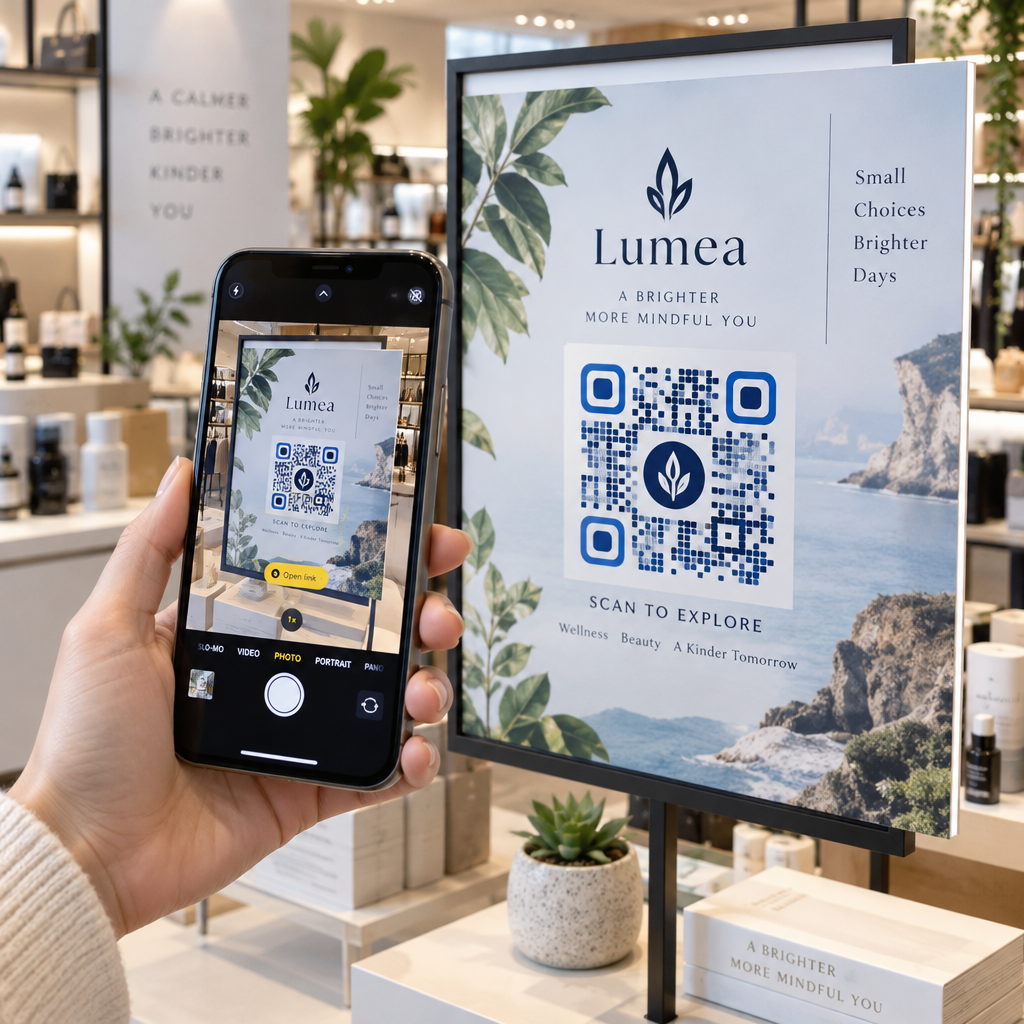
Розміщення логотипу компанії всередині QR-матриці створює миттєве впізнавання бренду та запевняє користувачів у легітимності цільової URL-адреси. Перегляд реальних прикладів брендованих QR-кодів демонструє, що індивідуальні дизайни генерують вищу залученість користувачів, ніж звичайні монохромні квадрати.
Під час навчання як додавати логотипи до QR-кодів, захистіть критичні зони виявлення сканера, щоб ваш код залишався читабельним:
- Центруйте логотип: Розмістіть графіку точно по центру сітки, забезпечуючи повну безперешкодність трьох великих квадратних шаблонів вирівнювання в кутах.
- Обмежте загальне покриття логотипу: Зберігайте розміри логотипу до 25% або менше від загальної ширини та висоти QR-коду, ніколи не перевищуючи 30% від загальної площі поверхні.
- Виберіть вищі рівні виправлення помилок: Встановіть виправлення помилок Рід-Соломона на рівень Q (відновлює до 25% прихованих даних) або рівень H (відновлює до 30%), щоб сканери могли реконструювати відсутню інформацію про шаблон.
- Захистіть контраст фону логотипу: Додайте просту білу рамку навколо темних іконок бренду, щоб запобігти зливанню країв логотипу з навколишніми модулями шаблону.
Створюйте брендовані QR-коди за лічені секунди Хочете покращити свої маркетингові матеріали за допомогою власних кольорів, логотипів та висококонверсійних рамок? Почніть розробляти скановані коди вже сьогодні з нашим Генератор QR-кодів з логотипом.
Оформіть свій QR-код чіткими закликами до дії
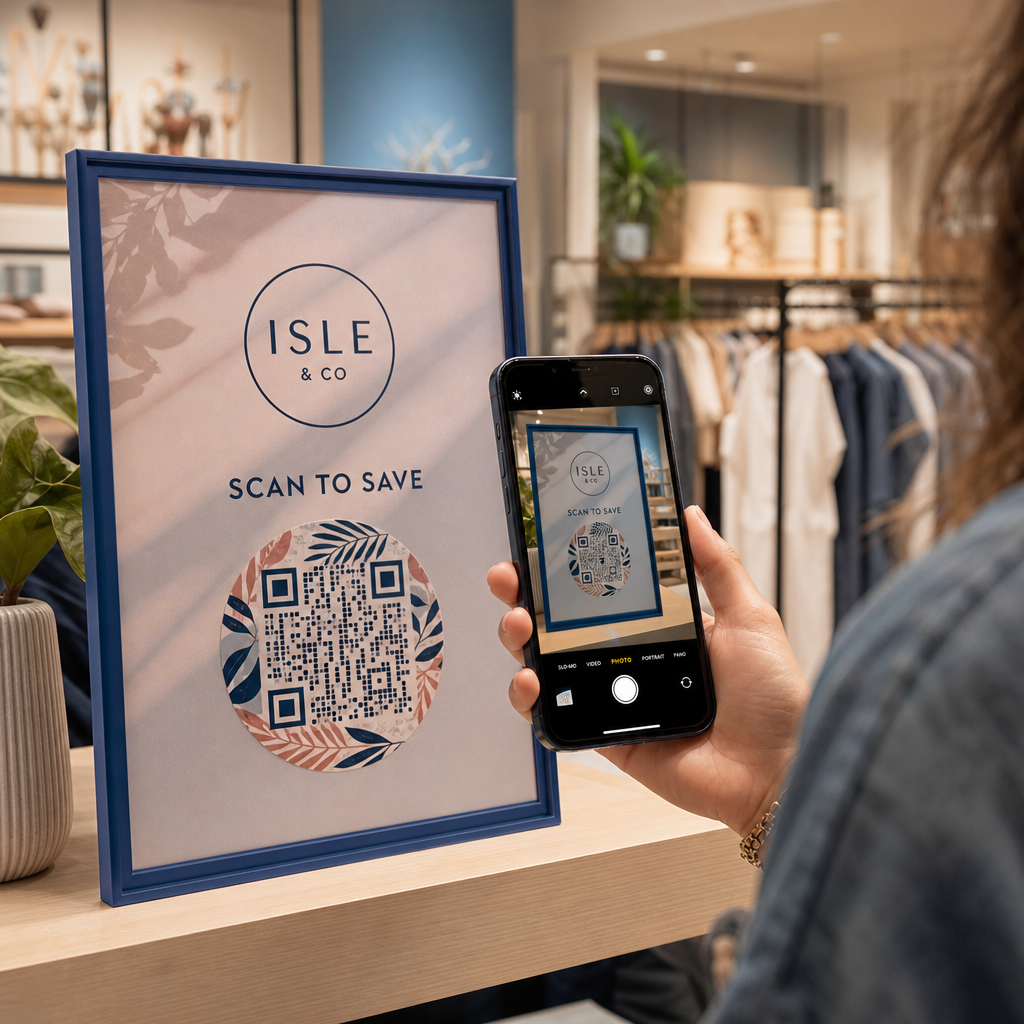
QR-код без підпису не дає клієнтам вагомих причин для сканування. Додавання рамки із закликом до дії (CTA) надає негайний контекст, повідомляючи користувачам, яка цінність або вміст їх чекає.
Використання ефективних рамок із закликом до дії для QR-кодів допомагає керувати поведінкою користувачів та збільшувати коефіцієнти конверсії:
- Додайте мікротекст, орієнтований на вигоду: Замініть загальні підписи чіткими інструкціями, такими як “Скануйте для отримання 20% знижки”, “Скануйте, щоб переглянути меню” або “Скануйте для безкоштовного Wi-Fi”.
- Захистіть тиху зону: Підтримуйте безперешкодний відступ принаймні чотири модулі з усіх чотирьох сторін коду, розміщуючи межі рамки та текст за межами цього простору.
- Застосовуйте готові візуальні шаблони: Використовуйте розроблені Шаблони QR-кодів щоб забезпечити відповідність рамки вашим друкованим матеріалам, дотримуючись технічних правил тихої зони.
| Елемент | Рекомендований стандарт | Чому це важливо |
|---|---|---|
| Quiet Zone Margin |
Мінімум 4 модулі з усіх сторін | Запобігає тому, щоб навколишня графіка заважала розпізнаванню камерою |
| Покриття логотипу | Від 20% до 25% від загальної площі поверхні | Зберігає читабельність основних модулів даних, підтримуючи видимість бренду |
| Коефіцієнт контрастності | Мінімум 4.5:1 (дрібний шрифт) / 3:1 (великий шрифт) | Гарантує чітке розрізнення між крапками переднього плану та фоном |
| Мінімальний розмір друку | 0.8 x 0.8 дюйма (2 x 2 см) | Забезпечує належне фокусування стандартних об'єктивів мобільних камер з близької відстані |
Масштабуйте розміри коду для стратегічного фізичного розміщення
Навіть візуально привабливий QR-код буде неефективним, якщо фізичне розміщення перешкоджає зручному скануванню. Ефективне позиціонування вимагає оцінки відстані перегляду, текстури поверхні, висоти кріплення та масштабування друку.
Дотримання встановлених рекомендацій щодо розміщення QR-кодів у маркетингових допомагає забезпечити надійну роботу:
- Обчисліть розміри, використовуючи відстань перегляду: Застосуйте правило співвідношення 10:1, де кожні 10 см відстані сканування вимагають щонайменше 1 см ширини QR-коду.
- Розташовуйте матеріали на природній висоті перегляду: Монтуйте вивіски та друковані дисплеї на висоті від 3.5 до 5.5 футів від землі, щоб користувачі могли сканувати, не нахиляючись і не тягнучись під незручними кутами.
- Вибирайте плоскі, невідблискуючі друковані матеріали: Обирайте матові поверхні замість глянцевих ламінатів або вигнутої упаковки, щоб усунути відблиски світла та спотворення візерунка.
- Експортуйте графіку у векторних форматах високої роздільної здатності: Перегляньте ширші поради з дизайну QR-кодів для кращого сканування щоб переконатися, що графіка експортується як файли SVG або EPS для чіткого друку.
Використовуйте динамічні QR-коди для відстеження та оптимізації кампаній
Статичні QR-коди кодують цільові URL-адреси безпосередньо в матричний візерунок, що призводить до щільних сіток, які важко сканувати з відстані. Динамічні QR-коди направляють сканери через коротку URL-адресу, зберігаючи матричний візерунок чистим, одночасно забезпечуючи гнучкість після друку.
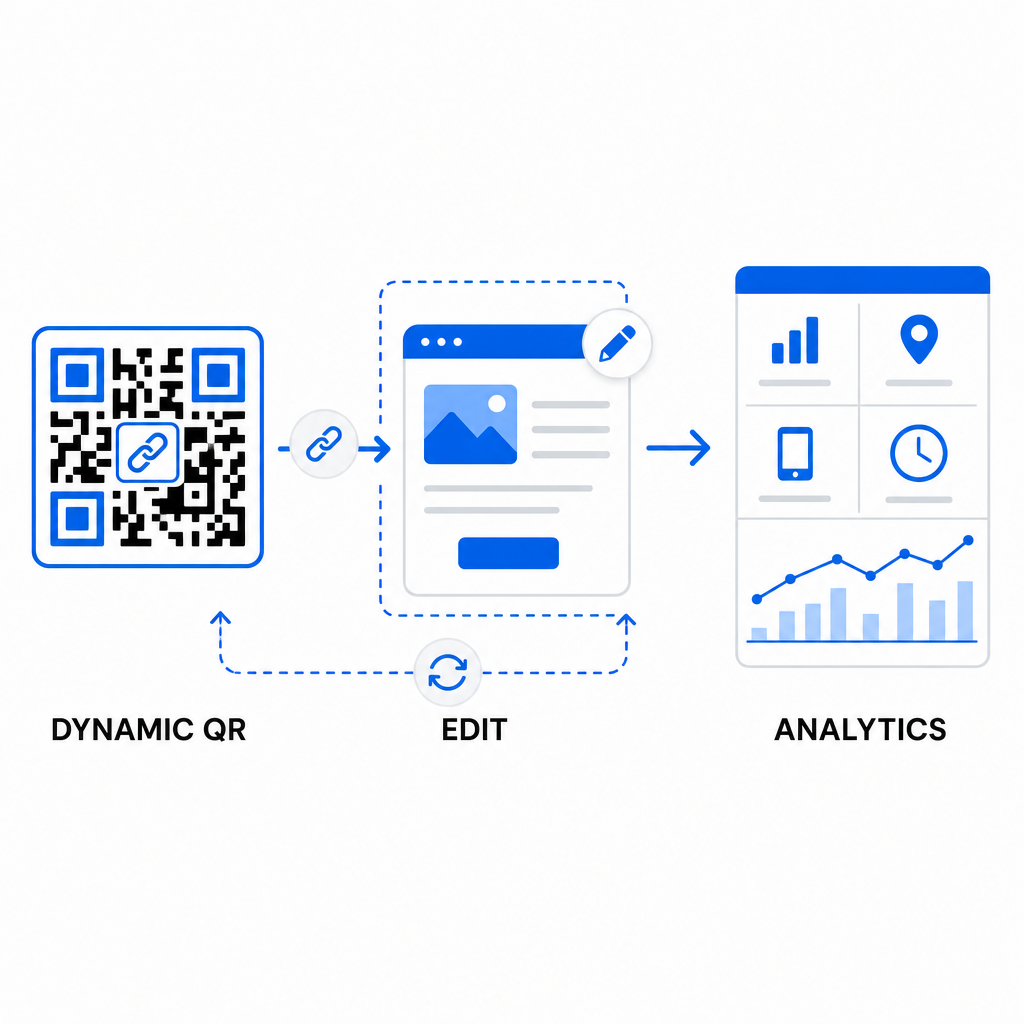
Впровадження динамічних робочих процесів підтримує безперервну оптимізацію для покращення показників конверсії QR-кодів:
- Оновлюйте цільові URL-адреси без повторного друку: Змінюйте посилання на цільові сторінки, рекламні пропозиції або цифрові файли в будь-який час, не замінюючи фізичні друковані матеріали.
- Збирайте дієву аналітику сканувань: Відстежуйте загальну кількість сканувань, географічне розташування, типи пристроїв та час сканування для вимірювання ефективності кампанії в реальному часі.
- Проводьте структуроване A/B-тестування: Порівнюйте різні дизайни рамок, заклики до дії (CTA) або цільові сторінки, змінюючи одну змінну за раз і відстежуючи унікальні URL-адреси.
Розробка візуальних QR-кодів вимагає балансу між креативним брендингом та основними технічними вимогами. Поєднуючи сильний колірний контраст, захищені тихі зони, орієнтовані на дію рамки із закликами до дії (CTA) та динамічне відстеження, ви можете перетворити фізичні точки контакту на вимірювані цифрові взаємодії.
Дослідіть наш повний спектр функцій користувацьких QR-кодів для розробки високоефективних візуальних елементів, або почніть створювати свою наступну кампанію за допомогою Генератор QR-кодів Pageloot сьогодні.
Поширені запитання
Для матеріалів ближнього огляду, таких як візитівки або меню ресторанів, QR-коди повинні бути розміром щонайменше 0.8 x 0.8 дюйма (2 x 2 см). Для вивісок, що розглядаються здалеку, дотримуйтесь правила співвідношення 10:1, де кожні 10 см відстані сканування вимагають щонайменше 1 см ширини QR-коду.
Додавання логотипу не перешкоджатиме скануванню за умови, що ви встановите рівень виправлення помилок Q або H (який відновлює до 25% або 30% даних) і збережете покриття логотипом менше 25% площі коду, не затуляючи кутові маркери позиції.
Так, за умови використання динамічного QR-коду. Динамічні коди зберігають короткі URL-адреси, які можна редагувати, дозволяючи вам оновлювати цільове посилання або цифровий контент у будь-який час зі своєї панелі керування без повторного друку фізичних матеріалів.