> 가이드 > How to Create Eye-Catching QR Codes That Get Scans
브랜드 QR 코드 스캔

How to Create Eye-Catching QR Codes That Get Scans

Transform plain QR codes into high-converting visual assets. Learn best practices for color contrast, adding brand logos, CTA frames, and dynamic tracking.
Updated on 8월 29, 2026
목차

Are your physical marketing materials failing to drive traffic to your digital content? Generic black-and-white QR codes often blend into background visual noise, resulting in missed customer interactions and wasted campaign budgets. By applying strategic color contrast, custom branding, clear calls to action, and dynamic tracking, you can transform plain codes into high-converting visual assets.

Prioritize Scannability with High Color Contrast

Visual design should never compromise functional scannability. Camera sensors decode QR patterns by measuring the light reflection contrast between foreground modules and background surfaces. Darker shades absorb light while lighter shades reflect it, allowing optical lenses to read embedded data points clearly.

To maintain maximum readability across varying lighting conditions, apply established QR code color contrast guidelines:

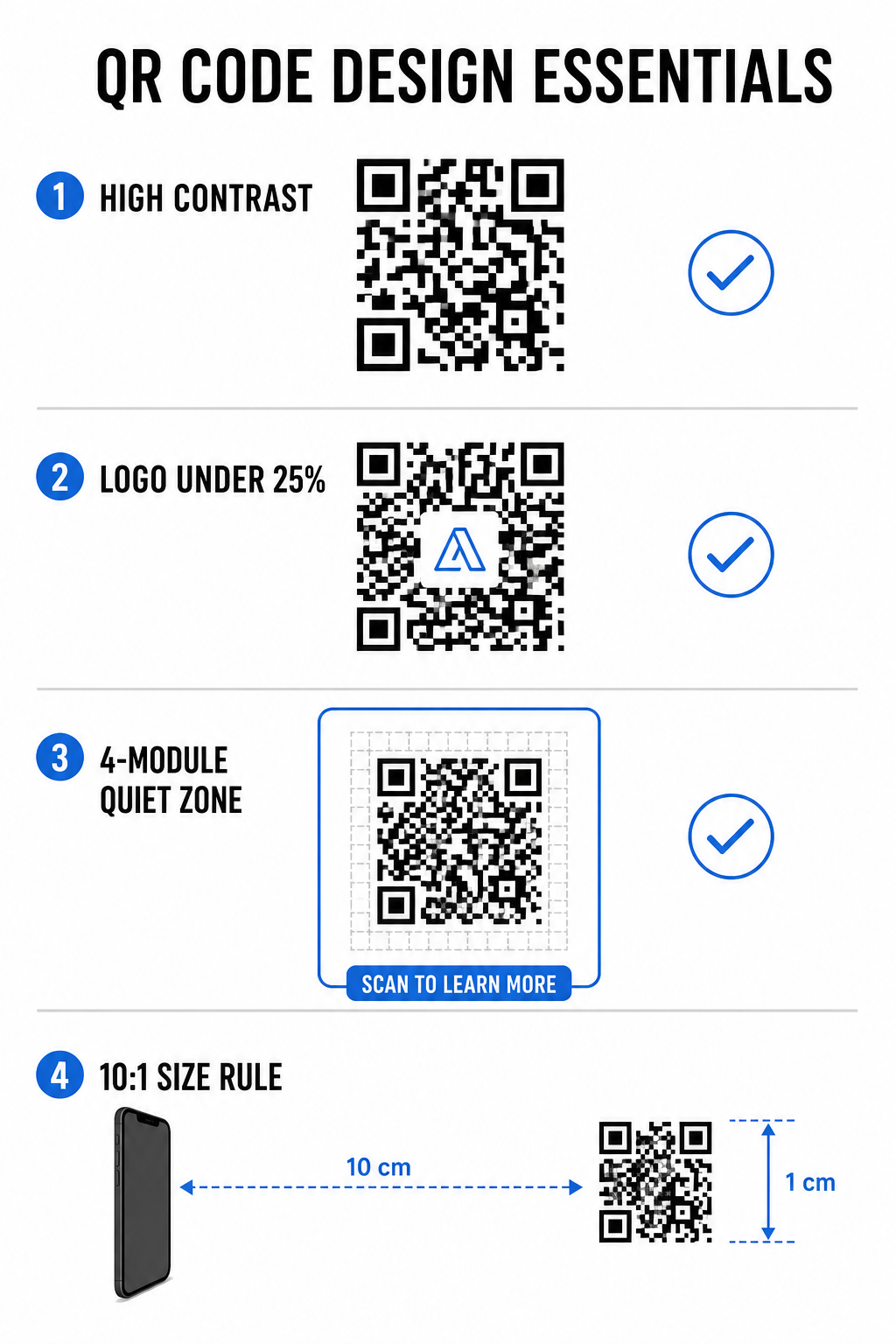
  • Maintain dark foregrounds on light backgrounds: Select solid, dark pattern colors such as navy, charcoal, or dark burgundy on clean, light backgrounds. Standard black on white delivers an optimal 21:1 contrast ratio.
  • Meet standard contrast ratio requirements: Maintain a minimum contrast ratio of 4.5:1 for small printed materials and at least 3:1 for larger signage displays.
  • Avoid internal gradients and drop shadows: Skip multi-toned gradients and soft drop shadows, as mid-tone shades create visual noise that confuses optical sensors.
  • Skip color inversion designs: Avoid using light patterns on dark backgrounds, as reversed designs fail on many native smartphone camera scanners.

Integrate Your Brand Logo Without Sacrificing Readability

Placing a company logo inside a QR matrix builds instant brand recognition and reassures users that the destination URL is legitimate. Reviewing real-world examples of branded QR codes demonstrates that custom designs generate higher user engagement than plain monochrome boxes.

When learning QR 코드에 로고를 추가하는 방법, protect critical scanner detection zones to keep your code readable:

  • Center the logo position: Place graphics directly in the center of the grid, ensuring the three large square alignment patterns in the corners remain completely unobstructed.
  • Limit total logo coverage: Keep logo dimensions to 25% or less of total QR width and height, never exceeding 30% of the overall surface area.
  • Select higher error correction levels: Set Reed-Solomon Error Correction to Level Q (recovers up to 25% of covered data) or Level H (recovers up to 30%) so scanners can reconstruct missing pattern information.
  • Protect logo background contrast: Add a plain white border around dark brand icons to prevent logo edges from merging with surrounding pattern modules.

Create Branded QR Codes in Seconds Want to elevate your marketing materials with custom colors, logos, and high-converting frames? Start designing scannable codes today with our 로고가 있는 QR 코드 생성기.

Frame Your QR Code with Clear Calls to Action

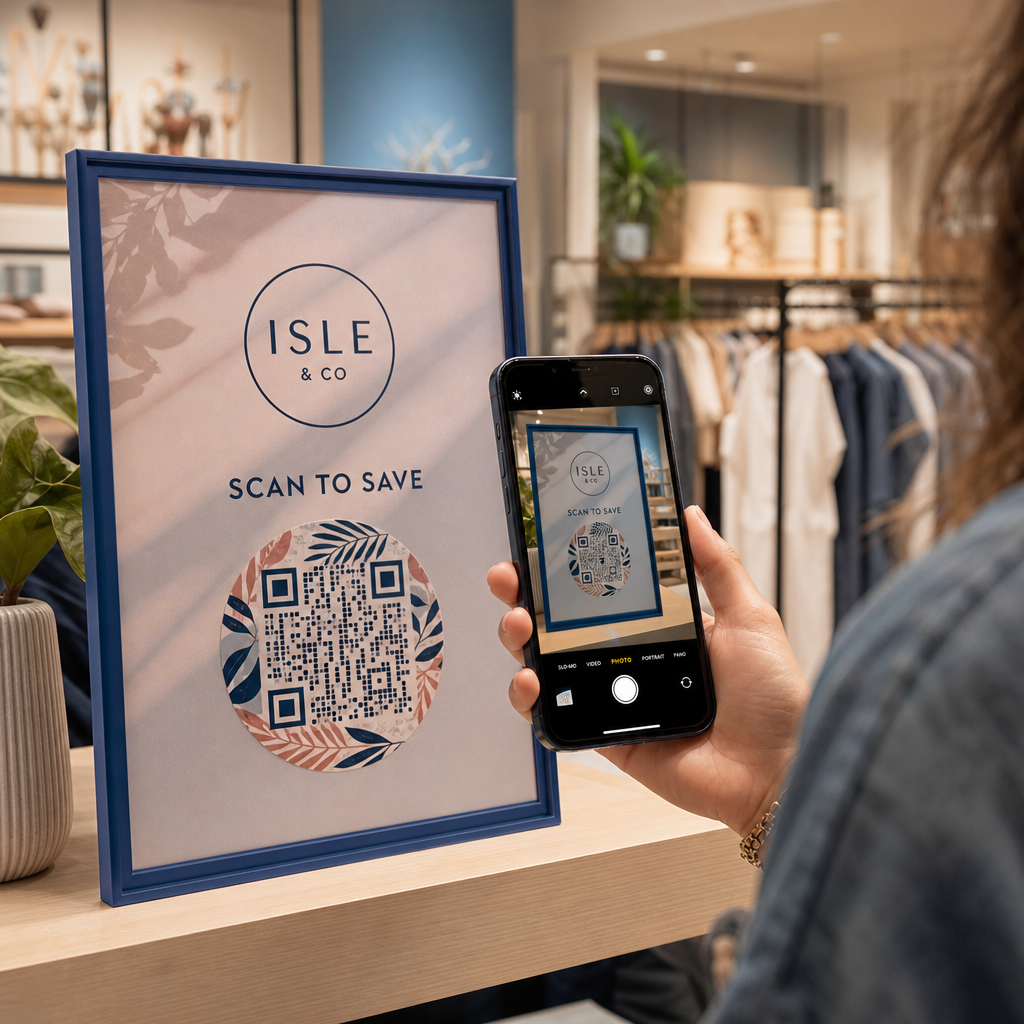
An unlabelled QR code gives customers no compelling reason to scan. Adding a call-to-action (CTA) frame provides immediate context, telling users exactly what value or content awaits them.

QR code design essentials

Using effective QR code CTA frames helps guide user behavior and increase conversion rates:

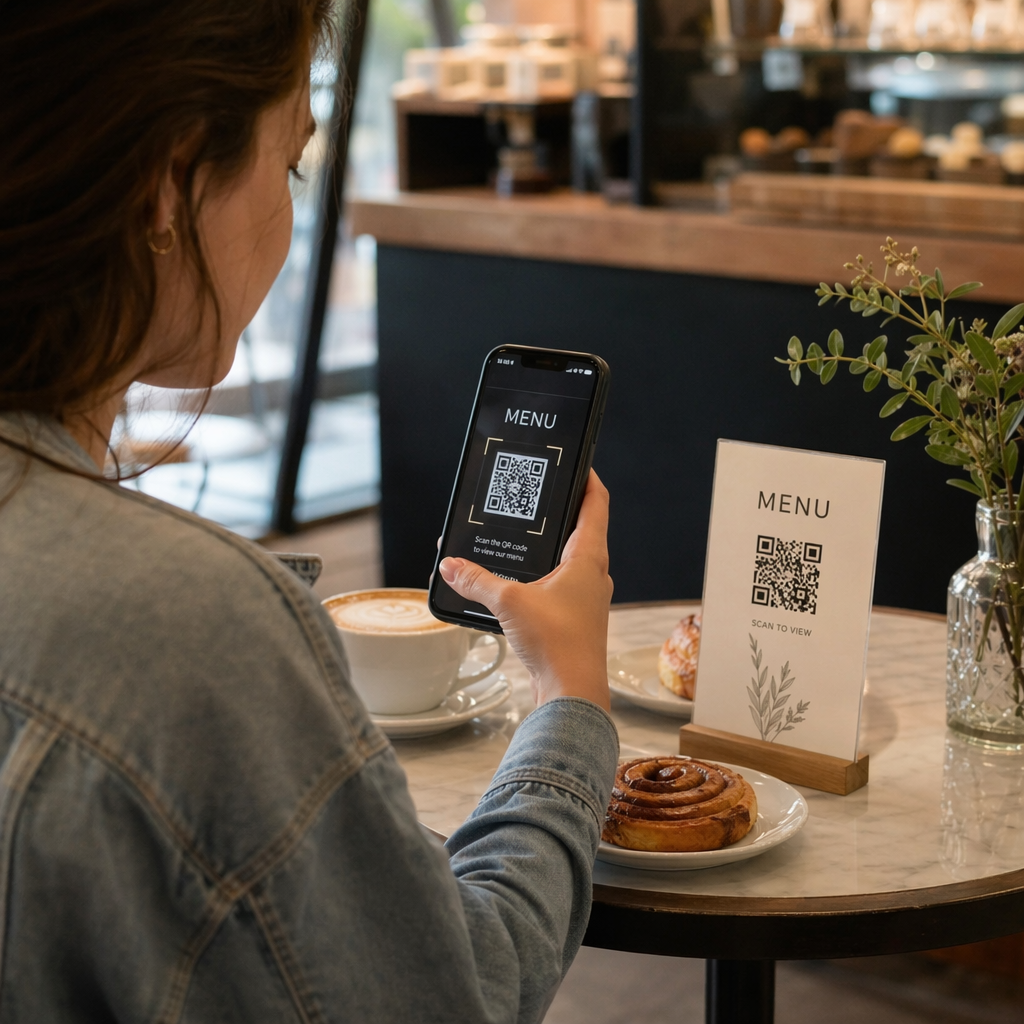
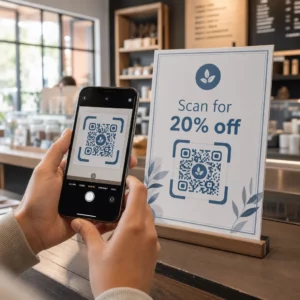
  • Add benefit-driven microcopy: Replace generic labels with explicit instructions such as “Scan for 20% Off,” “Scan to View Menu,” or “Scan for Free WiFi.”
  • Protect the quiet zone: Maintain an unobstructed margin of at least four modules on all four sides of the code, keeping frame borders and text outside this space.
  • Apply pre-built visual templates: Use designed QR 코드 템플릿 to ensure framing matches your print assets while adhering to technical quiet-zone rules.
요소 Recommended Standard 중요한 이유
Quiet Zone Margin Minimum 4 modules on all sides Prevents surrounding graphics from disrupting camera recognition
Logo Coverage 20% to 25% of total surface area Keeps essential data modules readable while maintaining brand visibility
대비율 Minimum 4.5:1 (small print) / 3:1 (large print) Guarantees clear distinction between foreground dots and background
최소 인쇄 크기 0.8 x 0.8인치 (2 x 2 cm) Ensures standard mobile camera lenses can focus properly at close range

Scale Code Dimensions for Strategic Physical Placement

Even a visually appealing QR code will fail if physical placement prevents comfortable scanning. Effective positioning requires evaluating viewing distance, surface texture, mounting height, and print scaling.

Following established guidelines for 마케팅에서의 QR 코드 배치 helps ensure reliable performance:

  • Calculate dimensions using viewing distance: Apply the 10:1 ratio rule, where every 10 cm of scanning distance requires at least 1 cm of QR code width.
  • Position materials at natural viewing heights: Mount signs and print displays between 3.5 and 5.5 feet off the ground so users can scan without ducking or reaching awkward angles.
  • Select flat, non-reflective print materials: Choose matte surfaces over glossy laminates or curved packaging to eliminate light glare and pattern distortion.
  • Export graphics in high-resolution vector formats: Review broader QR code design tips for better scans to ensure graphics are exported as SVG or EPS files for crisp printing.

Use Dynamic QR Codes to Track and Optimize Campaigns

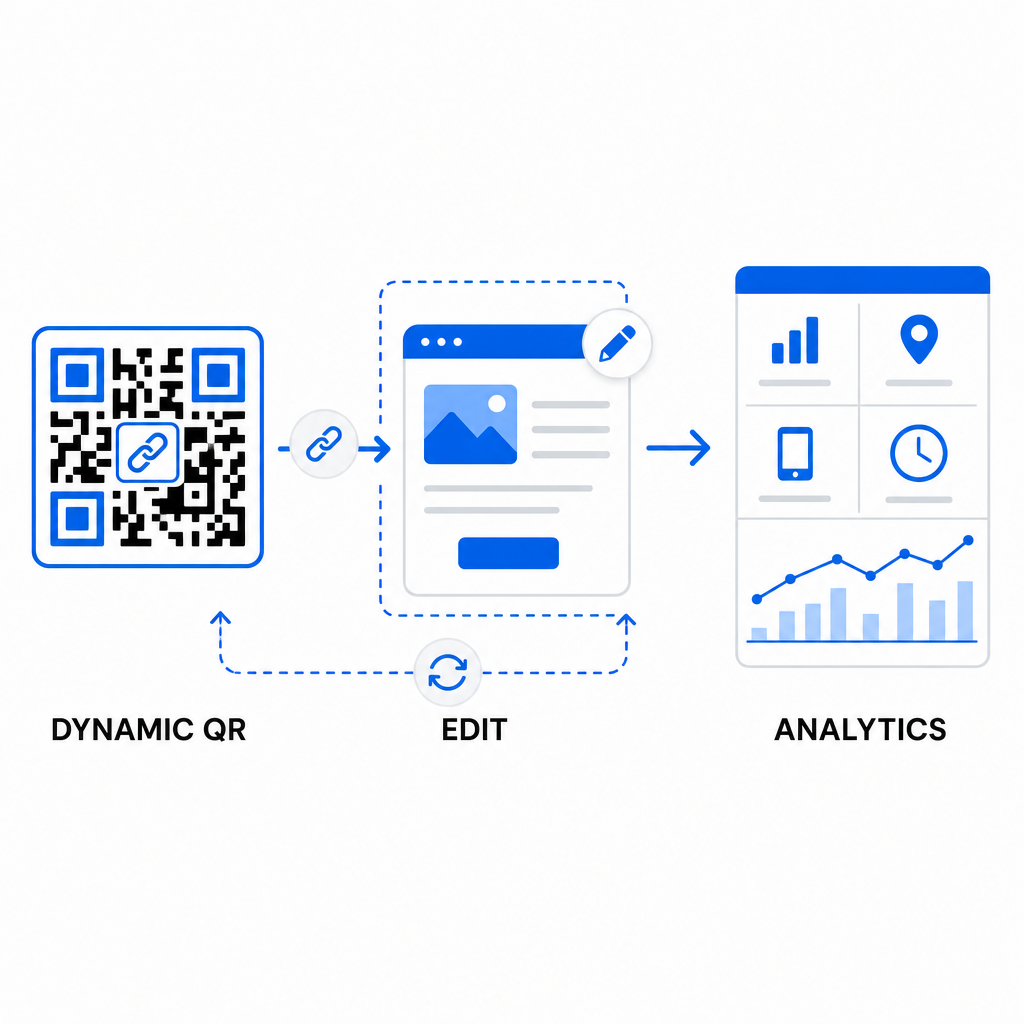
Static QR codes encode target URLs directly into the matrix pattern, resulting in dense grids that are difficult to scan from a distance. Dynamic QR codes route scanners through a short URL, keeping the matrix pattern clean while enabling post-print flexibility.

Dynamic QR campaign analytics

Implementing dynamic workflows supports continuous optimization for QR 코드 전환율 개선:

  • Update destination URLs without reprinting: Modify landing page links, promotional offers, or digital files anytime without replacing physical print assets.
  • Capture actionable scan analytics: Track total scans, geographic locations, device types, and scan times to measure campaign performance in real time.
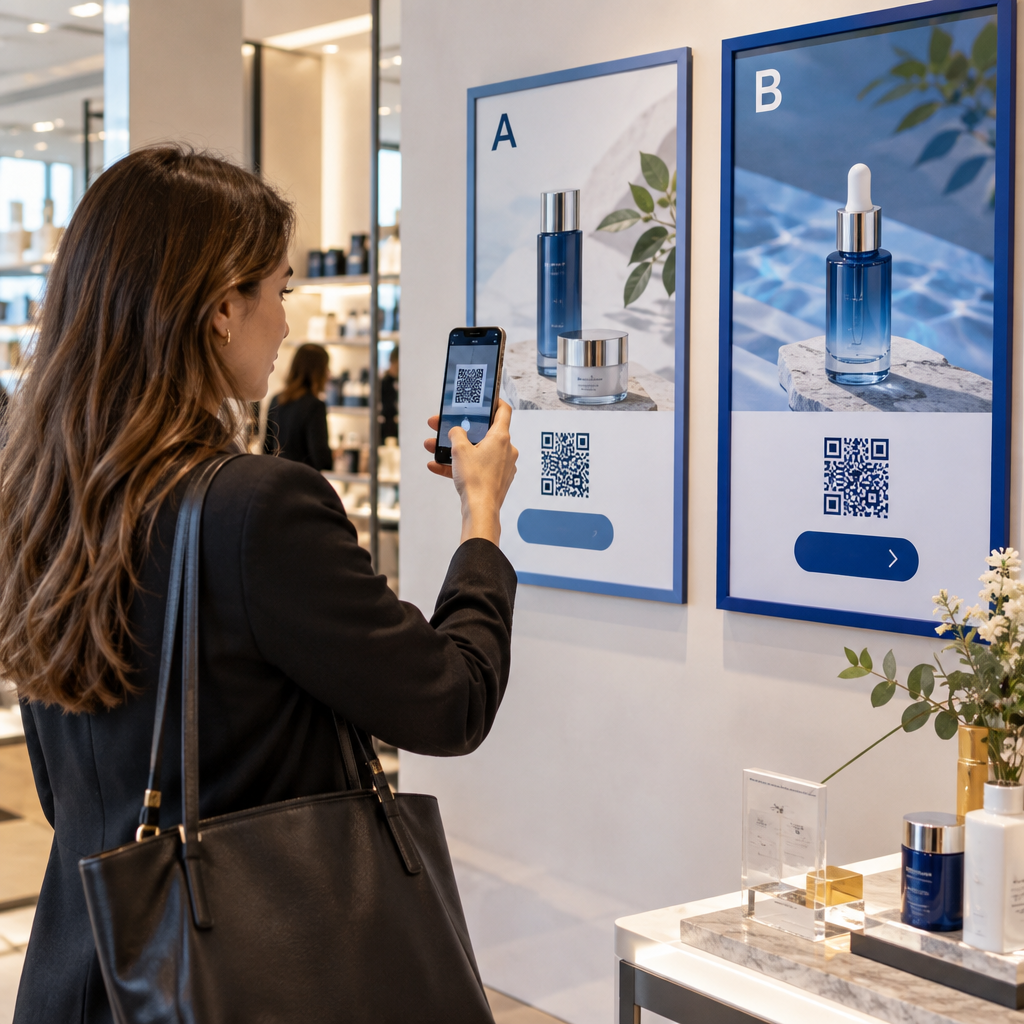
  • Perform structured A/B testing: Compare different frame designs, CTAs, or landing pages by changing one variable at a time and tracking unique URLs.

Designing visual QR codes requires balancing creative branding with core technical requirements. By combining strong color contrast, protected quiet zones, action-oriented CTA frames, and dynamic tracking, you can turn physical touchpoints into measurable digital interactions.

Explore our full range of custom QR code features to design high-converting visual assets, or start building your next campaign with the Pageloot QR 코드 생성기 에서 지금 바로 시작하세요.

자주 묻는 질문

How big should a QR code be on printed materials?

For close-range materials like business cards or restaurant menus, QR codes should be at least 0.8 x 0.8 inches (2 x 2 cm). For signs viewed from a distance, follow the 10:1 ratio rule, where every 10 cm of scanning distance requires at least 1 cm of QR code width.

로고를 추가하면 QR 코드를 스캔하기 더 어려워지나요?

Adding a logo will not disrupt scanning as long as you set your error correction level to Q or H (which recovers up to 25% or 30% of data) and keep the logo coverage under 25% of the code area without obstructing the corner position markers.

Can I change where my QR code links after it has been printed?

Yes, provided you use a dynamic QR code. Dynamic codes store an editable short URL, allowing you to update the target link or digital content at any time from your management dashboard without reprinting physical materials.

작성자 정보

시임 코스타비는 페이지루트의 콘텐츠 책임자입니다. 그는 페이지루트의 혁신적인 QR 코드 생성 서비스에 대한 글을 쓰고 있습니다. 5년 이상 QR 코드 분야에서 쌓아온 깊이 있는 전문 지식을 바탕으로, 시임은 이 분야의 전문가로 인정받고 있습니다. 그는 QR 기술을 활용하여 디지털 상호작용을 간소화하고 향상시키는 데 크게 기여하고 있습니다.

범주
에 대해 자세히 알아보기

온라인으로 QR 코드를 생성해야하는 경우 QR 코드 만들기 무료로 여기!
Pageloot는 #1 Go-To 솔루션 QR 코드를 만들고 스캔합니다.

BL-0360

블로그 세대

20,000개 이상의 브랜드로부터 신뢰를 받아 더 많은 매출, 리뷰, 팔로워를 확보했습니다.

클라이언트 로고
최고 브랜드의 신뢰
5 중 4.8 평가

4.86 / 5 별점

휴고 로랑
휴고 로랑
레스토랑 주인
가장 쉽고 안정적인 QR 코드 생성기. PDF 파일을 즉시 업로드할 수 있습니다. 이제 레스토랑 메뉴가 디지털화되었습니다.
루카스 얀센
루카스 얀센
부동산 개발사
이것은 훌륭한 도구이며 QR 코드를 사용하면 원하는 곳으로 이동할 수 있습니다. 우리는 위치 QR 코드만 사용하지만 유용한 기능이 너무 많습니다.

엠마 모레티
엠마 모레티
소매 제품
사용하기 쉽고 빠릅니다. 그것은 훌륭하게 작동하고 완벽한 이미지를 생성하므로 직원들이 내 vCard를 다운로드할 수 있습니다.

휴고 로랑
휴고 로랑
레스토랑 주인
가장 쉽고 안정적인 QR 코드 생성기. PDF 파일을 즉시 업로드할 수 있습니다. 이제 레스토랑 메뉴가 디지털화되었습니다.
루카스 얀센
루카스 얀센
부동산 개발사
이것은 훌륭한 도구이며 QR 코드를 사용하면 원하는 곳으로 이동할 수 있습니다. 우리는 위치 QR 코드만 사용하지만 유용한 기능이 너무 많습니다.
엠마 모레티
엠마 모레티
소매 제품
사용하기 쉽고 빠릅니다. 그것은 훌륭하게 작동하고 완벽한 이미지를 생성하므로 직원들이 내 vCard를 다운로드할 수 있습니다.
더 많은 QR 코드보기
회원이 헬스장 QR 스캔
QR 코드 체육관 및 웰빙
QR 코드를 스캔하는 고객
QR 코드 인스턴트 메시징
무엇이든 디지털 경험으로 전환하세요 3분 이내에.

14일 무료 체험.

신용카드는 필요 없습니다.

첫 구매 시 30% 할인

코드를 사용하세요:

MP3 파일 공유

PDF QR 코드를 생성하려면 가입하세요

필요한 모든 것을 업로드하고 표시합니다.

  • 오디오 파일
  • 팟캐스트
  • 음악

가입 시 14일 무료 체험.
체험 기간 후 QR 코드 만료.

오디오 mp3 QR 코드를 생성하려면 가입하세요

프레임으로 더 많은 스캔 확보

QR 코드에 더 많은 프레임을 추가하려면 가입하세요

클릭 유도 문안 프레임은 고객이 QR 코드와 쉽게 상호 작용할 수 있도록 도와줍니다. 사용해 보세요!

가입 시 14일 무료 체험.
체험 기간 후 QR 코드 만료.

QR 코드에 더 많은 프레임을 추가하려면 가입하세요

도형으로 더 많은 스타일 추가

더 많은 도형을 만들려면 가입하세요

QR 코드는 정사각형일 필요가 없습니다. 브랜드 이미지에 맞게 전환해 보세요.

가입 시 14일 무료 체험.
체험 기간 후 QR 코드 만료.

더 많은 도형을 만들려면 가입하세요

QR 코드에 로고 추가

QR 코드에 로고를 추가하려면 가입하세요

로고와 브랜드를 추가하여 QR 코드를 돋보이게 만드세요.

가입 시 14일 무료 체험.
체험 기간 후 QR 코드 만료.

QR 코드에 로고를 추가하려면 가입하세요

스마트 앱 스토어 리디렉션

앱 스토어 QR 코드를 생성하려면 가입하세요

스마트 앱 스토어 QR 코드에 앱 링크를 추가하세요. 사용자는 장치에 따라 리디렉션됩니다.

가입 시 14일 무료 체험.
체험 기간 후 QR 코드 만료.

앱 스토어 QR 코드를 생성하려면 가입하세요

QR 코드에 이미지 업로드

이미지 QR 코드를 생성하려면 가입하세요

이미지를 쉽게 공유하세요. 몇 초 안에 동적으로 이미지를 변경하십시오.

가입 시 14일 무료 체험.
체험 기간 후 QR 코드 만료.

이미지 QR 코드를 생성하려면 가입하세요

PDF 파일 공유

PDF QR 코드를 생성하려면 가입하세요

필요한 모든 것을 업로드하고 표시합니다.

  • 메뉴 및 가격표
  • 명령
  • 모든 문서

가입 시 14일 무료 체험.
체험 기간 후 QR 코드 만료.

PDF QR 코드를 생성하려면 가입하세요

인쇄 없이 나중에 편집

다시 인쇄하지 않고 QR 코드를 편집하려면 가입하세요

동적 QR 코드를 사용하면 새 QR 코드를 인쇄하지 않고도 QR 코드의 내용을 변경할 수 있습니다.

가입 시 14일 무료 체험.
체험 기간 후 QR 코드 만료.

다시 인쇄하지 않고 QR 코드를 편집하려면 가입하세요

언제? 어디서? QR 코드 스캔 추적

QR 코드를 추적하려면 가입하세요

어떤 QR 코드가 가장 많이 스캔되고 무엇이 고객을 가장 흥분시키는지 알아보십시오.

가입 시 14일 무료 체험.
체험 기간 후 QR 코드 만료.

QR 코드를 추적하려면 가입하세요

인쇄 준비 파일 제공

PDF 및 SVG와 같은 벡터 QR 코드를 생성하려면 가입하세요.

.EPS, .PDF, .SVG

HD 해상도로 QR 코드를 다운로드하고 싶으신가요? 인쇄할 준비가 된 벡터 또는 픽셀 형식을 가져옵니다.

가입 시 14일 무료 체험.
체험 기간 후 QR 코드 만료.

PDF 및 SVG와 같은 벡터 QR 코드를 생성하려면 가입하세요.

기다리세요. 귀하의 QR 코드는 로드 중... 로드 중...

나만의 것으로 만들기

나중을 위해 QR 코드를 저장하려면 가입하세요.

다양한 색상, 로고 및 클릭 유도문안 프레임으로 멋진 QR 코드를 만들어 더 많은 스캔을 받으세요.

가입 시 14일 무료 체험.
체험 기간 후 QR 코드 만료.

나중을 위해 QR 코드를 저장하려면 가입하세요.