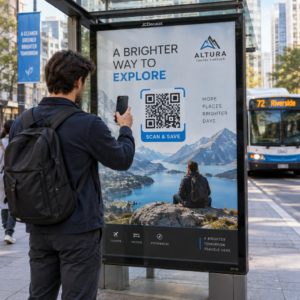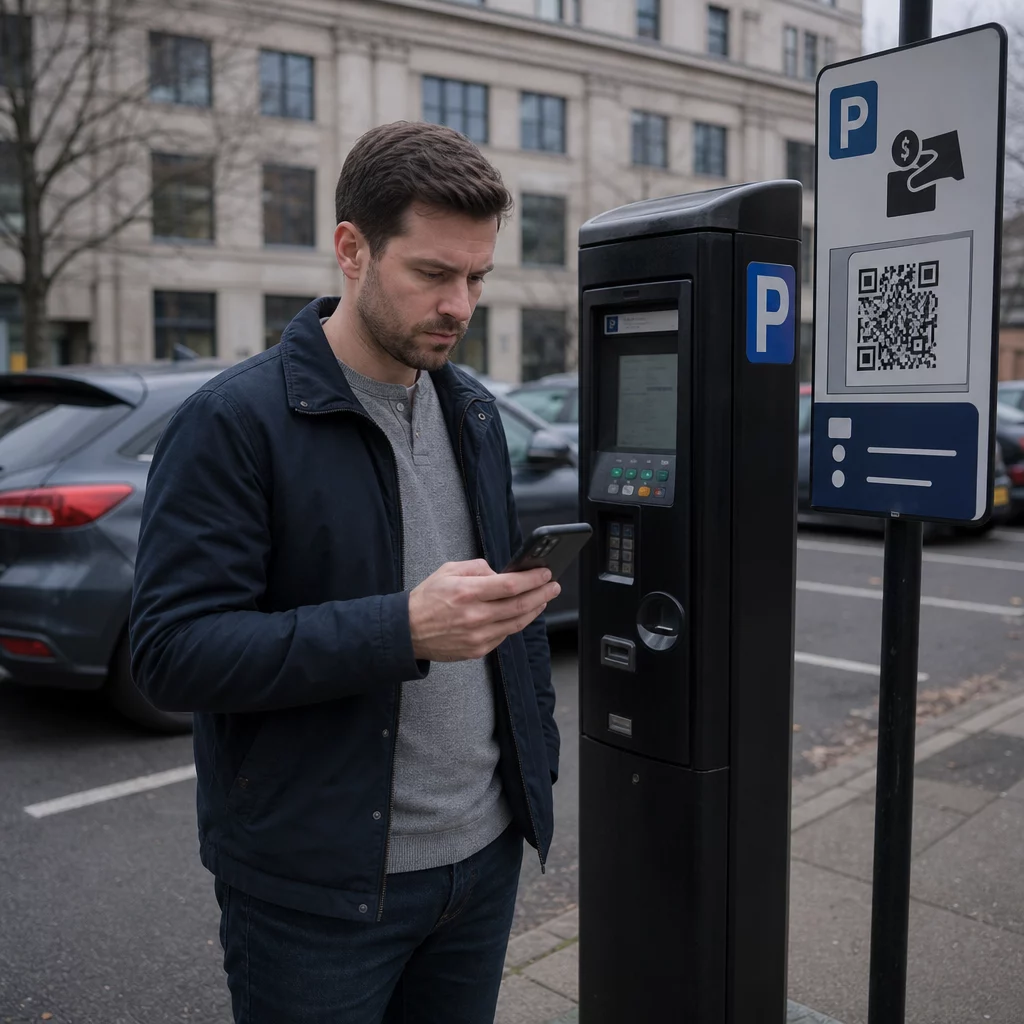
Kas olete kindel, et parkimisautomaadi QR-kood on legitiimne? Võltsitud QR-koodi kleebised, mis on paigutatud parkimisautomaatidele ja siltidele, varastavad tuhandete Ühendkuningriigi autojuhtide kaardiandmeid – ja pettused levivad kiiresti. See juhend selgitab täpselt, kuidas need pettused toimivad, milliseid hoiatavaid märke otsida ja milliseid praktilisi samme saate enda kaitsmiseks ette võtta.
Kuidas Ühendkuningriigi parkimise QR-koodi pettus toimib
Pettusmeetod on tuntud kui “quishing” – QR-koodi ja andmepüügi (phishing) liitsõna. Kurjategijad prindivad võltsitud QR-koodi kleebiseid ja asetavad need otse üle või kõrvale legitiimsetest siltidest parkimispiletiautomaatidel, parklate tõkkepuudel ja maksesiltidel. Teabevabaduse uuringu kohaselt teatas 373 Ühendkuningriigi kohalikust omavalitsusest 123, et nende parklad olid ühe aasta jooksul sihtmärgiks, kusjuures ainuüksi Sheffieldi linnavolikogu teatas, et kõik 370 nende parkimispiletiautomaati olid mõjutatud.
Kui juht skannib võltsitud koodi, suunatakse ta ümber veenvale, kuid petturlikule veebisaidile, mis jäljendab tõelist parkimismakseplatvormi. Sait kuvab tavaliselt tuttavat brändingut – logod, värvid ja paigutused, mis on kopeeritud legitiimsetest teenustest nagu PayByPhone – et luua autentsuse illusioon. Kui ohvrid sisestavad oma maksekaardi andmed, hõivavad kurjategijad selle teabe ja kasutavad seda volitamata väljamaksete tegemiseks.
Pettus ei piirdu ühe varastatud maksega. Aruanded kirjeldavad korduvat mustrit, kus esialgsele väikesele “parkimistasule” järgnevad suuremad korduvad väljamaksed, mis on arveldatud võltsitud veebipõhiste tellimustena. Action Fraud sai ligi 800 QR-pettuse teadet 12 kuu jooksul kuni 2025. aasta aprillini, kusjuures kogukahjud ulatusid ligikaudu 3,5 miljoni naelani.
Autojuhid seisavad silmitsi kahekordse riskiga: mitte ainult ei anta nende finantsteavet otse petturitele, vaid kuna nad ei ole tasunud ametlike kanalite kaudu, võivad nad saada ka legitiimse trahviteate mittemaksmise eest.
Milliseid piirkondi ja asukohti on sihtmärgiks võetud
Parkimise QR-koodi pettustest on teatatud Ühendkuningriigi linnades ja asulates, sealhulgas Yorkis, Londoni Kensingtoni ja Chelsea kuninglikus linnaosas, Dorseti West Bay piirkonnas ja paljudes teistes kohtades. Yorki linnavolikogu kinnitas, et mõjutatud olid mitmed parklad – nende hulgas Castle, Nunnery Lane, St George’s Field, Bootham Row, Monk Bar, Marygate, Union Terrace ja Bishopthorpe Road, kusjuures mõned ohvrid teatasid individuaalsetest kahjudest kuni 400 naela.
Lisaks omavalitsuste hallatavatele parklatele on petturid sihtmärgiks võtnud ka üle 20 Ühendkuningriigi haigla parkla. Iga koht, kus autojuhid seisavad silmitsi ajasurvega ja tuginevad kiiretele makseviisidele, loetakse potentsiaalseks sihtmärgiks.
Võltsitud parkimise QR-koodi hoiatavad märgid
Teades, mida otsida, on teie esimene kaitseliin. Jälgige neid punaseid lippe enne, kui midagi skannite:
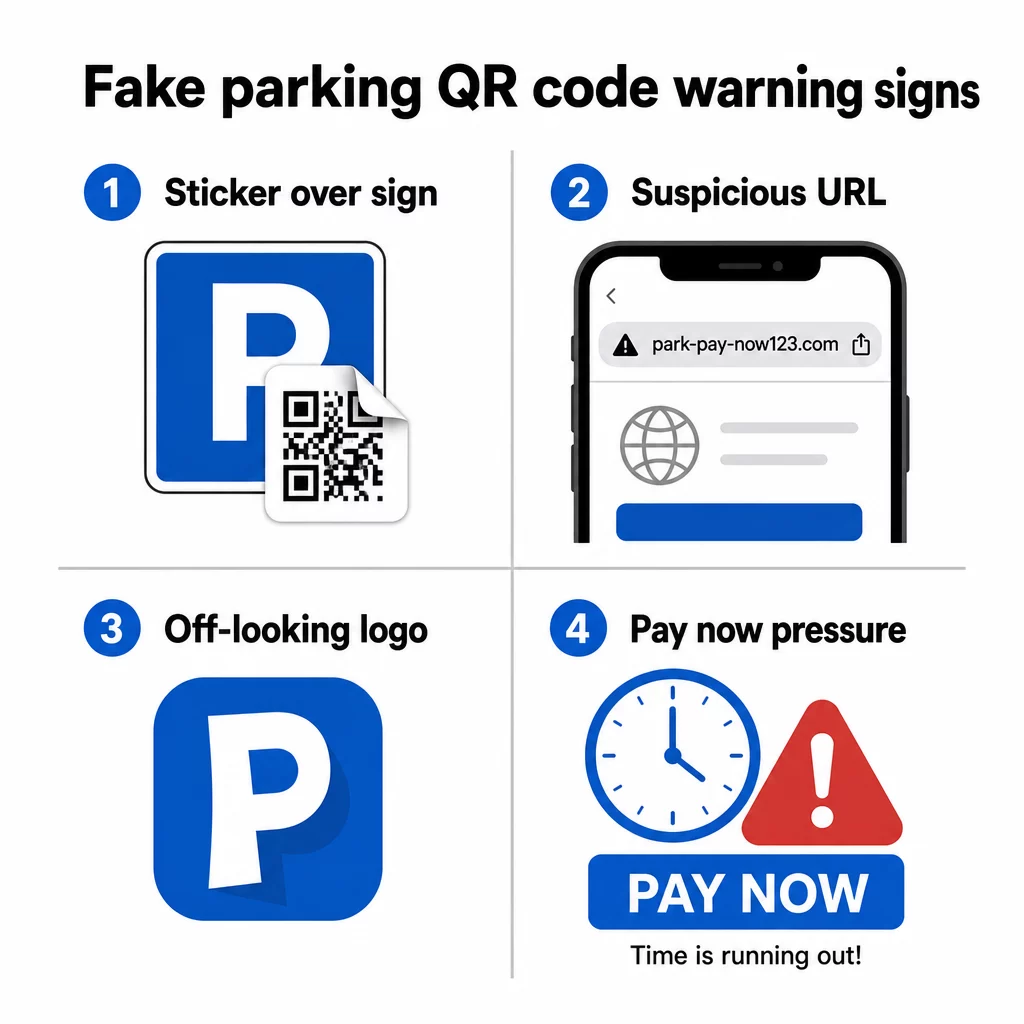
- QR-koodi kleebis, mis on asetatud olemasoleva sildi peale – legitiimsed parkimisoperaatorid paigaldavad sildid professionaalselt; kattuv kleebis on tugev märk manipuleerimisest
- QR-koodid omavalitsuste või operaatorite juures, kes neid ei kasuta – Kensington and Chelsea Council, Dorset Council ja paljud teised on selgesõnaliselt öelnud, et nende parkimissüsteemid ei kasuta üldse QR-koode; mis tahes QR-kood nendes kohtades viib petturiteni
- Logod, mis näevad veidi valed välja – petturlikud kleebised kopeerivad sageli brändingut teenustelt nagu PayByPhone, kuid trükikvaliteet või logo proportsioonid võivad olla ebaühtlased
- URL, mis ei vasta ametlikule teenusele – enne mis tahes lingi avamist vaadake sihtkoha aadressi eelvaadet; legitiimsed parkimisteenused kasutavad äratuntavaid, ametlikke domeene (ja ametlikud omavalitsuste lehed sisaldavad alati “gov.uk”)
- Maksetaotlused tundmatu veebisaidi kaudu – kui sait, millele te satute, küsib kaardiandmeid, kuid URL ei vasta rakendusele või teenusele, mida te ootasite, sulgege see kohe
John Wilmot, autoliisingu võrdlusveebisaidi LeaseLoco tegevjuht, ütles otse: “Paljud neist pettustest sunnivad teid kiiresti tasu maksma, et vältida suuremaid trahve. Kui me midagi sellist näeme, kiirustame sageli makse sooritama, selle asemel et peatuda ja kontrollida sõnumi või kirja legitiimsust.”
See kiireloomulisus on tekitatud. 30 sekundi võtmine kontrollimiseks enne skannimist on piisav enamiku nende rünnakute vältimiseks.
Kuidas parkimise eest ohutult maksta
Kõige ohutum lähenemine on vältida QR-koodide skannimist parkimisautomaatidel üldse, ja mitmed Ühendkuningriigi omavalitsused ja tarbijaorganisatsioonid soovitavad nüüd just seda.
- Laadige ametlik parkimisrakendus alla enne, kui seda vajate – rakendused nagu RingGo ja PayByPhone on enamiku Ühendkuningriigi parklate kavandatud makseviis; seadistage need kodus, et te ei peaks automaadi juures kiirustama
- Makske telefoni, tekstisõnumi või PayPointi kaudu – enamik omavalitsusi pakub mitmeid maksevõimalusi; kasutage ametlikku meetodit, mis ei nõua kohapealse koodi skannimist
- Sisestage URL otse – kui makseveebisait on sildil tekstina trükitud, tippige see oma brauserisse käsitsi, selle asemel et loota QR-koodile, mis teid ümber suunab
- Kontrollige füüsilist rikkumist – libistage sõrmega üle sildi; üles tõstetud kleebise serv on märk sellest, et midagi on algse pinna peale asetatud
- Eelvaata URL-i enne selle järgimist – teie telefoni sisseehitatud kaamerarakendus näitab teile sihtkoha aadressi enne selle avamist; kui miski tundub kahtlane, ärge jätkake
- Kasutage oma telefoni sisseehitatud kaamerat, mitte kolmanda osapoole skannimisrakendust – eraldi QR-koodi skanneri rakendused võivad suurendada pahavara või eksitavate ümbersuunamiste riski
Skannige QR-koode ohutumalt Kas te pole kindel, kas QR-kood on enne skannimist legitiimne? Kasutage tasuta veebipõhist QR-koodi skannerit koodi dekodeerimiseks üleslaaditud pildilt ja sihtkoha URL-i kontrollimiseks enne selle külastamist.
Mida teha, kui olete juba skanninud võltskoodi
Kui sisestasite kaardiandmed kahtlase QR-koodi kaudu avatud saidile, tegutsege kiiresti:
- Võtke kohe ühendust oma pangaga – teatage tehingust kui pettusest ja taotlege uut kaarti; enamik Ühendkuningriigi panku tagastab volitamata maksed, kui neist kiiresti teatatakse
- Teatage Action Fraudile – Ühendkuningriigi riiklik pettuste teatamise teenus (actionfraud.police.uk) tegeleb QR-koodi ja veebimaksete pettustega
- Teata Riiklikule Küberturvalisuse Keskusele – kahtlastest petturlikest veebisaitidest saab teatada aadressil report.ncsc.gov.uk
- Teavita linnavalitsust või parkimisoperaatorit – teavita oma kohalikku omavalitsust, et nad saaksid eemaldada võltskleebised ja hoiatada teisi juhte; samuti peaksid sellest teatama politseile
- Kontrolli oma väljavõtteid – jälgi oma kontot järgnevate nädalate jooksul, et tuvastada tundmatutest tellimisteenustest tulenevaid korduvaid tasusid
Võltsitud parkimistrahvi tekstisõnumi pettus
Seotud pettus hõlmab tekstisõnumeid või e-kirju, mis väidavad, et juhid on saanud tasumata parkimistrahvi, koos lingi või QR-koodiga, mis viib võltsitud makselehele. Rugby Borough Council on hoiatanud elanikke selliste sõnumite eest, mis jäljendavad ametlikke valitsuse teateid, kuid asuvad mitteseotud domeenidel.
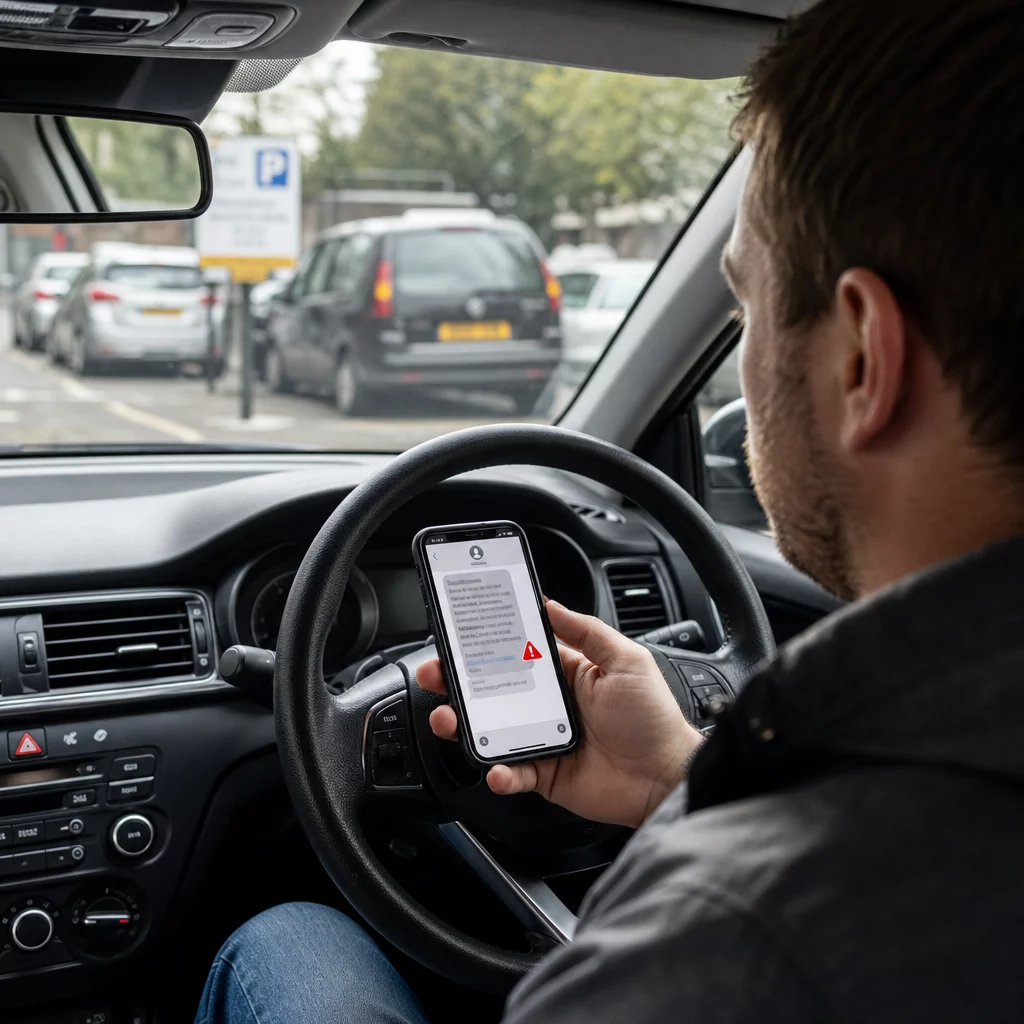
Yorki linnavolikogu ja teised ametiasutused on kinnitanud, et seaduslikud trahviteated on mitte kunagi väljastatud tekstisõnumiga. Ametlikud trahviteated kinnitatakse kas sõidukile, antakse juhile isiklikult üle või saadetakse posti teel registreeritud sõiduki omanikule. Igasugust tekstisõnumit, mis nõuab parkimistrahvi kohest tasumist, tuleks käsitleda pettusena, kuni see on ametlike kanalite kaudu kinnitatud. Kahtluse korral võtke otse ühendust oma kohaliku omavalitsuse parkimisosakonnaga, kasutades nende ametlikul veebisaidil loetletud numbrit.
Miks neid pettusi on raske märgata
Osa sellest, mis muudab parkimise QR-koodi pettuse nii tõhusaks, on see, et QR-koodiga maksmise riskid ei ole esmapilgul ilmsed. Erinevalt kahtlasest e-kirjast, kus saate lingi kohal hiirega hõljuda, ei anna QR-kood teile nähtavat teavet oma sihtkoha kohta enne, kui olete selle skanninud. Pagelooti tsiteeritud uuring näitab, et ligi 21% kõigist skannitud QR-koodidest on pahatahtlikud ja quishing moodustas 2023. aastal 51% kõigist andmepüügirünnakutest.
Petturid kasutavad seda läbipaistmatust tahtlikult ära. Nende loodud kloonitud veebisaidid on sageli visuaalselt identsed legitiimsete teenustega, ainsa erinevusega domeeninimes – midagi, mida enamik inimesi ei kontrolli hoolikalt, kui neil on kiire parkimise eest maksta enne aja lõppemist.
Mõistmine QR-koodi privaatsusriske laiemalt aitab see teil arendada paremaid skaneerimisharjumusi igapäevastes olukordades, mitte ainult parkimisautomaatide juures.
Mida teevad legitiimsed ettevõtted teisiti
Tasub mõista, millised näevad välja usaldusväärsed QR-koodi paigutused, et saaksite märgata kontrasti, kui midagi on valesti. Legitiimsed ettevõtted ja omavalitsused, mis kasutavad QR-koode maksete või teabe jaoks:
- Kasutavad professionaalselt trükitud silte, mitte käsitsi kleebitud kleepse
- Lingivad domeenidele, mis vastavad nende ametlikule veebisaidile või tuntud, nimetatud makseteenuse pakkujale
- Ei survesta teid skaneerima QR-koodi kui ainukest maksevõimalust
- Pakuvad selgelt nähtavaid alternatiivseid makseviise koos mis tahes QR-koodiga
Organisatsioonid, mis paigutavad QR-koode vastutustundlikult, kasutavad ka dünaamilised QR-koodid staatiliste asemel. Dünaamilisi koode saab uuendada, jälgida ebatavalise tegevuse suhtes ja koheselt deaktiveerida, kui tuvastatakse rikkumine – midagi, mida staatilised kleebiskoodid teha ei saa. Kui olete ettevõte, mis paigutab QR-koode avalikesse kohtadesse, on mõistmine QR-koodi turvalisuse osas oluline oma klientide kaitsmiseks.
Kaitske oma ärikliente QR-pettuste eest Kui teie ettevõte kasutab QR-koode siltidel, menüüdes või maksepunktides, võimaldavad dünaamilised koodid teil jälgida skaneerimistegevust ja deaktiveerida kompromiteeritud koodid koheselt. Lisateavet leiate kuidas kaitsta oma ettevõtet QR-koodi pettuste eest ja uurige Pageloot QR-koodi generaatorit turvaliste, jälgitavate koodide loomiseks, mida teie kliendid saavad usaldada.
Turvaliselt parkimisautomaadi juures
Põhireegel on lihtne: ärge skannige QR-koode parkimisautomaatide juures. Kasutage ametlikku rakendust, helistage sildil olevale numbrile või makske PayPointis. Kui skannite koodi avalikus kohas, vaadake alati enne edasi klõpsamist oma telefoni kaameras sihtkoha URL-i eelvaadet, kontrollige füüsilisi rikkumisi ja usaldage oma instinkte, kui midagi tundub valesti.
Hetke võtmine enne maksmist kontrollimiseks võib ära hoida kahjusid, mis mõnel juhul on ulatunud sadadesse naeltesse – ja kaitsta teie kaardiandmeid korduvate petturlike tasude eest veel kaua pärast algset juhtumit.
Korduma kippuvad küsimused
Otsige kleebiseid, mis näivad olevat paigaldatud olemasolevate siltide peale, valesti joondatud või madala kvaliteediga trükitud logosid ja mis tahes koodi, mis ilmub omavalitsusele või operaatorile kuuluval seadmel, mis ametlikult ei kasuta QR-koode maksmiseks. Enne millegi skannimist kasutage oma telefoni algset kaamerat sihtkoha URL-i eelvaate kuvamiseks – kui aadress ei vasta ametlikule parkimisteenusele, ärge jätkake.
Võtke kohe ühendust oma pangaga, et teatada pettusest ja taotleda kaardi asendamist. Esitage aruanne Action Fraudile (actionfraud.police.uk) ja teatage petturlikust veebisaidist Riiklikule Küberturvalisuse Keskusele aadressil report.ncsc.gov.uk. Teavitage ka oma kohalikku omavalitsust, et võltskleebis saaks eemaldatud. Jälgige järgmiste nädalate jooksul oma pangaväljavõtteid tähelepanelikult ootamatute tellimistasude osas.
Kõige ohutum lähenemine, mida soovitavad mitmed Ühendkuningriigi omavalitsused ja tarbijaorganisatsioonid, on vältida täielikult QR-koodide kasutamist parkimisautomaatides ja selle asemel maksta ametliku parkimisrakenduse, telefoni või tekstisõnumi makseteenuse kaudu. Kui te siiski kasutate QR-koodi, kontrollige alati siht-URL-i enne makse sooritamist ja kontrollige hoolikalt silte rikkumise märkide osas.