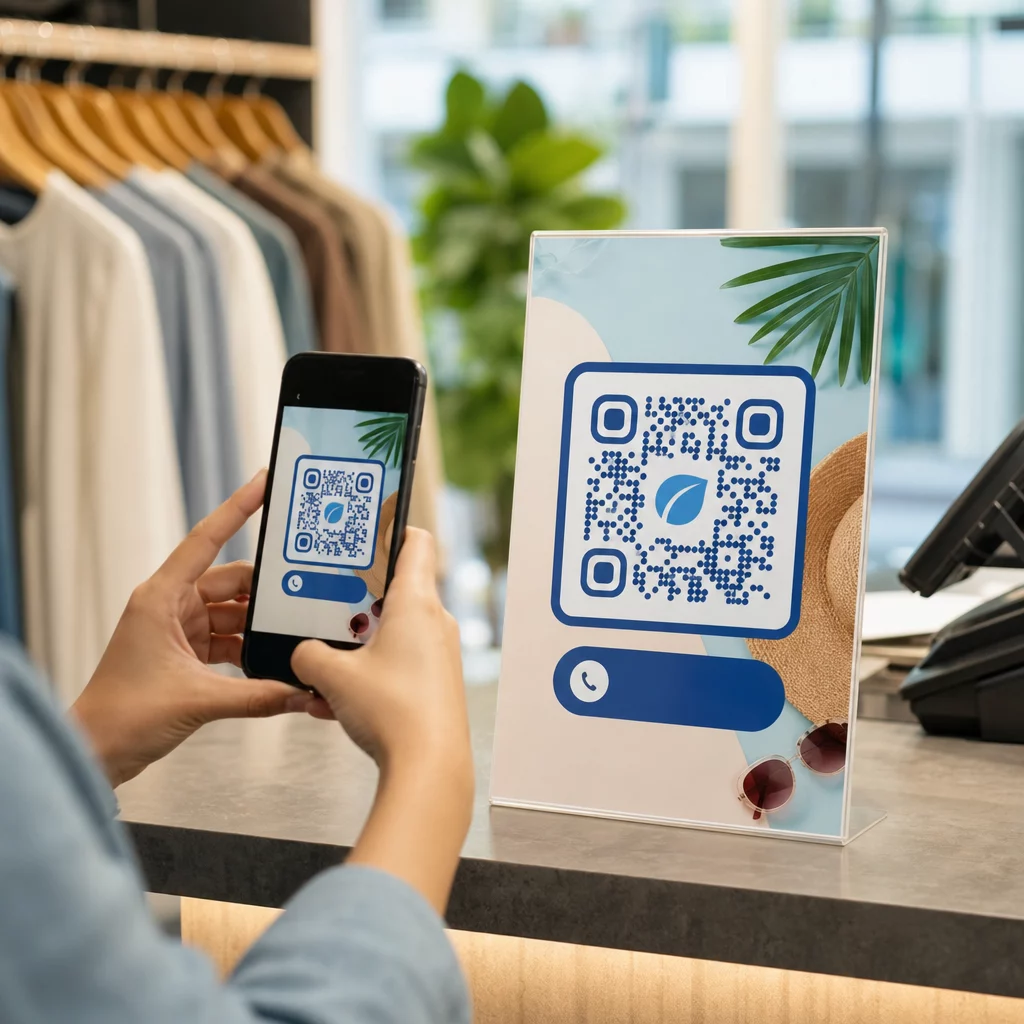

¿Están los formularios de admisión en papel, los registros tardíos y las reseñas de pacientes faltantes creando cuellos de botella en su consulta dental? Procesar el papeleo manual desperdicia horas del personal, aumenta los retrasos en la sala de espera y frustra a los pacientes que llegan. La integración de códigos QR escaneables en su consulta agiliza la comunicación diaria, acelera la admisión digital y construye su reputación en línea.
Modernice los flujos de trabajo de admisión de pacientes y registro digital
Los paquetes de registro en papel requieren la entrada manual de datos, crean desorden físico y aumentan los tiempos de espera en la recepción. Mostrar códigos de admisión escaneables en su área de recepción permite a los pacientes completar actualizaciones de historial médico, acuerdos de consentimiento y detalles de registro en sus propios teléfonos inteligentes antes de ingresar a la sala de tratamiento.
Utilizando un Generador de código QR para Google Forms o convertir documentos de registro con un Generador de código QR para PDF permite a su equipo convertir formularios en papel en puntos de entrada digitales. Los pacientes escanean el código en un cartel de mostrador, completan los campos requeridos y envían sus respuestas directamente a su sistema de registros digitales.
Al implementar formularios de admisión digitales, debe mantener prácticas estrictas de seguridad de datos:
- Evite codificar datos de salud: Nunca almacene Información de Salud Protegida (PHI) – como nombres de pacientes, historiales médicos o información de contacto – directamente dentro del patrón estático del código QR.
- Utilice destinos cifrados: Asegúrese de que todas las páginas web vinculadas utilicen protocolos HTTPS seguros para proteger los datos durante la transmisión.
- Verifique el cumplimiento de la plataforma: Aloje los formularios de admisión en sistemas seguros que mantengan bases de datos cifradas y ofrezcan Acuerdos de Asociado Comercial (BAA) firmados.
- Requiere autenticación: Asegúrese de que el acceso a los portales de pacientes existentes o a documentos sensibles requiera credenciales de inicio de sesión de usuario seguras.
Mejore los flujos de trabajo de su consulta dental hoy mismo Optimice los registros de pacientes y reduzca el papeleo de la recepción utilizando herramientas digitales personalizables. Comience a construir flujos de trabajo rastreables con el Generador de códigos QR hoy.
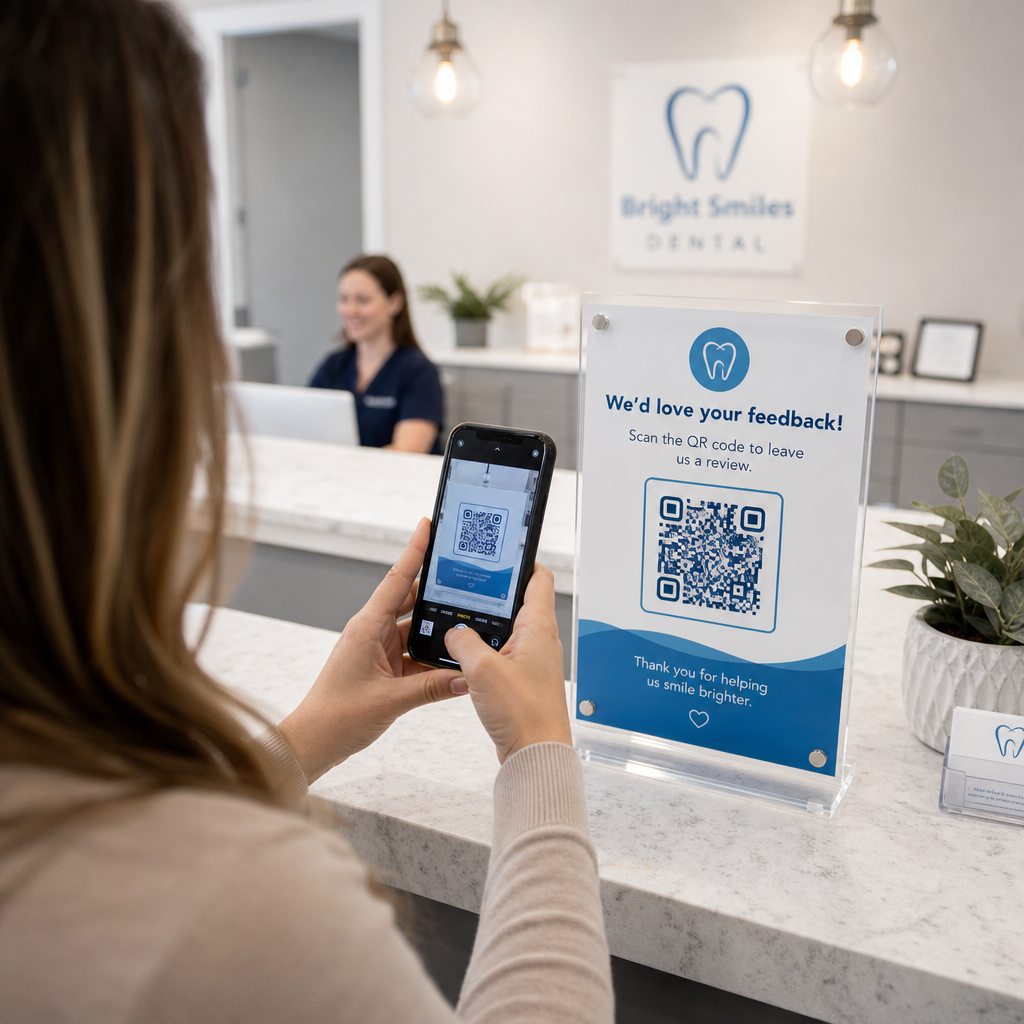
Recopile reseñas auténticas de Google al momento del pago
Las reseñas online positivas generan confianza en los posibles pacientes y mejoran tu clasificación en las búsquedas locales. Sin embargo, pedir a los pacientes que busquen manualmente tu consulta online después de una cita a menudo resulta en bajas tasas de respuesta. Colocar señalización de reseñas dedicada en tu mostrador de recepción o en las hojas de resumen post-atención ofrece a los pacientes satisfechos un camino inmediato y de escaneo único para dejar sus comentarios.
El uso de un [QR code specialized software] Generador de QR para reseñas de Google dirige los dispositivos móviles de los pacientes directamente a la página de envío de reseñas de Google Business de tu consulta. La incorporación de códigos escaneables en tu estrategia más amplia para [healthcare practice marketing] crea un sistema automatizado para aumentar la visibilidad online. códigos QR de comentarios de clientes crea un sistema automatizado para aumentar la visibilidad online.
Para proteger tu perfil de empresa de las penalizaciones de los motores de búsqueda, adhiérete estrictamente a las directrices de la plataforma:
- Evita el “review gating” (filtrado de reseñas): Proporciona a cada paciente igualdad de acceso para dejar comentarios en lugar de cribar solo las experiencias positivas.
- Prohíbe los incentivos por reseñas: Nunca ofrezcas descuentos, tarjetas de regalo, productos de higiene bucal gratuitos o participaciones en sorteos a cambio de escribir una reseña.
- Recopila reseñas en dispositivos personales: Anima a los pacientes a escanear el cartel utilizando sus propios teléfonos móviles en lugar de recopilar reseñas en un quiosco o tableta de la consulta.
Mejora la comunicación post-atención y la información del paciente
Las instrucciones claras post-tratamiento reducen las llamadas de seguimiento de emergencia y aseguran una recuperación adecuada después de procedimientos quirúrgicos o restauradores. Las hojas impresas de cuidados postoperatorios son frecuentemente extraviadas por los pacientes. Añadir enlaces escaneables a guías de instrucciones digitales, tutoriales en video o documentos descargables mantiene los pasos críticos de recuperación accesibles en los dispositivos móviles de los pacientes.
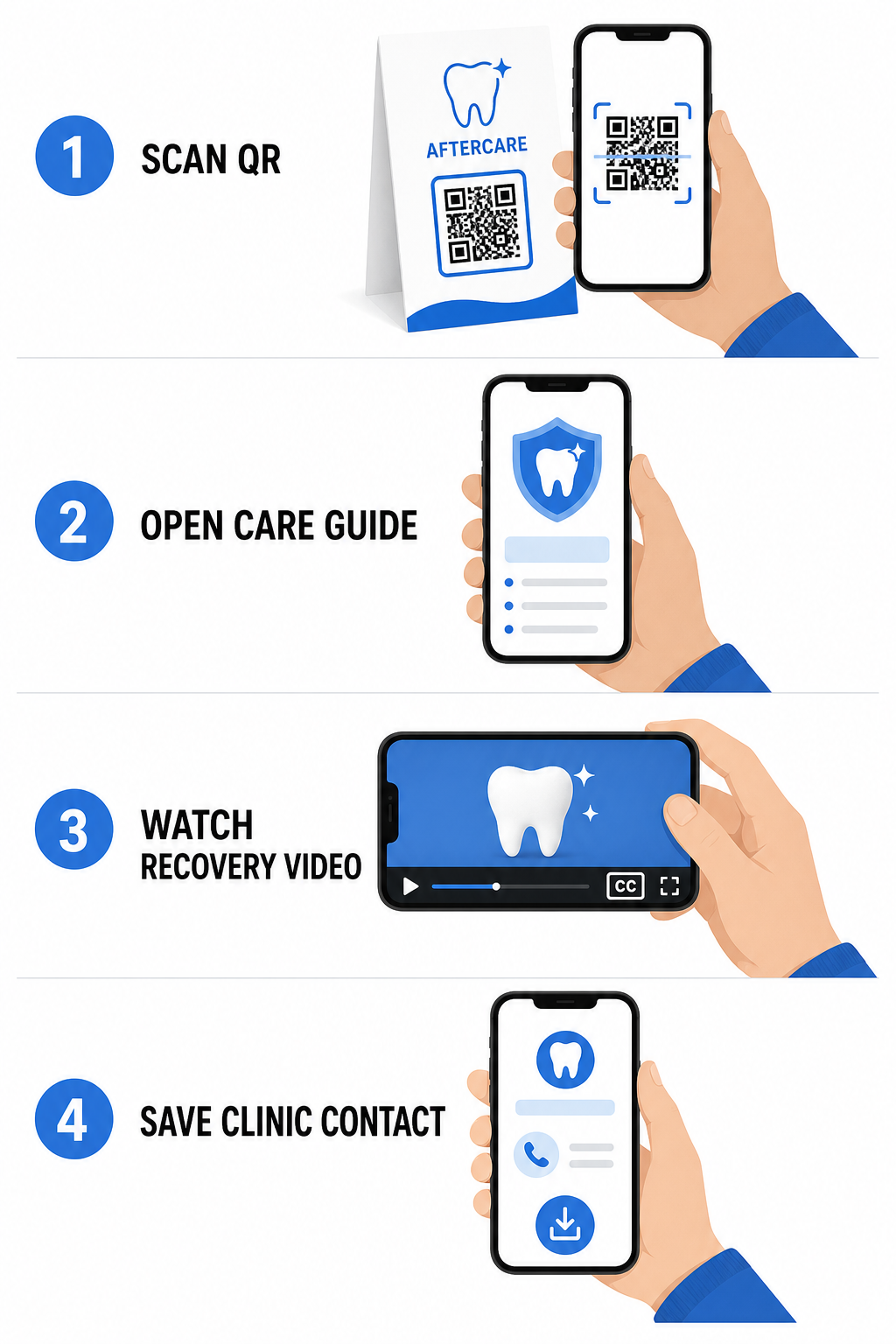
Al aprovechar las herramientas diseñadas para [healthcare practice marketing] códigos QR para hospitales y atención médica, tu consulta puede proporcionar acceso instantáneo a recursos educativos, guías de atención y contactos de la clínica:
- Proporciona hojas de instrucciones postoperatorias: Vincula los resúmenes de citas a guías de cuidado descargables creadas a través de un [custom QR code generator]. Generador de código QR para PDF.
- Comparte videoclips educativos: Dirija a los pacientes a videos instructivos que demuestran el cepillado adecuado, el uso de hilo dental con frenillos o el cuidado de los alineadores transparentes.
- Conceder acceso Wi-Fi en la recepción: Muestre un código Wi-Fi en las mesas de la sala de espera para que los pacientes puedan conectarse a la red de invitados de forma segura sin tener que escribir contraseñas complejas.
- Distribuir tarjetas de presentación digitales: Agregue códigos de contacto a las tarjetas de recordatorio de citas para que los pacientes puedan guardar el número de teléfono y el correo electrónico de su consultorio directamente en sus contactos móviles.
Estrategias de Marketing Dinámico y Branding de la Clínica
Las campañas de marketing para clínicas dentales requieren flexibilidad, una identificación visual clara y un seguimiento de rendimiento medible. Personalizar sus códigos escaneables ayuda a mantener la imagen de la clínica en folletos impresos, volantes comunitarios y anuncios locales.
Utilizando un Generador de código QR con logo le permite incrustar el logotipo de su clínica dental en el centro del código, reforzando el reconocimiento de la marca mientras se mantiene la escaneabilidad. Combine la marca visual personalizada con su estrategia más amplia para códigos QR para pequeñas empresas para impulsar la adquisición de pacientes en todos los puntos de contacto físicos.
Al elegir tecnología para marketing impreso, comprenda las diferencias funcionales entre códigos QR estáticos vs dinámicos:
| FUNCIÓN | Códigos QR Estáticos | Códigos QR dinámicos |
|---|---|---|
| Contenido editable | Fijo; no se puede cambiar después de la impresión | Destino del enlace totalmente editable en cualquier momento |
| Seguimiento de escaneos | No hay seguimiento de escaneos ni análisis disponibles | Monitorea la frecuencia, ubicaciones y hora de los escaneos |
| Patrón de Datos | Patrones densos para direcciones de sitios web más largas | Patrones limpios y simples usando URLs de redirección cortas |
| Uso Dental Principal | Contraseñas de inicio de sesión Wi-Fi fijas, información de contacto estándar | Folletos promocionales, ofertas de temporada, seguimiento de anuncios impresos |
Los códigos dinámicos son esenciales para la publicidad impresa porque permiten redirigir campañas – como cambiar una promoción de blanqueamiento dental a una campaña de alineadores transparentes – sin reimprimir materiales físicos.
Rastree sus Campañas de Marketing Dental en Tiempo Real Actualice los destinos de los enlaces después de la impresión y monitoree el total de escaneos de pacientes utilizando tecnología dinámica. Cree sus materiales de campaña con marca con las Generador de código QR con logo.
Reglas Esenciales para Cumplimiento, Accesibilidad y Escaneabilidad
Un diseño, ubicación y cumplimiento adecuados garantizan que sus materiales escaneables brinden una experiencia fluida y accesible para cada paciente.
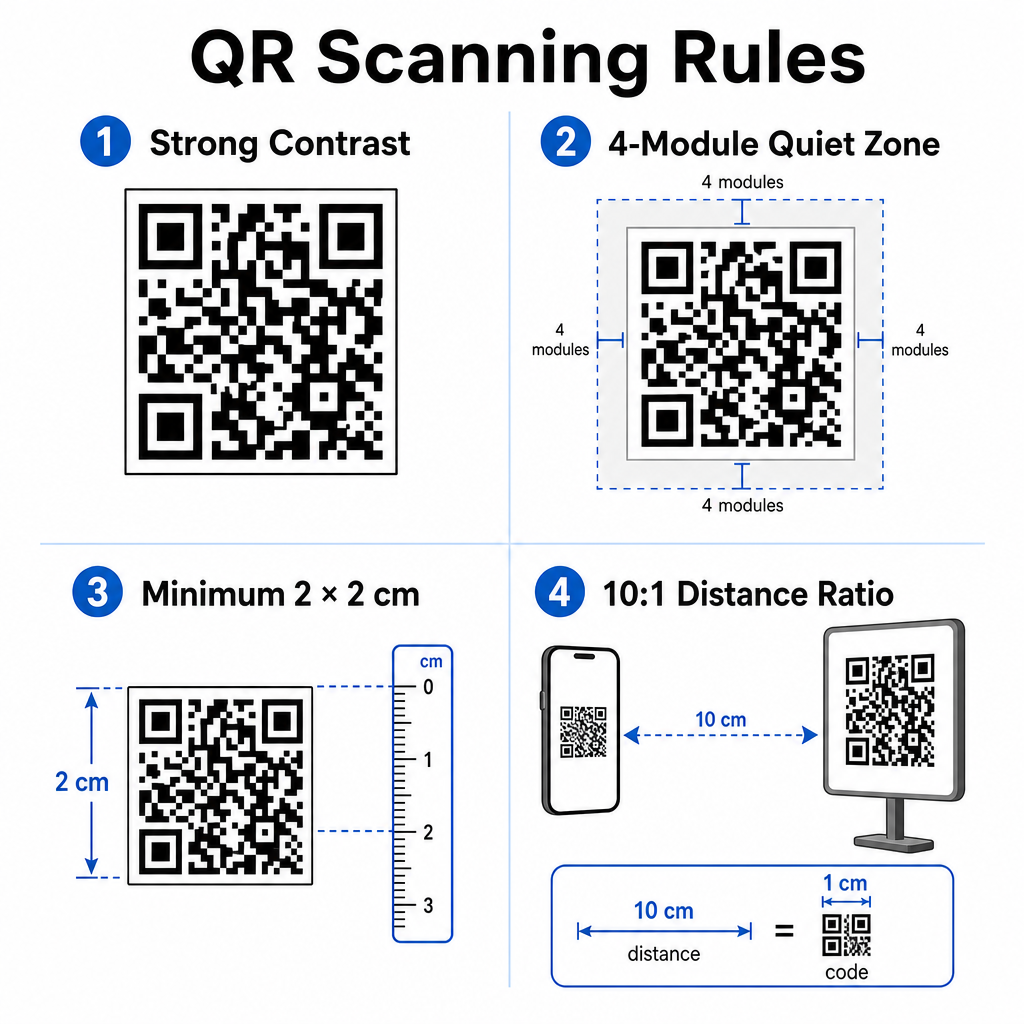
Siga estas pautas establecidas para la escaneabilidad visual y el posicionamiento físico:
- Mantenga el contraste: Imprima módulos QR oscuros sobre un fondo claro y uniforme. Los diseños oscuro sobre blanco proporcionan la mayor fiabilidad de escaneo.
- Proporcione una zona tranquila: Deje un borde claro de al menos 4 módulos de espacio sin imprimir alrededor de los cuatro lados del patrón del código.
- Observe el tamaño mínimo: Imprima códigos de corto alcance (como exhibiciones de mostrador o tarjetas de visita) con un tamaño mínimo de 2 x 2 cm (0.8 x 0.8 pulgadas).
- Aplique la regla de la distancia: Siga una relación de escaneo de 10:1. Por cada 10 cm de distancia entre la cámara del usuario y el cartel, aumente el ancho del código en 1 cm.
- Asegure una colocación estratégica: Coloque la señalización de la sala de espera a la altura de los ojos en superficies planas, sin reflejos y no reflectantes, siguiendo las adecuadas pautas de colocación de códigos QR.
Para cumplir con los estándares de accesibilidad digital (regulaciones ADA), asegúrese de que sus puntos de contacto QR se adapten a todos los pacientes:
- Proporcione alternativas de texto: Siempre imprima una URL corta o una alternativa de texto plano junto al código para los pacientes que no puedan escanear.
- Optimice la accesibilidad de los formularios digitales: Asegúrese de que los formularios de admisión de destino incluyan etiquetas de campo explícitas, compatibilidad con lectores de pantalla, estados de enfoque visibles y navegación amigable con el teclado.
- Incluya subtítulos de video: Incluya subtítulos y transcripciones en todos los enlaces de instrucciones de video a los que se acceda a través de puntos de escaneo.
Consulte las pautas detalladas sobre el intercambio seguro de datos de salud para asegurar que sus canales de comunicación digital mantengan los estándares de privacidad.
Integrar códigos escaneables en toda tu práctica dental reduce la administración manual de la recepción, acelera los registros de pacientes, aumenta las reseñas auténticas en línea y mantiene las instrucciones post-atención fácilmente accesibles. Al elegir enlaces dinámicos, mantener los estándares de accesibilidad de la ADA y asegurar las transferencias de datos de los pacientes, construyes un entorno de atención moderno y eficiente. Comienza a crear tus puntos de contacto de oficina personalizables y seguros con el Generador de códigos QR de Pageloot hoy.
Preguntas frecuentes
Sí, siempre y cuando no se incruste directamente información de salud protegida (PHI) en el gráfico del código QR. El código debe dirigir a los usuarios a una página web HTTPS segura alojada en una plataforma compatible con HIPAA que utilice cifrado de datos, autenticación de usuario y Acuerdos de Asociado Comercial (BAA) firmados.
No. Google prohíbe explícitamente ofrecer pagos, descuentos, tarjetas de regalo o servicios gratuitos a cambio de reseñas de clientes. También debes evitar la restricción de reseñas (review gating), asegurando que todos los pacientes tengan acceso abierto para dejar comentarios imparciales.
Para escaneo de corto alcance en mostradores de recepción o bandejas de tratamiento, imprima los códigos con un tamaño mínimo de 2 x 2 cm (0.8 x 0.8 pulgadas). Para letreros destinados a ser escaneados desde más lejos, aumente el tamaño siguiendo una proporción de distancia a tamaño de 10:1.