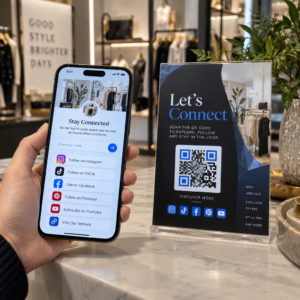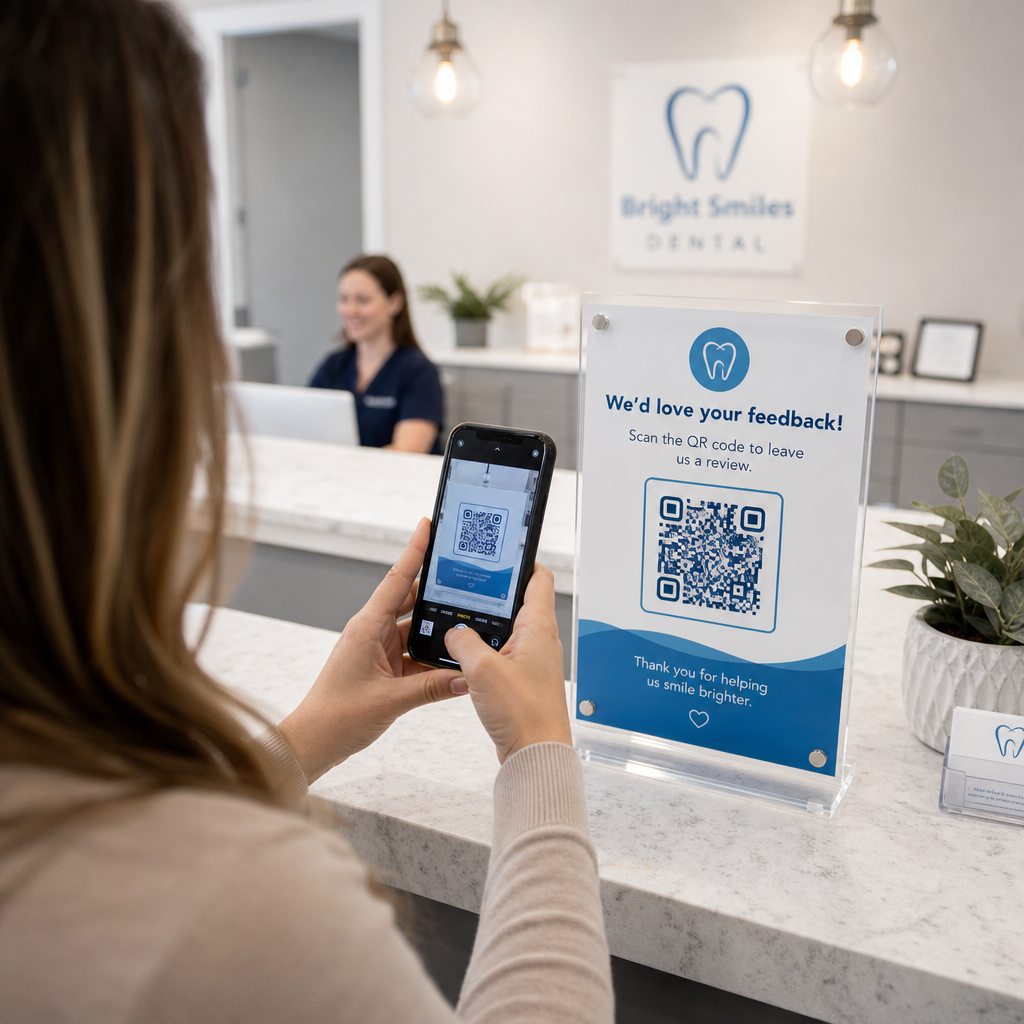

Czy papierowe formularze przyjęć, opóźnione zameldowania i brakujące opinie pacjentów tworzą wąskie gardła w Twojej praktyce stomatologicznej? Przetwarzanie ręcznej dokumentacji marnuje godziny pracy personelu, wydłuża czas oczekiwania w poczekalni i frustruje przychodzących pacjentów. Zintegrowanie skanowalnych kodów QR w Twoim gabinecie usprawnia codzienną komunikację, przyspiesza cyfrowe przyjmowanie pacjentów i buduje Twoją reputację online.
Zmodernizuj procesy przyjmowania pacjentów i cyfrowego zameldowania
Papierowe pakiety rejestracyjne wymagają ręcznego wprowadzania danych, tworzą fizyczny bałagan i wydłużają czas oczekiwania w recepcji. Wyświetlanie skanowalnych kodów przyjęcia w poczekalni umożliwia pacjentom uzupełnianie historii medycznej, zgód i danych rejestracyjnych na własnych smartfonach przed wejściem do gabinetu zabiegowego.
Korzystanie z Generator kodów QR do Google Forms lub konwersja dokumentów rejestracyjnych za pomocą Generator kodów QR do PDF pozwala Twojemu zespołowi przekształcić formularze papierowe w cyfrowe punkty wprowadzania danych. Pacjenci skanują kod z plakatu na ladzie, wypełniają wymagane pola i przesyłają swoje odpowiedzi bezpośrednio do Twojego cyfrowego systemu archiwizacji.
Podczas wdrażania cyfrowych formularzy przyjęć musisz przestrzegać rygorystycznych zasad bezpieczeństwa danych:
- Unikaj kodowania danych zdrowotnych: Nigdy nie przechowuj chronionych informacji zdrowotnych (PHI) – takich jak imiona i nazwiska pacjentów, historie medyczne czy dane kontaktowe – bezpośrednio w statycznym wzorcu kodu QR.
- Używaj zaszyfrowanych miejsc docelowych: Upewnij się, że wszystkie połączone strony internetowe używają bezpiecznych protokołów HTTPS do ochrony danych podczas transmisji.
- Zweryfikuj zgodność platformy: Przechowuj formularze przyjęć na bezpiecznych systemach, które utrzymują zaszyfrowane bazy danych i oferują podpisane umowy o współpracy biznesowej (BAA).
- Wymagaj uwierzytelnienia: Upewnij się, że dostęp do istniejących portali pacjentów lub wrażliwych dokumentów wymaga bezpiecznych danych logowania użytkownika.
Ulepsz procesy swojej praktyki stomatologicznej już dziś Usprawnij zameldowania pacjentów i zmniejsz ilość dokumentacji w recepcji za pomocą konfigurowalnych narzędzi cyfrowych. Zacznij budować śledzone procesy dzięki Generator kodów QR już dziś.
Zbieraj autentyczne recenzje Google przy kasie
Pozytywne recenzje online budują zaufanie wśród potencjalnych pacjentów i poprawiają Twoją pozycję w lokalnych wynikach wyszukiwania. Jednakże, proszenie pacjentów o ręczne wyszukiwanie Twojej praktyki online po wizycie często skutkuje niskimi wskaźnikami odpowiedzi. Umieszczenie dedykowanych tabliczek z prośbą o recenzje na recepcji lub na kartach podsumowujących opiekę po zabiegu daje zadowolonym pacjentom natychmiastową, jednoskanową ścieżkę do pozostawienia opinii.
Korzystanie ze specjalistycznego Generator kodów QR do opinii Google kieruje urządzenia mobilne pacjentów bezpośrednio do strony Twojej praktyki w Google Moja Firma, służącej do przesyłania recenzji. Włączenie kodów do skanowania do szerszej strategii kody QR do opinii klientów tworzy zautomatyzowany system zwiększania widoczności online.
Aby chronić swój profil biznesowy przed karami ze strony wyszukiwarek, należy ściśle przestrzegać wytycznych platformy:
- Unikaj selektywnego zbierania recenzji: Zapewnij każdemu pacjentowi równy dostęp do pozostawienia opinii, zamiast selekcjonować tylko pozytywne doświadczenia.
- Zakaz oferowania zachęt za recenzje: Nigdy nie oferuj zniżek, kart podarunkowych, bezpłatnych produktów do higieny jamy ustnej ani udziału w loterii w zamian za napisanie recenzji.
- Zbieraj recenzje na urządzeniach osobistych: Zachęcaj pacjentów do skanowania tabliczki za pomocą własnych telefonów komórkowych, zamiast zbierać recenzje na kiosku lub tablecie należącym do gabinetu.
Popraw komunikację po zabiegu i informacje dla pacjentów
Jasne instrukcje po zabiegu redukują nagłe telefony kontrolne i zapewniają właściwą rekonwalescencję po zabiegach chirurgicznych lub stomatologicznych. Drukowane karty opieki pooperacyjnej są często gubione przez pacjentów. Dodanie skanowalnych linków do cyfrowych przewodników instruktażowych, samouczków wideo lub dokumentów do pobrania sprawia, że kluczowe etapy rekonwalescencji są dostępne na urządzeniach mobilnych pacjentów.
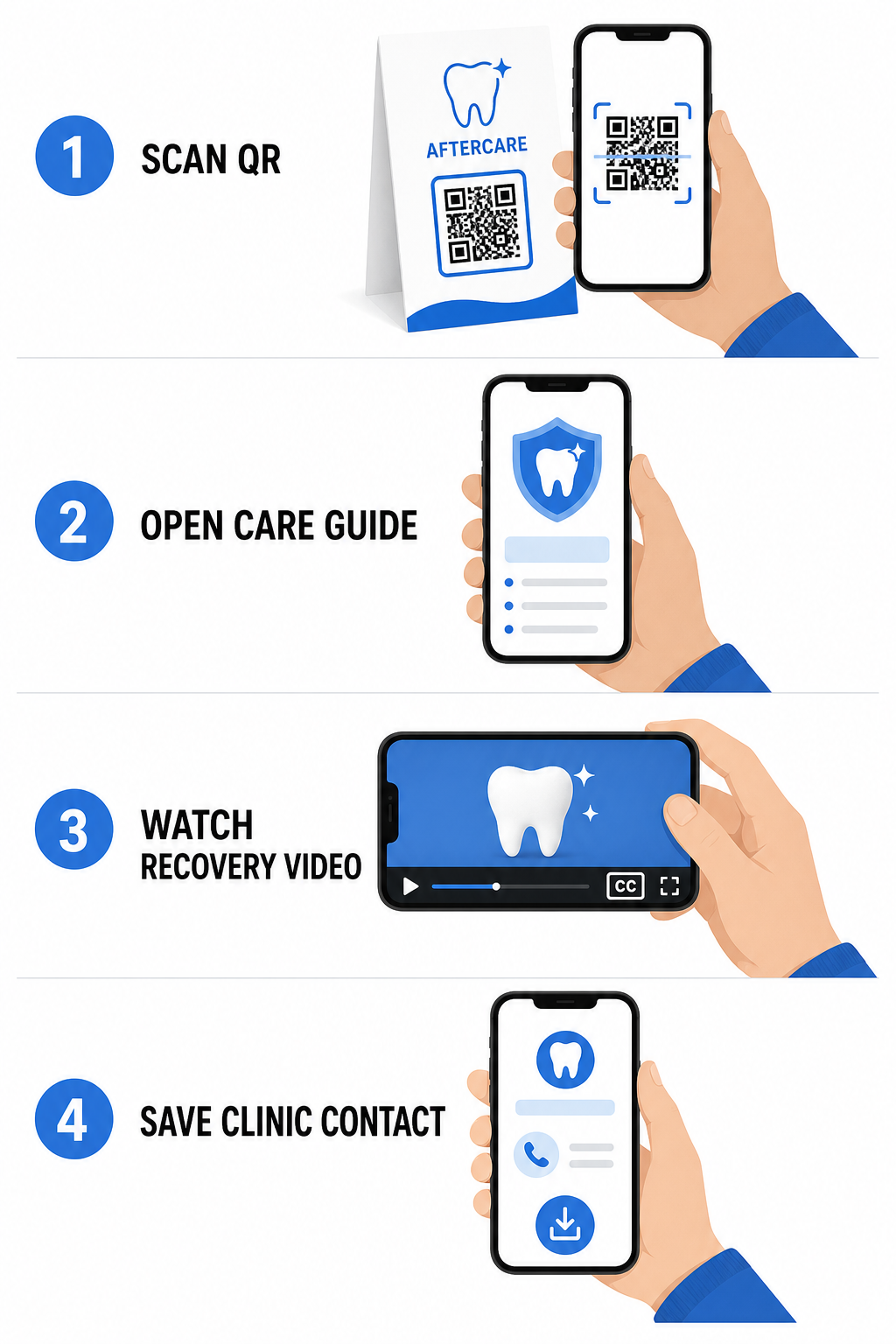
Wykorzystując narzędzia zaprojektowane dla kodów QR w szpitalach i służbie zdrowia, Twoja praktyka może zapewnić natychmiastowy dostęp do zasobów edukacyjnych, wytycznych dotyczących opieki i kontaktów z kliniką:
- Udostępniaj karty instrukcji pooperacyjnych: Połącz podsumowania wizyt z przewodnikami pielęgnacyjnymi do pobrania, stworzonymi za pomocą Generator kodów QR do PDF.
- Udostępniaj edukacyjne klipy wideo: Kieruj pacjentów do filmów instruktażowych demonstrujących prawidłowe szczotkowanie, nitkowanie zębów z aparatem ortodontycznym lub pielęgnację przezroczystych nakładek.
- Udostępnij Wi-Fi w recepcji: Wyświetl kod Wi-Fi na stołach w poczekalni, aby pacjenci mogli bezpiecznie połączyć się z internetem dla gości bez wpisywania skomplikowanych haseł.
- Rozdawaj cyfrowe wizytówki: Dodaj kody kontaktowe do kart przypomnień o wizytach, aby pacjenci mogli zapisać numer telefonu i adres e-mail Twojego gabinetu bezpośrednio w swoich kontaktach mobilnych.
Dynamiczne strategie marketingowe i budowania marki praktyki
Kampanie marketingowe dla gabinetów stomatologicznych wymagają elastyczności, jasnej identyfikacji wizualnej i mierzalnego śledzenia wyników. Dostosowanie skanowalnych kodów pomaga w utrzymaniu spójności marki praktyki w drukowanych materiałach wysyłkowych, ulotkach społecznościowych i lokalnych reklamach.
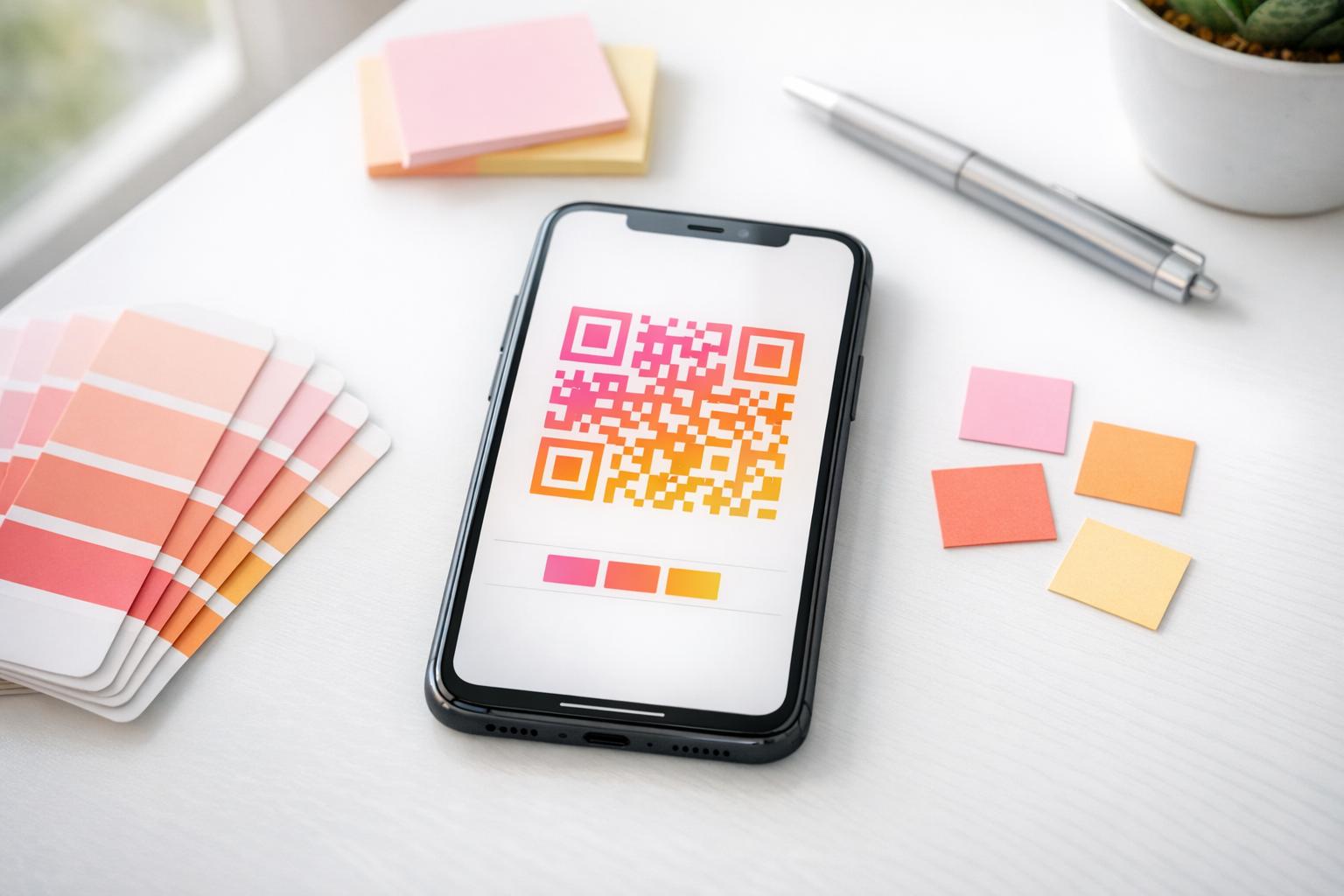
Korzystanie z Generator kodów QR z logo umożliwia osadzenie logo Twojej kliniki stomatologicznej w centrum kodu, wzmacniając rozpoznawalność marki przy jednoczesnym zachowaniu możliwości skanowania. Połącz niestandardowe branding wizualny z Twoją szerszą strategią dla kodów QR dla małych firm w celu pozyskiwania pacjentów poprzez fizyczne punkty kontaktu.
Wybierając technologię do marketingu drukowanego, zrozum różnice funkcjonalne między statycznymi a dynamicznymi kodami QR:
| FUNKCJA | Statyczne kody QR | Dynamiczne kody QR |
|---|---|---|
| Edytowalna zawartość | Stałe; nie można zmienić po wydrukowaniu | W pełni edytowalny cel linku w dowolnym momencie |
| Śledzenie skanów | Brak dostępnego śledzenia skanów lub analiz | Monitoruje częstotliwość skanowania, lokalizacje i czas |
| Wzór danych | Gęste wzory dla dłuższych adresów stron internetowych | Czyste, proste wzory wykorzystujące krótkie adresy URL przekierowania |
| Główne zastosowanie w stomatologii | Stałe hasła logowania do Wi-Fi, standardowe informacje kontaktowe | Ulotki promocyjne, oferty sezonowe, śledzenie reklam drukowanych |
Dynamiczne kody są niezbędne w reklamie drukowanej, ponieważ pozwalają przekierowywać kampanie – na przykład zmieniając promocję wybielania zębów na kampanię dotyczącą przezroczystych nakładek – bez ponownego drukowania materiałów fizycznych.
Śledź swoje kampanie marketingowe w stomatologii w czasie rzeczywistym Aktualizuj miejsca docelowe linków po wydruku i monitoruj całkowitą liczbę skanów pacjentów za pomocą dynamicznej technologii. Twórz swoje markowe materiały kampanii z Generator kodów QR z logo.
Niezbędne zasady zgodności, dostępności i skanowalności
Właściwy projekt, umiejscowienie i zgodność zapewniają, że Twoje materiały do skanowania zapewnią płynne i dostępne doświadczenie dla każdego pacjenta.
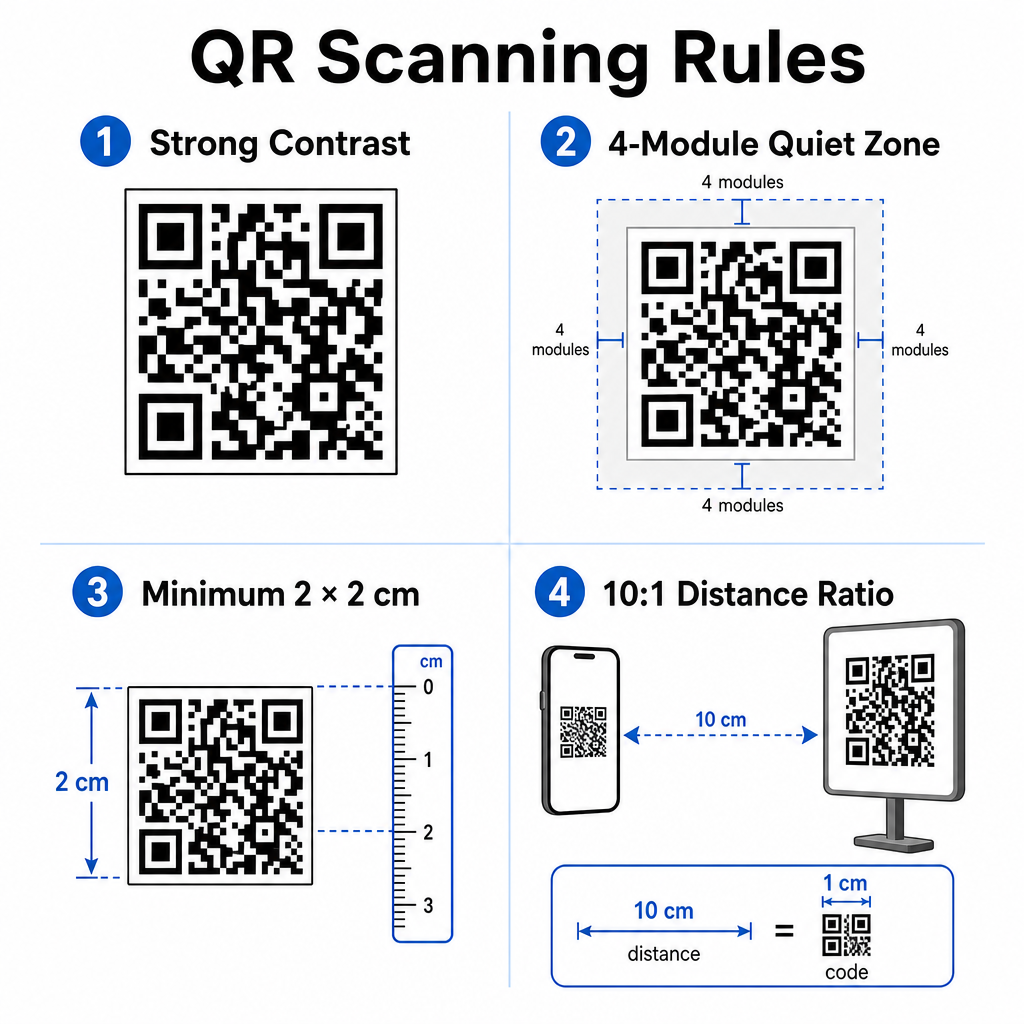
Postępuj zgodnie z poniższymi ustalonymi wytycznymi dotyczącymi wizualnej skanowalności i fizycznego umiejscowienia:
- Zachowaj kontrast: Drukuj ciemne moduły QR na jasnym, jednolitym tle. Projekty ciemne na białym zapewniają najwyższą niezawodność skanowania.
- Zapewnij strefę ciszy: Pozostaw wyraźną obwódkę o szerokości co najmniej 4 modułów niezadrukowanej przestrzeni wokół wszystkich czterech stron wzoru kodu.
- Przestrzegaj minimalnych rozmiarów: Drukuj kody do skanowania z bliskiej odległości (takie jak wyświetlacze na ladach lub wizytówki) w minimalnym rozmiarze 2 x 2 cm (0.8 x 0.8 cala).
- Zastosuj zasadę odległości: Przestrzegaj stosunku skanowania 10:1. Na każde 10 cm odległości między aparatem użytkownika a znakiem, zwiększaj szerokość kodu o 1 cm.
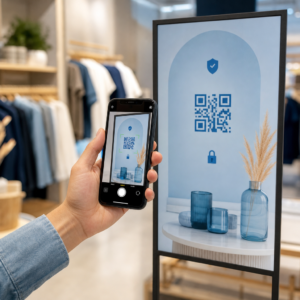
- Zadbaj o strategiczne umiejscowienie: Umieść oznakowanie w poczekalni na wysokości wzroku, na płaskich, nieodblaskowych powierzchniach bez odblasków, zgodnie z właściwymi wytycznymi dotyczącymi umieszczania kodów QR.
Aby zachować zgodność ze standardami dostępności cyfrowej (przepisy ADA), upewnij się, że Twoje punkty kontaktu QR są dostępne dla wszystkich pacjentów:
- Zapewnij alternatywy tekstowe: Zawsze drukuj krótki adres URL lub alternatywę w postaci zwykłego tekstu obok kodu dla pacjentów, którzy nie mogą skanować.
- Zoptymalizuj dostępność formularzy cyfrowych: Upewnij się, że docelowe formularze zgłoszeniowe zawierają wyraźne etykiety pól formularzy, są kompatybilne z czytnikami ekranu, mają widoczne stany fokusu i nawigację przyjazną klawiaturze.
- Dołącz napisy do filmów: Dołącz napisy kodowane (closed captions) i transkrypcje do wszystkich linków do instrukcji wideo dostępnych za pośrednictwem punktów skanowania.
Zapoznaj się ze szczegółowymi wytycznymi dotyczącymi bezpiecznego udostępniania danych zdrowotnych aby upewnić się, że Twoje cyfrowe kanały komunikacji spełniają standardy prywatności.
Integracja skanowalnych kodów w całej praktyce stomatologicznej zmniejsza ręczną administrację w recepcji, przyspiesza rejestrację pacjentów, zwiększa liczbę autentycznych recenzji online i utrzymuje instrukcje po zabiegu łatwo dostępne. Wybierając dynamiczne linki, utrzymując standardy dostępności ADA i zabezpieczając transfery danych pacjentów, budujesz nowoczesne i efektywne środowisko opieki. Zacznij tworzyć swoje konfigurowalne, bezpieczne punkty styku w gabinecie dzięki Pageloot Generator kodów QR już dziś.
Najczęściej zadawane pytania
Tak, pod warunkiem, że żadne chronione informacje zdrowotne (PHI) nie są osadzone bezpośrednio w samej grafice kodu QR. Kod musi kierować użytkowników do bezpiecznej strony internetowej HTTPS hostowanej na platformie zgodnej z HIPAA, która wykorzystuje szyfrowanie danych, uwierzytelnianie użytkowników i podpisane umowy o współpracę biznesową (BAA).
Nie. Google wyraźnie zabrania oferowania płatności, zniżek, kart podarunkowych lub darmowych usług w zamian za recenzje klientów. Musisz także unikać selektywnego pozyskiwania recenzji, zapewniając wszystkim pacjentom otwarty dostęp do pozostawienia bezstronnej opinii.
Do skanowania z bliska na recepcjach lub tacach zabiegowych, drukuj kody w minimalnym rozmiarze 2 x 2 cm (0.8 x 0.8 cala). W przypadku znaków przeznaczonych do skanowania z większej odległości, zwiększ rozmiar, zachowując proporcję odległości do rozmiaru 10:1.