
ホーム > 産業 > How to Use QR Codes in Your Dental Practice
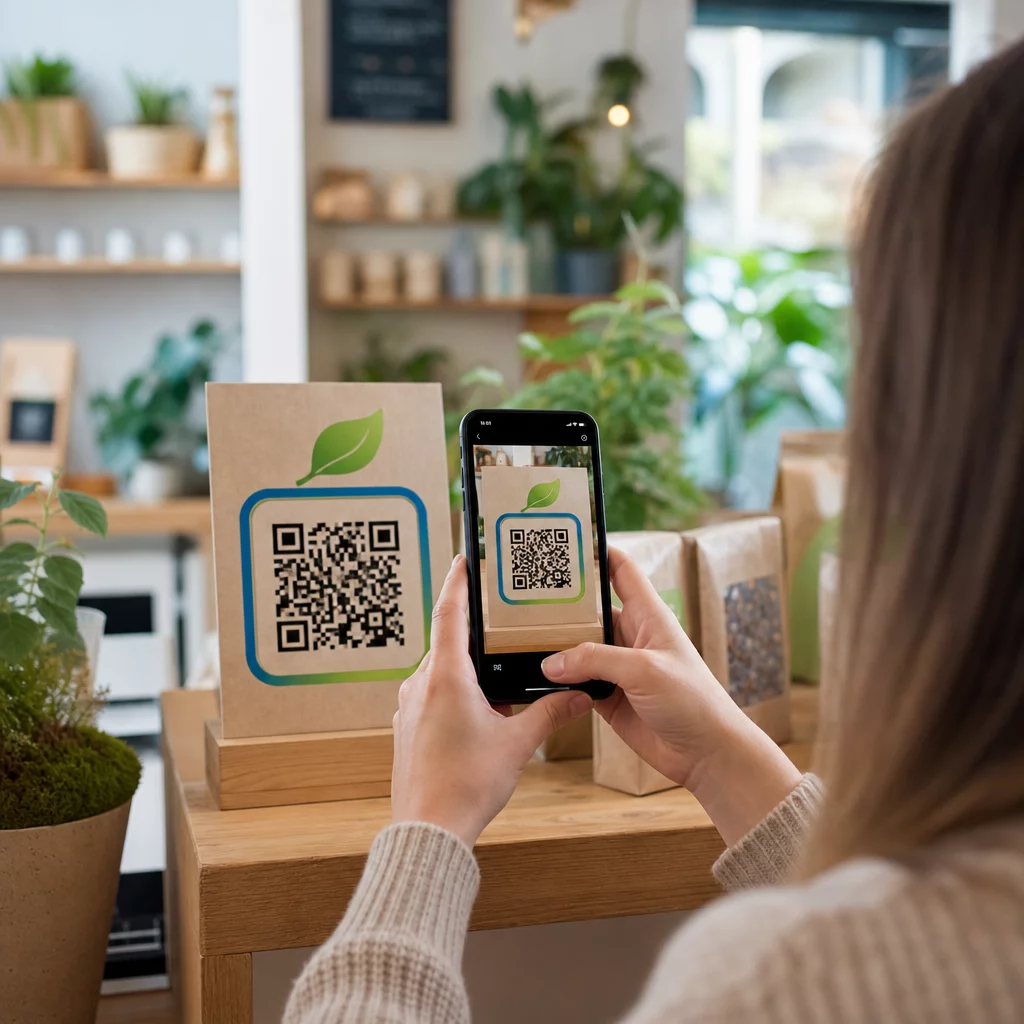
Dental patient scans code

How to Use QR Codes in Your Dental Practice

Discover how QR codes streamline patient check-ins, automate Google reviews, and deliver post-care instructions in your dental practice securely.
Updated on 7月 27, 2026
目次

Are paper intake forms, delayed check-ins, and missing patient reviews creating bottlenecks in your dental practice? Processing manual paperwork wastes staff hours, increases waiting room delays, and frustrates incoming patients. Integrating scannable QR codes into your office streamlines daily communication, speeds up digital intake, and builds your online reputation.

Modernize Patient Intake and Digital Check-In Workflows

Paper registration packets require manual data entry, create physical clutter, and increase front-desk wait times. Displaying scannable intake codes in your reception area allows patients to complete medical history updates, consent agreements, and registration details on their own smartphones before entering the treatment room.

を使用している。 GoogleフォームQRコードジェネレーター or converting registration documents with a PDF QRコードジェネレーター allows your team to convert paper forms into digital entry points. Patients scan the code on a counter sign, complete the required fields, and submit their responses directly to your digital records system.

When implementing digital intake forms, you must maintain strict data security practices:

  • Avoid encoding health data: Never store Protected Health Information (PHI) – such as patient names, medical histories, or contact info – directly within the static QR code pattern.
  • Use encrypted destinations: Ensure all linked web pages use secure HTTPS protocols to protect data during transmission.
  • Verify platform compliance: Host intake forms on secure systems that maintain encrypted databases and offer signed Business Associate Agreements (BAAs).
  • Require authentication: Ensure access to existing patient portals or sensitive documents requires secure user login credentials.

Upgrade Your Dental Practice Workflows Today Streamline patient check-ins and reduce front-desk paperwork using customizable digital tools. Start building trackable workflows with the QRコードジェネレーター で今すぐ利用可能なツールをご覧ください。.

Collect Authentic Google Reviews at Checkout

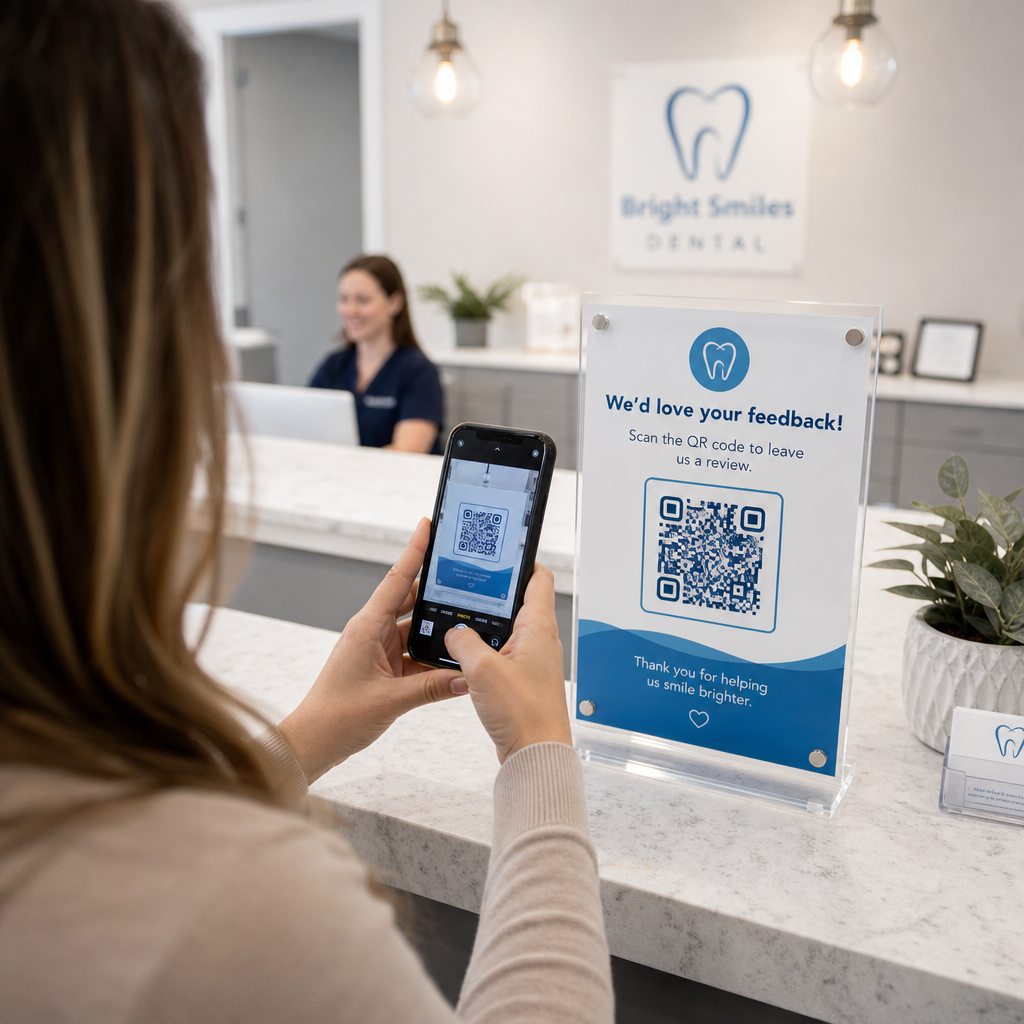
Positive online reviews build trust with prospective patients and improve your local search ranking. However, asking patients to manually search for your practice online after an appointment often results in low response rates. Placing dedicated review signage at your reception desk or on post-care summary sheets gives satisfied patients an immediate, single-scan path to leave feedback.

Using a specialized GoogleレビューQRコードジェネレーター routes patient mobile devices directly to your practice’s Google Business review submission page. Incorporating scannable codes into your broader strategy for customer feedback QR codes creates an automated system for growing online visibility.

To protect your business profile from search engine penalties, adhere strictly to platform guidelines:

  • Avoid review gating: Provide every patient with equal access to leave feedback rather than screening for positive experiences.
  • Prohibit review incentives: Never offer discounts, gift cards, free oral hygiene products, or raffle entries in exchange for writing a review.
  • Collect reviews on personal devices: Encourage patients to scan the sign using their own mobile phones rather than gathering reviews on an office-owned kiosk or tablet.

Enhance Post-Care Communication and Patient Information

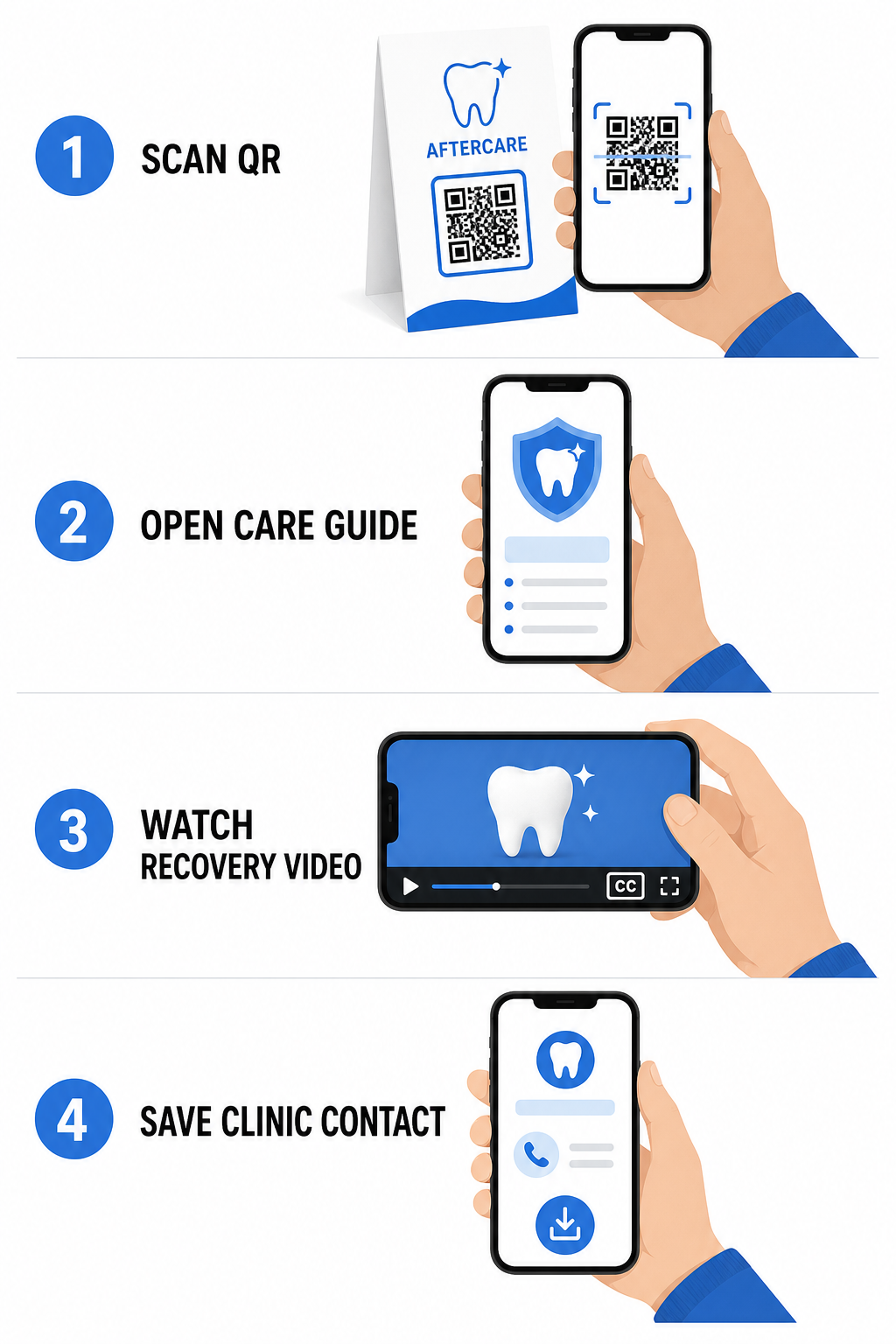
Clear post-treatment instructions reduce emergency follow-up calls and ensure proper recovery after surgical or restorative procedures. Printed post-op care sheets are frequently misplaced by patients. Adding scannable links to digital instructional guides, video tutorials, or downloadable documents keeps critical recovery steps accessible on patient mobile devices.

Digital post-care QR workflow

By leveraging tools designed for hospital and healthcare QR codes, your practice can provide instant access to educational resources, care guidelines, and clinic contacts:

  • Provide post-op instruction sheets: Link appointment summaries to downloadable care guides created through a PDF QRコードジェネレーター.
  • Share educational video clips: Direct patients to instructional videos demonstrating proper brushing, flossing with braces, or caring for clear aligners.
  • Grant reception Wi-Fi access: Display a Wi-Fi code on waiting room tables so patients can connect to guest internet securely without typing complex passwords.
  • Distribute digital business cards: Add contact codes to appointment reminder cards so patients can save your office phone number and email directly to their mobile contacts.

Dynamic Marketing and Practice Branding Strategies

Marketing campaigns for dental practices require flexibility, clear visual identification, and measurable performance tracking. Customizing your scannable codes helps maintain practice branding across printed mailers, community flyers, and local advertisements.

を使用している。 ロゴ付きQRコードジェネレーター allows you to embed your dental clinic’s logo into the center of the code, reinforcing brand recognition while maintaining scannability. Combine custom visual branding with your broader strategy for small business QR codes to drive patient acquisition across physical touchpoints.

When choosing technology for print marketing, understand the functional differences between 静的QRコードと動的QRコードの選択が:

機能 静的QRコード 動的QRコード
編集可能なコンテンツ 固定。印刷後は変更不可 Fully editable link destination at any time
スキャン追跡 No scan tracking or analytics available Monitors scan frequency, locations, and time
Data Pattern Dense patterns for longer website addresses Clean, simple patterns using short redirect URLs
Primary Dental Use Fixed Wi-Fi login passwords, standard contact info Promotional flyers, seasonal offers, print ad tracking

Dynamic codes are essential for print advertising because you can redirect campaigns – such as switching a teeth-whitening promotion to a clear aligner campaign – without reprinting physical materials.

Track Your Dental Marketing Campaigns in Real Time Update link destinations post-print and monitor total patient scans using dynamic technology. Build your branded campaign materials with the ロゴ付きQRコードジェネレーター.

Essential Rules for Compliance, Accessibility, and Scannability

Proper design, placement, and compliance ensure your scannable materials deliver a smooth, accessible experience for every patient.

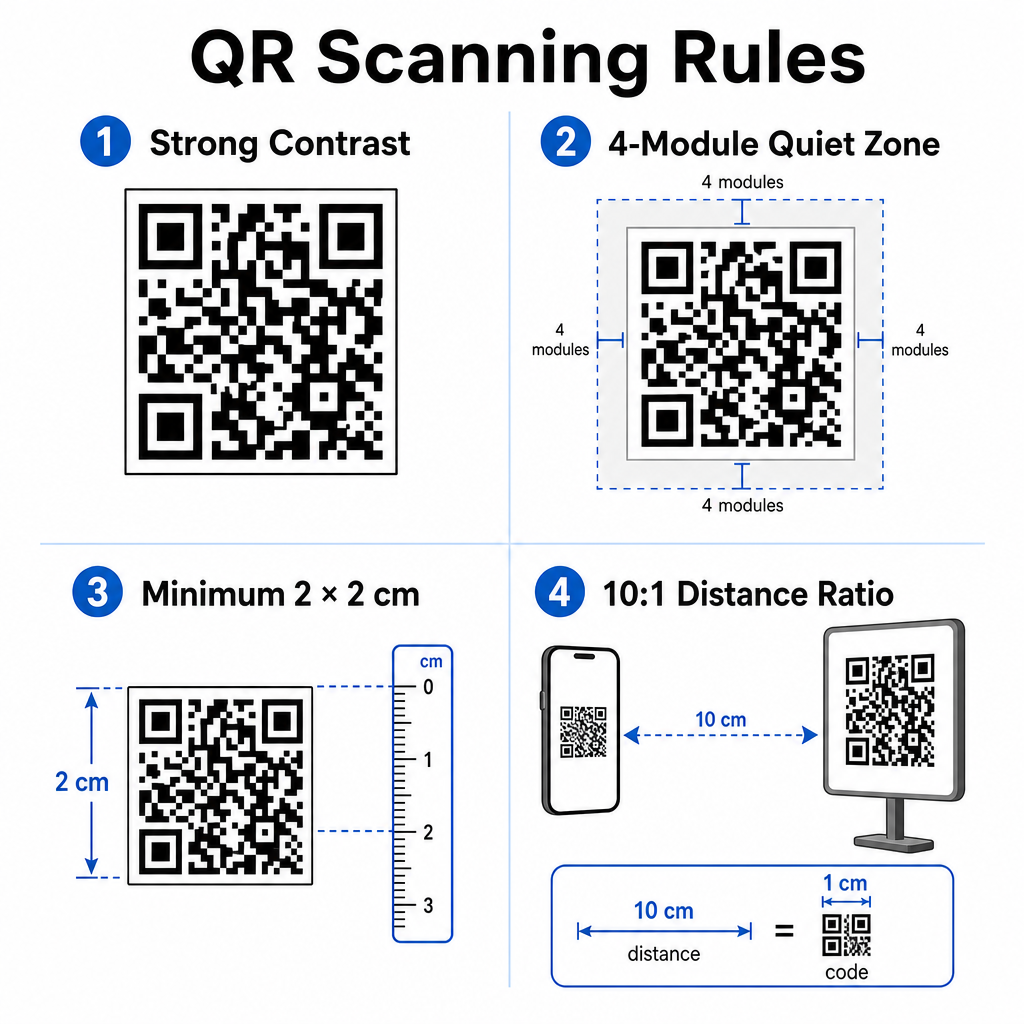
Follow these established guidelines for visual scannability and physical positioning:

  • Maintain contrast: Print dark QR modules over a light, uniform background. Dark-on-white designs provide the highest scan reliability.
  • Provide a quiet zone: Leave a clear border of at least 4 modules of unprinted space around all four sides of the code pattern.
  • Observe minimum sizing: Print close-range codes (such as counter displays or business cards) at a minimum size of 2 x 2 cm (0.8 x 0.8 inches).
  • Apply the distance rule: Follow a 10:1 scanning ratio. For every 10 cm of distance between the user’s camera and the sign, increase code width by 1 cm.
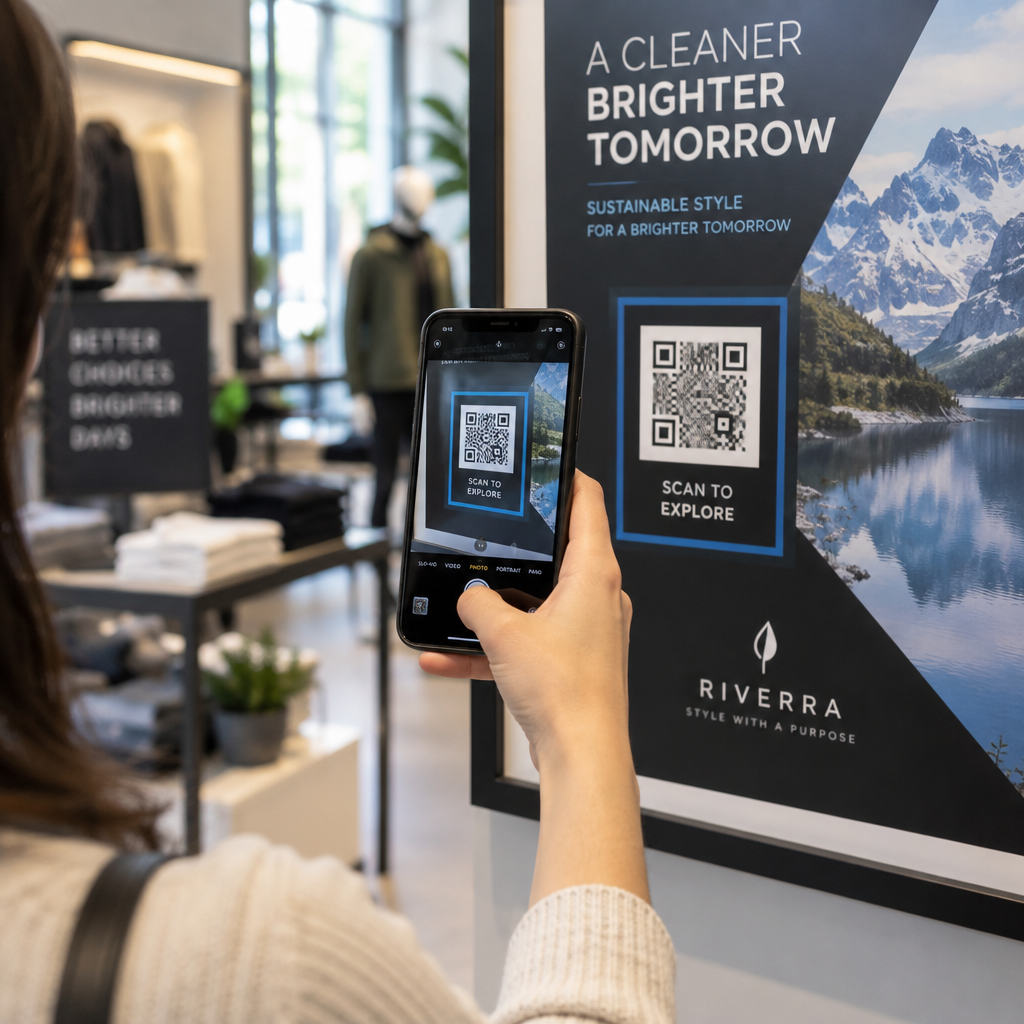
  • Ensure strategic placement: Position waiting room signage at eye level on flat, glare-free, non-reflective surfaces, following proper QR code placement guidelines.
QR code scanning rules

To comply with digital accessibility standards (ADA regulations), ensure your QR touchpoints accommodate all patients:

  • Provide text alternatives: Always print a short URL or plain-text alternative adjacent to the code for patients who cannot scan.
  • Optimize digital form accessibility: Ensure destination intake forms feature explicit form field labels, screen-reader compatibility, visible focus states, and keyboard-friendly navigation.
  • Include video captions: Include closed captions and transcripts on all video instruction links accessed via scan points.

Refer to detailed guidelines on 安全な医療データ共有 to ensure your digital communication channels uphold privacy standards.

Integrating scannable codes across your dental practice reduces manual front-desk administration, accelerates patient check-ins, increases authentic online reviews, and keeps post-care instructions easily accessible. By choosing dynamic links, maintaining ADA accessibility standards, and securing patient data transfers, you build a modern and efficient care environment. Start creating your customizable, secure office touchpoints with the Pageloot QRコードジェネレータ で今すぐ利用可能なツールをご覧ください。.

よくある質問

Are QR codes compliant with HIPAA for patient intake forms?

Yes, provided that no Protected Health Information (PHI) is embedded directly into the QR code graphic itself. The code must route users to a secure HTTPS web page hosted on a HIPAA-compliant platform that uses data encryption, user authentication, and signed Business Associate Agreements (BAAs).

Can dental practices offer incentives to patients for scanning Google review QR codes?

No. Google explicitly prohibits offering payment, discounts, gift cards, or free services in exchange for customer reviews. You must also avoid review gating, ensuring all patients have open access to leave unbiased feedback.

What is the recommended size for printing QR codes on dental counter signs?

For close-range scanning on reception desks or treatment trays, print codes at a minimum size of 2 x 2 cm (0.8 x 0.8 inches). For signs intended to be scanned from farther away, increase the size following a 10:1 distance-to-size ratio.

著者について

Siim KostabiはPagelootのコンテンツリードです。Pagelootの革新的なQRコード生成サービスについて執筆しています。5年以上にわたるQRコードに関する深い専門知識を持つSiimは、この分野の専門家です。QRテクノロジーを活用してデジタルインタラクションを簡素化・拡張する上で、大きな進歩を遂げています。.

カテゴリー
について詳しくはこちら
✅ QRコードの#1ソリューション

オンラインでQRコードを作成する必要がある場合は QRコードを作る ここで無料で
ページルートは #1のGo-Toソリューション でQRコードを作成してスキャンすることができます。

BL-0336

ブログジェネ

売上、レビュー、フォロワーを増やすために 20,000 を超えるブランドから信頼されています。

クライアントのロゴ
トップブランドから信頼される
5 のうち 4.8 と評価しました

4.86 / 5つ星評価

ユーゴ・ローラン
ユーゴ・ローラン
レストランオーナー
最も簡単で信頼性の高いQRコードジェネレータです。PDFファイルを即座にアップロードできます。レストランのメニューがデジタル化されました。
ルーカス・ジャンセン
ルーカス・ジャンセン
不動産開発業者
これは優れたツールで、QRコードでちょうど欲しいところに連れて行ってくれます。私たちは位置情報のQRコードしか使っていませんが、とても便利な機能がたくさんあります。
エマ・モレッティ
エマ・モレッティ
小売製品
使いやすいし、早い。素晴らしい機能で、完璧な画像を作成してくれるので、社員は私のvCardをダウンロードすることができます。
ユーゴ・ローラン
ユーゴ・ローラン
レストランオーナー
最も簡単で信頼性の高いQRコードジェネレータです。PDFファイルを即座にアップロードできます。レストランのメニューがデジタル化されました。
ルーカス・ジャンセン
ルーカス・ジャンセン
不動産開発業者
これは優れたツールで、QRコードでちょうど欲しいところに連れて行ってくれます。私たちは位置情報のQRコードしか使っていませんが、とても便利な機能がたくさんあります。
エマ・モレッティ
エマ・モレッティ
小売製品
使いやすいし、早い。素晴らしい機能で、完璧な画像を作成してくれるので、社員は私のvCardをダウンロードすることができます。
QRコードをもっと見る
バーコードとQRコードの比較
バーコード vs QRコード
あらゆるものをデジタル体験に変えよう 3分以内に。

14日間の無料トライアル。

クレジットカードは必要ありません。

初回購入で30%オフ

次のコードを使用してください:

MP3ファイルを共有

PDF QRコードを作成するにはサインアップしてください

必要なものをすべてアップロードして表示する。

  • オーディオファイル
  • ポッドキャスト
  • 音楽

サインアップで14日間無料トライアル。.
トライアル終了後、QRコードは期限切れになります。.

オーディオmp3 QRコードを作成するにはサインアップしてください

フレームでより多くのスキャンを獲得

QRコードにフレームを追加するにはサインアップしてください

コールトゥアクションフレームは、お客様が簡単にQRコードと対話できるようにします。ぜひお試しください。

サインアップで14日間無料トライアル。.
トライアル終了後、QRコードは期限切れになります。.

QRコードにフレームを追加するにはサインアップしてください

シェイプでスタイルを追加

より多くの図形を作成するにはサインアップしてください

QRコードは四角いものである必要はありません。あなたのブランドのイメージに合わせて変えてみてください。

サインアップで14日間無料トライアル。.
トライアル終了後、QRコードは期限切れになります。.

より多くの図形を作成するにはサインアップしてください

QRコードにロゴを追加

QRコードにロゴを追加するにはサインアップしてください

QRコードにロゴやブランドを入れることで、目立たせることができます。

サインアップで14日間無料トライアル。.
トライアル終了後、QRコードは期限切れになります。.

QRコードにロゴを追加するにはサインアップしてください

スマートなApp Storeリダイレクト

アプリストアのQRコードを作成するにはサインアップしてください

スマートなApp StoreのQRコードに、あなたのアプリのリンクを追加します。ユーザーは、デバイスに応じてリダイレクトされます。

サインアップで14日間無料トライアル。.
トライアル終了後、QRコードは期限切れになります。.

アプリストアのQRコードを作成するにはサインアップしてください

QRコードに画像をアップロード

画像QRコードを作成するにはサインアップしてください

画像を簡単に共有できます。どんな画像も、数秒でダイナミックに変化します。

サインアップで14日間無料トライアル。.
トライアル終了後、QRコードは期限切れになります。.

画像QRコードを作成するにはサインアップしてください

PDFファイルを共有

PDF QRコードを作成するにはサインアップしてください

必要なものをすべてアップロードして表示する。

  • メニュー&プライスリスト
  • 指示
  • 任意の書類

サインアップで14日間無料トライアル。.
トライアル終了後、QRコードは期限切れになります。.

PDF QRコードを作成するにはサインアップしてください

印刷せずに後で編集

再度印刷せずにQRコードを編集するにはサインアップしてください

ダイナミックQRコードは、新たにQRコードを印刷することなく、QRコードの内容を変更することができます。

サインアップで14日間無料トライアル。.
トライアル終了後、QRコードは期限切れになります。.

再度印刷せずにQRコードを編集するにはサインアップしてください

いつ?どこで?QRコードのスキャンを追跡

QRコードを追跡するにはサインアップしてください

どのQRコードが最も多くスキャンされ、何が最も顧客を喜ばせているのかを知ることができます。

サインアップで14日間無料トライアル。.
トライアル終了後、QRコードは期限切れになります。.

QRコードを追跡するにはサインアップしてください

印刷可能なファイルが利用可能

PDFやSVGのようなベクターQRコードを作成するにはサインアップしてください

.eps、.pdf、.svg

QRコードをHD解像度でダウンロードしたいですか?すぐに印刷できるベクターまたはピクセル形式を入手しましょう。

サインアップで14日間無料トライアル。.
トライアル終了後、QRコードは期限切れになります。.

PDFやSVGのようなベクターQRコードを作成するにはサインアップしてください

しばらくお待ちください。あなたのQRコードは ロード... ロード...

あなただけのものに

サインアップしてQRコードを後で保存してください

異なる色、ロゴ、コールトゥアクションフレームで素晴らしいQRコードを作成することで、より多くのスキャンを得ることができます。

サインアップで14日間無料トライアル。.
トライアル終了後、QRコードは期限切れになります。.

サインアップしてQRコードを後で保存してください