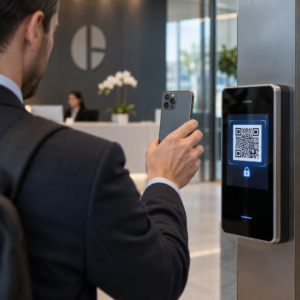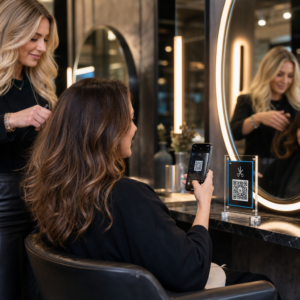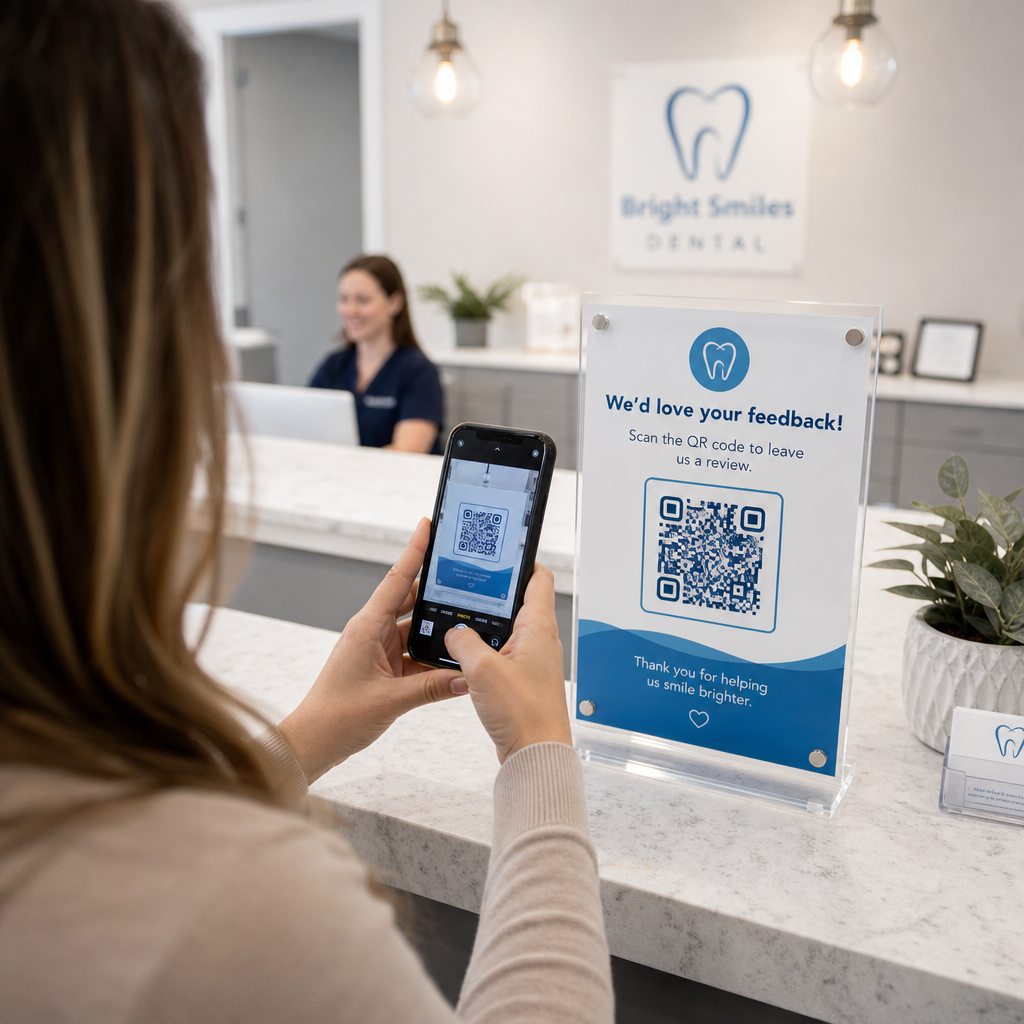

Vai papīra uzņemšanas veidlapas, novēlotas reģistrācijas un trūkstošas pacientu atsauksmes rada sastrēgumus jūsu zobārstniecības praksē? Manuālo dokumentu apstrāde tērē personāla stundas, palielina gaidīšanas laiku un sagādā vilšanos jaunajiem pacientiem. Skenējamu QR kodu integrēšana jūsu birojā racionalizē ikdienas komunikāciju, paātrina digitālo uzņemšanu un veido jūsu tiešsaistes reputāciju.
Modernizējiet pacientu uzņemšanas un digitālās reģistrācijas darba plūsmas
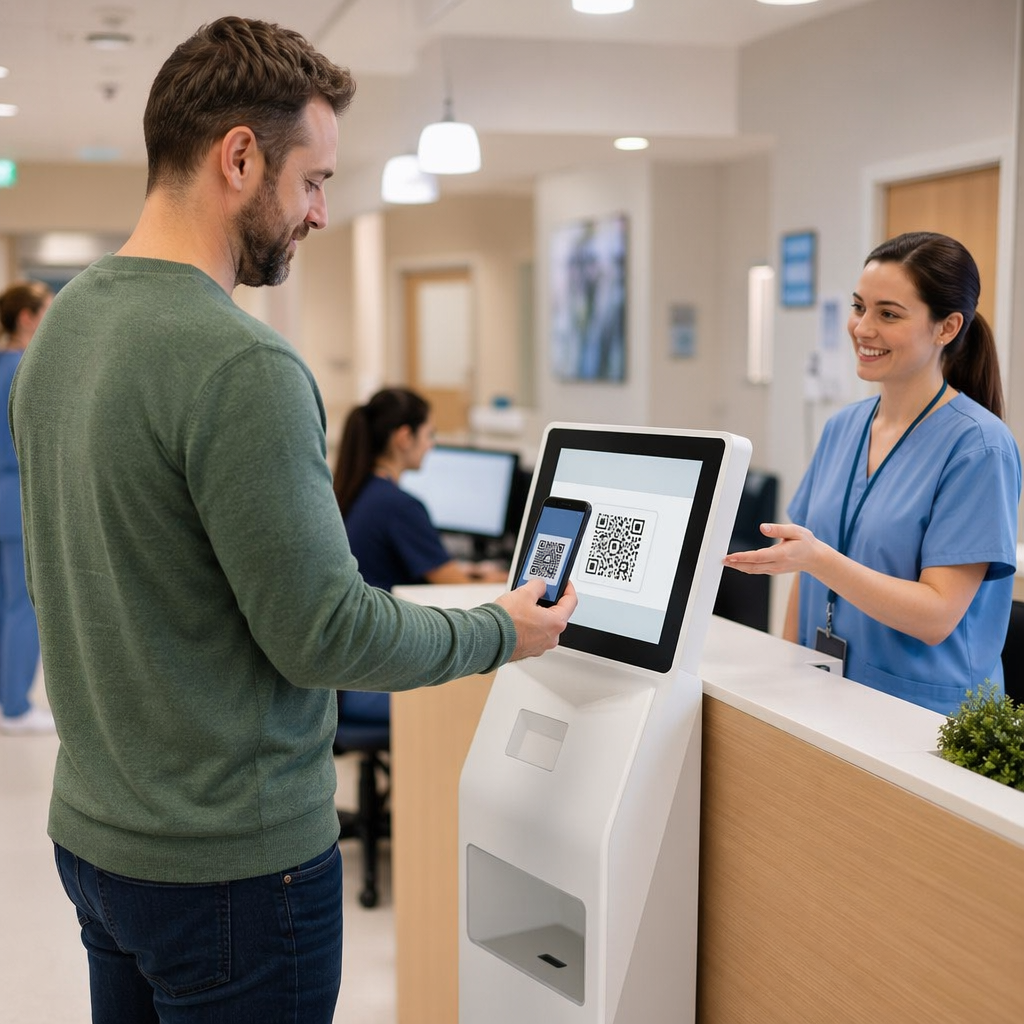
Papīra reģistrācijas pakotnes prasa manuālu datu ievadi, rada fizisku nekārtību un palielina uzņemšanas laiku. Skenējamu uzņemšanas kodu attēlošana jūsu recepcijas zonā ļauj pacientiem atjaunināt medicīnisko vēsturi, piekrišanas līgumus un reģistrācijas datus savos viedtālruņos pirms ieiešanas ārstēšanas telpā.
Izmantojot Google Form QR koda ģenerators vai konvertējot reģistrācijas dokumentus ar PDF QR kodu ģenerators ļauj jūsu komandai pārvērst papīra veidlapas digitālās ievades punktos. Pacienti skenē kodu uz letes zīmes, aizpilda nepieciešamos laukus un iesniedz atbildes tieši jūsu digitālo ierakstu sistēmā.
Ieviešot digitālās uzņemšanas veidlapas, jums ir jāievēro stingras datu drošības prakses:
- Izvairieties no veselības datu kodēšanas: Nekad neglabājiet aizsargātu veselības informāciju (PHI) – piemēram, pacientu vārdus, medicīnisko vēsturi vai kontaktinformāciju – tieši statiskajā QR koda paraugā.
- Izmantojiet šifrētas galamērķa vietas: Nodrošiniet, lai visas saistītās tīmekļa lapas izmantotu drošus HTTPS protokolus datu aizsardzībai pārraides laikā.
- Pārbaudiet platformas atbilstību: Uzņemšanas veidlapas izvietojiet drošās sistēmās, kas uztur šifrētas datubāzes un piedāvā parakstītus biznesa partneru līgumus (BAA).
- Pieprasīt autentifikāciju: Nodrošiniet, lai piekļuve esošajiem pacientu portāliem vai sensitīviem dokumentiem prasītu drošus lietotāja pieteikšanās akreditācijas datus.
Uzlabojiet savas zobārstniecības prakses darba plūsmas jau šodien Racionalizējiet pacientu reģistrāciju un samaziniet biroja dokumentu apjomu, izmantojot pielāgojamus digitālos rīkus. Sāciet veidot izsekojamas darba plūsmas ar QR kodu ģenerators šodien.
Vāciet autentiskas Google atsauksmes pie kases
Pozitīvas tiešsaistes atsauksmes veido uzticību potenciālajiem pacientiem un uzlabo jūsu vietējās meklēšanas reitingu. Tomēr, lūdzot pacientiem manuāli meklēt jūsu praksi tiešsaistē pēc vizītes, bieži vien tiek iegūti zemi atbildes rādītāji. Novietojot īpašas atsauksmju zīmes pie reģistratūras vai uz pēcaprūpes kopsavilkuma lapām, apmierinātiem pacientiem tiek nodrošināts tūlītējs, vienas skenēšanas veids, kā atstāt atsauksmes.
Izmantojot specializētu Google atsauksmju QR koda ģenerators novirza pacientu mobilās ierīces tieši uz jūsu prakses Google Business atsauksmju iesniegšanas lapu. Skenējamu kodu iekļaušana jūsu plašākā stratēģijā klientu atsauksmju QR kodus rada automatizētu sistēmu tiešsaistes redzamības palielināšanai.
Lai pasargātu jūsu biznesa profilu no meklētājprogrammu sodiem, stingri ievērojiet platformas vadlīnijas:
- Izvairieties no atsauksmju vārtejām: Nodrošiniet katram pacientam vienlīdzīgas iespējas atstāt atsauksmes, nevis atlasīt tikai pozitīvas pieredzes.
- Aizliedziet atsauksmju stimulus: Nekad nepiedāvājiet atlaides, dāvanu kartes, bezmaksas mutes higiēnas līdzekļus vai izlozes dalības iespējas apmaiņā pret atsauksmes rakstīšanu.
- Vāciet atsauksmes personīgajās ierīcēs: Mudiniet pacientus skenēt zīmi, izmantojot savus mobilās tālruņus, nevis vākt atsauksmes biroja īpašumā esošā kioskā vai planšetdatorā.
Uzlabojiet pēcaprūpes saziņu un pacientu informāciju
Skaidras pēcaprūpes instrukcijas samazina ārkārtas papildu zvanus un nodrošina pareizu atveseļošanos pēc ķirurģiskām vai atjaunojošām procedūrām. Drukātas pēcopācijas aprūpes lapas pacienti bieži vien pazaudē. Pievienojot skenējamus saites uz digitālajām instrukciju rokasgrāmatām, video pamācībām vai lejupielādējamiem dokumentiem, svarīgi atveseļošanās soļi paliek pieejami pacientu mobilajās ierīcēs.
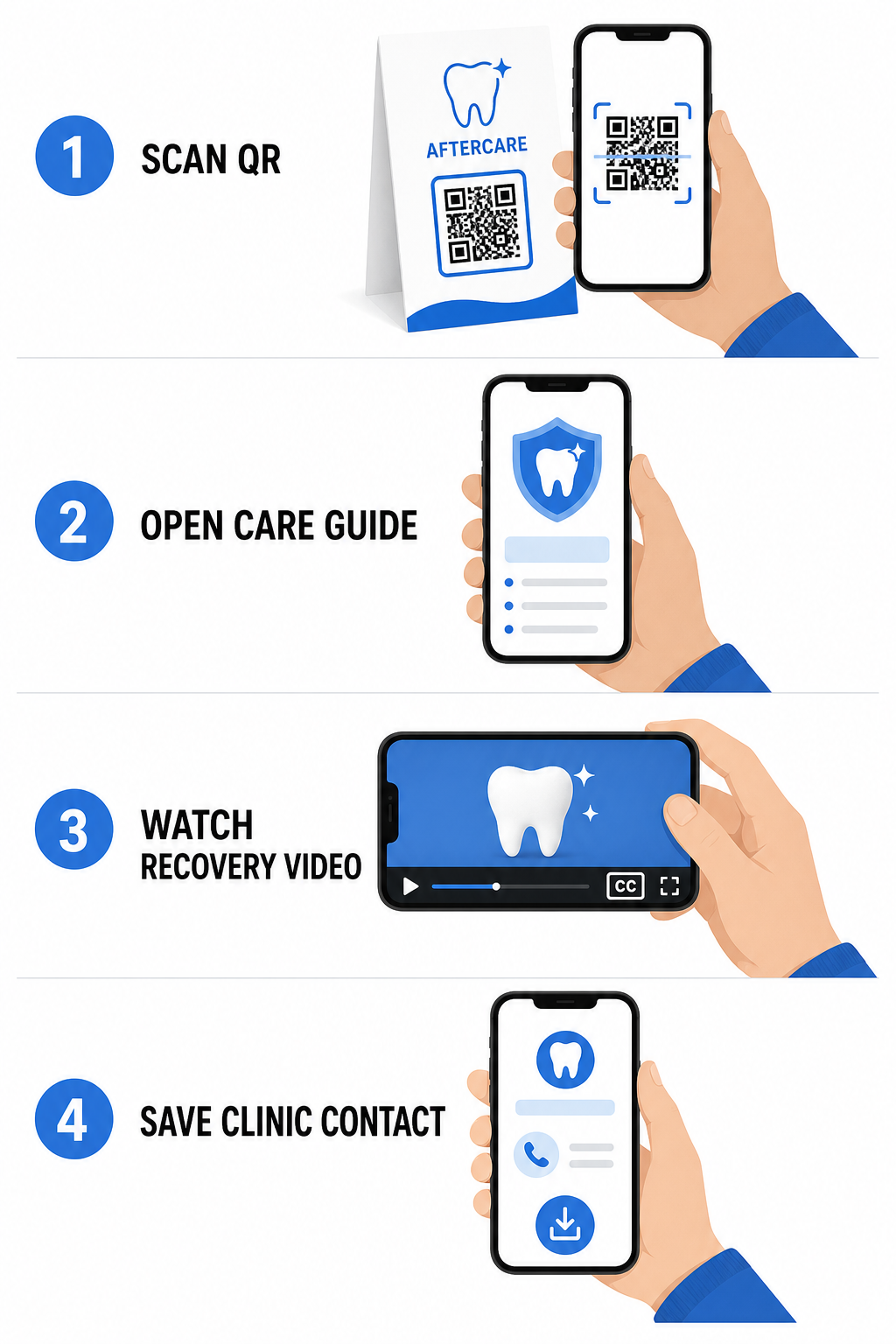
Izmantojot rīkus, kas paredzēti slimnīcu un veselības aprūpes QR kodiem, jūsu prakse var nodrošināt tūlītēju piekļuvi izglītības resursiem, aprūpes vadlīnijām un klīnikas kontaktiem:
- Nodrošiniet pēcopācijas instrukciju lapas: Saistiet tikšanās kopsavilkumus ar lejupielādējamām aprūpes vadlīnijām, kas izveidotas, izmantojot PDF QR kodu ģenerators.
- Dalieties ar izglītojošiem video klipiem: Novirziet pacientus uz pamācību video, kas demonstrē pareizu zobu tīrīšanu, diegošanu ar breketēm vai caurspīdīgo kapju kopšanu.
- Piešķiriet reģistratūras Wi-Fi piekļuvi: Izvietojiet Wi-Fi kodu uz uzgaidāmās telpas galdiem, lai pacienti varētu droši pieslēgties viesu internetam, neievadot sarežģītas paroles.
- Izplatiet digitālās vizītkartes: Pievienojiet kontaktu kodus pierakstu atgādinājuma kartītēm, lai pacienti varētu saglabāt jūsu biroja tālruņa numuru un e-pastu tieši savos mobilajos kontaktos.
Dinamiskas mārketinga un prakses zīmola veidošanas stratēģijas
Mārketinga kampaņām zobārstniecības praksēm nepieciešama elastība, skaidra vizuālā identifikācija un izmērāma veiktspējas uzraudzība. Skenējamo kodu pielāgošana palīdz uzturēt prakses zīmolu drukātajos pasta sūtījumos, kopienas skrejlapās un vietējās reklāmās.
Izmantojot QR koda ģenerators ar logotipu ļauj jums iegult savas zobārstniecības klīnikas logotipu koda centrā, nostiprinot zīmola atpazīstamību, vienlaikus saglabājot skenējamību. Apvienojiet pielāgotu vizuālo zīmolu ar jūsu plašāko stratēģiju mazā biznesa QR kodi lai veicinātu pacientu piesaisti visos fiziskajos saskares punktos.
Izvēloties tehnoloģijas drukātajam mārketingam, izprotiet funkcionālās atšķirības starp statiskajiem un dinamiskajiem QR kodiem:
| FUNKCIJA | Statiskie QR kodi | Dinamiskie QR kodi |
|---|---|---|
| Rediģējams saturs | Fiksēts; nevar mainīt pēc drukāšanas | Jebkurā laikā pilnībā rediģējams saites galamērķis |
| Skenēšanas izsekošana | Nav pieejama skenēšanas izsekošana vai analītika | Uzrauga skenēšanas biežumu, atrašanās vietas un laiku |
| Datu modelis | Blīvi modeļi garākām vietņu adresēm | Tīri, vienkārši modeļi, izmantojot īsas novirzīšanas URL adreses |
| Primārā zobārstniecības izmantošana | Fiksētas Wi-Fi pieteikšanās paroles, standarta kontaktinformācija | Reklāmas skrejlapas, sezonas piedāvājumi, drukas reklāmu izsekošana |
Dinamiskie kodi ir būtiski drukātajai reklāmai, jo jūs varat novirzīt kampaņas – piemēram, pārejot no zobu balināšanas akcijas uz caurspīdīgo kapju kampaņu – bez fizisko materiālu pārpublicēšanas.
Sekojiet līdzi savām zobārstniecības mārketinga kampaņām reāllaikā Atjauniniet saišu galamērķus pēc drukāšanas un uzraugiet kopējo pacientu skenēšanu, izmantojot dinamisko tehnoloģiju. Veidojiet savus zīmola kampaņas materiālus ar QR koda ģenerators ar logotipu.
Būtiskie noteikumi atbilstībai, pieejamībai un skenējamībai
Pareizs dizains, izvietojums un atbilstība nodrošina, ka jūsu skenējamie materiāli nodrošina vienmērīgu un pieejamu pieredzi katram pacientam.
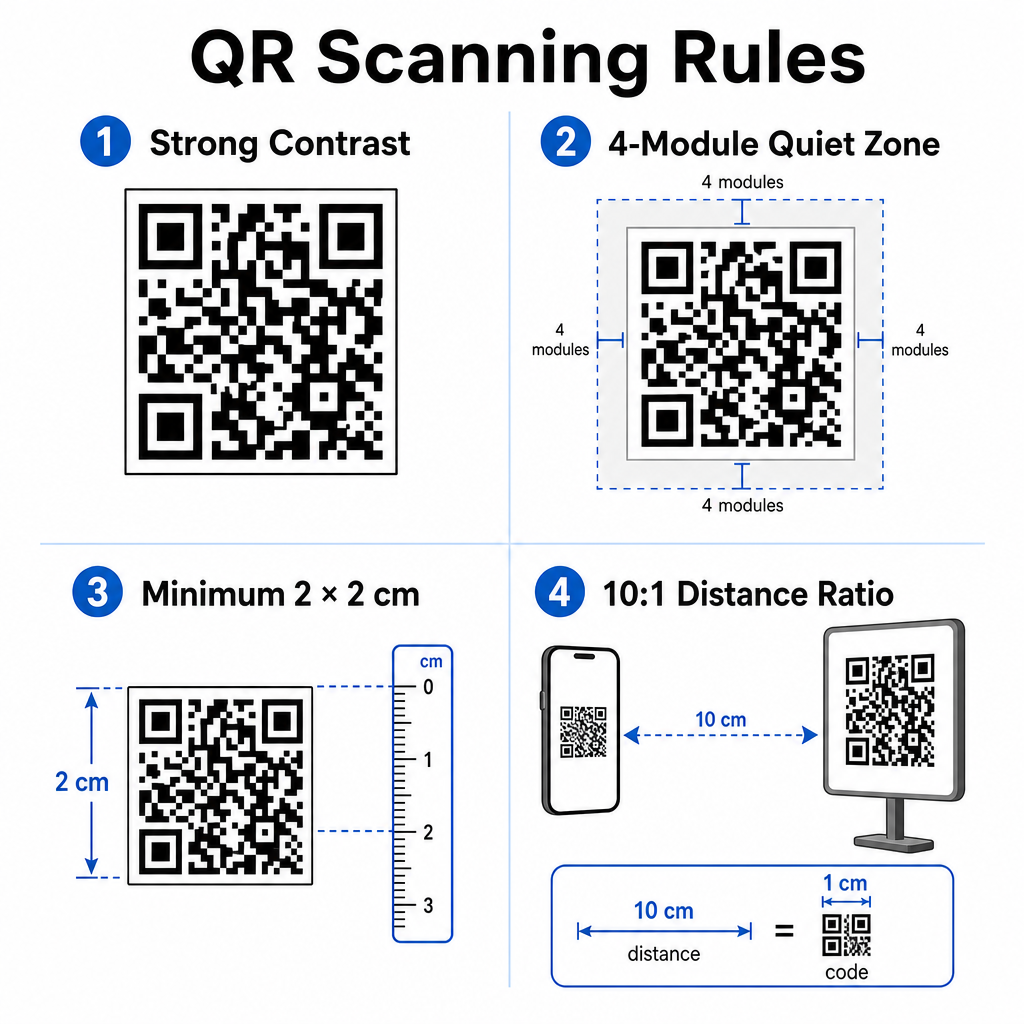
Ievērojiet šīs noteiktās vadlīnijas vizuālai skenējamībai un fiziskai pozicionēšanai:
- Uzturiet kontrastu: Drukājiet tumšus QR moduļus uz gaiša, viendabīga fona. Tumši uz balta dizains nodrošina visaugstāko skenēšanas uzticamību.
- Nodrošiniet klusu zonu: Atstājiet vismaz 4 moduļu platas, tukšas malas ap visām četrām koda raksta pusēm.
- Ievērojiet minimālo izmēru: Drukājiet tuvā diapazona kodus (piemēram, letes displejus vai vizītkartes) minimālā izmērā 2 x 2 cm (0.8 x 0.8 collas).
- Pielietojiet attāluma noteikumu: Ievērojiet 10:1 skenēšanas attiecību. Katram 10 cm attālumam starp lietotāja kameru un zīmi, palieliniet koda platumu par 1 cm.
- Nodrošiniet stratēģisku izvietojumu: Izvietojiet uzgaidāmās telpas zīmes acu līmenī uz plakanām, neatspīdošām, nereflektējošām virsmām, ievērojot pareizos QR koda izvietošanas vadlīnijas.
Lai atbilstu digitālās pieejamības standartiem (ADA noteikumiem), nodrošiniet, ka jūsu QR saskares punkti ir piemēroti visiem pacientiem:
- Nodrošiniet teksta alternatīvas: Vienmēr drukājiet īsu URL vai vienkārša teksta alternatīvu blakus kodam pacientiem, kuri nevar skenēt.
- Optimizējiet digitālo veidlapu pieejamību: Nodrošiniet, lai galamērķa uzņemšanas veidlapām būtu skaidras veidlapu lauku etiķetes, ekrāna lasītāja saderība, redzami fokusa stāvokļi un tastatūrai draudzīga navigācija.
- Iekļaujiet video subtitrus: Iekļaujiet slēgtos subtitrus un stenogrammas visās video instrukciju saitēs, kas pieejamas, izmantojot skenēšanas punktus.
Skatiet detalizētās vadlīnijas par drošu veselības datu apmaiņu lai nodrošinātu, ka jūsu digitālās komunikācijas kanāli atbilst privātuma standartiem.
Skenējamu kodu integrēšana jūsu zobārstniecības praksē samazina manuālu administrēšanu reģistratūrā, paātrina pacientu reģistrāciju, palielina autentiskas tiešsaistes atsauksmes un nodrošina vieglu piekļuvi pēcaprūpes norādījumiem. Izvēloties dinamiskas saites, saglabājot ADA pieejamības standartus un nodrošinot pacientu datu pārsūtīšanas drošību, jūs veidojat modernu un efektīvu aprūpes vidi. Sāciet veidot savus pielāgojamos, drošos biroja saskares punktus ar Pageloot QR kodu ģenerators šodien.
Biežāk uzdotie jautājumi
Jā, ar nosacījumu, ka QR koda grafikā nav tieši iegulta aizsargāta veselības informācija (PHI). Kodam ir jānovirza lietotāji uz drošu HTTPS tīmekļa lapu, kas mitināta HIPAA prasībām atbilstošā platformā, kura izmanto datu šifrēšanu, lietotāja autentifikāciju un parakstītus biznesa partnera līgumus (BAA).
Nē. Google nepārprotami aizliedz piedāvāt maksājumus, atlaides, dāvanu kartes vai bezmaksas pakalpojumus apmaiņā pret klientu atsauksmēm. Jums jāizvairās arī no atsauksmju ierobežošanas, nodrošinot visiem pacientiem atklātu piekļuvi neobjektīvu atsauksmju sniegšanai.
Tuvās distances skenēšanai uz reģistratūras galdiem vai procedūru paplātēm drukājiet kodus ar minimālo izmēru 2 x 2 cm (0.8 x 0.8 collas). Zīmēm, kas paredzētas skenēšanai no lielāka attāluma, palieliniet izmēru, ievērojot attāluma pret izmēru attiecību 10:1.