A papír alapú felvételi űrlapok, a késedelmes bejelentkezések és a hiányzó páciensvélemények szűk keresztmetszeteket okoznak fogászati rendelőjében? A kézi papírmunka feldolgozása munkaidőt pazarol, növeli a várótermi késedelmeket és frusztrálja a bejövő pácienseket. A beolvasható QR-kódok irodai integrálása racionalizálja a napi kommunikációt, felgyorsítja a digitális felvételt és építi online hírnevét.
Modernizálja a páciensfelvételi és digitális bejelentkezési munkafolyamatokat
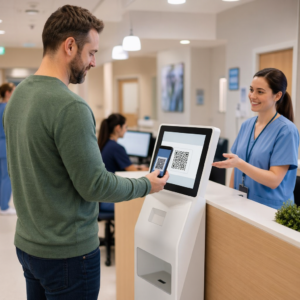
A papír alapú regisztrációs csomagok kézi adatbevitelt igényelnek, fizikai rendetlenséget okoznak és növelik a recepciós várakozási időt. A beolvasható felvételi kódok elhelyezése a recepciós területen lehetővé teszi a páciensek számára, hogy saját okostelefonjukon töltsék ki az orvosi előzmények frissítését, a hozzájárulási nyilatkozatokat és a regisztrációs adatokat, még mielőtt belépnének a kezelőhelyiségbe.
Egy Google Forms kérdőív QR kód generátor vagy regisztrációs dokumentumok konvertálása egy PDF QR kód generátor lehetővé teszi csapatának, hogy papír alapú űrlapokat digitális belépési pontokká alakítson. A páciensek beolvassák a kódot egy pultjelzőn, kitöltik a szükséges mezőket, és válaszaikat közvetlenül az Ön digitális nyilvántartási rendszerébe küldik.
A digitális felvételi űrlapok bevezetésekor szigorú adatbiztonsági gyakorlatokat kell alkalmaznia:
- Kerülje az egészségügyi adatok kódolását: Soha ne tárolja a védett egészségügyi információkat (PHI) – például a páciens nevét, orvosi előzményeit vagy elérhetőségi adatait – közvetlenül a statikus QR-kód mintájában.
- Használjon titkosított célállomásokat: Győződjön meg arról, hogy minden linkelt weboldal biztonságos HTTPS protokollt használ az adatok átvitel közbeni védelme érdekében.
- Ellenőrizze a platform megfelelőségét: A felvételi űrlapokat olyan biztonságos rendszereken tárolja, amelyek titkosított adatbázisokat tartanak fenn és aláírt Üzleti Partner Megállapodásokat (BAA) kínálnak.
- Hitelesítés megkövetelése: Gondoskodjon arról, hogy a meglévő páciensportálokhoz vagy érzékeny dokumentumokhoz való hozzáférés biztonságos felhasználói bejelentkezési adatokkal történjen.
Frissítse fogászati rendelője munkafolyamatait még ma Racionalizálja a páciens bejelentkezéseket és csökkentse a recepciós papírmunkát testreszabható digitális eszközökkel. Kezdje el nyomon követhető munkafolyamatok kiépítését a QR Kód Generátor még ma.
Gyűjtsön hiteles Google véleményeket a fizetéskor
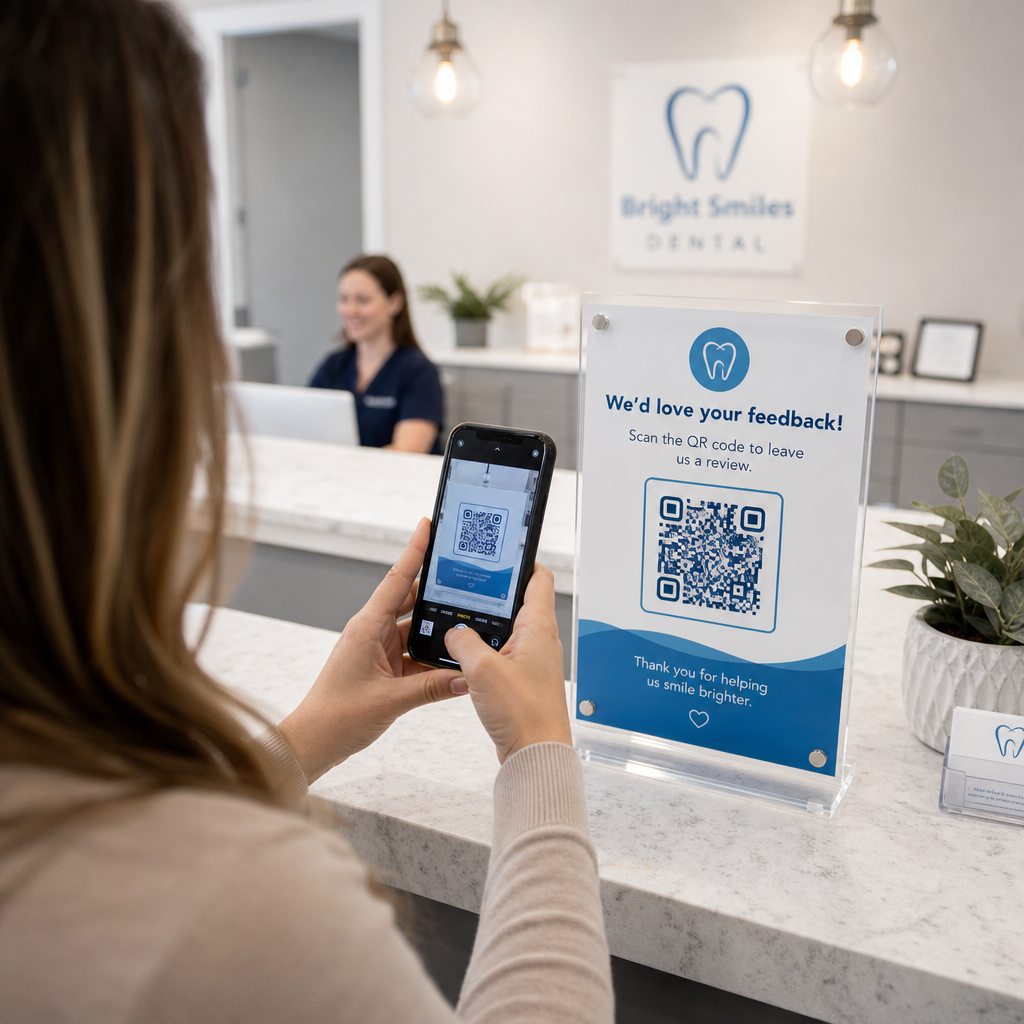
A pozitív online vélemények bizalmat építenek a potenciális páciensekben, és javítják a helyi keresési rangsorolásodat. Azonban az, ha arra kérjük a pácienseket, hogy manuálisan keressenek rá a praxisra online egy időpont után, gyakran alacsony válaszadási arányt eredményez. A dedikált véleménykérő táblák elhelyezése a recepciós pulton vagy az utógondozási összefoglaló lapokon azonnali, egy szkenneléses utat biztosít az elégedett pácienseknek a visszajelzés adására.
Egy speciális Google értékelés QR kód generátor a páciensek mobileszközeit közvetlenül a praxis Google Cégem véleménybeküldő oldalára irányítja. A beolvasható kódok beépítése a szélesebb körű stratégiádba a ügyfél-visszajelzési QR-kódokat automatizált rendszert hoz létre az online láthatóság növelésére.
Vállalkozásod profiljának keresőmotor-büntetésektől való megóvása érdekében szigorúan tartsd be a platform irányelveit:
- Kerüld a szelektív véleménygyűjtést: Biztosíts minden páciens számára egyenlő hozzáférést a visszajelzéshez ahelyett, hogy csak a pozitív tapasztalatokat szűrnéd.
- Tiltsd meg a véleményezési ösztönzőket: Soha ne kínálj kedvezményeket, ajándékkártyákat, ingyenes szájhigiéniai termékeket vagy tombolasorsolási belépőket vélemény írásáért cserébe.
- Gyűjts véleményeket személyes eszközökön: Bátorítsd a pácienseket, hogy saját mobiltelefonjukkal olvassák be a táblát, ahelyett, hogy irodai kioszkokon vagy tableteken gyűjtenék a véleményeket.
Az utógondozási kommunikáció és a páciensinformációk javítása
Az egyértelmű kezelés utáni utasítások csökkentik a sürgősségi utánkövető hívásokat, és biztosítják a megfelelő felépülést sebészeti vagy helyreállító beavatkozások után. A nyomtatott műtét utáni gondozási lapokat a páciensek gyakran elveszítik. A beolvasható linkek hozzáadása digitális oktatóanyagokhoz, videós útmutatókhoz vagy letölthető dokumentumokhoz elérhetővé teszi a kritikus felépülési lépéseket a páciensek mobileszközein.
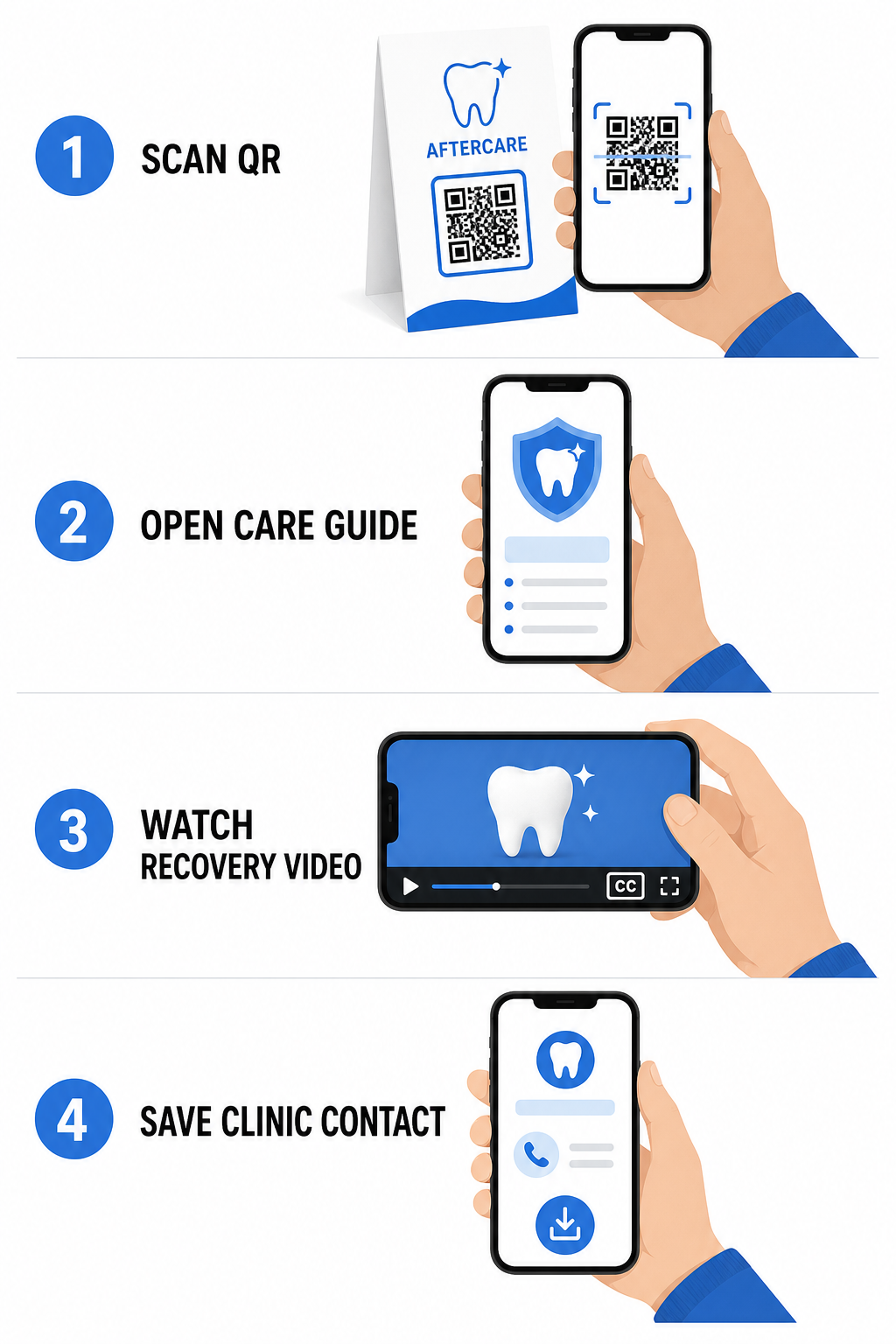
Az alábbiakra tervezett eszközök kihasználásával: kórházi és egészségügyi QR-kódok, praxisod azonnali hozzáférést biztosíthat oktatási forrásokhoz, gondozási irányelvekhez és klinikai elérhetőségekhez:
- Biztosíts műtét utáni utasítási lapokat: Kapcsold össze az időpont-összefoglalókat letölthető gondozási útmutatókkal, amelyeket egy PDF QR kód generátor.
- Ossz meg oktató videóklipeket: Irányítsa a pácienseket oktatóvideókhoz, amelyek bemutatják a helyes fogmosást, a fogszabályzóval való fogselymezést vagy az átlátszó fogszabályzók gondozását.
- Biztosítson Wi-Fi hozzáférést a recepción: Jelenítsen meg Wi-Fi kódot a várótermi asztalokon, hogy a páciensek biztonságosan csatlakozhassanak a vendég internethez bonyolult jelszavak beírása nélkül.
- Osszon digitális névjegyeket: Adjon hozzá kapcsolati kódokat az időpont-emlékeztető kártyákhoz, hogy a páciensek közvetlenül elmenthessék rendelője telefonszámát és e-mail címét mobilkapcsolataikba.
Dinamikus marketing- és rendelőmárka-építési stratégiák
A fogászati rendelők marketingkampányai rugalmasságot, tiszta vizuális azonosítást és mérhető teljesítménykövetést igényelnek. A beolvasható kódok testreszabása segít fenntartani a rendelő márkáját a nyomtatott hírleveleken, közösségi szórólapokon és helyi hirdetéseken keresztül.
Egy QR kód generálás logóval lehetővé teszi, hogy beágyazza fogászati klinikája logóját a kód közepébe, erősítve a márkafelismerést, miközben fenntartja a beolvashatóságot. Kombinálja az egyedi vizuális márkázást szélesebb körű stratégiájával a kisvállalati QR kódok a páciensek megszerzésének ösztönzésére a fizikai érintkezési pontokon keresztül.
A nyomtatott marketing technológiájának kiválasztásakor értse meg a funkcionális különbségeket a statikus vs dinamikus QR-kódok:
| FUNKCIÓ | Statikus QR-kódok | Dinamikus QR-kódok |
|---|---|---|
| Szerkeszthető tartalom | Rögzített; nyomtatás után nem módosítható | Bármikor teljesen szerkeszthető linkcél |
| Szkennelés nyomon követése | Nincs elérhető szkennelési nyomon követés vagy analitika | Figyeli a szkennelési gyakoriságot, helyszíneket és időt |
| Adat minta | Sűrű minták hosszabb webcímekhez | Tiszta, egyszerű minták rövid átirányító URL-ek használatával |
| Elsődleges fogászati felhasználás | Fix Wi-Fi bejelentkezési jelszavak, standard kapcsolattartási adatok | Promóciós szórólapok, szezonális ajánlatok, nyomtatott hirdetéskövetés |
A dinamikus kódok elengedhetetlenek a nyomtatott hirdetésekhez, mert átirányíthatja a kampányokat – például egy fogfehérítési promóciót átválthat egy átlátszó fogszabályzó kampányra – anélkül, hogy újra kellene nyomtatnia a fizikai anyagokat.
Kövesse nyomon fogászati marketingkampányait valós időben Frissítse a linkcélokat nyomtatás után, és kövesse nyomon az összes páciens szkennelését dinamikus technológia segítségével. Készítse el márkás kampányanyagai a QR kód generálás logóval.
Alapvető szabályok a megfelelőségre, hozzáférhetőségre és beolvashatóságra
A megfelelő kialakítás, elhelyezés és megfelelőség biztosítja, hogy a szkennelhető anyagai zökkenőmentes, hozzáférhető élményt nyújtsanak minden beteg számára.
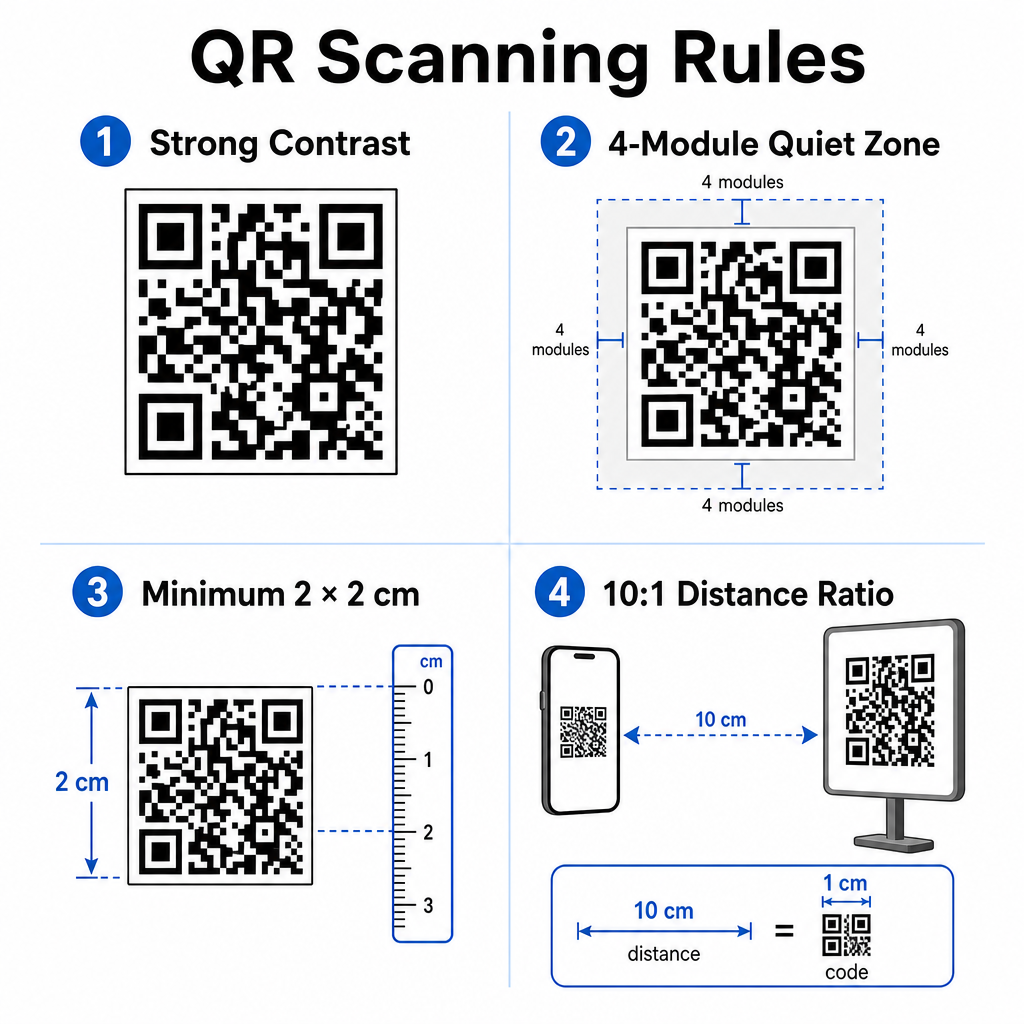
Kövesse ezeket a bevált irányelveket a vizuális szkennelhetőség és a fizikai elhelyezés tekintetében:
- Tartsa be a kontrasztot: Nyomtasson sötét QR-modulokat világos, egységes háttérre. A sötét-fehér kialakítások biztosítják a legmagasabb szkennelési megbízhatóságot.
- Biztosítson csendes zónát: Hagyjon legalább 4 modulnyi nyomtatatlan teret a kódséma mind a négy oldalán.
- Tartsa be a minimális méretet: Nyomtasson közeli kódokat (például pultkijelzőket vagy névjegykártyákat) legalább 2 x 2 cm (0,8 x 0,8 hüvelyk) méretben.
- Alkalmazza a távolsági szabályt: Kövesse a 10:1 szkennelési arányt. Minden 10 cm távolság után a felhasználó kamerája és a tábla között növelje a kód szélességét 1 cm-rel.
- Gondoskodjon a stratégiai elhelyezésről: Helyezze el a várótermi tájékoztató táblákat szemmagasságban, sík, tükröződésmentes felületeken, követve a megfelelő QR-kód elhelyezési irányelveket.
A digitális hozzáférhetőségi szabványoknak (ADA előírások) való megfelelés érdekében gondoskodjon arról, hogy QR-pontjai minden beteg számára hozzáférhetőek legyenek:
- Biztosítson szöveges alternatívákat: Mindig nyomtasson egy rövid URL-t vagy egyszerű szöveges alternatívát a kód mellé azoknak a betegeknek, akik nem tudnak szkennelni.
- Optimalizálja a digitális űrlapok hozzáférhetőségét: Gondoskodjon arról, hogy a célbeviteli űrlapok explicit űrlapmező-címkéket, képernyőolvasó-kompatibilitást, látható fókuszállapotokat és billentyűzetbarát navigációt tartalmazzanak.
- Tegyen mellé videófeliratokat: Tegyen mellé feliratokat és átiratokat minden videós oktató linkhez, amelyeket szkennelési pontokon keresztül érnek el.
Tekintse meg a részletes irányelveket a biztonságos egészségügyi adatmegosztás oldalon, hogy biztosítsa digitális kommunikációs csatornái adatvédelmi szabványainak betartását.
A szkennelhető kódok integrálása a fogászati rendelőben csökkenti a manuális recepciós adminisztrációt, felgyorsítja a páciens bejelentkezéseket, növeli az autentikus online értékeléseket, és könnyen hozzáférhetővé teszi az utókezelési utasításokat. A dinamikus linkek választásával, az ADA akadálymentesítési szabványok fenntartásával és a páciensadatok biztonságos átvitelével modern és hatékony ellátási környezetet építhet. Kezdje el létrehozni testreszabható, biztonságos irodai érintkezési pontjait a Pageloot QR Kód Generátor még ma.
Gyakori kérdések
Igen, feltéve, hogy semmilyen Védett Egészségügyi Információ (PHI) nincs közvetlenül beágyazva magába a QR-kód grafikájába. A kódnak egy biztonságos HTTPS weboldalra kell irányítania a felhasználókat, amely egy HIPAA-kompatibilis platformon található, és adat titkosítást, felhasználói hitelesítést és aláírt Üzleti Partneri Megállapodásokat (BAA-kat) használ.
Nem. A Google kifejezetten megtiltja fizetés, kedvezmények, ajándékkártyák vagy ingyenes szolgáltatások felajánlását az ügyfélvéleményekért cserébe. Kerülnie kell a vélemények szűrését is, biztosítva, hogy minden páciensnek szabad hozzáférése legyen az elfogulatlan visszajelzések megadásához.
Közelről történő szkenneléshez recepciós pultokon vagy kezelőtálcákon, a kódokat legalább 2 x 2 cm (0.8 x 0.8 hüvelyk) méretben nyomtassa ki. Távolabbról szkennelhető táblák esetén növelje a méretet a 10:1 távolság-méret arányt követve.