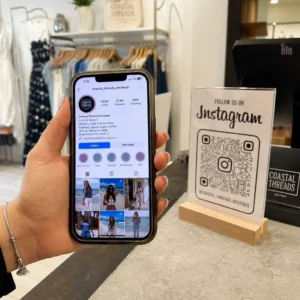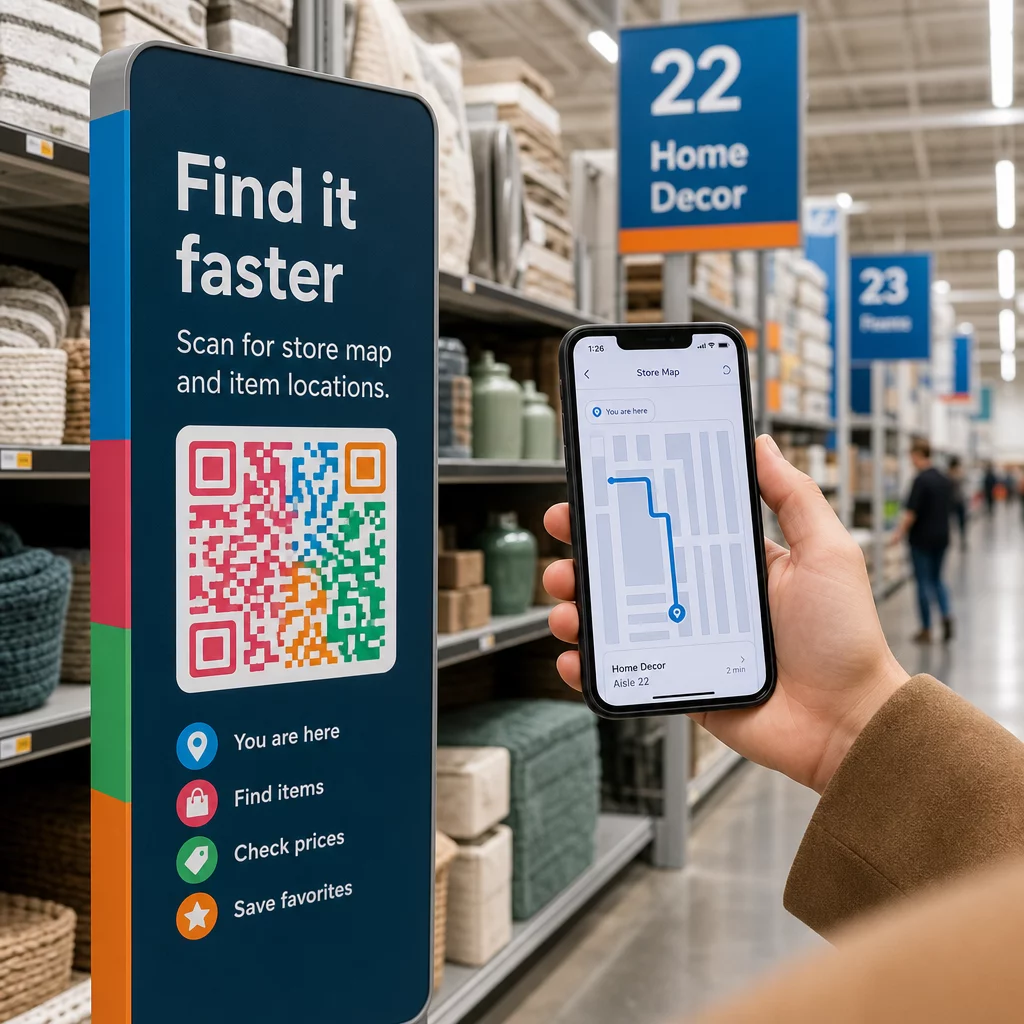
¿Sus clientes deambulan por los pasillos, frustrados y con las manos vacías? Una mala navegación en la tienda ahuyenta a los compradores antes de que compren. Esta guía le muestra cómo usar códigos QR para guiar a los clientes directamente a los productos, mapas y promociones que necesitan.
Por qué la navegación en la tienda es un problema real para los minoristas
Los grandes espacios comerciales son difíciles de navegar. Un cliente que busca un artículo específico en una ferretería o un minorista de grandes superficies puede pasar varios minutos buscando antes de rendirse. Esa fricción le cuesta ventas.
La orientación digital resuelve esto, pero crear una aplicación de tienda dedicada es costoso y la mayoría de los clientes no la descargarán. El 72% de los consumidores prefiere escanear un código QR a descargar una aplicación específica de un negocio, lo que convierte a los códigos QR en una alternativa práctica y de bajo costo. Funcionan con la cámara que ya está en el bolsillo de cada comprador, sin necesidad de instalación.
Con 89 millones de estadounidenses escaneando códigos QR en 2025, sus clientes ya saben cómo usarlos. La pregunta es si usted los está utilizando de manera efectiva.
Lo que los códigos QR pueden hacer por la navegación en la tienda
Los códigos QR actúan como puentes instantáneos entre una ubicación física y contenido digital. En un contexto minorista, eso significa que puede adjuntar un código escaneable a casi cualquier superficie – una etiqueta de estante, un letrero de piso, un escaparate – y enviar a los compradores directamente a información útil.
Estos son los casos de uso principales para la navegación:
- Mapas de la tienda y planos de planta – Enlace a un PDF o página web que muestre el diseño de su tienda, con las secciones claramente etiquetadas
- Guías de ubicación de productos – Dirija a los clientes hacia un pasillo o departamento específico
- Indicaciones de Google Maps – Ayude a los clientes a encontrar la entrada de su tienda, el estacionamiento o una ubicación específica dentro de una propiedad grande
- Zonas promocionales – Guíe a los compradores a las áreas de rebajas actuales o a las exhibiciones destacadas
- Detalles y disponibilidad del producto – Permita que los compradores consulten especificaciones, estado del inventario o artículos relacionados mientras están en el pasillo
Cada uno de estos casos de uso se puede lograr con un solo código QR y una página de destino bien diseñada.
Pon tu tienda en el mapa Crea un código escaneable que abra la ubicación de tu tienda directamente en Google Maps. Usa el Generador de códigos QR de Google Maps para llevar a los clientes desde el estacionamiento hasta la entrada correcta en segundos.
Cómo configurar códigos QR para navegación: Un recorrido práctico
Paso 1: Define el problema de navegación que estás resolviendo
Comienza con un punto de fricción específico. ¿Los clientes tienen dificultades para encontrar un departamento en particular? ¿Se confunden cerca de la entrada? ¿Las promociones de temporada son difíciles de localizar? Identificar el problema exacto te ayuda a decidir a qué debe enlazar el código QR y dónde debe colocarse.
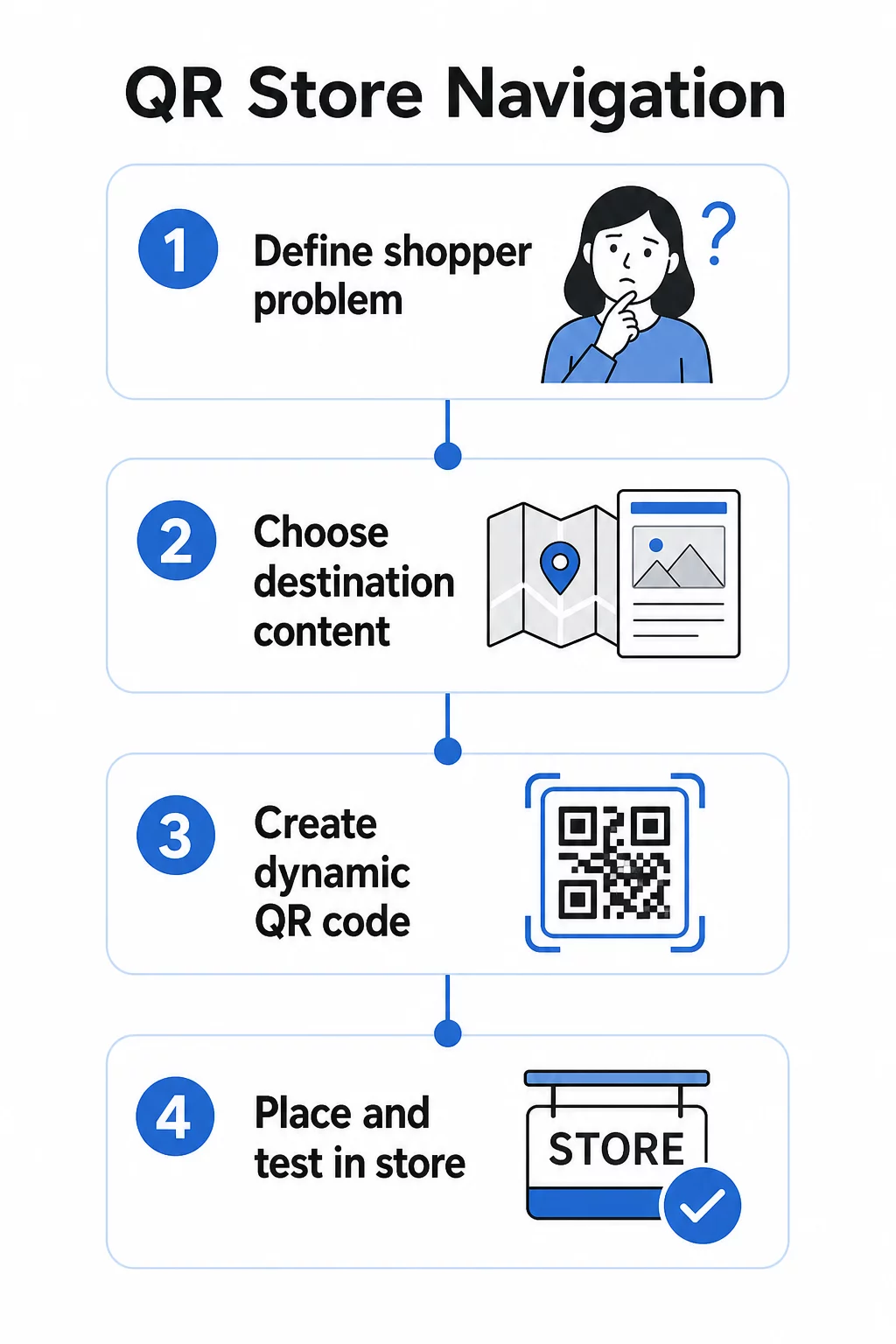
Paso 2: Elige el contenido de destino adecuado
Haz coincidir el destino del código QR con la necesidad del comprador:
| Problema del comprador | Destino del QR |
|---|---|
| No puede encontrar un departamento | Mapa de la tienda en PDF o plano de planta etiquetado |
| Necesita detalles del producto en el pasillo | Página de producto o ficha técnica |
| Buscando promociones actuales | Página de aterrizaje de cupones o página de ofertas |
| Intentando encontrar tu tienda | Enlace Google Maps |
| Quiere comparar opciones | Catálogo PDF o lookbook |
Para mapas de tiendas y guías de productos, un PDF Código QR es una de las opciones más prácticas: puedes diseñar un plano claro, subirlo una vez y actualizarlo cada vez que cambie tu diseño sin imprimir nuevos códigos.
Paso 3: Usa códigos QR dinámicos para poder actualizar sin reimprimir
Este paso importa más de lo que la mayoría de los minoristas se dan cuenta. Los diseños de las tiendas cambian. Las promociones rotan. Los productos se mueven. Si imprimes códigos QR estáticos vinculados a una URL fija y luego necesitas actualizar el destino, cada código impreso se vuelve inútil.
Códigos QR dinámicos resuelve esto almacenando una URL de redireccionamiento corta que puedes actualizar desde un panel de control. El código en el estante permanece igual; solo cambia el destino. Para un entorno minorista donde la información cambia semanalmente o estacionalmente, esto es esencial.
De Pageloot generador de códigos QR crea códigos dinámicos que te permiten actualizar el mapa de tu tienda, cambiar una promoción o redirigir a una nueva página de producto, todo sin tocar la señalización física.
Paso 4: Coloca los códigos donde los compradores realmente los necesitan
La ubicación determina si un código QR se usa o se ignora. Sigue estas pautas:
- A la altura de los ojos y al alcance del brazo – Coloca los códigos donde los compradores puedan escanearlos de forma natural, sin agacharse ni estirarse. La distancia de escaneo óptima para la mayoría de los smartphones es de aproximadamente 10 a 50 cm.
- En el punto de confusión – Un código en la entrada que enlaza a un mapa de la tienda es más útil cuando un cliente entra por primera vez y se está orientando.
- Cerca del producto o sección relevante – Los códigos en el borde del estante para detalles del producto funcionan mejor cuando están justo al lado del artículo, no al final del pasillo.
- En la señalización de orientación – Los letreros de departamento, las pancartas aéreas y los gráficos de suelo son todas superficies efectivas para los códigos QR de navegación.
- Accesible para todos los compradores – Asegúrese de que la altura de colocación funcione para los clientes que usan sillas de ruedas. Evite posicionar los códigos tan bajos o tan altos que excluyan a cualquier segmento de sus compradores.
Para consejos detallados sobre la colocación, consulte nuestra guía sobre ubicaciones principales de códigos QR para tiendas minoristas.
Paso 5: Diseñe Códigos Que Realmente Escaneen
Un código que no escanea de forma fiable destruye la experiencia. Siga estos mínimos técnicos:
- Tamaño – Para etiquetas de estante y rótulos, use un mínimo de 2 × 2 cm. Para señalización más grande, aplique la regla 10:1: la distancia máxima de escaneo no debe ser más de diez veces el ancho del código.
- Contraste – Use un primer plano oscuro sobre un fondo claro. Evite esquemas de color invertidos o de bajo contraste.
- Zona tranquila – Mantenga un margen claro de al menos cuatro módulos en todos los lados. No permita que texto, bordes o gráficos se extiendan a este espacio.
- Superficie – Evite superficies reflectantes, texturizadas o curvas siempre que sea posible. Los acabados mate escanean de forma más fiable que los brillantes.
- Separación – Si estás colocando varios códigos cerca uno del otro (por ejemplo, en un expositor de productos con varios artículos), sepáralos lo suficiente para que una cámara no lea accidentalmente el incorrecto.
Siempre prueba tus códigos con el tamaño, la distancia y las condiciones de iluminación reales que encontrarán los compradores antes de desplegarlos por tu tienda. Para más detalles, consulta nuestras guías sobre las mejores prácticas de legibilidad de códigos QR y dimensionamiento de códigos QR para diferentes materiales de impresión.
Escenarios de Navegación Específicos y Cómo Implementarlos
Enlazar a un Mapa de la Tienda
Diseña un plano de planta simple y claramente etiquetado en formato PDF. Divide la tienda en zonas con nombre – Electrónica, Ropa, Servicio al Cliente, Baños – y resalta la ubicación actual con un marcador de “Usted está aquí”. Sube el PDF a Pageloot's Generador de códigos QR PDF y coloca el código resultante en la entrada de tu tienda, cerca de los mostradores de servicio al cliente y en las principales intersecciones de pasillos.
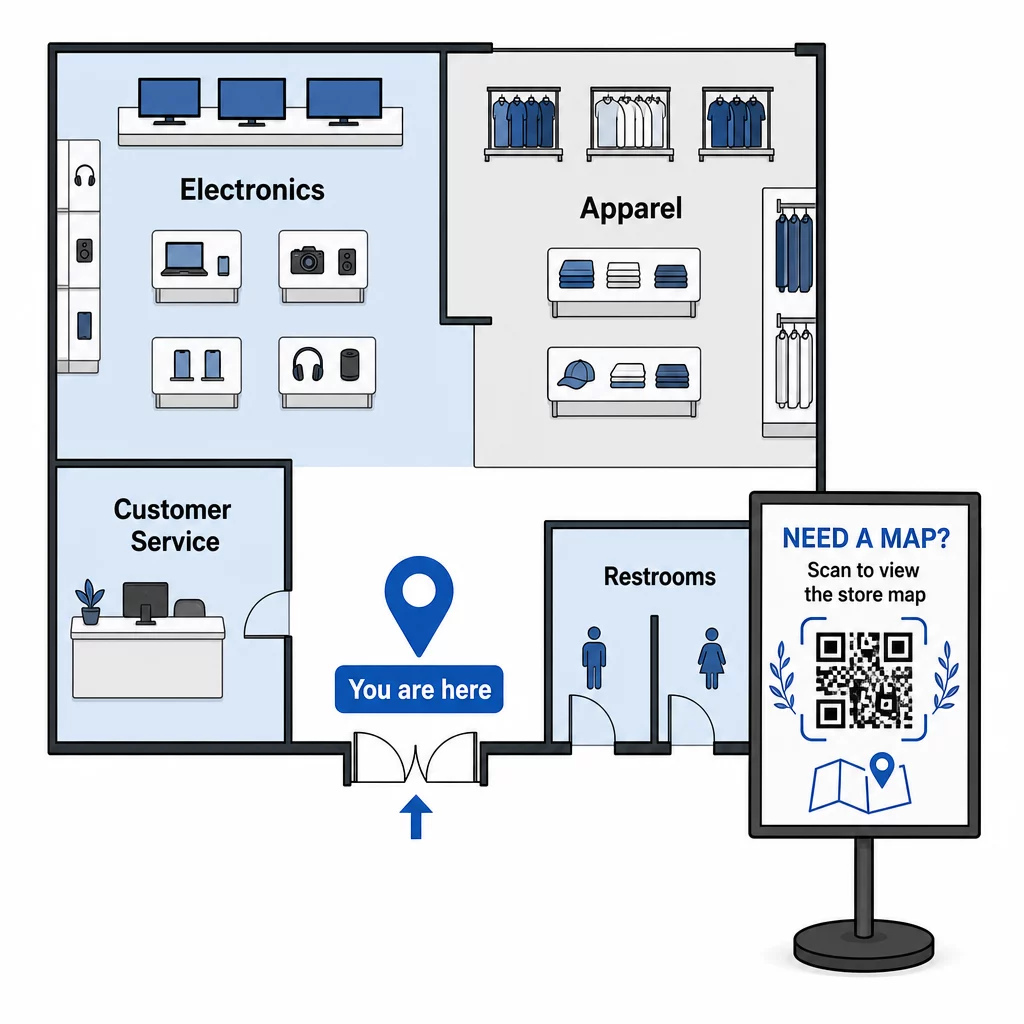
Cuando tu diseño cambie para una reconfiguración estacional, actualiza el PDF en tu panel de control. Los códigos QR impresos seguirán funcionando.
Guiar a los Clientes a la Entrada de tu Tienda o al Estacionamiento
Para propiedades minoristas más grandes, centros comerciales o tiendas con múltiples entradas, un Código QR de Google Maps puede incrustarse en las comunicaciones previas a la visita – confirmaciones por correo electrónico, recibos o tu sitio web – para que los clientes lleguen sabiendo exactamente a dónde ir. Coloca el mismo código en la señalización exterior para ayudar a los clientes que estacionaron en un área desconocida a encontrar la entrada correcta.
Para tiendas que comparten un complejo o campus con otros minoristas, este enfoque también funciona para dirigir a los compradores a un edificio o lote específico. Aprende más sobre cómo los códigos QR apoyan direcciones y compartir ubicación a través de diferentes servicios de mapas.
Dirigir a los Compradores a Promociones
Durante una venta o evento estacional, coloca códigos QR en la entrada de la tienda y en la señalización relevante que enlace directamente a una página de destino de promociones. Pageloot's generador de códigos QR para cupones le permite crear una página dedicada para las ofertas actuales, que los compradores pueden abrir al instante y presentar en la caja.
Debido a que utiliza códigos dinámicos, puede cambiar la página de promoción al final de una venta sin reemplazar ninguna señalización en la tienda.
Navegación a Nivel de Producto en el Estante
Coloque pequeños códigos QR en las etiquetas del borde del estante junto a los productos clave. Enlázalos a una página que incluya:
- Especificaciones del producto o tablas comparativas
- Información de inventario (en stock, disponibilidad limitada)
- Productos relacionados o accesorios
- Videos instructivos o guías de configuración
Este enfoque es particularmente efectivo para compras de alta consideración –electrónica, electrodomésticos o herramientas especializadas– donde los compradores desean más información de la que una etiqueta de precio puede proporcionar. Los minoristas pueden usar códigos QR de enlace para apuntar directamente a cualquier página de producto o página de destino personalizada.
Mantenga su Contenido de Navegación Actualizado Los diseños de las tiendas, las promociones y las líneas de productos cambian constantemente. Use Los códigos QR dinámicos de Pageloot para actualizar sus páginas de destino en cualquier momento sin reimprimir su señalización en la tienda.
Seguimiento de Qué Códigos de Navegación Están Funcionando
Una de las ventajas más subutilizadas de la navegación basada en QR son los datos que genera. Cada escaneo es una señal: un cliente necesitaba ayuda para encontrar algo en esa ubicación, en ese momento.
Con códigos QR dinámicos y análisis integrados, puede rastrear:
- ¿Qué ubicaciones generan la mayor cantidad de escaneos? – Un alto volumen de escaneos cerca de un departamento en particular podría indicar una señalización física deficiente en esa área.
- Cuando los compradores están navegando – Los momentos de mayor escaneo te indican cuándo los clientes están más activos y más necesitados de orientación.
- ¿Qué contenido obtiene la mayor interacción? – Si el mapa de tu tienda recibe diez veces más escaneos que tu código de promociones, sabes dónde tienen dificultades los compradores.
Estos datos te ayudan a refinar el diseño de tu tienda, mejorar la señalización y tomar mejores decisiones sobre dónde deben colocarse físicamente las promociones. Para los minoristas que gestionan múltiples ubicaciones, el mismo marco de análisis se aplica en todas las tiendas, lo que te permite comparar el rendimiento y estandarizar lo que funciona.
El Solución de códigos QR para minoristas de Pageloot está diseñada precisamente para este tipo de optimización continua, brindando a los gerentes de tienda un panel centralizado para gestionar y analizar cada código en sus tiendas.
Errores comunes que hay que evitar
- Imprimir códigos estáticos para contenido que cambia – Utiliza siempre códigos dinámicos para cualquier cosa que pueda necesitar actualización.
- Colocar códigos donde no hay señal – Prueba tus páginas enlazadas con datos móviles, no solo con el Wi-Fi de la tienda. Algunos compradores no estarán conectados a tu red.
- Faltar la llamada a la acción – Un código QR sin contexto es ignorado. Incluye siempre una breve línea de texto explicando lo que obtendrá el comprador: “Escanear para mapa de la tienda”, “Escanear para ofertas de hoy” o “Escanear para detalles del producto”.”
- Códigos demasiado pequeños para escanear desde una distancia natural – Utilice la regla de tamaño 10:1 y pruebe antes de imprimir a escala.
- Enlace a páginas no optimizadas para dispositivos móviles – Cada destino debe cargarse rápidamente y mostrarse claramente en la pantalla de un smartphone.
Primeros Pasos
La navegación basada en QR es una de las formas más rentables de mejorar la experiencia en la tienda. No necesita una aplicación personalizada, un gran presupuesto o una infraestructura compleja. Necesita códigos bien ubicados, contenido de destino claro y la capacidad de actualizar ambos a medida que su tienda evoluciona.
Comience con un punto de alta fricción en su tienda – la entrada, un departamento notoriamente difícil de encontrar o su área de promoción actual – y construya a partir de ahí. Utilice códigos dinámicos desde el principio para no tener que reimprimir materiales cada vez que algo cambie.
Explore las herramientas de códigos QR de Pageloot para el comercio minorista para crear su primer código de navegación, o explore la gama completa de soluciones QR específicas de la industria para ver cómo otras empresas están utilizando la misma tecnología.
Preguntas Frecuentes
Un código QR de PDF funciona bien para los mapas de tiendas – puede diseñar un plano claro, subirlo como PDF y vincular el código a él. Utilice un código QR dinámico para poder actualizar el mapa cada vez que cambie su diseño sin reimprimir ninguna señalización. El generador de códigos QR de PDF de Pageloot maneja tanto la carga como la actualización dinámica en un solo lugar.
Coloque los códigos de navegación en los puntos donde los clientes tienen más probabilidades de necesitar orientación: la entrada de la tienda (para un mapa general), intersecciones de pasillos principales (para direcciones de departamentos) y directamente junto a productos o exhibiciones promocionales (para contenido específico del artículo). Los códigos deben estar a la altura de los ojos, en áreas bien iluminadas y en superficies planas y mates para un escaneo fiable. Consulte nuestra guía completa sobre las mejores ubicaciones de códigos QR para tiendas minoristas para obtener recomendaciones de ubicación por zona de la tienda.
Utilice códigos QR dinámicos en lugar de estáticos. Un código dinámico contiene una URL de redirección corta que usted controla desde un panel de control. Cuando el diseño de su tienda cambia o una promoción termina, usted actualiza el destino en su cuenta y los códigos impresos existentes apuntan automáticamente al nuevo contenido. El generador de códigos QR de Pageloot crea códigos dinámicos con acceso completo a edición y análisis.