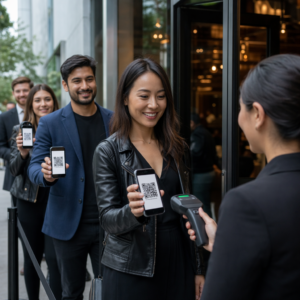

Kas paberkandjal vastuvõtuvormid, viivitatud sisseregistreerimised ja puuduvad patsientide arvustused tekitavad teie hambaravipraksises kitsaskohti? Käsitsi paberimajanduse töötlemine raiskab personali aega, suurendab ooteaja viivitusi ja tekitab saabuvatele patsientidele pettumust. Skaneeritavate QR-koodide integreerimine teie kontorisse ühtlustab igapäevast suhtlust, kiirendab digitaalset vastuvõttu ja loob teie veebipõhise maine.
Moderniseerige patsientide vastuvõtu ja digitaalse sisseregistreerimise töövooge
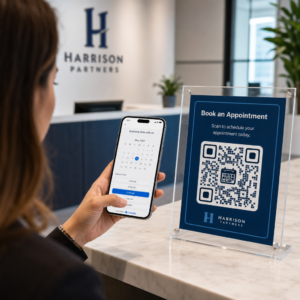
Paberkandjal registreerimispaketid nõuavad andmete käsitsi sisestamist, tekitavad füüsilist segadust ja pikendavad vastuvõtulaudades ooteaegu. Skaneeritavate vastuvõtukoodide kuvamine teie vastuvõtualal võimaldab patsientidel oma nutitelefonides meditsiinilise ajaloo uuendusi, nõusolekuavaldusi ja registreerimisandmeid täita enne raviruumi sisenemist.
Kasutades Google vorm: QR-koodi generaator või registreerimisdokumentide teisendamine PDF QR-koodi generaator võimaldab teie meeskonnal pabervormid digitaalseteks sisestuspunktideks teisendada. Patsiendid skaneerivad koodi letisildil, täidavad nõutud väljad ja esitavad oma vastused otse teie digitaalsete andmete süsteemi.
Digitaalsete vastuvõtuvormide juurutamisel peate järgima rangeid andmeturbe tavasid:
- Vältige terviseandmete kodeerimist: Ärge kunagi salvestage kaitstud terviseinfot (PHI) – näiteks patsientide nimesid, meditsiinilisi ajalugusid või kontaktandmeid – otse staatilisse QR-koodi mustrisse.
- Kasutage krüpteeritud sihtkohti: Veenduge, et kõik lingitud veebilehed kasutaksid turvalisi HTTPS-protokolle andmete kaitsmiseks edastamise ajal.
- Kontrollige platvormi vastavust: Majutage vastuvõtuvorme turvalistes süsteemides, mis hoiavad krüpteeritud andmebaase ja pakuvad allkirjastatud äripartneri lepinguid (BAA-sid).
- Nõua autentimist: Veenduge, et juurdepääs olemasolevatele patsiendiportaalidele või tundlikele dokumentidele nõuab turvalisi kasutaja sisselogimismandaate.
Uuendage oma hambaravipraksise töövooge juba täna Ühtlustage patsientide sisseregistreerimist ja vähendage vastuvõtulaua paberimajandust, kasutades kohandatavaid digitaalseid tööriistu. Alustage jälgitavate töövoogude loomist QR-koodi generaator täna.
Koguge autentseid Google'i arvustusi kassas
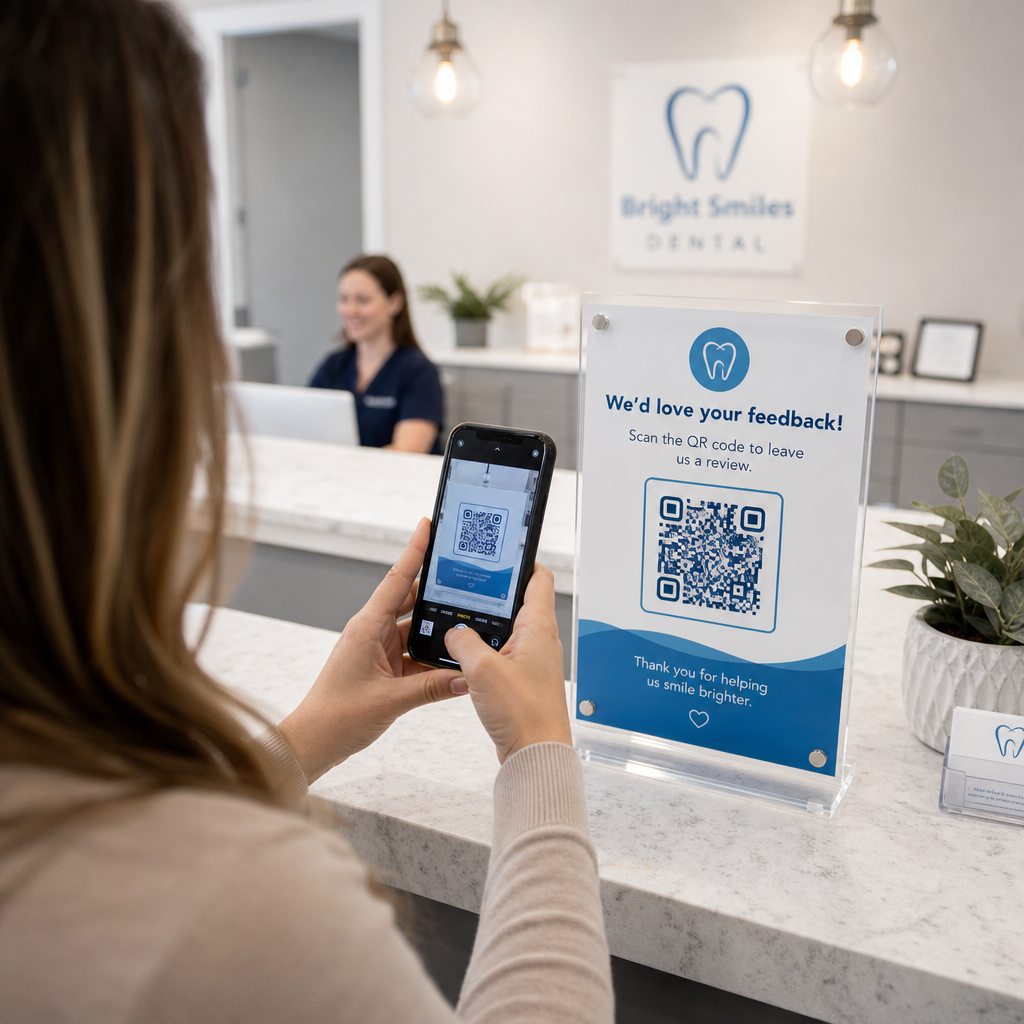
Positiivsed veebiarvustused loovad usaldust potentsiaalsete patsientidega ja parandavad teie kohalikku otsingurankingut. Kuid patsientidelt palumine pärast vastuvõttu teie praktikale veebis käsitsi otsida toob sageli kaasa madalad vastamismäärad. Spetsiaalse arvustussildi paigutamine vastuvõtulauale või hooldusjärgsetele kokkuvõttelehtedele annab rahulolevatele patsientidele kohese ja ühe skaneerimise teekonna tagasiside andmiseks.
Kasutades spetsialiseeritud Google Review QR-koodi generaator suunab patsientide mobiilseadmed otse teie praktika Google Businessi arvustuse esitamise lehele. Skaneeritavate koodide lisamine teie laiemasse strateegiasse kliendi tagasiside QR-koodid loob automatiseeritud süsteemi veebinähtavuse suurendamiseks.
Et kaitsta oma ettevõtte profiili otsingumootorite karistuste eest, järgige rangelt platvormi juhiseid:
- Vältige arvustuste väravate süsteemi: Pakkuge igale patsiendile võrdset juurdepääsu tagasiside andmiseks, selle asemel et sõeluda positiivseid kogemusi.
- Keelake arvustuse soodustused: Ärge kunagi pakkuge allahindlusi, kinkekaarte, tasuta suuhügieenitooteid ega loterii piletit arvustuse kirjutamise eest.
- Koguge arvustusi isiklikes seadmetes: Julgustage patsiente skaneerima silti oma mobiiltelefonidega, selle asemel et koguda arvustusi kontori omandis oleval kioskilt või tahvelarvutilt.
Parandage hooldusjärgset suhtlust ja patsiendiinfot
Selged ravi järgsed juhised vähendavad erakorralisi järelkõnesid ja tagavad korraliku taastumise pärast kirurgilisi või taastavaid protseduure. Trükitud operatsioonijärgsed hoolduslehed kaotavad patsiendid sageli ära. Skaneeritavate linkide lisamine digitaalsetele juhenditele, videoõpetustele või allalaaditavatele dokumentidele hoiab kriitilised taastumisetapid patsiendi mobiilseadmetes kättesaadavana.
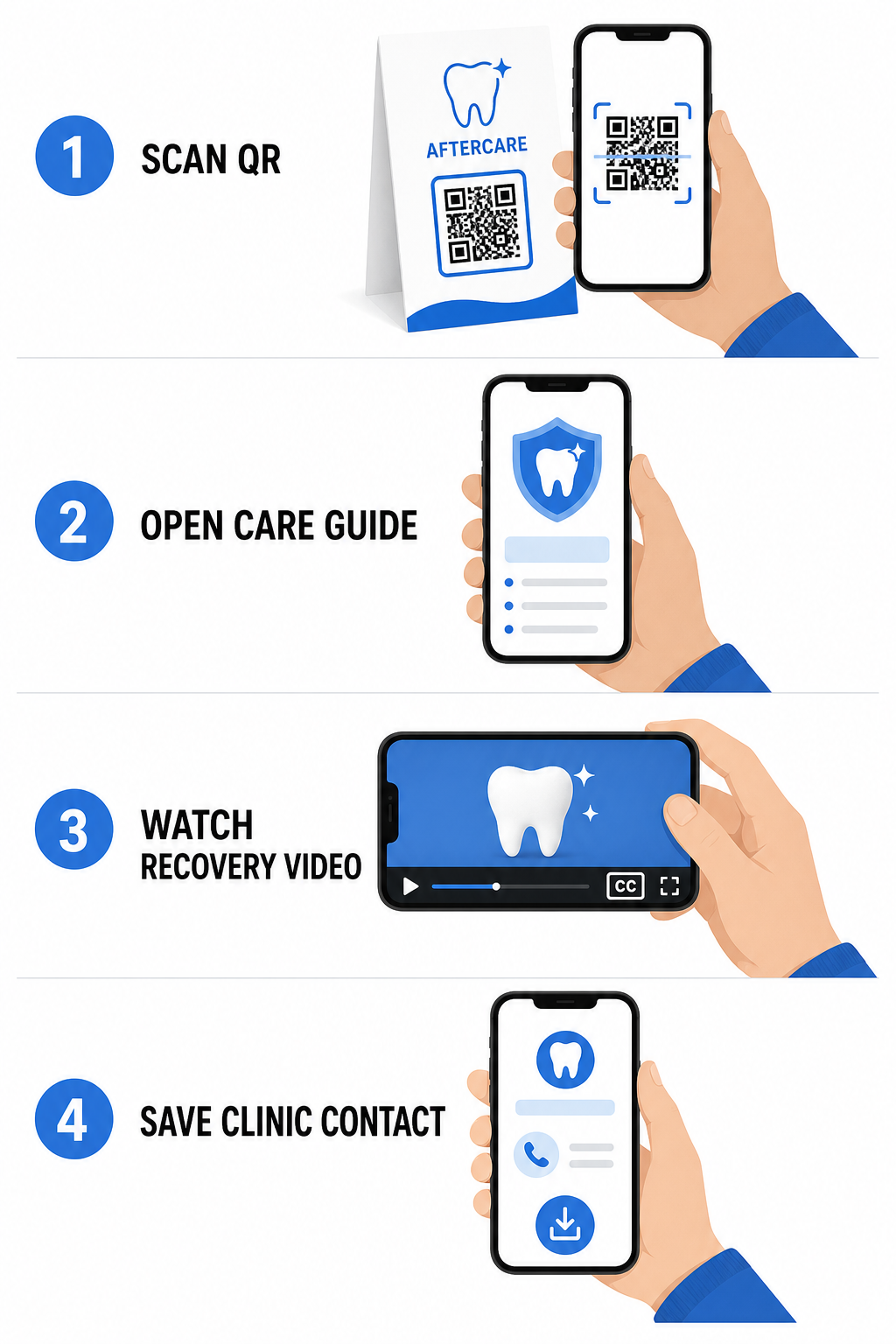
Kasutades selleks loodud tööriistu haigla ja tervishoiu QR-koodid, saab teie praktika pakkuda kohest juurdepääsu haridusressurssidele, hooldusjuhistele ja kliiniku kontaktidele:
- Pakkuge operatsioonijärgseid juhendlehti: Linkige vastuvõtu kokkuvõtted allalaaditavate hooldusjuhenditega, mis on loodud läbi PDF QR-koodi generaator.
- Jagage harivaid videoklippe: Juhendage patsiente õppevideote juurde, mis demonstreerivad õiget hammaste harjamist, hambaniidi kasutamist breketitega või läbipaistvate klambrite hooldust.
- Anna vastuvõtus Wi-Fi ligipääs: Kuvage ooteruumi laudadel Wi-Fi kood, et patsiendid saaksid turvaliselt külaliste internetti ühenduda ilma keerulisi paroole sisestamata.
- Jaga digitaalseid visiitkaarte: Lisage kontaktkoodid vastuvõtu meeldetuletuskaartidele, et patsiendid saaksid salvestada teie kontori telefoninumbri ja e-posti otse oma mobiilikontaktidesse.
Dünaamilised turundus- ja praktikabrändingu strateegiad
Hambaravipraktikate turunduskampaaniad nõuavad paindlikkust, selget visuaalset identifitseerimist ja mõõdetavat tulemuslikkuse jälgimist. Skaneeritavate koodide kohandamine aitab säilitada praktika brändingut trükitud postituste, kogukonna flaierite ja kohalike reklaamide puhul.
Kasutades QR-koodi generaator logoga võimaldab teil manustada oma hambaravikliiniku logo koodi keskele, tugevdades brändi äratundmist, säilitades samal ajal skaneeritavuse. Kombineerige kohandatud visuaalne bränding oma laiemate strateegiatega väikeettevõtte QR-koodid patsientide hankimiseks füüsilistes kontaktpunktides.
Printturundustehnoloogiat valides mõistke funktsionaalseid erinevusi staatiliste ja dünaamiliste QR-koodide vahel:
| FUNKTSIOON | Staatilised QR-koodid | Dünaamilised QR-koodid |
|---|---|---|
| Redigeeritav sisu | Fikseeritud; ei saa pärast printimist muuta | Täielikult muudetav lingisihtkoht igal ajal |
| Skaneerimise jälgimine | Skannimise jälgimine ega analüüs pole saadaval | Jälgib skannimissagedust, asukohti ja aega |
| Andmemuster | Tihedad mustrid pikemate veebiaadresside jaoks | Puhtad, lihtsad mustrid lühikeste ümbersuunamis-URL-ide abil |
| Peamine hambaravi kasutus | Fikseeritud Wi-Fi sisselogimisparoolid, standardne kontaktinfo | Kampaaniapleedid, hooajalised pakkumised, trükireklaamide jälgimine |
Dünaamilised koodid on printreklaami jaoks hädavajalikud, sest saate kampaaniaid ümber suunata – näiteks hambavalgenduse reklaami muutmine läbipaistvate klambrite kampaaniaks – ilma füüsilisi materjale uuesti printimata.
Jälgige oma hambaravi turunduskampaaniaid reaalajas Uuendage lingisihtkohti pärast printimist ja jälgige patsientide koguskaneeringuid dünaamilise tehnoloogia abil. Looge oma bränditud kampaaniamaterjalid QR-koodi generaator logoga.
Olulised reeglid vastavuse, ligipääsetavuse ja skaneeritavuse jaoks
Nõuetekohane disain, paigutus ja vastavus tagavad, et teie skaneeritavad materjalid pakuvad igale patsiendile sujuvat ja ligipääsetavat kogemust.
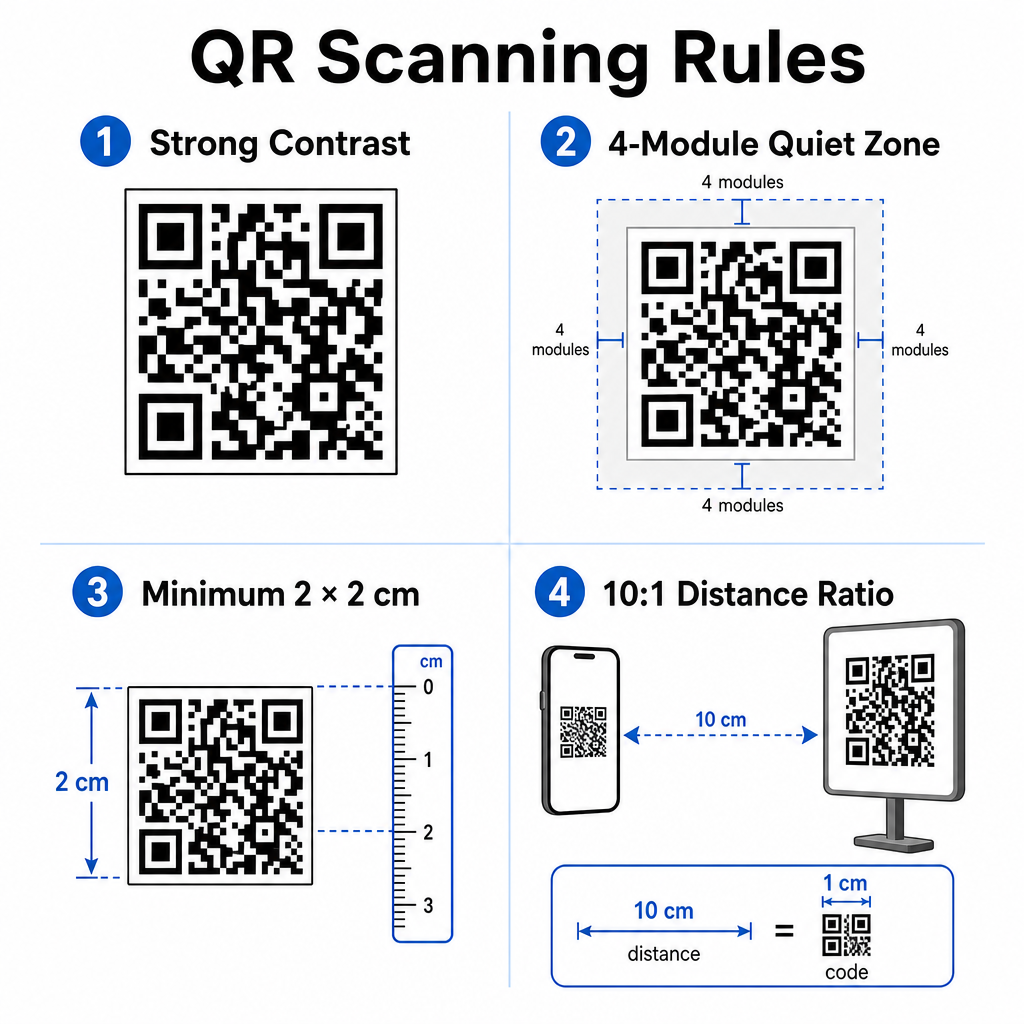
Järgige neid kehtestatud visuaalse skaneeritavuse ja füüsilise paigutuse juhiseid:
- Säilitage kontrastsus: Printige tumedad QR-moodulid heledale, ühtlasele taustale. Tume-heledal disain pakub kõige usaldusväärsemat skaneerimist.
- Pakkuge vaikne ala: Jätke koodimustri kõikide nelja külje ümber vähemalt 4 mooduli laiune trükkimata ruumi selge äär.
- Järgige minimaalset suurust: Printige lähedalt skaneeritavaid koode (nagu letiekraanid või visiitkaardid) minimaalse suurusega 2 x 2 cm (0,8 x 0,8 tolli).
- Rakendage kaugusereeglit: Järgige 10:1 skaneerimissuhet. Iga 10 cm kauguse kohta kasutaja kaamera ja märgi vahel suurendage koodi laiust 1 cm võrra.
- Tagage strateegiline paigutus: Paigutage ooteruumi sildid silmade kõrgusele lamedatele, peegeldusvabadele, mittepeegeldavatele pindadele, järgides nõuetekohaseid QR-koodi paigutuse juhiseid.
Digitaalsete ligipääsetavuse standardite (ADA regulatsioonid) järgimiseks veenduge, et teie QR-puutepunktid sobivad kõikidele patsientidele:
- Pakkuge tekstialternatiive: Printige alati koodi kõrvale lühike URL või lihtteksti alternatiiv patsientidele, kes ei saa skannida.
- Optimeerige digitaalse vormi ligipääsetavust: Veenduge, et sihtkoha vastuvõtuvormidel oleksid selged vormiväljade sildid, ekraanilugeja ühilduvus, nähtavad fookuse olekud ja klaviatuurisõbralik navigeerimine.
- Lisage video subtiitrid: Lisage suletud subtiitrid ja transkriptsioonid kõikidele videojuhendite linkidele, millele pääseb ligi skaneerimispunktide kaudu.
Üksikasjalike juhiste saamiseks vaadake turvaline terviseandmete jagamine et tagada teie digitaalsete kommunikatsioonikanalite vastavus privaatsusstandarditele.
Skannitavate koodide integreerimine kogu teie hambaravipraksises vähendab manuaalset vastuvõtulaaua haldamist, kiirendab patsientide sisseregistreerimist, suurendab autentseid veebiarvustusi ja hoiab järelhoolduse juhised hõlpsasti ligipääsetavatena. Valides dünaamilised lingid, säilitades ADA ligipääsetavuse standardid ja tagades patsientide andmevahetuse turvalisuse, loote kaasaegse ja tõhusa ravikeskkonna. Alustage oma kohandatavate, turvaliste kontorikontaktpunktide loomist Pageloot QR-koodi generaator täna.
Korduma kippuvad küsimused
Jah, eeldusel, et ühtegi kaitstud terviseinfot (PHI) ei ole otse QR-koodi graafikasse endasse manustatud. Kood peab suunama kasutajad turvalisele HTTPS-veebilehele, mida hostitakse HIPAA-ga ühilduval platvormil, mis kasutab andmete krüpteerimist, kasutaja autentimist ja allkirjastatud äripartneri lepinguid (BAA-d).
Ei. Google keelab selgesõnaliselt maksete, allahindluste, kinkekaartide või tasuta teenuste pakkumise klientide arvustuste eest. Peate vältima ka arvustuste piiramist, tagades kõikidele patsientidele vaba juurdepääsu erapooletu tagasiside andmiseks.
Lähivaatluseks vastuvõtulaudadel või ravikandikutel printige koodid minimaalse suurusega 2 x 2 cm (0.8 x 0.8 tolli). Kaugemalt skannitavate siltide puhul suurendage suurust vastavalt 10:1 kauguse ja suuruse suhtele.