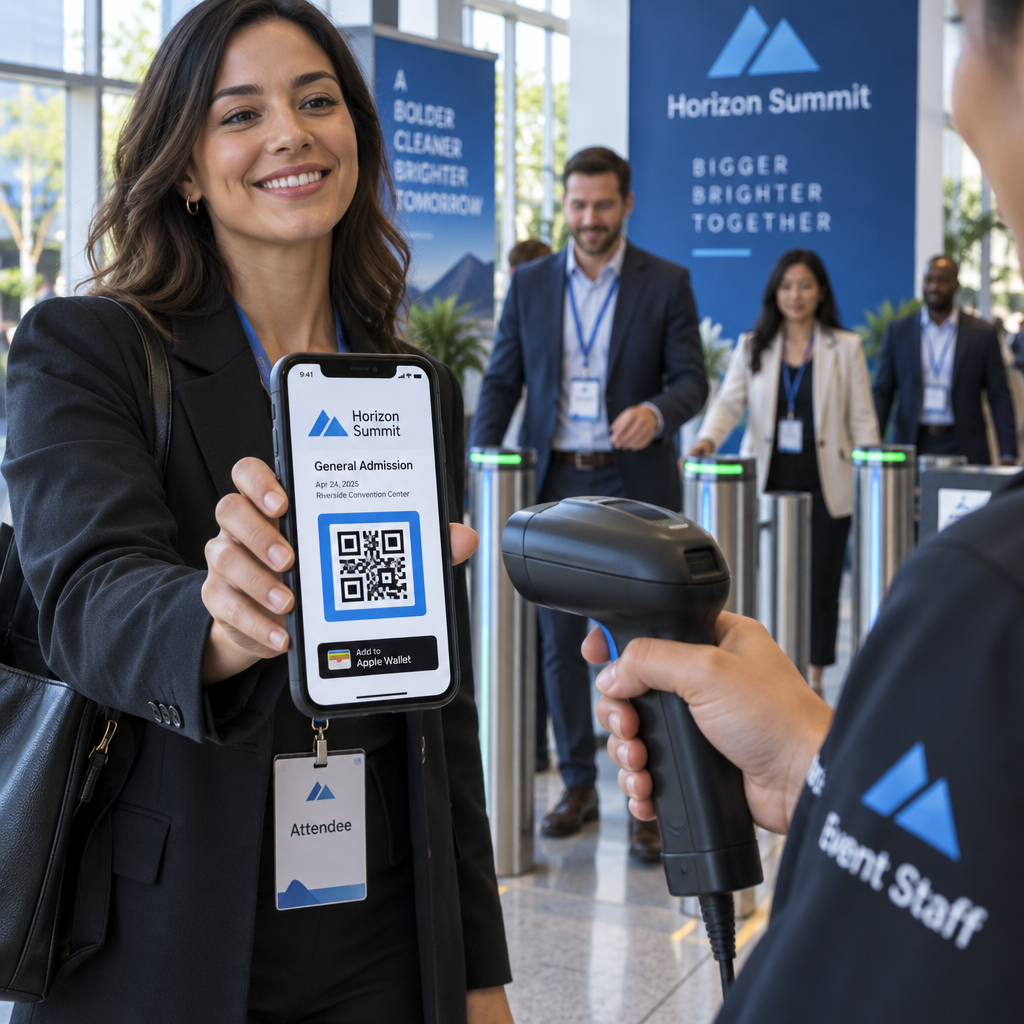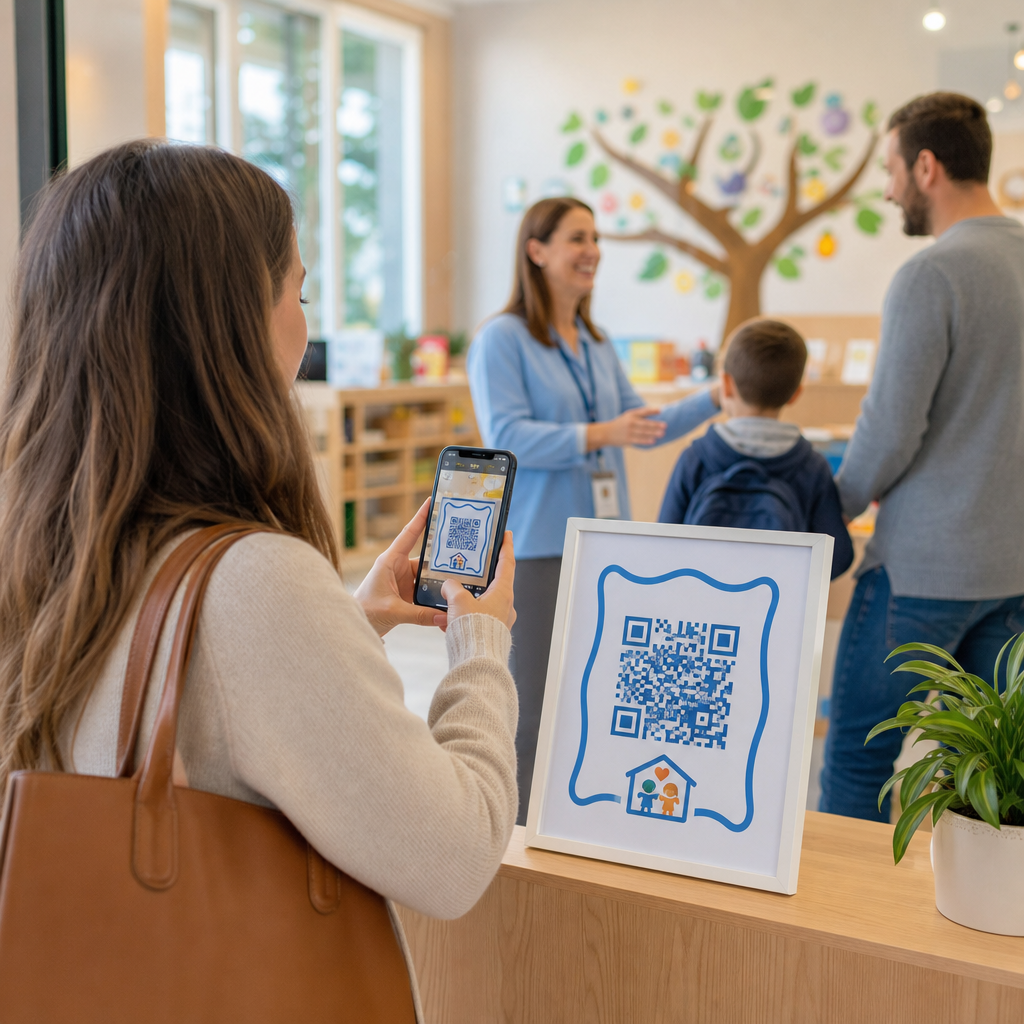

Các hàng đợi trả khách dài và bảng điểm danh thủ công có làm chậm hoạt động chăm sóc trẻ của bạn vào mỗi buổi sáng không? Hồ sơ giấy tạo ra các điểm tắc nghẽn lối vào, có nguy cơ thất lạc hồ sơ và làm phức tạp các cuộc kiểm tra cấp phép bắt buộc. Việc triển khai mã QR cho phép phụ huynh đăng nhập đến trong vài giây trên điện thoại thông minh của họ, đồng thời tự động cập nhật hồ sơ điểm danh kỹ thuật số.
Tinh giản việc điểm danh và theo dõi chuyên cần hàng ngày của phụ huynh
Chuyển sang điểm danh kỹ thuật số loại bỏ các hồ sơ giấy vật lý và giảm sự chậm trễ trong việc điểm danh buổi sáng. Phụ huynh có thể sử dụng thiết bị di động của riêng họ để quét mã hiển thị, điền vào biểu mẫu điểm danh ngắn gọn và tiến vào lớp học của con mình mà không cần chạm vào bút hoặc bảng kẹp dùng chung.
Thiết lập một hệ thống theo dõi chuyên cần kỹ thuật số bao gồm một quy trình làm việc ba bước đơn giản:
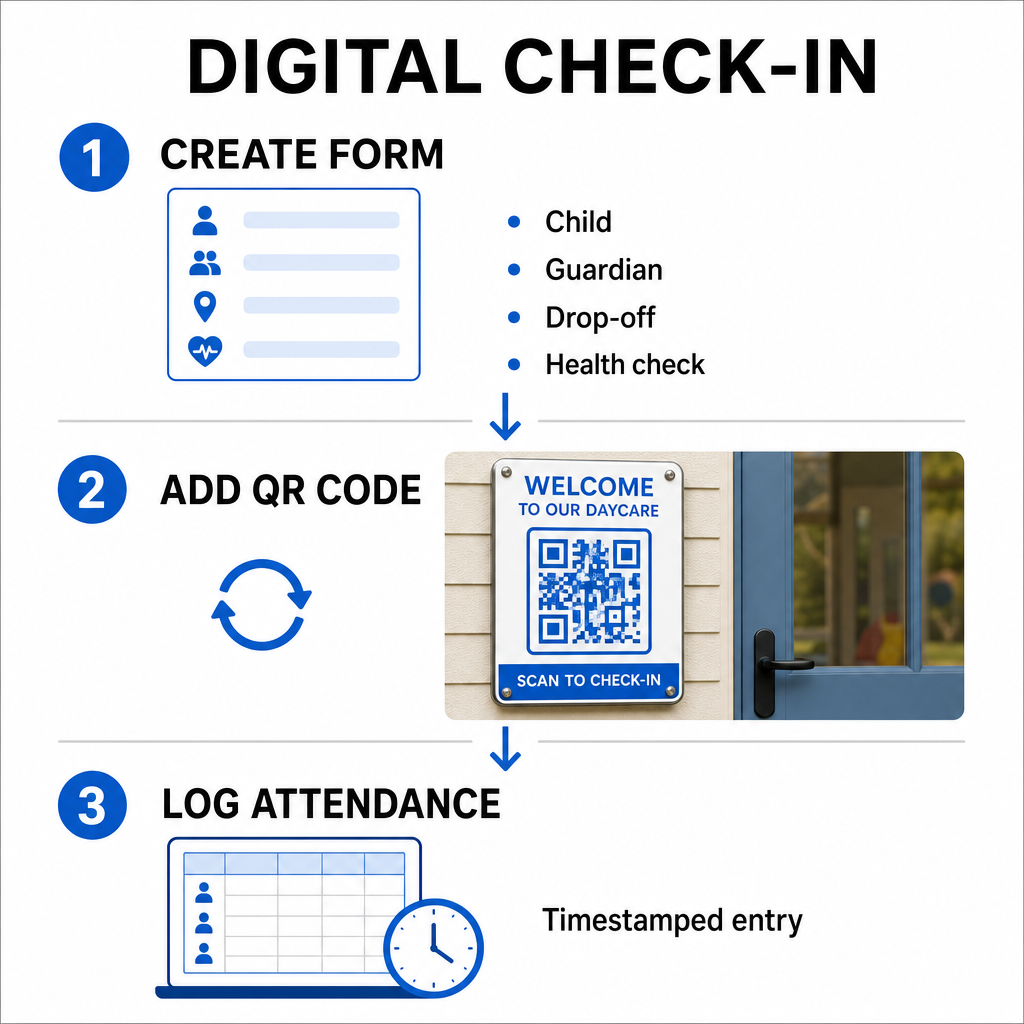
- Tạo biểu mẫu điểm danh của bạn: Xây dựng một biểu mẫu điểm danh trực tuyến bằng các công cụ như Google Forms hoặc Typeform. Bao gồm các trường cho tên của trẻ, tên của cha hoặc mẹ hoặc người giám hộ, thời gian trả khách và các câu hỏi sàng lọc sức khỏe hàng ngày.
- Tạo một mã QR động: Liên kết URL biểu mẫu của bạn bằng một Tạo mã QR điểm danh hoặc một Tạo mã QR cho Google Form. Việc chọn mã QR động cho phép bạn cập nhật các liên kết đích hoặc sửa đổi biểu mẫu trong tương lai mà không cần in lại các áp phích vật lý.
- Tự động hóa việc thu thập hồ sơ: Cấu hình biểu mẫu trực tuyến của bạn để tự động ghi lại các mục nhập vào một bảng tính tập trung, chẳng hạn như Google Sheets. Mỗi lần quét sẽ tạo một mục nhập có dấu thời gian mà nhân viên có thể xem xét trong thời gian thực.
Để xác minh việc đón trẻ hành chính, trung tâm của bạn cũng có thể cấp các huy hiệu QR riêng cho những người được phép đón. Nhân viên có thể sử dụng một trang web Quét mã QR trên máy tính bảng hoặc điện thoại thông minh để quét huy hiệu của phụ huynh, đảm bảo xác minh danh tính nhanh chóng trong giờ cao điểm buổi chiều. Bạn cũng có thể khám phá các quy trình làm việc theo ngành dọc trên các giải pháp mã QR khác nhau trong ngành để xem các điểm tiếp xúc kỹ thuật số cải thiện hoạt động như thế nào.
Tự động hóa việc theo dõi chuyên cần của trẻ Cần một cách nhanh hơn, không tiếp xúc để ghi lại lượt đến của học sinh và sẵn sàng kiểm tra? Sử dụng Tạo mã QR điểm danh để tạo các điểm kiểm tra có thể theo dõi cho trung tâm của bạn ngay hôm nay.
Đáp ứng các quy định về chuyên cần của tiểu bang và liên bang
Các cơ sở chăm sóc trẻ em phải tuân thủ các tiêu chuẩn ghi chép nghiêm ngặt để duy trì giấy phép và giữ nguồn tài trợ liên bang. Các bảng điểm danh bằng giấy dễ bị thiếu chữ ký, chữ viết tay khó đọc và sổ ghi chép bị thất lạc. Các quy trình làm việc điểm danh kỹ thuật số giải quyết các vấn đề này bằng cách tạo ra các dấu vết kiểm tra kỹ thuật số tức thời, không thể thay đổi.
Các hệ thống QR kỹ thuật số hỗ trợ nhiều khuôn khổ tuân thủ chính:
- Quỹ Chăm sóc và Phát triển Trẻ em (CCDF): Các quy tắc tài trợ CCDF của liên bang yêu cầu các nhà cung cấp dịch vụ chăm sóc trẻ em phải duy trì hồ sơ chuyên cần chi tiết, được ghi lại trong ít nhất ba năm để đủ điều kiện nhận hoàn trả trợ cấp.
- Chương trình Thực phẩm Chăm sóc Trẻ em và Người lớn (CACFP): Theo các quy định của liên bang (7 CFR 226.15(e)), các trung tâm tham gia CACFP phải duy trì hồ sơ chuyên cần hàng ngày chính xác riêng biệt với số lượng bữa ăn. Hồ sơ tự động đảm bảo các hồ sơ này chính xác cho các đánh giá tài chính.
- Các yêu cầu cấp phép của tiểu bang: Các tiểu bang như Texas, Washington và Florida yêu cầu các trung tâm chăm sóc trẻ em duy trì các hệ thống theo dõi hàng ngày ghi lại thời gian đến, thời gian rời đi và các mã định danh duy nhất hoặc chữ ký được ủy quyền. Dấu thời gian tự động đáp ứng các yêu cầu cấp phép của tiểu bang về theo dõi thời gian chính xác.
Hồ sơ kỹ thuật số cũng có thể được sao lưu vào máy chủ đám mây, giúp trung tâm của bạn duy trì khả năng liên tục kinh doanh mạnh mẽ và kế hoạch phục hồi sau thảm họa cho các hồ sơ hành chính quan trọng.
Tạo quy trình làm việc không tiếp xúc cho biểu mẫu và sổ tay
Ngoài việc điểm danh hàng ngày, mã QR còn tinh giản giao tiếp trong toàn bộ cơ sở của bạn bằng cách kết nối phụ huynh ngay lập tức với các tài liệu kỹ thuật số thiết yếu.
Bạn có thể sử dụng một Chuyển PDF sang QR để đăng mã có thể quét được trên cửa lớp học, quầy lễ tân hoặc bảng thông báo. Điều này cho phép phụ huynh mở và xem các tài liệu quan trọng trên điện thoại cá nhân của họ, chẳng hạn như:
- Sổ tay phụ huynh và chính sách trung tâm
- Thực đơn bữa ăn và đồ ăn nhẹ hàng tháng
- Biểu mẫu liên hệ khẩn cấp và giấy phép y tế
- Đăng ký hoạt động theo mùa và giấy phép
Ngoài ra, việc sử dụng một Trình tạo mã QR liên kết cho phép bạn chuyển hướng phụ huynh trực tiếp đến các cổng thanh toán học phí trực tuyến, cổng đăng ký hoặc biểu mẫu phản hồi của nhân viên. Bằng cách chuyển đổi giấy tờ vật lý thành các liên kết kỹ thuật số có thể truy cập được, trung tâm của bạn cắt giảm chi phí in ấn đồng thời giữ cho các gia đình được thông tin. Khám phá tất cả các tính năng nền tảng mã QR có sẵn để mở rộng chiến lược kỹ thuật số của cơ sở bạn.
Các phương pháp hay nhất để in và đặt mã QR chăm sóc trẻ em
Để duy trì tỷ lệ quét cao và tránh chậm trễ trong việc điểm danh, mã QR đã in của bạn phải tuân theo các tiêu chuẩn khả năng đọc đã được thiết lập. Ánh sáng yếu, bản in quá nhỏ hoặc bề mặt phản chiếu có thể cản trở cảm biến máy ảnh trong giờ cao điểm trả khách buổi sáng.
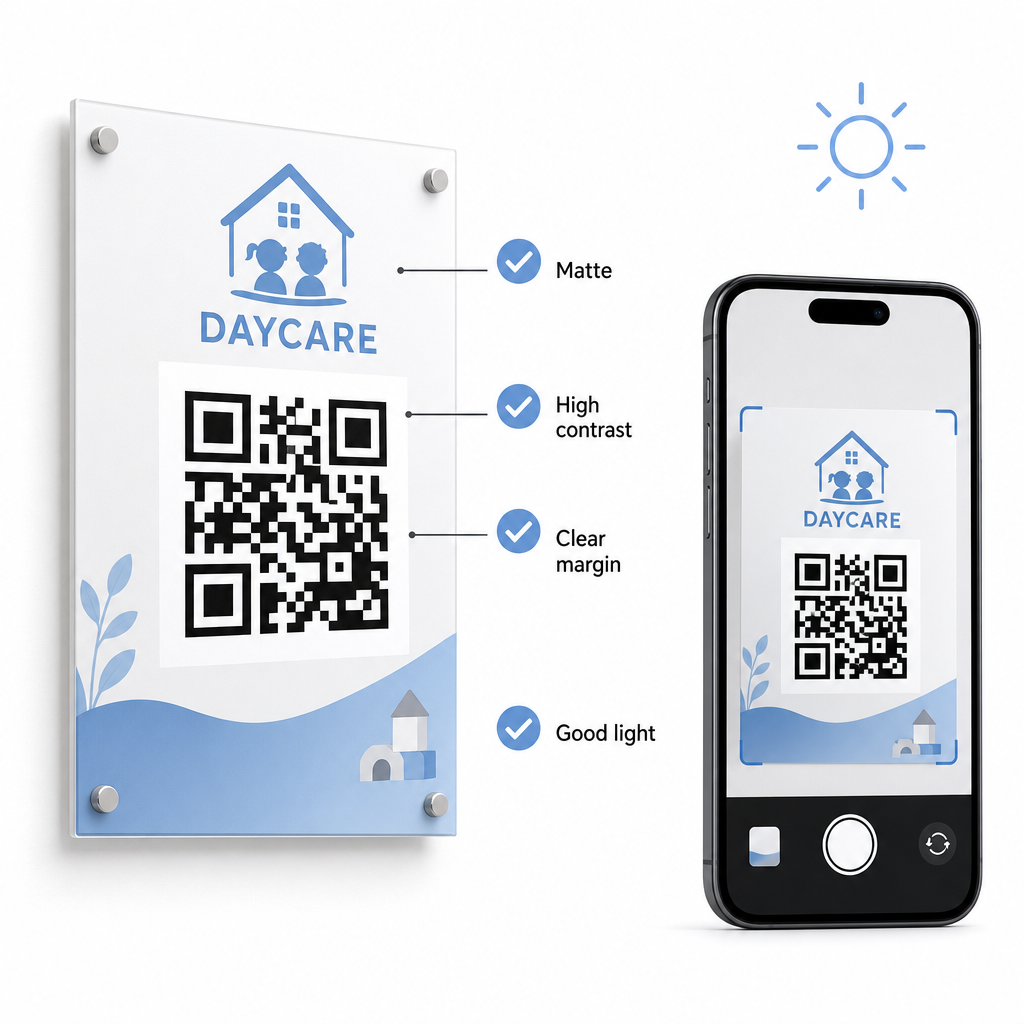
Thực hiện theo các hướng dẫn kỹ thuật này khi hiển thị mã trong cơ sở của bạn:
- Duy trì tỷ lệ kích thước phù hợp: Tuân theo tỷ lệ 10:1 giữa khoảng cách quét và chiều rộng mã, duy trì kích thước tối thiểu 2x2 cm cho việc quét ở cự ly gần.
- Đảm bảo độ tương phản màu cao: Sử dụng các mẫu tối trên nền sáng để đạt được tỷ lệ tương phản 21:1, đảm bảo tỷ lệ ít nhất 4,5:1 cho các bản in nhỏ hơn.
- Bảo toàn lề vùng yên tĩnh: Giữ một đường viền trắng rõ ràng xung quanh tất cả bốn cạnh của mã để ngăn văn bản hoặc hình ảnh ở gần gây nhiễu cho máy quét.
- Chọn vật liệu không phản chiếu: In biển báo trên giấy hoặc bảng mờ thay vì lớp phủ bóng hoặc kính để tránh ánh sáng phản chiếu.
- Xuất các định dạng tệp vector: Download print files in high-resolution vector formats like SVG or EPS so images remain sharp when scaled.
- Test in real-world conditions: Scan test prints across multiple mobile devices under various lighting conditions before installing permanent signage. Review our detailed guide on các phương pháp hay nhất để đọc mã QR for additional technical guidance.
Data Security, Privacy, and Parent Safety
Handling child and family information requires strict attention to data security. Childcare operations collecting personal details online must align with federal standards, including the Children’s Online Privacy Protection Act (COPPA) where child-directed digital services are involved, and maintain clear disclosures regarding how parent data is stored and managed.
Review these key security measures when deploying QR codes in your facility:
- Display clear privacy notices: Ensure that linked forms or landing pages include a direct link to your center’s privacy policy before collecting family data.
- Inspect physical signage regularly: Verify that unauthorized stickers or altered codes have not been placed over original sign-in boards, as physical tampering can redirect users to malicious sites.
- Secure administrative data access: Encrypt online check-in forms with HTTPS protocols and restrict administrative spreadsheet access to authorized personnel only.
By applying proper security practices and selecting reliable tools, you protect family privacy while optimizing daily center management. For a broader look at regulatory frameworks, consult our overview of Luật riêng tư mã QR và các quy định chính.
Modernizing your daycare check-in process reduces entryway congestion, improves data accuracy, and simplifies audit compliance. Replacing physical paper logs with dynamic QR codes gives parents a fast, hygienic drop-off experience while keeping administrative records organized in real time. Start designing your custom check-in workflow today by creating dynamic codes and custom forms tailored to your center’s daily operational needs.
Câu hỏi thường gặp
Mã QR động là lý tưởng cho việc check-in nhà trẻ vì chúng cho phép quản trị viên cập nhật các biểu mẫu được liên kết hoặc URL đích mà không cần in lại biển báo cửa vật lý.
Không, phụ huynh không cần một ứng dụng đặc biệt. Hầu hết các điện thoại thông minh hiện đại quét mã QR trực tiếp thông qua ứng dụng máy ảnh gốc của chúng.
Các chương trình trợ cấp liên bang như CCDF và CACFP yêu cầu các trung tâm phải lưu giữ tài liệu điểm danh trong ít nhất ba năm, mặc dù các quy định của tiểu bang hoặc các hợp đồng tài trợ cụ thể có thể yêu cầu thời gian lưu giữ lâu hơn.