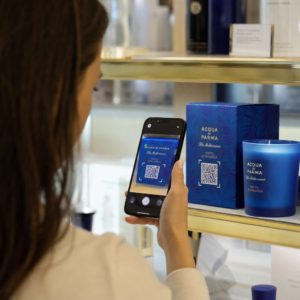
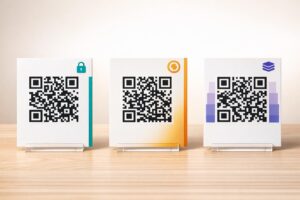
Får dina QR-koder ingen uppmärksamhet? De flesta företag placerar koder på tryckt material utan en tydlig strategi, och resultatet är få skanningar och ingen mätbar avkastning. Denna guide går igenom de praktiska stegen – från planering till spårning – som förvandlar en grundläggande QR-kod till en verklig marknadsföringstillgång.
Börja med ett Tydligt Mål och en Målgrupp
Att placera en QR-kod utan ett mål är det vanligaste misstaget marknadsförare gör. Innan du genererar något, definiera vad du vill att koden ska åstadkomma. Driver du trafik till en produktsida? Utökar du din e-postlista? Samlar du in Google-recensioner? Främjar du appnedladdningar?
Tänk samtidigt på din målgrupp. Fråga dig själv:
- Vet dina kunder redan hur man skannar QR-koder, eller behöver de korta instruktioner i närheten?
- Var kommer de att stöta på koden – ett restaurangbord, en mässmonter, en produktförpackning?
- Vad kommer att motivera dem att skanna i det specifika ögonblicket?
Incitament gör en betydande skillnad. QR-koder länkade till en rabatt, en gratis resurs, exklusivt innehåll eller en tävling ger människor en konkret anledning att agera. Utan det värdet ignoreras även en välplacerad kod. För en strukturerad utgångspunkt, den Checklista för QR-kodsmarknadsföring i småföretag täcker målsättning och kodval i detalj.
Välj Rätt Typ av QR-kod för Din Kampanj
Alla QR-koder fungerar inte på samma sätt. Statiska QR-koder kodar information direkt i mönstret. När de väl är utskrivna kan de inte ändras, och de ger inga spårningsdata. De fungerar bra för permanent innehåll som Wi-Fi-uppgifter eller fasta kontaktuppgifter.
Dynamiska QR-koder använder en kort omdirigerings-URL, vilket innebär att du kan uppdatera destinationen när som helst utan att skriva ut den fysiska koden igen. De samlar också in detaljerad analys – antal skanningar, tidsstämplar, enhetstyper och geografisk data. För alla marknadsföringskampanjer där du behöver flexibilitet eller mätning är dynamiska koder det rätta valet.
För att fullt ut förstå kompromisserna, den jämförelse av statiska vs dynamiska QR-koder förklarar när varje typ är meningsfull och vilka funktioner varje typ stöder.
Skapa och hantera dynamiska QR-koder på ett ställe Uppdatera destinationer utan att skriva ut igen, spåra skanningsprestanda och hantera varje kod från en enda kontrollpanel med Dynamisk QR-kodgenerator.
Designa för skanningsbarhet
En QR-kod som inte går att skanna skadar förtroendet på samma sätt som en trasig länk – besökare lämnar och återvänder inte. Designbeslut påverkar direkt om din kod fungerar tillförlitligt över olika enheter och ljusförhållanden.
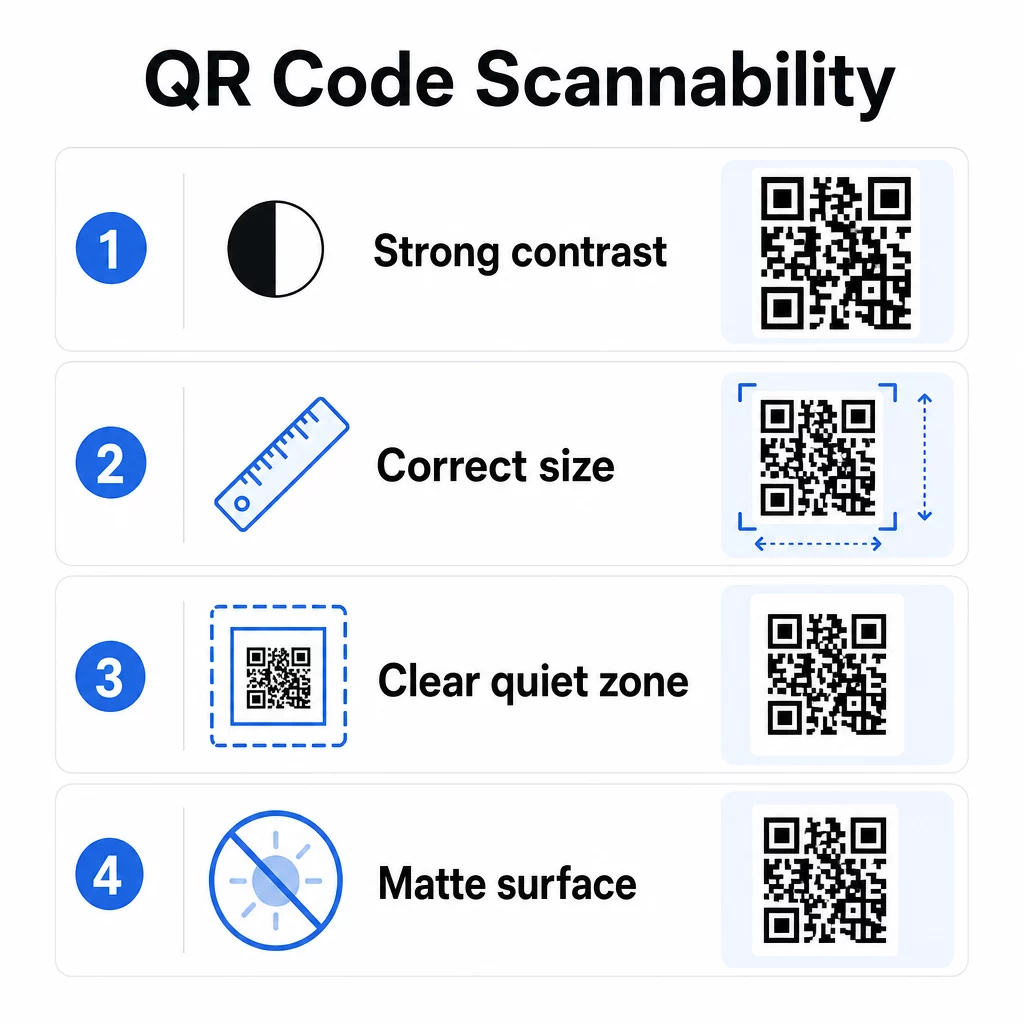
Kontrast är den enskilt viktigaste faktorn. Skannrar fungerar genom att skilja mörka moduler från en ljus bakgrund. Ett minsta kontrastförhållande på 4:1 krävs för standardläsbarhet, och högre kontrast rekommenderas för utomhusplaceringar eller miljöer med svagt ljus. Undvik inverterade färger, lågkontrastpar som ljusgrått på vitt och glansiga ytor som skapar bländning.
Storlek avgör om en kod kan läsas på det skanningsavstånd där människor faktiskt kommer att stöta på den. En praktisk riktlinje är förhållandet 10:1: kodens bredd i centimeter bör vara ungefär en tiondel av det förväntade skanningsavståndet i centimeter. För material på nära håll som visitkort är det absoluta minimum 2 × 2 cm (0,8 × 0,8 tum). För de flesta tryckta broschyrer är 3 × 3 cm (1,2 × 1,2 tum) en säkrare baslinje.
Andra designfaktorer att tänka på:
- Bibehåll en tydlig tyst zon – den vita ramen runt koden – så att skannrar kan isolera mönstret från omgivande designelement
- Använd matta ytor snarare än glansiga för att minska reflektioner
- Generera koder med hög upplösning för att förhindra pixelering vid utskrift
- Undvik att placera koder på böjda ytor som flaskor där distorsion stör skanningen
För en djupare titt på riktlinjer för färg och kontrast, se guide för att förbättra läsbarheten för QR-koder täcker de tekniska kraven i detalj.
Varumärk dina QR-koder
En enkel svartvit QR-kod är funktionell, men den förstärker inte din identitet eller sticker ut på en fullpackad sida. Anpassade koder – med varumärkesfärger, en logotyp i mitten och en stiliserad ram – drar till sig mer uppmärksamhet och kommunicerar professionalism.
När du lägger till en logotyp, håll den enkel och storleksanpassad så att den inte skymmer kodens skanningsområde. Om du inkluderar en logotyp, höj felkorrigeringsnivån till Q eller H för att kompensera för de täckta modulerna. Testa alltid den varumärkta koden på flera enheter innan du slutför den för tryck.
Att lägga till en uppmaningsram – text som “Skanna för menyn” eller “Få din rabatt” – överbryggar klyftan mellan nyfikenhet och handling genom att berätta för människor exakt vad de kommer att få. Ramar förbättrar konsekvent skanningsfrekvensen eftersom de eliminerar tvetydighet.
Utforska alternativ för QR-koder med logotyper och lär dig hur QR-kodramar kan användas för att öka engagemanget i olika sammanhang.
Placera koder där skanning är praktisk
Synlighet och sammanhang är lika viktigt som design. En QR-kod placerad där människor inte har tid, ingen uppkoppling eller ingen tydlig anledning att skanna kommer att underprestera oavsett hur väl den är designad.
Effektiv placering följer några konsekventa principer:
- Placera koder i ögonhöjd – vanligtvis mellan 3,5 och 5,5 fot från marken för affischer och skyltar
- Undvik röriga områden där koden konkurrerar med omgivande visuella element om uppmärksamheten
- Överväg om din publik kommer att ha en internetanslutning på den platsen (en tunnelbana med dålig signal är en dålig miljö för en kod som laddar en webbsida)
- Placera koder där människor har en stund att pausa – bordsställ, produktförpackningar, väntrum och evenemangsregistreringsdiskar fungerar alla bra
- Testa olika placeringar för samma kodinnehåll för att hitta vad som genererar flest skanningar
För tryckspecifika placeringar, se guide för placering av QR-koder i marknadsföring täcker bästa praxis efter materialtyp, från visitkort och flygblad till banderoller och digitala skärmar. Vägledningen om att använda QR-koder i tryckt media tar specifikt upp storlek och placering i fysiska reklamsammanhang.
Skicka skannrar till en mobiloptimerad destination
QR-koder skannas nästan uteslutande på smartphones. Att skicka någon till en sida som inte är optimerad för mobilen undergräver omedelbart upplevelsen och ökar avvisningsfrekvensen.
En bra mobil målsida för en QR-kampanj:
- Laddar snabbt, även på en mobilanslutning med begränsad bandbredd
- Visar innehåll som är läsbart utan att nypa eller zooma
- Fokuserar på en enda, tydlig åtgärd snarare än en rörig layout
- Länkar direkt till relevant innehåll – en specifik meny, produkt, erbjudande eller formulär – inte en generisk startsida
Om du använder dynamiska QR-koder kan du uppdatera destinations-URL:en utan att trycka om, vilket innebär att du kan åtgärda en dåligt presterande målsida eller byta in en säsongskampanj utan att utfärda nya koder.
Länka din QR-kod till valfri URL Dirigera skannrar till valfri webbsida, målsida eller kampanjdestination med Länk QR-kodgenerator.
Spåra prestanda och optimera
Ett av de starkaste argumenten för att använda QR-koder i marknadsföring är den data de genererar. Spårning av QR-kodskanningar ger dig insikt i när, var och hur ofta dina koder används – information som statiska reklamkanaler inte kan tillhandahålla.
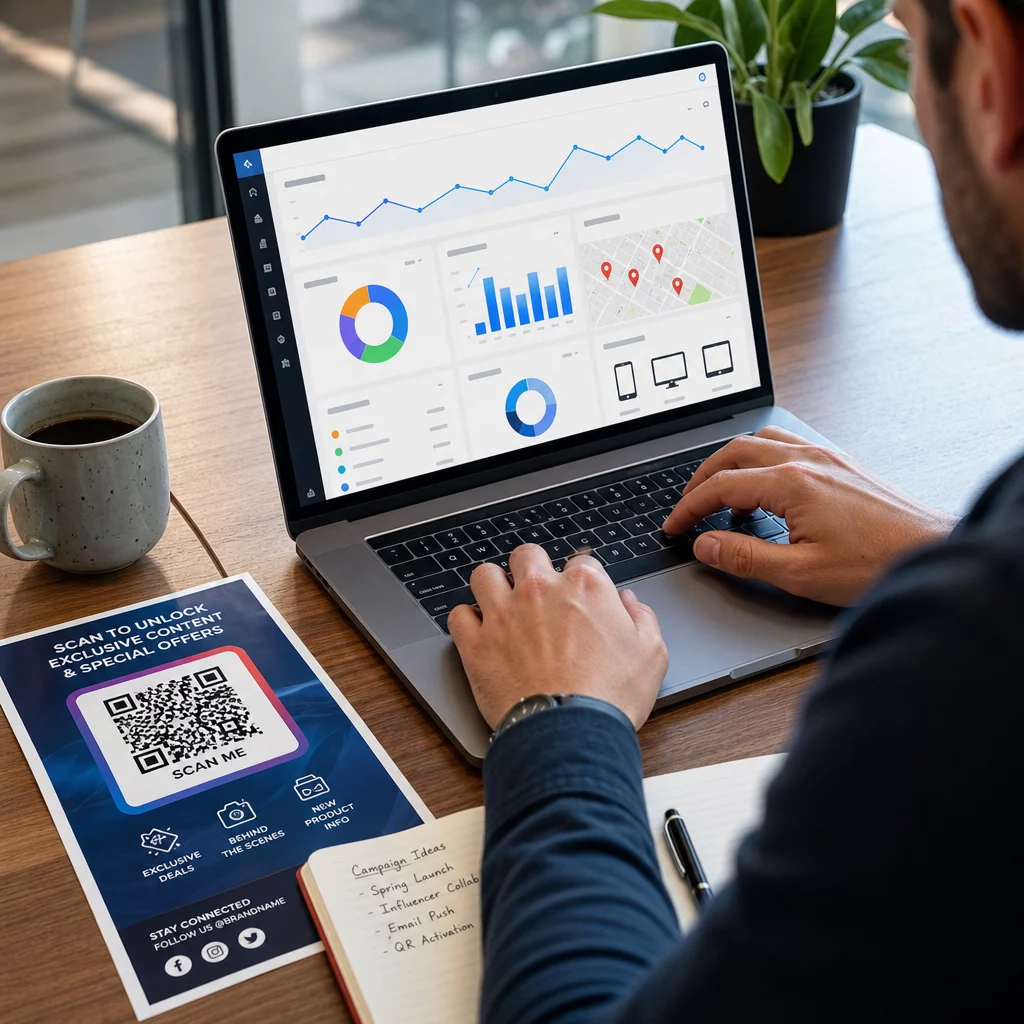
Dynamiska QR-koder fångar upp mätvärden inklusive:
- Totala skanningar och unika skanningar
- Skanningstidsstämplar (dag- och tidsmönster)
- Geografisk plats efter stad eller region
- Enhetstyp och operativsystem
Att lägga till UTM-parametrar till dina destinations-URL:er kopplar skanningsdata för QR-koder till ditt Google Analytics-konto, vilket låter dig mäta beteende efter skanning som besökta sidor, tid på webbplatsen och konverteringar. För en praktisk installationsguide, artikeln om UTM-parametrar för QR-koder går igenom namngivningskonventioner och GA4-rapportering.
Du kan också köra strukturerade A/B-tester genom att skapa variationer med olika CTA:er, designer eller placeringar och jämföra skannings- och konverteringsfrekvenser. Guiden om hur A/B-testning förbättrar QR-kodkonverteringar förklarar hur man ställer in och analyserar dessa tester systematiskt.
Se varje skanning i realtid Få tillgång till detaljerad analys inklusive skanningsplatser, enhetstyper och tidsmönster med Pageloots QR-kodspårningsverktyg.
Testa innan du distribuerar
Testning är icke förhandlingsbart. En kod som inte går att skanna efter att 10 000 flygblad har tryckts är ett kostsamt misstag som kunde ha upptäckts på fem minuter.
Innan någon kampanj går live:
- Skanna koden på flera enheter (både iOS och Android, inklusive äldre modeller)
- Testa i de ljusförhållanden där koden faktiskt kommer att visas
- Bekräfta att destinationen laddas korrekt och är fullt funktionell på mobilen
- Om du använder UTM-parametrar, verifiera att de visas korrekt i ditt analyskonto
Dynamiska QR-koder gör det lättare att åtgärda problem efter lansering eftersom du kan uppdatera destinationen utan att skriva ut igen. Dock måste kodens fysiska skanningsbarhet fortfarande testas före distribution.
Använd QR-koder inom din bransch
QR-koder används aktivt inom de flesta kundnära branscher. Restauranger använder dem för kontaktlösa menyer och beställningar. Återförsäljare länkar förpackningar till produktinformation, videohandledningar och kundrecensioner. Fastighetsproffs kopplar skyltar till virtuella rundturer och aktuella listningar. Evenemangsarrangörer använder dem för registrering, incheckning och scheman för sessioner.
De Pageloots nav för branschlösningar täcker användningsfall specifika för din sektor, och funktionsbiblioteket beskriver utbudet av tillgängliga QR-kodtyper – från PDF-leverans och vCard-delning till insamling av Google-recensioner och omdirigeringar till appbutiker.
Några specifika verktyg värda att känna till:
- QR-kodgenerator för PDF – dela menyer, kataloger, manualer och dokument utan krångel med hosting
- QR-kod för visitkort – ge kontakter omedelbar tillgång till dina uppgifter vid nätverksevenemang
- QR-kodgenerator för Google-recensioner – minska friktionen i recensionsprocessen och samla in mer kundfeedback
Vanliga frågor
En statisk QR-kod kodar information direkt i mönstret och kan inte ändras efter skapandet. Den ger inga spårningsdata. En dynamisk QR-kod använder en kort omdirigerings-URL, vilket innebär att du kan uppdatera destinationen när som helst utan att skriva ut koden igen, och den samlar in analyser som antal skanningar, platser och enhetstyper. För de flesta marknadsföringskampanjer är dynamiska koder det bättre valet eftersom de möjliggör kontinuerlig optimering och mätning.
Använd dynamiska QR-koder i kombination med UTM-parametrar för att spåra kampanjprestanda. Dynamiska koder samlar in skanningsdata – inklusive hur många gånger koden skannades, var, på vilka enheter och vid vilka tidpunkter. UTM-parametrar kopplar den datan till Google Analytics så att du kan mäta vad som händer efter skanningen, inklusive konverteringar och tid på sidan. Att jämföra dessa mätvärden över placeringar och tidsperioder hjälper dig att identifiera vad som fungerar och var du behöver justera.
Skicka alltid skannrar till en mobiloptimerad sida som är direkt relevant för sammanhanget där koden visas. Undvik att skicka folk till en generisk startsida. Om koden finns på ett restaurangbord, länka till menyn. Om den finns på en produktförpackning, länka till en installationsguide eller recensionssida. Destinationen ska laddas snabbt, visas korrekt på en telefonskärm och fokusera på en tydlig åtgärd. Djuplänkning till den mest relevanta sidan minskar friktion och förbättrar konverteringsgraden.