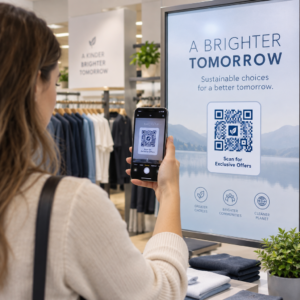
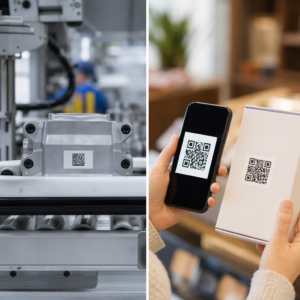
Kas teie QR-koodid jäävad tähelepanuta? Enamik ettevõtteid paigutab koode trükimaterjalidele ilma selge strateegiata ja tulemuseks on vähe skaneeringuid ning mõõdetava tulu puudumine. See juhend viib teid läbi praktiliste sammude – alates planeerimisest kuni jälgimiseni –, mis muudavad lihtsa QR-koodi tõeliseks turundusvaraks.
Alustage selge eesmärgi ja sihtrühmaga
QR-koodi paigutamine ilma eesmärgita on turundajate kõige levinum viga. Enne millegi genereerimist määratlege, mida soovite koodiga saavutada. Kas suunate liiklust tootelehele? Kasvatate oma meililisti? Kogute Google'i arvustusi? Edendate rakenduste allalaadimist?
Samal ajal mõelge oma sihtrühmale. Küsige endalt:
- Kas teie kliendid teavad juba, kuidas QR-koode skaneerida, või vajavad nad läheduses lühikesi juhiseid?
- Kus nad koodiga kokku puutuvad – restorani laual, messiboksis, toote pakendil?
- Mis motiveerib neid just sel hetkel skaneerima?
Soodustused teevad olulise vahe. QR-koodid, mis on seotud allahindluse, tasuta ressursi, eksklusiivse sisu või konkursiga, annavad inimestele konkreetse põhjuse tegutseda. Ilma selle väärtuseta jääb isegi hästi paigutatud kood tähelepanuta. Struktureeritud lähtepunktiks on QR-koodi turunduse kontrollnimekiri väikeettevõtetele käsitleb üksikasjalikult eesmärkide seadmist ja koodi valikut.
Valige oma kampaania jaoks õige QR-koodi tüüp
Kõik QR-koodid ei tööta ühtemoodi. Staatilised QR-koodid kodeerivad teabe otse mustrisse. Pärast printimist ei saa neid muuta ja need ei paku jälgimisandmeid. Need sobivad hästi püsiva sisu jaoks, nagu Wi-Fi mandaadid või fikseeritud kontaktandmed.
Dünaamilised QR-koodid kasutavad lühikest ümbersuunamise URL-i, mis tähendab, et saate sihtkohta igal ajal värskendada ilma füüsilist koodi uuesti printimata. Samuti koguvad nad üksikasjalikku analüüsi – skaneerimiste arvu, ajatempleid, seadmetüüpe ja geograafilisi andmeid. Iga turunduskampaania puhul, kus vajate paindlikkust või mõõtmist, on dünaamilised koodid õige valik.
Et kompromisse täielikult mõista, staatiliste ja dünaamiliste QR-koodide võrdlus selgitab, millal iga tüüp on mõistlik ja milliseid funktsioone igaüks toetab.
Loo ja halda dünaamilisi QR-koode ühes kohas Uuenda sihtkohti ilma uuesti printimata, jälgi skannimise jõudlust ja halda iga koodi ühest juhtpaneelist koos Dünaamilise QR koodi generaator.
Kujundus skannitavuse jaoks
QR-kood, mis ei skaneeru, kahjustab usaldust samamoodi nagu katkine link – külastajad lahkuvad ega naase. Kujundusotsused mõjutavad otseselt seda, kas teie kood töötab usaldusväärselt erinevates seadmetes ja valgustingimustes.
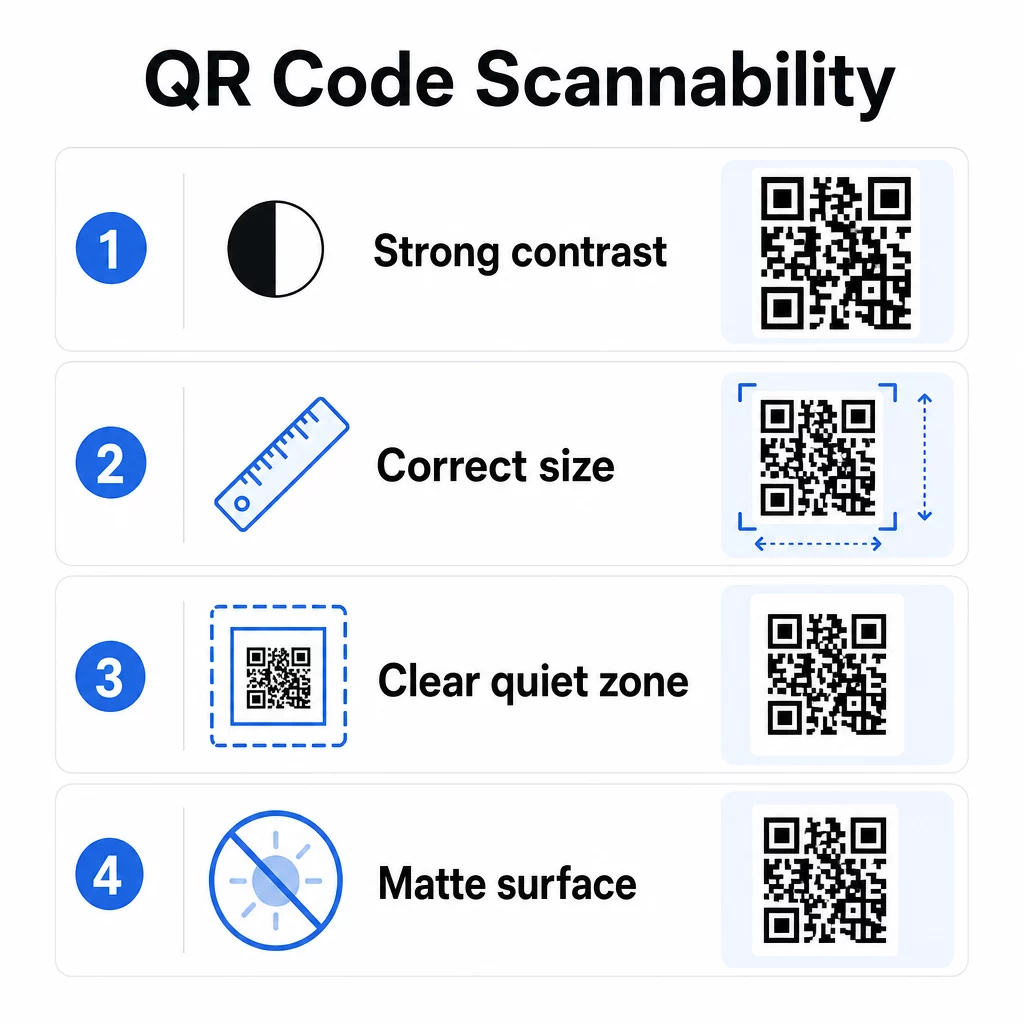
Kontrast on kõige olulisem tegur. Skannerid töötavad, eristades tumedaid mooduleid heledast taustast. Standardse loetavuse jaoks on vajalik minimaalne kontrastsussuhe 4:1 ja kõrgem kontrast on soovitatav välitingimustes paigutamiseks või hämaras keskkonnas. Vältige pööratud värve, madala kontrastsusega paare, nagu helehall valgel, ja läikivaid pindu, mis tekitavad pimestamist.
Suurus määrab, kas koodi saab lugeda skannimiskauguselt, kus inimesed sellega tegelikult kokku puutuvad. Praktiline juhis on suhe 10:1: koodi laius sentimeetrites peaks olema ligikaudu üks kümnendik oodatavast skannimiskaugusest sentimeetrites. Lähimaterjalide, näiteks visiitkaartide puhul on absoluutne miinimum 2 × 2 cm (0,8 × 0,8 tolli). Enamiku trükitud brošüüride puhul on ohutum algpunkt 3 × 3 cm (1,2 × 1,2 tolli).
Muud disainifaktorid, mida meeles pidada:
- Säilitage selge vaikne tsoon – koodi ümbritsev valge äär –, et skannerid saaksid mustri ümbritsevatest disainielementidest eraldada
- Kasutage peegelduse vähendamiseks matte pindu läikivate viimistluste asemel
- Genereerige koode kõrge resolutsiooniga, et vältida pikseldumist printimisel
- Vältige koodide paigutamist kumeratele pindadele, nagu pudelid, kus moonutused segavad skannimist
Värvi- ja kontrastsusjuhiste sügavama ülevaate saamiseks on juhend QR-koodi loetavuse parandamiseks hõlmab tehnilisi nõudeid üksikasjalikult.
Brändige oma QR-koodid
Lihtne mustvalge QR-kood on funktsionaalne, kuid see ei tugevda teie identiteeti ega paista silma rahvarohkel lehel. Kohandatud koodid – brändivärvide, keskel oleva logo ja stiilse raamiga – tõmbavad rohkem tähelepanu ja annavad edasi professionaalsust.
Logo lisamisel hoidke see lihtne ja suurusega, mis ei takista koodi skaneerimisala. Kui lisate logo, tõstke veaparanduse tase Q-le või H-le, et kompenseerida kaetud mooduleid. Enne printimiseks lõplikku vormistamist testige bränditud koodi alati mitmel seadmel.
Kutse tegevusele raami lisamine – tekst nagu “Skaneeri menüü saamiseks” või “Saa oma allahindlus” – ületab uudishimu ja tegevuse vahelise lõhe, öeldes inimestele täpselt, mida nad saavad. Raamid parandavad järjepidevalt skaneerimismäärasid, sest need kõrvaldavad ebaselguse.
Uurige võimalusi Logodega QR-koodid ja õppige, kuidas QR-koodi raamid saab kasutada kaasatuse suurendamiseks erinevates kontekstides.
Asetage koodid sinna, kus skaneerimine on praktiline
Nähtavus ja kontekst on sama olulised kui disain. QR-kood, mis on paigutatud kohta, kus inimestel pole aega, ühenduvust ega selget põhjust skaneerida, toimib kehvemini, olenemata sellest, kui hästi see on disainitud.
Tõhus paigutus järgib mõnda järjepidevat põhimõtet:
- Asetage koodid silmade kõrgusele – tavaliselt 3,5 kuni 5,5 jala kõrgusele maapinnast plakatite ja siltide puhul
- Vältige segaseid alasid, kus kood konkureerib ümbritsevate visuaalidega tähelepanu pärast
- Mõelge, kas teie publikul on selles kohas internetiühendus (halva signaaliga metroo on halb keskkond koodile, mis laadib veebilehe)
- Asetage koodid kohtadesse, kus inimestel on hetkeks aega peatuda – lauatelgid, toote pakendid, ootealad ja ürituste registreerimislauad kõik toimivad hästi
- Testige sama koodisisu jaoks erinevaid paigutusi, et leida, mis genereerib kõige rohkem skaneeringuid
Prindispetsiifiliste paigutuste puhul QR-koodide paigutuse juhend turunduses käsitleb parimaid tavasid materjali tüübi järgi, visiitkaartidest ja flaieritest kuni bännerite ja digitaalsete ekraanideni. Juhend QR-koodide kasutamine trükimeedias käsitleb suurust ja paigutust spetsiaalselt füüsilise reklaami kontekstis.
Suunake skannerid mobiilile optimeeritud sihtkohta
QR-koode skannitakse peaaegu eranditult nutitelefonidega. Kellegi suunamine lehele, mis ei ole mobiilile optimeeritud, õõnestab koheselt kasutuskogemust ja suurendab põrkemäärasid.
Hea mobiilne sihtleht QR-kampaania jaoks:
- Laeb kiiresti, isegi piiratud ribalaiusega mobiilse andmesideühendusega
- Kuvab sisu, mis on loetav ilma näpistamise või suumimiseta
- Keskendub ühele selgele tegevusele, mitte segasele paigutusele
- Lingib otse asjakohasele sisule – konkreetsele menüüle, tootele, pakkumisele või vormile – mitte üldisele kodulehele
Kui kasutate dünaamilisi QR-koode, saate sihtkoha URL-i värskendada ilma uuesti printimata, mis tähendab, et saate parandada halvasti toimiva sihtlehe või asendada selle hooajalise pakkumisega ilma uusi koode väljastamata.
Linkige oma QR-kood mis tahes URL-ile Suunake skannerid mis tahes veebilehele, sihtlehele või kampaania sihtkohta koos Lingi QR-koodi generaator.
Jälgige jõudlust ja optimeerige
Üks tugevamaid argumente QR-koodide kasutamise kohta turunduses on nende genereeritavad andmed. QR-koodide skaneeringute jälgimine annab teile ülevaate sellest, millal, kus ja kui tihti teie koode kasutatakse – teave, mida staatilised reklaamikanalid pakkuda ei suuda.
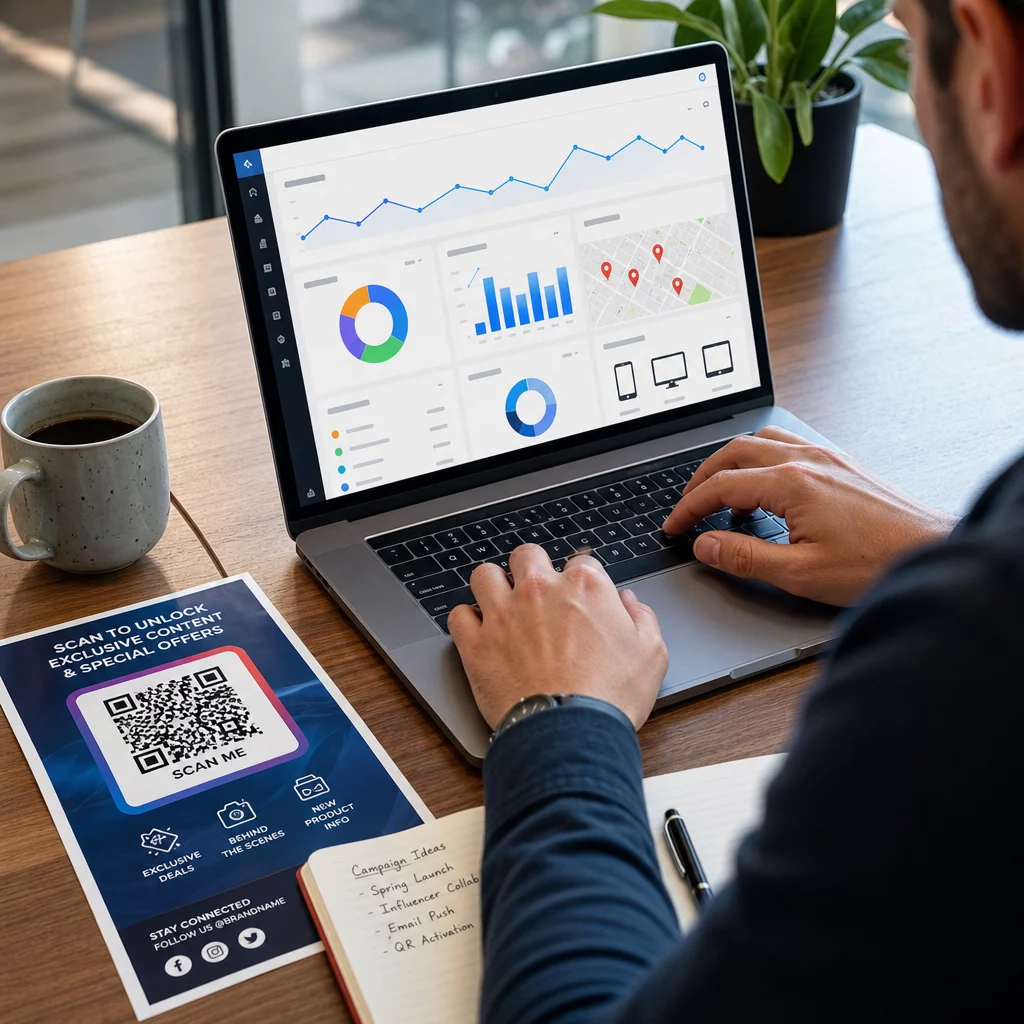
Dünaamilised QR-koodid koguvad mõõdikuid, sealhulgas:
- Skannimiste koguarv ja unikaalsed skannimised
- Skannimise ajatemplid (päeva- ja ajamustrid)
- Geograafiline asukoht linna või piirkonna järgi
- Seadme tüüp ja operatsioonisüsteem
Lisades UTM-parameetreid oma siht-URL-idele ühendab QR-koodi skannimisandmed teie Google Analyticsi kontoga, võimaldades teil mõõta skannimisjärgset käitumist, nagu külastatud lehed, saidil veedetud aeg ja konversioonid. Praktilise seadistusjuhendi jaoks on artikkel UTM-parameetrite kohta QR-koodide jaoks tutvustab nimekonventsioone ja GA4 aruandlust.
Samuti saate läbi viia struktureeritud A/B teste, luues variatsioone erinevate CTA-de, kujunduste või paigutustega ning võrreldes skannimis- ja konversioonimäärasid. Juhend kuidas A/B testimine parandab QR-koodi konversioone selgitab, kuidas neid teste süstemaatiliselt seadistada ja analüüsida.
Vaadake iga skannimist reaalajas Juurdepääs üksikasjalikule analüütikale, sealhulgas skannimiskohtadele, seadmetüüpidele ja kellaaja mustritele koos Pagelooti QR-koodi jälgimise tööriistadega.
Testige enne levitamist
Testimine on vältimatu. Kood, mis ei skaneeru pärast 10 000 flaieri trükkimist, on kulukas viga, mis oleks võinud viie minutiga avastada.
Enne mis tahes kampaania käivitamist:
- Skaneerige koodi mitmel seadmel (nii iOS-i kui ka Androidi, sealhulgas vanematel mudelitel)
- Testige valgustingimustes, kus kood tegelikult kuvatakse
- Kinnitage, et sihtkoht laadib õigesti ja on mobiilis täielikult funktsionaalne
- Kui kasutate UTM-parameetreid, veenduge, et need kuvatakse teie analüütikakontol õigesti
Dünaamilised QR-koodid muudavad käivitusjärgsete probleemide lahendamise lihtsamaks, sest saate sihtkohta uuendada ilma uuesti printimata. Koodi füüsilise skaneeritavuse testimine peab siiski toimuma enne levitamist.
Rakendage QR-koode oma tööstusharus
QR-koodid on aktiivses kasutuses enamikus klienditeenindusega seotud tööstusharudes. Restoranid kasutavad neid kontaktivabade menüüde ja tellimuste jaoks. Jaemüüjad seovad pakendid tooteteabe, videoõpetuste ja klientide arvustustega. Kinnisvaraspetsialistid ühendavad sildid virtuaaltuuride ja reaalajas pakkumistega. Ürituste korraldajad kasutavad neid registreerimiseks, sisseregistreerimiseks ja sessioonide ajakavade jaoks.
See Pagelooti tööstuslahenduste keskus hõlmab teie sektorile omaseid kasutusjuhtumeid ja funktsioonide teek kirjeldab saadaolevate QR-kooditüüpide valikut – alates PDF-i edastamisest ja vCardi jagamisest kuni Google'i arvustuste kogumise ja rakenduste poe ümbersuunamisteni.
Mõned spetsiifilised tööriistad, mida tasub teada:
- PDF QR-koodi generaator – jagage menüüsid, katalooge, juhendeid ja dokumente ilma hostimisprobleemideta
- Firma visiitkaart QR-koodiga – andke kontaktidele kohene juurdepääs teie andmetele võrgustikuüritustel
- Google Review QR-koodi generaator – vähendage hõõrdumist arvustuste protsessis ja koguge rohkem klientide tagasisidet
Korduma kippuvad küsimused
Staatiline QR-kood kodeerib teabe otse mustrisse ja seda ei saa pärast loomist muuta. See ei paku jälgimisandmeid. Dünaamiline QR-kood kasutab lühikest ümbersuunamise URL-i, mis tähendab, et saate sihtkohta igal ajal värskendada koodi uuesti printimata, ja see kogub analüütikat, nagu skaneerimiste arv, asukohad ja seadmetüübid. Enamiku turunduskampaaniate puhul on dünaamilised koodid parem valik, sest need võimaldavad pidevat optimeerimist ja mõõtmist.
Kasutage dünaamilisi QR-koode koos UTM-parameetritega kampaania toimivuse jälgimiseks. Dünaamilised koodid koguvad skaneerimisandmeid – sealhulgas mitu korda koodi skaneeriti, kus, millistel seadmetel ja mis kellaaegadel. UTM-parameetrid ühendavad need andmed Google Analyticsiga, et saaksite mõõta, mis juhtub pärast skaneerimist, sealhulgas konversioone ja lehel veedetud aega. Nende mõõdikute võrdlemine erinevate paigutuste ja ajaperioodide lõikes aitab teil tuvastada, mis töötab ja kus on vaja kohandusi teha.
Saatke skannerid alati mobiilile optimeeritud lehele, mis on otseselt seotud kontekstiga, kus kood ilmub. Vältige inimeste saatmist üldisele kodulehele. Kui kood on restorani laual, linkige menüüle. Kui see on toote pakendil, linkige seadistusjuhendile või arvustuste lehele. Sihtkoht peaks laadima kiiresti, kuvama õigesti telefoni ekraanil ja keskenduma ühele selgele tegevusele. Sügavlinkimine kõige asjakohasemale lehele vähendab hõõrdumist ja parandab konversioonimäärasid.