Ako viete, či vaša QR kampaň založená na polohe skutočne funguje? Bez správnych metrík míňate peniaze na tlačené materiály bez možnosti preukázať ich vplyv. Táto príručka rozoberá sedem metrík, ktoré vám poskytnú jasný, dátami podložený obraz o výkonnosti kampane – od prvého skenovania po konečnú konverziu.
Čo robí QR kampane založené na polohe merateľnými
QR kódové kampane založené na polohe spájajú offline umiestnenia – plagáty, obaly, vystavenie v obchode, materiály z podujatí – s digitálnymi zážitkami. Na rozdiel od návštevnosti webových stránok, tieto interakcie začínajú vo fyzickom svete, čo vytvára problém s atribúciou: ako prepojíte skenovanie v Austine s nákupom na vašej e-commerce platforme?
Odpoveď je dynamické QR kódy. Na rozdiel od statických kódov, dynamické QR kódy smerujú skeny cez presmerovací server, ktorý zaznamenáva dáta predtým, než pošle používateľa na cieľové miesto. Tento medzikrok umožňuje sledovanie. Môžete zaznamenať, kedy, kde a ako došlo k skenovaniu – a aktualizovať cieľovú URL bez predtlačenia jediného materiálu.
Sledovanie QR kódu funguje tak, že každému kódu priradí jedinečný presmerovací odkaz spojený s vašou kampaňou. Každé skenovanie generuje dátovú udalosť, ktorú zaznamenáva vaša analytická platforma. Spojte to s parametrami UTM vloženými do cieľovej URL a môžete posielať dáta o skenovaní priamo do Google Analytics 4, vášho CRM alebo nástroja na marketingovú automatizáciu.
S týmto základom sú tu sedem metrík, ktoré stojí za to sledovať.
1. Celkový počet skenov
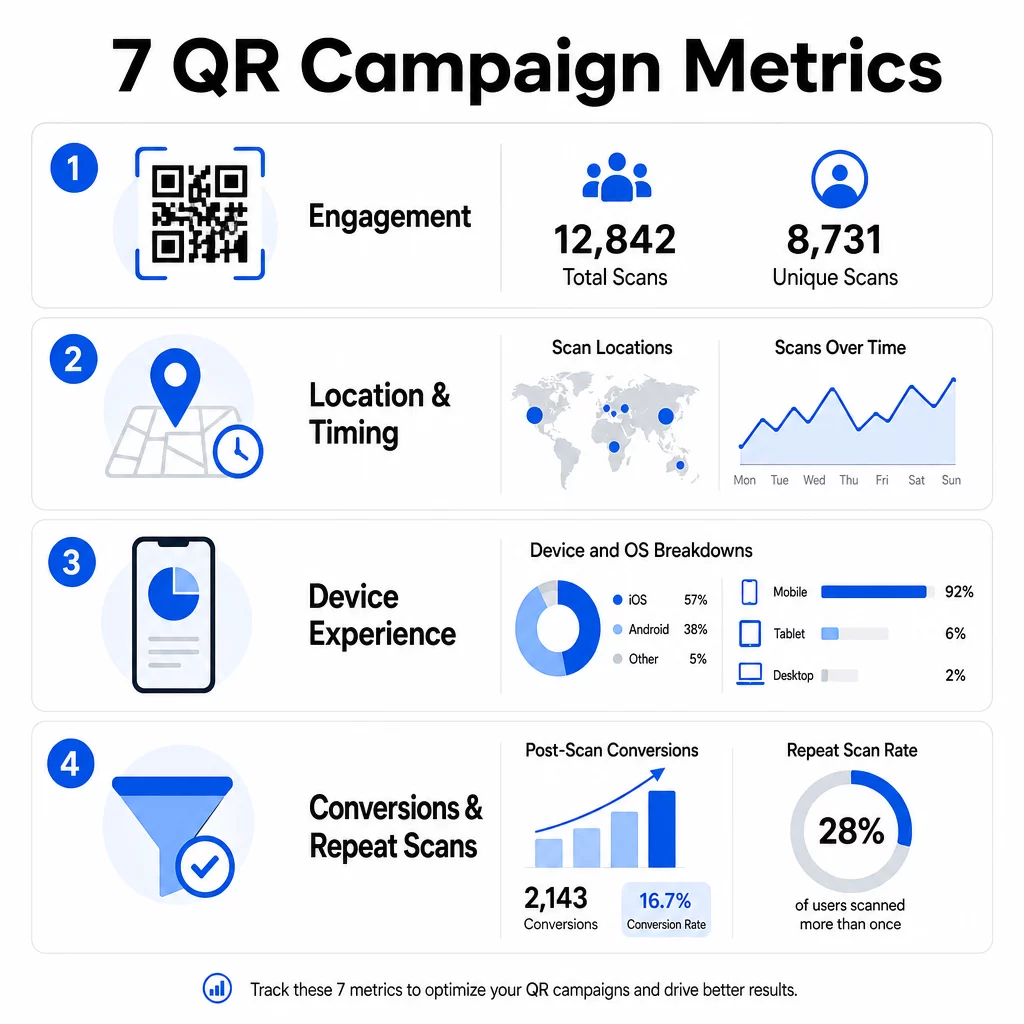
Celkový počet skenov počíta každú interakciu s vaším QR kódom, vrátane viacerých skenov tou istou osobou. Toto je vaša základná metrika angažovanosti – hovorí vám, či je vaše umiestnenie dostatočne viditeľné a presvedčivé na to, aby podnietilo akciu.
Miera skenovania sa výrazne líši v závislosti od kontextu:
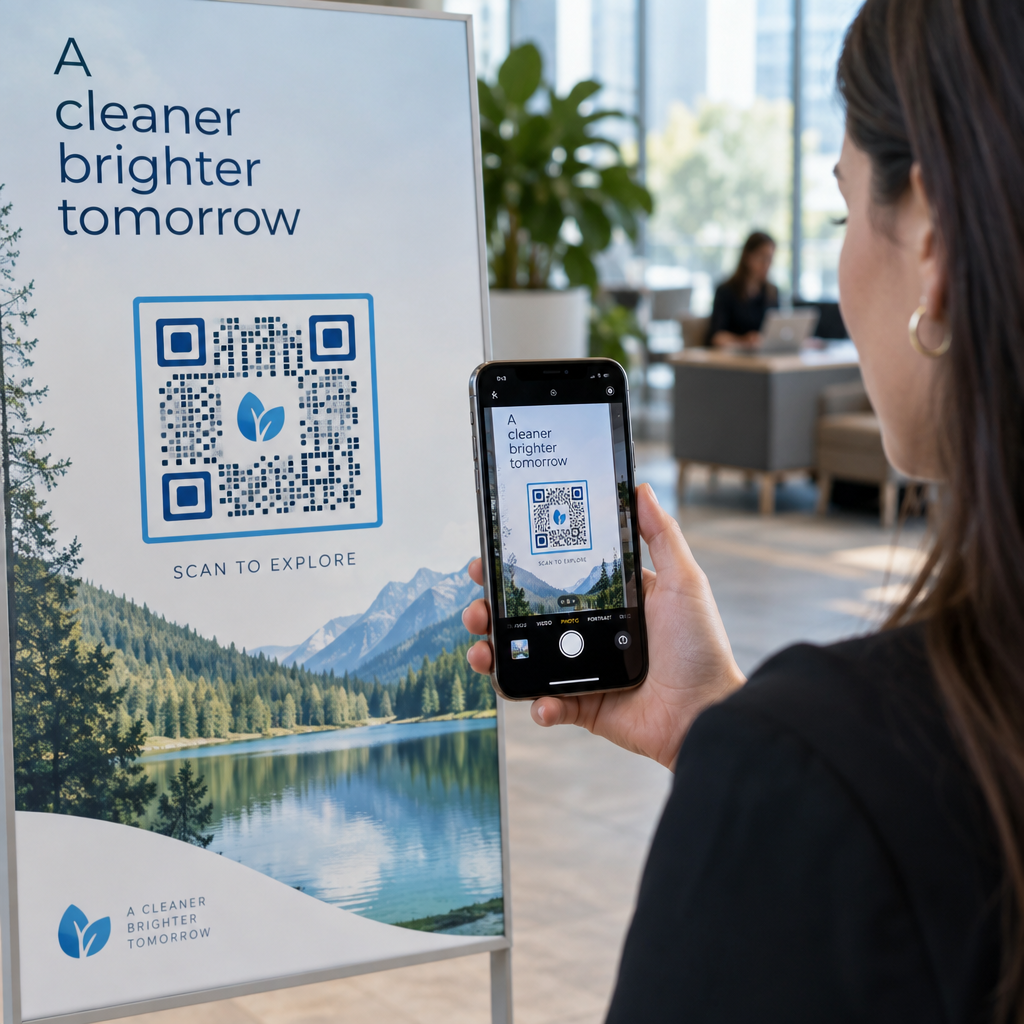
- Tlačené reklamy zvyčajne dosahujú mieru skenovania 1–3 %
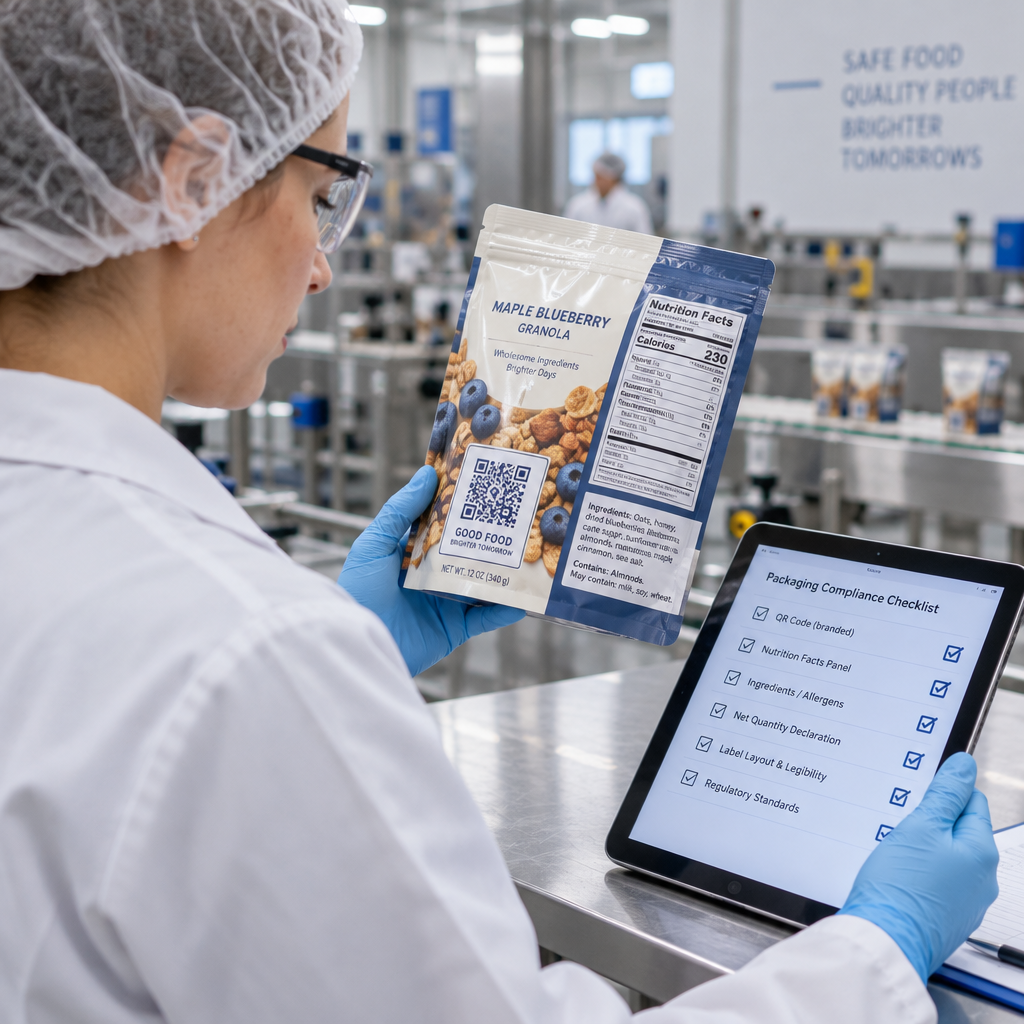
- Obaly produktov majú tendenciu dosahovať 2–5 %
- Vystavenie v obchode často generuje 5–10 %
- Materiály z podujatí môžu dosiahnuť 10–20 %
Nárast celkového počtu skenov po spustení kampane je pozitívny signál, ale stojí za zmienku, že 70 % celoživotných skenov sa zvyčajne uskutoční počas prvých 30 dní. Silné spustenie je dôležité. Jasná výzva k akcii, ako napríklad “Skenujte pre 10 % zľavu”, generuje výrazne viac skorých skenov ako kód umiestnený bez kontextu.
Pre umiestnenie umiestnite QR kódy vo výške očí – približne 4 až 5 stôp vysoko – a uistite sa, že sú veľké aspoň 1 palec pre spoľahlivé skenovanie. Celkový počet skenov vám dáva dosah; nižšie uvedené metriky vám povedia, čo s ním robiť.
Sledujte svoje QR kampane v reálnom čase Pozrite si celkový počet skenov, jedinečných návštevníkov a geografické trendy v reálnom čase. Preskúmajte funkcie analýzy a sledovania QR kódov a začnite merať to, na čom záleží.
2. Jedinečné skeny
Jedinečné skeny filtrujú opakované interakcie a počítajú iba odlišné zariadenia alebo používateľov. Rozdiel medzi celkovým počtom a jedinečnými skenmi je jedným z najinformatívnejších pomerov vo vašej analýze.
Ak máte 10 000 celkových skenov a 8 000 jedinečných skenov, 20 % vašich interakcií sú opakované návštevy. Či je to dobré alebo zlé, závisí od vášho cieľa. Pre vernostný program alebo digitálne menu sú opakované skeny kľúčové. Pre kampaň zameranú na oslovenie nových ľudí nízky počet jedinečných skenov signalizuje, že nerozširujete svoje publikum.
Pre sledovanie jedinečných skenov sú potrebné dynamické QR kódy. Platformy používajú identifikátory na úrovni zariadenia alebo signály založené na IP adrese na rozlíšenie jednotlivých používateľov pri zachovaní anonymity údajov. Toto rozlíšenie je dôležité aj z prevádzkového hľadiska – ak synchronizujete údaje o skenoch s CRM, jedinečné skeny zabraňujú duplicitným záznamom a nafúknutým počtom potenciálnych zákazníkov.
Praktický signál: používatelia, ktorí naskenujú ten istý kód dvakrát do 48 hodín, často prejavujú vyšší zámer nákupu, čo z nich robí užitočný segment pre následné cielenie alebo bodovanie potenciálnych zákazníkov.
3. Miesta skenovania
Geografické údaje o skenoch vám presne ukážu, kde sú vaše kódy prístupné, zvyčajne až na úroveň mesta. Tu si kampane založené na polohe získavajú svoje meno – a tu sa rozhodnutia o rozpočte oveľa ľahšie odôvodňujú.
Väčšina analytických panelov QR zobrazuje údaje o polohe ako tepelné mapy alebo rozdelenia na úrovni mesta, čo vám umožňuje identifikovať, ktoré umiestnenia prinášajú výsledky a ktoré regióny zaostávajú vzhľadom na investície. Pre národnú kampaň s rovnomerným rozložením údaje o polohe často odhalia prekvapivú koncentráciu. Letáková kampaň naprieč viacerými štátmi môže vygenerovať 500 skenov v jednom stredne veľkom meste a menej ako 100 na hlavných trhoch – poznatok, ktorý by bol neviditeľný bez sledovania polohy.
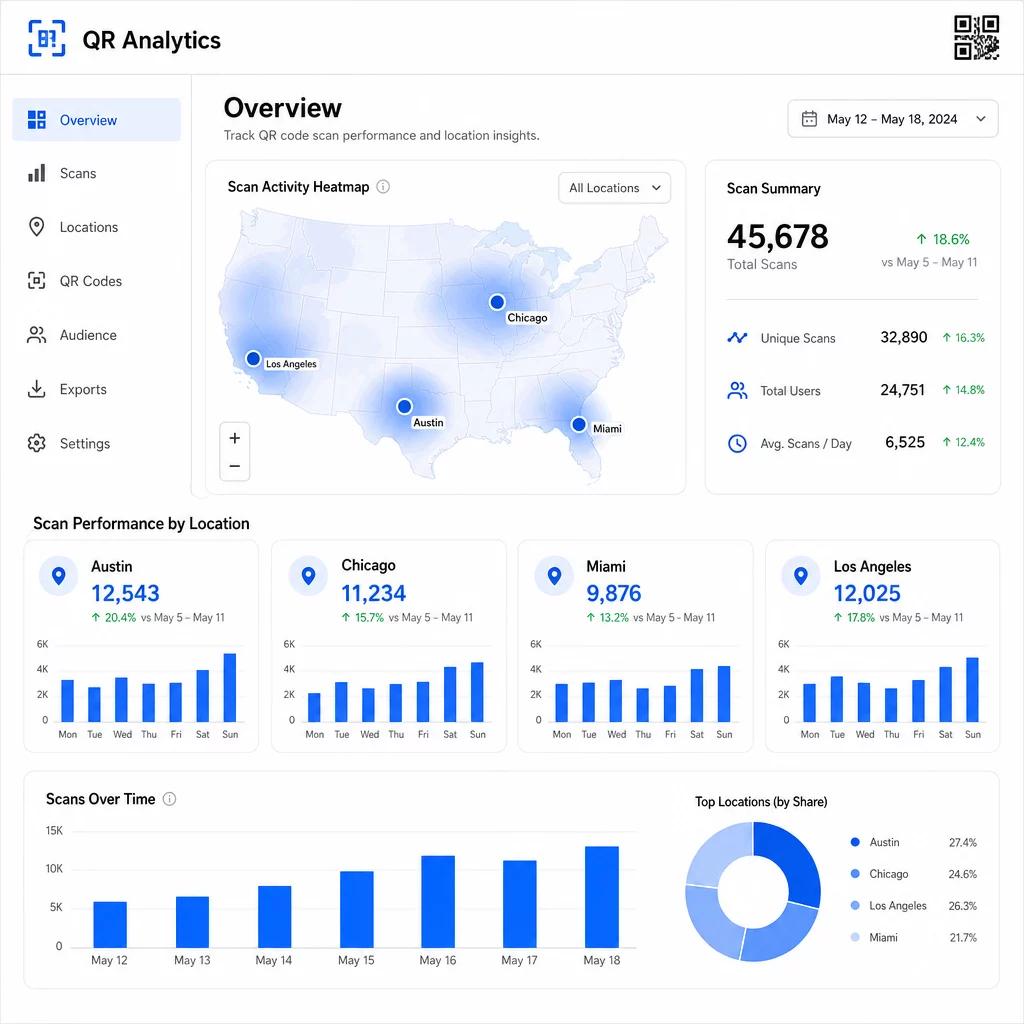
Priradenie jedinečných QR kódov ku každému umiestneniu je najspoľahlivejší spôsob, ako izolovať výkonnosť polohy. Jeden kód naprieč viacerými lokalitami vám poskytuje agregované údaje; jedinečné kódy vám poskytujú priame porovnanie.
Údaje o polohe tiež umožňujú personalizáciu. Geograficky cielené QR kódy môžu presmerovať používateľov na rôzne vstupné stránky na základe ich miesta skenovania – napríklad reťazec potravín môže propagovať teplé nápoje v chladnejších regiónoch a studené nápoje tam, kde sú teploty vyššie, bez tlače samostatných materiálov.
Poznámka k ochrane súkromia: Podľa kalifornského zákona o ochrane súkromia spotrebiteľov (California Consumer Privacy Act) sú presné geolokačné údaje – definované ako poloha v okruhu približne 1 850 stôp – klasifikované ako citlivé osobné informácie. Sledovanie na úrovni mesta založené na IP adrese zvyčajne spadá mimo túto hranicu, ale sledovanie založené na GPS vyžaduje výslovný súhlas používateľa. Skontrolujte dátové praktiky svojej platformy a získajte riadny súhlas pred zhromažďovaním podrobných údajov o polohe.
4. Skenovanie v čase
Údaje o načasovaní odhaľujú vzorce v tom, ako – a kedy – sa vaše publikum zapája. Pohľad na objem skenovania podľa hodín, dní a týždňov vám pomôže pochopiť nielen to, koľko ľudí skenuje, ale aj to, kedy je najpravdepodobnejšie, že budú konať.
Všeobecné vzorce sa líšia podľa typu kampane:
- B2B kampane majú tendenciu vrcholiť od utorka do štvrtka, medzi 12:00 a 14:00
- B2C kampane zvyčajne zaznamenávajú najväčšiu aktivitu od piatku do nedele, medzi 18:00 a 20:00
Miestne podmienky sú však dôležitejšie ako všeobecné referenčné hodnoty. Displej v kaviarni môže zaznamenať špičky o 8:00; QR kód na mieste konania podujatia môže vrcholiť 30 minút pred otvorením dverí. Sledovanie rýchlosti skenovania – počtu skenov za hodinu – vám pomôže odhaliť tieto vzorce a zachytiť prvé známky úpadku kampane, keď záujem začne klesať po počiatočnom období spustenia.
Údaje o načasovaní sa stávajú použiteľnými, keď ich skombinujete s kontrolou obsahu. Dynamické kódy QR vám umožňujú aktualizovať cieľové URL adresy v reálnom čase, takže môžete spúšťať bleskové výpredaje alebo časovo citlivé akcie, ktoré sú v súlade s oknami špičkovej angažovanosti bez predtlače materiálov. Naplánovanie sociálnych alebo e-mailových push notifikácií tesne pred vašimi špičkovými hodinami skenovania môže zosilniť efekt.
Pre prebiehajúce umiestnenia kontrolujte údaje o načasovaní mesačne. Pre aktívne kampane sú týždenné kontroly často dostatočné na zachytenie významných zmien.
5. Rozdelenie podľa zariadení a OS
Údaje o zariadeniach vám povedia, čo vaše publikum používa na skenovanie – a či vaša vstupná stránka pre nich skutočne funguje. Do roku 2025 budú mobilné zariadenia tvoriť približne 96 % všetkých skenov QR kódov, pričom iOS a Android si rozdelia väčšinu tejto prevádzky.
Toto rozdelenie má priame technické dôsledky. Vstupná stránka, ktorá sa čisto načíta v Safari/iOS, sa môže správať inak v Chrome/Android, najmä ak obsahuje video, prvky formulára alebo výzvy na stiahnutie aplikácie. Údaje o zariadeniach vám umožňujú zachytiť tieto problémy skôr, než vás budú stáť konverzie.
Praktický príklad: kampaň propagujúca mobilnú aplikáciu môže smerovať používateľov iOS priamo do Apple App Store a používateľov Androidu do Google Play. Takéto inteligentné smerovanie – založené na detekovanom type zariadenia – odstraňuje trenie a zlepšuje miery inštalácie. Analytický panel Pageloot zobrazuje rozdelenie podľa zariadení a OS spolu s údajmi o skenovaní, takže tieto optimalizácie môžete vykonávať bez hádania.
Tiež stojí za zmienku: 78 % používateľov teraz skenuje QR kódy pomocou natívnej aplikácie fotoaparátu svojho telefónu namiesto vyhradeného skenera. Váš obsah musí bezproblémovo fungovať s vstavanými aplikáciami fotoaparátu naprieč platformami, nielen s aplikáciami tretích strán.
Ak si všimnete vysokú mieru odchodov z konkrétneho typu zariadenia, hľadajte najprv problémy s výkonom – veľké obrázky, neoptimalizované video alebo formuláre, ktoré sa nezobrazujú správne na určitých veľkostiach obrazoviek, sú bežnými vinníkmi.
6. Konverzie po skenovaní
Konverzie po skenovaní sú miestom, kde sa angažovanosť mení na príjmy. Každá metrika pred touto meria pozornosť; táto meria výsledky – nákupy, registrácie, stiahnutia aplikácií alebo akúkoľvek akciu, ktorú má vaša kampaň podnietiť.
Bežné referenčné hodnoty konverzií podľa typu akcie:
- Sledovatelia na sociálnych sieťach: 20–30%
- Registrácie e-mailov: 15–25%
- Stiahnutia aplikácií: 10–15%
- Nákupy: 2–5%
Ak vaše čísla výrazne klesajú pod tieto rozsahy, problém je zvyčajne v skúsenosti po skenovaní: pomaly sa načítavajúca stránka, príliš zložitý formulár alebo cieľ, ktorý nezodpovedá tomu, čo sľuboval QR kód.
Nastavenie sledovania konverzií vyžaduje dve veci, ktoré spolupracujú. Po prvé, pridajte parametre UTM do vašich cieľových URL – napríklad, `utmsource=storedisplay&utmmedium=qrkód&utmcampaign=springpromo` – aby Google Analytics 4 mohol priradiť návštevnosť vašej QR kampani. Po druhé, nakonfigurujte sledovanie udalostí GA4 na zaznamenávanie konkrétnych akcií, na ktorých vám záleží: kliknutia na tlačidlá, odoslania formulárov, dokončenia videí alebo nákupy. The parametrami UTM pre QR kódy podrobne prechádza týmto nastavením.
Pre hlbšiu atribúciu prepojte svoje údaje o skenovaní QR kódov s platformou CRM alebo marketingovej automatizácie. To vám umožní posielať personalizované následné správy na základe správania pri skenovaní a sledovať konverzie naprieč reláciami, nielen v bezprostrednom okne po skenovaní.
Výpočet ROI akonáhle máte údaje o konverziách, je to jednoduché: odpočítajte celkové náklady na kampaň (dizajn, tlač, poplatky za platformu) od vygenerovaných príjmov, vydelte nákladmi a vynásobte 100. Kampaň, ktorá stojí $500 a generuje $2 000 v predaji, vráti 300%.
Prepojte skeny QR kódov s následnými konverziami Použite Sledovanie QR kódu s parametrami UTM, aby ste každý sken prepojili s kampaňou a merali, čo sa stane po skene.
7. Miera opakovaných skenov
Miera opakovaných skenov meria, ako často sa používatelia vracajú k skenovaniu kódu po ich prvej interakcii. Je to signál hodnoty obsahu – ak sa používatelia vrátia, zážitok prináša niečo, pre čo sa oplatí vrátiť.
Správna miera opakovaných skenov závisí výlučne od toho, čo prevádzkujete. Vernostné programy, digitálne menu a produktové manuály sú navrhnuté pre opakovanú interakciu. Kampane na zvýšenie povedomia a jednorazové akcie sa zvyčajne zameriavajú na široký jedinečný dosah, nie na opakovanú angažovanosť. Porovnanie vašej miery opakovaných skenov s typom kampane vám povie, či je správanie očakávané alebo znakom problému.
| Miera opakovaných skenov | Čo signalizuje | Navrhovaná akcia |
|---|---|---|
| Vysoká | Obsah je hodnotný; používatelia sa vracajú zámerne | Rozšírte na podobné miesta; pridajte vernostné odmeny; retargetujte angažovaných používateľov |
| Nízka | Obsah vzbudí jednorazový záujem, ale chýba mu príťažlivosť pre následné akcie | Zlepšite obsah vstupnej stránky; zjednodušte cestu používateľa; testujte nové CTA |
| Vysoký celkový / nízky jedinečný | Malé, ale vysoko angažované publikum | Zamerajte sa na budovanie špecifického publika; ponúknite personalizované ponuky najlepším používateľom |
Sledujte anomálie: extrémne rýchle opakované skenovanie – viacnásobné zásahy v priebehu sekúnd – môže naznačovať aktivitu bota namiesto skutočného správania používateľa. Ak je vaša miera opakovania vysoká, ale konverzie sú nízke, obsah je pútavý, ale konverzná cesta má trenie.
Spojte časové pečiatky opakovaného skenovania s vašimi údajmi o načasovaní, aby ste identifikovali vašich najangažovanejších používateľov. Niekto, kto skenuje dvakrát do 48 hodín, vyjadruje silný zámer – užitočný spúšťač pre následné kroky založené na CRM alebo personalizovaný dosah.
Porovnanie výkonu naprieč lokalitami
Jedným z najpraktickejších použití QR analytiky je porovnanie umiestnení vedľa seba. Priradením jedinečných kódov ku každej lokalite môžete priamo priradiť výkon – nielen hádať, ktorý výklad alebo mesto funguje.
Tu je príklad, ako by takéto porovnanie mohlo vyzerať:
| Miesto skenovania | SKENY SPOLU | Unikátne skeny | Konverzný pomer | Navrhovaná akcia |
|---|---|---|---|---|
| Austin, TX | 500 | 420 | 12% | Zvýšte miestne výdavky na reklamu; posilnite aktuálnu ponuku |
| Chicago, IL | 95 | 80 | 3% | Prehodnoťte umiestnenie; otestujte silnejšiu výzvu na akciu (CTA) |
| Miami, FL | 88 | 75 | 2.5% | Presuňte rozpočet do výkonnejších regiónov |
| Los Angeles, CA | 450 | 390 | 10% | Udržujte stratégiu; použite ako referenčný bod pre iné mestské trhy |
Vysoký objem skenov s nízkymi konverziami často poukazuje na problém s post-skenovacou skúsenosťou. Nízky počet skenov v oblastiach s vysokou návštevnosťou zvyčajne naznačuje problém s viditeľnosťou alebo umiestnením – skúste zväčšiť kód, premiestniť ho do úrovne očí alebo zvýrazniť výzvu na akciu (CTA).
Pravidelné prezeranie tohto porovnania premieňa surové čísla na rozpočtové rozhodnutia. Pre hlbší pohľad na to, ako čítať geografické trendy skenovania, the Sprievodca analytickým panelom QR kódov pokrýva nastavenie a interpretáciu podrobne.
Všetko dohromady
Sledovanie týchto siedmich metrík premieňa kampane s QR kódmi založené na polohe z taktiky „vytlač a dúfaj“ na merateľný, optimalizovateľný systém. Celkový počet a jedinečné skeny vám povedia o dosahu. Údaje o polohe a čase vám povedia, kde a kedy sa zamerať. Rozdelenie podľa zariadení zaisťuje, že váš obsah skutočne funguje. Konverzie spájajú skeny s príjmami. A miera opakovaných skenov vám povie, či používatelia nájdu dostatočnú hodnotu na to, aby sa vrátili.
Základom všetkého je používanie dynamických QR kódov – bez nich väčšina týchto metrík jednoducho nie je dostupná. Kampane, ktoré dôsledne sledujú tieto údaje, dokážu rýchlejšie identifikovať vysoko výkonné umiestnenia, opraviť tie s nízkym výkonom skôr, než premrhajú rozpočet, a vytvoriť jasnejší obraz o offline ROI, než aký umožňujú väčšina tradičných mediálnych kanálov.
Začnite sledovať svoju kampaň založenú na polohe Vytvárajte dynamické QR kódy, monitorujte údaje o skenovaní v reálnom čase a porovnávajte výkon podľa polohy – všetko z jedného panelu. Vyskúšajte Dynamický QR kód generátor zadarmo na 14 dní.
Často kladené otázky
Celkový počet skenov počíta každú interakciu s vaším QR kódom, vrátane viacerých skenov tou istou osobou. Jedinečné skeny počítajú iba odlišné zariadenia alebo používateľov, čo vám poskytuje jasnejší obraz o tom, koľko jednotlivých ľudí sa zapojilo do vašej kampane. Rozdiel medzi týmito dvoma údajmi vám povie, koľko opakovaných interakcií generujete.
Áno. Statické QR kódy vkladajú pevnú URL adresu a negenerujú žiadne analytické dáta. Dynamické QR kódy smerujú skeny cez presmerovací server, ktorý zaznamenáva čas skenovania, polohu, typ zariadenia a iné metadáta. Bez dynamických kódov nie sú dostupné metriky ako unikátne skeny, údaje o polohe a načasovanie skenovania.
Pridajte parametre UTM do vašej cieľovej URL – napríklad, `utmsource=storedisplay&utmmedium=qrcode&utmcampaign=campaignname` – aby GA4 mohla priradiť prichádzajúcu návštevnosť k vášmu QR kódu. Potom nakonfigurujte sledovanie udalostí GA4 na zaznamenávanie konkrétnych akcií, ktoré chcete merať, ako sú odoslania formulárov alebo nákupy. Dynamické QR kódy to uľahčujú, pretože môžete aktualizovať alebo opraviť parametre UTM bez predtlače vašich materiálov.