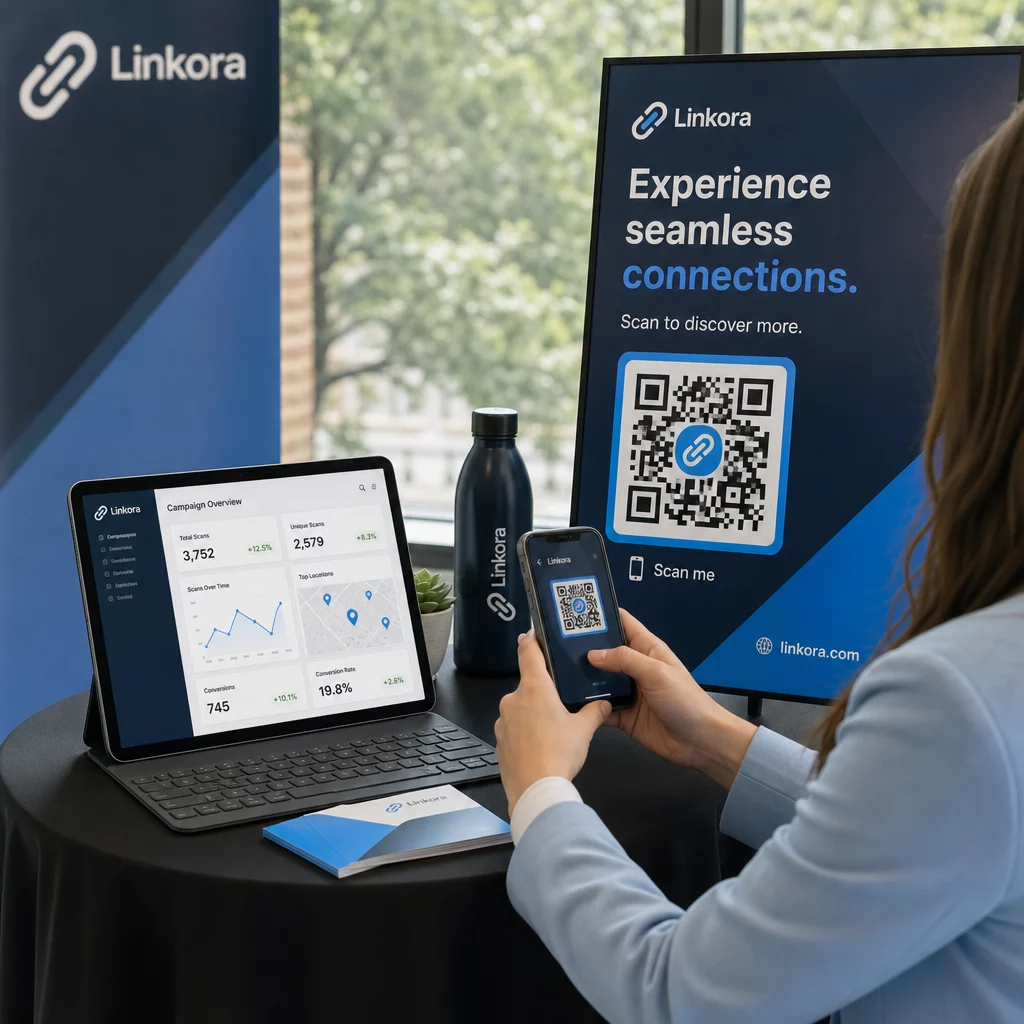
Hogyan tudhatja, hogy a helyalapú QR-kampánya valóban működik-e? A megfelelő mérőszámok nélkül pénzt költ nyomtatott anyagokra anélkül, hogy bizonyítani tudná azok hatását. Ez az útmutató bemutatja azt a hét mérőszámot, amelyek tiszta, adatvezérelt képet adnak a kampány teljesítményéről – az első beolvasástól a végső konverzióig.
Mi teszi mérhetővé a helyalapú QR-kampányokat
A helyalapú QR-kód kampányok összekapcsolják az offline elhelyezéseket – plakátokat, csomagolásokat, bolti kijelzőket, rendezvényanyagokat – a digitális élményekkel. A weboldalforgalomtól eltérően ezek az interakciók a fizikai világban kezdődnek, ami attribúciós kihívást jelent: hogyan kötheti össze egy austini beolvasást egy vásárlással az e-kereskedelmi platformján?
A válasz dinamikus QR kódok. A statikus kódokkal ellentétben a dinamikus QR-kódok egy átirányító szerveren keresztül irányítják a beolvasásokat, amely naplózza az adatokat, mielőtt a felhasználót a célhelyre küldené. Ez a köztes lépés teszi lehetővé a nyomon követést. Rögzítheti, hogy mikor, hol és hogyan történt egy beolvasás – és frissítheti a cél URL-t anélkül, hogy egyetlen anyagot is újra kellene nyomtatnia.
QR-kód követés úgy működik, hogy minden kódhoz egyedi átirányítási linket rendel, amely a kampányához kapcsolódik. Minden beolvasás egy adateseményt generál, amelyet az analitikai platformja rögzít. Párosítsa ezt a cél URL-be ágyazott UTM paraméterekkel, és a beolvasási adatokat közvetlenül a Google Analytics 4-be, a CRM-jébe vagy egy marketing automatizálási eszközbe továbbíthatja.
Miután ez az alap megvan, íme a hét nyomon követésre érdemes mérőszám.
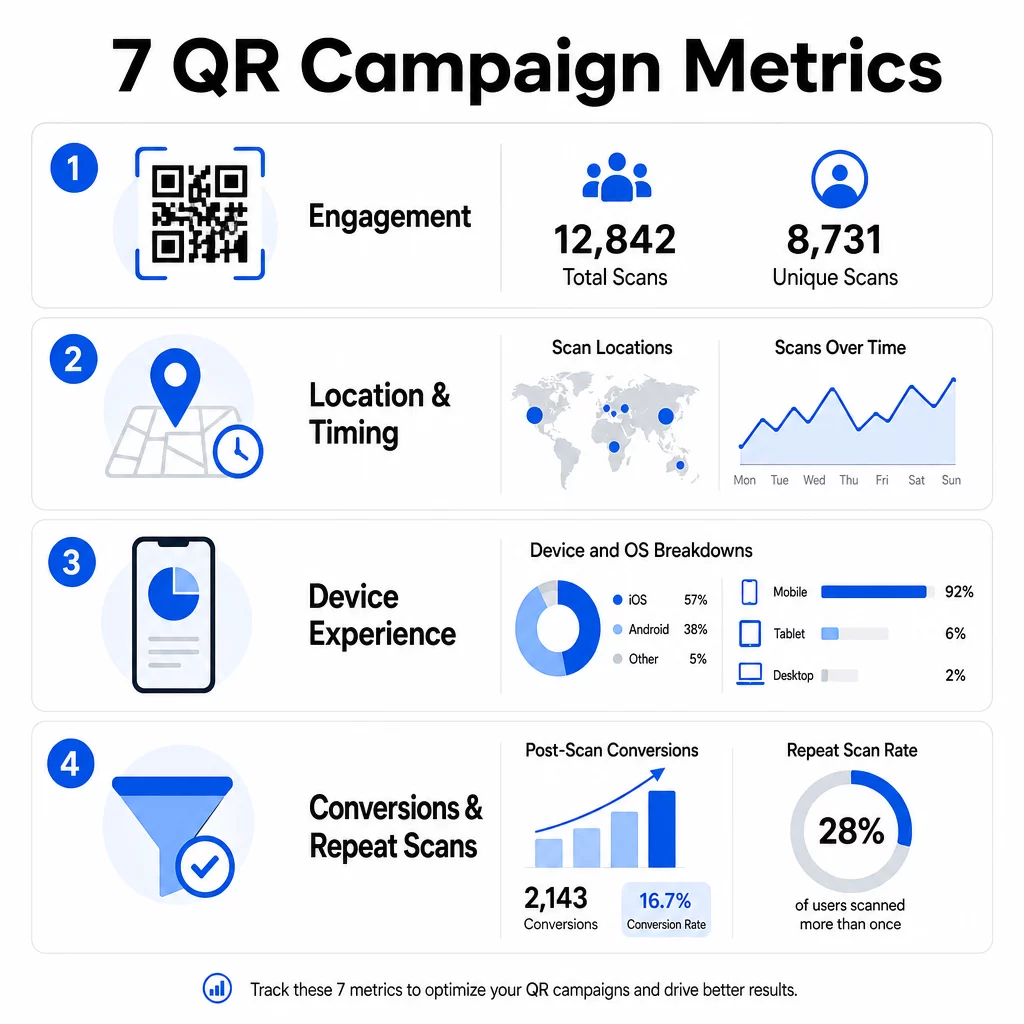
1. Összes beolvasás
Az összes beolvasás számolja a QR-kóddal való minden interakciót, beleértve ugyanazon személy többszöri beolvasását is. Ez az alapvető elkötelezettségi mérőszáma – megmondja, hogy az elhelyezése elég látható és meggyőző-e ahhoz, hogy cselekvésre ösztönözzön.
A beolvasási arányok jelentősen eltérnek a kontextustól függően:
- A nyomtatott hirdetések jellemzően 1–3%-os beolvasási arányt mutatnak
- A termékcsomagolás általában 2–5%-os teljesítményt nyújt
- A bolti kijelzők gyakran 5–10%-ot generálnak
- Az eseményanyagok elérhetik a 10–20%-ot
A kampányindítás utáni összes beolvasás megugrása pozitív jel, de érdemes megjegyezni, hogy az élettartamra vonatkozó beolvasások 70%-a jellemzően az első 30 napon belül történik. A hatékony bevezetés számít. Egyértelmű cselekvésre ösztönzés, mint például a “Szkenneljen 10% kedvezményért”, jelentősen több korai beolvasást eredményez, mint egy kontextus nélkül elhelyezett kód.
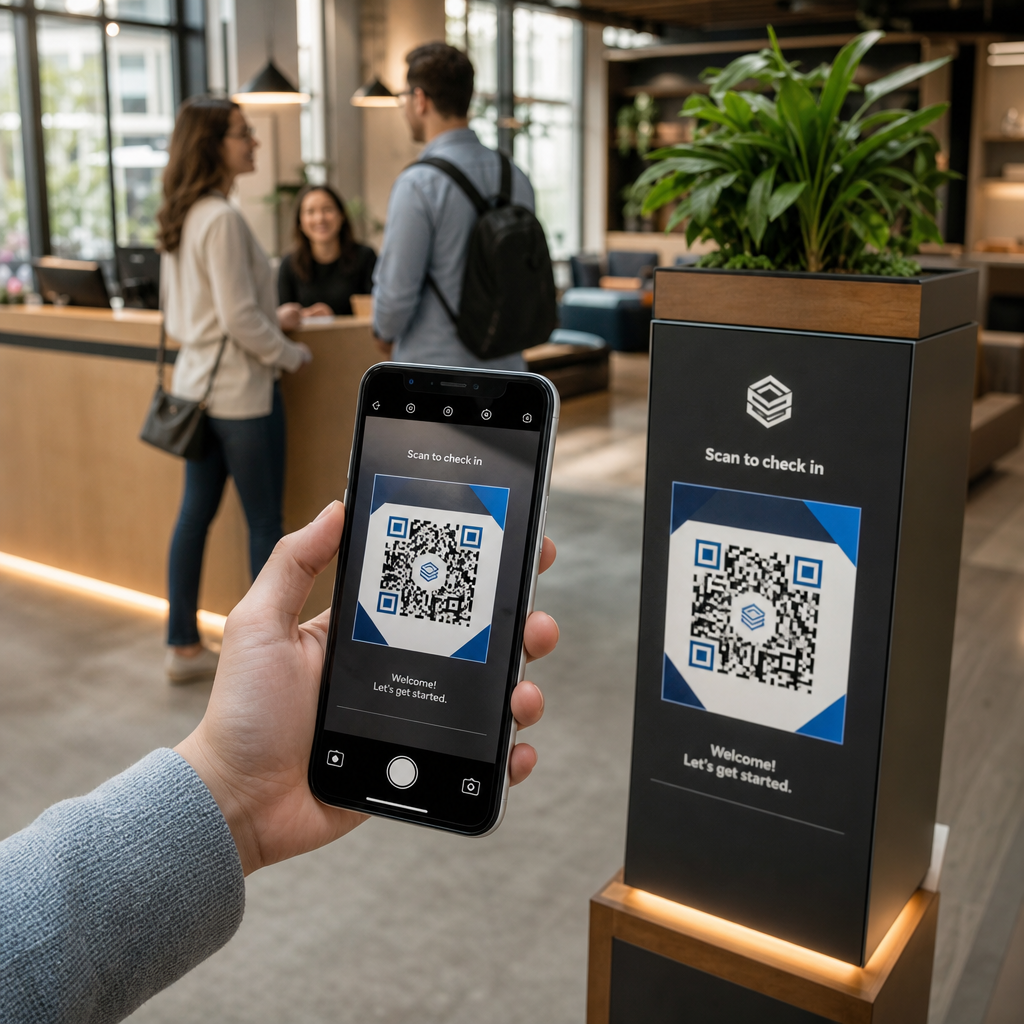
Az elhelyezéshez helyezze a QR-kódokat szemmagasságba – nagyjából 4-5 láb magasra – és győződjön meg róla, hogy legalább 1 hüvelyk méretűek a megbízható beolvasás érdekében. Az összes beolvasás elérést biztosít; az alábbi mérőszámok megmondják, mit kezdjen vele.
Kövesse nyomon QR-kampányait valós időben Láthatja az összes szkennelést, az egyedi látogatókat és a földrajzi trendeket, ahogy azok történnek. Fedezze fel a QR-kód analitikai és nyomon követési funkcióit hogy elkezdje mérni, ami számít.
2. Egyedi szkennelések
Az egyedi szkennelések kiszűrik az ismétlődő interakciókat, csak a különálló eszközöket vagy felhasználókat számolva. Az összes és az egyedi szkennelések közötti különbség az egyik leginformatívabb arány az analitikájában.
Ha 10 000 összes szkennelése és 8 000 egyedi szkennelése van, az interakciók 20%-a visszatérő látogatás. Hogy ez jó vagy rossz, az a céljától függ. Egy hűségprogram vagy digitális menü esetében az ismételt szkennelések a lényeg. Egy új emberek elérésére tervezett figyelemfelkeltő kampány esetén az alacsony egyedi szkennelési szám azt jelzi, hogy nem bővíti a közönségét.
Az egyedi szkennelések nyomon követéséhez dinamikus QR-kódok szükségesek. A platformok eszközszintű azonosítókat vagy IP-alapú jeleket használnak az egyes felhasználók megkülönböztetésére, miközben az adatok anonimek maradnak. Ez a megkülönböztetés működésileg is fontos – ha a szkennelési adatokat CRM-hez szinkronizálja, az egyedi szkennelések megakadályozzák a duplikált rekordokat és a felfújt lead-számokat.
Praktikus jelzés: azok a felhasználók, akik 48 órán belül kétszer szkennelik ugyanazt a kódot, gyakran magasabb vásárlási szándékot mutatnak, így hasznos szegmenst jelentenek a nyomon követési célzás vagy a lead-pontozás szempontjából.
3. Szkennelési helyszínek
A földrajzi szkennelési adatok pontosan megmutatják, hol férnek hozzá a kódjaihoz, jellemzően városi szintig. Itt kapják nevüket a helyalapú kampányok – és itt válnak sokkal könnyebben indokolhatóvá a költségvetési döntések.
A legtöbb QR-analitikai műszerfal hőtérképként vagy városi szintű bontásban jeleníti meg a helyadatokat, lehetővé téve, hogy azonosítsa, mely elhelyezések hoznak eredményt, és mely régiók teljesítenek alul a befektetéshez képest. Egy egyenletes eloszlású országos kampány esetén a helyadatok gyakran meglepő koncentrációt mutatnak. Egy több államon átívelő szórólap kampány 500 szkennelést generálhat egy közepes méretű városban, és kevesebb mint 100-at a nagyobb piacokon – ez az információ láthatatlan lenne helykövetés nélkül.
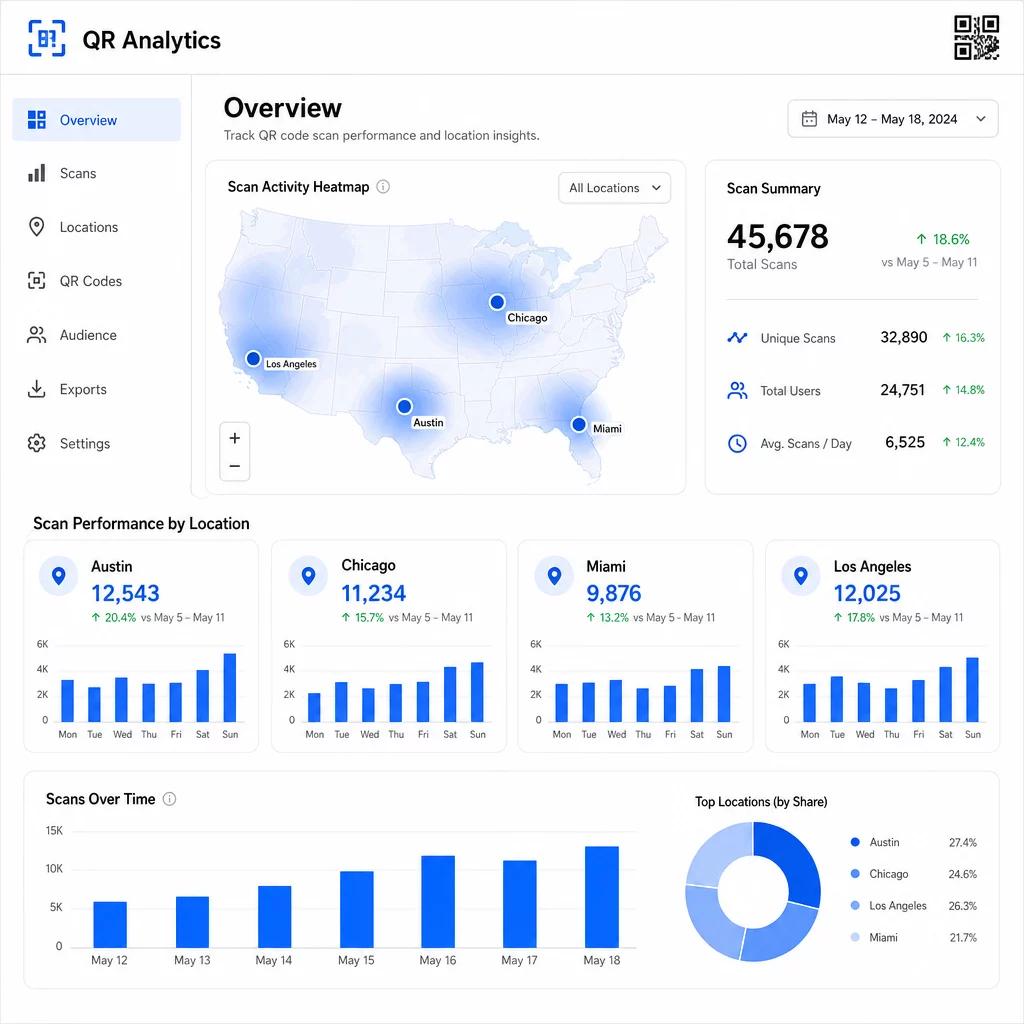
Egyedi QR-kódok hozzárendelése minden elhelyezéshez a legmegbízhatóbb módja a helyszíni teljesítmény elkülönítésének. Egyetlen kód több helyszínen összesített adatokat ad; az egyedi kódok közvetlen összehasonlítást tesznek lehetővé.
A helyadatok lehetővé teszik a személyre szabást is. Geocélzott QR-kódok átirányíthatja a felhasználókat különböző céloldalakra a szkennelési helyük alapján – egy élelmiszerlánc például forró italokat népszerűsíthet hidegebb régiókban, és hideg italokat, ahol magasabb a hőmérséklet, anélkül, hogy külön anyagokat kellene nyomtatnia.
Megjegyzés az adatvédelemről: A Kaliforniai Fogyasztói Adatvédelmi Törvény (California Consumer Privacy Act) értelmében a pontos földrajzi helymeghatározási adatok – amelyek körülbelül 1850 láb (kb. 564 méter) sugarú körön belüli helyként vannak definiálva – érzékeny személyes információnak minősülnek. A városi szintű IP-alapú nyomon követés jellemzően kívül esik ezen a küszöbön, de a GPS-alapú nyomon követéshez kifejezett felhasználói hozzájárulás szükséges. Tekintse át platformja adatkezelési gyakorlatát, és szerezze be a megfelelő hozzájárulást, mielőtt részletes helymeghatározási adatokat gyűjtene.
4. Szkennelések idővel
Az időzítési adatok mintázatokat tárnak fel arról, hogy közönsége hogyan – és mikor – lép interakcióba. Az óránkénti, napi és heti szkennelési volumen vizsgálata segít megérteni, hogy nemcsak hányan szkennelnek, hanem azt is, hogy mikor a legvalószínűbb, hogy cselekednek.
Az általános mintázatok kampánytípusonként eltérőek:
- A B2B kampányok jellemzően keddtől csütörtökig, 12:00 és 14:00 óra között érik el csúcspontjukat.
- A B2C kampányok általában péntektől vasárnapig, 18:00 és 20:00 óra között a legaktívabbak.
Azonban a helyi körülmények fontosabbak, mint az általános benchmarkok. Egy kávézóban kihelyezett kijelzőnél reggel 8:00 órakor lehetnek kiugrások; egy rendezvényhelyszín QR-kódja a kapunyitás előtti 30 percben érheti el csúcspontját. A szkennelési sebesség – az óránkénti szkennelések aránya – nyomon követése segít felismerni ezeket a mintázatokat és elkapni a kampány hanyatlásának korai jeleit, amikor az érdeklődés az első indítási időszak után csökkenni kezd.
Az időzítési adatok akkor válnak hasznosíthatóvá, ha tartalomvezérléssel kombinálja őket. Dinamikus QR-kódok lehetővé teszi a cél URL-ek valós idejű frissítését, így futtathat villámakciókat vagy időérzékeny promóciókat, amelyek illeszkednek a csúcsforgalmi időszakokhoz anélkül, hogy újra kellene nyomtatnia az anyagokat. A közösségi média vagy e-mail kampányok ütemezése közvetlenül a csúcs szkennelési órák előtt felerősítheti a hatást.
Folyamatos elhelyezések esetén havonta tekintse át az időzítési adatokat. Aktív kampányok esetén a heti áttekintések gyakran elegendőek a jelentős változások észleléséhez.
5. Eszköz- és operációs rendszer szerinti bontások
Az eszközadatok megmondják, hogy közönsége mit használ a szkenneléshez – és hogy a céloldala valóban működik-e számukra. 2025-re a mobil eszközök teszik ki az összes QR-kód szkennelés körülbelül 96%-át, az iOS és az Android osztozik a forgalom többségén.
Ez a bontás közvetlen technikai következményekkel jár. Egy céloldal, amely tisztán betöltődik Safari/iOS rendszeren, eltérően viselkedhet Chrome/Android rendszeren, különösen, ha videót, űrlap elemeket vagy alkalmazásletöltési felszólításokat tartalmaz. Az eszközadatok segítségével elkaphatja ezeket a problémákat, mielőtt azok konverziókba kerülnének.
Egy gyakorlati példa: egy mobilalkalmazást népszerűsítő kampány az iOS felhasználókat közvetlenül az Apple App Store-ba, az Android felhasználókat pedig a Google Play-be irányíthatja. Az ilyen típusú intelligens útválasztás – az észlelt eszköztípus alapján – csökkenti a súrlódást és javítja a telepítési arányokat. A Pageloot analitikai műszerfala megjeleníti az eszköz- és operációs rendszer szerinti bontásokat a szkennelési adatok mellett, így találgatások nélkül végezheti el ezeket az optimalizálásokat.
Érdemes megjegyezni azt is: a felhasználók 78%-a ma már a telefonja natív kameraalkalmazásával szkenneli a QR-kódokat, nem pedig dedikált szkennerrel. Tartalmának zökkenőmentesen kell működnie a beépített kameraalkalmazásokkal platformokon keresztül, nem csak harmadik féltől származó alkalmazásokkal.
Ha magas visszafordulási arányt észlel egy adott eszköztípusból, először teljesítményproblémákat keressen – a nagy képek, az optimalizálatlan videók vagy a bizonyos képernyőméreteken nem megfelelően megjelenő űrlapok gyakori bűnösök.
6. Szkennelés utáni konverziók
A szkennelés utáni konverziók azok, ahol az elkötelezettség bevétellé válik. Minden korábbi metrika a figyelmet méri; ez az eredményeket méri – vásárlásokat, feliratkozásokat, alkalmazásletöltéseket vagy bármilyen cselekvést, amelyet a kampánya ösztönözni kíván.
Gyakori konverziós benchmarkok cselekvési típus szerint:
- Közösségi média követések: 20–30%
- E-mail feliratkozások: 15–25%
- Alkalmazásletöltések: 10–15%
- Vásárlások: 2–5%
Ha a számai jelentősen e tartományok alá esnek, a probléma általában a szkennelés utáni élményben rejlik: egy lassan betöltődő oldal, egy túlságosan bonyolult űrlap, vagy egy olyan céloldal, amely nem felel meg annak, amit a QR-kód ígért.
Konverziókövetés beállítása két dolog együttes működését igényli. Először is, adjon hozzá UTM paramétereket a cél URL-jeihez – például, `utmsource=storedisplay&utmközeg=QRkód&utmcampaign=springpromo` – így a Google Analytics 4 hozzárendelheti a forgalmat a QR-kampányához. Másodszor, konfigurálja a GA4 eseménykövetést, hogy rögzítse az Ön számára fontos specifikus műveleteket: gombkattintásokat, űrlapbeküldéseket, videólejátszások befejezését vagy vásárlásokat. A UTM paraméterek útmutatója QR-kódokhoz részletesen bemutatja ezt a beállítást.
A mélyebb attribúció érdekében kapcsolja össze QR-szkennelési adatait egy CRM- vagy marketingautomatizálási platformmal. Ez lehetővé teszi, hogy személyre szabott nyomon követéseket küldjön a szkennelési viselkedés alapján, és nyomon kövesse a konverziókat a munkamenetek során, nem csak az azonnali szkennelés utáni időszakban.
ROI számítása ha már rendelkezik konverziós adatokkal, egyszerű: vonja ki a teljes kampányköltséget (tervezés, nyomtatás, platformdíjak) a generált bevételből, ossza el a költségekkel, és szorozza meg 100-zal. Egy kampány, amely $500-ba kerül és $2,000 bevételt generál, 300% megtérülést eredményez.
Kapcsolja össze a QR-kód beolvasásokat a későbbi konverziókkal Használat QR-kód követés UTM paraméterekkel, hogy minden beolvasást egy kampányhoz kössön, és mérje, mi történik a beolvasás után.
7. Ismételt beolvasási arány
Az ismételt beolvasási arány azt méri, hogy a felhasználók milyen gyakran térnek vissza egy kód beolvasásához az első interakciójuk után. Ez a tartalom értékének jele – ha a felhasználók visszatérnek, az élmény olyasmit nyújt, amiért érdemes visszatérni.
A megfelelő ismételt beolvasási arány teljes mértékben attól függ, hogy mit futtat. A hűségprogramok, digitális menük és termékleírások ismételt interakcióra vannak tervezve. A figyelemfelkeltő kampányok és az egyszeri promóciók általában széles, egyedi elérést céloznak az ismételt elkötelezettség helyett. Az ismétlési arány összehasonlítása a kampánytípusával megmondja, hogy a viselkedés várható-e, vagy egy probléma jele.
| Ismételt beolvasási arány | Mit jelez | Javasolt intézkedés |
|---|---|---|
| Magas | A tartalom értékes; a felhasználók szándékosan térnek vissza | Terjeszkedjen hasonló helyekre; adjon hozzá hűségjutalmakat; célozza újra az elkötelezett felhasználókat |
| Alacsony | A tartalom egyszeri érdeklődést vált ki, de hiányzik a további vonzereje | Javítsa a céloldal tartalmát; egyszerűsítse a felhasználói utat; teszteljen új CTA-kat |
| Magas összes / alacsony egyedi | Kicsi, de rendkívül elkötelezett közönség | Fókuszáljon a réspiacra épülő közönségépítésre; kínáljon személyre szabott ajánlatokat a legjobb felhasználóknak |
Figyeljen az anomáliákra: a rendkívül gyors ismételt szkennelések – másodperceken belüli többszöri találat – bottevékenységre utalhatnak, nem pedig valódi felhasználói viselkedésre. Ha az ismétlési arány magas, de a konverziók alacsonyak, a tartalom vonzó, de a konverziós útvonal súrlódással jár.
Párosítsa az ismételt szkennelések időbélyegeit az időzítési adataival, hogy azonosítsa a legelkötelezettebb felhasználókat. Aki 48 órán belül kétszer szkennel, az erős szándékot fejez ki – ez hasznos kiváltó ok lehet CRM-alapú nyomon követéshez vagy személyre szabott megkereséshez.
Teljesítmény összehasonlítása helyszínek között
A QR-analitika egyik legpraktikusabb felhasználási módja az elhelyezések összehasonlítása. Azáltal, hogy minden helyszínhez egyedi kódokat rendel, közvetlenül hozzárendelheti a teljesítményt – nem csak találgathatja, melyik üzlet vagy város működik.
Íme egy példa arra, hogyan nézhet ki ez az összehasonlítás:
| Beolvasás helye | ÖSSZES BEOLVASÁS | Egyedi szkennelések | Konverziós arány | Javasolt intézkedés |
|---|---|---|---|---|
| Austin, TX | 500 | 420 | 12% | Növelje a helyi hirdetési kiadásokat; erősítse meg a jelenlegi ajánlatot |
| Chicago, IL | 95 | 80 | 3% | Értékelje újra az elhelyezést; teszteljen erősebb CTA-t |
| Miami, FL | 88 | 75 | 2.5% | Helyezze át a költségvetést a jobban teljesítő régiókba |
| Los Angeles, CA | 450 | 390 | 10% | Tartsa fenn a stratégiát; használja referenciaként más városi piacok számára |
A magas szkennelési szám alacsony konverzióval gyakran a szkennelés utáni élmény problémájára utal. Az alacsony szkennelési szám a nagy forgalmú területeken általában láthatósági vagy elhelyezési problémát jelez – próbálja meg nagyítani a kódot, szemmagasságba helyezni, vagy hangsúlyosabbá tenni a CTA-t.
Ennek az összehasonlításnak a rendszeres áttekintése a nyers számokat költségvetési döntésekké alakítja. A földrajzi szkennelési trendek olvasásának mélyebb megértéséhez a QR kód analitikai irányítópult útmutató részletesen tárgyalja a beállítást és az értelmezést.
Összefoglalás
Ezen hét mérőszám nyomon követése egy 'nyomtasd ki és reménykedj' taktikából mérhető, optimalizálható rendszerré alakítja a helyalapú QR kampányokat. Az összes és egyedi szkennelés tájékoztat az elérésről. A helyszín és időzítési adatok megmondják, hol és mikor érdemes fókuszálni. Az eszköz szerinti bontás biztosítja, hogy a tartalma valóban működjön. A konverziók összekapcsolják a szkenneléseket a bevétellel. És az ismételt szkennelési arány megmondja, hogy a felhasználók találnak-e elegendő értéket ahhoz, hogy visszatérjenek.
Mindezek alapja a dinamikus QR kódok használata – nélkülük ezen mérőszámok többsége egyszerűen nem érhető el. Azok a kampányok, amelyek következetesen nyomon követik ezeket az adatokat, gyorsabban azonosíthatják a jól teljesítő elhelyezéseket, kijavíthatják az alulteljesítőket, mielőtt azok pazarlnák a költségvetést, és tisztább képet alkothatnak az offline ROI-ról, mint amit a legtöbb hagyományos média csatorna lehetővé tesz.
Kezdje el nyomon követni helyalapú kampányát Hozzon létre dinamikus QR kódokat, figyelje a valós idejű szkennelési adatokat, és hasonlítsa össze a teljesítményt helyszín szerint – mindezt egyetlen irányítópultról. Próbálja ki a Dinamikus QR-kód generátor ingyen 14 napig.
Gyakori kérdések
Az összes szkennelés számolja a QR kóddal való minden interakciót, beleértve ugyanazon személy több szkennelését is. Az egyedi szkennelések csak a különálló eszközöket vagy felhasználókat számolják, tisztább képet adva arról, hány egyedi személy vett részt a kampányában. A kettő közötti különbség megmondja, mennyi ismételt elkötelezettséget generál.
Igen. A statikus QR-kódok fix URL-t ágyaznak be, és nem generálnak analitikai adatokat. A dinamikus QR-kódok egy átirányító szerveren keresztül irányítják a szkenneléseket, amely naplózza a szkennelés idejét, helyét, eszköz típusát és egyéb metaadatokat. Dinamikus kódok nélkül az olyan metrikák, mint az egyedi szkennelések, helyadatok és a szkennelés időzítése, nem érhetők el.
Adjon hozzá UTM paramétereket a cél URL-jéhez – például: `utmsource=storedisplay&utmmedium=qrcode&utmcampaign=campaignname` – hogy a GA4 hozzárendelhesse a bejövő forgalmat a QR kódjához. Ezután konfigurálja a GA4 eseménykövetést a mérni kívánt specifikus műveletek rögzítésére, mint például űrlapbeküldések vagy vásárlások. A dinamikus QR kódok megkönnyítik ezt, mert frissítheti vagy javíthatja az UTM paramétereket anélkül, hogy újra kellene nyomtatnia az anyagait.