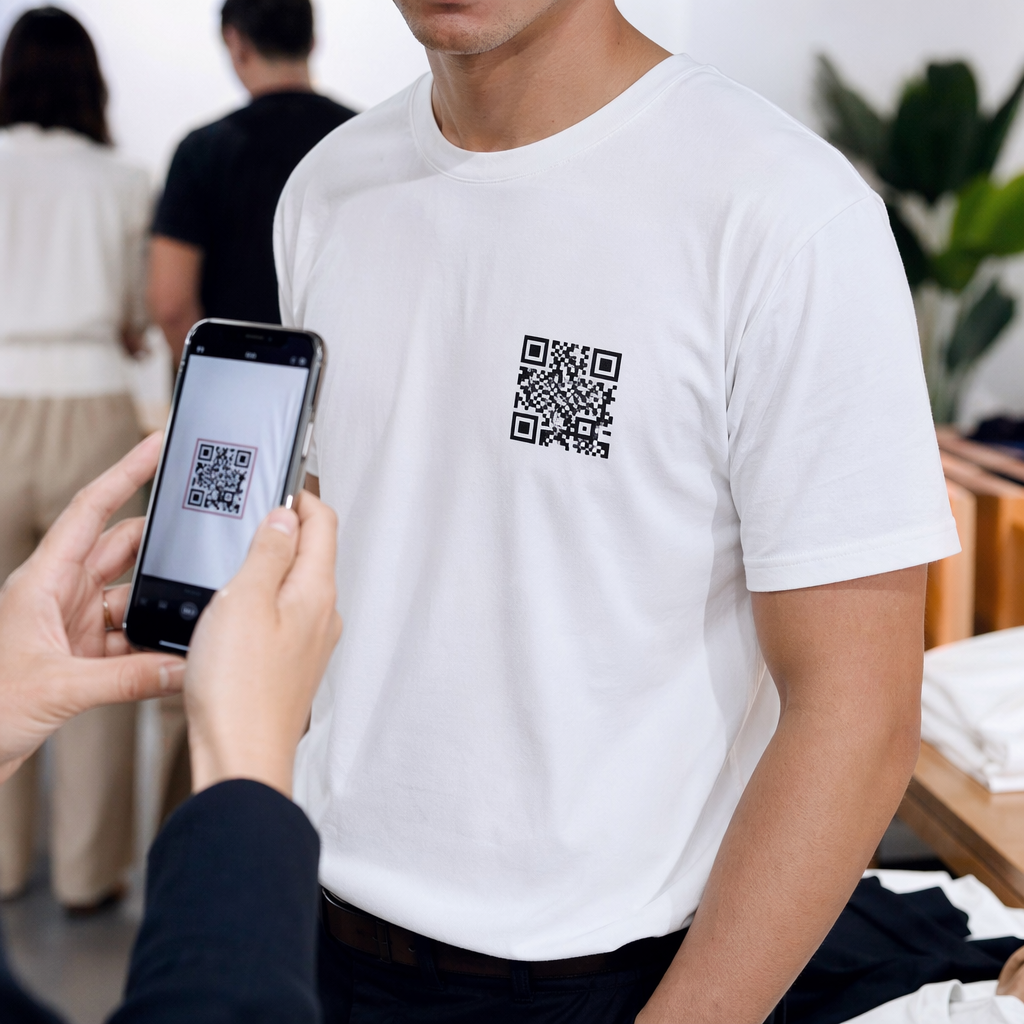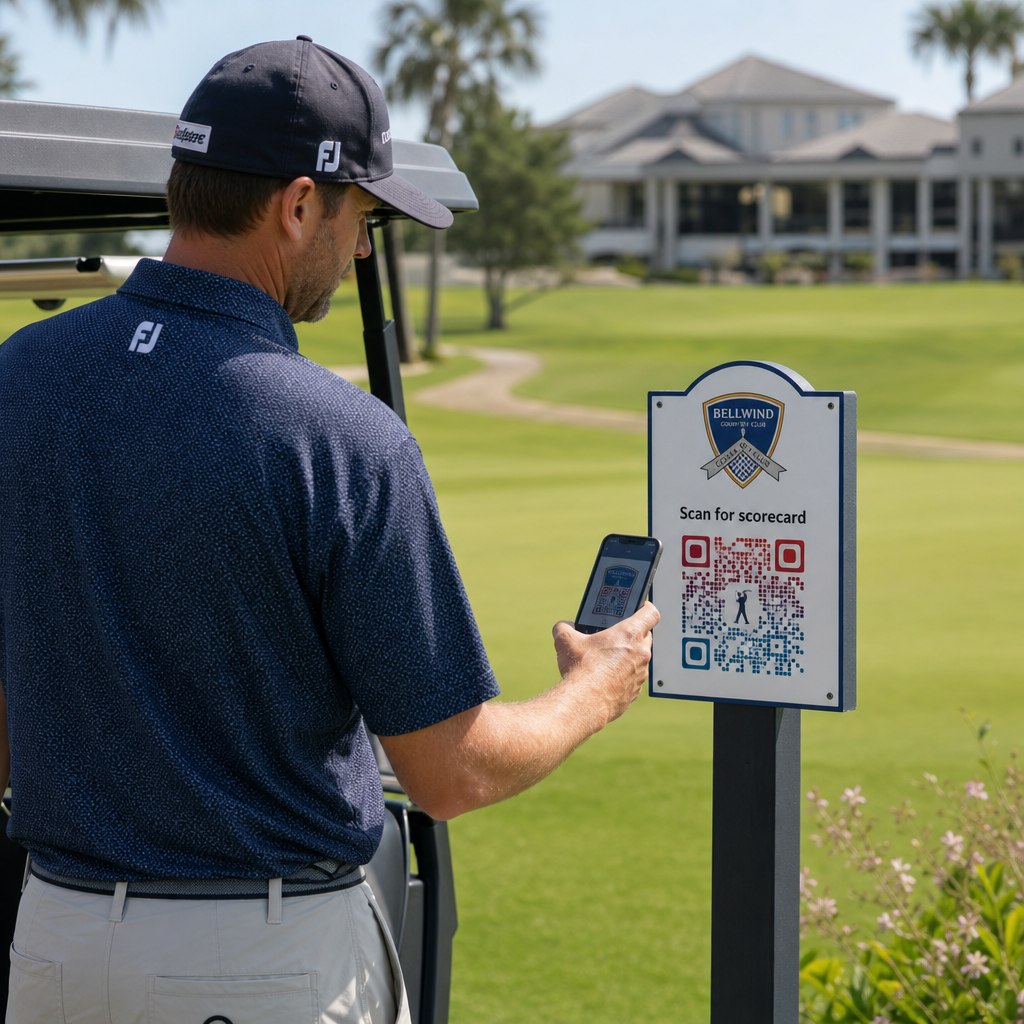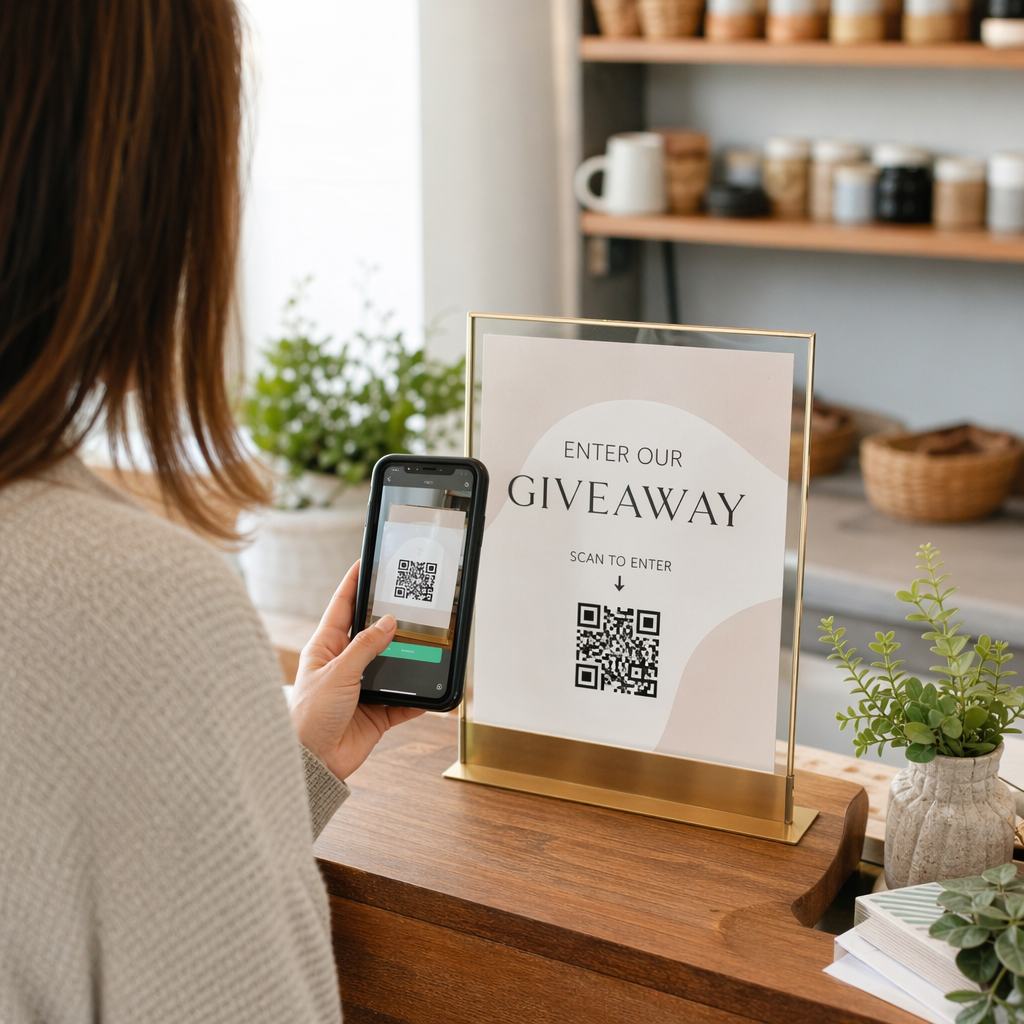
Kaip žinoti, ar jūsų vietos pagrindu veikianti QR kampanija iš tiesų veikia? Be tinkamų metrikų, jūs leidžiate pinigus spausdintoms medžiagoms, neturėdami galimybės įrodyti jų poveikio. Šis vadovas išskaido septynias metrikas, kurios suteikia jums aiškų, duomenimis pagrįstą kampanijos našumo vaizdą – nuo pirmo nuskaitymo iki galutinio konversijos.
Kas daro vietos pagrindu veikiančias QR kampanijas išmatuojamas
Vietos pagrindu veikiančios QR kodų kampanijos sujungia neprisijungus pasiekiamas vietas – plakatus, pakuotes, parduotuvių ekspozicijas, renginių medžiagą – su skaitmeninėmis patirtimis. Skirtingai nei svetainės srautas, šios sąveikos prasideda fiziniame pasaulyje, o tai sukuria priskyrimo iššūkį: kaip susieti nuskaitymą Ostine su pirkimu jūsų el. prekybos platformoje?
Atsakymas yra dinaminiai QR kodai. Skirtingai nei statiniai kodai, dinaminiai QR kodai nukreipia nuskaitymus per peradresavimo serverį, kuris registruoja duomenis prieš išsiųsdamas vartotoją į paskirties vietą. Šis tarpinis žingsnis leidžia stebėti. Galite užfiksuoti, kada, kur ir kaip įvyko nuskaitymas – ir atnaujinti paskirties URL, neperspausdinant nė vienos medžiagos.
QR kodo sekimas veikia priskirdamas kiekvienam kodui unikalų peradresavimo nuorodą, susietą su jūsų kampanija. Kiekvienas nuskaitymas sugeneruoja duomenų įvykį, kurį įrašo jūsų analizės platforma. Suporuokite tai su UTM parametrais, įterptais į paskirties URL, ir galėsite tiesiogiai perkelti nuskaitymo duomenis į „Google Analytics 4“, savo CRM arba rinkodaros automatizavimo įrankį.
Turint šį pagrindą, štai septynios metrikos, kurias verta stebėti.
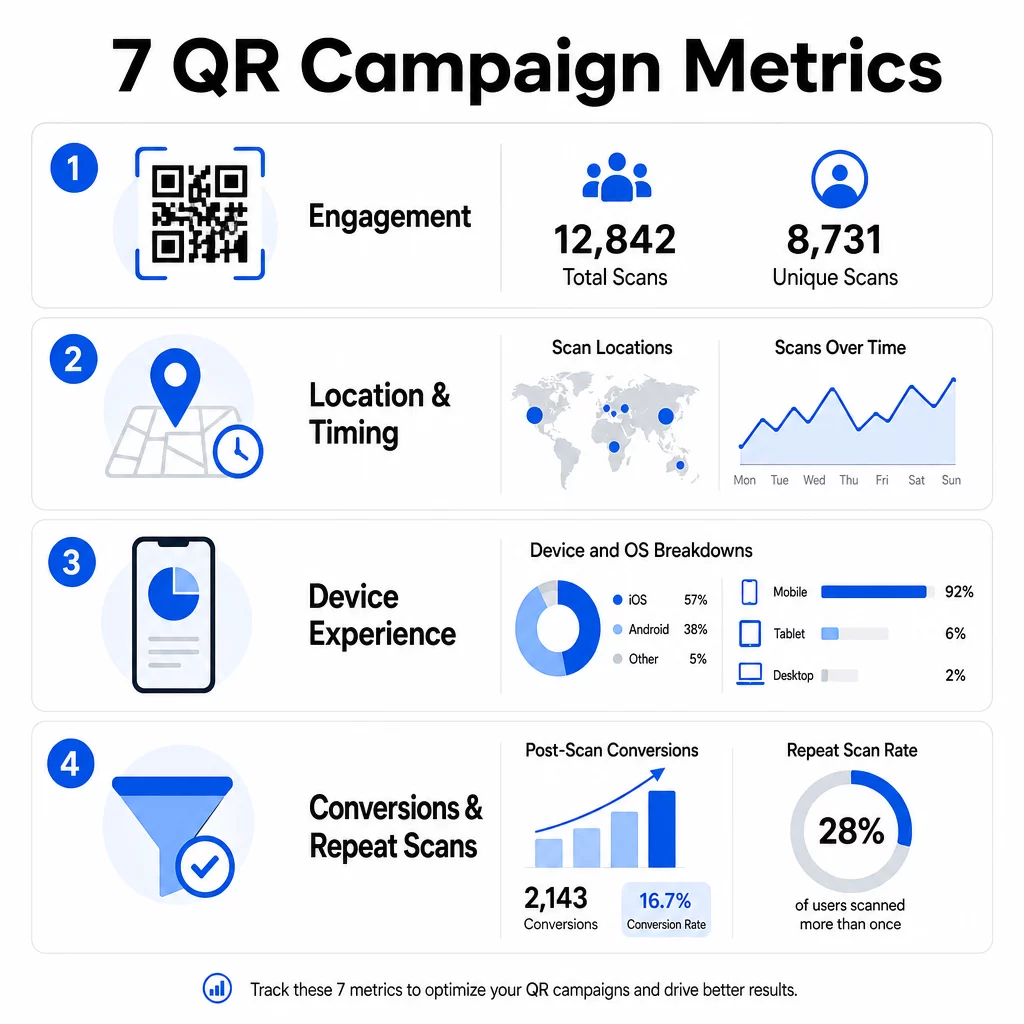
1. Bendras nuskaitymų skaičius
Bendras nuskaitymų skaičius apima kiekvieną sąveiką su jūsų QR kodu, įskaitant kelis to paties asmens nuskaitymus. Tai yra jūsų bazinė įsitraukimo metrika – ji parodo, ar jūsų vieta yra pakankamai matoma ir patraukli, kad paskatintų veiksmą.
Nuskaitymo rodikliai labai skiriasi priklausomai nuo konteksto:
- Spausdintinėse reklamose nuskaitymo rodikliai paprastai siekia 1–3%
- Produktų pakuotės paprastai pasiekia 2–5%
- Parduotuvių ekspozicijos dažnai generuoja 5–10%
- Renginių medžiaga gali pasiekti 10–20%
Bendro nuskaitymų skaičiaus šuolis po kampanijos pradžios yra teigiamas ženklas, tačiau verta atkreipti dėmesį, kad 70% visų nuskaitymų paprastai įvyksta per pirmąsias 30 dienų. Svarbu stiprus paleidimas. Aiškus raginimas veikti, pvz., “Nuskaitykite ir gaukite 10% nuolaidą”, sugeneruoja žymiai daugiau ankstyvų nuskaitymų nei kodas, patalpintas be konteksto.
Dėl išdėstymo, QR kodus statykite akių lygyje – maždaug 4–5 pėdų aukštyje – ir užtikrinkite, kad jų dydis būtų bent 1 colis, kad nuskaitymas būtų patikimas. Bendras nuskaitymų skaičius suteikia jums pasiekiamumą; toliau pateiktos metrikos nurodo, ką su juo daryti.
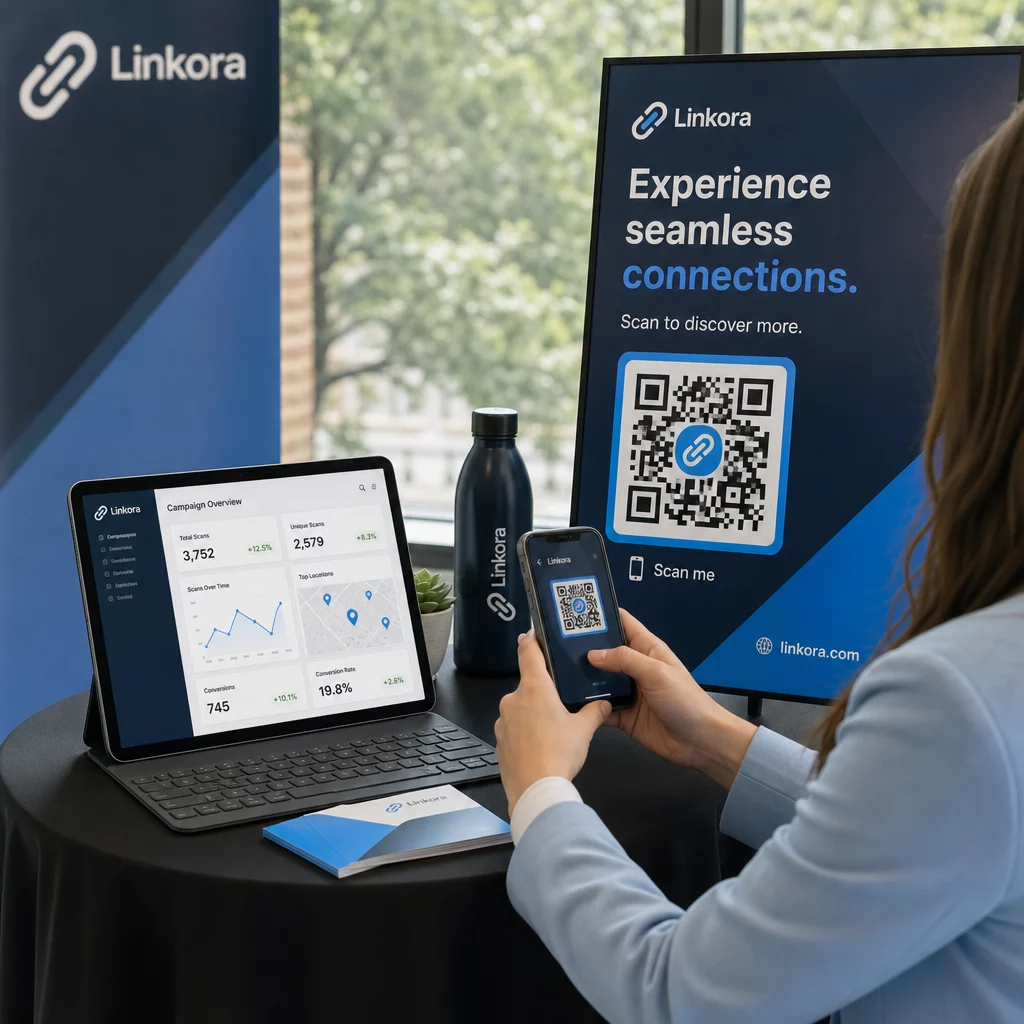
Sekite savo QR kampanijas realiuoju laiku Matykite bendrą nuskaitymų skaičių, unikalius lankytojus ir geografines tendencijas joms vykstant. Išbandykite QR kodo analizės ir sekimo funkcijas kad pradėtumėte matuoti tai, kas svarbu.
2. Unikalūs nuskaitymai
Unikalūs nuskaitymai filtruoja pasikartojančias sąveikas, skaičiuodami tik skirtingus įrenginius ar vartotojus. Atotrūkis tarp bendro ir unikalių nuskaitymų yra vienas informatyviausių santykių jūsų analizėje.
Jei turite 10 000 bendrų nuskaitymų ir 8 000 unikalių nuskaitymų, 20 % jūsų sąveikų yra pakartotiniai apsilankymai. Ar tai gerai, ar blogai, priklauso nuo jūsų tikslo. Lojalumo programai ar skaitmeniniam meniu pakartotiniai nuskaitymai yra esmė. Sąmoningumo kampanijai, skirtai pasiekti naujus žmones, mažas unikalių nuskaitymų skaičius rodo, kad neplečiate savo auditorijos.
Dinaminiai QR kodai reikalingi unikalių nuskaitymų sekimui. Platformos naudoja įrenginio lygio identifikatorius arba IP pagrindu veikiančius signalus, kad atskirtų individualius vartotojus, išlaikydamos duomenų anonimiškumą. Šis skirtumas taip pat svarbus operaciniu požiūriu – jei sinchronizuojate nuskaitymo duomenis su CRM, unikalūs nuskaitymai apsaugo nuo pasikartojančių įrašų ir išpūstų potencialių klientų skaičiaus.
Praktinis signalas: vartotojai, kurie nuskenuoja tą patį kodą du kartus per 48 valandas, dažnai rodo didesnį pirkimo ketinimą, todėl jie yra naudingas segmentas tolesniam taikymui arba potencialių klientų vertinimui.
3. Nuskaitymo vietos
Geografiniai nuskaitymo duomenys tiksliai parodo, kur pasiekiami jūsų kodai, paprastai iki miesto lygio. Būtent čia vietos pagrindu veikiančios kampanijos užsitarnauja savo pavadinimą – ir čia biudžeto sprendimus daug lengviau pagrįsti.
Dauguma QR analizės prietaisų skydelių rodo vietos duomenis kaip šilumos žemėlapius arba miesto lygio suskirstymus, leidžiančius nustatyti, kurie išdėstymai duoda rezultatų ir kurie regionai veikia prasčiau, palyginti su investicijomis. Nacionalinei kampanijai su tolygiu paskirstymu vietos duomenys dažnai atskleidžia stebinančią koncentraciją. Skrajutės kampanija keliose valstijose gali sugeneruoti 500 nuskaitymų viename vidutinio dydžio mieste ir mažiau nei 100 didžiuosiuose rinkose – įžvalga, kuri būtų nematoma be vietos sekimo.
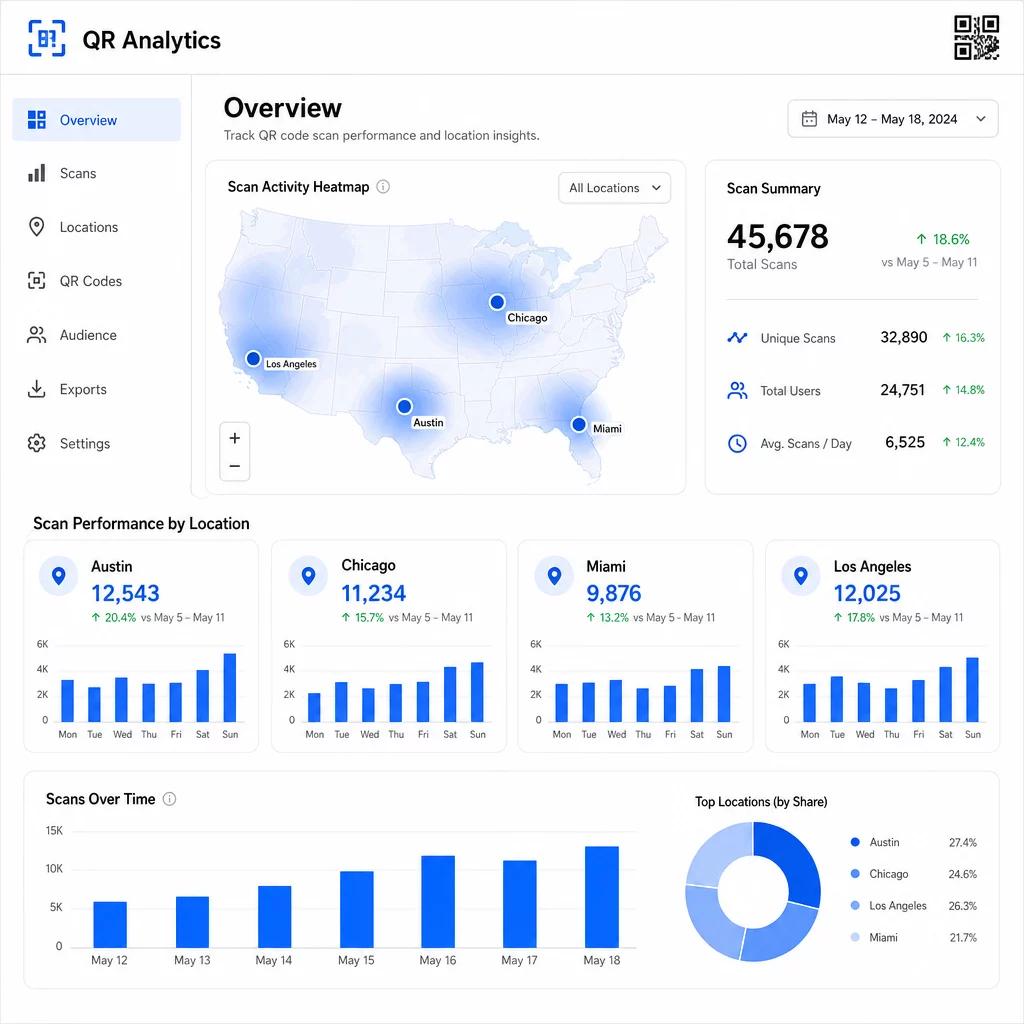
Kiekvienam išdėstymui priskirti unikalius QR kodus yra patikimiausias būdas izoliuoti vietos našumą. Vienas kodas keliose vietose suteikia jums apibendrintus duomenis; unikalūs kodai suteikia tiesioginį palyginimą.
Vietos duomenys taip pat leidžia personalizuoti. Geografiškai nukreipti QR kodai gali nukreipti vartotojus į skirtingus nukreipimo puslapius pagal jų nuskaitymo vietą – pavyzdžiui, maisto prekių tinklas gali reklamuoti karštus gėrimus šaltesniuose regionuose ir šaltus gėrimus ten, kur temperatūra aukštesnė, nespausdinant atskirų medžiagų.
Pastaba dėl privatumo: Pagal Kalifornijos vartotojų privatumo įstatymą (California Consumer Privacy Act), tikslūs geografinės vietos duomenys – apibrėžiami kaip vieta maždaug 1 850 pėdų spinduliu – klasifikuojami kaip jautri asmeninė informacija. Miesto lygio IP pagrindu veikiantis sekimas paprastai nepatenka į šią ribą, tačiau GPS pagrindu veikiančiam sekimui reikalingas aiškus vartotojo sutikimas. Peržiūrėkite savo platformos duomenų praktiką ir gaukite tinkamą sutikimą prieš rinkdami išsamius vietos duomenis.
4. Nuskaitymai laikui bėgant
Laiko duomenys atskleidžia, kaip ir kada jūsų auditorija įsitraukia. Peržiūrėjus nuskaitymų apimtį pagal valandas, dienas ir savaites, galite suprasti ne tik tai, kiek žmonių nuskaito, bet ir kada jie greičiausiai imsis veiksmų.
Bendri modeliai skiriasi priklausomai nuo kampanijos tipo:
- B2B kampanijos dažniausiai pasiekia piką nuo antradienio iki ketvirtadienio, tarp 12:00 ir 14:00 val.
- B2C kampanijos paprastai sulaukia didžiausio aktyvumo nuo penktadienio iki sekmadienio, tarp 18:00 ir 20:00 val.
Tačiau vietinės sąlygos yra svarbesnės nei bendri etalonai. Kavinės stende gali būti piko valandos 8:00 val. ryto; renginio vietos QR kodas gali pasiekti piką 30 minučių prieš atidarant duris. Nuskaitymo greičio – nuskaitymų skaičiaus per valandą – stebėjimas padeda pastebėti šiuos modelius ir ankstyvus kampanijos nuosmukio požymius, kai susidomėjimas pradeda mažėti po pradinio paleidimo laikotarpio.
Laiko duomenys tampa veiksmingi, kai juos derinate su turinio valdymu. Dinaminiai QR kodai leidžia jums atnaujinti paskirties URL realiuoju laiku, kad galėtumėte vykdyti žaibiškus išpardavimus ar laiko jautrias akcijas, kurios atitinka didžiausio įsitraukimo laikotarpius, neperspausdinant medžiagos. Suplanavus socialinių tinklų ar el. pašto pranešimus prieš pat piko nuskaitymo valandas, galima sustiprinti efektą.
Nuolatiniams išdėstymams peržiūrėkite laiko duomenis kas mėnesį. Aktyvioms kampanijoms dažnai pakanka savaitinių peržiūrų, kad būtų pastebėti reikšmingi pokyčiai.
5. Įrenginių ir OS suskirstymai
Įrenginio duomenys parodo, ką jūsų auditorija naudoja nuskaitymui – ir ar jūsų nukreipimo puslapis jiems iš tikrųjų veikia. Iki 2025 m. mobilieji įrenginiai sudarys maždaug 96% visų QR kodų nuskaitymų, o iOS ir Android pasidalins didžiąją dalį šio srauto.
Šis suskirstymas turi tiesioginių techninių pasekmių. Nukreipimo puslapis, kuris sklandžiai įkeliamas Safari/iOS, gali elgtis kitaip Chrome/Android, ypač jei jame yra vaizdo įrašų, formos elementų ar programų atsisiuntimo raginimų. Įrenginio duomenys leidžia jums pastebėti šias problemas, kol jos nekainavo jums konversijų.
Praktinis pavyzdys: kampanija, reklamuojanti mobiliąją programėlę, gali nukreipti iOS vartotojus tiesiai į Apple App Store, o Android vartotojus – į Google Play. Toks išmanusis nukreipimas – pagrįstas aptiktu įrenginio tipu – pašalina trintį ir pagerina diegimo rodiklius. Pageloot analitikos prietaisų skydelis pateikia įrenginių ir OS suskirstymus kartu su nuskaitymo duomenimis, kad galėtumėte atlikti šias optimizacijas be spėliojimų.
Taip pat verta paminėti: 78% vartotojų dabar nuskaito QR kodus naudodami savo telefono integruotą kameros programėlę, o ne specialų skaitytuvą. Jūsų turinys turi sklandžiai veikti su integruotomis kameros programėlėmis visose platformose, o ne tik su trečiųjų šalių programėlėmis.
Jei pastebite didelį atmetimo rodiklį iš konkretaus įrenginio tipo, pirmiausia ieškokite našumo problemų – dideli vaizdai, neoptimizuotas vaizdo įrašas arba formos, kurios netinkamai atvaizduojamos tam tikruose ekrano dydžiuose, yra dažni kaltininkai.
6. Konversijos po nuskaitymo
Konversijos po nuskaitymo yra ta vieta, kur įsitraukimas virsta pajamomis. Kiekviena metrika iki šios matuoja dėmesį; ši matuoja rezultatus – pirkimus, registracijas, programėlių atsisiuntimus ar bet kokį veiksmą, kurį jūsų kampanija skirta paskatinti.
Dažni konversijų etalonai pagal veiksmo tipą:
- Socialiniai sekėjai: 20–30%
- El. pašto registracijos: 15–25%
- Programėlių atsisiuntimai: 10–15%
- Pirkimai: 2–5%
Jei jūsų skaičiai gerokai nukrenta žemiau šių diapazonų, problema dažniausiai slypi po nuskaitymo patirtyje: lėtai įkeliama puslapis, pernelyg sudėtinga forma arba paskirties vieta, kuri neatitinka to, ką žadėjo QR kodas.
Konversijų stebėjimo nustatymas reikalauja dviejų dalykų, veikiančių kartu. Pirma, pridėkite UTM parametrus prie savo paskirties URL – pavyzdžiui, `utm`source=storedisplay&utmmedium=qrkodas&utmcampaign=springpromo` – kad „Google Analytics 4“ galėtų priskirti srautą jūsų QR kampanijai. Antra, sukonfigūruokite GA4 įvykių stebėjimą, kad būtų įrašyti konkretūs veiksmai, kurie jums rūpi: mygtukų paspaudimai, formų pateikimai, vaizdo įrašų peržiūros pabaiga arba pirkimai. The UTM parametrų vadovas QR kodams išsamiai aprašo šį nustatymą.
Norėdami giliau priskirti, susiekite savo QR nuskaitymo duomenis su CRM arba rinkodaros automatizavimo platforma. Tai leidžia siųsti suasmenintus tolesnius veiksmus, pagrįstus nuskaitymo elgsena, ir stebėti konversijas per sesijas, o ne tik iškart po nuskaitymo.
ROI skaičiavimas kai turite konversijos duomenis, yra paprasta: iš gautų pajamų atimkite bendras kampanijos išlaidas (dizainas, spausdinimas, platformos mokesčiai), padalinkite iš išlaidų ir padauginkite iš 100. Kampanija, kuri kainuoja $500 ir generuoja $2 000 pardavimų, grąžina 300%.
Susiekite QR nuskaitymus su tolesnėmis konversijomis Naudokite QR kodo sekimas naudodami UTM parametrus, kad kiekvienas nuskaitymas būtų susietas su kampanija ir būtų galima išmatuoti, kas vyksta po nuskaitymo.
7. Pakartotinio nuskaitymo rodiklis
Pakartotinio nuskaitymo rodiklis matuoja, kaip dažnai vartotojai grįžta nuskaityti kodą po pirmojo sąveikavimo. Tai yra turinio vertės signalas – jei vartotojai grįžta, patirtis suteikia kažką, dėl ko verta grįžti.
Tinkamas pakartotinio nuskaitymo rodiklis visiškai priklauso nuo to, ką vykdote. Lojalumo programos, skaitmeniniai meniu ir produktų vadovai yra skirti pakartotinei sąveikai. Informacinės kampanijos ir vienkartinės akcijos paprastai siekia plataus unikalaus pasiekiamumo, o ne pakartotinio įsitraukimo. Lyginant savo pakartotinio nuskaitymo rodiklį su kampanijos tipu, sužinosite, ar elgesys yra tikėtinas, ar tai problemos ženklas.
| Pakartotinio nuskaitymo rodiklis | Ką tai signalizuoja | Siūlomas veiksmas |
|---|---|---|
| Aukštas | Turinys yra vertingas; vartotojai grįžta sąmoningai | Išplėskite į panašias vietas; pridėkite lojalumo apdovanojimų; pakartotinai nukreipkite įsitraukusius vartotojus |
| Žemas | Turinys sukelia vienkartinį susidomėjimą, bet trūksta tolesnio patrauklumo | Pagerinkite nukreipimo puslapio turinį; supaprastinkite vartotojo kelionę; išbandykite naujus raginimus veikti (CTA) |
| Didelis bendras / mažas unikalus | Maža, bet labai įsitraukusi auditorija | Sutelkti dėmesį į nišinės auditorijos kūrimą; pasiūlyti personalizuotus pasiūlymus geriausiems vartotojams |
Stebėkite anomalijas: itin greiti pakartotiniai nuskaitymai – keli paspaudimai per kelias sekundes – gali rodyti robotų veiklą, o ne tikrą vartotojo elgesį. Jei jūsų pakartotinių nuskaitymų rodiklis yra aukštas, bet konversijos žemos, turinys yra patrauklus, tačiau konversijos kelyje yra trinties.
Susiekite pakartotinių nuskaitymų laiko žymas su savo laiko duomenimis, kad nustatytumėte labiausiai įsitraukusius vartotojus. Tas, kuris nuskaito du kartus per 48 valandas, rodo stiprų ketinimą – tai naudingas impulsas CRM pagrįstam tolesniam veiksmui arba personalizuotam bendravimui.
Našumo palyginimas skirtingose vietose
Vienas praktiškiausių QR analizės panaudojimo būdų yra išsamus vietų palyginimas. Priskirdami unikalius kodus kiekvienai vietai, galite tiesiogiai priskirti našumą – ne tik spėlioti, kuri parduotuvė ar miestas veikia.
Štai pavyzdys, kaip gali atrodyti toks palyginimas:
| Nuskaitymo vieta | VISI NUSKAITYMAI | Unikalūs nuskaitymai | Konversijos rodiklis | Siūlomas veiksmas |
|---|---|---|---|---|
| Ostinas, Teksasas | 500 | 420 | 12% | Padidinti vietinių reklamų išlaidas; sustiprinti dabartinį pasiūlymą |
| Čikaga, Ilinojus | 95 | 80 | 3% | Iš naujo įvertinti vietą; išbandyti stipresnį raginimą veikti (CTA) |
| Majamis, Florida | 88 | 75 | 2.5% | Perkelti biudžetą į geriau veikiančius regionus |
| Los Andželas, Kalifornija | 450 | 390 | 10% | Išlaikyti strategiją; naudoti kaip etaloną kitoms miesto rinkoms |
Didelis nuskaitymų skaičius su mažomis konversijomis dažnai rodo problemą po nuskaitymo patirties. Mažas nuskaitymų skaičius didelio srauto vietose paprastai rodo matomumo ar vietos problemą – pabandykite padidinti kodą, perkelti jį į akių lygį arba padaryti raginimą veikti (CTA) labiau matomą.
Reguliariai peržiūrint šį palyginimą, neapdoroti skaičiai virsta biudžeto sprendimais. Norėdami giliau pažvelgti į tai, kaip skaityti geografines nuskaitymo tendencijas, QR kodo analizės prietaisų skydelio vadovas išsamiai apima nustatymą ir interpretavimą.
Viską sudėjus
Šių septynių metrikų stebėjimas paverčia vietos pagrindu veikiančias QR kampanijas iš „atspausdink ir tikėkis“ taktikos į išmatuojamą, optimizuojamą sistemą. Bendras ir unikalus nuskaitymų skaičius parodo pasiekiamumą. Vietos ir laiko duomenys nurodo, kur ir kada sutelkti dėmesį. Įrenginių suskirstymai užtikrina, kad jūsų turinys iš tikrųjų veikia. Konversijos susieja nuskaitymus su pajamomis. O pakartotinių nuskaitymų rodiklis parodo, ar vartotojai randa pakankamai vertės, kad sugrįžtų.
Viso to pagrindas yra dinaminių QR kodų naudojimas – be jų dauguma šių metrikų tiesiog nėra prieinamos. Kampanijos, kurios nuosekliai stebi šiuos duomenis, gali greičiau nustatyti gerai veikiančias vietas, pataisyti prastai veikiančias, kol jos neiššvaistė biudžeto, ir sukurti aiškesnį neprisijungusio ROI vaizdą, nei leidžia dauguma tradicinių žiniasklaidos kanalų.
Pradėkite stebėti savo vietos pagrindu veikiančią kampaniją Kurkite dinaminius QR kodus, stebėkite nuskaitymo duomenis realiuoju laiku ir lyginkite našumą pagal vietą – visa tai iš vieno prietaisų skydelio. Išbandykite Dinaminis QR kodo generatorius nemokamai 14 dienų.
Dažniausiai užduodami klausimai
Bendras nuskaitymų skaičius apima kiekvieną sąveiką su jūsų QR kodu, įskaitant kelis to paties asmens nuskaitymus. Unikalūs nuskaitymai skaičiuoja tik skirtingus įrenginius ar vartotojus, suteikdami jums aiškesnį vaizdą, kiek individualių žmonių įsitraukė į jūsų kampaniją. Skirtumas tarp šių dviejų parodo, kiek pakartotinio įsitraukimo generuojate.
Taip. Statiniai QR kodai įterpia fiksuotą URL ir negeneruoja jokių analizės duomenų. Dinaminiai QR kodai nukreipia nuskaitymus per peradresavimo serverį, kuris registruoja nuskaitymo laiką, vietą, įrenginio tipą ir kitus metaduomenis. Be dinaminių kodų, tokios metrikos kaip unikalūs nuskaitymai, vietos duomenys ir nuskaitymo laikas nėra prieinamos.
Pridėkite UTM parametrus prie savo paskirties URL – pavyzdžiui, `utmsource=storedisplay&utmmedium=qrcode&utmcampaign=campaignname` – kad GA4 galėtų priskirti gaunamą srautą jūsų QR kodui. Tada sukonfigūruokite GA4 įvykių stebėjimą, kad būtų įrašyti konkretūs veiksmai, kuriuos norite matuoti, pvz., formų pateikimai ar pirkimai. Dinaminiai QR kodai palengvina tai, nes galite atnaujinti arba pataisyti UTM parametrus neperspausdinant savo medžiagos.