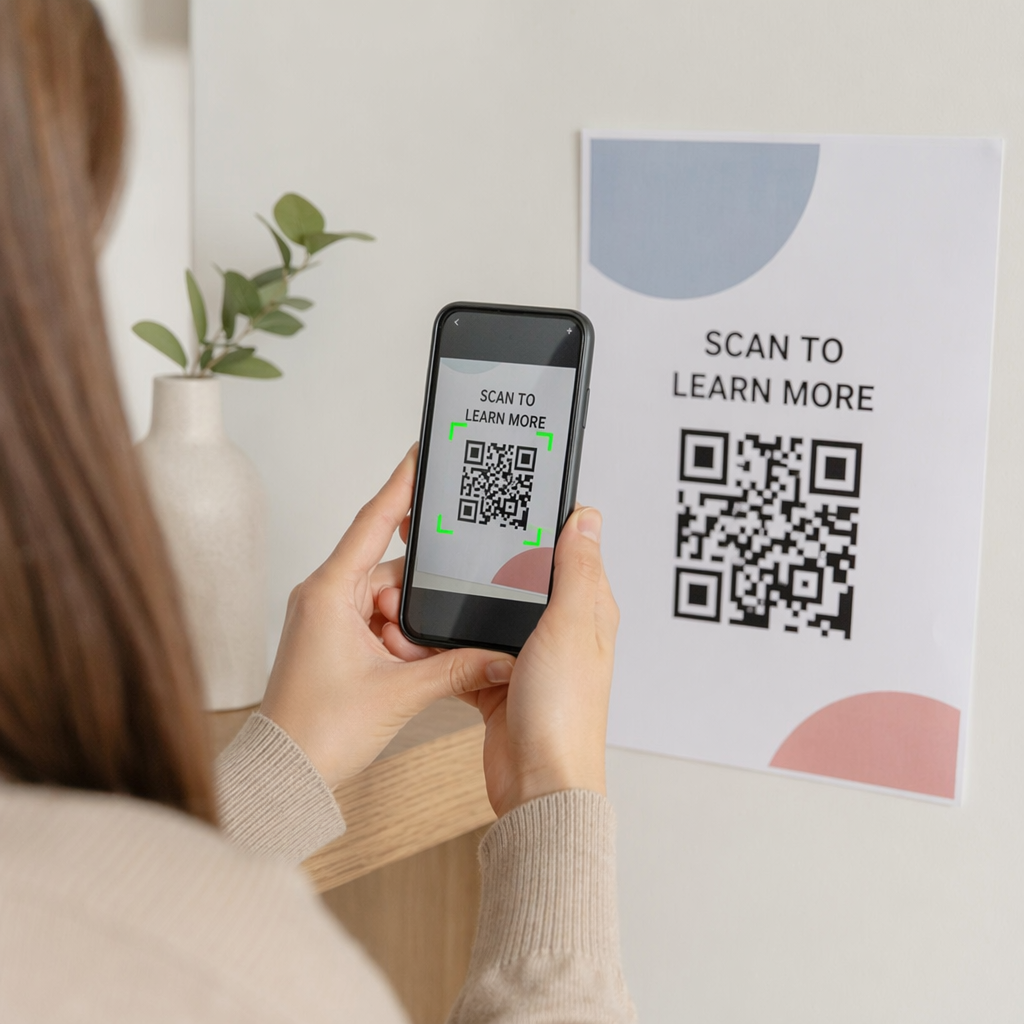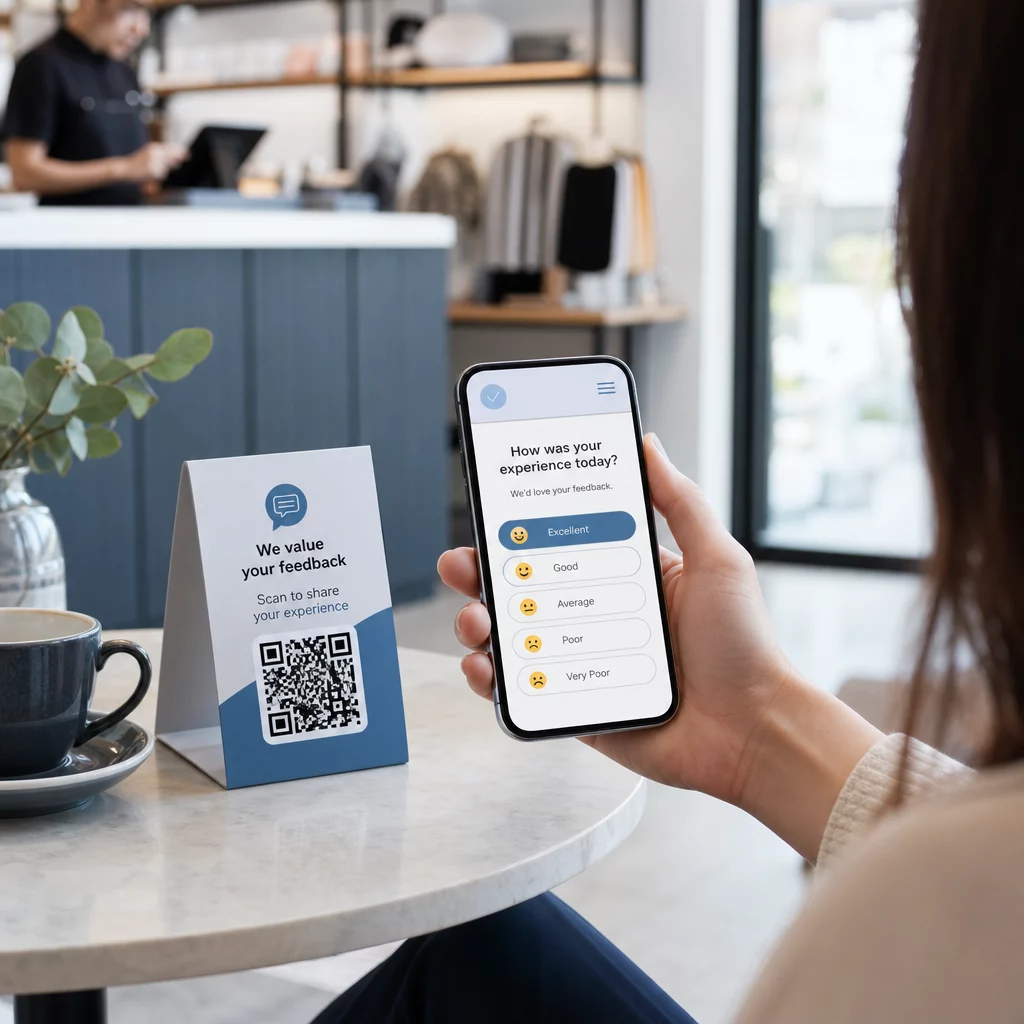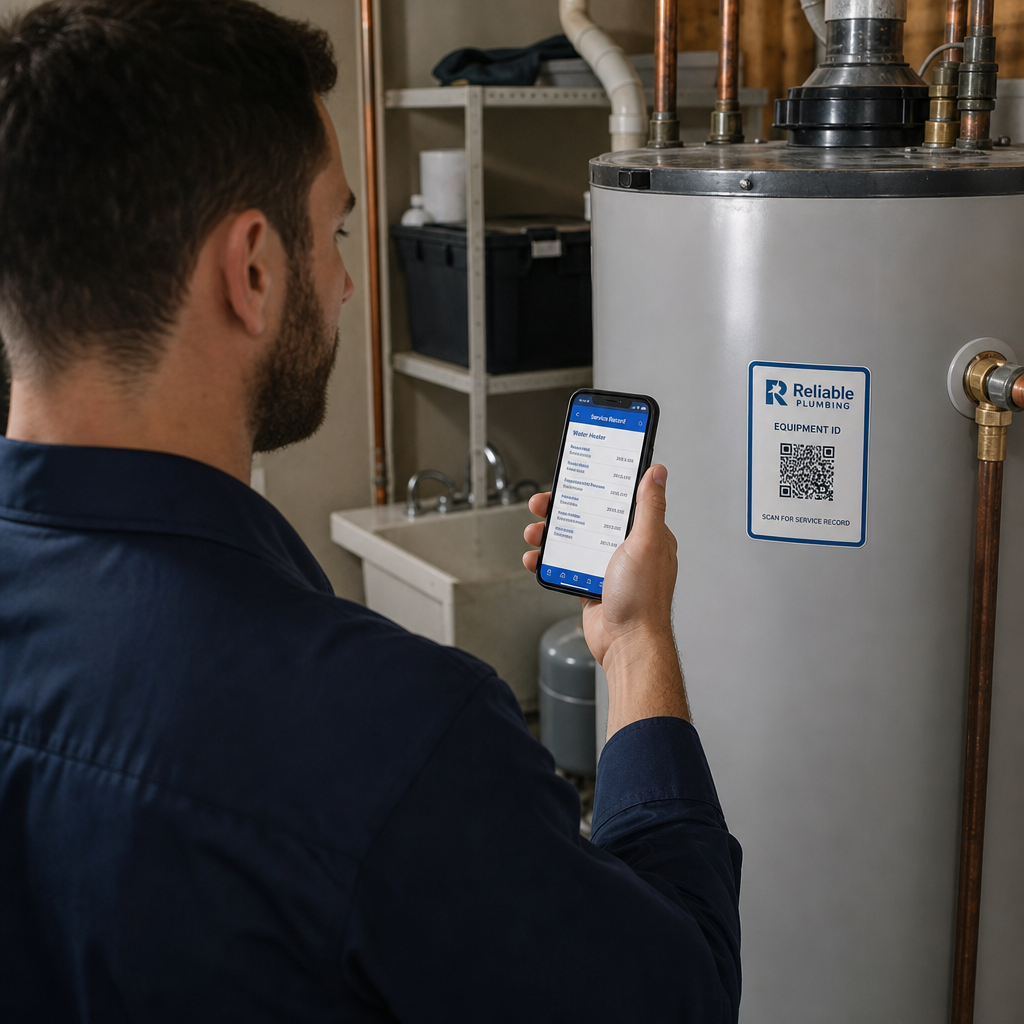
Bagaimana Anda tahu apakah kampanye QR berbasis lokasi Anda benar-benar berfungsi? Tanpa metrik yang tepat, Anda menghabiskan uang untuk materi cetak tanpa cara untuk membuktikan dampaknya. Panduan ini menguraikan tujuh metrik yang memberi Anda gambaran kinerja kampanye yang jelas dan berbasis data – dari pemindaian pertama hingga konversi akhir.
Apa yang Membuat Kampanye QR Berbasis Lokasi Terukur
Kampanye kode QR berbasis lokasi menghubungkan penempatan offline – poster, kemasan, pajangan di toko, materi acara – ke pengalaman digital. Tidak seperti lalu lintas situs web, interaksi ini dimulai di dunia fisik, yang menciptakan tantangan atribusi: bagaimana Anda mengaitkan pemindaian di Austin dengan pembelian di platform e-commerce Anda?
Jawabannya adalah kode QR dinamis. Tidak seperti kode statis, kode QR dinamis mengarahkan pemindaian melalui server pengalihan yang mencatat data sebelum mengirim pengguna ke tujuan. Langkah perantara inilah yang memungkinkan pelacakan. Anda dapat menangkap kapan, di mana, dan bagaimana pemindaian terjadi – dan memperbarui URL tujuan tanpa mencetak ulang satu pun materi.
Pelacakan kode QR berfungsi dengan menetapkan setiap kode tautan pengalihan unik yang terikat pada kampanye Anda. Setiap pemindaian menghasilkan peristiwa data yang dicatat oleh platform analitik Anda. Pasangkan itu dengan parameter UTM yang disematkan di URL tujuan dan Anda dapat mendorong data pemindaian langsung ke Google Analytics 4, CRM Anda, atau alat otomatisasi pemasaran.
Dengan fondasi tersebut, berikut adalah tujuh metrik yang layak dilacak.
1. Total Pemindaian
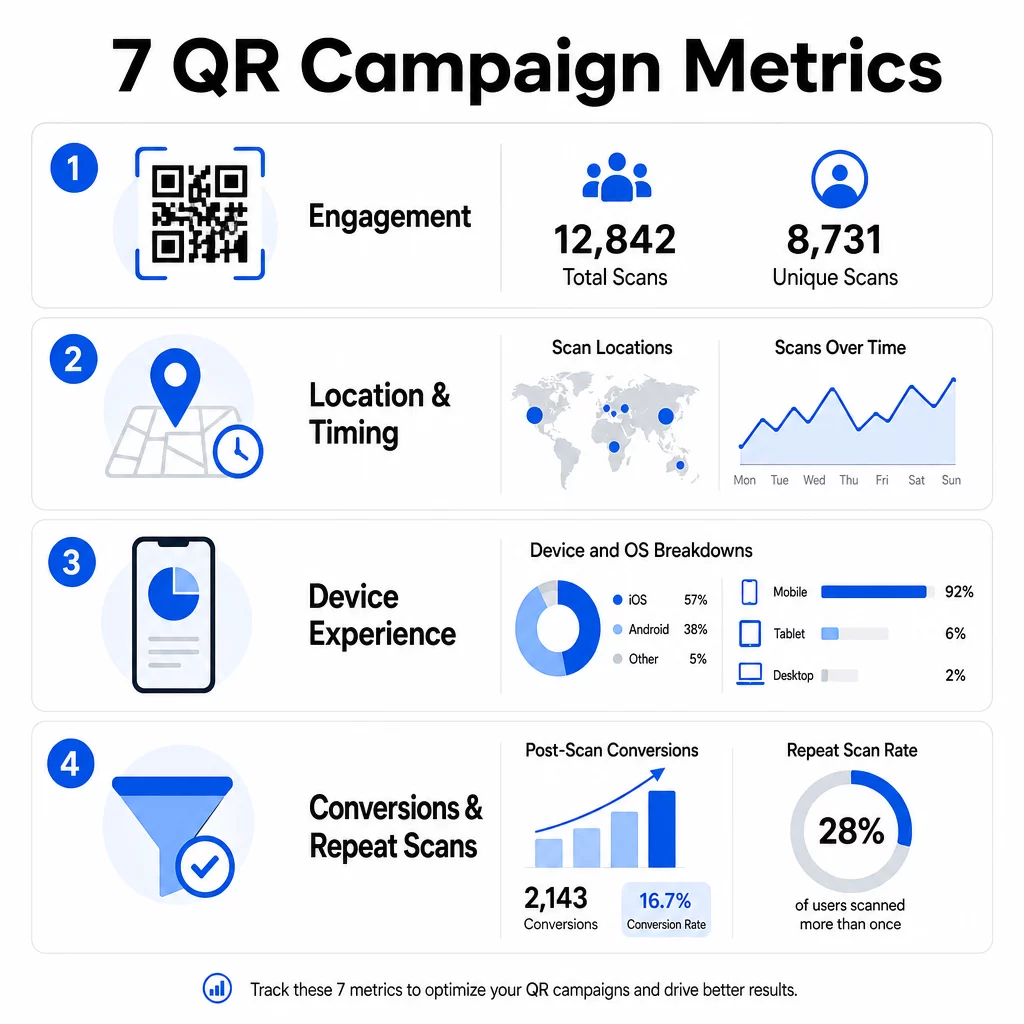
Total pemindaian menghitung setiap interaksi dengan kode QR Anda, termasuk beberapa pemindaian oleh orang yang sama. Ini adalah metrik keterlibatan dasar Anda – ini memberi tahu Anda apakah penempatan Anda cukup terlihat dan menarik untuk mendorong tindakan.
Tingkat pemindaian sangat bervariasi berdasarkan konteks:
- Iklan cetak biasanya memiliki tingkat pemindaian 1–3%
- Kemasan produk cenderung berkinerja pada 2–5%
- Pajangan di toko sering menghasilkan 5–10%
- Materi acara dapat mencapai 10–20%
Lonjakan total pemindaian setelah peluncuran kampanye adalah sinyal positif, tetapi perlu dicatat bahwa 70% dari total pemindaian biasanya terjadi dalam 30 hari pertama. Peluncuran yang kuat itu penting. Ajakan bertindak yang jelas seperti “Pindai untuk diskon 10%” mendorong lebih banyak pemindaian awal secara signifikan daripada kode yang ditempatkan tanpa konteks.
Untuk penempatan, posisikan kode QR setinggi mata – kira-kira 4 hingga 5 kaki tinggi – dan pastikan ukurannya setidaknya 1 inci untuk pemindaian yang Andal. Total pemindaian memberi Anda jangkauan; metrik di bawah ini memberi tahu Anda apa yang harus dilakukan dengannya.
Lacak Kampanye QR Anda secara Real Time Lihat total pemindaian, pengunjung unik, dan tren geografis saat itu terjadi. Jelajahi fitur Analitik & Pelacakan Kode QR untuk mulai mengukur apa yang penting.
2. Pemindaian Unik
Pemindaian unik menyaring interaksi berulang, hanya menghitung perangkat atau pengguna yang berbeda. Kesenjangan antara total pemindaian dan pemindaian unik adalah salah satu rasio paling informatif dalam analitik Anda.
Jika Anda memiliki 10.000 total pemindaian dan 8.000 pemindaian unik, 20% dari interaksi Anda adalah kunjungan kembali. Apakah itu baik atau buruk tergantung pada tujuan Anda. Untuk program loyalitas atau menu digital, pemindaian berulang adalah intinya. Untuk kampanye kesadaran yang dirancang untuk menjangkau orang baru, jumlah pemindaian unik yang rendah menandakan bahwa Anda tidak memperluas audiens Anda.
Kode QR dinamis diperlukan untuk pelacakan pemindaian unik. Platform menggunakan pengidentifikasi tingkat perangkat atau sinyal berbasis IP untuk membedakan pengguna individu sambil menjaga data tetap anonim. Perbedaan ini juga penting secara operasional – jika Anda menyinkronkan data pemindaian ke CRM, pemindaian unik mencegah catatan duplikat dan jumlah prospek yang meningkat.
Sinyal praktis: pengguna yang memindai kode yang sama dua kali dalam 48 jam sering menunjukkan niat pembelian yang lebih tinggi, menjadikannya segmen yang berguna untuk penargetan tindak lanjut atau penilaian prospek.
3. Lokasi Pemindaian
Data pemindaian geografis menunjukkan dengan tepat di mana kode Anda diakses, biasanya hingga tingkat kota. Di sinilah kampanye berbasis lokasi mendapatkan namanya – dan di mana keputusan anggaran menjadi jauh lebih mudah untuk dibenarkan.
Sebagian besar dasbor analitik QR menampilkan data lokasi sebagai peta panas atau rincian tingkat kota, memungkinkan Anda mengidentifikasi penempatan mana yang mendorong hasil dan wilayah mana yang berkinerja buruk relatif terhadap investasi. Untuk kampanye nasional dengan distribusi yang merata, data lokasi sering mengungkapkan konsentrasi yang mengejutkan. Kampanye selebaran di beberapa negara bagian mungkin menghasilkan 500 pemindaian di satu kota menengah dan kurang dari 100 di pasar utama – wawasan yang tidak akan terlihat tanpa pelacakan lokasi.
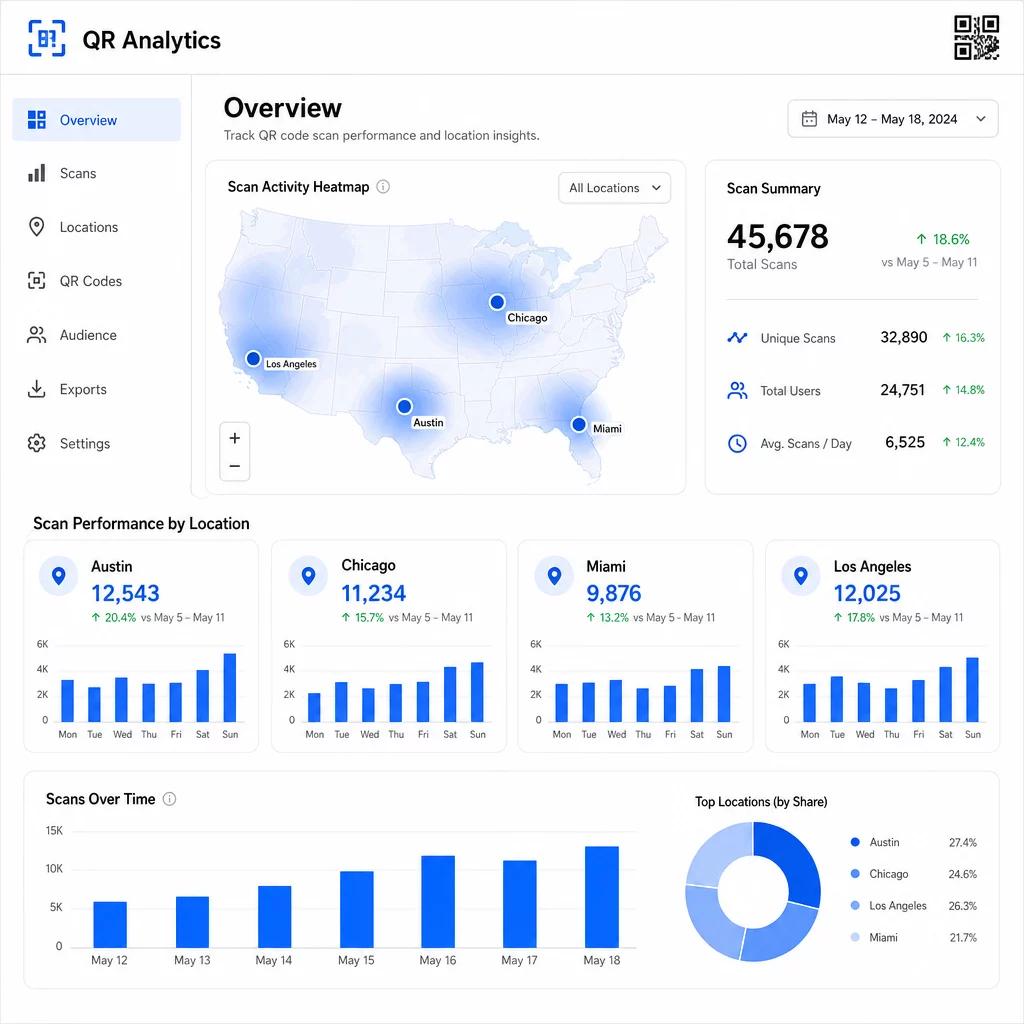
Menetapkan kode QR unik untuk setiap penempatan adalah cara paling andal untuk mengisolasi kinerja lokasi. Satu kode di beberapa lokasi memberi Anda data agregat; kode unik memberi Anda perbandingan langsung.
Data lokasi juga memungkinkan personalisasi. Kode QR yang ditargetkan secara geografis dapat mengarahkan ulang pengguna ke halaman arahan yang berbeda berdasarkan lokasi pemindaian mereka – rantai toko kelontong, misalnya, dapat mempromosikan minuman panas di daerah yang lebih dingin dan minuman dingin di mana suhu lebih tinggi, tanpa mencetak materi terpisah.
Catatan tentang privasi: Berdasarkan California Consumer Privacy Act, data geolokasi yang tepat – didefinisikan sebagai lokasi dalam radius sekitar 1.850 kaki – diklasifikasikan sebagai informasi pribadi yang sensitif. Pelacakan berbasis IP tingkat kota biasanya berada di luar ambang batas tersebut, tetapi pelacakan berbasis GPS memerlukan persetujuan pengguna yang eksplisit. Tinjau praktik data platform Anda dan dapatkan persetujuan yang tepat sebelum mengumpulkan data lokasi yang terperinci.
4. Pemindaian Seiring Waktu
Data waktu mengungkapkan pola bagaimana audiens Anda berinteraksi – dan kapan. Melihat volume pemindaian berdasarkan jam, hari, dan minggu membantu Anda memahami tidak hanya berapa banyak orang yang memindai, tetapi juga kapan mereka paling mungkin untuk bertindak.
Pola umum bervariasi berdasarkan jenis kampanye:
- Kampanye B2B cenderung mencapai puncaknya Selasa hingga Kamis, antara pukul 12:00 siang dan 2:00 sore
- Kampanye B2C biasanya melihat aktivitas terbanyak Jumat hingga Minggu, antara pukul 6:00 sore dan 8:00 malam
Namun kondisi lokal lebih penting daripada tolok ukur umum. Sebuah pajangan kedai kopi mungkin melihat lonjakan pada pukul 8:00 pagi; kode QR tempat acara mungkin mencapai puncaknya 30 menit sebelum pintu dibuka. Melacak kecepatan pemindaian – tingkat pemindaian per jam – membantu Anda melihat pola-pola ini dan menangkap tanda-tanda awal penurunan kampanye, ketika minat mulai menurun setelah periode peluncuran awal.
Data waktu menjadi dapat ditindaklanjuti ketika Anda menggabungkannya dengan kontrol konten. Kode QR dinamis memungkinkan Anda memperbarui URL tujuan secara real time, sehingga Anda dapat menjalankan penjualan kilat atau promosi yang sensitif waktu yang selaras dengan jendela keterlibatan puncak tanpa mencetak ulang materi. Menjadwalkan dorongan sosial atau email tepat sebelum jam pemindaian puncak Anda dapat memperkuat efeknya.
Untuk penempatan yang berkelanjutan, tinjau data waktu setiap bulan. Untuk kampanye aktif, tinjauan mingguan seringkali cukup untuk menangkap perubahan yang berarti.
5. Perincian Perangkat dan OS
Data perangkat memberi tahu Anda apa yang digunakan audiens Anda untuk memindai – dan apakah halaman arahan Anda benar-benar berfungsi untuk mereka. Pada tahun 2025, perangkat seluler menyumbang sekitar 96% dari semua pemindaian kode QR, dengan iOS dan Android membagi sebagian besar lalu lintas tersebut.
Perincian ini memiliki implikasi teknis langsung. Halaman arahan yang memuat dengan bersih di Safari/iOS mungkin berperilaku berbeda di Chrome/Android, terutama jika menyertakan video, elemen formulir, atau perintah unduhan aplikasi. Data perangkat memungkinkan Anda menangkap masalah ini sebelum merugikan Anda dalam konversi.
Contoh praktis: kampanye yang mempromosikan aplikasi seluler mungkin mengarahkan pengguna iOS langsung ke Apple App Store dan pengguna Android ke Google Play. Jenis perutean cerdas seperti itu – berdasarkan jenis perangkat yang terdeteksi – menghilangkan gesekan dan meningkatkan tingkat instalasi. Dasbor analitik Pageloot menampilkan perincian perangkat dan OS bersama data pemindaian, sehingga Anda dapat melakukan optimasi ini tanpa menebak-nebak.
Perlu juga dicatat: 78% pengguna kini memindai kode QR menggunakan aplikasi kamera bawaan ponsel mereka daripada pemindai khusus. Konten Anda perlu berfungsi dengan mulus dengan aplikasi kamera bawaan di seluruh platform, bukan hanya aplikasi pihak ketiga.
Jika Anda melihat tingkat pentalan yang tinggi dari jenis perangkat tertentu, cari masalah kinerja terlebih dahulu – gambar besar, video yang tidak dioptimalkan, atau formulir yang tidak dirender dengan benar pada ukuran layar tertentu adalah penyebab umum.
6. Konversi Pasca-Pindai
Konversi pasca-pindai adalah tempat keterlibatan menjadi pendapatan. Setiap metrik sebelum ini mengukur perhatian; yang ini mengukur hasil – pembelian, pendaftaran, unduhan aplikasi, atau tindakan apa pun yang dirancang untuk didorong oleh kampanye Anda.
Tolok ukur konversi umum berdasarkan jenis tindakan:
- Pengikut media sosial: 20–30%
- Pendaftaran email: 15–25%
- Unduhan aplikasi: 10–15%
- Pembelian: 2–5%
Jika angka Anda jauh di bawah rentang ini, masalahnya biasanya ada pada pengalaman pasca-pindai: halaman yang lambat dimuat, formulir yang terlalu rumit, atau tujuan yang tidak sesuai dengan yang dijanjikan kode QR.
Menyiapkan pelacakan konversi membutuhkan dua hal yang bekerja sama. Pertama, tambahkan parameter UTM ke URL tujuan Anda – misalnya, `utmsource=storedisplay&utmmedia=qrcode&utmcampaign=springpromo` – sehingga Google Analytics 4 dapat mengaitkan lalu lintas ke kampanye QR Anda. Kedua, konfigurasikan pelacakan peristiwa GA4 untuk merekam tindakan spesifik yang Anda pedulikan: klik tombol, pengiriman formulir, penyelesaian video, atau pembelian. The parameter UTM untuk kode QR menjelaskan pengaturan ini secara rinci.
Untuk atribusi yang lebih mendalam, tautkan data pemindaian QR ke CRM atau platform otomatisasi pemasaran. Ini memungkinkan Anda mengirim tindak lanjut yang dipersonalisasi berdasarkan perilaku pemindaian dan melacak konversi di seluruh sesi, tidak hanya dalam jendela pasca-pemindaian langsung.
Menghitung ROI setelah Anda memiliki data konversi adalah mudah: kurangkan total biaya kampanye (desain, pencetakan, biaya platform) dari pendapatan yang dihasilkan, bagi dengan biaya, dan kalikan dengan 100. Kampanye yang berbiaya $500 dan menghasilkan penjualan $2.000 mengembalikan 300%.
Hubungkan Pemindaian QR ke Konversi Hilir Menggunakan Pelacakan kode QR dengan parameter UTM untuk mengikat setiap pemindaian ke kampanye dan mengukur apa yang terjadi setelah pemindaian.
7. Tingkat Pemindaian Berulang
Tingkat pemindaian berulang mengukur seberapa sering pengguna kembali untuk memindai kode setelah interaksi pertama mereka. Ini adalah sinyal nilai konten – jika pengguna kembali, pengalaman tersebut memberikan sesuatu yang layak untuk kembali.
Tingkat pemindaian berulang yang tepat sangat bergantung pada apa yang Anda jalankan. Program loyalitas, menu digital, dan manual produk dirancang untuk interaksi berulang. Kampanye kesadaran dan promosi satu kali biasanya bertujuan untuk jangkauan unik yang luas daripada keterlibatan berulang. Membandingkan tingkat pengulangan Anda dengan jenis kampanye Anda memberi tahu Anda apakah perilaku tersebut diharapkan atau merupakan tanda masalah.
| Tingkat Pemindaian Berulang | Apa yang Disinyalkan | Tindakan yang Disarankan |
|---|---|---|
| Tinggi | Konten berharga; pengguna kembali dengan sengaja | Perluas ke lokasi serupa; tambahkan hadiah loyalitas; targetkan ulang pengguna yang terlibat |
| Rendah | Konten memicu minat satu kali tetapi kurang daya tarik tindak lanjut | Tingkatkan konten halaman arahan; sederhanakan perjalanan pengguna; uji CTA baru |
| Total tinggi / unik rendah | Audiens kecil tapi sangat terlibat | Fokus pada pembangunan audiens ceruk; tawarkan penawaran yang dipersonalisasi kepada pengguna teratas |
Perhatikan anomali: pemindaian berulang yang sangat cepat – beberapa hit dalam hitungan detik – mungkin menunjukkan aktivitas bot daripada perilaku pengguna yang asli. Jika tingkat pengulangan Anda tinggi tetapi konversinya rendah, kontennya menarik tetapi jalur konversinya memiliki hambatan.
Pasangkan stempel waktu pemindaian berulang dengan data waktu Anda untuk mengidentifikasi pengguna Anda yang paling terlibat. Seseorang yang memindai dua kali dalam 48 jam menunjukkan niat yang kuat – pemicu yang berguna untuk tindak lanjut berbasis CRM atau jangkauan yang dipersonalisasi.
Membandingkan Kinerja di Berbagai Lokasi
Salah satu penggunaan analitik QR yang paling praktis adalah perbandingan penempatan secara berdampingan. Dengan menetapkan kode unik untuk setiap lokasi, Anda dapat secara langsung mengaitkan kinerja – bukan hanya menebak toko atau kota mana yang berfungsi.
Berikut adalah contoh seperti apa perbandingan itu:
| Lokasi Pemindaian | TOTAL PEMINDAIAN | Pemindaian Unik | Tingkat Konversi | Tindakan yang Disarankan |
|---|---|---|---|---|
| Austin, TX | 500 | 420 | 12% | Tingkatkan pengeluaran iklan lokal; perkuat penawaran saat ini |
| Chicago, IL | 95 | 80 | 3% | Evaluasi ulang penempatan; uji CTA yang lebih kuat |
| Miami, FL | 88 | 75 | 2.5% | Alihkan anggaran ke wilayah berkinerja lebih tinggi |
| Los Angeles, CA | 450 | 390 | 10% | Pertahankan strategi; gunakan sebagai tolok ukur untuk pasar perkotaan lainnya |
Volume pemindaian tinggi dengan konversi rendah sering kali menunjukkan masalah pengalaman pasca-pemindaian. Pemindaian rendah di area lalu lintas tinggi biasanya menunjukkan masalah visibilitas atau penempatan – coba perbesar kode, posisikan ulang setinggi mata, atau buat CTA lebih menonjol.
Meninjau perbandingan ini secara teratur mengubah angka mentah menjadi keputusan anggaran. Untuk melihat lebih dalam tentang cara membaca tren pemindaian geografis, the Panduan dasbor analitik kode QR mencakup pengaturan dan interpretasi secara rinci.
Menyatukan Semuanya
Melacak tujuh metrik ini mengubah kampanye QR berbasis lokasi dari taktik cetak-dan-harap menjadi sistem yang terukur dan dapat dioptimalkan. Total pemindaian dan pemindaian unik memberi tahu Anda tentang jangkauan. Data lokasi dan waktu memberi tahu Anda di mana dan kapan harus fokus. Rincian perangkat memastikan konten Anda benar-benar berfungsi. Konversi menghubungkan pemindaian dengan pendapatan. Dan tingkat pemindaian berulang memberi tahu Anda apakah pengguna menemukan nilai yang cukup untuk kembali.
Dasar dari semua ini adalah penggunaan kode QR dinamis – tanpanya, sebagian besar metrik ini tidak tersedia. Kampanye yang melacak data ini secara konsisten dapat mengidentifikasi penempatan berkinerja tinggi lebih cepat, memperbaiki yang berkinerja buruk sebelum membuang anggaran, dan membangun gambaran ROI offline yang lebih jelas daripada yang diizinkan oleh sebagian besar saluran media tradisional.
Mulai Lacak Kampanye Berbasis Lokasi Anda Buat kode QR dinamis, pantau data pemindaian real-time, dan bandingkan kinerja berdasarkan lokasi – semuanya dari satu dasbor. Coba Generator QR Code Dinamis gratis selama 14 hari.
Pertanyaan yang sering diajukan
Total pemindaian menghitung setiap interaksi dengan kode QR Anda, termasuk beberapa pemindaian oleh orang yang sama. Pemindaian unik hanya menghitung perangkat atau pengguna yang berbeda, memberi Anda gambaran yang lebih jelas tentang berapa banyak individu yang terlibat dengan kampanye Anda. Kesenjangan antara keduanya memberi tahu Anda seberapa banyak keterlibatan berulang yang Anda hasilkan.
Ya. Kode QR statis menyematkan URL tetap dan tidak menghasilkan data analitik. Kode QR dinamis mengarahkan pemindaian melalui server pengalihan yang mencatat waktu pemindaian, lokasi, jenis perangkat, dan metadata lainnya. Tanpa kode dinamis, metrik seperti pemindaian unik, data lokasi, dan waktu pemindaian tidak tersedia.
Tambahkan parameter UTM ke URL tujuan Anda – misalnya, `utmsource=storedisplay&utmmedium=qrcode&utmcampaign=campaignname` – sehingga GA4 dapat mengatribusikan lalu lintas masuk ke kode QR Anda. Kemudian konfigurasikan pelacakan peristiwa GA4 untuk merekam tindakan spesifik yang ingin Anda ukur, seperti pengiriman formulir atau pembelian. Kode QR dinamis mempermudah hal ini karena Anda dapat memperbarui atau mengoreksi parameter UTM tanpa mencetak ulang materi Anda.