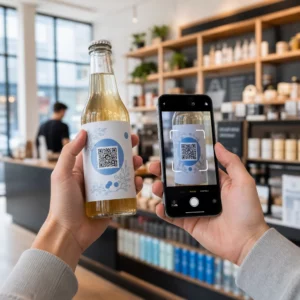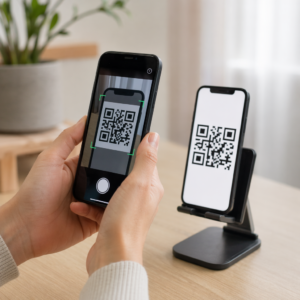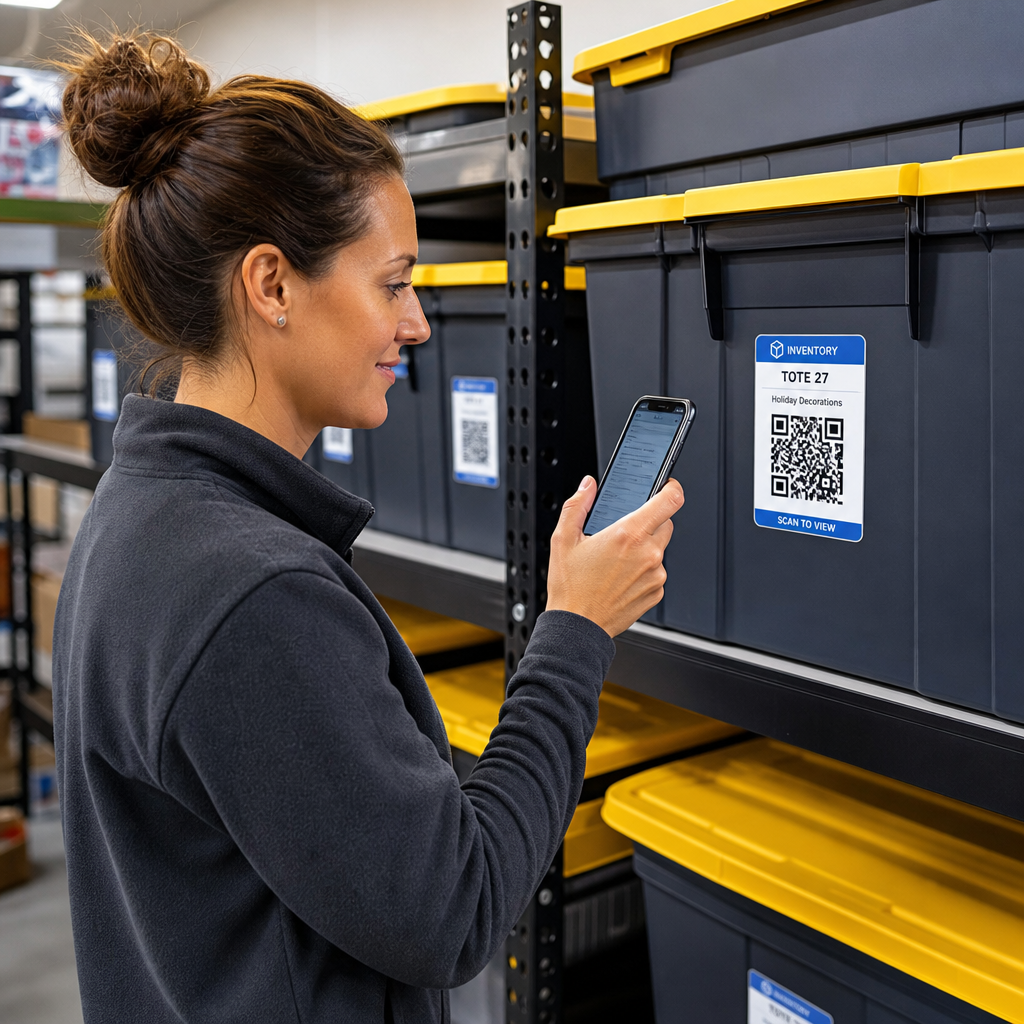

Vai esat noguris meklēt caur neapzīmētām glabāšanas kastēm, lai atrastu vienu vienīgu priekšmetu? Akli rakņājoties pa sakrautiem konteineriem, tiek izšķiests vērtīgs laiks un rodas nebeidzamas operatīvas problēmas. Izmantojot QR kodu inventarizācijas etiķetes, jūs varat izsekot, atrast un pārvaldīt glabātos priekšmetus acumirklī, vienkārši noskenējot ar viedtālruni.
Kā darbojas QR kodu glabāšanas izsekošana
QR kodu glabāšanas sistēma savieno fiziskos konteinerus, plauktus vai telpas vienības ar digitālajiem ierakstiem. Noskenējot etiķeti, kas piestiprināta pie kastes vai statīva, jūsu ierīce nolasa iekodēto rakstu un atver saistītu dokumentu, tīmekļa lapu vai datubāzes ierakstu, kurā redzams iekšpusē glabātais saturs.
Atkarībā no jūsu darbības prasībām varat izvēlēties starp diviem galvenajiem QR kodu veidiem:
- Statiskie QR kodi: Tie iekodē vienkāršu tekstu tieši fiziskajā rakstā. Izmantojot Izveidot QR kodu no teksta, varat izveidot vienkāršas, bezsaistes etiķetes, kas parāda pamata informāciju par priekšmetiem. Tomēr statiskos kodus pēc drukāšanas nevar mainīt.
- Dinamiskie QR kodi: Tie glabā īsu pāradresācijas URL, kas norāda uz tiešsaistes izklājlapu, mākoņa mapi vai datubāzes ierakstu. Izmantojot Dinamisks QR kodu ģenerators, jebkurā laikā varat atjaunināt kastu sarakstus, pievienot satura fotoattēlus vai rediģēt priekšmetu daudzumus, nepārdrukājot fizisko uzlīmi.
Digitālo etiķešu ieviešana rada uzticamu sistēmu, lai izsekotu inventāru reāllaikā, sniedzot jums pilnīgu pārskatu par glabātajiem krājumiem mājas garāžās, komerciālās noliktavās vai pašapkalpošanās glabāšanas vienībās.
Soļi glabāšanas inventarizācijas sistēmas izveidei
Organizētas glabāšanas izkārtojuma izveide prasa sistemātisku reģistrēšanu, izturīgu etiķešu izveidi un standartizētas skenēšanas rutīnas.
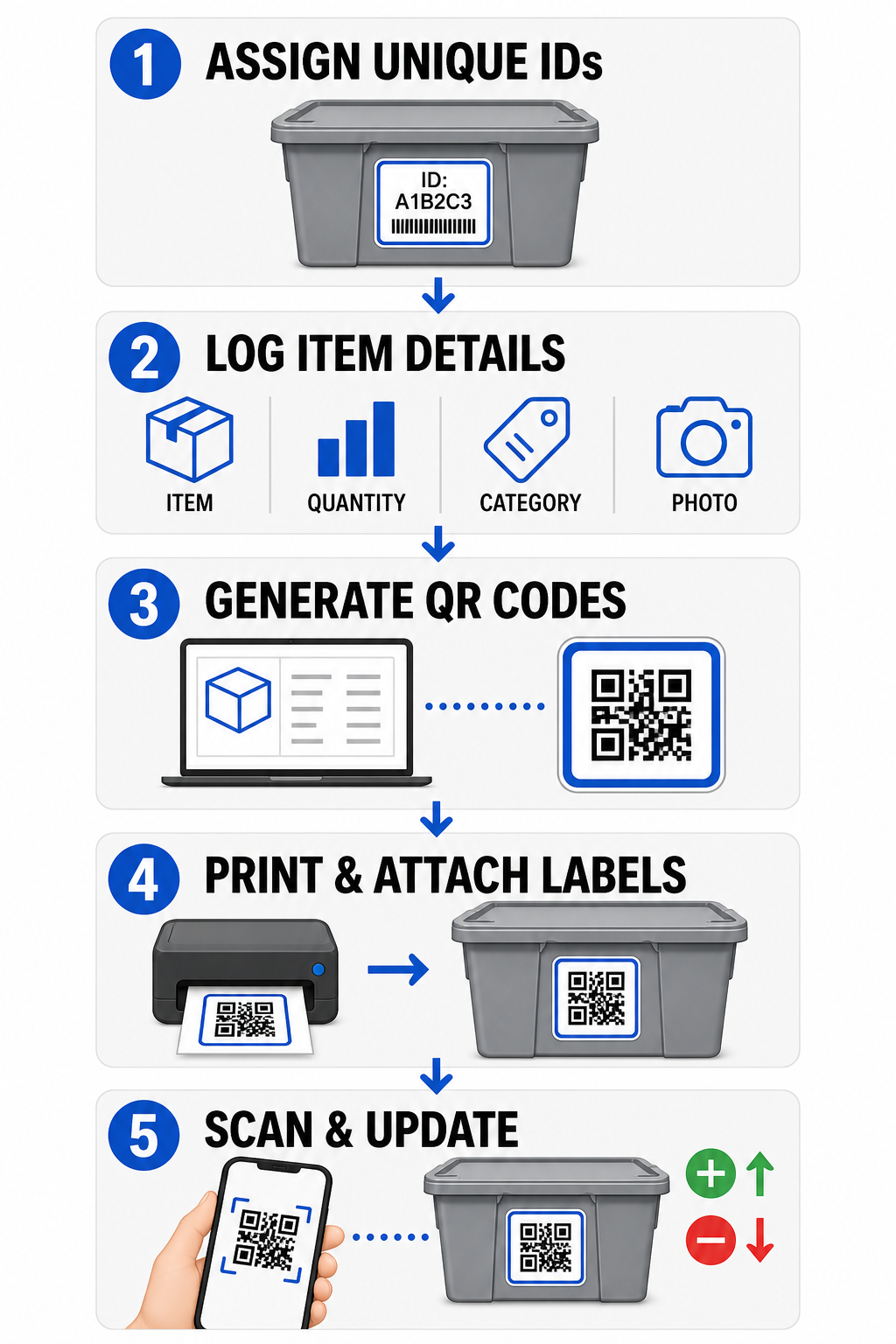
- Piešķiriet unikālus identifikatorus: Izveidojiet skaidru nosaukumu formātu vai krājumu vienības (SKU) struktūru katram konteineram, kastei, plauktam vai glabāšanas skapītim.
- Apkopojiet priekšmetu ierakstus: Ievadiet informāciju, piemēram, priekšmetu nosaukumus, daudzumus, kategorijas un fotogrāfijas, centralizētā datubāzē vai digitālā dokumentā.
- Ģenerējiet skenējamus kodus: Ievadiet savas digitālo ierakstu saites tiešsaistes ģeneratorā, lai izveidot QR kodus produktu inventarizācijai. Varat arī savienot Google Form QR koda ģenerators ar izsekošanas izklājlapu, lai vienkāršotu saņemšanas datu ievadi.
- Izdrukājiet un piestipriniet etiķetes: Uzklājiet drukātās etiķetes konteineru priekšpusē vai augšpusē, kur darbinieki tās var noskenēt, nepārvietojot smagas kaudzes.
- Skenējiet un atjauniniet regulāri: Izmantojiet tīmekļa Skenēt QR kodu tiešsaistē vai standarta viedtālruņa kameru, lai atjauninātu tiešo ierakstu ikreiz, kad priekšmeti tiek pievienoti, izņemti vai pārvietoti.
Vienkāršojiet savu glabāšanas pārvaldību Nepieciešamas elastīgas etiķetes, kas ļauj atjaunināt glabāto kastu informāciju, nepārdrukājot uzlīmes? Izmantojiet Dinamisks QR kodu ģenerators , lai jau šodien izveidotu rediģējamas inventarizācijas biržas ar iebūvētu skenēšanas izsekošanu.
Etiķešu dizaina un izvietošanas vadlīnijas
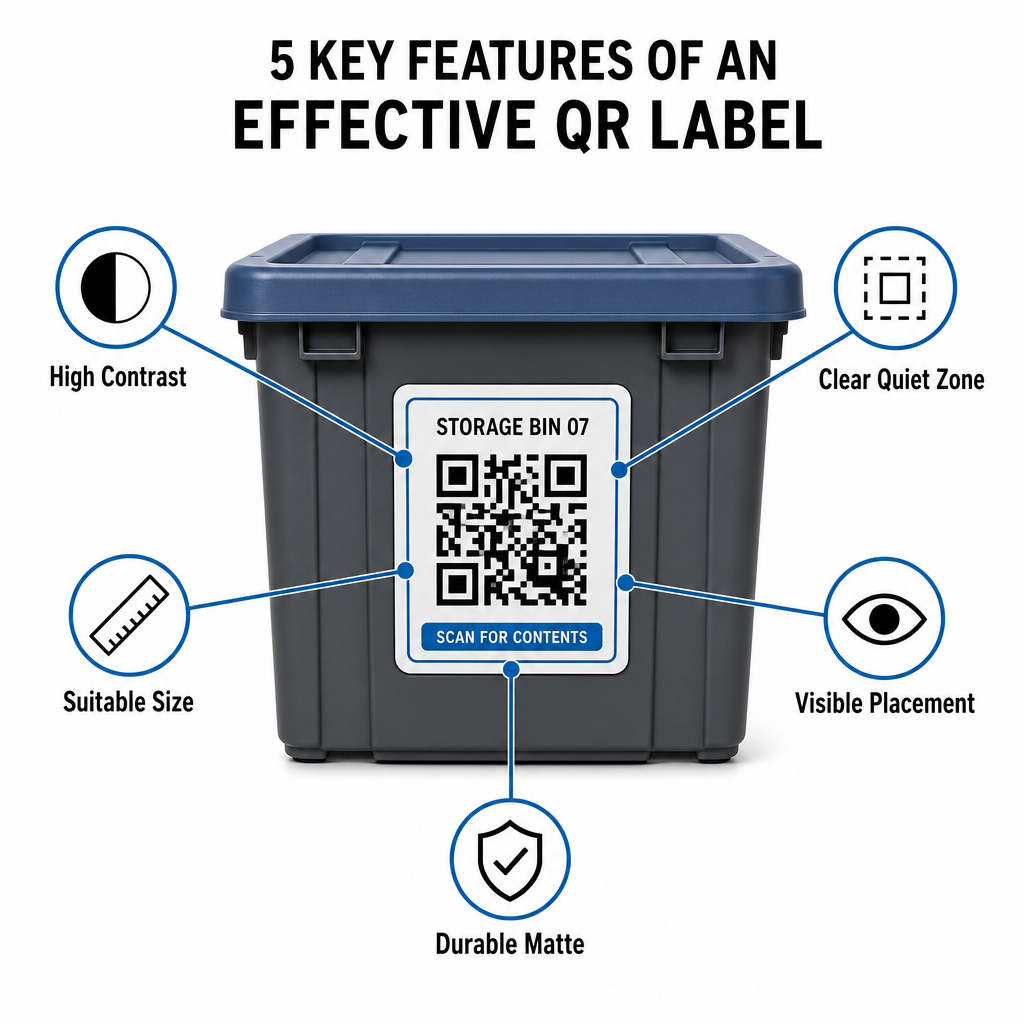
Lai garantētu ātru skenēšanu vāji apgaismotās telpās vai pārpildītos glabāšanas skapjos, jūsu drukātajām etiķetēm jāatbilst noteiktiem skenējamības standartiem.
Izmēra un attāluma noteikumi
- Minimālais etiķetes izmērs: Drukājiet tuvdarbības kodus ne mazākus par 2 x 2 cm (0,8 x 0,8 collas) rokas kastēm vai arhīva kastēm.
- Attāluma attiecība: Ievērojiet 10:1 attāluma un izmēra attiecību augstiem plauktiem vai telpas norādēm, kas nozīmē, ka kodam, kas skenēts no 10 pēdu (3 m) attāluma, jābūt vismaz 1 pēdu (30 cm) platam.
Kontrasta un piemales prasības
- Augsts kontrasts: Izmantojiet tumšus rakstus uz gaiša fona. Standarta melns uz balta nodrošina 21:1 kontrasta attiecību maksimālai optiskai salasāmībai, savukārt vismaz 12:1 kontrasta attiecības uzturēšana nodrošina konsekventu skenēšanu.
- Klusuma zonas robeža: Atstājiet netraucētu malu ap QR kodu, kas ir vismaz četras reizes lielāka par viena moduļa kvadrāta platumu.
- Izvairieties no vizuāla jucekļa: Novērsiet fona ēnas, zema kontrasta krāsu kombinācijas vai spēcīgus gradientus, kas pasliktina kameras sensora noteikšanu.
Drukāšana un vides aizsardzība
- Augsta drukas izšķirtspēja: Eksportējiet mākslas darbu vektora formātos, piemēram, SVG vai PDF, vai saglabājiet rastra failus ar 300 DPI vai augstāku izšķirtspēju, lai izvairītos no izplūdušām malām.
- Izturīgi materiāli: Izmantojiet laikapstākļiem izturīgas, matēta vinila etiķetes rūpnieciskām vienībām vai āra statīviem. Novietojiet ārējās biržas uz mazāk saules iedarbības pakļautām virsmām, piemēram, iekārtas ziemeļu pusē, lai laika gaitā novērstu UV noārdīšanos.
| Dizaina parametrs | Standarta prasība | Praktisks iemesls |
|---|---|---|
| Minimālais tuvdarbības izmērs | 2 x 2 cm (0,8 x 0,8 collas) | Nodrošina viedtālruņa kameras fokusa salasāmību. |
| Skenēšanas distances attiecība | 10:1 (Distance : Platums) | Nodrošina, ka augstu plauktu etiķetes ir skaidri nolasāmas no grīdas līmeņa. |
| Krāsu kontrasta attiecība | Minimāli 12:1 (ideāli 21:1) | Palīdz optiskajiem sensoriem viegli atšķirt datu modeļus. |
| Klusās zonas robeža | 4 moduļu platumi no visām pusēm | Novērš blakus esoša teksta vai apmales līniju izkropļojumus skenēšanas laikā. |
| Drukas izšķirtspēja | 300 DPI vai SVG/PDF eksports | Novērš izplūdušus vai neskaidrus pikseļus drukāšanas laikā. |
Praktiski pielietojumi operatoriem un klientiem
Noliktavu pārvaldnieki un personīgo noliktavu klienti izmanto QR kodus, lai risinātu specifiskas organizatoriskās vajadzības.
Pašapkalpošanās noliktavu operatori
Operatoru izvieto skenējamas etiķetes visā savā īpašumā, lai uzlabotu aktīvu izsekošanu un ikdienas uzturēšanas darbplūsmas:
- Vienības statusa uzraudzība: Marķējiet vienību durvis, lai darbinieki varētu skenēt apstaigāšanas laikā, reģistrējot slēdzeņu pārbaudes, uzturēšanas pieprasījumus vai pieejamības atjauninājumus.
- Iekārtu izsniegšana: Marķējiet noliktavas rokas ratiņus, instrumentus un autoiekrāvēju aprīkojumu, lai reģistrētu glabāšanu ikdienas darbības rutīnas laikā.
- Izpildes efektivitāte: Noliktavas, kas atbalsta trešo pušu loģistiku, izmanto skenējamas etiķetes, lai racionalizētu pasūtījumu izpildi un ienākošo sūtījumu saņemšanas procesus.
Personīgie un biznesa noliktavu klienti
Privātpersonas un komerciālie īrnieki organizē mājas garāžas, arhīvu telpas vai nomas vienības, izmantojot strukturētu digitālo indeksēšanu:
- Sezonas konteineru indeksēšana: Marķējiet svētku rotājumus, sporta aprīkojumu un sezonas garderobes kastes, lai pārskatītu kastu saturu, neatverot aizzīmogotus vākus.
- Biznesa arhīvu izsekošana: Kategorizējiet nodokļu dokumentāciju, juridiskos failus un klientu ierakstus, sasaistot fiziskās kastu etiķetes ar drošām tiešsaistes mapēm.
- Starpnozaru elastība: No mazumtirdzniecības precēm līdz specializētiem instrumentiem dažādās nozarēs, pielāgotas etiķetes, kas veidotas ar daudzpusīgu QR kodu ģenerators uztur uzglabātos krājumus organizētus un viegli izgūstamus.
Pārņemiet kontroli pār savu uzglabāto inventāru
QR kodu uzglabāšanas etiķešu ieviešana novērš minējumus, paātrina inventarizācijas auditus un novērš pazaudētus krājumus gan personīgajās noliktavās, gan komerciālajos noliktavu kompleksos. Izvēloties dinamiskas etiķetes, drukājot augsta kontrasta modeļus un piemērojot skaidrus izvietošanas noteikumus, jūs saglabājat pilnīgu pārredzamību pār katru uzglabāto aktīvu.
Sāciet digitalizēt savas uzglabāšanas darbplūsmas jau šodien, ģenerējot drukāšanai gatavas inventarizācijas etiķetes ar Pageloot.
Biežāk uzdotie jautājumi
Minimālais izmērs tuvdarbības skenēšanai uz konteineriem vai kastēm ir 2 x 2 cm (0,8 x 0,8 collas). Etiķetēm, kas novietotas uz augstiem plauktiem vai telpu durvīm, kuras tiek skenētas no distances, ievērojiet 10:1 attiecību, kur koda platums ir viena desmitā daļa no kopējā skenēšanas attāluma.
Jā, ja izmantojat dinamiskos QR kodus. Dinamiskie QR kodi norāda uz rediģējamu īso saiti, ļaujot jums atjaunināt vienumu sarakstus, augšupielādēt fotoattēlus vai pielāgot daudzumus jūsu digitālajā datubāzē, vienlaikus saglabājot tieši to pašu fizisko etiķeti uz jūsu kastes.
Objektu operatori novieto QR kodu uzlīmes uz vienību durvīm, eju vietām un koplietošanas aprīkojuma. Skenējot šos kodus, darbinieki var veikt cikla skaitīšanu, reģistrēt vienību apkopes vēsturi, apstiprināt noslogojumu un reāllaikā pārvaldīt aktīvu izsniegšanu.