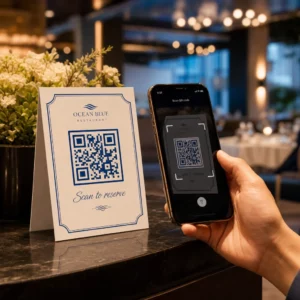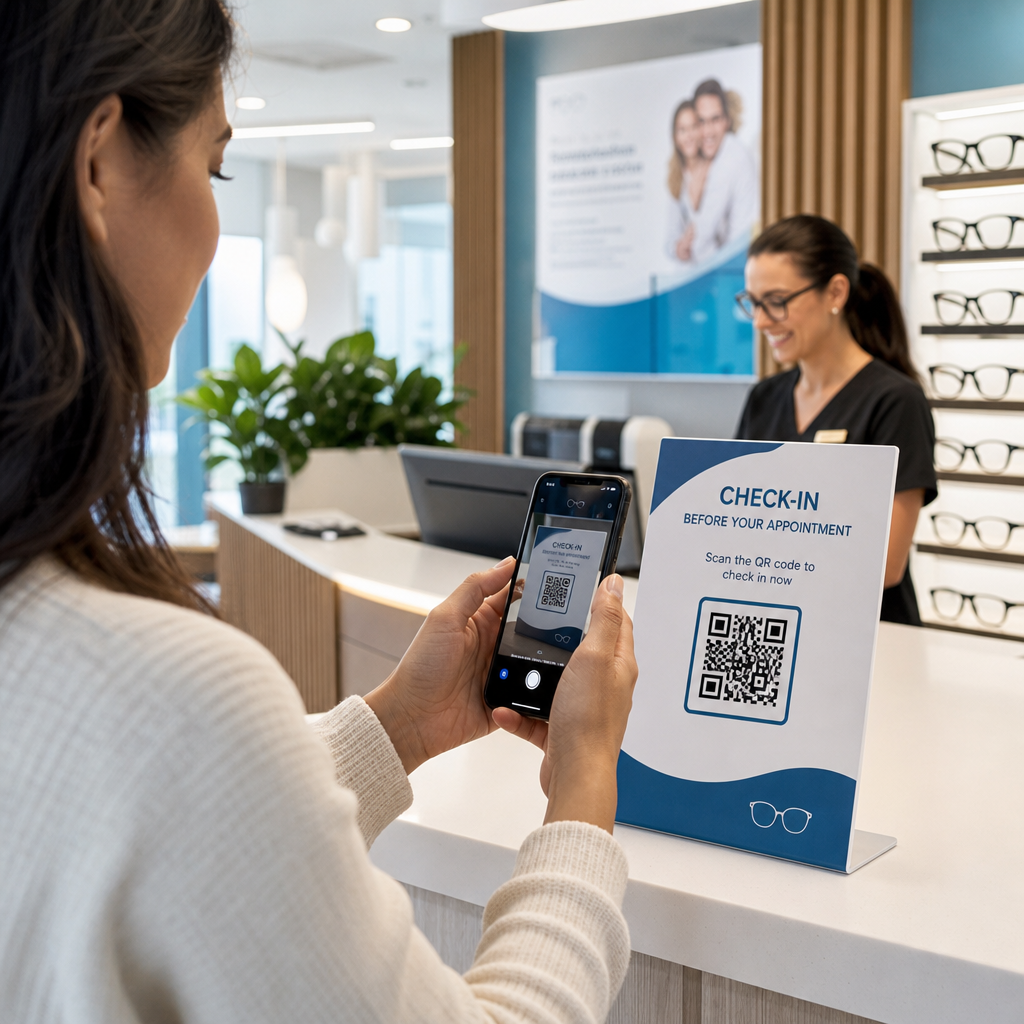

느린 환자 체크인과 놓친 후속 진료 예약이 안과 진료에 병목 현상을 일으키고 있나요? 행정 지연은 환자를 좌절시키고 프런트 데스크 직원이 직접적인 시력 관리 제공에서 벗어나게 합니다. 접수 데스크, 안경 쇼룸, 인쇄된 진료 후 안내지에 스캔 가능한 QR 코드를 배치하면 환자들이 디지털 서비스에 즉시 연결됩니다.
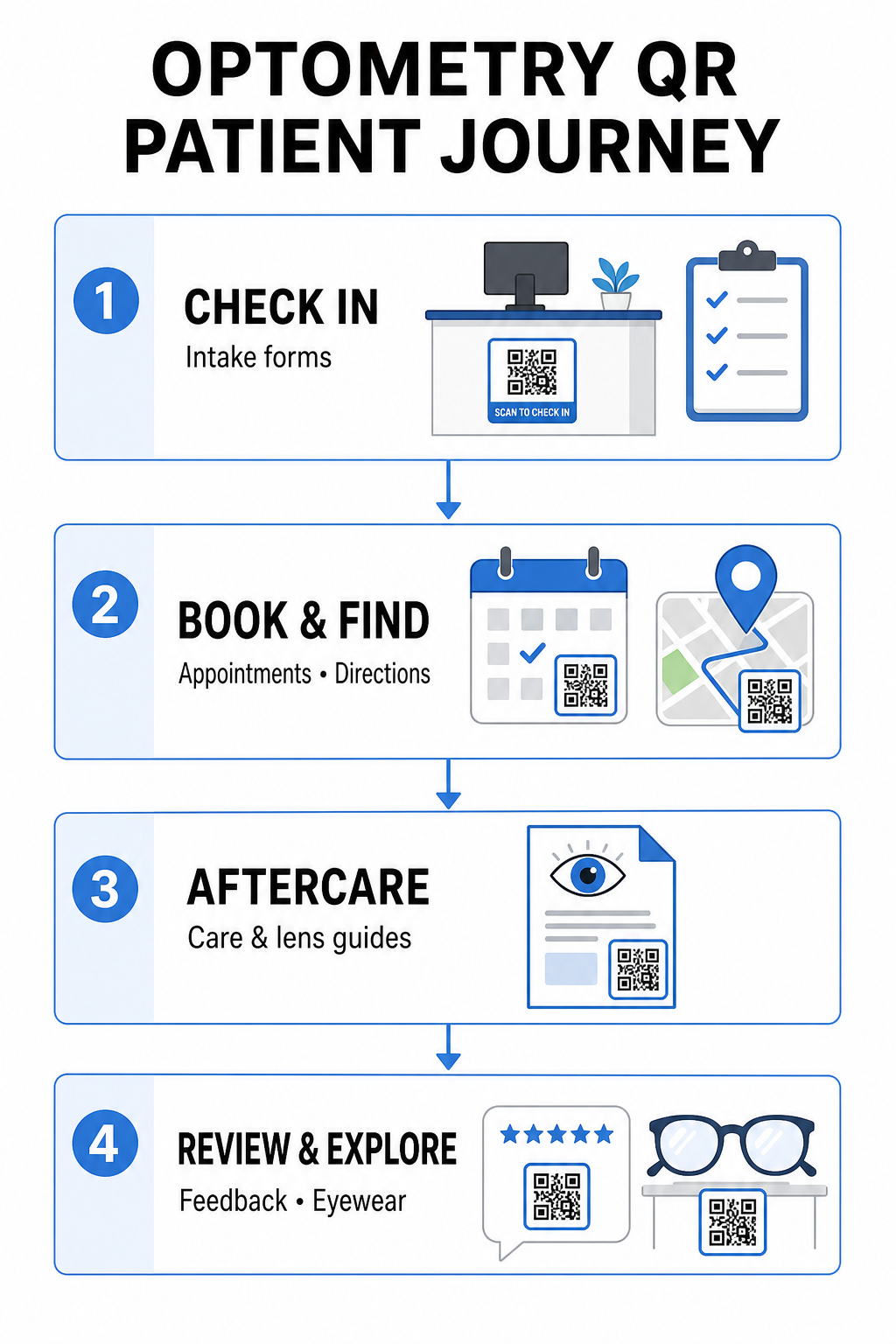
비대면 환자 체크인 및 진료 기록 양식
종이 등록 서류는 수동 데이터 입력을 필요로 하고, 대기 공간에 물리적인 혼란을 야기하며, 전반적인 대기 시간을 증가시킵니다. 접수 데스크나 입구에 체크인 QR 코드를 표시하면 도착하는 환자들이 모바일 기기에서 직접 진료 기록 양식을 작성하고, 병력을 업데이트하며, 동의서에 서명할 수 있습니다.
를 사용하여 구글폼 QR코드 만들기, 귀하의 진료실은 디지털 건강 설문지를 간단한 스캔 가능한 접점으로 전환할 수 있습니다. 도착하는 환자는 코드를 스캔하고 정보를 제출하며, 실제 클립보드를 기다릴 필요 없이 관리팀에 알림을 보냅니다. 다음에서 사용되는 디지털 워크플로우와 유사하게 치과, 자동화된 접수는 전사 오류를 최소화하고 프런트 데스크 처리를 가속화합니다.
프런트 데스크 접수 간소화 종이 등록 서류를 없애고 환자 대기 시간을 줄이고 싶으신가요? 다음을 사용하세요. 구글폼 QR코드 만들기 를 사용하여 오늘 바로 접수 구역에 비대면 체크인 접점을 만드세요.
예약 간소화 및 위치 안내
정기 시력 검사, 콘택트렌즈 피팅, 후속 상담 관리는 원활한 예약 워크플로우를 필요로 합니다. 예약 알림 카드, 리콜 서한, 클리닉 창문 간판에 예약 QR 코드를 배치하면 환자들이 온라인 예약 포털을 몇 초 만에 열 수 있습니다.
귀하의 예약 URL을 스캔 가능한 패턴으로 변환하여 링크 QR 코드 생성기, 재방문 환자들에게 다음 방문을 예약할 수 있는 즉각적인 경로를 제공합니다. 여러 지점을 운영하는 안과 진료실이나 대형 의료 단지 내에 위치한 클리닉의 경우, 직접적인 위치 안내도 마찬가지로 중요합니다. 다음에서 생성된 코드를 포함하면 구글 지도 QR코드 생성기 onto recall postcards ensures patients launch turn-by-turn driving directions directly on their smartphones.
Delivering Vision Aftercare and Contact Lens Instructions
Clear post-treatment instructions reduce emergency phone calls and support proper patient recovery following specialized procedures or initial contact lens fittings. Patients frequently misplace paper leaflets detailing frame maintenance, post-dilation precautions, or contact lens hygiene guidelines.
You can encode digital guides, instructional videos, and care sheets into scannable formats using a PDF QR코드 만들기. Affixing these codes to prescription bags or dispense documentation gives patients permanent access to essential aftercare resources. For sensitive medical updates, review established practices for QR 코드를 이용한 안전한 건강 데이터 공유 to protect patient privacy during information transfers.
Practice Marketing, Optical Sales, and Patient Reviews
QR codes bridge your physical optical dispensary with your digital marketing channels, driving patient engagement and strengthening your online reputation.
- Displaying frame details: Place scannable codes next to designer frame lines or specialty lens displays so patients can view color options, lens upgrades, or brand stories while browsing.
- Sharing practitioner contact details: Print a scannable code from a vCard QR코드 생성기 on practitioner business cards to allow patients to save direct clinic contact details directly to their mobile contact lists.
- Collecting patient feedback: Prompt satisfied patients to share their experience before leaving the clinic. Using a 구글 리뷰 QR코드 생성기 at checkout directs patients straight to your review profile, simplifying the feedback loop as part of a broader 고객 피드백 QR 코드 strategy.
Static vs. Dynamic QR Codes for Eye Care Clinics
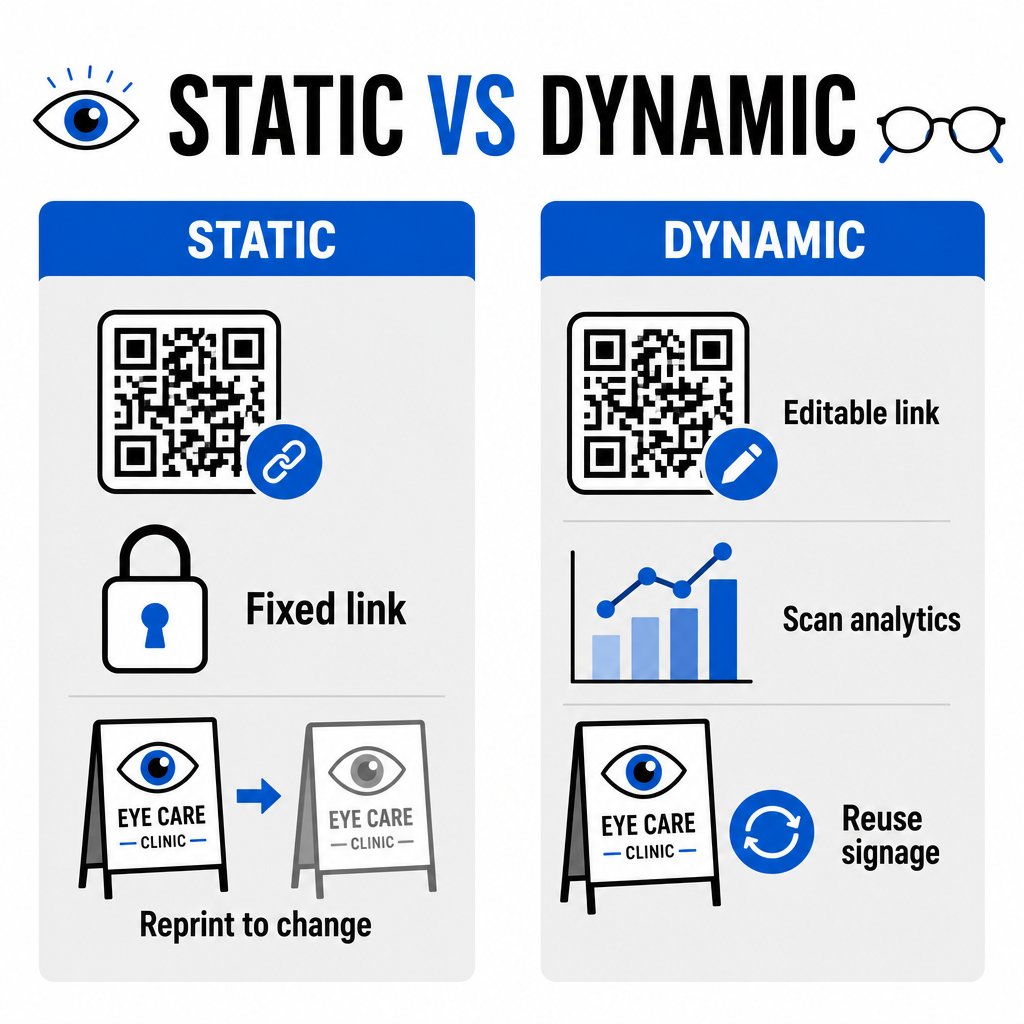
Selecting between static and dynamic formats depends on whether your destination content requires updates or performance measurement over time.
| 기능 | 정적 QR 코드 | 동적 QR 코드 |
|---|---|---|
| 대상 URL | Fixed permanently upon creation | Fully editable at any time without reprinting |
| 스캔 분석 | 제공되지 않음 | Real-time tracking of scan volume, location, and device |
| Primary Use Cases | Permanent practice Wi-Fi, static directions | Online booking, seasonal promotions, intake forms |
| Print Longevity | Requires reprinting if destination changes | Continuous reuse of printed physical signage |
For active clinic campaigns and appointment scheduling, dynamic codes provide essential operational insights. Implementing QR 코드 추적 allows practice managers to analyze peak scan times and evaluate which physical placement locations yield the highest patient engagement.
Implementation Standards for Print and Patient Privacy
To ensure every patient enjoys a reliable and accessible experience, follow these technical standards when deploying scannable codes across your clinic:
- Maintaining print sizing: Print codes at a minimum size of 2 × 2 cm (0.8 × 0.8 인치) for close-range materials like business cards or post-care sheets, reserving larger sizes for wall signs or window displays.
- Ensuring color contrast: Maintain strong visual contrast by placing dark QR modules over a light background with at least a 4:1 contrast ratio, avoiding busy patterns or textured surfaces.
- Preserving quiet zones: Leave a clear margin around all four sides of the code equal to at least 네 개의 모듈 (the small square blocks in the grid) to prevent optical scanner interference.
- Choosing vector file formats: Export high-resolution vector formats like SVG 또는 EPS for commercial print projects, or save raster files like PNG at 300 DPI 이상.
- Supporting accessible alternatives: Conform to accessibility guidelines by displaying a visible text URL adjacent to the QR code so patients without scanning devices can still access the destination.
- Safeguarding patient privacy: Implement encryption and administrative safeguards to protect individually identifiable health information collected through patient forms and digital scheduling tools.
For broader healthcare deployment frameworks, consult the 의료 분야 QR 코드 최종 가이드 and explore specialized options across different healthcare industry sectors.
Modernizing Your Optometry Workflows
안과 진료에 QR 코드를 통합하면 행정적 마찰이 사라지고 체크인 속도가 빨라지며, 안경 진열장 전반에 걸쳐 상호작용적인 접점을 만들 수 있습니다. 접근성 있는 디자인 표준과 업데이트 가능한 동적 코드를 결합함으로써, 귀하의 클리닉은 환자 여정의 모든 단계에서 현대적이고 효율적인 서비스를 제공할 수 있습니다. 지금 바로 맞춤형 추적 가능한 코드를 구축하여 안과 진료 워크플로우를 개선하십시오.
자주 묻는 질문
QR 코드를 통해 환자들은 진료실에 들어가기 전에 자신의 스마트폰으로 등록, 건강 기록 업데이트 및 동의서를 작성할 수 있습니다. 이는 접수 데스크에서의 수동 데이터 입력을 없애고 환자 접수 과정을 신속하게 처리합니다.
네, 동적 QR 코드를 사용하시는 경우 가능합니다. 동적 코드를 사용하면 접수대 디스플레이, 브로슈어 또는 리콜 엽서를 다시 인쇄할 필요 없이 언제든지 대시보드에서 대상 URL을 편집할 수 있습니다.
시각적 대비가 높은 (최소 4:1 비율) QR 코드를 적절한 크기 (최소 2 × 2 cm)로 인쇄하세요. 또한, 스캔 기능이 없는 환자도 목적지에 접근할 수 있도록 코드와 함께 일반 텍스트의 짧은 URL을 제공해야 합니다.