Telefonvonalai folyamatosan foglaltak a foglalási hívások miatt csúcsidőben? Ez az elmaradás asztalokba, borravalókba és a személyzet figyelmébe kerül. Ez az útmutató megmutatja, hogyan vezessen be QR-kódokat asztalfoglalásokhoz, várólistákhoz és digitális rendeléshez – így csapata kevesebb időt tölthet a telefonon, és több időt fordíthat kiváló szolgáltatás nyújtására.
Miért működnek a QR-kódok az éttermi foglalásokhoz
A digitális foglalás felé való elmozdulás már javában zajlik. A vendégek közel fele ma már inkább online vagy közösségi médián keresztül foglal, ahelyett, hogy előre telefonálna. A QR-kódok közvetlenül megfelelnek ennek az igénynek, mivel bármilyen nyomtatott felületet – asztali kártyát, ablakmatricát, elviteles zacskót – közvetlen belépési ponttá alakítanak a foglalási rendszeréhez.
Amikor egy vendég beolvassa a kódot, azonnal a foglalási oldalára kerül, ellenőrzi a valós idejű elérhetőséget, és kevesebb mint egy perc alatt megerősíti az asztalt. Nincs várakozási zene. Nincs félreértés egy zajos étkezőben. Nincsenek dupla foglalások kézzel írott naplóból.
A nagy forgalmú éttermek számára ez az egyszerűség közvetlenül működési előnyöket jelent. A QR-alapú foglalási és várólista-eszközöket bevezető éttermek kevesebb túlfoglalásról, pontosabb ülésadatokról és a ismétlődő telefonkezeléstől felszabadított személyzetről számolnak be. A QR-kódok segíthetnek a vendégeknek abban is, hogy távolról csatlakozzanak egy várólistához, valós idejű állapotfrissítéseket lássanak, és a megfelelő pillanatban érkezzenek – csökkentve a zsúfoltságot a fogadóállomáson és a várakozási időt.
A foglalásokon túlmenően ugyanaz az infrastruktúra támogatja digitális menüket, érintésmentes rendelést és fizetést – így a QR-kódok sokoldalú alapot jelentenek a teljes vendégút számára.
QR-kódos foglalások beállítása: Lépésről lépésre útmutató
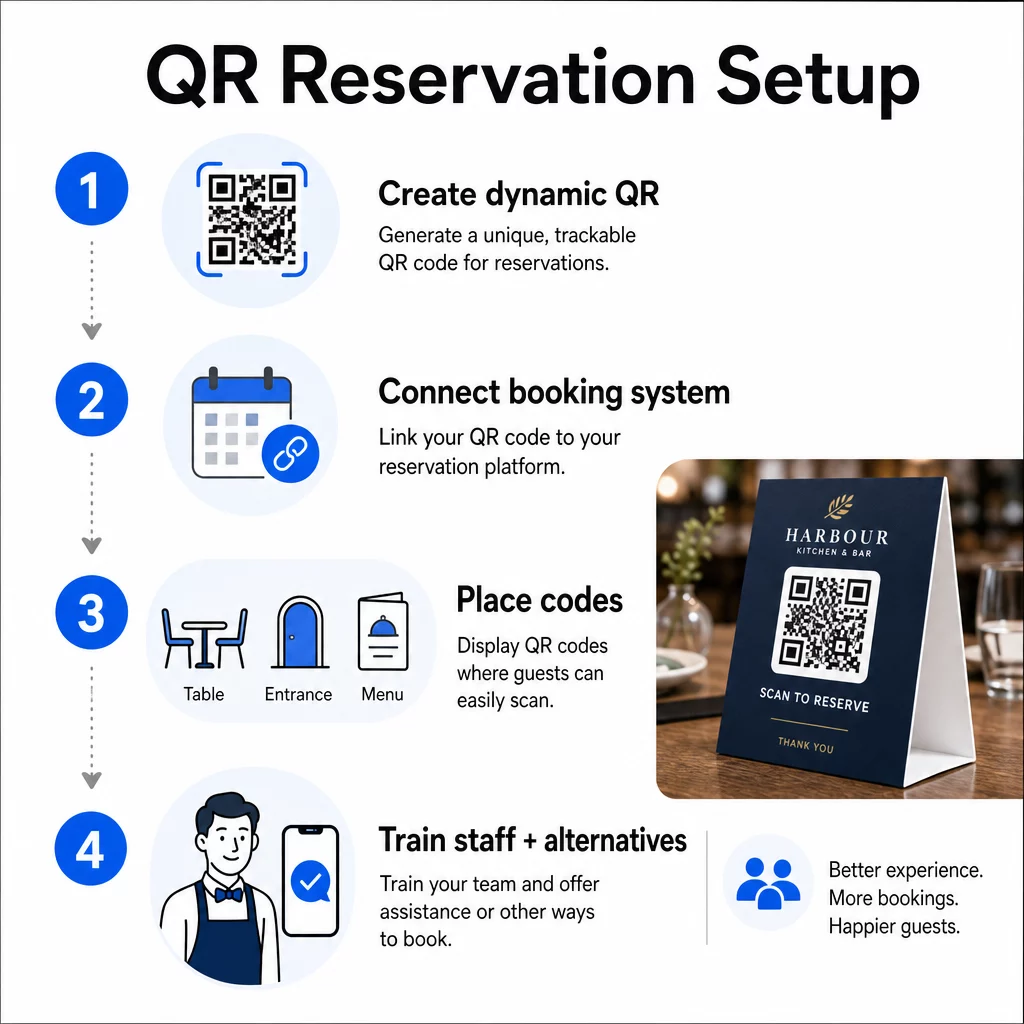
1. lépés: Hozza létre QR-kódját
Kezdje egy olyan platform kiválasztásával, amely támogatja dinamikus QR kódok. A statikus kódokkal ellentétben, amelyek véglegesen egyetlen URL-hez vannak kötve, a dinamikus QR-kódok átirányítási réteget használnak – ami azt jelenti, hogy bármikor frissítheti a célhivatkozást anélkül, hogy bármit újra kellene nyomtatnia. Ha vált a foglalási platformok között, módosítja a foglalási oldalát, vagy szezonális promóciót futtat, egyszerűen megváltoztatja a hivatkozást az irányítópultján, és minden nyomtatott kód automatikusan frissül.
Használd a Pageloot QR-kód generátorunk felfedezésével kezdheti. egy link QR-kód létrehozásához, amely a foglalási platformjára mutat – legyen az OpenTable, Resy vagy egy egyedi foglalási oldal. Innen testreszabhatja logójával, márkaszíneivel és egy olyan kerettel, amely illeszkedik étterme esztétikájához. A márkás kódok megbízhatóbbnak tűnnek, és nagyobb valószínűséggel olvassák be őket az első alkalommal érkező vendégek.
Mielőtt bármit kinyomtatna, tesztelje a kódot több eszközön és operációs rendszeren, hogy megbizonyosodjon arról, helyesen irányít és gyorsan betöltődik mobilon.
Készen áll a foglalási QR-kód létrehozására? Készítsen dinamikus, márkás QR-kódot percek alatt a Pageloot segítségével QR Kód Generátor – nincs szükség tervezési tapasztalatra, és nem kell újra nyomtatni, ha a linkek megváltoznak.
2. lépés: Csatlakozás a foglalási rendszerhez
Kapcsolja össze QR-kódját egy foglalási oldallal, amely megjeleníti valós idejű elérhetőséget és azonnali visszaigazolást küld a vendégnek. Ez tisztán zárja a kört: a vendég beolvassa, kiválaszt egy időpontot, és visszaigazolást kap – személyzet bevonása nélkül.
Szinkronizálja foglalási rendszerét a POS-rendszerével, hogy a foglalások manuális bevitel nélkül közvetlenül az asztalmenedzsmentbe kerüljenek. Ez kiküszöböli a duplikált rekordokat, és pontos, valós idejű ülésadatokat biztosít a front-of-house csapatának a műszak során.
Ha a rendszer megfelelően integrálva van, adatréteget is nyer. Minden beolvasás információt tartalmaz arról, hogy mikor és hol keletkezett a foglalás, milyen eszközt használtak, és hogyan haladnak a vendégek a tölcsérben a beolvasástól a megerősített foglalásig. Ezek az adatok hasznosak a személyzeti döntésekhez, a promóciós időzítéshez és a legforgalmasabb időszakok azonosításához.
3. lépés: Helyezze el a kódokat ott, ahol a vendégek látni fogják őket
Az elhelyezés növeli a beolvasási arányt. Helyezze el QR-kódjait ott, ahol a vendégek természetesen megállnak vagy körülnéznek – asztalokon, a bejáratnál, a pultnál, nyomtatott étlapokon és kirakatokban. Az éttermi QR-kód használatáról szóló kutatások azt mutatják, hogy az összes éttermi beolvasás 60%-a akkor történik, ha a kódokat közvetlenül az asztalra helyezik, például matricákon vagy asztali sátrakon.
Kövesse ezeket a méretezési irányelveket attól függően, hogy hol jelenik meg az egyes kódok:
| elhelyezés | Ajánlott méret | Tipikus szkennelési távolság |
|---|---|---|
| Asztali sátrak | 1,2 × 1,2 hüvelyk (3 × 3 cm) | 6–12 hüvelyk |
| Étlapbetétek | 0,8 × 0,8 hüvelyk (2 × 2 cm) | 8–16 hüvelyk |
| Plakátok / megállítótáblák | 1,2–1,6 hüvelyk (3–4 cm) | 2–4 láb |
| Kirakatok | 1,6+ hüvelyk (4+ cm) | 3–6 láb |
| Bevételek | 0,8 × 0,8 hüvelyk (2 × 2 cm) | 6–12 hüvelyk |
Használjon nagy kontrasztú színeket – sötét modulokat világos háttéren – és tartson fenn tiszta, csendes zónát (fehér teret) a kód körül. Kültéri vagy nagy igénybevételű felületeken a laminált asztali kártyák vagy időjárásálló matricák védik a kódot a sérülésektől. Gyengén megvilágított környezetben a fluoreszkáló vagy sötétben világító hátterek segítenek fenntartani a láthatóságot.
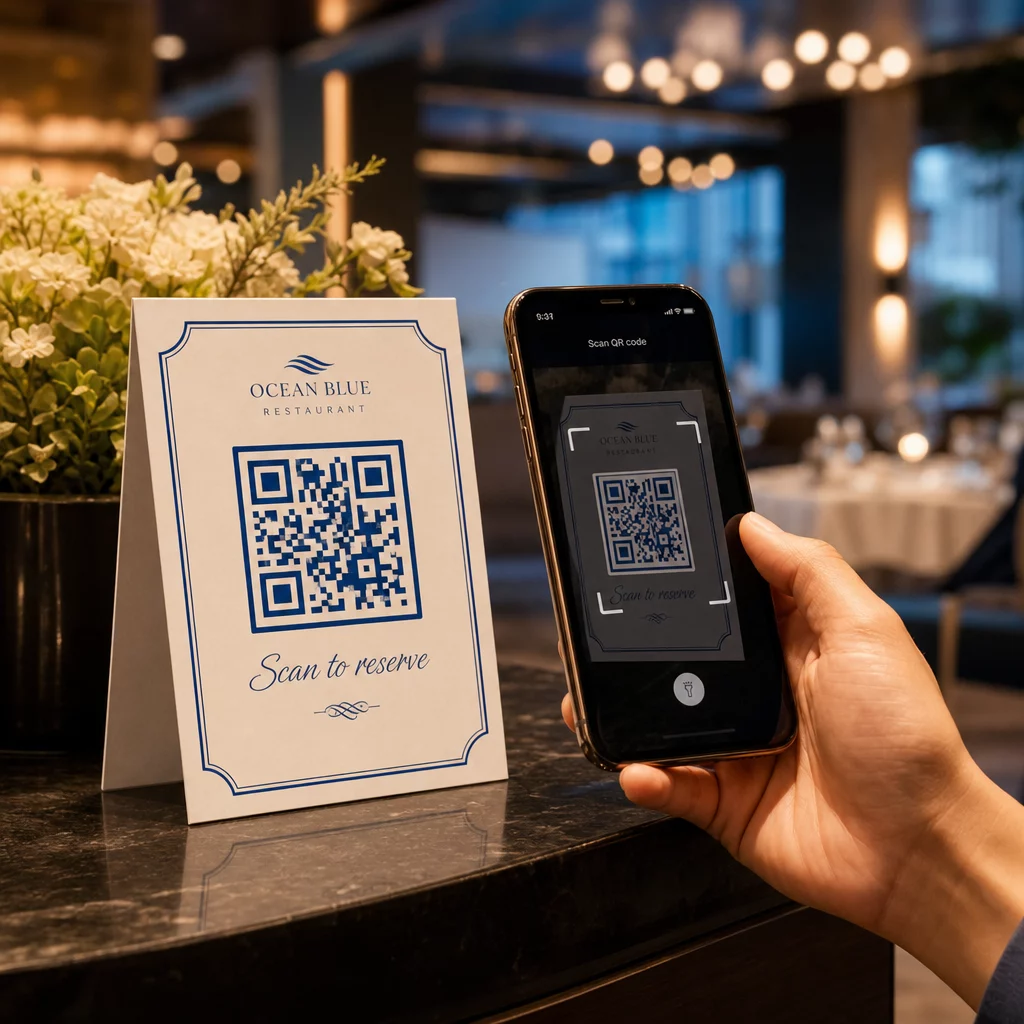
Mindig mellékeljen egy rövid utasítást a kód mellé, például “Olvassa be az asztal foglalásához.” Az egyértelmű utasítások megszüntetik a habozást, különösen azoknál a vendégeknél, akik korábban még nem használtak QR-kódot. A következő QR kód használhatósági legjobb gyakorlatok a kezdetektől fogva megakadályozza a leggyakoribb beolvasási hibákat.
4. lépés: Tájékoztassa csapatát
A technológia csak akkor működik, ha a személyzet támogatja. Képezze a vendéglátóhelyi alkalmazottakat, hogy segítsenek azoknak a vendégeknek, akiknek problémái adódnak a beolvasással – legyen szó régebbi eszközről, alapértelmezés szerint nem QR-kompatibilis kameráról, vagy egyszerűen a folyamat ismeretlenségéről.
Az akadálymentesség itt fontos. Nem minden vendég tudja vagy akarja használni a QR-kódot. Az amerikai fogyatékossággal élő személyekről szóló törvény (Americans with Disabilities Act) III. címe megköveteli az éttermektől, hogy ésszerű módosításokat tegyenek a fogyatékossággal élő vendégek kiszolgálásakor, ami kiterjed arra is, hogyan férnek hozzá az étlapokhoz és a foglalási rendszerekhez. Mindig tartson fenn egy hagyományos foglalási lehetőséget – telefonszámot, egy házigazdát, aki közvetlenül foglalhat, vagy egy nyomtatott URL-t, amelyet a vendégek manuálisan beírhatnak. A QR-kódoknak hatékony opciónak kell lenniük, nem az egyetlen opciónak.
Főbb előnyök a vendégek és a személyzet számára
Amit a vendégek nyernek
A QR-kódos foglalások a következőket kínálják: 24/7 foglalási hozzáférés. A vendégek lefoglalhatnak egy asztalt ebédszünetükben, késő este, vagy miközben a közösségi médiát böngészik – nem csak a nyitvatartási időben. A folyamat gyors: beolvasás, elérhetőség ellenőrzése, megerősítés, kész. Ez a sebesség számít, amikor a vendégek közel kétharmada azt mondja, hogy inkább digitálisan rendelne vagy lépne kapcsolatba, mintsem egy alkalmazottra várna.
Az érintésmentes interakció egy higiéniai aggodalmat is megszüntet, amelyet sok vendég még mindig hordoz az elmúlt évekből. Nincs közös fizikai étlap, amit a foglaláskor kezelni kellene, nincs a házigazda táblagépének érintése. És mivel a vendég maga adja meg adatait, a félreértésekből adódó foglalási hibák jelentősen csökkennek.
A QR-kódok többre is képesek, mint csupán egy foglalási link tárolására. Használja őket digitális étlapjának megosztására, mielőtt a vendégek megérkeznek, a napi különlegességek kiemelésére, vagy a vendégek ösztönzésére, hogy csatlakozzanak hűségprogramjához. A Pageloot QR kódos digitális menü generátor lehetővé teszi, hogy márkás menü céloldalt építsen fotókkal, leírásokkal, kategóriákkal és akár allergén információkkal – mindez ugyanabból a beolvasásból elérhető.
Mit nyer az Ön működése
A bejövő foglalási hívások csökkentése felszabadítja a front-of-house csapatot, hogy azokra a vendégekre koncentráljon, akik ténylegesen a teremben vannak. Kevesebb telefonos megszakítás jobb szolgáltatási minőséget jelent a szolgáltatás során, nem csak gyorsabb foglalásokat.
A pénzügyi érv is egyértelmű. Azok az éttermek, amelyek digitális rendelési és önkiszolgáló eszközöket vezetnek be, következetesen magasabb átlagos számlaösszegekről számolnak be – egy tanulmány 9%-os kiadásnövekedést talált, amikor a vendégek asztali digitális rendelést használtak. Az asztalok forgási sebessége javul, ha az étkezési ciklus rövidül. A digitális menükre való átállás pedig évente több ezer dollárnyi újranyomtatási költséget takaríthat meg.
A QR-kód rendszerek olyan elsődleges adatokat is generálnak, amelyeket a telefonos foglalások nem tudnak biztosítani. Nyomon követheti a foglalási mintákat napszak, hét napja és vendégszegmens szerint. Ez az intelligencia jobb személyzeti beosztást, célzottabb promóciókat és okosabb készlettervezést eredményez. Az éttermek számára elérhető digitális eszközök teljes skálájának áttekintéséért lásd: QR-kód megoldások a vendéglátásban.
Dinamikus QR-kódok használata az aktualitás megőrzéséhez
A dinamikus QR-kódok olyan működési rugalmasságot biztosítanak, amelyet a statikus kódok nem. Mivel maga a kód csak egy rövid átirányítási URL-t tárol, bármikor megváltoztathatja, hogy hova mutat a műszerfalról – nincs újranyomtatás, nincs asztali sátor cseréje a szolgáltatás közepén.
Ez a gyakorlatban is számít. Ha új foglalási platformra vált, új foglalási folyamatot tesztel, vagy ideiglenesen átirányítja a kódot egy “teljesen foglalt” értesítésre egy teltházas estén, egyetlen változtatást hajt végre központilag, és minden nyomtatott kód azonnal reagál.
A dinamikus kódok a promóciós agilitást is támogatják. A vendégek hatvannyolc százaléka nagyobb valószínűséggel foglal, ha egy étterem időérzékeny ajánlatot hirdet. Dinamikus kódokkal átirányíthat egy villámakciós céloldalra egy lassú kedd délután, és visszaválthat a standard foglalási oldalra a vacsoraidőre – anélkül, hogy egyetlen nyomtatott anyaghoz is hozzáérne.
Ugyanazok a kódok, amelyek a foglalásokat ösztönzik, linkelhetnek az Ön digitális rendelési rendszeréhez, visszajelzési űrlapjaihoz vagy értékelési kéréseihez. A Pageloot Google Forms kérdőív QR kód generátor egyszerűvé teszi egy QR-kód összekapcsolását egy étkezés utáni felméréssel vagy visszajelzési űrlappal, rögzítve a vendégek véleményét, amíg az élmény még friss.
Analitika használata a teljesítmény javítására
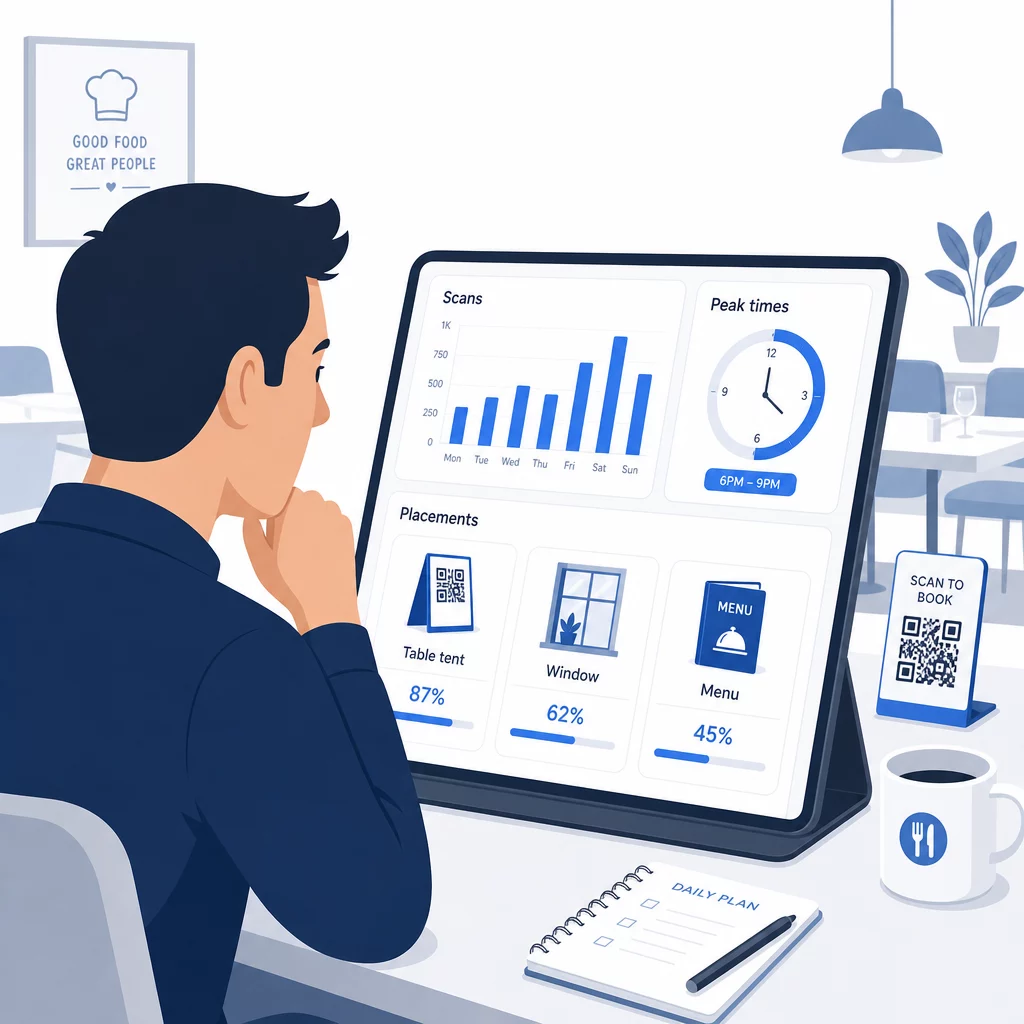
Minden dinamikus QR-kód beolvasás adatokat generál. A Pageloot műszerfala olyan metrikákat mutat, mint az összes beolvasás, a beolvasás időbélyegei, az eszköz típusai, az operációs rendszerek és a földrajzi hely. Idővel ezek az adatok feltárják, mely elhelyezések generálják a legtöbb foglalást, mikor a legvalószínűbb, hogy a vendégek foglalnak, és hogy egy kampány működik-e, mielőtt elkötelezné magát egy teljes nyomtatási sorozat mellett.
Gyakorlati módok az adatok alkalmazására:
- Személyzeti: Ha a szkennelési aktivitás péntek délutánonként megugrik, az a péntek esti kereslet vezető mutatója. Ennek megfelelően igazítsa a személyzet létszámát.
- Menü időzítése: Ha a vendégek 16 és 18 óra között intenzíven szkennelik a menü QR-kódjait, az az Ön lehetősége, hogy happy hour akciókat vagy korai foglalási ajánlatokat népszerűsítsen.
- Elhelyezés optimalizálása: Hasonlítsa össze a szkennelési arányokat az asztali kártyák, ablakmatricák és nyomtatott menük között, hogy azonosítsa, mely helyszínek generálják a legtöbb elkötelezettséget – majd oda összpontosítsa a jövőbeli befektetéseket.
- Kampánytesztelés: Kísérletezzen különböző cselekvésre ösztönző kifejezésekkel vagy kódtervekkel, és mérje meg a szkennelési arányokra gyakorolt hatást az iparági benchmark CTR (átkattintási arány) – körülbelül 12,8% – ellenében.
Az éttermek átlagosan 45%-os szkennelési arányt érnek el jól elhelyezett QR-kódokkal. Az analitikák heti áttekintése és a felfedezések alapján történő cselekvés folyamatosan növeli ezt az arányt.
A különböző QR-kód formátumok eltérő éttermi igények kielégítésére – a fizetési integrációtól a hűségprogramokig – vonatkozó részletesebb áttekintésért lásd a következő útmutatót: 7 QR-kód típus éttermi menükhöz.
Gyakori QR-kód problémák hibaelhárítása
Még a jól elkészített QR-kódok is ütközhetnek néha problémákba. Íme a leggyakoribb problémák és azok kezelése:
- Szkennelés sikertelen: Általában alacsony kontraszt, elmosódott nyomtatás vagy elégtelen csendes zóna okozza. Nyomtassa újra vektoros fájl (SVG, EPS vagy PDF) használatával, és ellenőrizze, hogy a kontrasztarány legalább 55% legyen a kódmodulok és a háttér között.
- Hibás linkek: Teszteljen minden kódot nyomtatás után, és állítson fel egy havi újratesztelési ütemtervet. A dinamikus kódok azonnal lehetővé teszik a linkek javítását – nincs szükség újranyomtatásra.
- Rossz világítás: Sötét étkezési környezetben fontolja meg a háttérvilágítású kijelzőket vagy a sötétben világító háttereket. Tanácsolja a vendégeknek, hogy 6–8 hüvelyk távolságra tartsák telefonjukat a kódtól.
- Régebbi eszközök: Egyes telefonokhoz harmadik féltől származó QR-szkenner alkalmazás szükséges. Tájékoztassa a személyzetet, hogyan segíthet, és mindig kínáljon alternatív foglalási módszert.
- Vendég habozás: A logóval ellátott márkás QR-kódok és az olyan egyértelmű feliratok, mint a “Szkennelés a foglaláshoz”, csökkentik az anonimnak tűnő kódokból eredő bizalmatlanságot.
A részletes méretezési, kontraszt- és tervezési követelményekért tekintse meg a teljes QR-kód használhatósági irányelvek.
QR-kódok kiterjesztése a foglalásokon túl
Miután a foglalási QR-kódok zökkenőmentesen működnek, ugyanaz az infrastruktúra természetesen kiterjed a vendégélmény más részeire is:
- Digitális menük: Azonnal frissítheti az árakat, hozzáadhat szezonális tételeket, vagy eltávolíthatja az elfogyott ételeket – újranyomtatás nélkül. Nézze meg, hogyan hozzon létre QR-kód menüt lépésről lépésre.
- Érintésmentes rendelés: A vendégek közvetlenül a telefonjukról böngészhetnek, testre szabhatnak és adhatnak le rendeléseket. Kutatások szerint a vendégek 64%-a inkább digitálisan rendelne étkezés közben, mintsem a pincérrel kommunikálna a rendelésfelvételhez.
- Kifizetések: A QR-alapú fizetés felgyorsítja az asztalok forgását és csökkenti a számlák felosztásával kapcsolatos súrlódást. Tudjon meg többet a QR-kódos fizetés előnyeiről éttermek számára.
- Visszajelzés gyűjtése: Egy étkezés utáni QR-kód, amely egy rövid felméréshez vagy értékelési felhíváshoz kapcsolódik, rögzíti a válaszokat, amíg az élmény még frissen él az emlékezetben.
- Promóciók és hűségprogram: Átirányító kódok időszakos ajánlatokhoz, eseményekre való feliratkozáshoz vagy hűségprogramba való belépéshez anélkül, hogy egyetlen reklámanyagot is újra kellene nyomtatni.
Fedezze fel a teljes skáláját QR-kód alkalmazásoknak iparágonként hogy lássa, hogyan terjesztik ki más vendéglátóipari szereplők ezt a technológiát.
Építse fel étterme QR-kód rendszerét A foglalásoktól a digitális menükig a Pageloot biztosítja az eszközöket minden QR-kód létrehozásához, kezeléséhez és nyomon követéséhez egy helyen. Kezdje a Éttermi QR-kód generátorral és nézze meg, miért támaszkodik több mint 220 étterem 54 országban a Pagelootra.
Gyakori kérdések
A statikus QR-kód véglegesen kódol egyetlen URL-t a pixelmintájába – nyomtatás után a cél nem módosítható. A dinamikus QR-kód egy rövid átirányító URL-t tárol, így bármikor frissítheti a célhivatkozást a műszerfaláról anélkül, hogy újra kellene nyomtatnia a kódot. Foglalások esetén a dinamikus kódok erősen előnyben részesülnek: ha vált a foglalási platformok között, frissíti a foglalási oldalát, vagy ideiglenesen átirányítja a vendégeket egy “teljesen foglalt” értesítésre, egyetlen változtatást hajt végre központilag, és minden nyomtatott kód azonnal reagál. A dinamikus kódok emellett lehetővé teszik a szkennelési analitikát is, amit a statikus kódok nem tudnak biztosítani.
A méret a szkennelési távolságtól függ. Az asztali kártyákhoz, amelyeket 6–12 hüvelyk távolságból szkennelnek, legalább 1,2 × 1,2 hüvelyk méretű kód jól működik. Menübetétekhez a gyakorlati minimum 0,8 × 0,8 hüvelyk. A 3–6 láb távolságból látható ablakkiállításokhoz legalább 1,6 hüvelykes kódokra van szükség. Helyezze a kódokat jól látható, rendezett helyekre – az asztallapok, a bejárat és a fogadóállomás a legjobban teljesítő helyszínek. Mindig használjon nagy kontrasztú színeket, hagyjon elegendő fehér teret a kód körül, mellékeljen egy rövid utasítást, például “Szkennelje be asztala lefoglalásához”, és tesztelje több eszközön is, mielőtt élesítené.
Igen. Az amerikai fogyatékossággal élő személyekről szóló törvény (Americans with Disabilities Act) III. címe előírja az éttermek számára, hogy ésszerű módosításokat tegyenek a fogyatékossággal élő vendégek számára, beleértve azt is, hogy hogyan férnek hozzá a foglalási és menürendszerekhez. Néhány vendég – beleértve a vakokat vagy a mozgáskorlátozottakat is – nem tudja használni a QR-kódot. Mindig biztosítson egyenértékű alternatívát: telefonszámot, egy házigazdát, aki közvetlenül foglalhat, vagy egy nyomtatott URL-t, amelyet a vendégek manuálisan beírhatnak. A QR-kódoknak javítaniuk kell a hozzáférést, nem pedig teljesen helyettesíteniük.