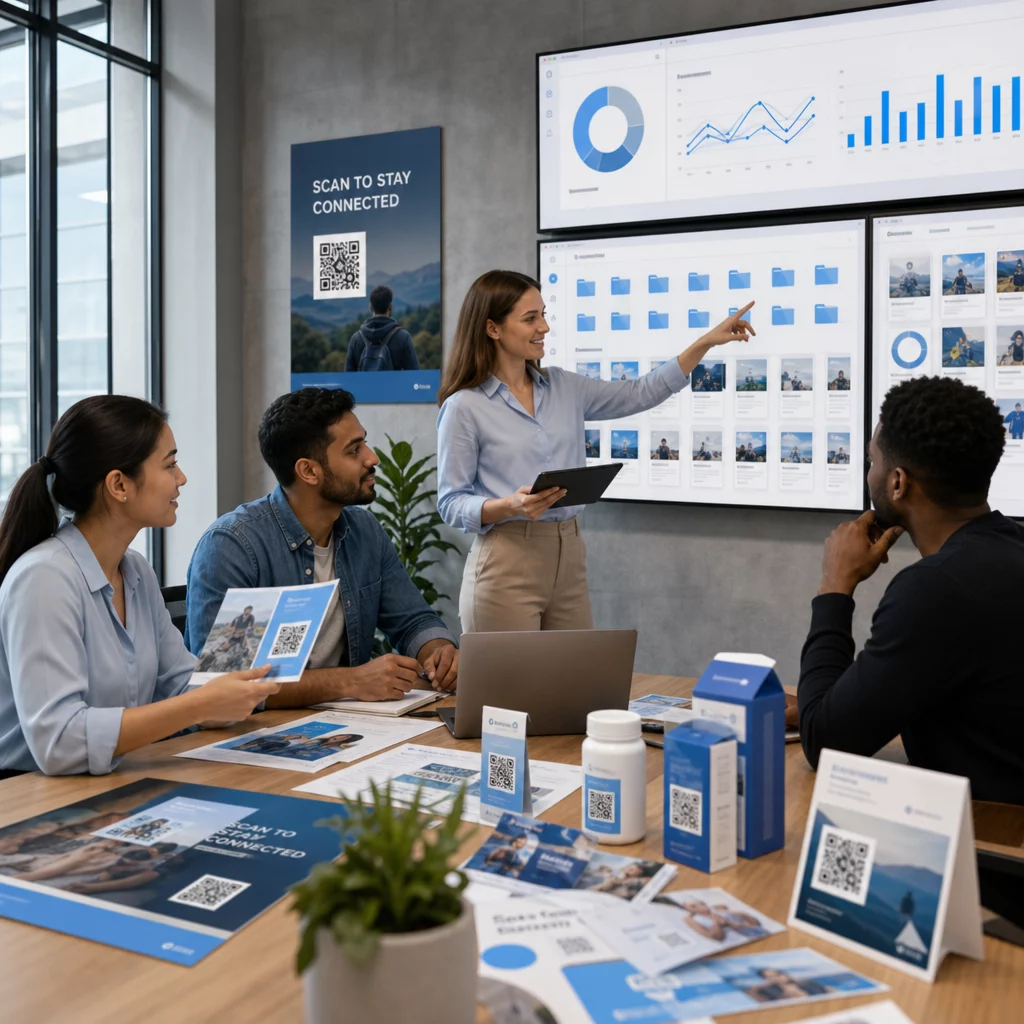
Több száz – vagy több ezer – QR-kód kezelése kampányokon, helyszíneken és termékvonalakon keresztül nehezebb, mint amilyennek látszik. Egy világos rendszer nélkül a csapatok hibás linkekkel, inkonzisztens márkajelzéssel és valós rálátás nélkül maradnak arra, hogy mi működik. Ez az útmutató bemutatja azokat a gyakorlati stratégiákat és eszközöket, amelyek rendszerezetté, nyomon követhetővé és könnyen frissíthetővé teszik a nagyszabású QR-kód telepítéseket.
Válassza ki a megfelelő QR-kód típust, mielőtt skálázna
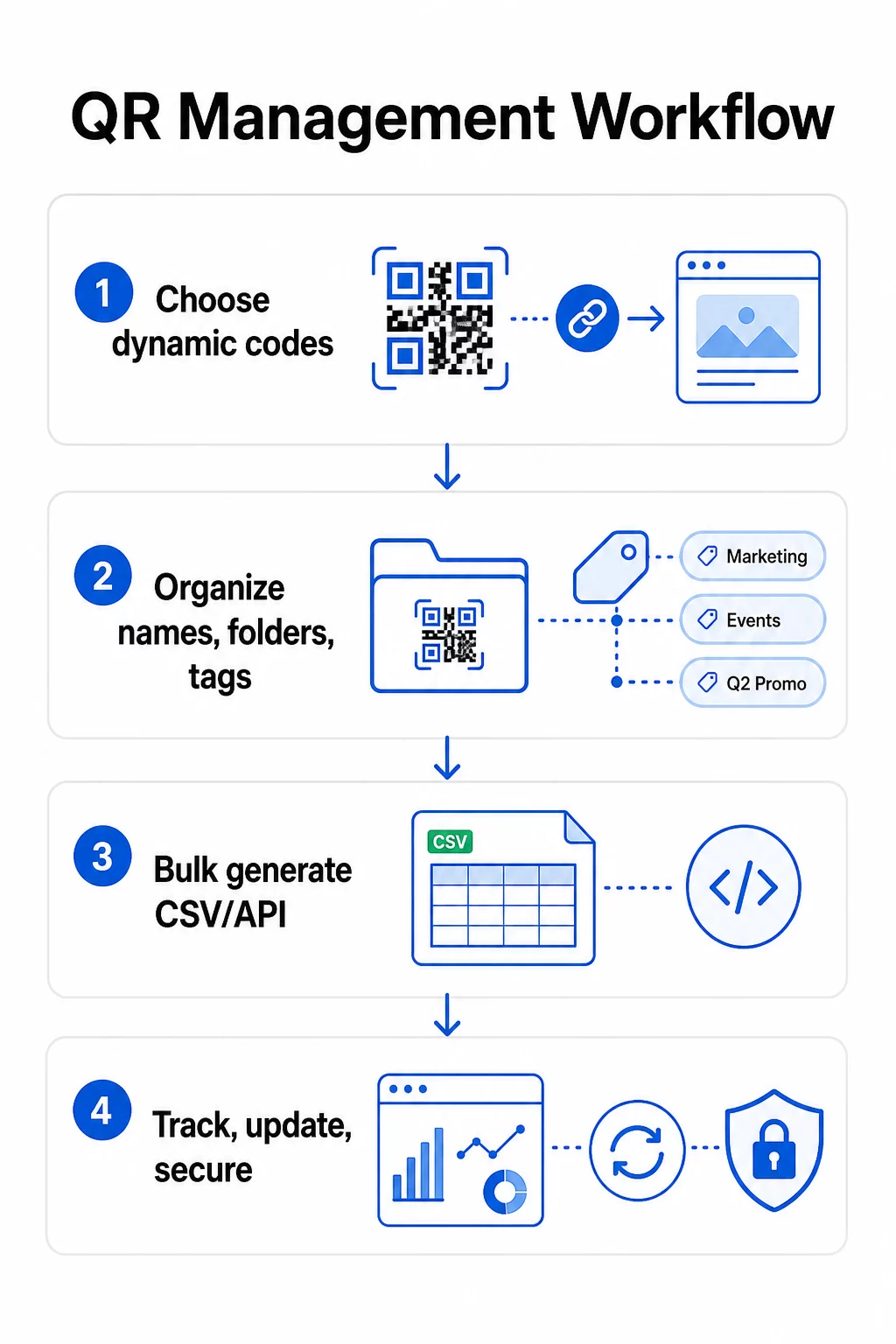
A legfontosabb döntés, amit bármely QR-kód program skálázása előtt meghoz, a dinamikus és statikus kódok közötti választás – mert ez a választás határozza meg, hogy mit tud majd később módosítani, nyomon követni és automatizálni.
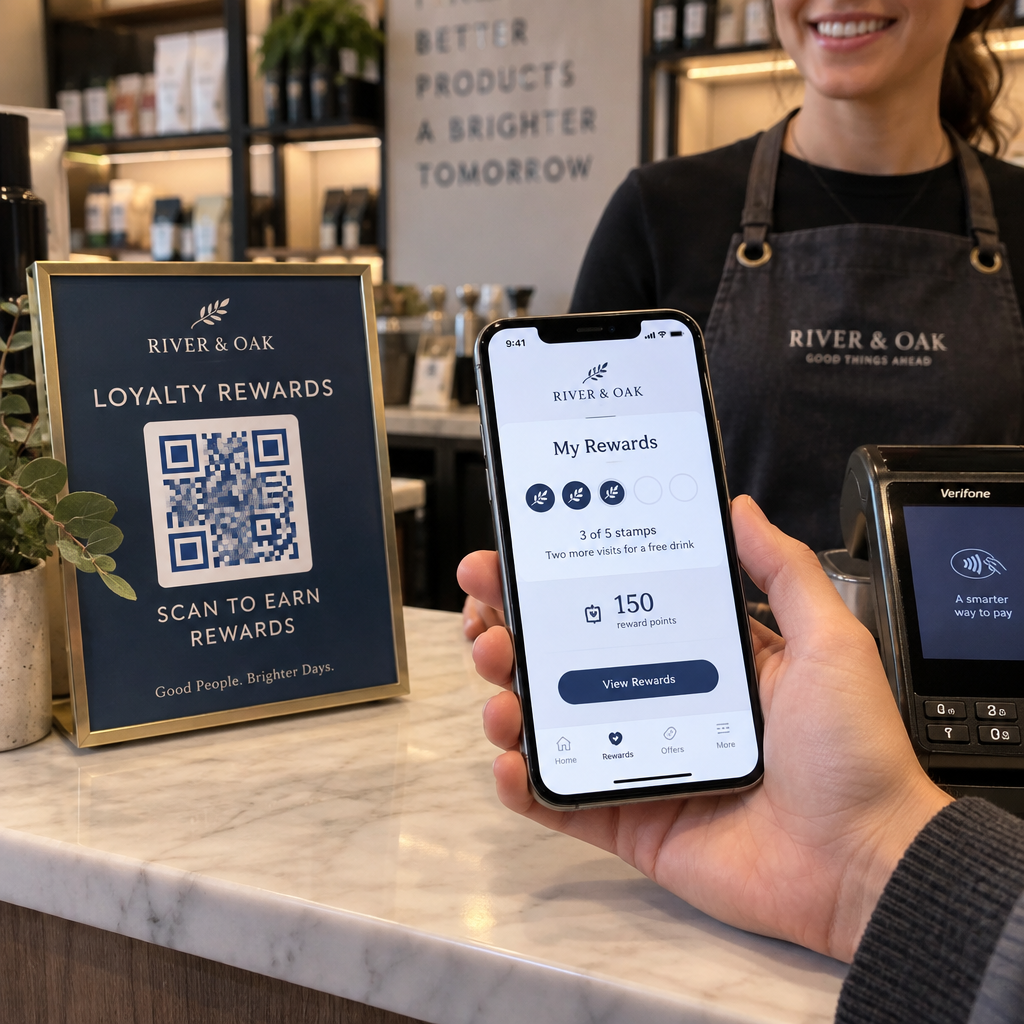
Dinamikus QR-kódok használjon egy rövid átirányítási URL-t, amelyet Ön irányít. Mivel a nyomtatott kód csak erre az átirányításra mutat, bármikor frissítheti a célhelyet, cserélheti a tartalmat, vagy módosíthatja a nyomon követési paramétereket anélkül, hogy bármit újra kellene nyomtatnia. Emellett lehetővé teszik a nyomon követési képességeket beleértve a szkennelések számát, időbélyegeket, földrajzi helyet, eszköz típusát és operációs rendszert. Ez teszi őket a megfelelő választássá marketingkampányokhoz, promóciókhoz, éttermi menükhöz, rendezvényanyagokhoz és minden olyan felhasználási esethez, ahol a tartalom változik vagy a teljesítményadatok fontosak.
Statikus QR-kódok közvetlenül a mintába kódol egy célhelyet. Nyomtatás után ezek az adatok állandóak – nem frissítheti a linket, és nem követheti nyomon a szkenneléseket anélkül, hogy új kódot generálna. Jól alkalmazhatók olyan információkhoz, amelyek valóban soha nem változnak: egy rögzített Wi-Fi jelszó, egy állandó szabályozási dokumentum, vagy egy stabil tartalmú múzeumi kiállítás.
| FUNKCIÓ | Dinamikus QR-kódok | Statikus QR-kódok |
|---|---|---|
| Nyomtatás után szerkeszthető | ✅ Igen | ❌ Nem |
| Szkenneléskövetés | ✅ Igen | ❌ Nem |
| Földrajzi analitika | ✅ Igen | ❌ Nem |
| Valós idejű elemzés | ✅ Igen | ❌ Nem |
| Költségek | Előfizetés szükséges | Ingyenes |
| Legjobb: | Kampányok, menük, promóciók | Rögzített, állandó tartalom |
A két opció összehasonlításának részletesebb áttekintéséhez lásd a teljes statikus vs. dinamikus QR-kód részletes elemzését.
Kezdje el a dinamikus QR-kódok kezelését még ma Szerkeszthető kódokra van szüksége beépített nyomon követéssel és központosított irányítópulttal? A Dinamikus QR-kód generátor lehetővé teszi az összes kód létrehozását, frissítését és felügyeletét egy helyen.
Építsen ki egy skálázható elnevezési és szervezési rendszert
Amikor több tucat kódot kezel, a laza elnevezési konvenciók kellemetlenséget jelentenek. Több száz vagy ezer kód esetén komoly működési problémává válnak. A következetes elnevezési struktúra, logikus mappahierarchiával kombinálva, összehangolja csapatát, és megtalálhatóvá teszi kódjait a kampány bármely szakaszában.
Használjon szabványosított elnevezési konvenciót
Egy megbízható elnevezési formátum mindent rögzít, amire szüksége van egy kód azonosításához anélkül, hogy megnyitná. Egy praktikus struktúra:
`Osztály-KampányCsatorna-FöldrajzCél-EszköztípusVáltozatStátusz`
Például: `MKT-Nyár25OOH-USPromó-Poszterv2AKTÍV`
Állítsa be a dátumokat ÉÉÉÉ-HH formátumban, használjon verziószámokat (v1, v2) az iterációk megkülönböztetésére, és mindig tartalmazzon állapotjelzőt (AKTÍV, SZÜNETELTETVE, ARCHIVÁLT). Ez megakadályozza a zavart, amikor ugyanazon kampány több verziója egyszerre fut.
Rögzítsen strukturált metaadatokat minden kódhoz
A név mellett minden QR-kódnak strukturált metaadatokat kell tartalmaznia, amelyeket a csapat bármely tagja hivatkozhat. Tartalmazandó mezők:
- Tulajdonos (felelős személy vagy csapat)
- Üzleti egység vagy termékvonal
- Cél URL és biztonsági URL
- Kódtípus (dinamikus vagy statikus)
- Kezdő dátum és befejező dátum
- Cselekvésre ösztönző szöveg
- Hozzáférési vagy biztonsági szint
A befejező dátumok és a biztonsági URL-ek különösen fontosak nagy léptékben – megakadályozzák a zsákutcás szkenneléseket egy kampány lezárása után, és egy biztonsági URL biztosítja, hogy a felhasználók továbbra is hasznos helyre érkezzenek, ha az elsődleges céloldal elérhetetlenné válik.
Rendezés mappákkal és címkékkel
A kétszintű mappastruktúra jól működik a legtöbb csapat számára: felső szintű mappák az üzleti egységek vagy termékvonalak számára, és almappák az egyes kampányok vagy helyszínek számára. A címkék egy második szűrési réteget adnak hozzá – jelölje meg a kódokat régió (USA, EU), csatorna (e-mail, kültéri, csomagolás), elhelyezés típusa (poszter, palack, képernyő) és állapot (aktív, archivált) szerint.
A Pageloot QR kód mappák funkció támogatja a csapat alapú mappamegosztást szerepkör alapú engedélyekkel, így az új csapattagoknak olvasási hozzáférést adhat az analitikához, miközben korlátozza, hogy ki szerkesztheti vagy törölheti a kódokat. Ez különösen hasznos több ügyfelet kezelő ügynökségek vagy osztályokon átívelő kódokat futtató vállalatok számára.
Kódok tömeges generálása a kontroll elvesztése nélkül
Amint a név- és mappastruktúra a helyén van, a tömeges létrehozás egyszerűvé válik – feltéve, hogy a bemeneti adatok tiszták, és a folyamat tartalmaz egy validálási lépést a nagy mennyiségű generálás előtt.
CSV fájlok használata kötegelt generáláshoz
A CSV alapú tömeges generálás a legpraktikusabb módszer nagy mennyiségű kód hatékony létrehozására. Egy jól strukturált CSV fájl a QR kód generáláshoz a következőket kell, hogy tartalmazza:
- `unique_id` – az Ön belső azonosítója
- `QR-kód típusa` – URL, PDF, vCard, űrlap stb.
- `cél_URL` – a célállomás
- `kampány_neve` – jelentéskészítéshez és szűréshez
- `mappa` – ahol a kódnak lennie kell az irányítópulton
- `sablon_neve` – az alkalmazandó márkás design
- `UTM_paraméterek` – forrás, médium, kampány, tartalom
- `kezdődátum` / `befejeződátum` – kampány időtartama
- `állapot` – aktív vagy szüneteltetett
- `tulajdonos` – felelős csapattag
Feltöltés előtt érvényesítse a CSV-t: ellenőrizze, hogy minden kötelező mező ki van-e töltve, ellenőrizze, hogy az URL-ek élők és helyesen formázottak-e, és futtasson egy tesztcsomagot öt-tíz kóddal különböző eszközökön, hogy elkapja a hibákat, mielőtt azok a teljes futtatáson keresztül terjednének.
Az automatizált tömeges generáláshoz vállalati szinten, API-alapú QR-kód kezelés lehetővé teszi a paraméterek programozott átadását, kötegelt létrehozás indítását saját rendszereiből, és a cél URL-ek frissítését több ezer kódnál egyszerre PATCH vagy PUT kérésekkel.
Adjon hozzá UTM paramétereket következetesen
Az UTM paraméterek kötik össze a QR-kód beolvasásokat a szélesebb körű analitikai rendszerével. Nélkülük láthatja, hogy valaki beolvasott egy kódot, de nem tudja könnyen hozzárendelni azt a beolvasást egy adott kampányhoz, csatornához vagy elhelyezéshez a Google Analyticsben.
Kövesse ezeket az egyezményeket az adatok tisztán tartásához:
- Használjon kisbetűt mindenhol – az UTM követés megkülönbözteti a kis- és nagybetűket, és a vegyes nagybetűzés töredezett jelentéseket eredményez
- Tartsa a paraméterértékeket leíró jellegűnek, de tömörnek: `utmsource=storedisplay`, `utmközeg=QRcode`, `utmcampaign=summersale_2025`
- Használja a `utmcontent` paramétert az azonos kampányon belüli elhelyezések megkülönböztetésére (pl. `windowposter` vs. `checkout_counter`)
- Dokumentálja a nevezéktani taxonómiáját egy megosztott referencia dokumentumban, hogy minden csapattag ugyanazokat a szabályokat kövesse
Az UTM beállítás és a Google Analytics 4 jelentéskészítés teljes áttekintéséért lásd: UTM paraméterek QR-kódokhoz.
Kapcsolja össze QR-beolvasásait a kampányanalitikával A Pageloot ügynökségi és csapatplatform támogatja az automatikus UTM hozzáadást, a szerepköralapú hozzáférés-vezérlést és a megosztható ügyféljelentéseket – jelentősen megkönnyítve az attribúciókövetést nagyméretű telepítések esetén.
Tartsa konzisztensen a márkát minden kódon
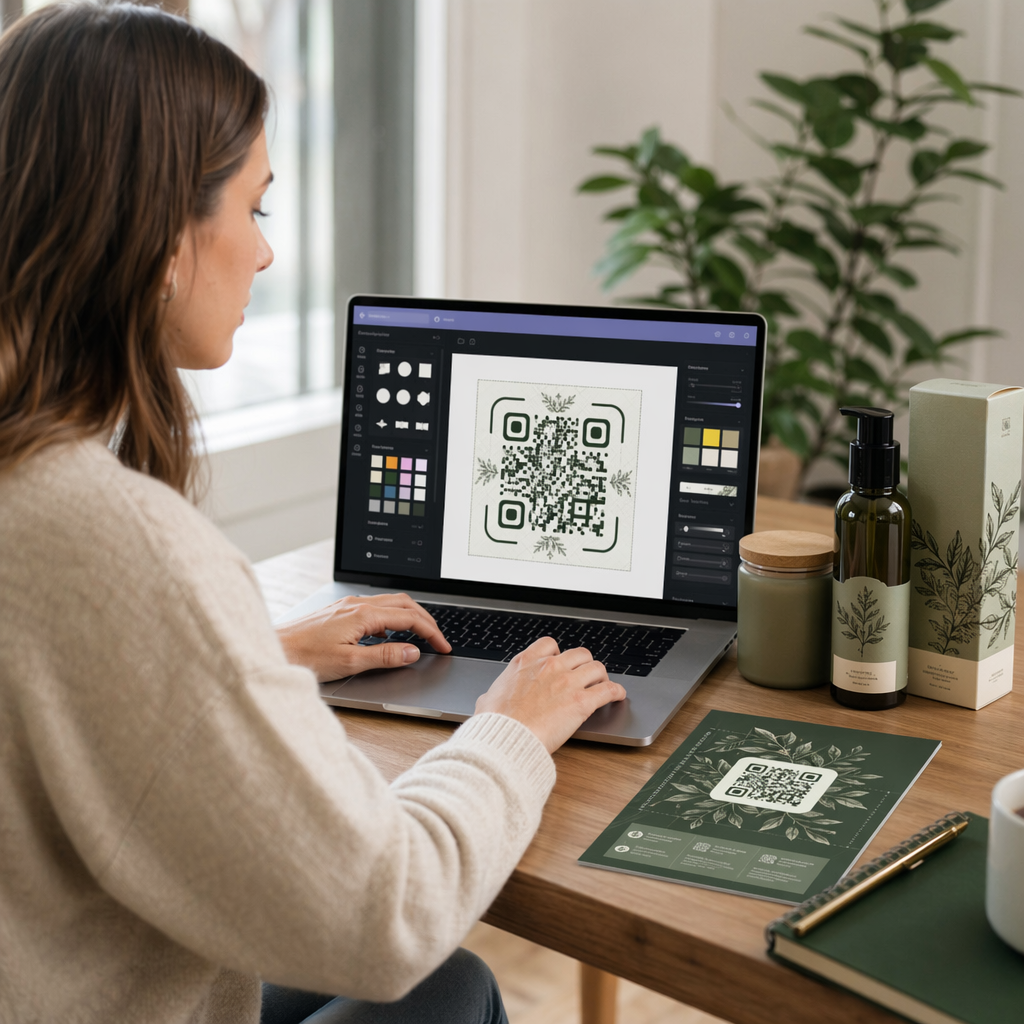
Nagy léptékben a vizuális konzisztencia két okból is fontos: felismerést és bizalmat épít ki a kódokat szkennelő emberekben, és megakadályozza, hogy az össze nem illő tervek mozaikja felhígítsa a márkaidentitását.
Mielőtt nagy tételben generálna, határozza meg és rögzítse a tervezési szabványokat:
- Logó elhelyezése és minimális mérete
- Márka színpalettája (sötét előtér világos háttéren marad a legmegbízhatóbb minta a szkenneléshez)
- Sarok- és modulstílus
- Csendes zóna követelményei (legalább négy modulnyi tiszta tér minden oldalon)
- Minimális nyomtatási méret (legalább 2 × 2 cm közeli szkenneléshez; méretezze fel a 10:1 szabály szerint – a kód szélessége legalább egytizede legyen a várható szkennelési távolságnak)
- Fájlformátumok: SVG vagy PDF nyomtatott anyagokhoz (300+ DPI), PNG digitális használatra
A dinamikus QR-kódok praktikus előnyt kínálnak itt: mivel rövid átirányítási URL-t kódolnak egy hosszú célhelyett, az alapul szolgáló minta kevésbé sűrű. Ez több helyet hagy a logók és egyedi színek beépítésére a szkennelhetőség veszélyeztetése nélkül.
Mentse el ezeket a szabványokat újrafelhasználható márkás sablonokként a QR-kód platformján. A Pageloot lehetővé teszi sablonok létrehozását különböző kontextusokhoz – egy kompakt formátum névjegykártyákhoz, egy merészebb változat nagyméretű táblákhoz – és következetesen alkalmazza őket minden tömeges generálási futtatás során.
Mielőtt nagyméretű nyomtatási futtatásba kezdene, teszteljen egy mintát a fizikai nyomatokból több eszközön és fényviszonyok között. Ha bármely kód nem szkennelhető megbízhatóan, növelje a fizikai méretet, erősítse a színkontrasztot, vagy szélesítse a csendes zónát.
Kövesse nyomon a teljesítményt a megfelelő mutatókkal
A kódok hatékony generálása csak a munka fele. Annak megértése, hogyan teljesítenek – és az adatok alapján történő cselekvés – az, ami a folyamatos fejlesztést ösztönzi.
A kulcsfontosságú mutatók, amelyeket nagyméretű telepítések esetén figyelni kell:
- Összes szkennelés és egyedi szkennelés: Az összes szkennelés az általános elkötelezettséget mutatja; az egyedi szkennelések felfedik a tényleges elérését. Az összes és az egyedi szkennelések magas aránya erős ismétlődő elkötelezettségre utalhat, vagy bizonyos esetekben egy rosszul optimalizált céloldalra, amely arra készteti a felhasználókat, hogy többször szkenneljenek.
- Földrajzi eloszlás: A Pageloot analitikája helyalapú szkennelési adatokat biztosít, körülbelül városi szintű pontossággal. Használja ezt annak azonosítására, hogy mely régiók vagy elhelyezések teljesítenek jobban, mint mások, és ennek megfelelően ossza újra az erőforrásokat.
- Eszköz és operációs rendszer: Ha a szkennelések többsége egy adott eszköztípusból származik, prioritásként kezelje a céloldalak tesztelését azon a platformon. A mobil-első optimalizálás elengedhetetlen a legtöbb QR-alapú kampányhoz.
- Időalapú trendek: Az időbeli szkennelési adatok felfedik a csúcs elkötelezettségi időszakokat. Időérzékeny kampányok – kiskereskedelmi promóciók, események – esetén ezek az adatok segítenek a tartalomváltoztatások megfelelő időzítésében.
- Konverziókövetés: Az önmagában vett szkennelési volumen nem jelzi a kampány sikerét. Állítson be világos, későbbi célokat (űrlapbeküldések, vásárlások, alkalmazásletöltések), és használja az UTM adatokat, valamint az analitikai platformját annak mérésére, hogy a szkennelések a kívánt műveletekhez vezetnek-e.
Ezen metrikák köré épülő jelentési nézetek részletes megközelítéséhez lásd a következő útmutatót: QR-kód analitikai irányítópult használata.
Építsen irányítópultokat, amelyek hasznosítható betekintéseket tárnak fel
A nyers szkennelési adatok több száz kódra vonatkozóan kezelhetetlenné válnak strukturált nézetek nélkül. Rendezze jelentéseit a következőképpen:
- Kampányszintű irányítópultok: Hasonlítsa össze a teljesítményt az aktív kampányok között, időszak szerint szűrve. Kövesse nyomon a szkennelésenkénti költséget, a konverziós arányt és a ROI-t a kampány benchmarkokhoz képest.
- Helyalapú nézetek: Térképezze fel a szkennelések földrajzi eloszlását a jól teljesítő elhelyezések azonosításához és a jövőbeli telepítési döntések megalapozásához.
- Közönségszegmentálás: Csoportosítsa a felhasználókat eszköz típusa, szkennelési gyakorisága vagy viselkedési mintái alapján, hogy személyre szabott utólagos tartalmat biztosítson.
Állítson be automatikus riasztásokat jelentős eltérések esetén – egy szokatlan földrajzi forrásból származó szkennelések hirtelen megugrása hibás átirányításra vagy csalárd tevékenységre utalhat, míg egy éles visszaesés hibás linket jelezhet, amely azonnali figyelmet igényel.
Kódok frissítése és karbantartása újranyomtatás nélkül
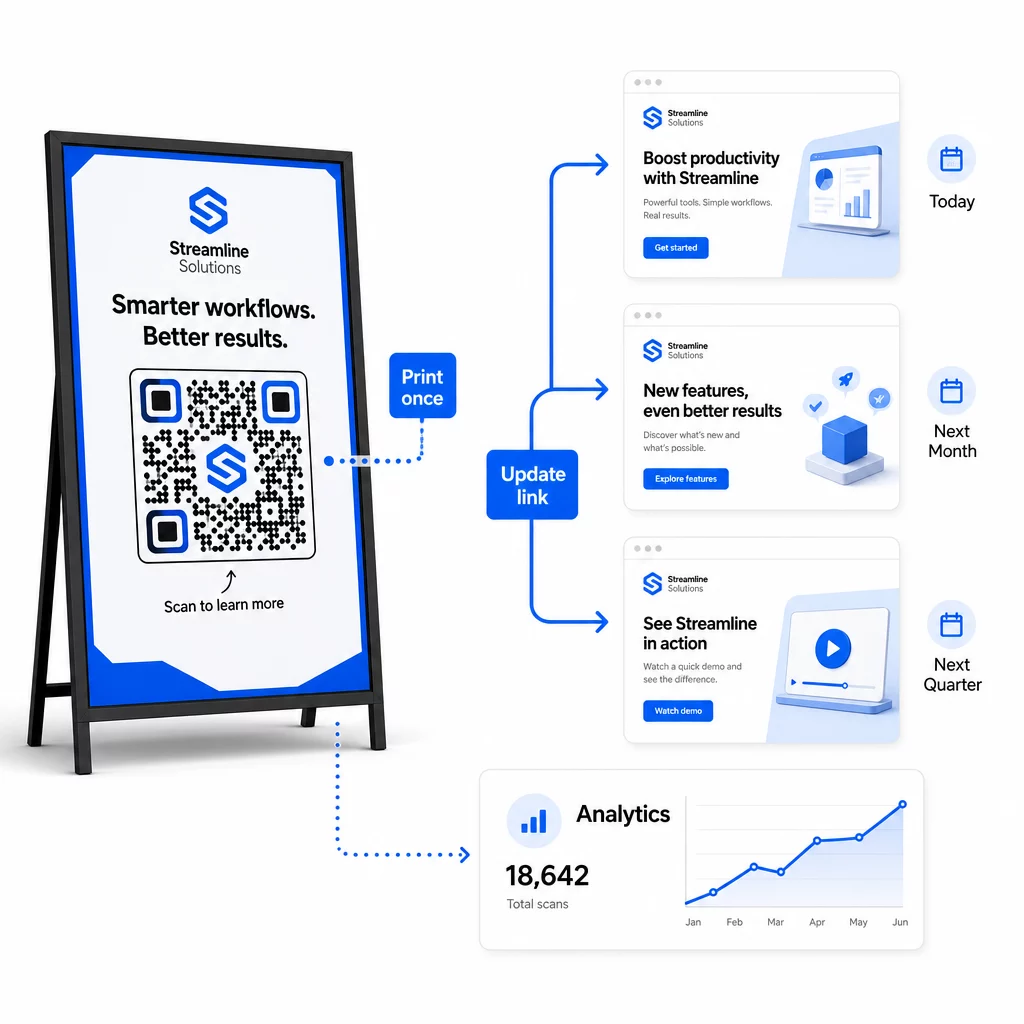
A dinamikus QR-kódok egyik alapvető működési előnye az a képesség, hogy a cél URL-eket a nyomtatás után szerkeszteni lehet – nincs új kód, nincs új nyomtatás, nincs megszakítás az aktív anyagoknál. Nagy léptékben ez a képesség elengedhetetlenné válik.
Verziókövetés bevezetése a célváltozásokhoz
Minden alkalommal, amikor frissíti egy dinamikus QR-kód célját, rögzítse a változást a következőkkel:
- A frissítés dátuma és ideje
- Előző cél URL
- Új cél URL
- A változás oka
- Ki engedélyezte
Használjon verziószámozási sémát – v1.0 a kezdeti indításhoz, v1.1 kisebb módosításokhoz, v2.0 jelentős célváltoztatáshoz – így csapata mindig tudja, melyik verzió aktív, és vissza tudja állítani, ha valami elromlik. Több közreműködővel rendelkező csapatoknál a szerepkör alapú engedélyek biztosítják, hogy csak az arra jogosult felhasználók végezhessenek módosításokat az aktív kódokon.
Időalapú átirányítások automatizálása
Az előre jelezhető tartalomütemezésű kampányoknál az időzített átirányítások szükségtelenné teszik a kézi beavatkozást. Egy étterem egyetlen nyomtatott QR-kódról kínálhat reggeli, ebéd és vacsora menüt azáltal, hogy meghatározott időpontokra ütemezi a célváltoztatásokat. Egy kiskereskedő beállíthatja a kódot, hogy egy promóciós oldalra irányítson át egy akció ideje alatt, és automatikusan visszatérjen a standard termékoldalra, amikor az akció véget ér.
Ez a megközelítés különösen értékes, ha a QR-kódokat hosszú átfutási idejű anyagokra nyomtatják. Jóval előre véglegesítheti a fizikai gyártást, biztosítva, hogy a kód a megfelelő tartalmat szolgálja majd, amikor a kampány elindul.
Linkek automatikus figyelése
Nagy léptékben nem praktikus manuálisan ellenőrizni, hogy minden cél URL él-e. Állítson be automatikus linkfigyelést, hogy értesítse csapatát, ha egy cél hibaüzenetet ad vissza, így átirányíthatja a szkenneléseket egy biztonsági URL-re, mielőtt a felhasználók hibás élménnyel találkoznának. A biztonsági URL-ek metaadatokban való dokumentálása – a fentebb, a nevezéktani részben leírtak szerint – azt jelenti, hogy csapata mindig készenlétben tart egy tartalékot.
Biztosítsa QR-kód programját a növekedés során
A nagy léptékű működési hatékonyság irányítást igényel – világos tulajdonjogot, megfelelő hozzáférés-szabályozást és proaktív felügyeletet az adatok és a felhasználók védelme érdekében.
Szerepkör alapú hozzáférés-szabályozás egy biztonságos, jól irányított QR-kód program alapja. Rendeljen hozzá engedélyeket, amelyek megfelelnek az egyes csapattagok felelősségi köreinek: az analitikai megtekintők láthatják a szkennelési adatokat, de nem szerkeszthetik a kódokat; a kampánymenedzserek frissíthetik a célokat, de nem törölhetik a kódokat; az adminisztrátorok teljes hozzáféréssel rendelkeznek. Ez a struktúra megakadályozza a véletlen vagy jogosulatlan változtatásokat, miközben lehetővé teszi az együttműködést nagy csapatok között.
A több részlegen keresztül QR-kódokat kezelő vállalatok számára a Pageloot támogatja a munkaterület-szintű hozzáférés-szabályozást és a csapatmappa-megosztást, lehetővé téve a decentralizált csapatok számára, hogy saját kódjaikat kezeljék anélkül, hogy rálátásuk lenne más csoportok kampányaira.
A hozzáférés-szabályozáson túl figyelje az anomális szkennelési mintákat – váratlan mennyiségi kiugrásokat, egyetlen IP-tartományból származó szkennelések magas koncentrációját, vagy a kampányelhelyezésekkel össze nem illő földrajzi eloszlásokat. Ezek a minták bottevékenységre vagy más csalárd szkennelésre utalhatnak, ami torzítaná az analitikai adatait. Az ilyen mintákat korán jelző automatizált felügyelet védi az adatok integritását és a kampány teljesítményére vonatkozó betekintéseket egyaránt.
Tartson auditnaplót az aktív kódokon végzett összes változtatásról: ki, mit, mikor és miért változtatott. Amikor egy kampányprobléma felmerül, ez a feljegyzés a leggyorsabb út a diagnózishoz és a megoldáshoz.
Gyakori kérdések
A dinamikus QR-kódok lehetővé teszik, hogy frissítse a cél URL-t vagy tartalmat, miután a kódot kinyomtatták, anélkül, hogy bármit is generálna vagy újranyomtatna. Nagy léptékben ez azt jelenti, hogy egyetlen irányítópultról kijavíthatja a hibás linkeket, frissítheti a szezonális promóciókat, vagy átirányíthatja a felhasználókat új tartalomra több ezer telepített kódon keresztül – kiküszöbölve az újranyomtatási költségeket és az üzemeltetési leállásokat.
Használjon kisbetűt mindenhol, tartsa az értékeket leíró és tömör formában, és egységesítse paraméterstruktúráját egy megosztott referenciadokumentumban. Egy megbízható minta a következő: `utmsource` a konkrét elhelyezéshez (pl. `storedisplay`), `utmmedium=qrcode` következetesen minden kódon, `utmcampaign` a kampány nevéhez dátummal (pl. `summersale2025`), és `utmcontent` az egyedi elhelyezések megkülönböztetésére ugyanazon kampányon belül. Kerülje a belső UTM-linkeket, és futtasson indítás előtti minőségellenőrzéseket, hogy megbizonyosodjon arról, minden paraméter helyesen továbbítódik az analitikai platformjára.
Határozza meg a tervezési szabványait – logó elhelyezése, márkaszínek, csendes zóna mérete, minimális nyomtatási méretek és fájlformátumok – mielőtt bármilyen tételt generálna, majd mentse el ezeket újrafelhasználható márkás sablonokként a QR-kód platformján. Alkalmazza ugyanazt a sablont minden kódra egy kötegelt futtatás során. A dinamikus QR-kódok megkönnyítik ezt, mert rövidebb kódolt adataik kevésbé sűrű mintázatokat eredményeznek, több helyet hagyva a logóknak és az egyedi színeknek anélkül, hogy veszélyeztetnék a szkennelhetőséget.