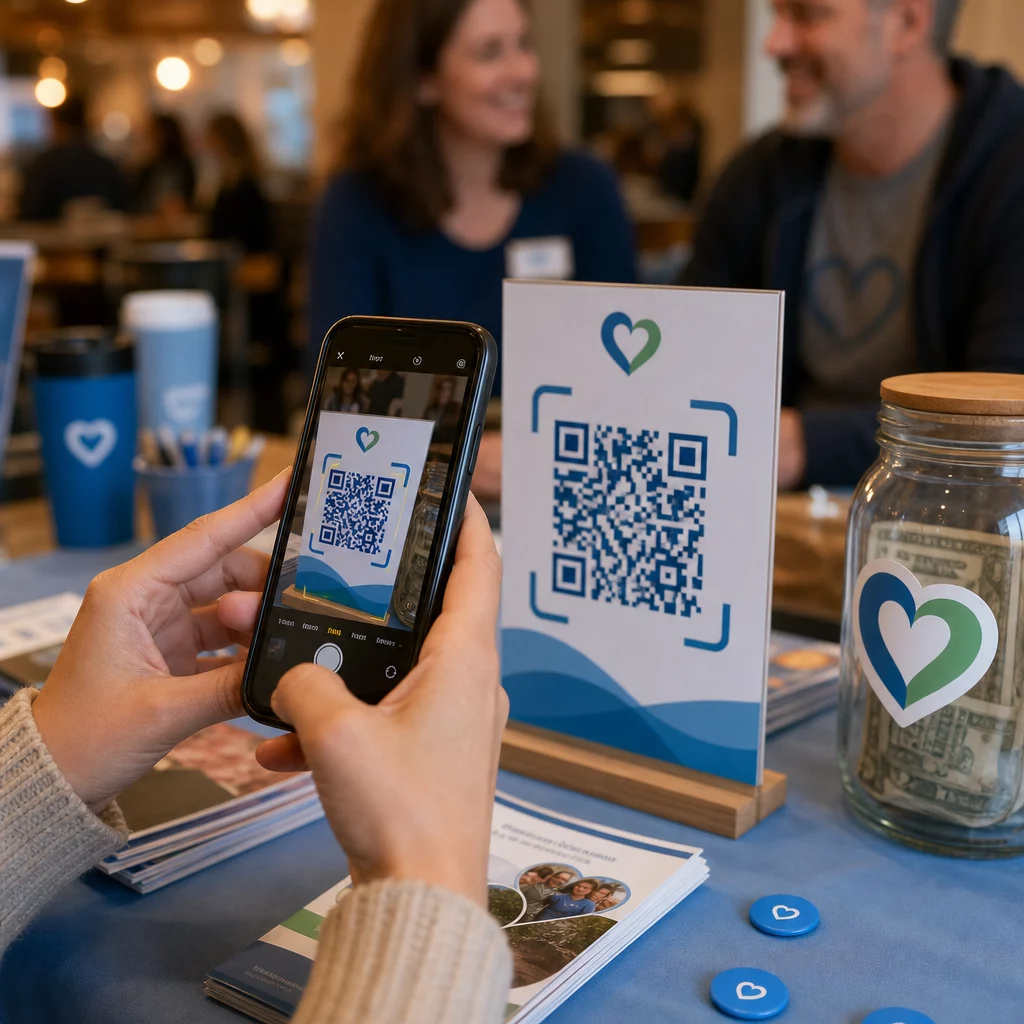
Kas teil on raskusi toetajate huvi muutmisega tegelikeks annetusteks ja üritustele registreerumisteks? Mittetulundusühingud seisavad sageli silmitsi lõhega kaasatud publiku ja lõpetatud tegevuste vahel – eriti kui trükimaterjalid suudavad teha vaid piiratud hulgal. See juhend käsitleb kõige praktilisemaid viise, kuidas QR-koodid saavad seda lõhet ületada, alates annetuslehtedest kuni vaiksete oksjonipakkumisteni.
QR-koodid ei ole enam pelgalt kaubanduslik tööriist, mida kasutavad jaemüüjad ja tarbijabrändid. Mittetulundusühingud on leidnud need tõeliselt kasulikud annetusprotsessi hõõrdumise vähendamiseks, ürituste reklaamimiseks ja toetajate kogukondade loomiseks. Mobiilse annetamise kasvades – ligi 30% kõigist 2020. aasta veebiannetustest tehti mobiilseadmest – on toetajatele telefonide kaudu tegutsemise lihtsustamine muutunud tõeliseks rahakogumise prioriteediks.
Siin on kõige tõhusamad viisid, kuidas teie organisatsioon saab QR-koode tööle panna.
Otse oma annetuslehele linkimine
Trükimaterjalidel, nagu brošüürid, flaierid ja otsepostitused, on piiratud ruum ja veelgi piiratum lugejate kannatlikkus. QR-kood võimaldab teil ületada lõhe veenva sõnumi ja lõpetatud annetuse vahel, ilma et toetajad peaksid URL-i sisestama või sülearvutit avama.
Asetage QR-kood mis tahes trükimaterjalile – ürituste programmidele, annetusümbrikutele, lauatelkidele või pöördumiskirjadele – ja linkige see otse oma annetuslehele. Kui toetaja selle skannib, jõuab ta kohe mobiilile optimeeritud annetusvormile. See eemaldab hõõrdumise, mis põhjustab huvi ja tegevuse vahelise katkestuse.
Kampaaniate puhul, kus sihtkoht võib muutuda – näiteks hooajaline üleskutse või vastavate annetuste kampaania – kasutage dünaamiline QR-kood staatilise asemel. Dünaamilised koodid võimaldavad teil lingitud URL-i igal ajal värskendada, ilma et peaksite oma materjale uuesti trükkima. Erinevuse kohta saate lisateavet staatiliste ja dünaamiliste QR-koodide võrdluslehel.
Mõned paigutamise näpunäited, mida tasub järgida:
- Lisage koodi kõrvale lühike üleskutse, näiteks “Skanni, et annetada kohe”
- Trükkige sihtkoha URL tekstina koodi alla, et toetajatel, kes ei saa skannida, oleks ikkagi võimalus annetada
- Hoidke standardsetel trükimaterjalidel koodi minimaalne suurus 0,8 × 0,8 tolli usaldusväärseks skannimiseks
Kas olete valmis looma oma annetuse QR-koodi? Kasuta Pagelooti mittetulundusühingute QR-koodi tööriistad et luua bränditud, jälgitav annetuse QR-kood ja linkida see otse teie annetuslehele või makseportaalile.
Protsessi sügavama ülevaate saamiseks heategevuslike rahakogumiste QR-koodide juhend käsitleb üksikasjalikult disaini, kontrastsuse nõudeid ja mobiilset optimeerimist.
Annetuste vastuvõtmine makse-QR-koodide kaudu
Selle asemel, et suunata toetajaid üldisele annetuslehele, saate luua QR-koodi, mis lingib konkreetsele makseportaalile – näiteks PayPal.me lingile või muule annetusplatvormile. Toetajad skaneerivad, makseleht avaneb ja tehing viiakse nende telefonist sekunditega lõpule.
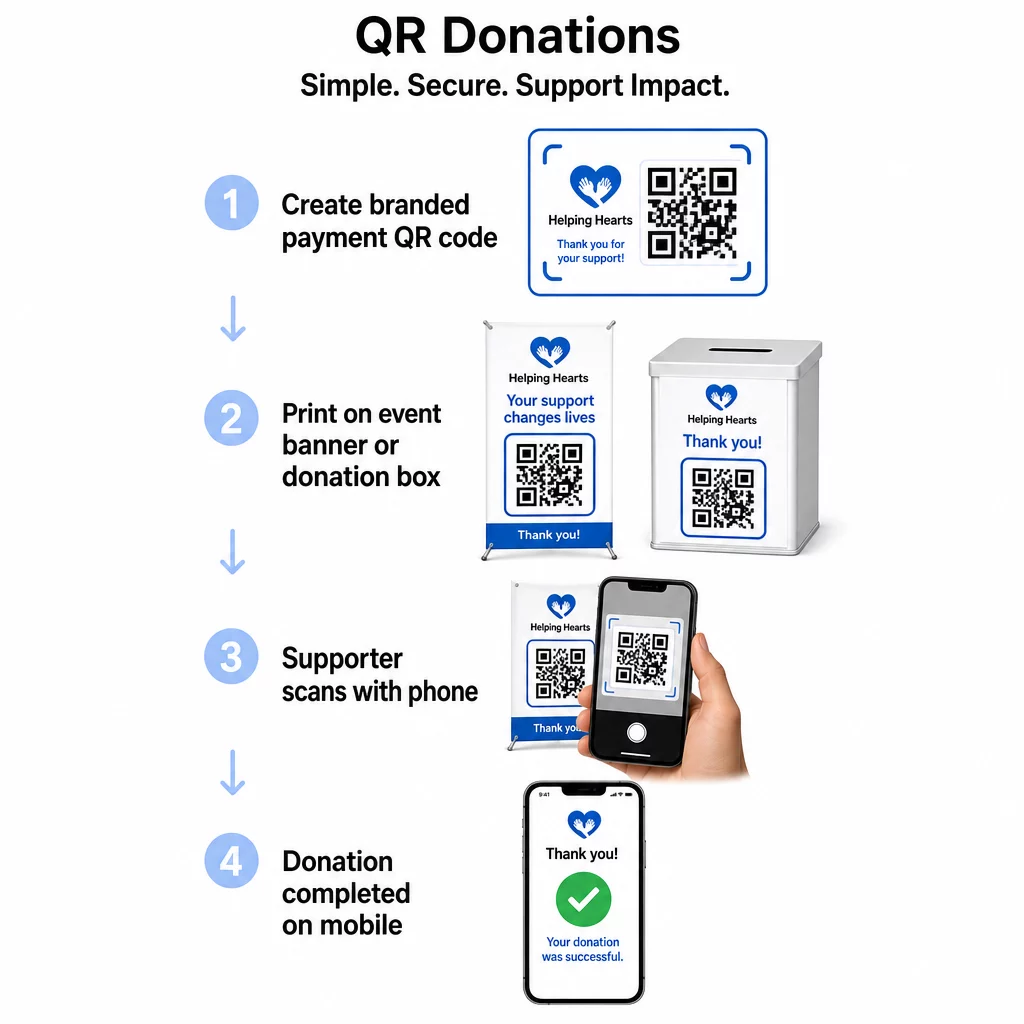
See lähenemine sobib eriti hästi isiklikeks kohtumisteks: heategevusgalad, tänavakorjandused, kirikukogudused või ajutised annetuspunktid. Bränditud koodi paigutamine annetuskasti või bännerile ürituse sissepääsu juures võimaldab spontaanseid annetusi osalejatelt, kes ei pruugi olla kaasa võtnud sularaha ega tšekiraamatut.
See PayPali QR koodi loomine muudab skaneeritava koodi loomise teie makselingiga seotuks lihtsaks, mida saate seejärel kohandada oma organisatsiooni brändinguga.
Ürituste registreerimiste ja RSVP-de edendamine
Mittetulundusühingud korraldavad pidevalt üritusi – galasid, vabatahtlike päevi, teadlikkuse tõstmise jalutuskäike, kogukonna õhtusööke. Toetajate tegelik registreerimine, mitte ainult huvi väljendamine, on püsiv väljakutse. QR-koodid trükitud reklaammaterjalidel võivad viia kellegi “Soovin osaleda” olekust “Olen registreeritud” olekusse vähem kui minutiga.
Linkige QR-kood oma ürituse flaieril otse registreerimisvormile või ürituse sihtlehele. Samuti saate kodeerida kalendrikutse, nii et koodi skaneerimine lisab sündmuse automaatselt toetaja telefoni kalendrisse – lihtne, kuid tõhus viis puudumiste vähendamiseks.
See Ürituse QR koodi loomine toetab mõlemat lähenemist: linkimist registreerimislehele või kalendrivalmis kutse genereerimist. Keerukamate ürituste puhul, mis nõuavad turvalist piletite müüki ja sissepääsu haldamist, on juhend turvaliste QR-koodiga üritusepiletite loomine väärt ülevaatamist.
Konverentside või harupõhiste organisatsioonide puhul annab QR-koodide paigutamine lauatelkidele, nimesiltidele ja bänneritele osalejatele kohese juurdepääsu reaalajas ajakavadele, annetusportaalidele või vabatahtlike registreerimisvormidele ilma paberkandjal jaotusmaterjale jagamata.
Paberist pakkumislehtede asendamine vaiksetel oksjonitel
Vaiksete oksjonite pakkumislehed tekitavad tarbetut paberimajandust, toovad sisse vigu ja muudavad pakkumiste reaalajas jälgimise keeruliseks. Mittetulundusühingud asendavad neid üha enam QR-koodidega, mis on paigutatud iga oksjonieseme kõrvale. Osalejad skaneerivad koodi, vaatavad eseme üksikasju ja teevad oma pakkumised otse oma telefonist.
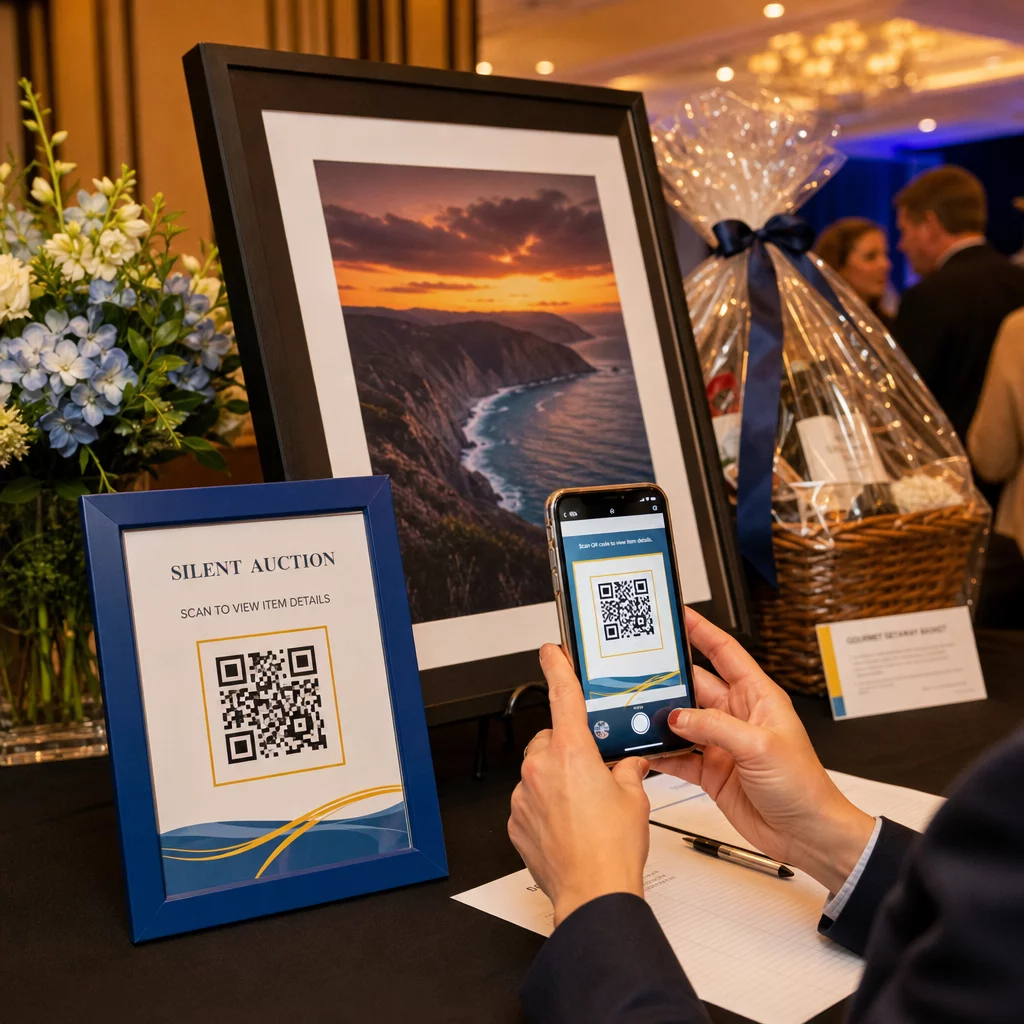
See lähenemine vähendab administratiivset tööd, kõrvaldab loetamatu käekirja probleemid ja võimaldab korraldajatel jälgida pakkumistegevust reaalajas. See hoiab ka osalejad kogu ürituse vältel oksjoniga rohkem seotud, selle asemel et tähtaja lähenedes paberilehtede ümber koguneda.
A dünaamiline QR-kood on siin õige valik, kuna see võimaldab teil uuendada lingitud sisu – näiteks lülituda eseme detailidelt lehele “pakkumine suletud” – ilma et peaksite iga eseme kõrval olevat füüsilist koodi asendama.
Vabatahtlike registreerimiste ja küsitluste vastuste kogumine
Mittetulundusühingud sõltuvad vabatahtlikest ja mida lihtsamaks te registreerumise teete, seda rohkem vastuseid saate. Google Formi või registreerimislehega seotud QR-koodi saab printida mis tahes reklaammaterjalile – flaieritele kogukonnaüritusel, plakatitele raamatukogus, bänneritele miitingul – ja see võimaldab inimestel kohe oma telefoniga registreeruda.
Sama lähenemine töötab ka üritusejärgsete küsitluste, liikmetaotluste ja tagasisidevormide puhul. Google vorm: QR-koodi generaator võimaldab teil sekunditega genereerida skaneeritava koodi mis tahes Google Formi lingist.
Organisatsioonidele, kes soovivad jälgida, millised materjalid ja paigutused toovad kõige rohkem registreerumisi, annab vormi QR-koodide sidumine jälgimisega selgema pildi sellest, mis tegelikult töötab. QR-koodi jälgimise juhendist selgitab, kuidas jälgida skaneerimiste arvu, asukohta ja seadme tüüpi oma kampaaniates.
Sotsiaalmeedia jälgijaskonna kasvatamine
Tasuline sotsiaalmeedia reklaam võib olla kallis ja sellega loodud jälgijad ei ole alati teie eesmärgist siiralt huvitatud. QR-kood teie füüsilistel materjalidel pakub odavamat alternatiivi, mis sihib inimesi, kes on juba huvi üles näidanud – sest nad võtsid teie flaieri või osalesid teie üritusel.
Linkige QR-kood maandumislehele, mis sisaldab linke kõigile teie sotsiaalprofiilidele, et toetajad saaksid valida oma eelistatud platvormi. Alternatiivina linkige otse konkreetsele kampaanialehele või postitusele, mida soovite võimendada. Mõlemal juhul on konversioon kohene ja publik on soojem kui enamiku tasuliste kampaaniate puhul.
Juhendamiseks, kuidas neid koode kõige paremini paigutada, QR-koodi paigutusjuhend käsitleb paigutust, suurust ja konteksti erinevat tüüpi trükimaterjalide jaoks.
Kampaania tulemuslikkuse jälgimine
Üks QR-koodide kõige alakasutatud eeliseid mittetulundusühingute jaoks on analüütika. Dünaamiliste QR-koodidega saate jälgida, kui palju inimesi antud koodi skaneeris, millal nad seda skaneerisid, millist seadet nad kasutasid ja kus nad asusid. See annab teile teada, millised trükimaterjalid tegelikult kaasatust suurendavad ja milliseid ignoreeritakse.
Näiteks mitme asukohaga organisatsiooni puhul, mis korraldab otsepostituse kampaaniat, võiksite kasutada erinevaid QR-koode erinevate piirkondade jaoks ja võrrelda skaneerimismäärasid, et mõista, kus teie sõnum on kõige tõhusam. Andmed võivad anda teavet selle kohta, kuhu investeerida tulevastes trükistes ja millised kampaaniad vajavad rohkem eelarvet.
Jälgige iga skaneeringut oma kampaaniates See Dünaamilise QR koodi generaator annab teile täieliku analüüsi armatuurlaua, mis näitab skannimismahtu, ajastust, geograafiat ja seadme tüüpi – nii saate mõõta iga trükitud materjali tegelikku mõju.
Parimad tavad enne printimist
Enne mis tahes QR-koodi printimiseks lõplikku vormistamist säästavad mõned tehnilised kontrollid teid materjalide tootmisest, mis toetajaid frustreerivad:
- Testige mitmel seadmel – skannige koodi nii iOS-i kui ka Androidi seadmetel erinevates valgustingimustes enne trükkimisele pühendumist
- Kasuta suurt kontrasti – tumedad moodulid heledal taustal; vältige värvide inversiooni
- Suurustage sobivalt – vähemalt 0,8 × 0,8 tolli standardsete flaierite jaoks; suurem plakatite ja kaugelt vaadatavate bännerite jaoks
- Optimeerige sihtleht mobiilseadmete jaoks – enamik skaneeringuid toimub nutitelefonides, seega peab koodiga lingitud leht laadima kiiresti ja olema väikesel ekraanil hõlpsasti navigeeritav
- Lisage tekstiline alternatiiv – printige URL või lühike kirjeldus koodi alla, et sihtkoht oleks ligipääsetav kõigile, kes ei saa või ei soovi skannida
Erinevate trükimaterjalide üksikasjalike suuruse soovituste saamiseks on QR-koodi suuruse juhend pakub spetsiifilisi mõõtmeid paberi, papi ja kanga rakenduste jaoks.
QR-koodid toimivad mittetulundusühingute jaoks kõige paremini, kui need eemaldavad samme, mitte ei lisa neid. Iga teie kasutusele võetud kood peaks viima toetaja huvist tegevuseni – annetamine, registreerimine, liitumine või ühenduse loomine – võimalikult väheste puudutustega. Alustage oma kõrgeima prioriteediga puutepunktist, olgu selleks annetusleht või ürituse registreerimisvorm, ja kasutage Pageloot QR-koodi generaatorit bränditud, jälgitava koodi loomiseks, mida saate kasutada kõigil oma trükistel.
Korduma kippuvad küsimused
Dünaamilised QR-koodid on parem valik raha kogumiseks. Need võimaldavad teil siht-URL-i pärast printimist värskendada – kasulik, kui teie annetusleht muutub või korraldate hooajalisi kampaaniaid – ja need sisaldavad analüütikat, et saaksite jälgida, kui palju inimesi skaneeris, millal ja kust. Staatilised QR-koodid on tasuta, kuid neid ei saa muuta ega jälgida.
Kõrge jõudlusega paigutused hõlmavad otsepostituse pöördumiskirju, ürituste silte ja lauatelke, annetuskaste, vabatahtlike värbamise flaiereid ja konverentsimärke. Igal juhul paigutage kood silmade kõrgusele, lisage selge üleskutse tegevusele, näiteks “Skanni annetamiseks” või “Skanni registreerimiseks”, ja veenduge, et lingitud leht oleks mobiilseadmete jaoks optimeeritud.
Standardsete flaierite ja trükiste puhul on usaldusväärseks skannimiseks käeulatusest soovitatav minimaalne suurus 0,8 × 0,8 tolli (2 × 2 cm). Suuremalt kauguselt vaadatavate plakatite ja bännerite puhul suurendage koodi proportsionaalselt – üldreegel on, et kood peaks olema vähemalt üks kümnendik eeldatava skannimiskauguse laiusest.