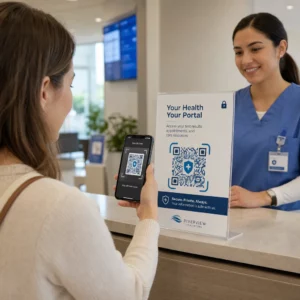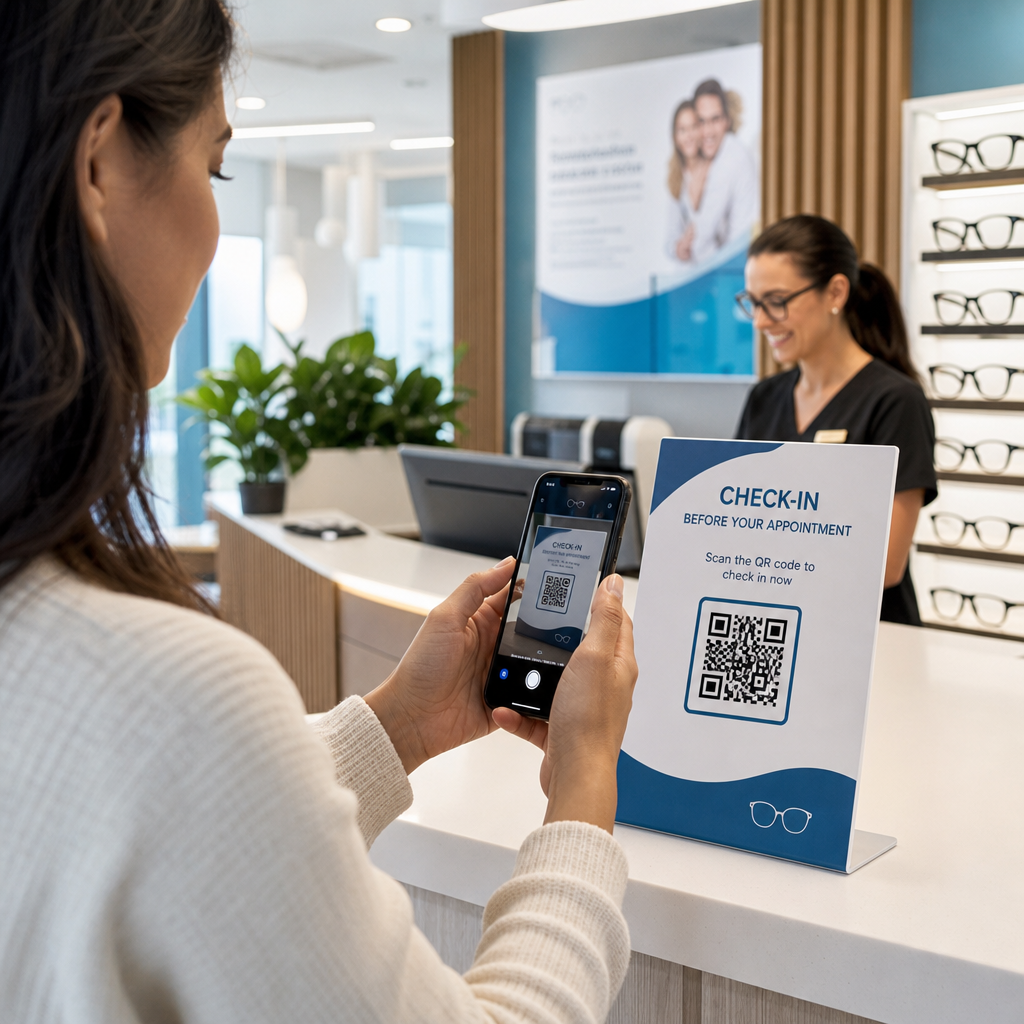

Verursachen langsame Patientenanmeldungen und verpasste Folgetermine Engpässe in Ihrer Optometrie-Praxis? Administrative Verzögerungen frustrieren Patienten und lenken das Personal am Empfang von der direkten Sehhilfe ab. Durch das Anbringen von scannbaren QR-Codes an Ihrem Empfangstresen, im Optik-Showroom und auf gedruckten Nachsorgebögen werden Patienten sofort mit digitalen Diensten verbunden.
Kontaktloses Patienten-Check-in und Aufnahmeformulare
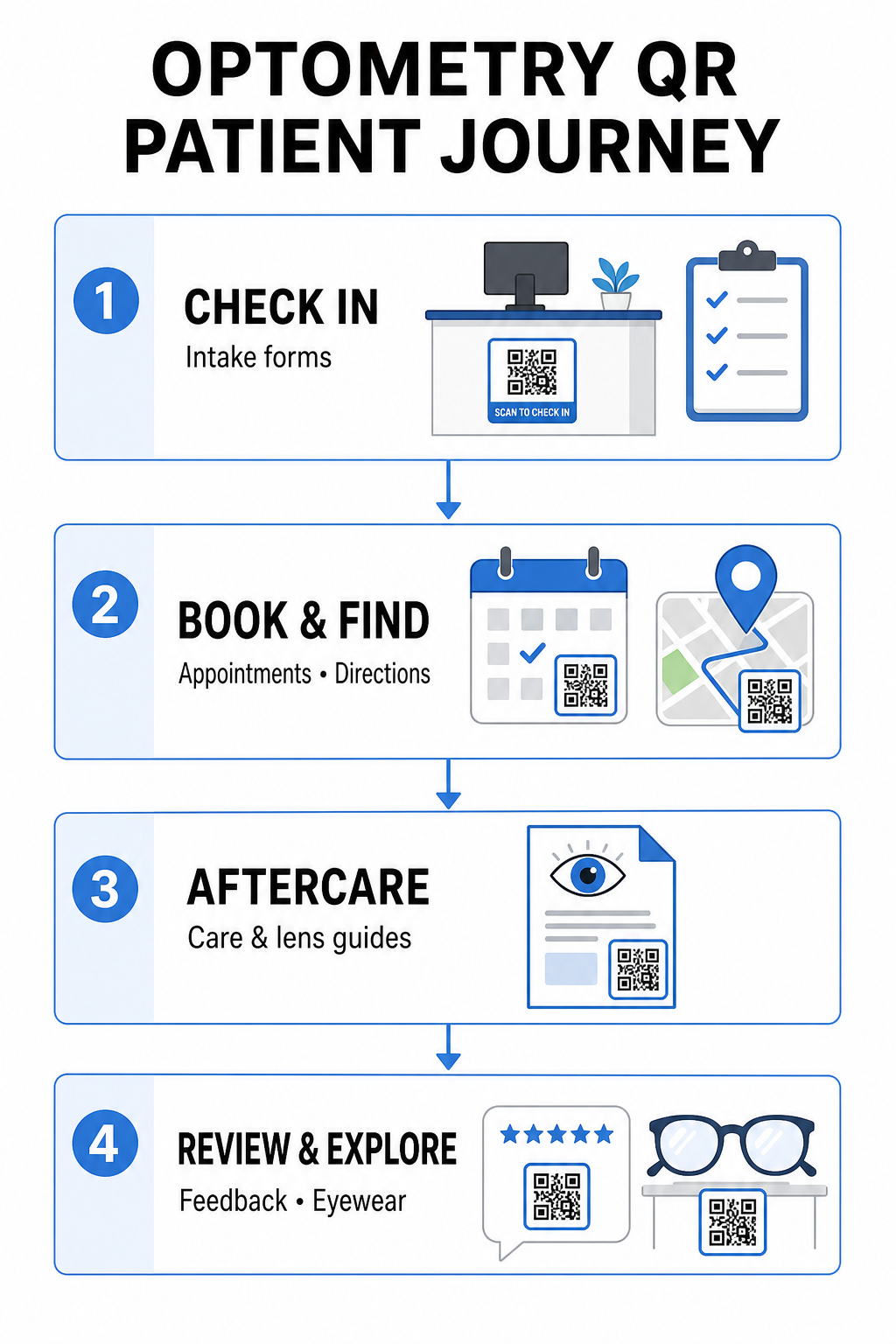
Papier-Registrierungsmappen erfordern manuelle Dateneingabe, schaffen physische Unordnung im Wartebereich und erhöhen die Wartezeiten insgesamt. Das Anbringen eines Check-in-QR-Codes an Ihrem Empfangstresen oder Eingang ermöglicht es ankommenden Patienten, Aufnahmeformulare auszufüllen, medizinische Vorgeschichten zu aktualisieren und Einverständniserklärungen direkt auf ihren mobilen Geräten zu unterzeichnen.
Mit einer Google Forms QR-Code erstellen, kann Ihre Praxis digitale Gesundheitsfragebögen in einfache, scannbare Berührungspunkte umwandeln. Ankommende Patienten scannen den Code, übermitteln ihre Informationen und informieren Ihr Verwaltungsteam, ohne auf ein physisches Klemmbrett warten zu müssen. Ähnlich wie bei digitalen Arbeitsabläufen, die in Zahnarztpraxen, minimiert die automatisierte Aufnahme Übertragungsfehler und beschleunigt die Bearbeitung am Empfang.
Optimieren Sie Ihre Rezeptionseingabe Möchten Sie Papier-Registrierungsmappen eliminieren und die Wartezeiten für Patienten verkürzen? Nutzen Sie den/die/das Google Forms QR-Code erstellen um noch heute kontaktlose Check-in-Berührungspunkte für Ihren Empfangsbereich zu schaffen.
Terminbuchung und Standortnavigation vereinfachen
Die Verwaltung von Routine-Sehtests, Kontaktlinsenanpassungen und Nachuntersuchungen erfordert einen reibungslosen Planungsablauf. Das Anbringen von Buchungs-QR-Codes auf Terminerinnerungskarten, Rückrufschreiben und Klinikfensterschildern ermöglicht es Patienten, Ihr Online-Buchungsportal in Sekundenschnelle zu öffnen.
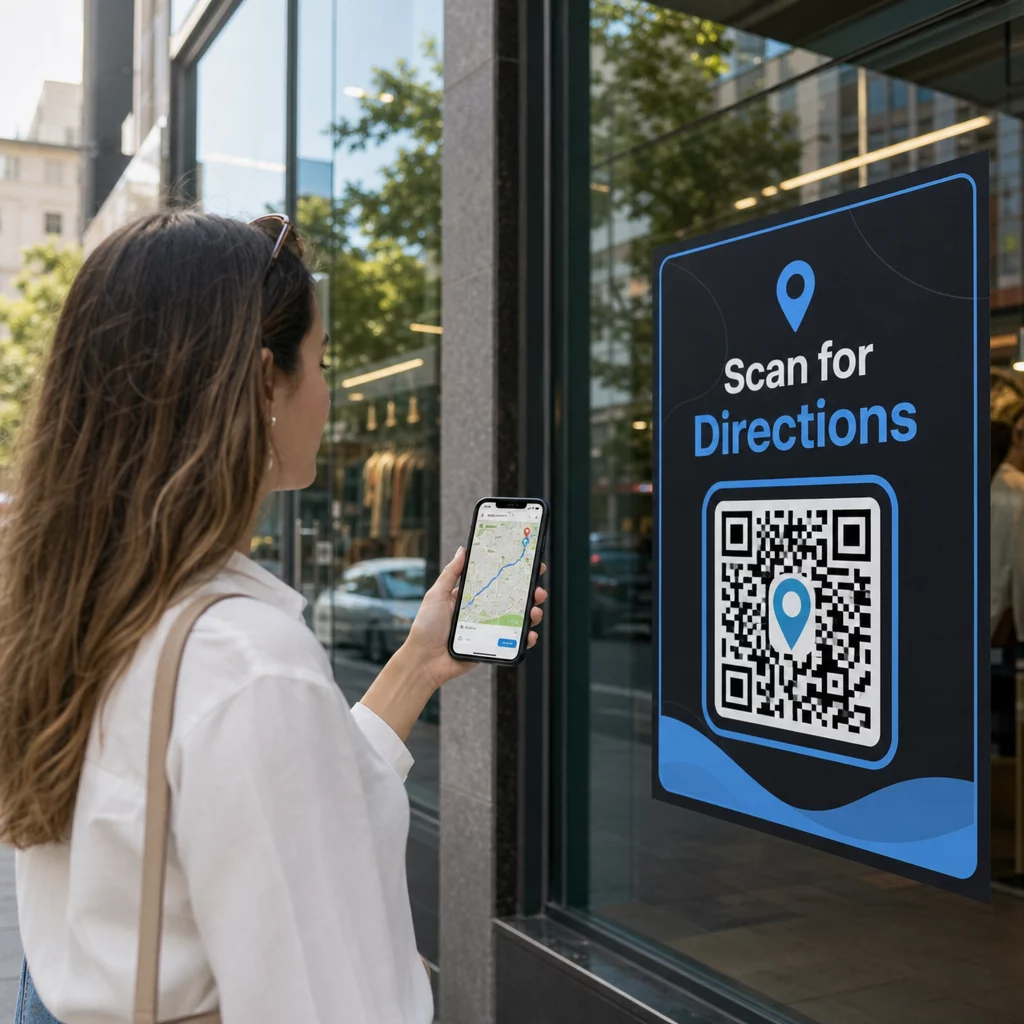
Indem Sie Ihre Terminplanungs-URL mit einem/einer/einem in ein scannbares Muster umwandeln Link-QR-Code-Generator, geben Sie wiederkehrenden Patienten einen sofortigen Weg, ihren nächsten Besuch zu reservieren. Für Augenarztpraxen mit mehreren Standorten oder Kliniken, die sich in größeren medizinischen Komplexen befinden, ist eine direkte Standortführung ebenso entscheidend. Durch die Integration eines von einem/einer/einem generierten Codes Google Maps QR-Code erstellen auf Erinnerungspostkarten stellt sicher, dass Patienten detaillierte Wegbeschreibungen direkt auf ihren Smartphones starten können.
Bereitstellung von Nachsorgeanweisungen für Sehhilfen und Kontaktlinsen
Klare Anweisungen nach der Behandlung reduzieren Notrufe und unterstützen eine ordnungsgemäße Genesung des Patienten nach spezialisierten Eingriffen oder der Erstanpassung von Kontaktlinsen. Patienten verlegen häufig Papierbroschüren, die Details zur Rahmenpflege, Vorsichtsmaßnahmen nach der Pupillenerweiterung oder Richtlinien zur Kontaktlinsenhygiene enthalten.
Sie können digitale Anleitungen, Lehrvideos und Pflegeblätter in scannbare Formate kodieren, indem Sie einen/eine PDF QR-Code Generator. Das Anbringen dieser Codes an Rezepttaschen oder Abgabeunterlagen ermöglicht Patienten den dauerhaften Zugriff auf wichtige Nachsorge-Ressourcen. Für sensible medizinische Aktualisierungen überprüfen Sie bewährte Verfahren für sichere Weitergabe von Gesundheitsdaten mit QR-Codes zum Schutz der Privatsphäre der Patienten bei der Informationsübertragung.
Praxismarketing, Optikverkauf und Patientenbewertungen
QR-Codes verbinden Ihre physische Optikerpraxis mit Ihren digitalen Marketingkanälen, fördern die Patientenbindung und stärken Ihren Online-Ruf.
- Anzeige von Fassungsdetails: Platzieren Sie scannbare Codes neben Designerfassungen oder speziellen Linsenanzeigen, damit Patienten beim Stöbern Farboptionen, Linsen-Upgrades oder Markengeschichten ansehen können.
- Teilen von Kontaktdaten des Arztes/der Ärztin: Drucken Sie einen scannbaren Code von einem/einer vCard QR-Code Generator auf Visitenkarten des Arztes/der Ärztin, damit Patienten direkte Klinik-Kontaktdaten direkt in ihre mobilen Kontaktlisten speichern können.
- Sammeln von Patientenfeedback: Ermuntern Sie zufriedene Patienten, ihre Erfahrungen vor dem Verlassen der Klinik zu teilen. Die Verwendung eines/einer QR-Code für Google Bewertung erstellen an der Kasse leitet Patienten direkt zu Ihrem Bewertungsprofil weiter, wodurch der Feedback-Prozess als Teil einer umfassenderen QR-Code für Kundenfeedback Strategie vereinfacht wird.
Statische vs. dynamische QR-Codes für Augenarztpraxen
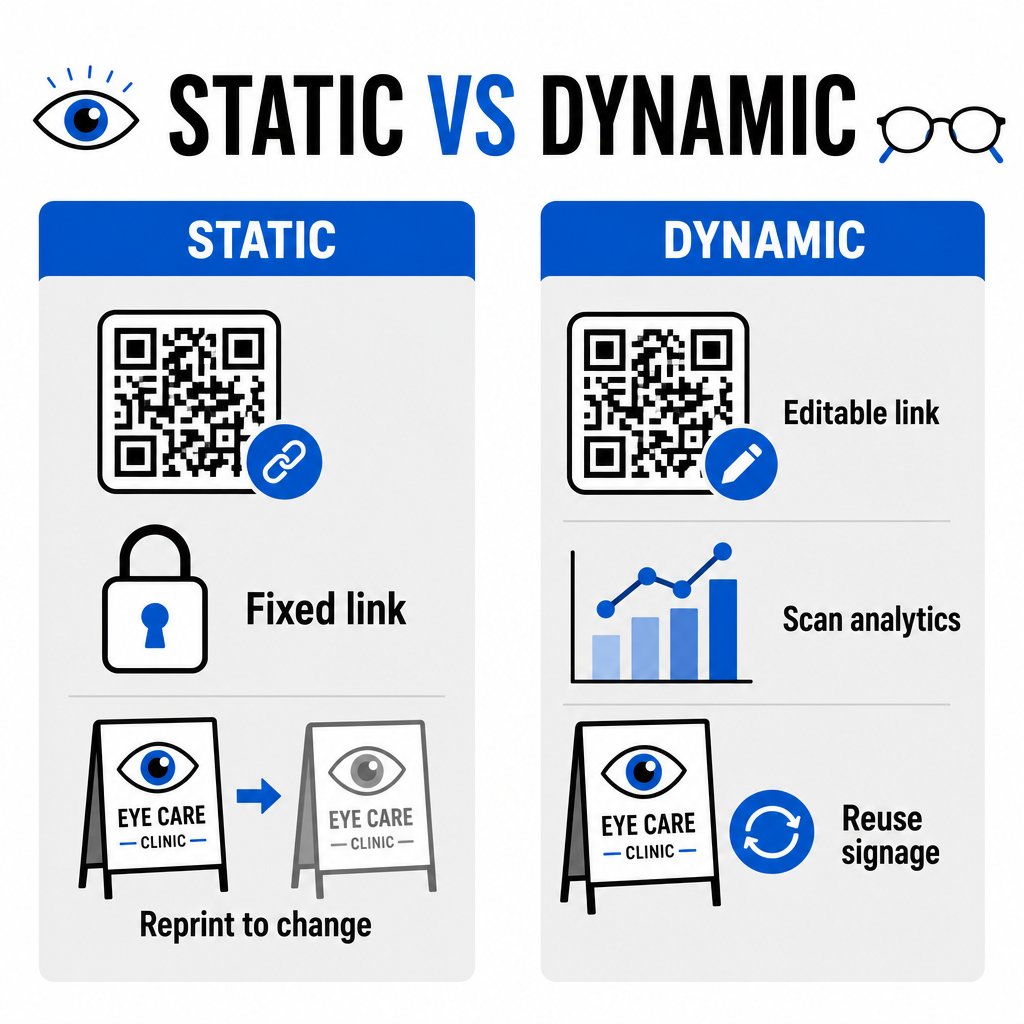
Die Wahl zwischen statischen und dynamischen Formaten hängt davon ab, ob Ihr Zielinhalt im Laufe der Zeit Aktualisierungen oder Leistungsmessungen erfordert.
| FUNKTION | Statische QR-Codes | Dynamische QR-Codes |
|---|---|---|
| Ziel-URL | Bei Erstellung dauerhaft fixiert | Jederzeit vollständig editierbar ohne Neudruck |
| Scan-Analysen | Nicht verfügbar | Echtzeit-Tracking von Scan-Volumen, Standort und Gerät |
| Primäre Anwendungsfälle | Permanentes Praxis-WLAN, statische Wegbeschreibungen | Online-Buchung, saisonale Aktionen, Aufnahmeformulare |
| Druckhaltbarkeit | Erfordert Neudruck, wenn sich das Ziel ändert | Kontinuierliche Wiederverwendung von gedruckten physischen Beschilderungen |
Für aktive Klinik-Kampagnen und Terminplanung liefern dynamische Codes wesentliche betriebliche Erkenntnisse. Die Implementierung von Verfolgung von QR-Codes ermöglicht Praxismanagern, Spitzen-Scanzeiten zu analysieren und zu bewerten, welche physischen Standorte die höchste Patientenbindung erzielen.
Implementierungsstandards für Druck und Patientendatenschutz
Um sicherzustellen, dass jeder Patient eine zuverlässige und zugängliche Erfahrung genießt, befolgen Sie diese technischen Standards beim Einsatz von scannbaren Codes in Ihrer Klinik:
- Beibehaltung der Druckgröße: Drucken Sie Codes in einer Mindestgröße von 2 × 2 cm (0,8 × 0,8 Zoll) für Materialien im Nahbereich wie Visitenkarten oder Nachsorgeblätter, wobei größere Größen für Wandschilder oder Schaufenster reserviert sind.
- Sicherstellung des Farbkontrasts: Sorgen Sie für einen starken visuellen Kontrast, indem Sie dunkle QR-Module auf einem hellen Hintergrund mit einem Kontrastverhältnis von mindestens 4:1 platzieren und dabei belebte Muster oder strukturierte Oberflächen vermeiden.
- Bewahren von Ruhezonen: Lassen Sie einen klaren Rand um alle vier Seiten des Codes, der mindestens vier Module (die kleinen quadratischen Blöcke im Raster) entspricht, um optische Scannerstörungen zu vermeiden.
- Auswahl von Vektordateiformaten: Exportieren Sie hochauflösende Vektorformate wie SVG oder EPS für kommerzielle Druckprojekte, oder speichern Sie Rasterdateien wie PNG unter 300 DPI oder höher.
- Unterstützung barrierefreier Alternativen: Halten Sie sich an die Zugänglichkeitsrichtlinien, indem Sie eine sichtbare Text-URL neben dem QR-Code anzeigen, damit Patienten ohne Scangeräte das Ziel weiterhin erreichen können.
- Schutz der Patientendatenschutz: Implementieren Sie Verschlüsselung und administrative Sicherheitsvorkehrungen, um individuell identifizierbare Gesundheitsinformationen zu schützen, die über Patientenformulare und digitale Planungstools erfasst werden.
Für breitere Implementierungsrahmen im Gesundheitswesen konsultieren Sie die ultimativen Leitfadens für QR-Codes im Gesundheitswesen und erkunden Sie spezialisierte Optionen in verschiedenen Sektoren des Gesundheitswesens.
Modernisierung Ihrer Optometrie-Workflows
Die Integration von QR-Codes in Ihre Augenoptik-Praxis eliminiert administrativen Aufwand, beschleunigt Check-ins und schafft interaktive Berührungspunkte in Ihrem Optik-Showroom. Durch die Kombination zugänglicher Designstandards mit aktualisierbaren dynamischen Codes kann Ihre Klinik in jeder Phase der Patientenreise modernen, effizienten Service bieten. Beginnen Sie noch heute mit der Erstellung maßgeschneiderter, nachverfolgbarer Codes, um die Arbeitsabläufe Ihrer Augenoptik-Praxis zu verbessern.
Häufig gestellte Fragen
QR-Codes ermöglichen es Patienten, die Registrierung, Aktualisierungen der Krankengeschichte und Einverständniserklärungen auf ihren eigenen Smartphones auszufüllen, bevor sie das Untersuchungszimmer betreten. Dies eliminiert die manuelle Dateneingabe an der Rezeption und beschleunigt die Patientenaufnahme.
Ja, wenn Sie dynamische QR-Codes verwenden. Dynamische Codes ermöglichen es Ihnen, die Ziel-URL jederzeit in Ihrem Dashboard zu bearbeiten, ohne Ihre Aufnahmeanzeigen, Broschüren oder Erinnerungspostkarten neu drucken zu müssen.
Drucken Sie QR-Codes mit hohem visuellem Kontrast (mindestens ein Verhältnis von 4:1) und angemessener Größe (mindestens 2 × 2 cm). Stellen Sie zusätzlich eine kurze URL im Klartext neben dem Code bereit, damit Patienten ohne Scan-Funktion das Ziel weiterhin erreichen können.