
Veroorzaken trage patiëntenaanmeldingen en gemiste vervolgafspraken knelpunten in uw optometrie praktijk? Administratieve vertragingen frustreren patiënten en leiden baliepersoneel af van het verlenen van directe oogzorg. Het plaatsen van scanbare QR-codes bij uw receptie, optische showroom en op gedrukte nazorgformulieren verbindt patiënten direct met digitale diensten.
Contactloze Patiëntenaanmelding en Intakeformulieren
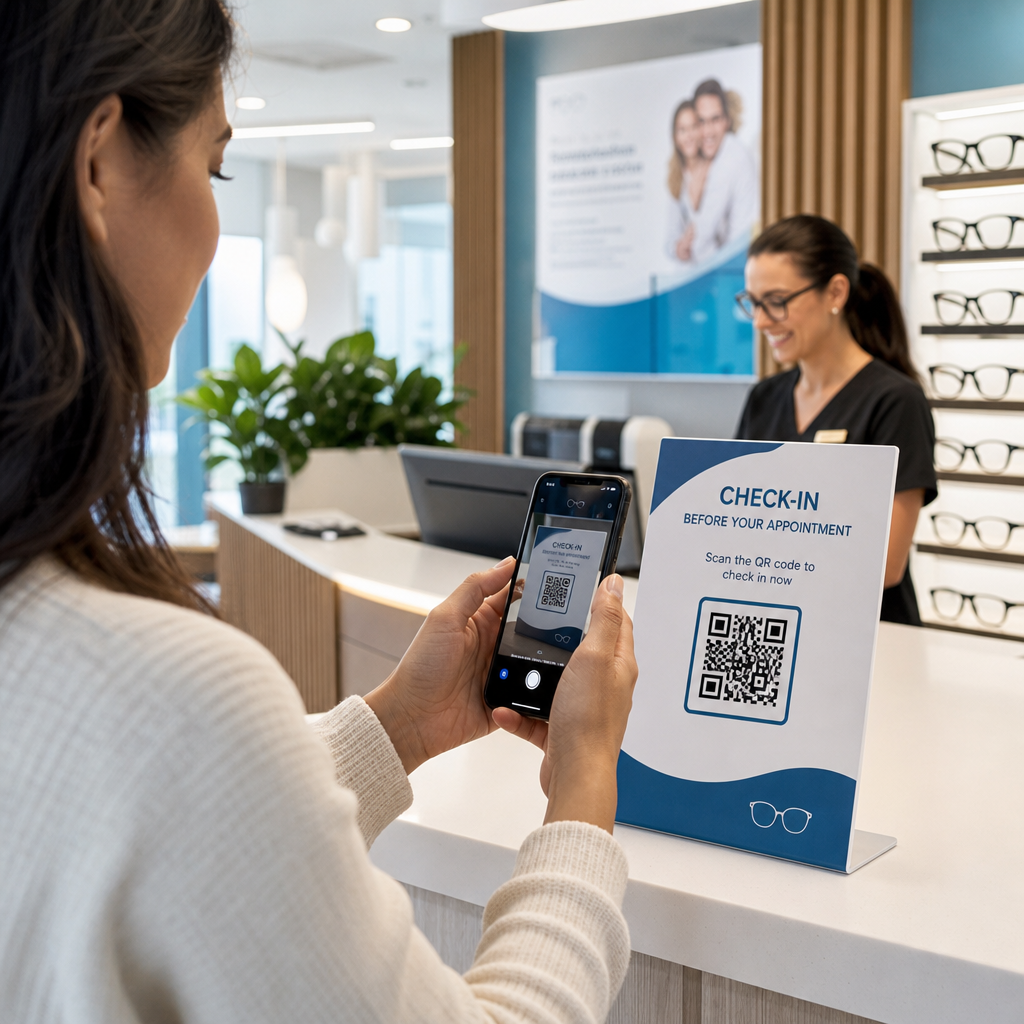
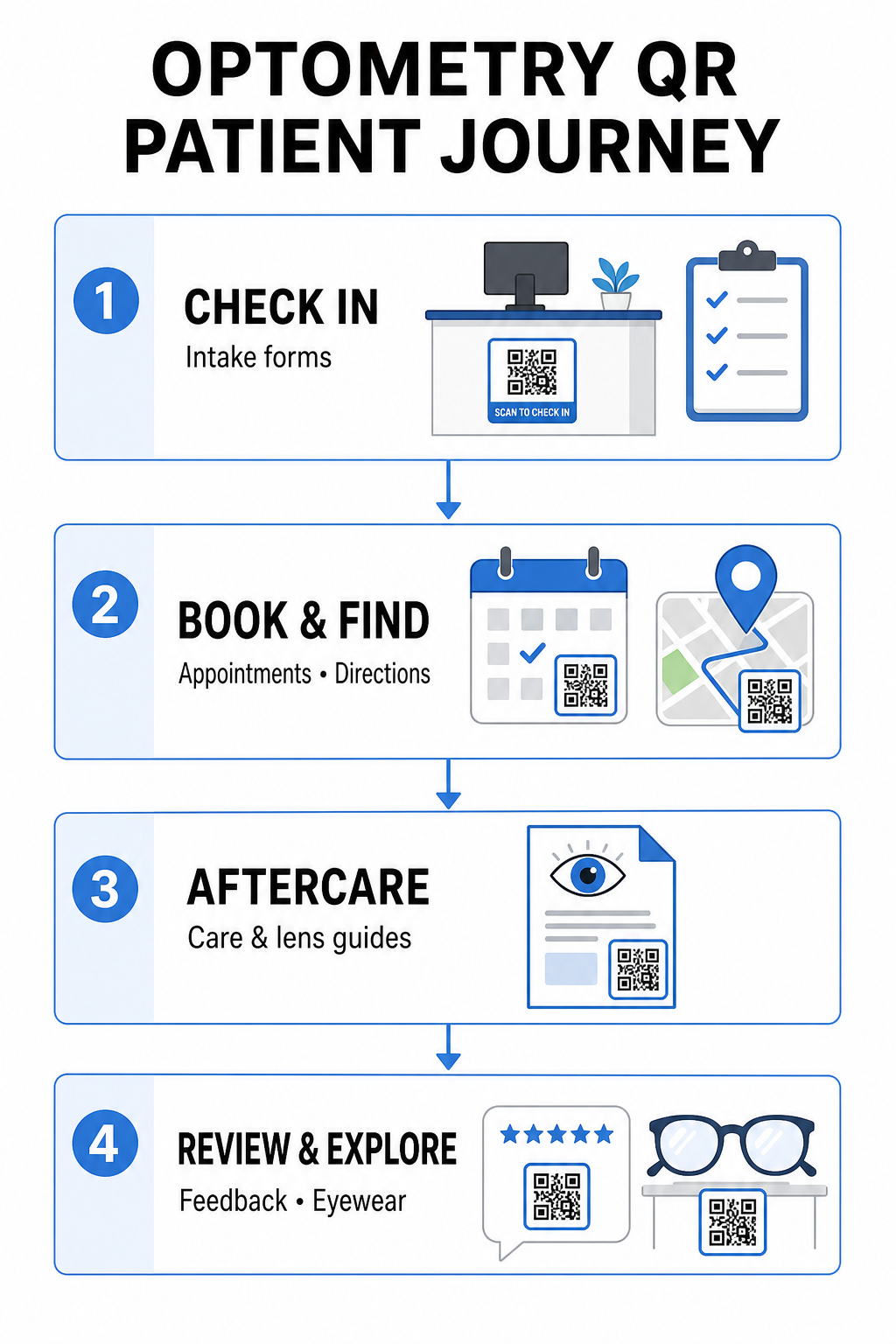
Papieren registratiepakketten vereisen handmatige gegevensinvoer, creëren fysieke rommel in de wachtruimte en verhogen de totale wachttijden. Het tonen van een check-in QR-code bij uw receptie of ingang stelt aankomende patiënten in staat om intakeformulieren in te vullen, medische geschiedenissen bij te werken en toestemmingsdocumenten rechtstreeks op hun mobiele apparaten te ondertekenen.
Een Google Forms QR code maken, uw praktijk kan digitale gezondheidsvragenlijsten omzetten in eenvoudige scanbare contactpunten. Aankomende patiënten scannen de code, dienen hun informatie in en waarschuwen uw administratieve team zonder te wachten op een fysiek klembord. Vergelijkbaar met digitale workflows die worden gebruikt in tandartspraktijken, geautomatiseerde intake minimaliseert transcriptiefouten en versnelt de balieverwerking.
Stroomlijn Uw Balie-Intake Wilt u papieren registratiepakketten elimineren en de wachttijden voor patiënten verkorten? Gebruik de Google Forms QR code maken om vandaag nog contactloze check-in contactpunten te creëren voor uw ontvangstruimte.
Afspraken Boeken en Locatienavigatie Vereenvoudigen
Het beheren van routine oogonderzoeken, contactlensaanpassingen en vervolgconsulten vereist een soepele planningsworkflow. Het plaatsen van boekings-QR-codes op afspraakherinneringskaarten, oproepbrieven en kliniekraamreclame stelt patiënten in staat om uw online boekingsportaal binnen enkele seconden te openen.
Door uw plannings-URL om te zetten in een scanbaar patroon met een link QR-codegenerator, geeft u terugkerende patiënten een directe weg om hun volgende bezoek te reserveren. Voor oogzorgpraktijken met meerdere locaties of klinieken die zich bevinden binnen grotere medische complexen, is directe locatiebegeleiding even cruciaal. Het opnemen van een code gegenereerd door een Google Maps QR code maken op herinneringspostkaarten zorgt ervoor dat patiënten stapsgewijze rijrichtingen direct op hun smartphones kunnen starten.
Het verstrekken van nazorg voor het gezichtsvermogen en instructies voor contactlenzen
Duidelijke instructies na de behandeling verminderen noodoproepen en ondersteunen een goed herstel van de patiënt na gespecialiseerde procedures of de eerste aanpassing van contactlenzen. Patiënten raken vaak papieren folders kwijt met details over frameonderhoud, voorzorgsmaatregelen na verwijding of richtlijnen voor contactlenshygiëne.
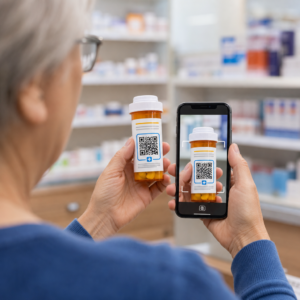
U kunt digitale gidsen, instructievideo's en zorginformatie coderen in scanbare formaten met behulp van een PDF naar QR code maken. Het bevestigen van deze codes aan receptzakjes of afleverdocumentatie geeft patiënten permanente toegang tot essentiële nazorgbronnen. Voor gevoelige medische updates, raadpleeg de gevestigde praktijken voor veilig delen van gezondheidsgegevens met QR-codes om de privacy van patiënten te beschermen tijdens informatieoverdracht.
Praktijkmarketing, Optische Verkoop en Patiëntrecensies
QR-codes verbinden uw fysieke optische verkooppunt met uw digitale marketingkanalen, wat de betrokkenheid van patiënten stimuleert en uw online reputatie versterkt.
- Frame details weergeven: Plaats scanbare codes naast designer montuurlijnen of speciale lensdisplays, zodat patiënten kleuropties, lensupgrades of merkverhalen kunnen bekijken tijdens het browsen.
- Contactgegevens van de behandelaar delen: Druk een scanbare code af van een vCard QR-code generator voor contactgegevens op visitekaartjes van behandelaars om patiënten in staat te stellen directe contactgegevens van de kliniek rechtstreeks op te slaan in hun mobiele contactlijsten.
- Feedback van patiënten verzamelen: Vraag tevreden patiënten om hun ervaring te delen voordat ze de kliniek verlaten. Het gebruik van een Google review QR code maken bij het afrekenen leidt patiënten rechtstreeks naar uw recensieprofiel, wat de feedbacklus vereenvoudigt als onderdeel van een bredere QR-code voor klantfeedback strategie.
Statische versus dynamische QR-codes voor oogheelkundige klinieken
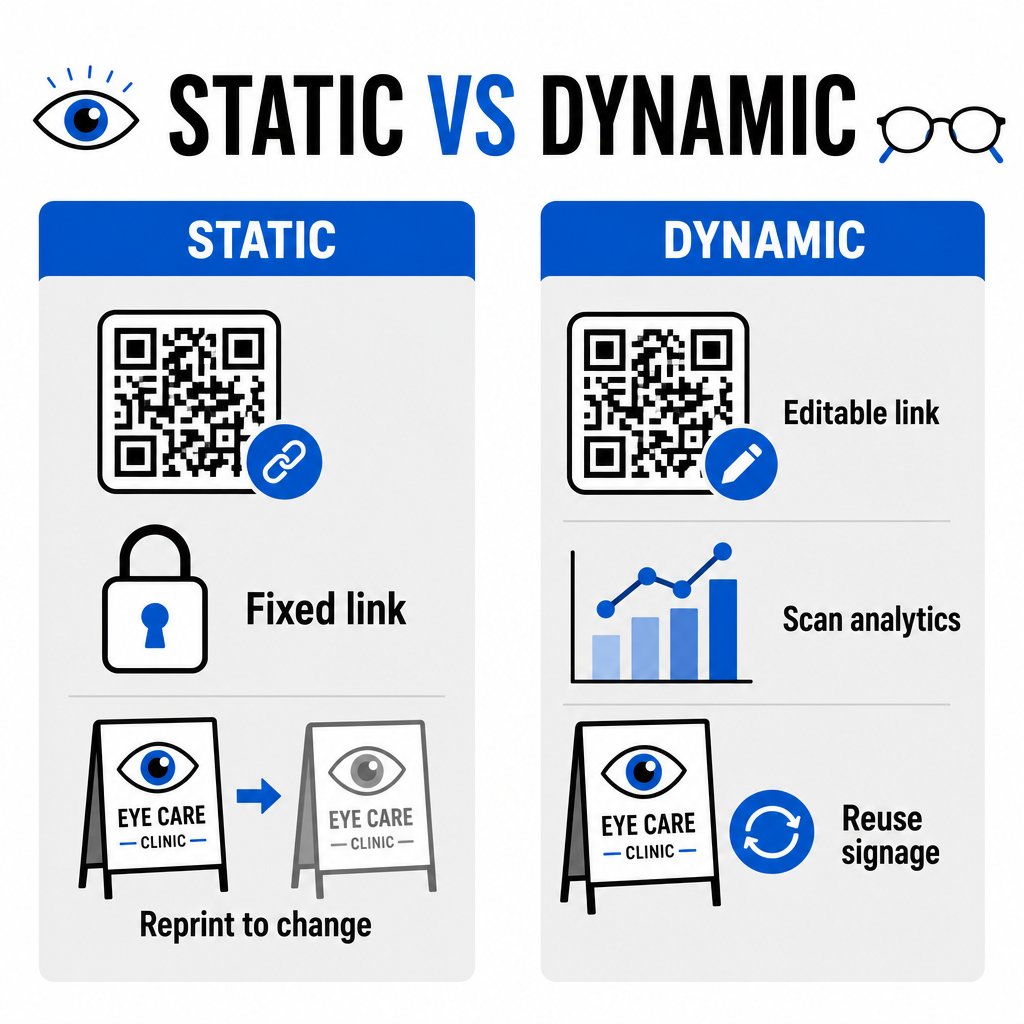
De keuze tussen statische en dynamische formaten hangt af van de vraag of uw bestemmingsinhoud updates of prestatiemetingen over tijd vereist.
| FUNCTIE | Statische QR-codes | Dynamische QR-codes |
|---|---|---|
| Bestemmings-URL | Permanent vastgelegd bij creatie | Op elk moment volledig bewerkbaar zonder opnieuw af te drukken |
| Scananalyses | Niet beschikbaar | Realtime tracking van scanvolume, locatie en apparaat |
| Belangrijkste Gebruiksscenario's | Permanente praktijk-wifi, statische routebeschrijving | Online boeken, seizoenspromoties, intakeformulieren |
| Levensduur van print | Vereist herdruk als de bestemming verandert | Continu hergebruik van fysieke gedrukte bewegwijzering |
Voor actieve kliniekcampagnes en afspraakplanning bieden dynamische codes essentiële operationele inzichten. De implementatie van het bijhouden van QR-codes stelt praktijkmanagers in staat om piektijden voor scans te analyseren en te evalueren welke fysieke plaatsingslocaties de hoogste patiëntbetrokkenheid opleveren.
Implementatienormen voor print en patiëntprivacy
Om ervoor te zorgen dat elke patiënt een betrouwbare en toegankelijke ervaring heeft, volgt u deze technische standaarden bij het implementeren van scanbare codes in uw kliniek:
- Handhaving van printformaten: Print codes op een minimale grootte van 2 × 2 cm (0,8 × 0,8 inch) voor materialen voor dichtbij, zoals visitekaartjes of nazorgbladen, en reserveer grotere formaten voor muurborden of raamdisplays.
- Zorgen voor kleurcontrast: Zorg voor een sterk visueel contrast door donkere QR-modules op een lichte achtergrond te plaatsen met minimaal een 4:1 contrastverhouding, en vermijd drukke patronen of gestructureerde oppervlakken.
- Behoud van stille zones: Laat een duidelijke marge rond alle vier de zijden van de code vrij, gelijk aan minimaal vier modules (de kleine vierkante blokjes in het raster) om optische scannerinterferentie te voorkomen.
- Kiezen voor vectorbestandsformaten: Exporteer vectorformaten met hoge resolutie, zoals SVG of EPS voor commerciële printprojecten, of sla rasterbestanden op zoals PNG op 300 DPI of hoger.
- Ondersteunen van toegankelijke alternatieven: Voldoe aan de toegankelijkheidsrichtlijnen door een zichtbare tekst-URL naast de QR-code weer te geven, zodat patiënten zonder scanapparaten nog steeds toegang hebben tot de bestemming.
- Beschermen van patiëntprivacy: Implementeer versleuteling en administratieve waarborgen om individueel identificeerbare gezondheidsinformatie te beschermen die wordt verzameld via patiëntformulieren en digitale planningstools.
Voor bredere implementatiekaders in de gezondheidszorg, raadpleeg de ultieme gids voor QR-codes in de gezondheidszorg en verken gespecialiseerde opties in verschillende sectoren van de gezondheidszorg.
Modernisering van uw optometrie workflows
Het integreren van QR-codes in uw oogzorgpraktijk elimineert administratieve frictie, versnelt inchecks en creëert interactieve contactpunten in uw optische showroom. Door toegankelijke ontwerpstandaarden te combineren met bijwerkbare dynamische codes, kan uw kliniek moderne, efficiënte service leveren in elke fase van de patiëntenreis. Begin vandaag nog met het bouwen van gepersonaliseerde, traceerbare codes om de workflows van uw optometrische praktijk te verbeteren.
Veelgestelde vragen
QR-codes stellen patiënten in staat om registratie, updates van de medische geschiedenis en toestemmingsformulieren op hun eigen smartphones in te vullen voordat ze de spreekkamer binnengaan. Dit elimineert handmatige gegevensinvoer bij de receptie en versnelt de patiëntenintake.
Ja, als u dynamische QR-codes gebruikt. Met dynamische codes kunt u de bestemmings-URL op elk gewenst moment bewerken in uw dashboard, zonder uw innameschermen, brochures of herinneringskaarten opnieuw te hoeven afdrukken.
Print QR-codes met hoog visueel contrast (minimaal een verhouding van 4:1) en passende afmetingen (minimaal 2 × 2 cm). Bied daarnaast een korte URL in platte tekst aan naast de code, zodat patiënten zonder scanmogelijkheid de bestemming nog steeds kunnen bereiken.