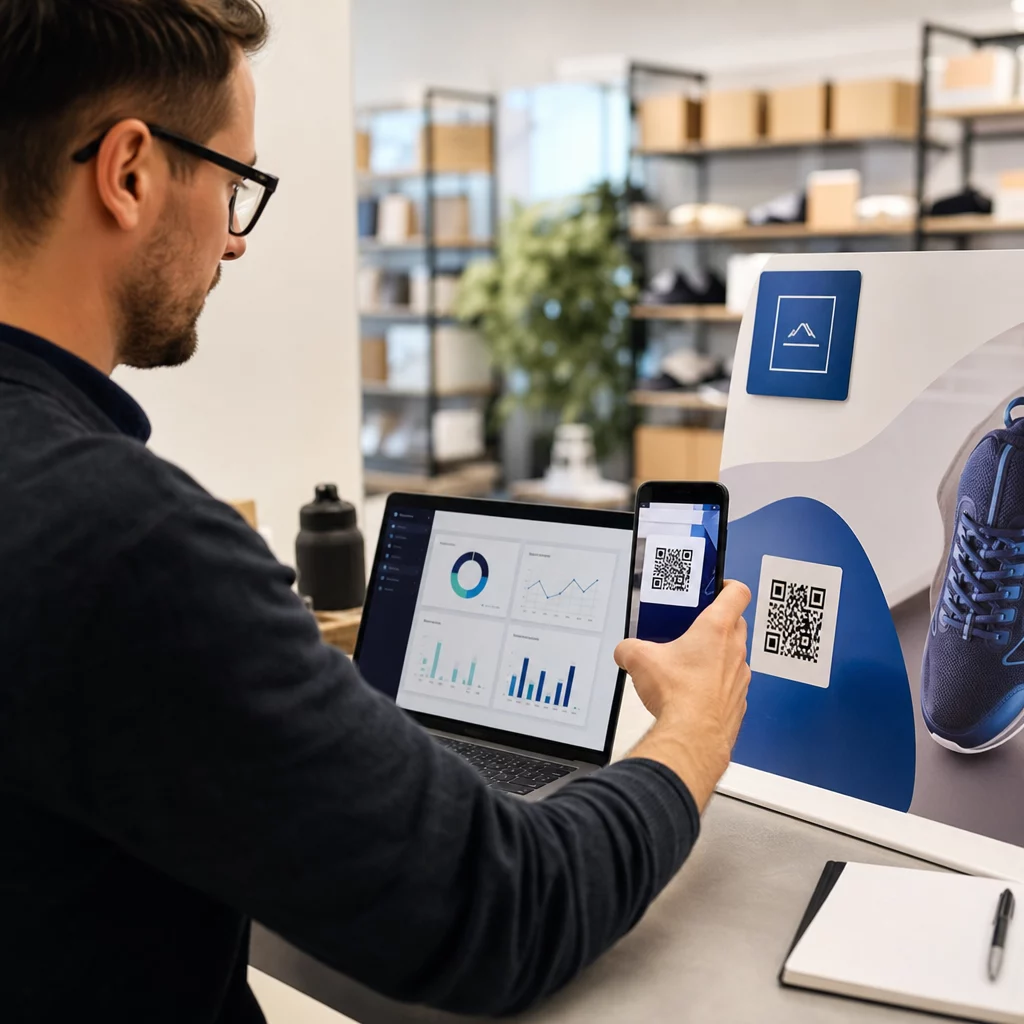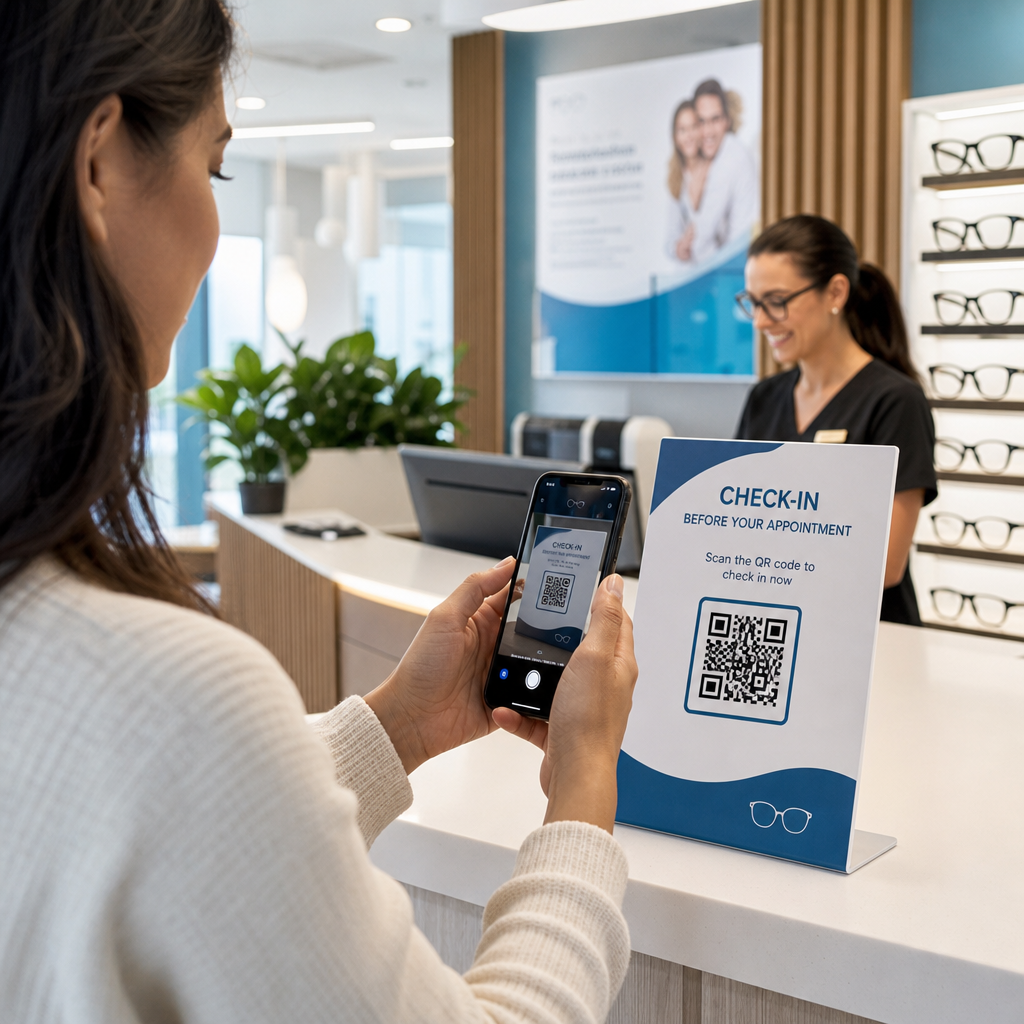

Забавните регистрации на пациенти и пропуснатите последващи прегледи създават ли пречки във вашата оптометрична практика? Административните забавяния фрустрират пациентите и отклоняват персонала на рецепцията от предоставянето на директна грижа за зрението. Поставянето на сканируеми QR кодове на рецепцията, в оптичния шоурум и върху отпечатаните листове за последваща грижа свързва пациентите незабавно с дигитални услуги.
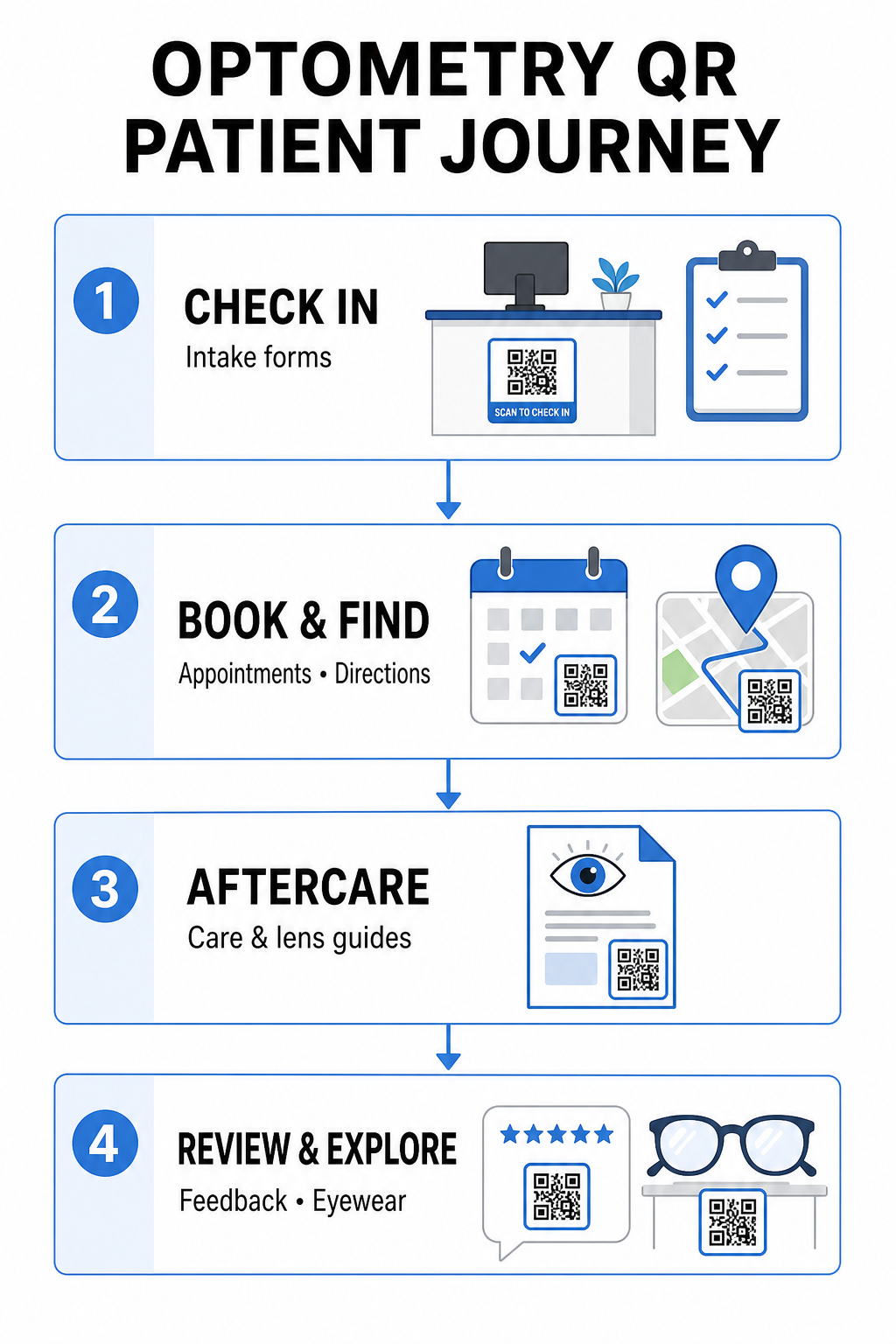
Безконтактна регистрация на пациенти и формуляри за прием
Хартиените регистрационни пакети изискват ръчно въвеждане на данни, създават физическа бъркотия в чакалнята и увеличават общото време за чакане. Показването на QR код за регистрация на рецепцията или входа позволява на пристигащите пациенти да попълват формуляри за прием, да актуализират медицински досиета и да подписват документи за съгласие директно на своите мобилни устройства.
Използване на Анкета с QR код за Google Forms, вашата практика може да превърне дигиталните здравни въпросници в лесни за сканиране точки за контакт. Пристигащите пациенти сканират кода, изпращат информацията си и уведомяват вашия административен екип, без да чакат физически картон. Подобно на дигиталните работни процеси, използвани в дентални кабинети, автоматизираният прием минимизира грешките при преписване и ускорява обработката на рецепцията.
Оптимизирайте приема на рецепцията си Искате ли да премахнете хартиените регистрационни пакети и да намалите времето за чакане на пациентите? Използвайте Анкета с QR код за Google Forms за да създадете безконтактни точки за регистрация на вашата рецепция днес.
Опростяване на записването на часове и навигацията до местоположението
Управлението на рутинни очни прегледи, поставяне на контактни лещи и последващи консултации изисква безпроблемен работен процес за планиране. Поставянето на QR кодове за записване на час върху карти за напомняне за час, писма за повторен преглед и обозначения на прозорците на клиниката позволява на пациентите да отварят вашия онлайн портал за записване за секунди.
Като преобразувате URL адреса си за планиране в сканируем шаблон с генератор на QR кодове за връзки, давате на връщащите се пациенти незабавен път да резервират следващото си посещение. За очни практики с множество локации или клиники, разположени в по-големи медицински комплекси, прякото насочване към местоположението е също толкова важно. Включването на код, генериран от a QR код за Google Maps върху пощенски картички за напомняне гарантира, че пациентите стартират упътвания за шофиране завой по завой директно на своите смартфони.
Предоставяне на следболнична грижа за зрението и инструкции за контактни лещи
Ясните инструкции след лечение намаляват спешните телефонни обаждания и подпомагат правилното възстановяване на пациентите след специализирани процедури или първоначално поставяне на контактни лещи. Пациентите често губят хартиени брошури, описващи поддръжката на рамката, предпазните мерки след разширяване на зениците или насоки за хигиена на контактните лещи.
Можете да кодирате дигитални ръководства, обучителни видеоклипове и листове за грижа в сканируеми формати, използвайки PDF в QR код. Залепването на тези кодове към торбички с рецепти или документи за отпускане дава на пациентите постоянен достъп до основни ресурси за последващи грижи. За чувствителни медицински актуализации прегледайте установените практики за сигурно споделяне на здравни данни с QR кодове за защита на поверителността на пациентите по време на прехвърляне на информация.
Практически маркетинг, оптични продажби и отзиви от пациенти
QR кодовете свързват вашата физическа оптика с вашите дигитални маркетингови канали, стимулирайки ангажираността на пациентите и укрепвайки вашата онлайн репутация.
- Показване на детайли за рамки: Поставете сканируеми кодове до дизайнерски линии рамки или дисплеи за специализирани лещи, така че пациентите да могат да разглеждат цветови опции, надстройки на лещи или истории на марката, докато разглеждат.
- Споделяне на данни за контакт на специалисти: Отпечатайте сканируем код от vCard QR код генератор върху визитки на специалисти, за да позволите на пациентите да запазват директни данни за контакт на клиниката на своите мобилни списъци с контакти.
- Събиране на обратна връзка от пациенти: Подканете доволните пациенти да споделят своя опит преди да напуснат клиниката. Използването на QR код Google отзиви на касата насочва пациентите директно към вашия профил за отзиви, опростявайки цикъла на обратна връзка като част от по-широка QR код за обратна връзка от клиенти стратегия.
Статични срещу динамични QR кодове за очни клиники
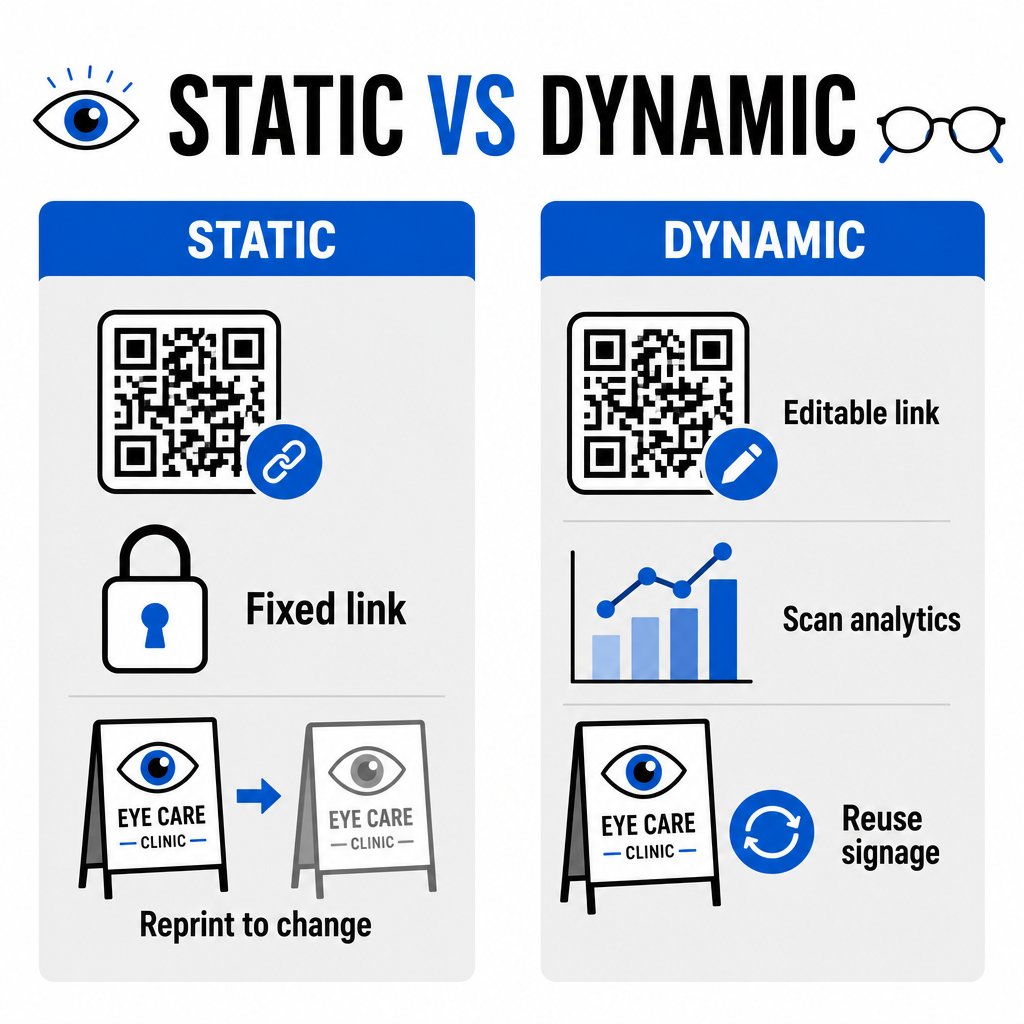
Изборът между статични и динамични формати зависи от това дали вашето целево съдържание изисква актуализации или измерване на ефективността с течение на времето.
| ФУНКЦИЯ | Статични QR кодове | Динамични QR кодове |
|---|---|---|
| Целеви URL адрес | Фиксиран за постоянно при създаване | Напълно редактируем по всяко време без препечатване |
| Анализи на сканиранията | Не е налично | Проследяване в реално време на обема на сканиране, местоположението и устройството |
| Основни случаи на употреба | Постоянен Wi-Fi за практика, статични указания | Онлайн резервации, сезонни промоции, формуляри за прием |
| Дълготрайност на печата | Изисква повторно отпечатване, ако дестинацията се промени | Непрекъснато повторно използване на отпечатани физически табели |
За активни кампании на клиниката и планиране на срещи, динамичните кодове предоставят основни оперативни прозрения. Прилагането на проследяване на QR кодове позволява на мениджърите на практиката да анализират пиковите времена на сканиране и да оценят кои физически местоположения водят до най-висока ангажираност на пациентите.
Стандарти за прилагане за печат и поверителност на пациентите
За да осигурите на всеки пациент надеждно и достъпно преживяване, следвайте тези технически стандарти при внедряване на сканируеми кодове във вашата клиника:
- Поддържане на размера на печата: Отпечатвайте кодове с минимален размер от 2 × 2 см (0.8 × 0.8 инча) за материали за близко разстояние като визитни картички или листове за следоперативни грижи, запазвайки по-големи размери за стенни табели или витрини.
- Осигуряване на цветови контраст: Поддържайте силен визуален контраст, като поставяте тъмни QR модули върху светъл фон с най-малко 4:1 съотношение на контраст, избягвайки натоварени шарки или текстурирани повърхности.
- Запазване на тихи зони: Оставете чисто поле от всичките четири страни на кода, равно на поне четири модула (малките квадратни блокчета в решетката), за да предотвратите оптични смущения на скенера.
- Избор на векторни файлови формати: Експортирайте векторни формати с висока разделителна способност като SVG или EPS за търговски печатни проекти или запазвайте растерни файлове като PNG при 300 DPI или по-висока.
- Поддържане на достъпни алтернативи: Спазвайте указанията за достъпност, като показвате видим текстов URL адрес до QR кода, така че пациентите без сканиращи устройства все още да имат достъп до дестинацията.
- Защита на поверителността на пациентите: Прилагайте криптиране и административни мерки за защита на индивидуално разпознаваема здравна информация, събрана чрез пациентски формуляри и инструменти за цифрово планиране.
За по-широки рамки за внедряване в здравеопазването, консултирайте се с пълно ръководство за QR кодове за здравеопазване и проучете специализирани опции в различни сектори на здравната индустрия.
Модернизиране на вашите работни процеси в оптометрията
Интегрирането на QR кодове във вашата очна практика елиминира административното триене, ускорява регистрациите и създава интерактивни точки за контакт във вашия оптичен шоурум. Чрез комбиниране на достъпни дизайнерски стандарти с актуализируеми динамични кодове, вашата клиника може да предостави модерно, ефективно обслужване на всеки етап от пътуването на пациента. Започнете да изграждате персонализирани, проследими кодове, за да надградите работните процеси във вашата оптометрична практика още днес.
Често задавани въпроси
QR кодовете позволяват на пациентите да попълват регистрация, актуализации на здравната история и формуляри за съгласие на собствените си смартфони, преди да влязат в кабинета за преглед. Това елиминира ръчното въвеждане на данни на рецепцията и ускорява приема на пациенти.
Да, ако използвате динамични QR кодове. Динамичните кодове ви позволяват да редактирате целевия URL адрес по всяко време във вашето табло за управление, без да препечатвате вашите приемни табели, брошури или пощенски картички за напомняне.
Отпечатайте QR кодове с висок визуален контраст (поне съотношение 4:1) и подходящ размер (поне 2 × 2 см). Освен това, предоставете кратък URL адрес в обикновен текст до кода, така че пациенти без възможност за сканиране все още да имат достъп до дестинацията.