Jsou vaše QR kódy skenovány, ale nepřinášejí skutečné výsledky? Nízké konverzní poměry jsou často způsobeny řešitelnými problémy: slabými výzvami k akci, špatným designem, pomalými vstupními stránkami nebo kódy umístěnými tam, kde je nikdo nevidí. Tento průvodce vás provede klíčovými pákami, které můžete použít k přeměně více skenů na smysluplné akce.
Co ovlivňuje konverzní poměry QR kódů
Konverze QR kódu se nestane v okamžiku skenování – stane se poté. Sken je pouze vstupním bodem. Co pohání konverzi, je kombinace pěti faktorů, které spolupracují:
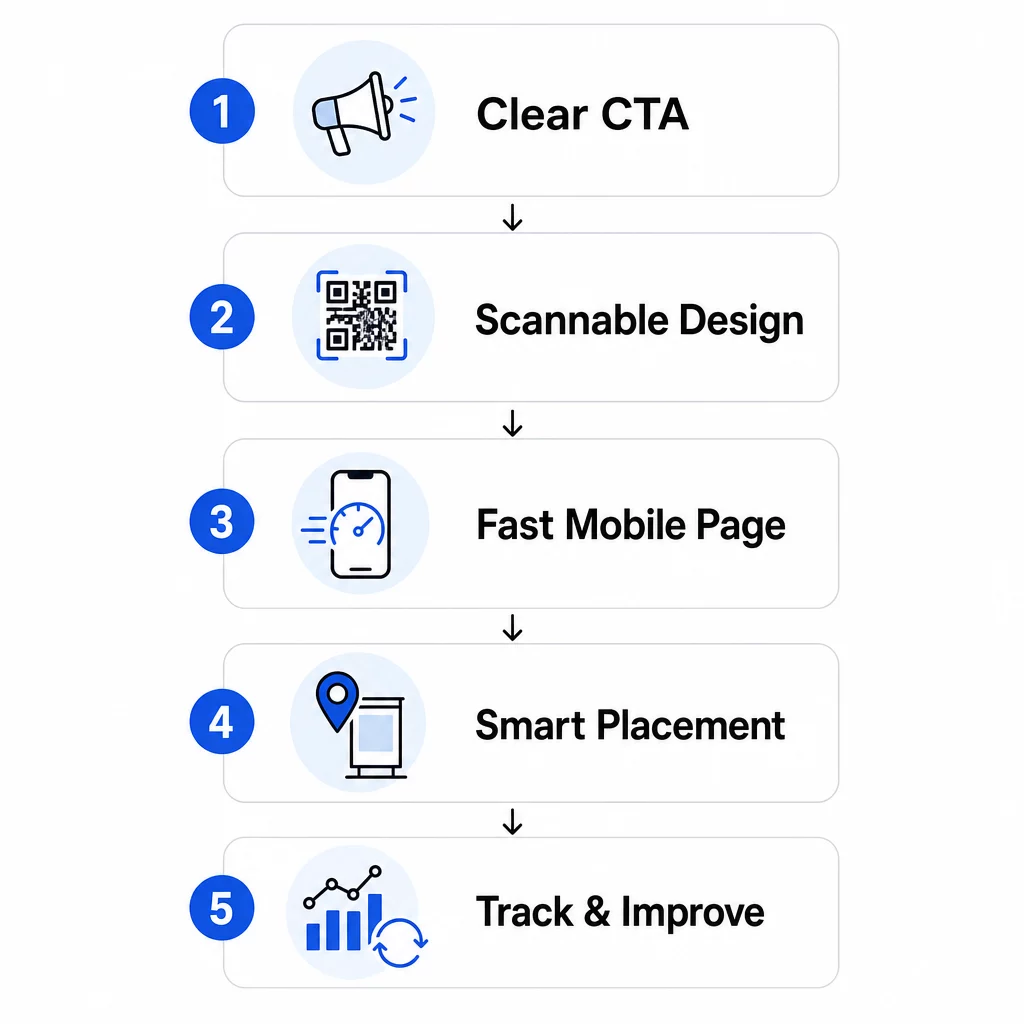
- Jasnost výzvy k akci: Ví osoba, která skenuje, co získá?
- Skenovatelnost kódu: Umožňuje design spolehlivé čtení kamerami?
- Zážitek z vstupní stránky: Načítá se mobilní stránka rychle a navádí uživatele k akci?
- Logika umístění: Je kód umístěn tam, kde ho uvidí správní lidé ve správný okamžik?
- Sledování a iterace: Měříte, co funguje, a zlepšujete se v průběhu času?
Každý z nich si zaslouží vlastní pozornost. Vynechejte jeden a ostatní trpí.
Psaní výzev k akci, které pohánějí skeny
QR kód bez jasné výzvy k akci nechává lidi hádat. Když někdo spatří váš kód, musí okamžitě pochopit, co získá jeho naskenováním. Neurčité zprávy jako “Skenujte pro více informací” selhávají, protože neodpovídají na otázku, kterou má každý uživatel: Co z toho budu mít?
Dopad jazyka zaměřeného na výhody je měřitelný. V jednom maloobchodním testu QR kód se zprávou “Sleva 15%! Zjistěte, jak naskenováním” přilákal 250 skenů za týden. Méně specifické “Naskenujte a vyhrajte cenu!” vygenerovalo pouze 90. Rozdíl nebyl v nabídce – byla to jasnost.
Používejte specifický jazyk zaměřený na akci
Začněte silnými akčními slovesy: “Získejte,” “Odemkněte,” “Stáhněte” nebo “Naskenujte.” Spojte je s přímou výhodou. Místo obecného “Naskenujte mě” zkuste:
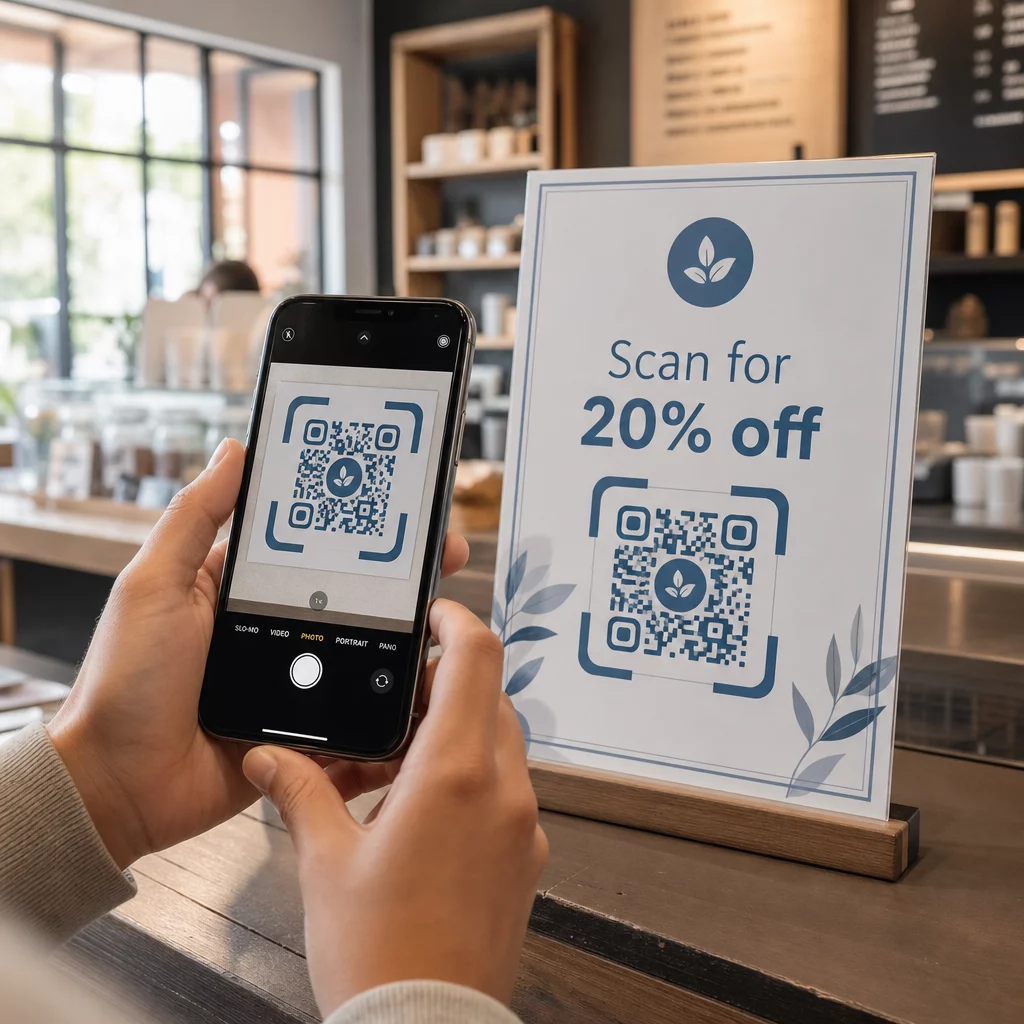
- “Naskenujte pro 20% slevu na vaši další objednávku”
- “Odemkněte si svého bezplatného průvodce”
- “Naskenujte pro zobrazení dnešního menu”
Vyhněte se pohřbívání CTA v drobném písmu nebo jeho oddělování od kódu. Umístěte jej přímo nad, pod nebo do rámečku QR kódu, aby uživatelé viděli hodnotu předtím, než naskenují.
Přidejte naléhavost a kontext
Fráze citlivé na čas zvyšují akci. “Naskenujte během příštích 24 hodin pro 20% slevu” nebo “Naskenujte nyní pro vstup do soutěže” vytvářejí pocit okamžitosti, který obecné CTA nemohou replikovat. Také přizpůsobte svou zprávu prostředí – kód na stole v restauraci má jiné očekávání než ten na plakátu události.
Pomáhají také vizuální podněty. Šipky, ikony smartphonu nebo text v rámečku jako “Otevřete fotoaparát pro skenování” snižují váhání, zejména u uživatelů méně obeznámených s QR kódy. Udržujte okolní oblast čistou s dostatkem bílého prostoru, aby nic vizuálně nekonkurovalo kódu.
Podívejte se, jak QR kódové kampaně fungují v praxi Prozkoumejte příklady kampaní s QR kódy z reálného světa abyste viděli, jak přední značky používají CTA, design a umístění dohromady k dosažení měřitelných výsledků.
Navrhování QR kódů, které spolehlivě skenují
Vizuálně přitažlivý QR kód, který se nepodaří naskenovat, je horší než žádný kód – plýtvá potenciální konverzí a frustruje uživatele. Spolehlivé skenování závisí na několika nekompromisních principech designu.
Kontrast je základem skenovatelnosti
Kamery chytrých telefonů detekují QR vzory rozlišováním tmavých modulů od světlého pozadí. Nízkokontrastní kombinace – jako červená na černé nebo světle šedá na bílé – skenery matou. Použijte tmavé popředí na světlém pozadí a usilujte o minimální kontrastní poměr 4:1, přičemž 4,5:1 je preferovaný cíl pro spolehlivé skenování napříč zařízeními a světelnými podmínkami.
Klasická černá na bílé je vždy bezpečná. Pokud experimentujete s barvami značky, otestujte je na různých zařízeních a za různých světelných podmínek, než se zavážete k tisku. Průvodce osvědčenými postupy použitelnosti QR kódů nastiňuje technické normy z ISO/IEC 18004, které definují vyhovující design QR kódu.
Požadavky na velikost a klidovou zónu
Pro většinu tištěných materiálů by měl být QR kód alespoň 2 × 2 cm (0,8 × 0,8 palce). Na menší kódy se kamery chytrých telefonů obtížně zaostřují, zejména na zařízeních s nižším rozlišením. Pro větší displeje dodržujte pravidlo 10:1: na každých 10 stop pozorovací vzdálenosti by měl být kód široký alespoň 1 stopu.
Stejně důležitá je klidová zóna – prázdné místo, které kód obklopuje. Tento okraj, alespoň čtyřnásobek šířky jednoho modulu, pomáhá skenerům odlišit kód od blízkého textu nebo grafiky. Nikdy nedovolte, aby designové prvky zaplňovaly okraje kódu. Pro více podrobností o velikosti, kontrastu a umístění viz osvědčené postupy čitelnosti QR kódů.
Pro jakoukoli tiskovou aplikaci používejte vektorové formáty (SVG, EPS), aby kód zůstal ostrý v jakékékoli velikosti.
Přidejte branding bez narušení funkčnosti
Můžete začlenit loga, vlastní barvy a rámečky, aniž byste obětovali skenovatelnost – pokud dodržíte pravidla. Umístěte své logo do středu kódu, kde je oprava chyb QR nejsilnější. QR kódy dokážou obnovit až 30 % poškozených nebo zakrytých dat, takže centrálně umístěné logo je obecně bezpečné. Nikdy nezakrývejte tři vyhledávací vzory (velké čtverce v rozích), protože ty jsou nezbytné pro orientaci kódu.
Pokud používáte vlastní barvy, otestujte finální kód na zařízeních iOS i Android za různých světelných podmínek před tiskem. Husté, přeplněné QR vzory – často způsobené dlouhými URL – se hůře skenují v menších velikostech. Použití dynamický QR kód nebo zkracovač URL vytváří čistší, snadněji skenovatelný vzor.
Kampaň JLo Beauty “Beauty Train” z prosince 2020 je silným příkladem této rovnováhy: QR kódy s vlastní značkou na kyvadlové dopravě v New Yorku vygenerovaly 1 500 skenů a 3 000 návštěv webových stránek kombinací vizuálně odlišného designu se spolehlivou skenovatelností.
Vytváření mobilních vstupních stránek, které konvertují
Skenování QR kódu je cenné pouze podle toho, co se stane dál. Jelikož se téměř všechny skeny provádějí na mobilních zařízeních, vaše vstupní stránka musí být vytvořena speciálně pro malé obrazovky a dotykovou navigaci. Špatně optimalizovaná stránka zruší vše, čeho se váš QR kód snažil dosáhnout.
Jedna případová studie to jasně ilustruje: společnost propagující automobilový gadget pomocí QR kódů na plakátech zjistila, že 80 % uživatelů opustilo vstupní stránku do pěti sekund. Příčinou bylo automatické přehrávání videa ve vysokém rozlišení, které zpomalovalo načítání. Po přechodu na odlehčený náhled videa a zjednodušení rozvržení se míra konverze nákupů zvýšila z 1 % na 3 % – což je 200% zlepšení z jediné změny.
Rychlost stránky je konverzní proměnná
Každá sekunda zpoždění vás stojí konverze. Na mobilních zařízeních může 1sekundové zpoždění načítání stránky snížit konverze až o 20 %. Google doporučuje, aby Largest Contentful Paint – doba, za kterou se zobrazí hlavní obsah – zůstala pod 2,5 sekundy pro dobrou uživatelskou zkušenost.
Pro dosažení tohoto cíle:
- Komprimujte obrázky a vyhněte se automatickému přehrávání videa ve vysokém rozlišení
- Používejte klikatelné náhledy videí namísto automatického přehrávání
- Minimalizujte HTTP požadavky a používejte CDN pro rychlejší doručení
- Testujte na skutečných mobilních sítích, nejen na Wi-Fi
Dynamické QR kódy generují kratší, čistší přesměrovací URL, což také přispívá k rychlejšímu zahájení načítání. Pro kompletní rozbor optimalizace mobilních stránek se podívejte na průvodce na osvědčenými postupy pro mobilní cílové stránky s QR kódy.
Odstraňte každý zbytečný krok
Jakmile se stránka načte, eliminujte tření. Každé další kliknutí nebo pole formuláře zvyšuje pravděpodobnost opuštění. Pokud sbíráte potenciální zákazníky, ptejte se pouze na to, co potřebujete – jméno a e-mail – a povolte automatické vyplňování pro urychlení zadávání dat.
Hluboké propojování (deep linking) je zde jednou z nejúčinnějších taktik. Namísto odesílání uživatelů na domovskou stránku odkazujte přímo na konkrétní obsah, který sken slibuje. Pokud váš QR kód inzeruje slevu, odkaz by měl vést přímo na promo stránku, nikoli na hlavní web. Max Fashion na Blízkém východě aplikoval tento princip pomocí dynamických QR kódů propojených s konkrétními obrazovkami v aplikaci, čímž dosáhl dvouciferného růstu v počtu relací a konverzí v aplikaci.
Vytvářejte QR kódy připravené pro vstupní stránky Použijte Generátor QR kódů pro odkazy pro přímé propojení vašich kódů s konkrétními URL adresami, produktovými stránkami nebo akcemi – bez zbytečných přesměrování.
Umístění QR kódů tam, kde je lidé skutečně naskenují
I dokonale navržený QR kód bude mít slabý výkon, pokud je umístěn tam, kde ho lidé nevidí, nemají k němu přístup nebo nejsou v té správné náladě ke skenování. Umístění je stejně strategické jako design.
Správné umístění kombinuje tři věci: viditelnost (lidé ho jasně vidí), přístupnost (jejich telefon je nablízku a použitelný) a kontext (moment a myšlení odpovídají tomu, co kód nabízí).
Místa s vysokou viditelností a vysokým záměrem
Následující umístění trvale fungují dobře:
- Výlohy obchodů: Ideální pro mimopracovní akce, rezervace nebo speciální nabídky, které přitahují kolemjdoucí, když je obchod zavřený
- Pokladny: Zákazníci jsou již zaujati a čekají – efektivní okamžik pro registraci do věrnostního programu nebo digitální účtenky
- Obaly produktů: Lidé, kteří již nakoupili, mají vysoký záměr; odkaz na manuály, registraci záruky nebo možnosti opětovné objednávky
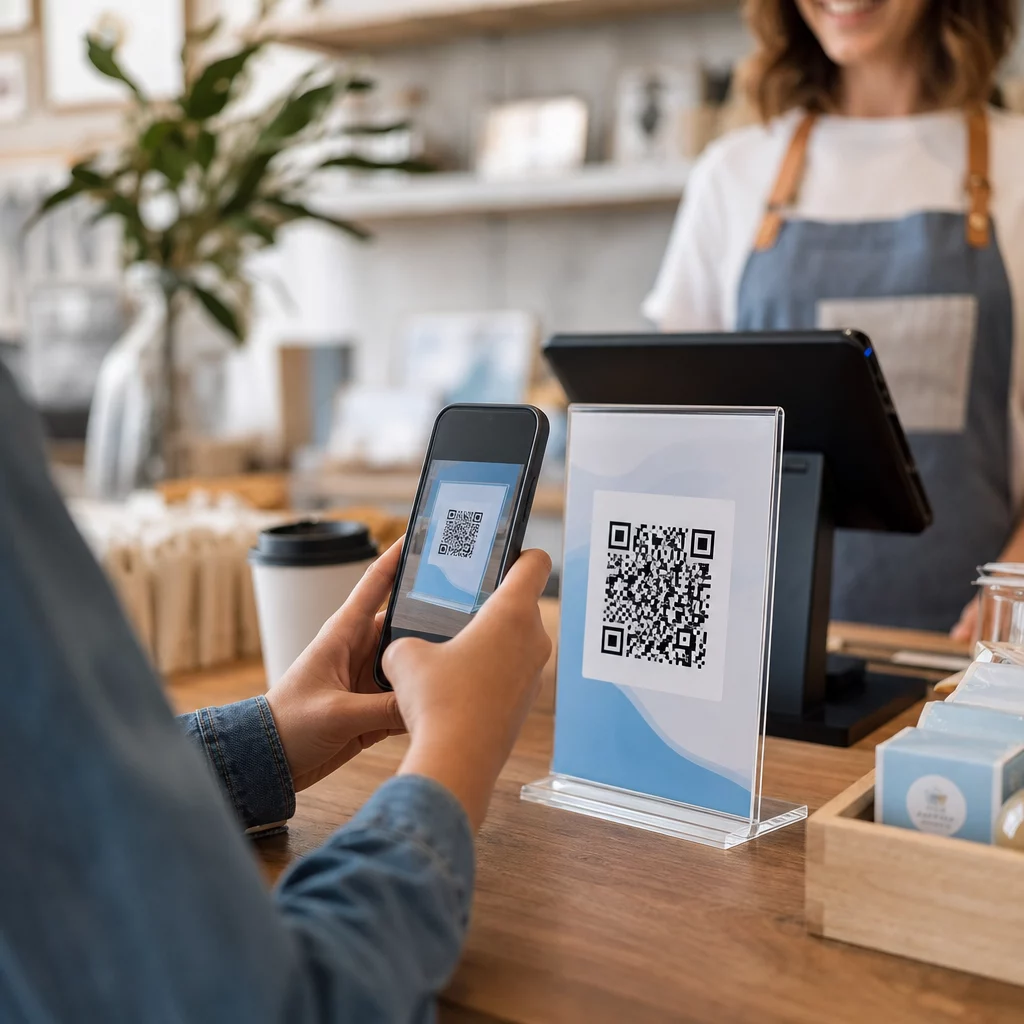
- Restaurace stoly: Hosté mají volný čas a telefony venku – využijte to pro digitální menu nebo bezkontaktní platbu
- Plakáty a letáky: Umístěte do úrovně očí (1,07–1,68 metru) pro stojící publikum; výška pultu funguje lépe v maloobchodě, kde se nakupující dívají dolů
Vyhněte se problematickým povrchům: zakřiveným obalům, lesklému sklu, které vytváří odlesky, nebo složeným oblastem, kde se kód může zkreslit. Vždy otestujte svůj kód na zamýšleném místě a osvětlení před spuštěním. Pokyny k umístění napříč tiskovými, digitálními a environmentálními formáty naleznete v kompletní průvodce umístěním QR kódů v marketingu.
Přizpůsobte umístění chování publika
Načasování a myšlení jsou stejně důležité jako umístění. QR kódy na účtech za energie jsou nejčastěji skenovány mezi 18:00 a 22:00 ve všední dny, kdy jsou lidé doma a kontrolují svou poštu. Dopravní uzly oslovují dojíždějící, kteří čekají a už mají telefony u sebe.
Slaďte účel kódu s kontextem. Kód na obalu produktu může vést k instruktážnímu videu; kód u vstupu na akci může odkazovat na program. Když vaše umístění odpovídá tomu, co uživatelé očekávají, zlepší se jak míra skenování, tak zapojení po skenování.
| UMÍSTĚNÍ | Typické použití | Klíčový faktor výkonu |
|---|---|---|
| Výlohy obchodů | Mimopracovní propagace | Vysoká viditelnost v místech s velkým provozem |
| Pokladny | Registrace do věrnostního programu, digitální účtenky | Vysoká konverze v místě transakce |
| Obaly produktů | Manuály, záruka, opětovná objednávka | Vysoký záměr od stávajících kupujících |
| Restaurace stoly | Digitální menu, platby | Vysoká angažovanost během doby setrvání |
| Plakáty/letáky | Kupóny, RSVP, generování leadů | Dosah závisí na jasnosti CTA |
| Billboardy/OOH | Povědomí o značce, stahování aplikací | Vysoká expozice; vyžaduje velký kód |
Testování a sledování s dynamickými QR kódy
Jakmile jsou vaše kódy aktivní, otázka se přesouvá z nastavení na optimalizaci. Dynamické QR kódy tento proces zjednodušují: můžete testovat různé přístupy, sledovat, jak každý funguje, a aktualizovat své kampaně bez přetiskování jediného kusu materiálu.
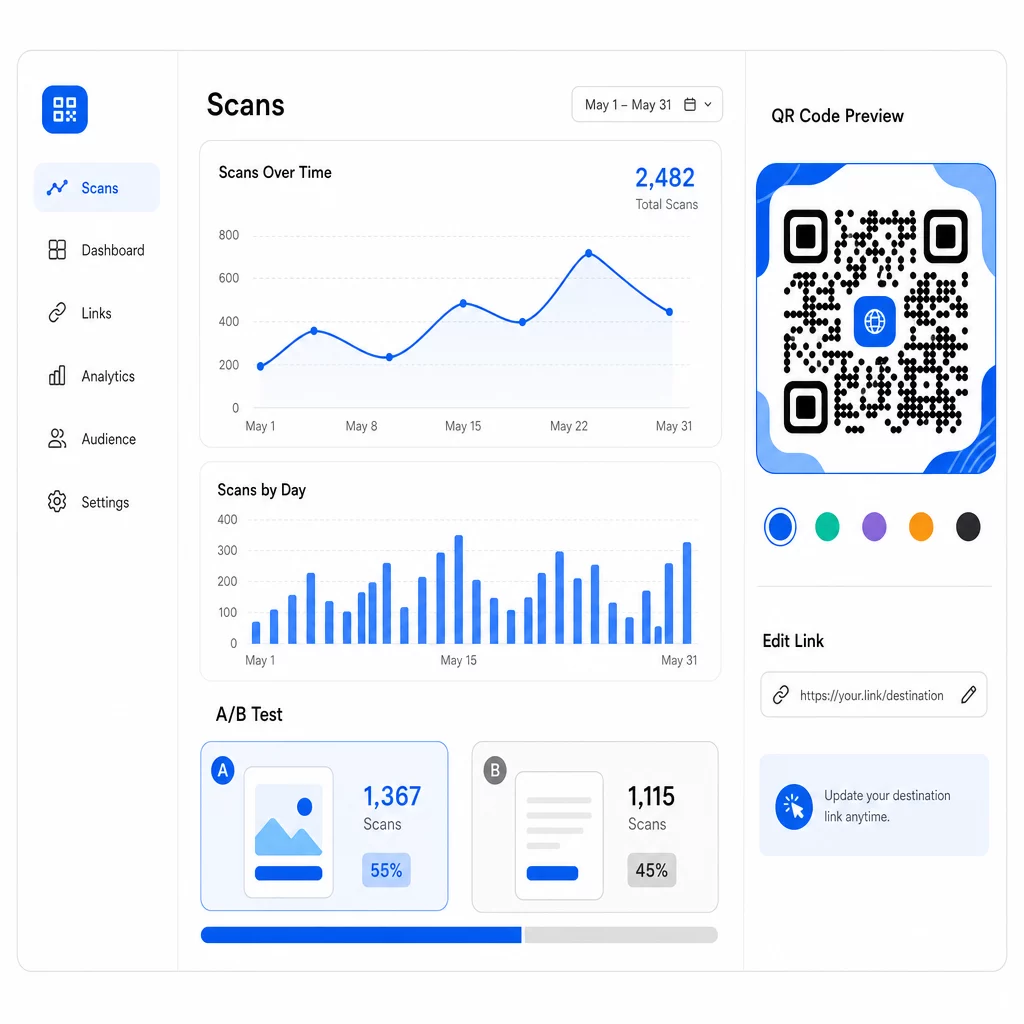
Na rozdíl od statických QR kódů, dynamické kódy odkazují na krátkou přesměrovací URL, kterou ovládáte. Změňte cíl kdykoli – není potřeba nový kód.
A/B testování designů a zpráv
S dynamickými kódy můžete provádět strukturované testy, abyste zjistili, co skutečně rezonuje s vaším publikem. Testujte jednu proměnnou najednou, abyste udrželi výsledky interpretovatelné:
- CTA: Překoná “Získejte 20% slevu” “Naskenujte pro více informací”?
- Designové prvky: Naskenuje se značkový kód s vaším logem více než obyčejná černobílá verze?
- UMÍSTĚNÍFunguje stejný kód jinak u pokladny oproti vchodu?
Dříve zmíněný test CTA prodejce – kde “15% sleva! Zjistěte jak naskenováním” získalo 250 skenů oproti 90 pro “Naskenujte a vyhrajte cenu!” – ilustruje, jak jediná změna zprávy může vést k téměř trojnásobnému rozdílu. Pro strukturovaný přístup k provádění těchto experimentů, průvodce na téma jak A/B testování zlepšuje konverze QR kódů podrobně pokrývá nastavení, proměnné a analýzu.
Použijte data ze skenování k upřesnění kampaní
Dynamické QR kódy generují analytiku, která vám řekne více než jen to, kolik lidí skenovalo. Můžete sledovat:
- Celkový počet skenů a unikátní skeny
- Místo skenování (země, město, region)
- Čas a datum skenování
- Typ zařízení a operační systém
Pokud vaše data ukazují, že většina skenování probíhá mezi 18:00 a 22:00 ve všední dny, můžete načasovat následné promo akce pro toto okno. Pokud jeden region výrazně překonává ostatní, můžete alokovat více zdrojů a přizpůsobit zprávy pro tuto oblast. Analytický panel Pagelootu poskytuje přehled o všech těchto metrikách v reálném čase.
Přidání parametrů UTM do vašich cílových URL rozšiřuje toto sledování do Google Analytics, což vám poskytne kompletní obrázek o cestě po skenování – od prvního skenování až po nákup, odeslání formuláře nebo stažení aplikace. Průvodce parametry UTM pro QR kódy vysvětluje, jak to konzistentně nastavit napříč kampaněmi.
Max Fashion použil tento přístup s dynamickými QR kódy poháněnými Branch napříč prodejnami a propagačními materiály, propojující offline skenování s digitálními deep linky a sledování celé zákaznické cesty od skenování po nákup – což vedlo k dvoucifernému růstu v relacích a konverzích aplikací.
Monitorujte svou kampaň v reálném čase Chcete přesně vidět, kde a kdy vaši zákazníci skenují vaše materiály? Použijte Dynamický QR kód k vytvoření sledovatelných kódů a přístupu k plnému výkonnostnímu panelu ještě dnes.
Udržování obsahu QR kódů aktuálního
Tištěné materiály zůstávají v oběhu dlouho poté, co jsou distribuovány. Leták starý tři měsíce může stále generovat skeny dnes – ale pokud je propojený obsah zastaralý nebo nefunkční, tyto skeny se stávají negativními zkušenostmi.
Dynamické QR kódy to řeší přímo. Cílovou URL můžete kdykoli aktualizovat, aniž byste se dotkli fyzického kódu. Pokud se sezónní akce změní z “20% sleva” na “kupte jeden, získejte jeden zdarma”, aktualizujte vstupní stránku během několika sekund. Pokud objevíte nefunkční odkaz, okamžitě jej opravte bez opětovného tisku.
Tato flexibilita vám také umožňuje časem přizpůsobovat obsah na základě toho, co vám říkají data ze skenování. Marketingový tým může aktualizovat kódy, aby zdůraznil časově omezené nabídky; prodejce může přejít od ukázek produktů k sezónnímu průvodci dárky. Kód zůstává stejný – zážitek se neustále zlepšuje.
Pro podporu opakované interakce vždy poskytujte okamžitou a jasnou hodnotu. “Naskenujte pro 20% slevu na vaši další objednávku” trvale překonává obecné alternativy, protože uživatelům přesně říká, co získají. Sledujte poměr celkového počtu skenování k unikátním skenováním: pokud se uživatelé opakovaně vracejí ke stejnému kódu, je to silný signál, že váš obsah poskytuje trvalou hodnotu.
Vše dohromady
Zlepšování konverzních poměrů QR kódů není o jednom velkém řešení – je to o tom, aby více prvků fungovalo dohromady. Silné výzvy k akci (CTA) přivádějí lidi k bodu skenování. Spolehlivý design zajišťuje, že mohou. Rychlá, zaměřená mobilní stránka zajišťuje, že dokončí akci. Chytré umístění kódu staví před správné lidi ve správný okamžik. A dynamické kódy se sledováním vám umožňují měřit, co funguje, a neustále zlepšovat vše ostatní.
Ten Generátor QR kódů Pageloot a nástrojů pro dynamické QR kódy poskytují vám infrastrukturu pro uplatnění všech těchto strategií na jednom místě – značkové kódy, analýzy v reálném čase a možnost okamžité aktualizace kampaní. Prozkoumejte celý soubor funkcí Pageloot abyste viděli, jak každá funkce zapadá do vašeho pracovního postupu kampaně.
Často kladené otázky
Používejte přímý, akčně orientovaný jazyk, který uvádí konkrétní výhodu, než uživatel naskenuje. Fráze jako “Naskenujte pro 20% slevu” nebo “Odemkněte svého bezplatného průvodce” trvale překonávají vágní alternativy jako “Zjistěte více” nebo “Naskenujte mě”. Umístěte CTA přímo vedle kódu – nad, pod nebo uvnitř rámečku – aby uživatelé viděli hodnotu, než se zavážou ke skenování. Přidání naléhavosti (“Naskenujte pouze dnes”) nebo jazyka specifického pro kontext (“Naskenujte pro zobrazení dnešního menu”) dále zlepšuje výsledky.
U většiny tištěných materiálů by měl být QR kód alespoň 2 × 2 cm (0,8 × 0,8 palce). Při menších velikostech mohou mít fotoaparáty smartphonů s nižším rozlišením potíže se zaostřením a dekódováním vzoru. U větších formátů prohlížených z dálky použijte pravidlo 10:1: kód by měl být široký alespoň 1 palec na každých 10 palců očekávané skenovací vzdálenosti. Vždy udržujte tichou zónu – čistý bílý prostor kolem okrajů – o šířce alespoň čtyř modulů, aby skenery mohly kód izolovat od okolních prvků.
Dynamické QR kódy vám umožňují aktualizovat cílovou URL po vytištění, takže můžete opravit nefunkční odkazy, vyměnit propagační akce nebo přesměrovat na nový obsah bez opětovného tisku materiálů. Generují také podrobné analýzy – počty skenování, lokace, typy zařízení a časová razítka – které vám umožní pochopit, jak si vaše kódy vedou a kde se zlepšit. Pro A/B testování různých CTA nebo umístění jsou dynamické kódy zásadní, protože můžete změnit cíl pro jednu variantu, aniž byste museli vytvářet nový fyzický kód.