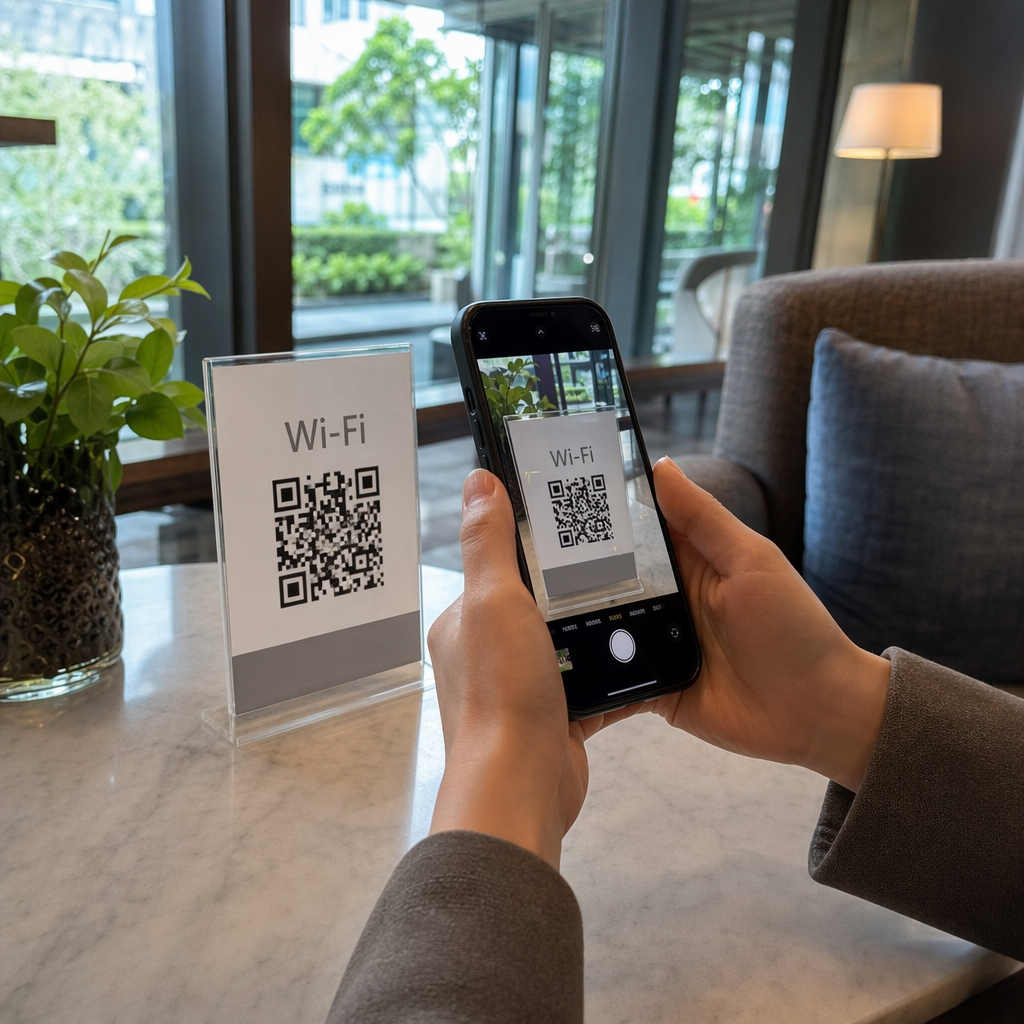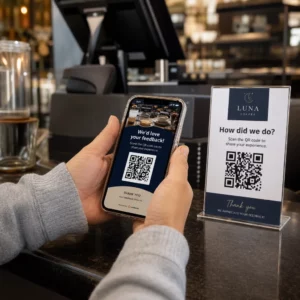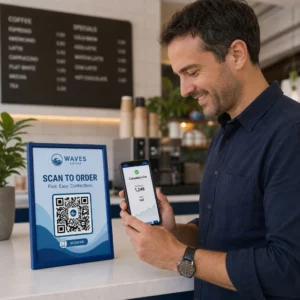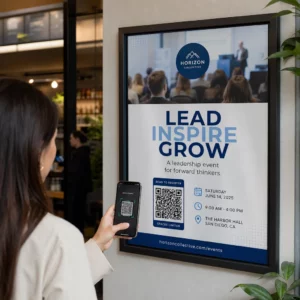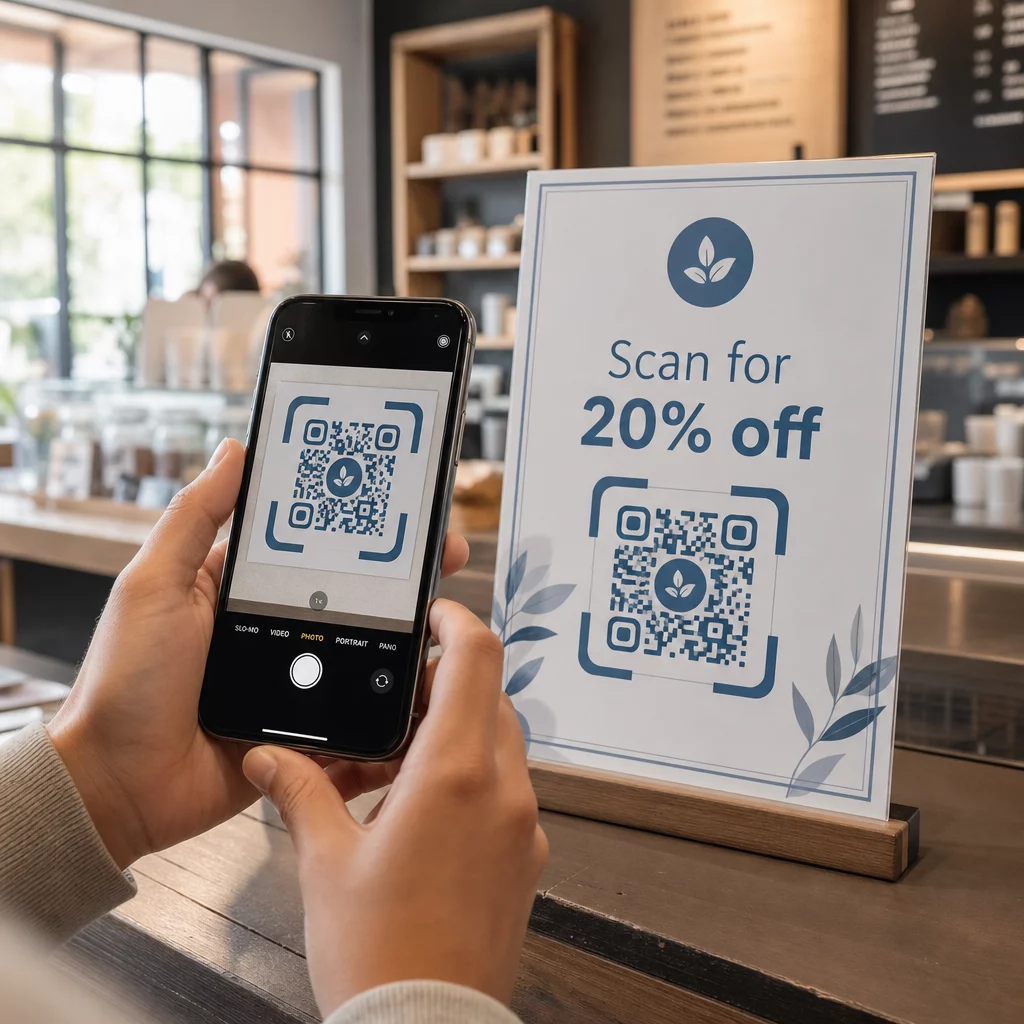
¿Se escanean tus códigos QR pero no logran generar resultados reales? Las bajas tasas de conversión a menudo son causadas por problemas solucionables: llamadas a la acción débiles, mal diseño, páginas de destino lentas o códigos colocados donde nadie los ve. Esta guía explica las palancas clave que puedes accionar para convertir más escaneos en acciones significativas.
Qué Afecta las Tasas de Conversión de Códigos QR
Una conversión de código QR no ocurre en el momento del escaneo, ocurre después. El escaneo es solo el punto de entrada. Lo que impulsa una conversión es la combinación de cinco factores que trabajan juntos:
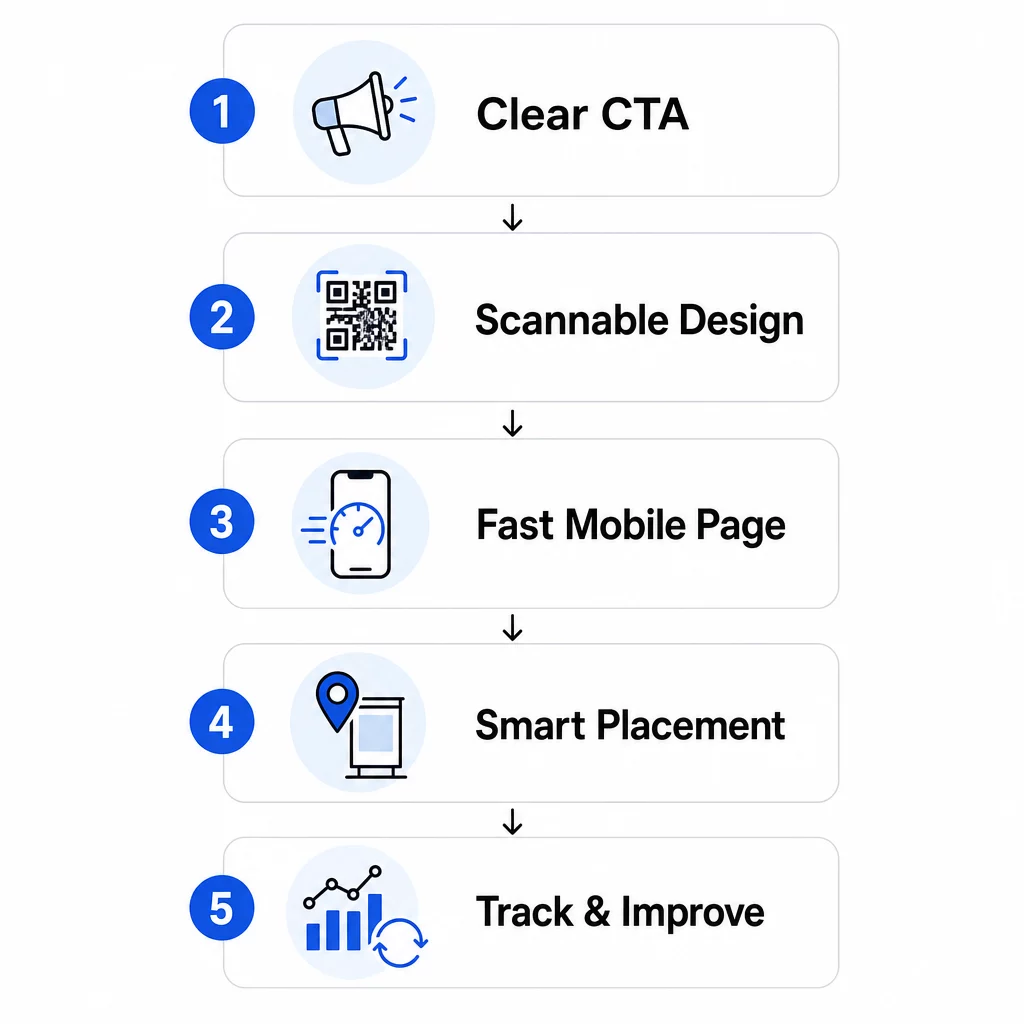
- Claridad de la llamada a la acción: ¿Sabe la persona que escanea lo que obtendrá?
- Escaneabilidad del código: ¿Permite el diseño que las cámaras lo lean de forma fiable?
- Experiencia de la página de destino: ¿Carga rápido la página móvil y guía a los usuarios a actuar?
- Lógica de ubicación: ¿Está el código posicionado donde las personas adecuadas lo verán en el momento adecuado?
- Seguimiento e iteración: ¿Estás midiendo lo que funciona y mejorando con el tiempo?
Cada uno de estos merece su propia atención. Si falta uno, los demás sufren.
Escribir Llamadas a la Acción que Impulsen Escaneos
Un código QR sin una llamada a la acción clara deja a la gente con dudas. Cuando alguien ve tu código, necesita entender inmediatamente qué ganará al escanearlo. Mensajes vagos como “Escanear para más información” no funcionan porque no responden a la pregunta que todo usuario tiene: ¿Qué gano yo con esto?
El impacto del lenguaje orientado a beneficios es medible. En una prueba minorista, un código QR con el mensaje “¡15% de descuento! Descubre cómo escaneando” atrajo 250 escaneos en una semana. Un “¡Escanea y gana un premio!” menos específico generó solo 90. La diferencia no fue la oferta, fue la claridad.
Usa un Lenguaje Específico y Orientado a la Acción
Comienza con verbos de acción fuertes: “Obtén”, “Desbloquea”, “Descarga” o “Escanea”. Combínalos con un beneficio directo. En lugar de un genérico “Escanéame”, prueba:
- “Escanea para obtener un 20% de descuento en tu próximo pedido”
- “Desbloquea tu guía gratuita”
- “Escanea para ver el menú de hoy”
Evita enterrar la CTA en letra pequeña o separarla del código. Colócala directamente encima, debajo o dentro del marco del QR para que los usuarios vean el valor antes de escanear.
Añade Urgencia y Contexto
Las frases sensibles al tiempo aumentan la acción. “Escanea en las próximas 24 horas para obtener un 20% de descuento” o “Escanea ahora para participar en el sorteo” crean una sensación de inmediatez que las CTA genéricas no pueden replicar. Adapta también tu mensaje al entorno: un código en la mesa de un restaurante tiene expectativas diferentes a uno en un cartel de evento.
Las señales visuales también ayudan. Flechas, iconos de smartphone o texto en el marco como “Abre tu cámara para escanear” reducen la indecisión, especialmente para usuarios menos familiarizados con los códigos QR. Mantén el área circundante limpia con suficiente espacio en blanco para que nada compita visualmente con el código.
Mira Cómo Funcionan las Campañas de Códigos QR en la Práctica Explora ejemplos de campañas de códigos QR del mundo real para ver cómo las marcas líderes utilizan las CTA, el diseño y la ubicación juntos para generar resultados medibles.
Diseño de Códigos QR que Escanean de Forma Fiable
Un código QR visualmente atractivo que no escanea es peor que ningún código en absoluto: desperdicia una posible conversión y frustra al usuario. El escaneo fiable depende de algunos principios de diseño innegociables.
El contraste es la base de la escaneabilidad
Las cámaras de los smartphones detectan los patrones QR distinguiendo los módulos oscuros de un fondo claro. Las combinaciones de bajo contraste –como rojo sobre negro o gris pálido sobre blanco– confunden a los escáneres. Utiliza un primer plano oscuro sobre un fondo claro y busca una relación de contraste mínima de 4:1, siendo 4.5:1 el objetivo preferido para un escaneo fiable en todos los dispositivos y condiciones de iluminación.
El clásico negro sobre blanco siempre es seguro. Si estás experimentando con colores de marca, pruébalos en diferentes dispositivos y condiciones de iluminación antes de comprometerte a imprimir. El Guía de mejores prácticas de usabilidad de códigos QR describe los estándares técnicos de ISO/IEC 18004 que definen el diseño de códigos QR conformes.
Requisitos de tamaño y zona de silencio
Para la mayoría de los materiales impresos, un código QR debe ser de al menos 2 × 2 cm (0.8 × 0.8 pulgadas). Los códigos más pequeños son difíciles de enfocar para las cámaras de los smartphones, especialmente en dispositivos de menor resolución. Para pantallas más grandes, sigue la regla 10:1: por cada 10 pies de distancia de visualización, el código debe tener al menos 1 pie de ancho.
Igualmente importante es la zona de silencio –el espacio en blanco que rodea el código. Este borde, de al menos cuatro veces el ancho de un módulo, ayuda a los escáneres a distinguir el código del texto o los gráficos cercanos. Nunca permitas que los elementos de diseño invadan los bordes del código. Para más detalles sobre el tamaño, el contraste y la ubicación, consulta el las mejores prácticas de legibilidad de códigos QR.
Utiliza formatos vectoriales (SVG, EPS) para cualquier aplicación de impresión para que el código se mantenga nítido en cualquier tamaño.
Añade marca sin romper la funcionalidad
Puedes incorporar logotipos, colores personalizados y marcos sin sacrificar la escaneabilidad, si sigues las reglas. Coloca tu logotipo en el centro del código, donde la corrección de errores QR es más fuerte. Los códigos QR pueden recuperar hasta el 30% de los datos dañados u oscurecidos, por lo que un logotipo centrado es generalmente seguro. Nunca cubras los tres patrones de búsqueda (los cuadrados grandes en las esquinas), ya que son necesarios para la orientación del código.
Si utilizas colores personalizados, prueba el código final en dispositivos iOS y Android bajo diferentes condiciones de iluminación antes de imprimir. Los patrones QR densos y recargados –a menudo causados por URLs largas– son más difíciles de escanear en tamaños más pequeños. Usando un código QR dinámico o un acortador de URL crea un patrón más limpio y fácil de escanear.
La campaña “Beauty Train” de JLo Beauty de diciembre de 2020 es un claro ejemplo de este equilibrio: los códigos QR personalizados en un transbordador de la ciudad de Nueva York generaron 1.500 escaneos y 3.000 visitas al sitio web al combinar un diseño visualmente distinto con una escaneabilidad fiable.
Creación de páginas de destino móviles que conviertan
Un escaneo de código QR es tan valioso como lo que sucede después. Dado que casi todos los escaneos ocurren en dispositivos móviles, su página de destino debe estar diseñada específicamente para pantallas pequeñas y navegación táctil. Una página mal optimizada deshará todo lo que su código QR logró.
Un estudio de caso lo ilustra claramente: una empresa que promocionaba un dispositivo para automóviles mediante códigos QR en carteles descubrió que el 80% de los usuarios abandonaban la página de destino en cinco segundos. La causa fue la reproducción automática de videos de alta resolución que ralentizaban los tiempos de carga. Después de cambiar a una vista previa de video ligera y simplificar el diseño, la tasa de conversión de compra aumentó del 1% al 3%, una mejora del 200% con un solo cambio.
La velocidad de la página es una variable de conversión
Cada segundo de retraso le cuesta conversiones. En dispositivos móviles, un retraso de 1 segundo en la carga de la página puede reducir las conversiones hasta en un 20%. Google recomienda que Largest Contentful Paint –el tiempo que tarda en aparecer el contenido principal– se mantenga por debajo de los 2,5 segundos para una buena experiencia de usuario.
Para alcanzar ese objetivo:
- Comprima las imágenes y evite la reproducción automática de videos de alta resolución
- Utilice vistas previas de video en las que se pueda hacer clic en lugar de la reproducción automática
- Minimice las solicitudes HTTP y utilice una CDN para una entrega más rápida
- Pruebe en redes móviles reales, no solo en Wi-Fi
Los códigos QR dinámicos generan URL de redirección más cortas y limpias, lo que también contribuye a una iniciación de carga más rápida. Para un desglose completo de la optimización de páginas móviles, consulte la guía sobre guía de mejores prácticas para páginas de destino de códigos QR móviles.
Elimine cada paso innecesario
Una vez que la página carga, elimine la fricción. Cada clic o campo de formulario adicional aumenta la probabilidad de abandono. Si está recopilando clientes potenciales, pida solo lo que necesita –nombre y correo electrónico– y habilite el autocompletado para acelerar la entrada de datos.
El deep linking es una de las tácticas más efectivas aquí. En lugar de enviar a los usuarios a una página de inicio, enlace directamente al contenido específico que promete el escaneo. Si su código QR anuncia un descuento, el enlace debe ir directamente a la página de promoción, no al sitio principal. Max Fashion en Oriente Medio aplicó este principio utilizando códigos QR dinámicos vinculados a pantallas específicas dentro de la aplicación, logrando un crecimiento de dos dígitos en las sesiones y conversiones de la aplicación.
Crear códigos QR listos para páginas de destino Use el Generador de códigos QR de enlace para conectar tus códigos directamente a URL específicas, páginas de productos o promociones, sin redireccionamientos innecesarios.
Colocar códigos QR donde la gente realmente escaneará
Incluso un código QR perfectamente diseñado tendrá un rendimiento inferior si se coloca donde la gente no puede verlo, no puede acceder a él o no está en la mentalidad adecuada para escanear. La ubicación es tan estratégica como el diseño.
La ubicación correcta combina tres cosas: visibilidad (la gente puede verlo claramente), accesibilidad (su teléfono está cerca y es utilizable), y contexto (el momento y la mentalidad coinciden con lo que ofrece el código).
Ubicaciones de alta visibilidad y alta intención
Las siguientes ubicaciones tienen un rendimiento consistentemente bueno:
- Escaparates: Ideal para promociones fuera del horario comercial, reservas u ofertas especiales que atraen el tráfico peatonal cuando la tienda está cerrada
- Mostradores de pago: Los clientes ya están comprometidos y esperando, un momento eficaz para inscripciones de lealtad o recibos digitales
- Embalaje del producto: Las personas que ya han comprado tienen una alta intención; enlace a manuales, registro de garantía u opciones de reorden
- Mesas de restaurante: Los comensales tienen tiempo libre y sus teléfonos a mano – úsalo para menús digitales o pago sin contacto
- Carteles y folletos: Colocar a la altura de los ojos (3.5–5.5 pies) para audiencias de pie; la altura del mostrador funciona mejor en el comercio minorista donde los compradores miran hacia abajo
Evita superficies problemáticas: embalajes curvos, vidrio brillante que crea reflejos o áreas dobladas donde el código puede distorsionarse. Siempre prueba tu código en su ubicación e iluminación previstas antes del lanzamiento. Para obtener orientación sobre la ubicación en formatos impresos, digitales y ambientales, consulta el guía definitiva para la colocación de códigos QR en marketing.
Adapta la ubicación al comportamiento de la audiencia
El momento y la mentalidad importan tanto como la ubicación. Los códigos QR en las facturas de servicios públicos se escanean con mayor frecuencia entre las 6:00 PM y las 10:00 PM los días de semana, cuando las personas están en casa revisando su correo. Los centros de tránsito llegan a los viajeros que están esperando y ya están usando sus teléfonos.
Alinea el propósito del código con el contexto. Un código en el embalaje del producto podría llevar a un video instructivo; un código en la entrada de un evento podría enlazar a la agenda. Cuando tu ubicación coincide con lo que los usuarios esperan encontrar, tanto las tasas de escaneo como el engagement posterior al escaneo mejoran.
| UBICACIÓN DEL CÓDIGO | Uso Típico | Factor clave de rendimiento |
|---|---|---|
| Escaparates | Promociones fuera de horario | Alta visibilidad en zonas de mucho tránsito |
| Mostradores de pago | Registros de fidelidad, recibos digitales | Alta conversión en el punto de transacción |
| Embalaje del producto | Manuales, garantía, reorden | Alta intención de los compradores existentes |
| Mesas de restaurante | Menús digitales, pagos | Alta interacción durante el tiempo de permanencia |
| Pósteres/folletos | Cupones, confirmaciones de asistencia, generación de leads | El alcance depende de la claridad de la CTA |
| Vallas publicitarias/OOH | Reconocimiento de marca, descargas de aplicaciones | Alta exposición; requiere código grande |
Pruebas y seguimiento con códigos QR dinámicos
Una vez que sus códigos estén activos, la pregunta pasa de la configuración a la optimización. Los códigos QR dinámicos hacen que este proceso sea sencillo: puede probar diferentes enfoques, rastrear cómo funciona cada uno y actualizar sus campañas sin reimprimir una sola pieza de material.
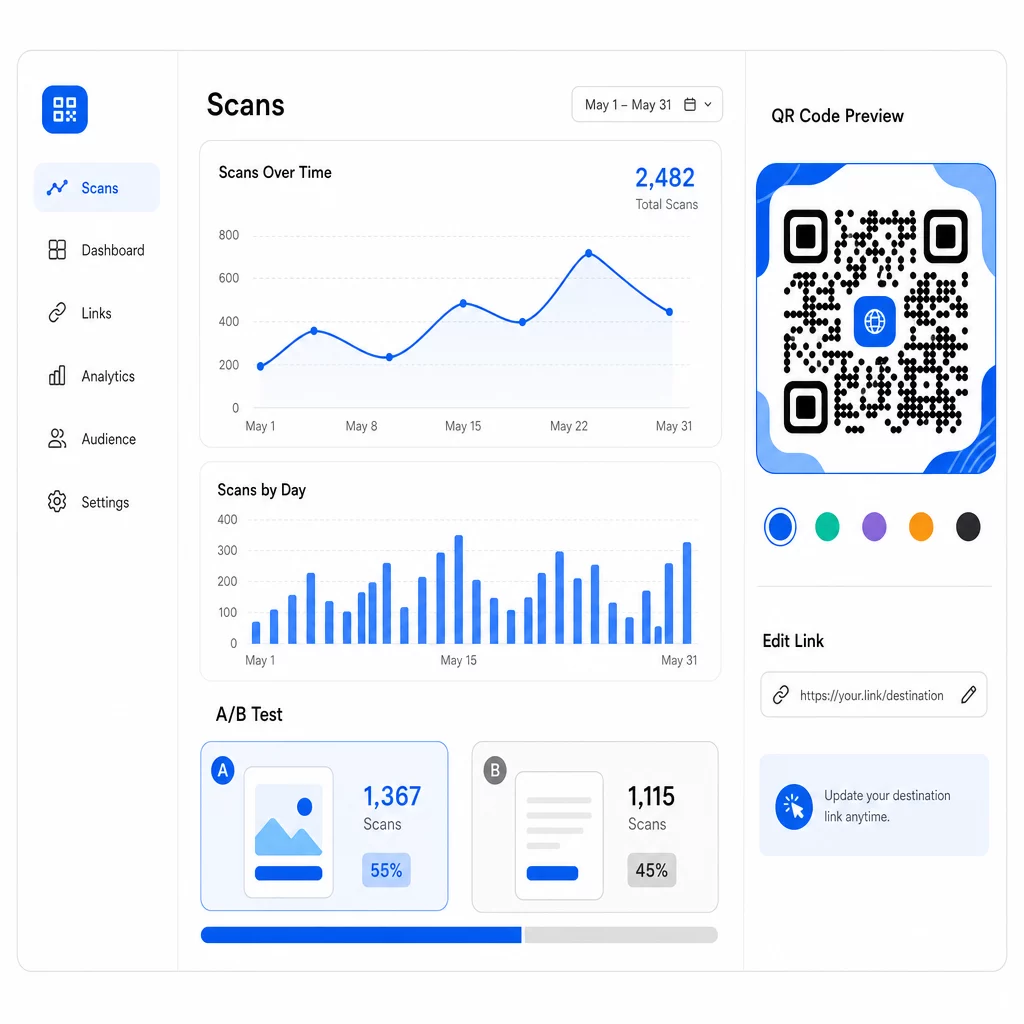
A diferencia de los códigos QR estáticos, los códigos dinámicos apuntan a una URL de redirección corta que usted controla. Cambie el destino en cualquier momento, sin necesidad de un nuevo código.
Pruebas A/B de diseños y mensajes
Con los códigos dinámicos, puede realizar pruebas estructuradas para encontrar lo que realmente conecta con su audiencia. Pruebe una variable a la vez para mantener los resultados interpretables:
- CTAs: ¿“Obtenga un 20% de descuento” supera a “Escanear para más información”?
- Elementos de diseño: ¿Un código de marca con su logotipo se escanea más que una versión simple en blanco y negro?
- UBICACIÓN DEL CÓDIGO: ¿El mismo código funciona de manera diferente en la caja que en la entrada?
La prueba de CTA del minorista mencionada anteriormente – donde “¡15% de descuento! Descubre cómo escaneando” recibió 250 escaneos frente a 90 para “¡Escanea y gana un premio!” – ilustra cómo un solo cambio de mensaje puede producir una diferencia de casi el triple. Para un enfoque estructurado para ejecutar estos experimentos, la guía sobre cómo las pruebas A/B mejoran las conversiones de códigos QR cubre la configuración, las variables y el análisis en detalle.
Utiliza los Datos de Escaneo para Refinar Campañas
Los códigos QR dinámicos generan análisis que te dicen más que solo cuántas personas escanearon. Puedes rastrear:
- Escaneos totales y escaneos únicos
- Ubicación del escaneo (país, ciudad, región)
- Hora y fecha de los escaneos
- Tipo de dispositivo y sistema operativo
Si tus datos muestran que la mayoría de los escaneos ocurren entre las 6:00 PM y las 10:00 PM los días de semana, puedes programar promociones de seguimiento para esa ventana. Si una región supera significativamente a otras, puedes asignar más recursos y adaptar los mensajes para esa área. Panel de análisis de Pageloot proporciona visibilidad en tiempo real de todas estas métricas.
Agregar parámetros UTM a tus URL de destino extiende este seguimiento a Google Analytics, dándote una imagen completa del recorrido posterior al escaneo – desde el primer escaneo hasta la compra, el envío de formularios o la descarga de la aplicación. La guía de parámetros UTM para códigos QR explica cómo configurar esto de manera consistente en todas las campañas.
Max Fashion utilizó este enfoque con códigos QR dinámicos impulsados por Branch en escaparates y materiales promocionales, vinculando escaneos offline a enlaces profundos digitales y rastreando el recorrido completo del cliente desde el escaneo hasta la compra, lo que resultó en un crecimiento de dos dígitos en las sesiones y conversiones de la aplicación.
Monitorea Tu Campaña en Tiempo Real ¿Quieres ver exactamente dónde y cuándo tus clientes están escaneando tus materiales? Usa el Generador de códigos QR dinámicos para crear códigos rastreables y acceder a un panel de rendimiento completo hoy mismo.
Mantener el Contenido del Código QR Actualizado
Los materiales impresos permanecen en circulación mucho después de ser distribuidos. Un folleto de hace tres meses aún podría estar generando escaneos hoy, pero si el contenido vinculado está desactualizado o roto, esos escaneos se convierten en experiencias negativas.
Los códigos QR dinámicos resuelven esto directamente. Puedes actualizar la URL de destino en cualquier momento sin tocar el código físico. Si una promoción estacional cambia de “20% de descuento” a “compra uno y llévate otro gratis”, actualiza la página de destino en segundos. Si descubres un enlace roto, arréglalo inmediatamente sin reimprimir.
Esta flexibilidad también le permite adaptar el contenido con el tiempo basándose en lo que le dicen sus datos de escaneo. Un equipo de marketing podría actualizar los códigos para destacar ofertas por tiempo limitado; un minorista podría cambiar de demostraciones de productos a una guía de regalos de temporada. El código sigue siendo el mismo – la experiencia sigue mejorando.
Para fomentar la participación repetida, siempre ofrezca un valor inmediato y claro. “Escanee para obtener un 20% de descuento en su próximo pedido” supera consistentemente a las alternativas genéricas porque les dice a los usuarios exactamente lo que obtienen. Rastree la relación entre el total de escaneos y los escaneos únicos: si los usuarios regresan al mismo código repetidamente, esa es una señal fuerte de que su contenido está entregando valor continuo.
Armándolo todo
Mejorar las tasas de conversión de códigos QR no se trata de una gran solución – se trata de hacer que múltiples elementos trabajen juntos. CTAs fuertes llevan a las personas al punto de escanear. Un diseño confiable asegura que puedan hacerlo. Una página móvil rápida y enfocada asegura que completen la acción. La ubicación inteligente pone el código frente a las personas adecuadas en el momento adecuado. Y los códigos dinámicos con seguimiento le permiten medir lo que funciona y mejorar todo lo demás continuamente.
El generador de códigos QR de Pageloot y códigos QR dinámicos le brindan la infraestructura para aplicar todas estas estrategias en un solo lugar – códigos de marca, análisis en tiempo real y la capacidad de actualizar campañas al instante. Explore el conjunto completo de funciones de Pageloot para ver cómo cada capacidad encaja en el flujo de trabajo de su campaña.
Preguntas frecuentes
Utilice un lenguaje directo y orientado a la acción que establezca un beneficio específico antes de que el usuario escanee. Frases como “Escanee para obtener un 20% de descuento” o “Desbloquee su guía gratuita” superan consistentemente a alternativas vagas como “Más información” o “Escanéame”. Coloque el CTA directamente adyacente al código – arriba, abajo o dentro del marco – para que los usuarios vean el valor antes de comprometerse a escanear. Añadir urgencia (“Escanee solo hoy”) o lenguaje específico del contexto (“Escanee para ver el menú de esta noche”) mejora aún más los resultados.
Para la mayoría de los materiales impresos, un código QR debe tener al menos 2 × 2 cm (0.8 × 0.8 pulgadas). En tamaños más pequeños, las cámaras de teléfonos inteligentes de menor resolución pueden tener dificultades para enfocar y decodificar el patrón. Para formatos más grandes vistos desde la distancia, use la regla 10:1: el código debe tener al menos 1 pulgada de ancho por cada 10 pulgadas de distancia de escaneo esperada. Mantenga siempre una zona tranquila – espacio blanco claro alrededor de los bordes – de al menos cuatro anchos de módulo para ayudar a los escáneres a aislar el código de los elementos circundantes.
Los códigos QR dinámicos le permiten actualizar la URL de destino después de la impresión, para que pueda corregir enlaces rotos, cambiar promociones o redirigir a contenido nuevo sin reimprimir materiales. También generan análisis detallados – recuentos de escaneos, ubicaciones, tipos de dispositivos y marcas de tiempo – que le permiten comprender cómo están funcionando sus códigos y dónde mejorar. Para las pruebas A/B de diferentes CTA o ubicaciones, los códigos dinámicos son esenciales porque puede cambiar el destino de una variante sin crear un nuevo código físico.