Ваши маркетинговые усилия привлекают трафик, но не конвертируют его в продажи? Разрыв между обнаружением продукта покупателем и совершением покупки — это то место, где теряется большая часть дохода от электронной коммерции. QR-коды устраняют этот разрыв, напрямую связывая физические точки контакта с цифровым опытом покупок — и они измеримы на каждом этапе.
Почему QR-коды должны быть частью вашей стратегии электронной коммерции
Принятие QR-кодов потребителями достигло точки, когда трение при сканировании минимально. Согласно отраслевым данным, 64% покупателей сканировали QR-код на продукте во время покупок в магазинах, а 42% заявили, что QR-коды значительно улучшили их опыт покупок в магазине. Этот поведенческий сдвиг создает реальную возможность для брендов электронной коммерции встречать клиентов там, где они уже находятся.
Для онлайн-продавцов QR-коды служат двойной цели: они ускоряют путь к покупке, устраняя лишние шаги, и генерируют данные на уровне сканирования, которые помогают вам точно понять, как работают ваши кампании. А динамический QR-код идет дальше – он позволяет обновлять целевой URL в любое время без перепечатки, что означает, что код на упаковке продукта может сегодня указывать на сезонную акцию, а в следующем месяце – на обучающее видео по продукту.
Основные преимущества для предприятий электронной коммерции включают:
- Снижение трения при покупке – Клиенты сканируют и попадают прямо на страницу продукта или в процесс оформления заказа, полностью минуя поиск
- Межканальная непрерывность – Физическая упаковка, печатная реклама и материалы для электронной почты беспрепятственно подключаются к вашему цифровому магазину
- Измеримое вовлечение – Аналитика сканирований показывает, какие размещения привлекают больше всего трафика и какие конвертируются
- Гибкий контент – Динамические коды позволяют изменять целевые страницы без переиздания печатных материалов
- Вовлечение после покупки – Вкладыши в упаковку и материалы для доставки становятся активными маркетинговыми каналами
Основные варианты использования QR-кодов в электронной коммерции
Понимание того, где QR-коды приносят наибольшую пользу, помогает расставить приоритеты, с чего начать. Каждый из приведенных ниже вариантов использования устраняет определенную проблему на пути клиента.
Связывание физических товаров с онлайн-магазинами
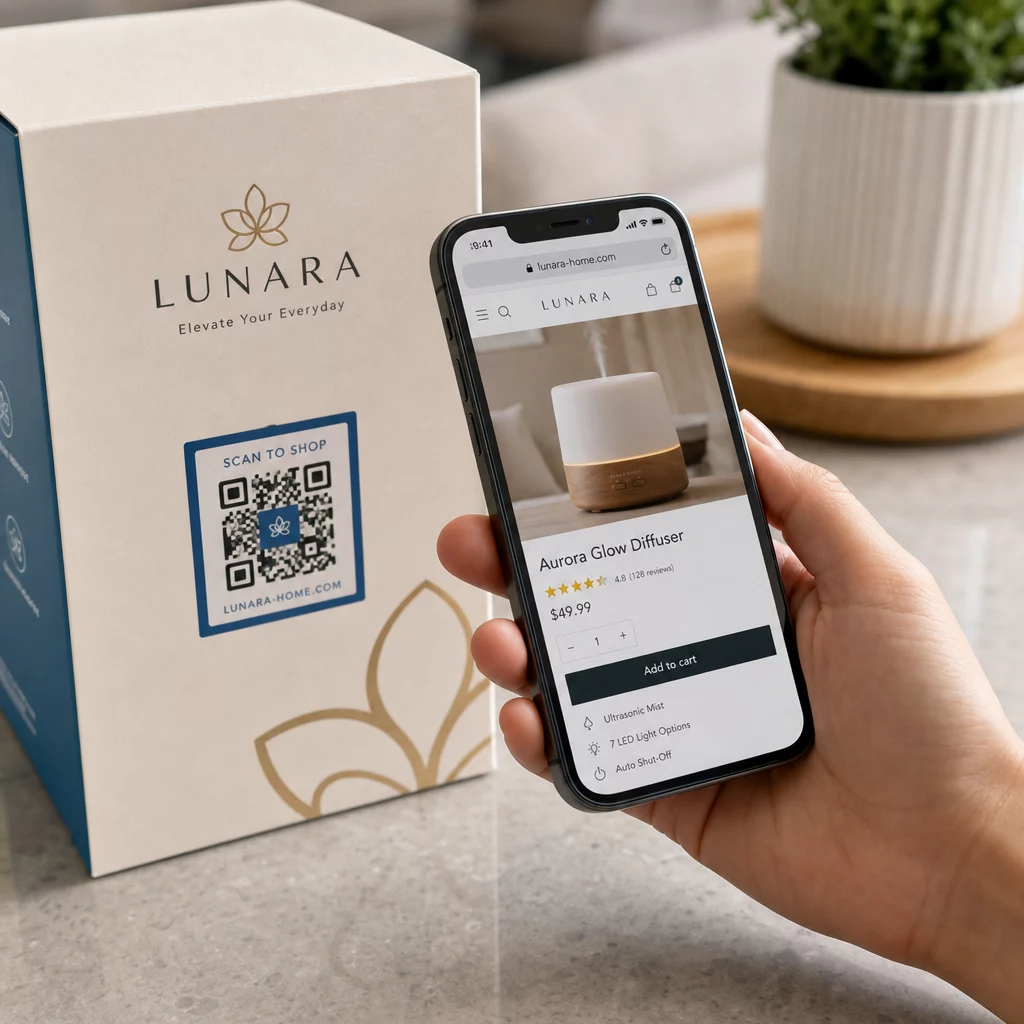
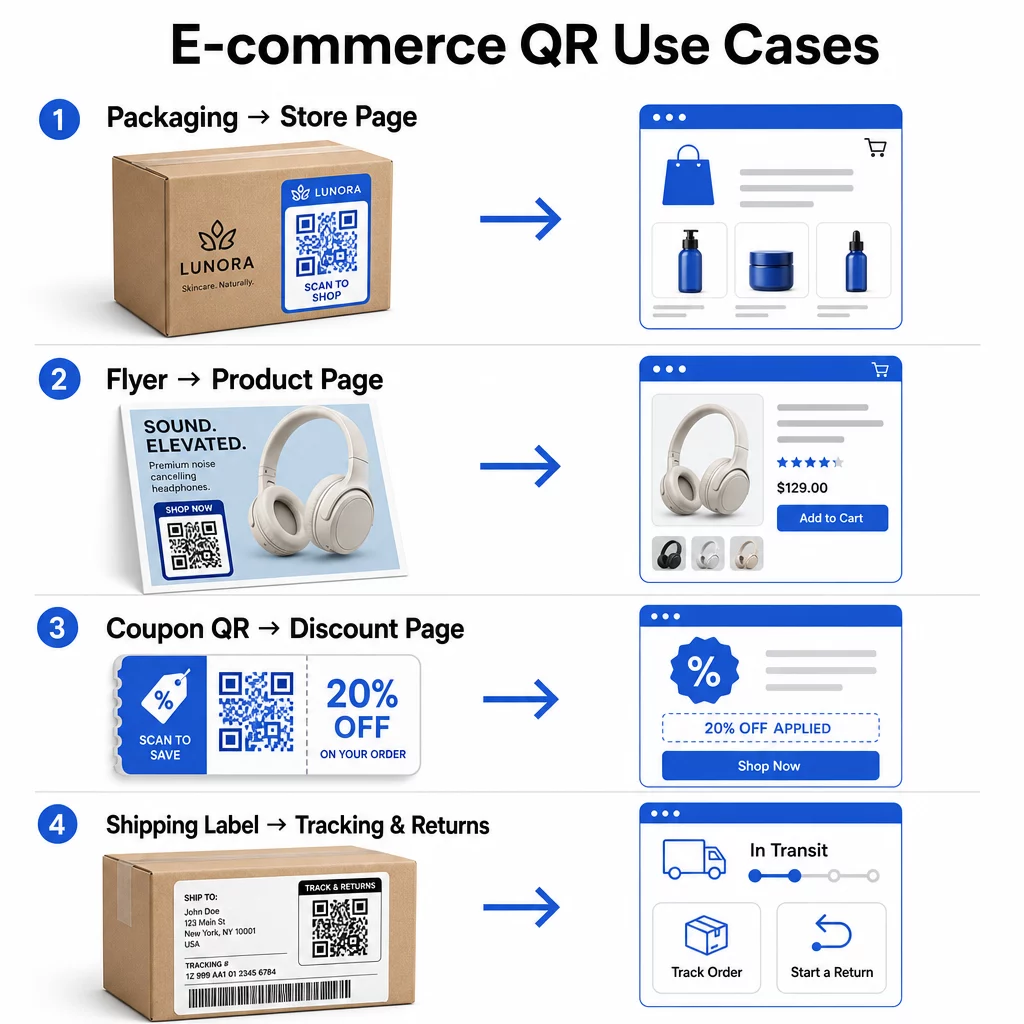
Упаковка продукта — это самый прямой мост между физическим товаром и вашей цифровой витриной. QR-код на коробке или этикетке может направить покупателей на полную страницу продукта, к сопутствующим аксессуарам, обучающим видео или ссылке для повторного заказа. Один клиент Pageloot разместил QR-коды внутри своей упаковки и сообщил об увеличении повторных посещений своего магазина Shopify на 27% в течение двух недель.
Этот подход особенно ценен для продуктов, информация о которых не помещается на этикетке — ингредиенты, сертификаты, руководства и информация о гарантии могут быть доступны по одному сканируемому коду. Узнайте больше о QR-кодах на упаковке и их пользе для розничной торговли.
Увеличение продаж с помощью QR-кодов для покупок
Когда покупатель видит ваш продукт в печатной рекламе, каталоге или на витрине магазина, QR-код устраняет шаги между интересом и покупкой. Вместо того чтобы искать ваш продукт или вводить URL-адрес, они сканируют код и попадают прямо на страницу продукта или в тщательно подобранную коллекцию.
Используйте генератор QR-кодов ссылок чтобы каждый код указывал на определенный URL-адрес. С помощью динамических кодов вы можете обновлять это назначение, чтобы отражать наличие на складе, сезонные цены или ограниченный по времени комплект без перепечатки каких-либо материалов.
Предлагайте купоны и срочные акции
QR-коды особенно эффективны для предоставления скидочных кодов и рекламных предложений, поскольку процесс мгновенный и беспрепятственный. Клиент сканирует, видит целевую страницу купона и может немедленно воспользоваться предложением, вместо того чтобы искать промокод в своем почтовом ящике.
Размещайте промокоды на упаковке продуктов, печатных чеках, в прямой почтовой рассылке и на физических вывесках, чтобы стимулировать как первые покупки, так и повторные заказы. генератор QR-кодов купонов позволяет создать специальную целевую страницу с несколькими предложениями и четким призывом к действию.
Создание купонных QR-кодов для вашего магазина Отображайте срочные предложения, промокоды и эксклюзивные акции на брендированной целевой странице, которую ваши клиенты достигают одним сканированием. Используйте Генератор купонных QR-кодов чтобы приступить к работе.
Включение платежей по QR-коду
Бесконтактная оплата становится все более ожидаемой, особенно в розничной торговле и гибридных коммерческих средах, где клиенты хотят платить без очереди на кассе или ручного ввода данных карты. Платежи по QR-коду работают, направляя клиента на размещенную страницу оплаты — они сканируют, подтверждают сумму и оплачивают с помощью сохраненной карты или мобильного кошелька, такого как Apple Pay или Google Pay.
Статические QR-коды ссылка на общую страницу оплаты, где клиенты вводят сумму самостоятельно. Динамические QR-коды может быть сгенерирован с данными, специфичными для транзакции, так что клиенту нужно только подтвердить и авторизовать. Для компаний, работающих с регулярными платежами или переменными суммами, динамические платежные коды уменьшают ошибки ввода и ускоряют оформление заказа.
Безопасность является здесь критически важным аспектом. Каждый платежный QR-код должен использовать проверенное, защищенное HTTPS-соединением назначение. Используйте динамические коды, где это возможно, так как их можно деактивировать или обновить в случае несанкционированного доступа. The Генератор QR-кодов PayPal предоставляет простой способ создания платежных кодов, которые направляют клиентов к вашему платежному потоку. Вы также можете ознакомиться с лучшими практиками для доступных платежей по QR-коду чтобы убедиться, что ваша реализация является как безопасной, так и инклюзивной.
Собирайте отзывы Google и обратную связь с клиентами
Социальное доказательство является одним из самых ценных активов для бизнеса электронной коммерции. Проблема в том, что большинство довольных клиентов не оставляют отзывы, если процесс не является беспрепятственным. QR-код на вкладыше в упаковку, транспортной коробке или чеке снижает это трение до одного сканирования.
Направьте код непосредственно на страницу отправки отзывов Google, чтобы клиенты попадали именно туда, куда вам нужно. The генератор QR-кодов для отзывов Google позволяет создавать и настраивать коды отзывов, которые вы можете встраивать в свои физические материалы. Для более широкого сбора обратной связи QR-коды также могут ссылаться на опросы после покупки, что позволяет собирать структурированные данные о покупательском опыте. Узнайте больше о том, как QR-коды поддерживают обслуживание клиентов в электронной коммерции.
Улучшите логистику доставки и возвратов
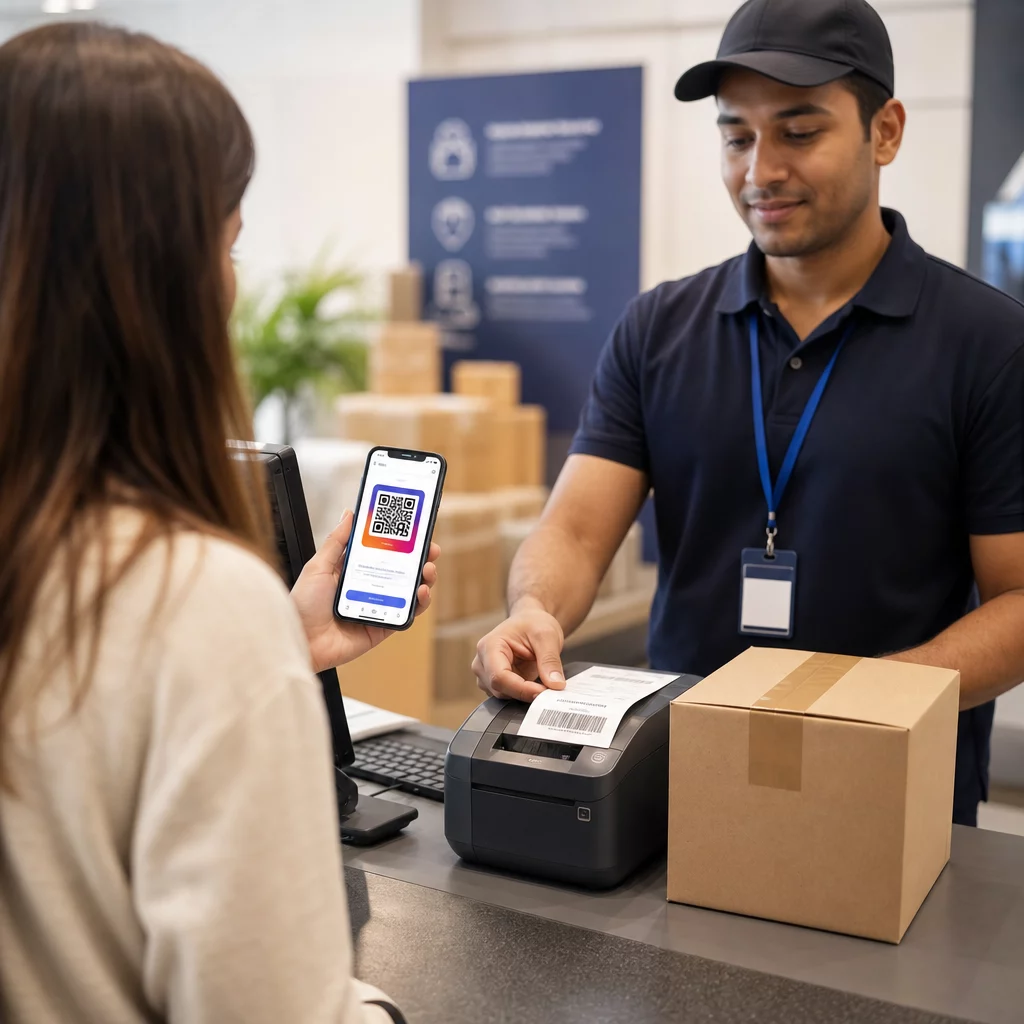
Транспортные этикетки и электронные письма с подтверждением заказа являются недоиспользуемыми маркетинговыми и сервисными каналами. QR-код на транспортной этикетке может предоставить клиентам мгновенный доступ к обновлениям отслеживания в реальном времени без необходимости искать номер отслеживания и вводить его вручную.
Для возвратов QR-код, ссылающийся непосредственно на форму запроса на возврат, устраняет самую разочаровывающую часть опыта после покупки. Бренды, такие как IKEA, приняли эту модель – отправляя QR-коды по электронной почте или SMS после того, как клиент зарегистрирует возврат – для оптимизации обратной логистики и сокращения контактов со службой поддержки. Узнайте, как QR-коды улучшают опыт доставки в электронной коммерции более подробно.
Развивайте аудиторию в социальных сетях
Каждая единица физической упаковки является потенциальным каналом для увеличения числа ваших подписчиков в социальных сетях. QR-код, который ведет непосредственно на ваш профиль в Instagram, TikTok или YouTube, может превратить покупателя, совершившего первую покупку, в долгосрочного подписчика без каких-либо дополнительных затрат на рекламу.
Это особенно хорошо работает в моменты распаковки, когда внимание клиента максимально, а энтузиазм по поводу продукта достигает своего пика.
Как отслеживать эффективность QR-кампаний
Создание QR-кода — это только половина работы; понимание того, как он работает, отличает тактический эксперимент от масштабируемой стратегии.
Динамические QR-коды и встроенная аналитика
Динамические QR-коды обеспечивают наиболее полное отслеживание, поскольку они направляют сканирования через управляемое перенаправление, которое регистрирует метрики в реальном времени. Платформа управления QR-кодами, такая как Pageloot, фиксирует:
- Общее количество сканирований и уникальные сканирования
- Время и дата каждого сканирования
- Географическое местоположение сканирования
- Тип устройства и операционная система
Эти данные показывают, какие размещения обеспечивают наибольшее вовлечение, когда клиенты наиболее склонны сканировать, и где сосредоточен географический спрос. Для более глубокого изучения того, как работает отслеживание, см. руководство по отслеживанию сканирований QR-кодов и аналитике.
Мониторинг вашей кампании в реальном времени Хотите точно знать, где и когда ваши клиенты сканируют ваши материалы? Используйте Генератора динамических QR-кодов для создания отслеживаемых кодов и получения доступа к полной панели управления производительностью уже сегодня.
UTM-параметры для атрибуции в Google Analytics
Для кампаний, где вам необходимо, чтобы эффективность QR-кода отображалась наряду с данными других каналов в Google Analytics, добавьте UTM-параметры к целевому URL перед генерацией кода. UTM-параметры — это короткие фрагменты, добавляемые к URL, которые сообщают вашей аналитической платформе источник, канал и название кампании, связанные с посещением.
Базовый URL с UTM-метками для QR-кода на упаковке продукта может выглядеть так:
“`
https://yourstore.com/product?utmsource=packaging&utmноситель=QRкод&utmcampaign=spring_launch
“`
Пять стандартных UTM-параметров:
- utm_source – Откуда поступает трафик (например, `упаковка`, `флаер`, `чек`)
- utmmedium – Маркетинговый канал (например, `qrкод`)
- utmcampaign – Название конкретной кампании (например, `весеннийзапуск`)
- utm_term – Ключевые слова, обычно для платных поисковых кампаний
- utm_content – Для различения похожих ссылок или вариантов креативов
После разметки сократите URL-адрес и сгенерируйте QR-код из сокращенной ссылки. Сканирования затем будут отображаться как отдельный источник трафика в ваших аналитических отчетах, позволяя вам измерять коэффициенты конверсии, доход и поведение, специфичные для трафика, поступающего через QR-коды.
Лучшие практики дизайна QR-кодов для электронной коммерции
QR-код, который клиенты не могут или не будут сканировать, не имеет ценности. Эти принципы дизайна гарантируют надежную работу ваших кодов во всех местах размещения:
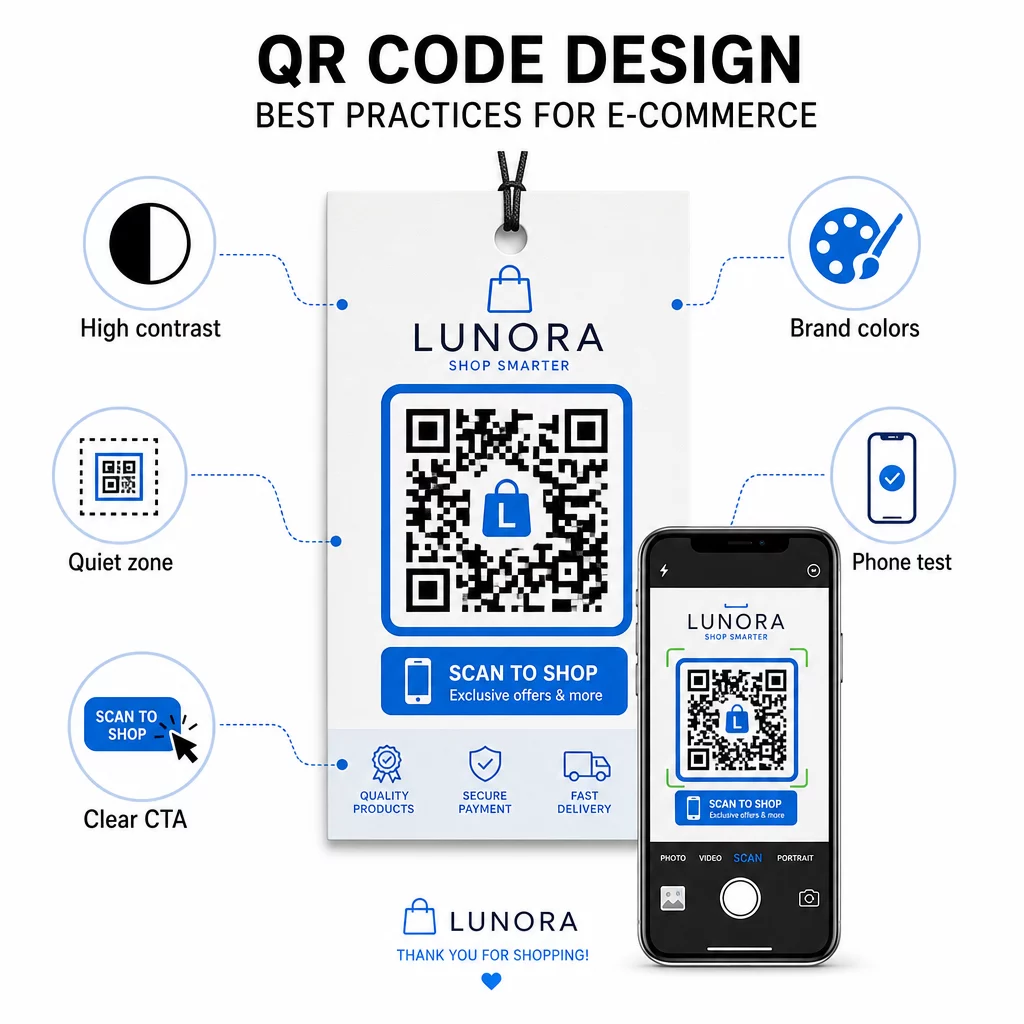
- Используйте темные модули на светлом фоне – Черный на белом обеспечивает самый сильный контраст для распознавания камерой и более доступен для пользователей в условиях низкой освещенности
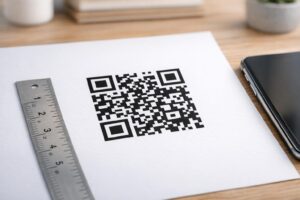
- Сохраняйте тихую зону – Оставляйте не менее четырех модулей пустого пространства вокруг кода, чтобы окружающая графика не мешала сканированию
- Соблюдайте минимальные требования к размеру – Не менее 1 дюйма × 1 дюйма для печатных материалов; больше для вывесок, где эмпирическое правило гласит, что максимальное расстояние сканирования должно быть примерно в десять раз больше ширины кода
- Включите четкий призыв к действию – Пометьте код краткой инструкцией, например “Сканируйте для 10% скидки” или “Сканируйте, чтобы отследить ваш заказ”, чтобы уменьшить колебания и увеличить количество сканирований
- Проверьте перед печатью – Убедитесь, что код правильно сканируется в конечном печатном размере, с ожидаемых расстояний, при реалистичном освещении и на разных моделях телефонов
Для мобильных целевых страниц, на которые ведут ваши QR-коды, критически важны скорость загрузки и мобильно-ориентированный макет. Страницы должны загружаться менее чем за три секунды, а кнопки должны быть достаточно большими для удобного нажатия. См. лучшим практикам для мобильных целевых страниц с QR-кодами для подробного контрольного списка.
Как создать QR-код для вашего интернет-магазина
Начало работы с QR-кодами для вашего магазина состоит из трех шагов:
- Сгенерируйте код – Используйте Генератор QR-кодов Pageloot для создания динамического QR-кода, связанного со страницей продукта, платежным потоком, формой отзыва или любым другим местом назначения. Выбирайте динамический вместо статического, если вы хотите обновить место назначения позже или отслеживать производительность.
- Настройте и брендируйте его – Добавьте свой логотип, подберите цвета вашего бренда и включите рамку с призывом к действию. Брендированные коды повышают узнаваемость и, как правило, генерируют больше сканирований, чем обычные черно-белые коды.
- Развертывайте и отслеживайте – Разместите код на упаковке, в электронных письмах, на печатных материалах или на вывесках в магазине. Используйте аналитическую панель для просмотра эффективности сканирований и корректировки кампаний на основе того, что работает.
Идеи по внедрению для конкретных отраслей можно найти на странице решений QR-кодов для электронной коммерции где рассматриваются варианты использования для Shopify, WooCommerce и других платформ. Вы также можете просмотреть решения с QR-кодами по отраслям для получения информации о том, как другие секторы подходят к аналогичным задачам.
Реальные результаты демонстрируют масштаб возможного: тематические исследования ведущих брендов электронной коммерции показывают такие результаты, как увеличение онлайн-продаж на 130% и увеличение вовлеченности в приложение на 239% благодаря целенаправленному развертыванию QR-кодов. страница тематических исследований QR-кодов для электронной коммерции подробно описывает эти примеры.
QR-коды работают лучше всего, когда они решают конкретную проблему для клиента – получение информации быстрее, более простая оплата или беспроблемное оформление возврата. Начните с одной или двух высокоценных точек контакта, измерьте результаты и расширяйтесь оттуда.
Часто задаваемые вопросы
Статический QR-код кодирует целевой URL-адрес непосредственно в шаблон и не может быть изменен после создания. Динамический QR-код указывает на короткую ссылку перенаправления, которую можно обновить в любое время, даже после того, как код был напечатан. Для электронной коммерции динамические коды, как правило, предпочтительнее, поскольку они поддерживают аналитику в реальном времени, позволяют обновлять целевые адреса при изменении акций и создают более чистый визуальный шаблон, который сканируется быстрее. Узнайте больше на странице о статических и динамических QR-кодах.
Наиболее надежный метод сочетает два подхода. Во-первых, используйте динамические QR-коды через платформу управления, такую как Pageloot, которая автоматически регистрирует количество сканирований, временные метки, типы устройств и географические местоположения. Во-вторых, добавьте UTM-параметры к вашим целевым URL-адресам, чтобы сканирования отображались как отдельный источник трафика в Google Analytics, где вы сможете измерять коэффициенты конверсии и доход, приписываемый каждому коду. См. руководство по отслеживанию QR-кодов для пошаговых инструкций.
Места размещения с наибольшим вовлечением в электронной коммерции — это упаковка продукта, транспортные коробки, вкладыши в упаковку и электронные письма с подтверждением заказа. Эти точки контакта достигают клиентов в моменты высокой заинтересованности — сразу после покупки или во время распаковки товара — что делает их идеальными для стимулирования отзывов, повторных покупок и подписок в социальных сетях. Послепокупочные материалы, такие как чеки и инструкции по возврату, также эффективны, потому что клиенты активно взаимодействуют с вашим брендом в этот момент.