
ホーム > 産業 > How to Streamline Coworking Space Operations with QR Codes
QR coworking check-in

How to Streamline Coworking Space Operations with QR Codes

Streamline coworking space operations with QR codes. Automate contactless check-ins, instant Wi-Fi access, meeting room bookings, and member feedback.
Updated on 8月 29, 2026
目次

Are your community managers overwhelmed by manual check-ins, Wi-Fi requests, and meeting room booking conflicts? Handling administrative bottlenecks manually wastes staff time and creates friction for members who expect a fast, self-serve environment. Integrating strategic QR codes across your facility automates key touchpoints and modernizes your daily workspace management.

Practical QR Code Use Cases for Coworking Managers

Deploying touch-free entry points throughout your workspace helps eliminate queues and allows your team to focus on community building rather than repetitive support tasks. By converting physical touchpoints into instant digital access points, you can streamline daily workflows for both regular members and daily visitors.

Contactless Member and Visitor Check-In

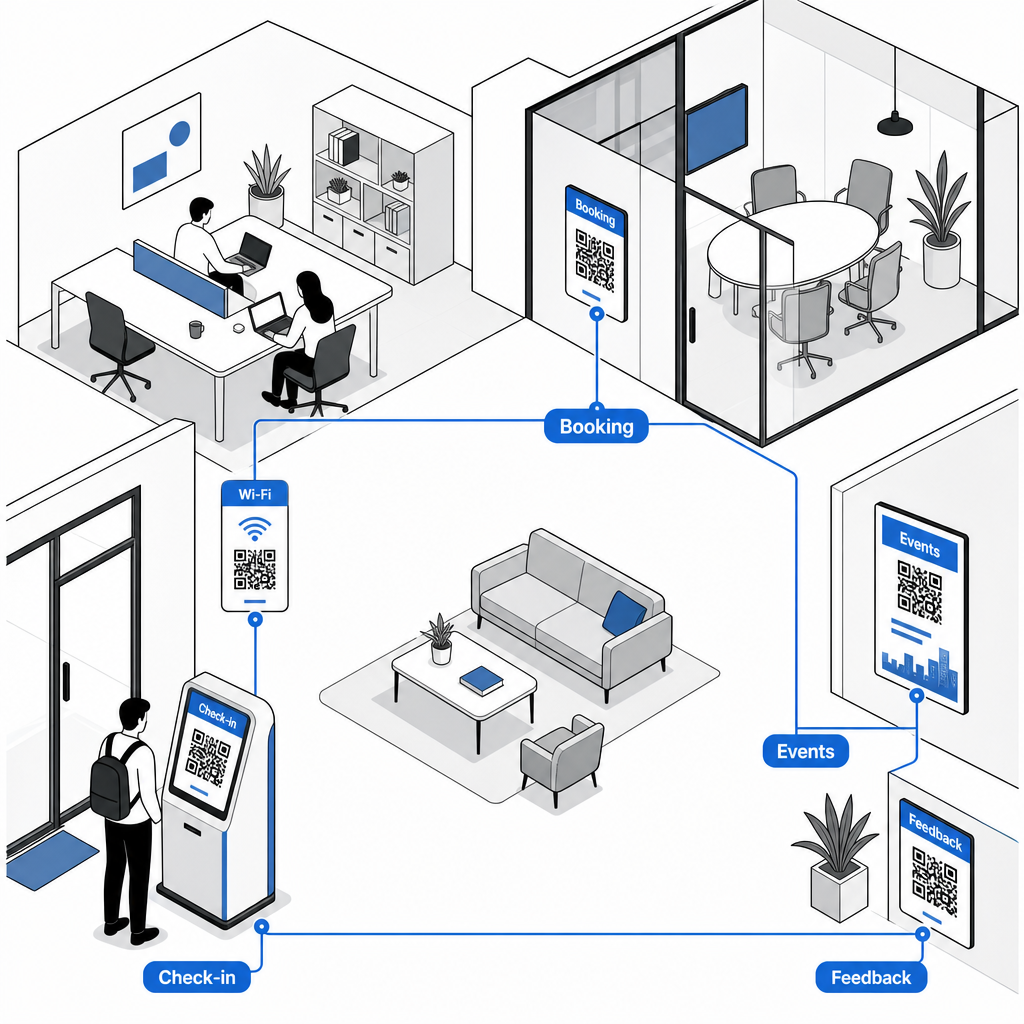
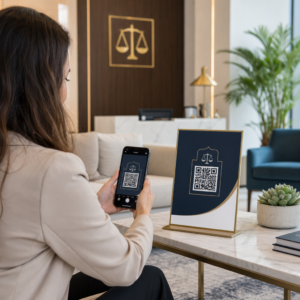
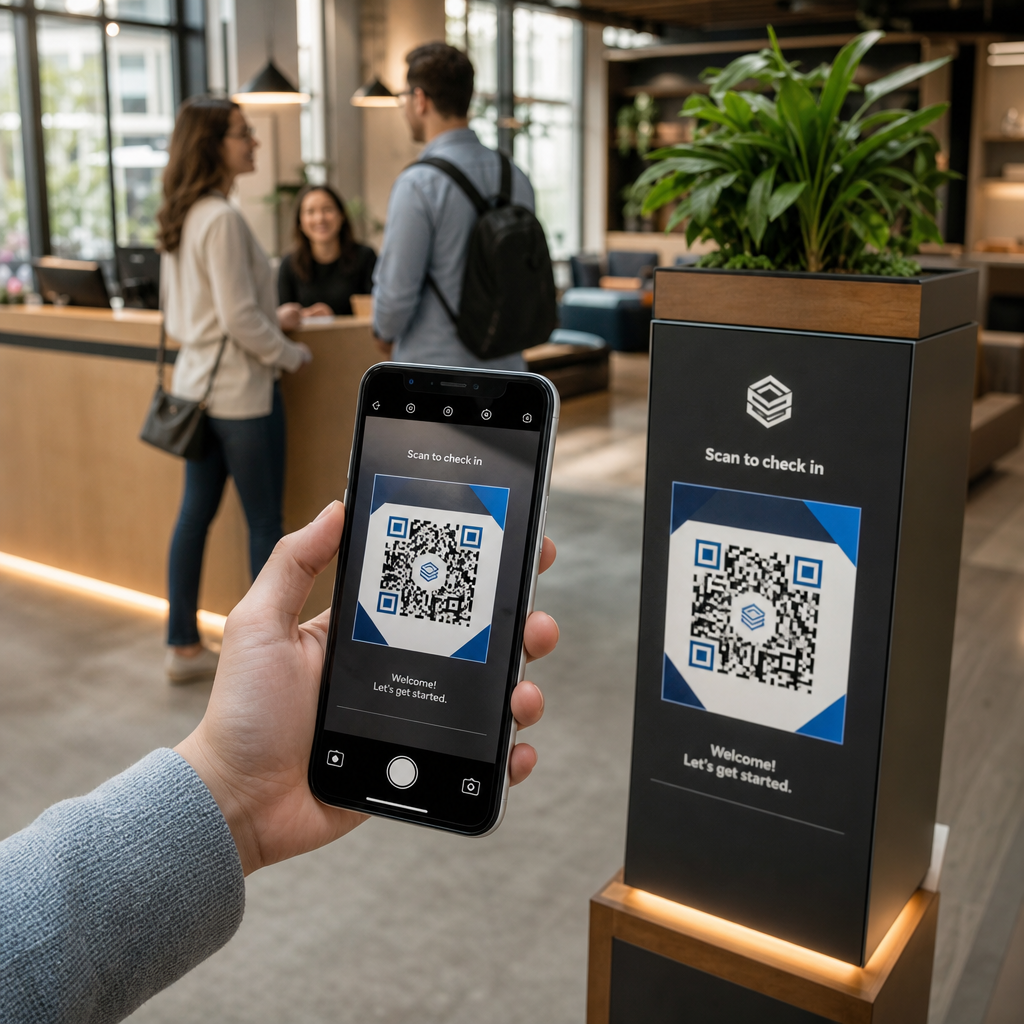
Replacing paper sign-in logs or physical keycards with a dedicated attendance QR code streamlines front-desk entry. Visitors and members simply scan the code at your main entrance using their smartphones to open a digital arrival form or log their presence automatically. Much like automated check-in systems used in fitness centers, digital logging eliminates front-desk queues, reduces administrative overhead, and provides accurate real-time records of facility usage.

Instant Wi-Fi Access Without Manual Passwords

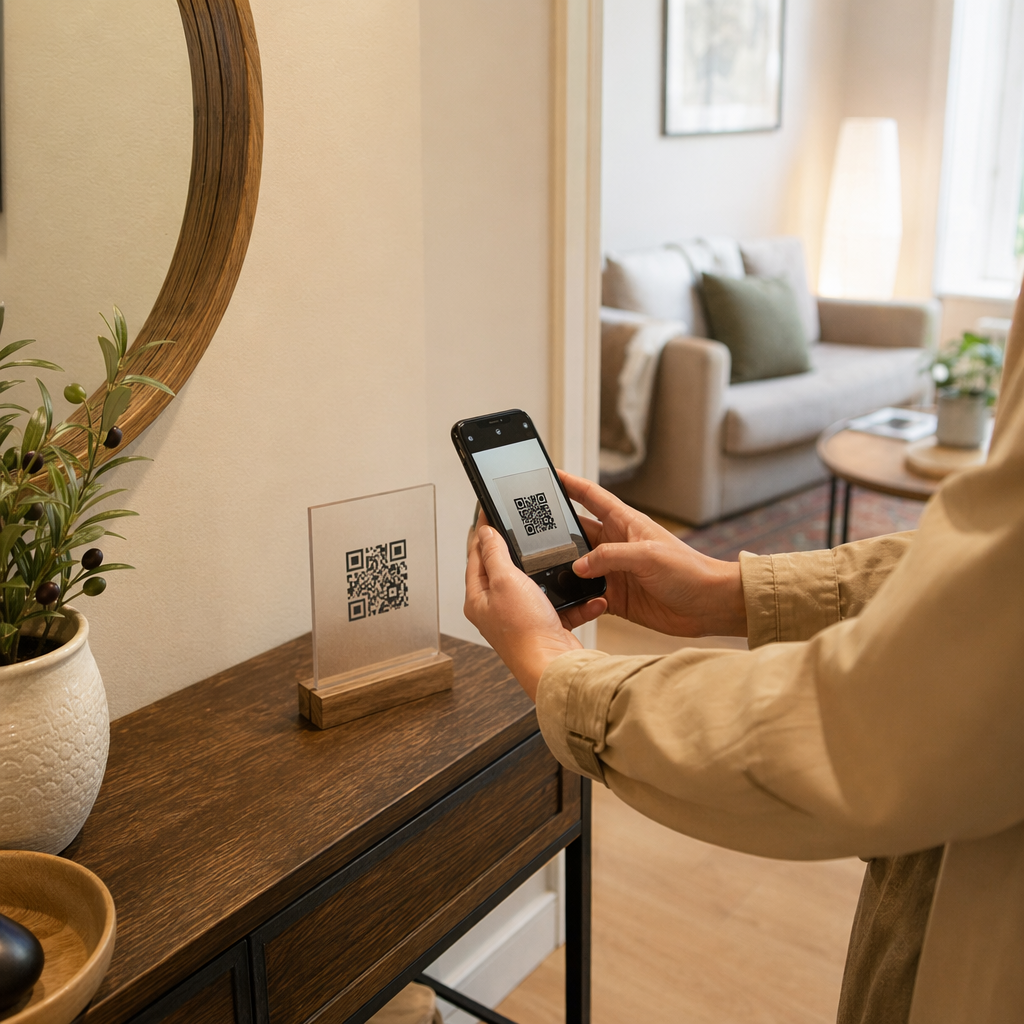
Sharing long, complex network passwords on chalkboards or paper displays frequently leads to typos and repetitive support requests. Similar to how hosts manage connectivity in short-term rentals, you can post network access points directly in high-traffic areas. By setting up a dedicated Wi-Fi QRコードジェネレーター, you allow members to point their device camera at the sign to connect to Wi-Fi instantly without typing SSID details or passwords manually.

On-Demand Meeting Room and Desk Bookings

Placing QR codes directly outside conference rooms or on hot desks lets members instantly view real-time room availability and schedule open spaces on the fly. When a member notices an empty conference room, scanning the door frame sign takes them straight to your web reservation portal where they can reserve the room immediately.

Update Booking Links Without Reprinting Need to switch reservation systems or adjust room links across your workspace? Use the ダイナミックQRコードジェネレーター to manage editable URLs and track scan engagement from a single dashboard.

Community Event Signups and Calendar Reminders

Coworking communities thrive on shared events, such as networking breakfasts, workshops, and social hours. Placing event codes on lobby digital displays, elevator frames, or common area bulletin boards via an イベントQRコードジェネレーター gives members frictionless access to upcoming schedules. Members scan the code to view speaker details, reserve tickets, or save event reminders directly to their personal calendars.

Feedback Collection and Maintenance Requests

Maintaining high operational standards requires prompt feedback regarding issues like depleted coffee stations, broken equipment, or room temperature adjustments. Positioning survey codes in common areas, kitchenettes, and phone booths using a GoogleフォームQRコードジェネレーター allows members to submit ticket requests in seconds. To design surveys that generate higher response rates, review proven methods for customer feedback QR codes.

Choosing Static vs. Dynamic QR Codes for Facilities

Selecting the correct code format ensures your digital infrastructure remains easy to manage as your space evolves:

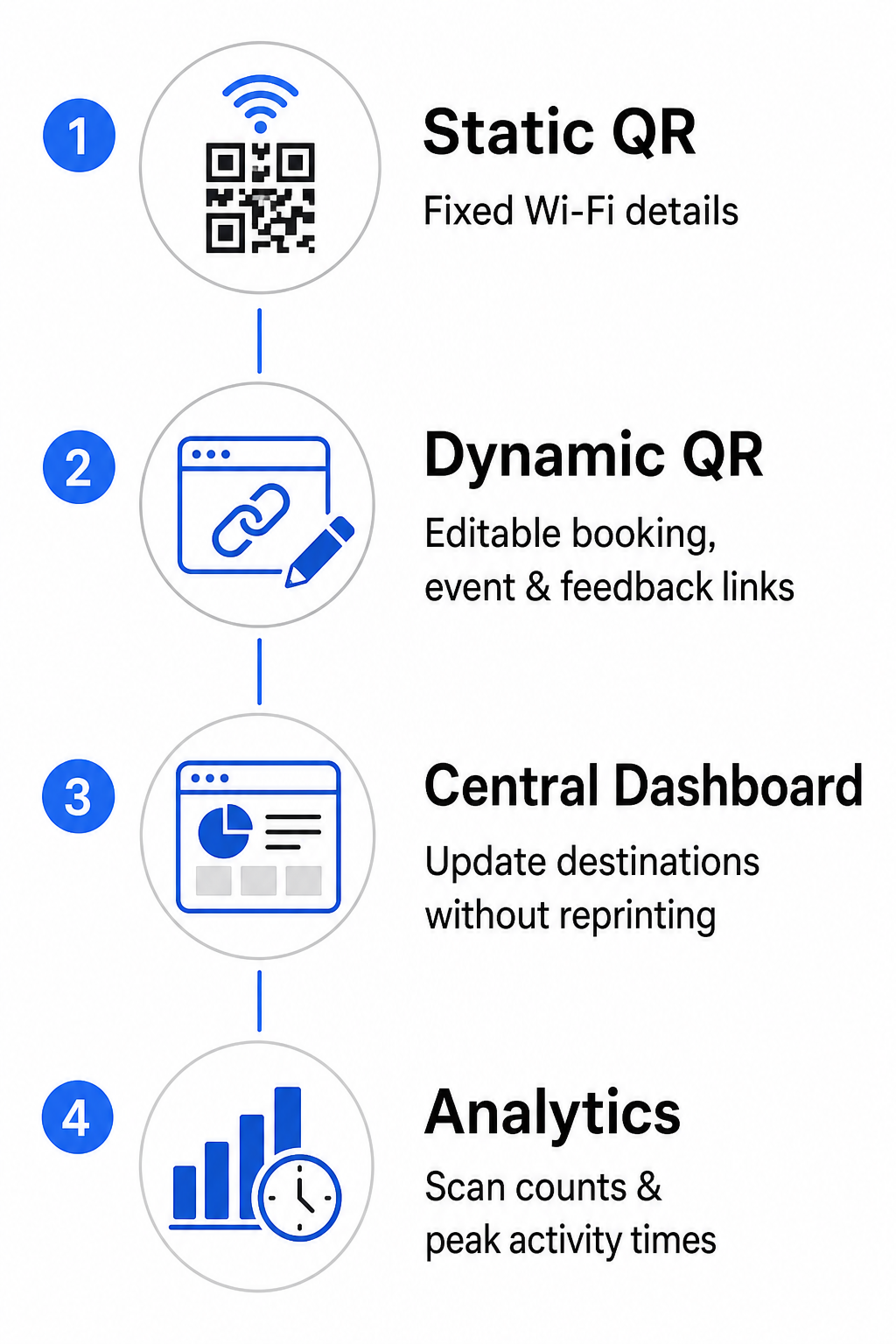
  • 静的QRコード: Ideal for fixed information that never changes, such as permanent Wi-Fi network credentials including the SSID and password.
  • 動的QRコード: Best for active operational links like room booking portals, feedback forms, and weekly event schedules, allowing destination updates without replacing printed signs.

Dynamic codes direct users through a lightweight redirect link, which means community teams can update destination URLs inside a central dashboard at any time. Furthermore, dynamic codes collect built-in analytics such as scan counts, peak activity hours, and device types. You can explore additional workspace management tools on our QRコードの特徴 overview or view tailored options on our industry applications ページを参照されたい。

静的コードと動的コード

Best Practices for QR Code Placement and Scannability

To ensure dependable scanning across your workspace, adhere to clear layout, size, and positioning guidelines:

  • Maintain minimum dimensions: Print codes at a minimum size of 2 × 2 cm (0.8 × 0.8 in) for close-up scanning on desk stands or door frames. For longer viewing distances, calculate the code width as at least one-tenth of the scanning distance (for instance, a 10 cm wide code for scanning from 1 meter away).
  • Position at eye level: Mount signage between 3.5 and 5.5 feet off the ground on flat, smooth surfaces, avoiding corners, seams, or textured materials that distort the matrix pattern. For comprehensive layout guidance, review our QRコード配置ガイド.
  • Ensure high color contrast: Apply dark foreground modules over light backgrounds, keeping a contrast ratio of at least 4:1 (or 55% contrast when using custom brand colors).
  • クワイエットゾーンを保護する: Reserve an unprinted margin around the code equal to at least 4 modules – the width of one small QR square – on all four sides to prevent visual distortion.
  • Optimize lighting and accessibility: Select matte print finishes to avoid reflection under bright lights, and place codes in well-lit areas away from heavy shadows. Always include plain-text URLs adjacent to the code to assist members who prefer typing links manually.

Optimizing Your Coworking Workflow

Modernizing facility operations with strategic QR codes reduces administrative burdens, eliminates front-desk bottlenecks, and delivers the seamless self-service experience modern professionals demand. By replacing manual sign-in logs, complex Wi-Fi passwords, and paper schedules with clear digital touchpoints, your community team frees up valuable time to focus on member engagement and growth. Identify your space’s main friction points today and deploy customized QR codes to create an efficient, high-tech workspace.

Connected coworking QR workflow

よくある質問

What size should QR codes be on meeting room signs?

Meeting room QR codes should be at least 2 × 2 cm (0.8 × 0.8 in) for close-up scanning. If members scan from a distance of 1 meter, print the code at least 10 cm wide to maintain reliable scanning.

Can I update the URL linked to a printed QR code if our booking software changes?

Yes, provided you create a dynamic QR code. Dynamic codes point to a redirect URL, allowing you to update the destination link inside your management dashboard without reprinting physical signs.

How do Wi-Fi QR codes work for coworking members and guests?

A Wi-Fi QR code encodes the network SSID and password. When a user points their phone camera at the code, the device prompts them to join the network automatically without typing any credentials manually.

著者について

Siim KostabiはPagelootのコンテンツリードです。Pagelootの革新的なQRコード生成サービスについて執筆しています。5年以上にわたるQRコードに関する深い専門知識を持つSiimは、この分野の専門家です。QRテクノロジーを活用してデジタルインタラクションを簡素化・拡張する上で、大きな進歩を遂げています。.

カテゴリー
について詳しくはこちら
ビデオQRコードのスキャン
のQRコードを作る ビデオファイル
QRコードを使ったネットワーキング
のQRコードを作る 連絡先
✅ QRコードの#1ソリューション

オンラインでQRコードを作成する必要がある場合は QRコードを作る ここで無料で
ページルートは #1のGo-Toソリューション でQRコードを作成してスキャンすることができます。

BL-0357

ブログジェネ

売上、レビュー、フォロワーを増やすために 20,000 を超えるブランドから信頼されています。

クライアントのロゴ
トップブランドから信頼される
5 のうち 4.8 と評価しました

4.86 / 5つ星評価

ユーゴ・ローラン
ユーゴ・ローラン
レストランオーナー
最も簡単で信頼性の高いQRコードジェネレータです。PDFファイルを即座にアップロードできます。レストランのメニューがデジタル化されました。
ルーカス・ジャンセン
ルーカス・ジャンセン
不動産開発業者
これは優れたツールで、QRコードでちょうど欲しいところに連れて行ってくれます。私たちは位置情報のQRコードしか使っていませんが、とても便利な機能がたくさんあります。
エマ・モレッティ
エマ・モレッティ
小売製品
使いやすいし、早い。素晴らしい機能で、完璧な画像を作成してくれるので、社員は私のvCardをダウンロードすることができます。
ユーゴ・ローラン
ユーゴ・ローラン
レストランオーナー
最も簡単で信頼性の高いQRコードジェネレータです。PDFファイルを即座にアップロードできます。レストランのメニューがデジタル化されました。
ルーカス・ジャンセン
ルーカス・ジャンセン
不動産開発業者
これは優れたツールで、QRコードでちょうど欲しいところに連れて行ってくれます。私たちは位置情報のQRコードしか使っていませんが、とても便利な機能がたくさんあります。
エマ・モレッティ
エマ・モレッティ
小売製品
使いやすいし、早い。素晴らしい機能で、完璧な画像を作成してくれるので、社員は私のvCardをダウンロードすることができます。
QRコードをもっと見る
あらゆるものをデジタル体験に変えよう 3分以内に。

14日間の無料トライアル。

クレジットカードは必要ありません。

初回購入で30%オフ

次のコードを使用してください:

MP3ファイルを共有

PDF QRコードを作成するにはサインアップしてください

必要なものをすべてアップロードして表示する。

  • オーディオファイル
  • ポッドキャスト
  • 音楽

サインアップで14日間無料トライアル。.
トライアル終了後、QRコードは期限切れになります。.

オーディオmp3 QRコードを作成するにはサインアップしてください

フレームでより多くのスキャンを獲得

QRコードにフレームを追加するにはサインアップしてください

コールトゥアクションフレームは、お客様が簡単にQRコードと対話できるようにします。ぜひお試しください。

サインアップで14日間無料トライアル。.
トライアル終了後、QRコードは期限切れになります。.

QRコードにフレームを追加するにはサインアップしてください

シェイプでスタイルを追加

より多くの図形を作成するにはサインアップしてください

QRコードは四角いものである必要はありません。あなたのブランドのイメージに合わせて変えてみてください。

サインアップで14日間無料トライアル。.
トライアル終了後、QRコードは期限切れになります。.

より多くの図形を作成するにはサインアップしてください

QRコードにロゴを追加

QRコードにロゴを追加するにはサインアップしてください

QRコードにロゴやブランドを入れることで、目立たせることができます。

サインアップで14日間無料トライアル。.
トライアル終了後、QRコードは期限切れになります。.

QRコードにロゴを追加するにはサインアップしてください

スマートなApp Storeリダイレクト

アプリストアのQRコードを作成するにはサインアップしてください

スマートなApp StoreのQRコードに、あなたのアプリのリンクを追加します。ユーザーは、デバイスに応じてリダイレクトされます。

サインアップで14日間無料トライアル。.
トライアル終了後、QRコードは期限切れになります。.

アプリストアのQRコードを作成するにはサインアップしてください

QRコードに画像をアップロード

画像QRコードを作成するにはサインアップしてください

画像を簡単に共有できます。どんな画像も、数秒でダイナミックに変化します。

サインアップで14日間無料トライアル。.
トライアル終了後、QRコードは期限切れになります。.

画像QRコードを作成するにはサインアップしてください

PDFファイルを共有

PDF QRコードを作成するにはサインアップしてください

必要なものをすべてアップロードして表示する。

  • メニュー&プライスリスト
  • 指示
  • 任意の書類

サインアップで14日間無料トライアル。.
トライアル終了後、QRコードは期限切れになります。.

PDF QRコードを作成するにはサインアップしてください

印刷せずに後で編集

再度印刷せずにQRコードを編集するにはサインアップしてください

ダイナミックQRコードは、新たにQRコードを印刷することなく、QRコードの内容を変更することができます。

サインアップで14日間無料トライアル。.
トライアル終了後、QRコードは期限切れになります。.

再度印刷せずにQRコードを編集するにはサインアップしてください

いつ?どこで?QRコードのスキャンを追跡

QRコードを追跡するにはサインアップしてください

どのQRコードが最も多くスキャンされ、何が最も顧客を喜ばせているのかを知ることができます。

サインアップで14日間無料トライアル。.
トライアル終了後、QRコードは期限切れになります。.

QRコードを追跡するにはサインアップしてください

印刷可能なファイルが利用可能

PDFやSVGのようなベクターQRコードを作成するにはサインアップしてください

.eps、.pdf、.svg

QRコードをHD解像度でダウンロードしたいですか?すぐに印刷できるベクターまたはピクセル形式を入手しましょう。

サインアップで14日間無料トライアル。.
トライアル終了後、QRコードは期限切れになります。.

PDFやSVGのようなベクターQRコードを作成するにはサインアップしてください

しばらくお待ちください。あなたのQRコードは ロード... ロード...

あなただけのものに

サインアップしてQRコードを後で保存してください

異なる色、ロゴ、コールトゥアクションフレームで素晴らしいQRコードを作成することで、より多くのスキャンを得ることができます。

サインアップで14日間無料トライアル。.
トライアル終了後、QRコードは期限切れになります。.

サインアップしてQRコードを後で保存してください