
> 산업 > How to Streamline Coworking Space Operations with QR Codes
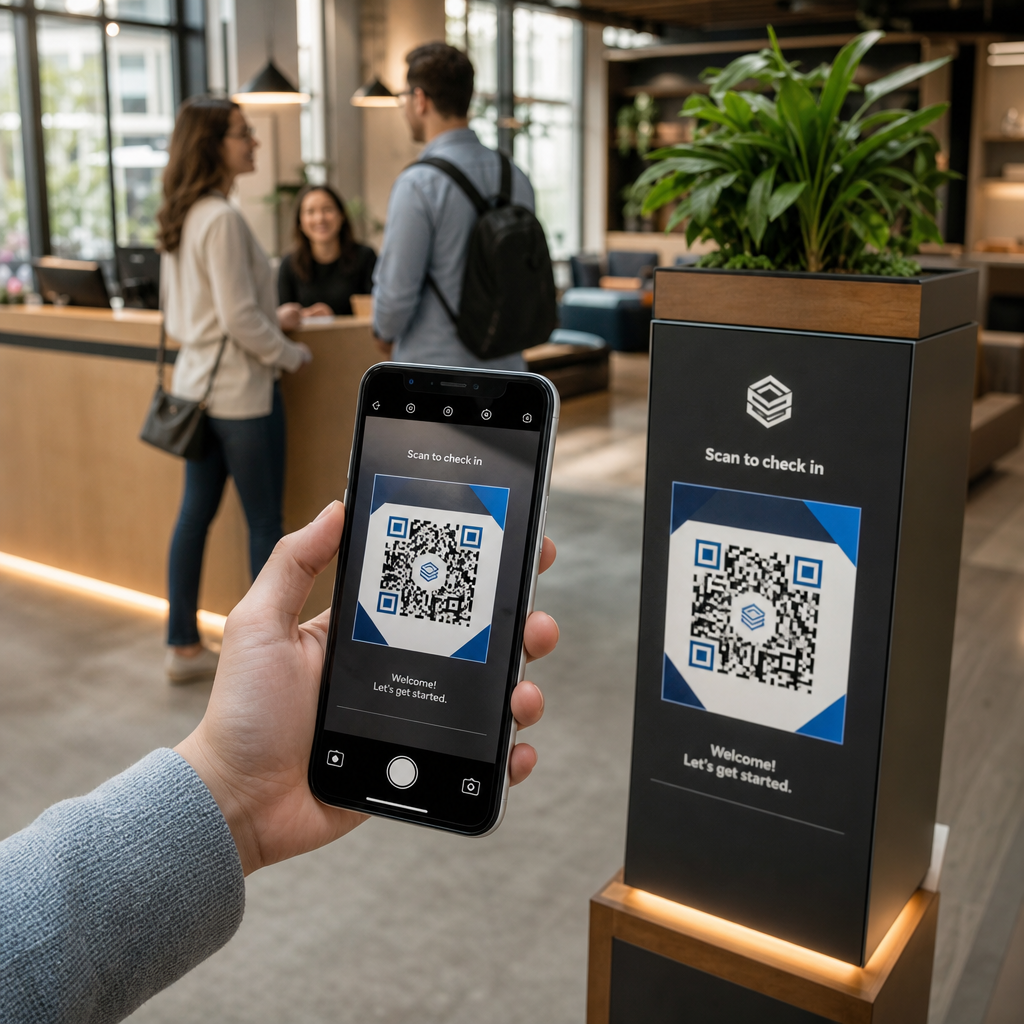
QR coworking check-in

How to Streamline Coworking Space Operations with QR Codes

Streamline coworking space operations with QR codes. Automate contactless check-ins, instant Wi-Fi access, meeting room bookings, and member feedback.
Updated on 8월 29, 2026
목차

Are your community managers overwhelmed by manual check-ins, Wi-Fi requests, and meeting room booking conflicts? Handling administrative bottlenecks manually wastes staff time and creates friction for members who expect a fast, self-serve environment. Integrating strategic QR codes across your facility automates key touchpoints and modernizes your daily workspace management.

Practical QR Code Use Cases for Coworking Managers

Deploying touch-free entry points throughout your workspace helps eliminate queues and allows your team to focus on community building rather than repetitive support tasks. By converting physical touchpoints into instant digital access points, you can streamline daily workflows for both regular members and daily visitors.

Contactless Member and Visitor Check-In

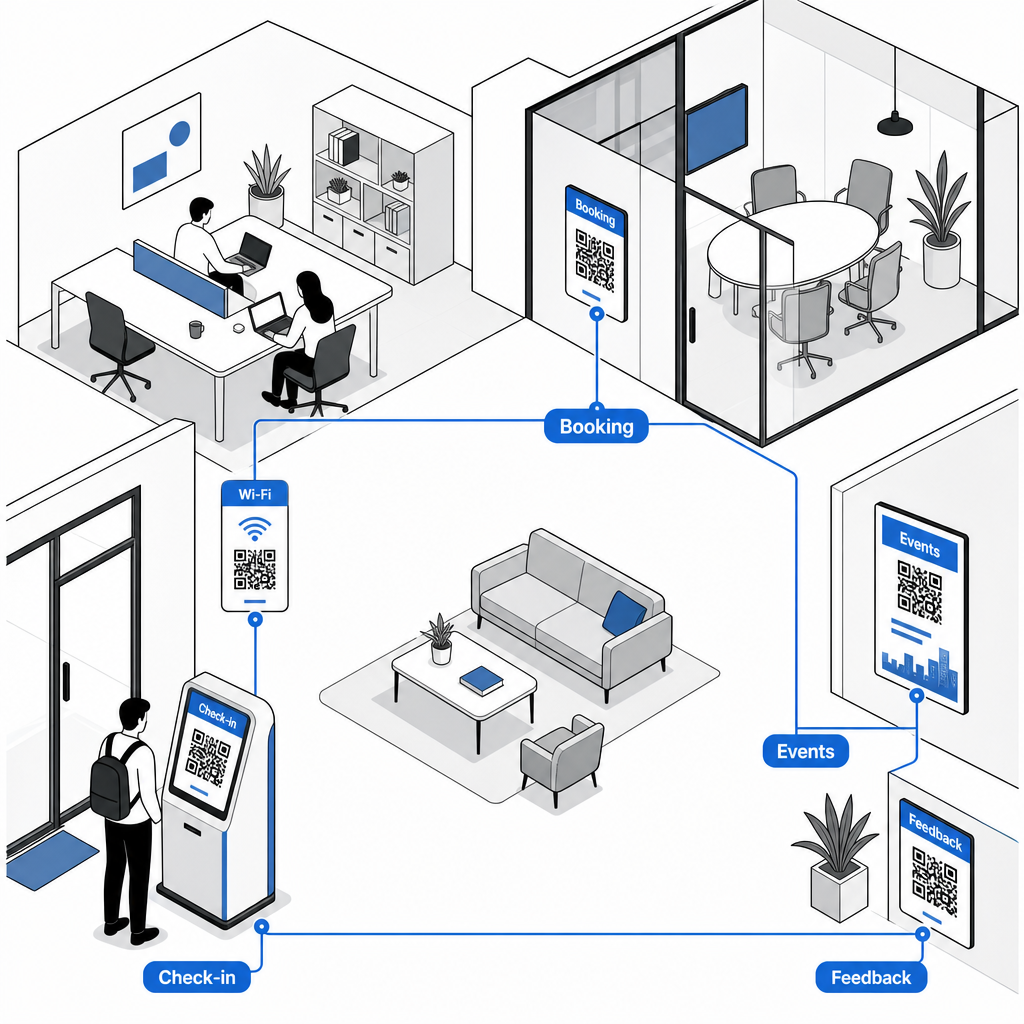
Replacing paper sign-in logs or physical keycards with a dedicated attendance QR code streamlines front-desk entry. Visitors and members simply scan the code at your main entrance using their smartphones to open a digital arrival form or log their presence automatically. Much like automated check-in systems used in fitness centers, digital logging eliminates front-desk queues, reduces administrative overhead, and provides accurate real-time records of facility usage.

Instant Wi-Fi Access Without Manual Passwords

Sharing long, complex network passwords on chalkboards or paper displays frequently leads to typos and repetitive support requests. Similar to how hosts manage connectivity in short-term rentals, you can post network access points directly in high-traffic areas. By setting up a dedicated Wi-Fi QR 코드 생성기, you allow members to point their device camera at the sign to connect to Wi-Fi instantly without typing SSID details or passwords manually.

On-Demand Meeting Room and Desk Bookings

Placing QR codes directly outside conference rooms or on hot desks lets members instantly view real-time room availability and schedule open spaces on the fly. When a member notices an empty conference room, scanning the door frame sign takes them straight to your web reservation portal where they can reserve the room immediately.

Update Booking Links Without Reprinting Need to switch reservation systems or adjust room links across your workspace? Use the 동적 QR 코드 생성기 to manage editable URLs and track scan engagement from a single dashboard.

Community Event Signups and Calendar Reminders

Coworking communities thrive on shared events, such as networking breakfasts, workshops, and social hours. Placing event codes on lobby digital displays, elevator frames, or common area bulletin boards via an 이벤트 QR 코드 생성기 gives members frictionless access to upcoming schedules. Members scan the code to view speaker details, reserve tickets, or save event reminders directly to their personal calendars.

Feedback Collection and Maintenance Requests

Maintaining high operational standards requires prompt feedback regarding issues like depleted coffee stations, broken equipment, or room temperature adjustments. Positioning survey codes in common areas, kitchenettes, and phone booths using a Google 양식 QR 코드 생성기 allows members to submit ticket requests in seconds. To design surveys that generate higher response rates, review proven methods for customer feedback QR codes.

Choosing Static vs. Dynamic QR Codes for Facilities

Selecting the correct code format ensures your digital infrastructure remains easy to manage as your space evolves:

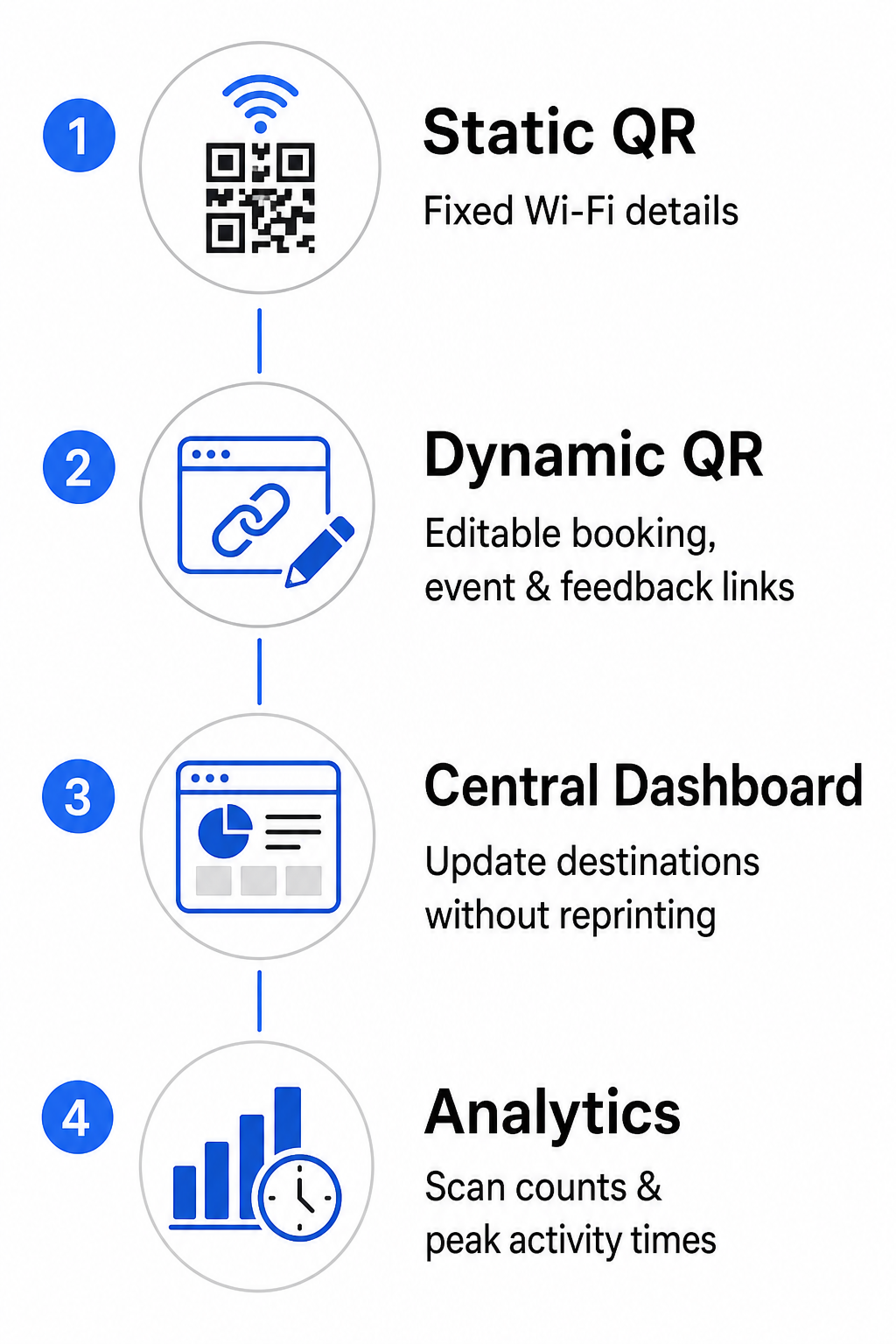
  • 정적 QR 코드: Ideal for fixed information that never changes, such as permanent Wi-Fi network credentials including the SSID and password.
  • 동적 QR 코드: Best for active operational links like room booking portals, feedback forms, and weekly event schedules, allowing destination updates without replacing printed signs.

Dynamic codes direct users through a lightweight redirect link, which means community teams can update destination URLs inside a central dashboard at any time. Furthermore, dynamic codes collect built-in analytics such as scan counts, peak activity hours, and device types. You can explore additional workspace management tools on our QR 코드 기능 overview or view tailored options on our industry applications page.

정적 코드 대 동적 코드

Best Practices for QR Code Placement and Scannability

To ensure dependable scanning across your workspace, adhere to clear layout, size, and positioning guidelines:

  • Maintain minimum dimensions: Print codes at a minimum size of 2 × 2 cm (0.8 × 0.8 in) for close-up scanning on desk stands or door frames. For longer viewing distances, calculate the code width as at least one-tenth of the scanning distance (for instance, a 10 cm wide code for scanning from 1 meter away).
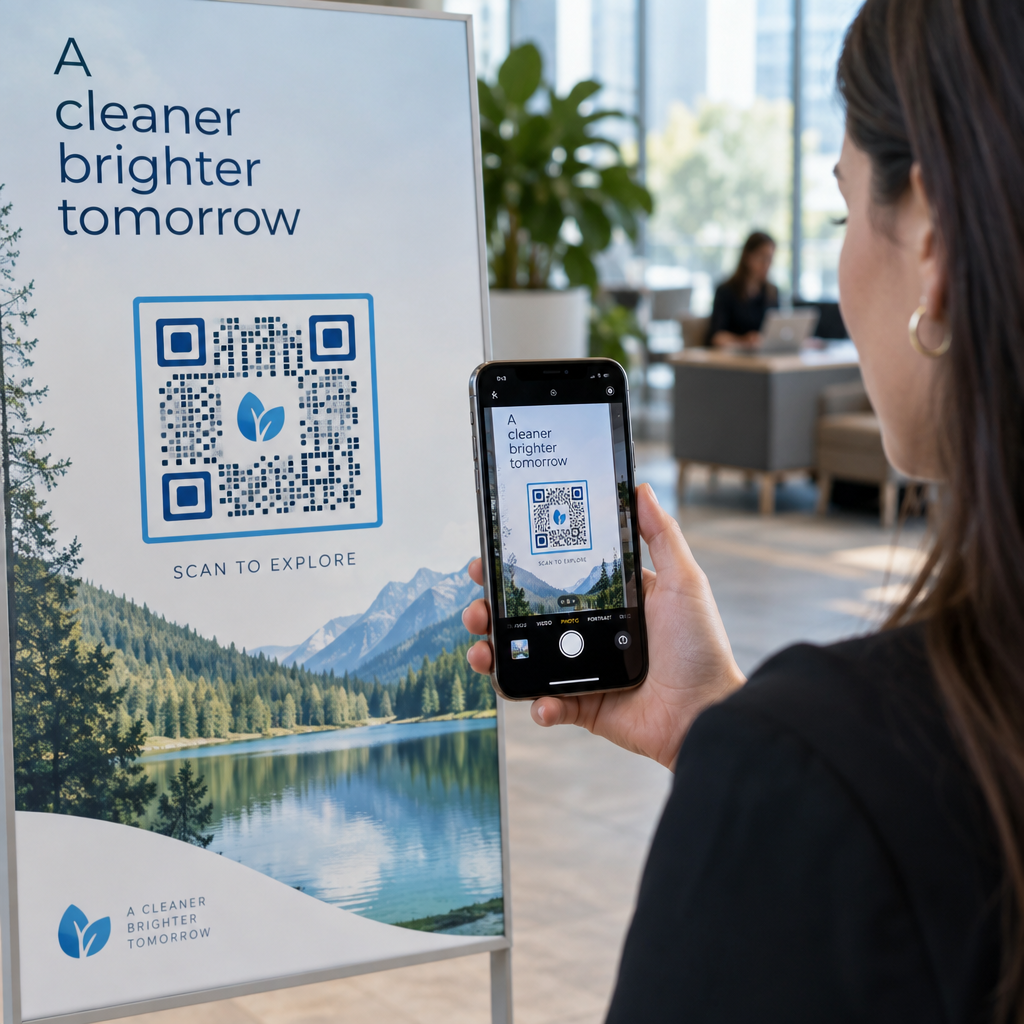
  • Position at eye level: Mount signage between 3.5 and 5.5 feet off the ground on flat, smooth surfaces, avoiding corners, seams, or textured materials that distort the matrix pattern. For comprehensive layout guidance, review our QR 코드 배치 가이드.
  • Ensure high color contrast: Apply dark foreground modules over light backgrounds, keeping a contrast ratio of at least 4:1 (or 55% contrast when using custom brand colors).
  • 콰이어트 존 보호: Reserve an unprinted margin around the code equal to at least 4 modules – the width of one small QR square – on all four sides to prevent visual distortion.
  • Optimize lighting and accessibility: Select matte print finishes to avoid reflection under bright lights, and place codes in well-lit areas away from heavy shadows. Always include plain-text URLs adjacent to the code to assist members who prefer typing links manually.

Optimizing Your Coworking Workflow

Modernizing facility operations with strategic QR codes reduces administrative burdens, eliminates front-desk bottlenecks, and delivers the seamless self-service experience modern professionals demand. By replacing manual sign-in logs, complex Wi-Fi passwords, and paper schedules with clear digital touchpoints, your community team frees up valuable time to focus on member engagement and growth. Identify your space’s main friction points today and deploy customized QR codes to create an efficient, high-tech workspace.

Connected coworking QR workflow

자주 묻는 질문

What size should QR codes be on meeting room signs?

Meeting room QR codes should be at least 2 × 2 cm (0.8 × 0.8 in) for close-up scanning. If members scan from a distance of 1 meter, print the code at least 10 cm wide to maintain reliable scanning.

Can I update the URL linked to a printed QR code if our booking software changes?

Yes, provided you create a dynamic QR code. Dynamic codes point to a redirect URL, allowing you to update the destination link inside your management dashboard without reprinting physical signs.

How do Wi-Fi QR codes work for coworking members and guests?

A Wi-Fi QR code encodes the network SSID and password. When a user points their phone camera at the code, the device prompts them to join the network automatically without typing any credentials manually.

작성자 정보

시임 코스타비는 페이지루트의 콘텐츠 책임자입니다. 그는 페이지루트의 혁신적인 QR 코드 생성 서비스에 대한 글을 쓰고 있습니다. 5년 이상 QR 코드 분야에서 쌓아온 깊이 있는 전문 지식을 바탕으로, 시임은 이 분야의 전문가로 인정받고 있습니다. 그는 QR 기술을 활용하여 디지털 상호작용을 간소화하고 향상시키는 데 크게 기여하고 있습니다.

범주
에 대해 자세히 알아보기
게스트 Wi-Fi QR 스캔
QR 코드를 연결하세요 와이파이

온라인으로 QR 코드를 생성해야하는 경우 QR 코드 만들기 무료로 여기!
Pageloot는 #1 Go-To 솔루션 QR 코드를 만들고 스캔합니다.

BL-0357

블로그 세대

20,000개 이상의 브랜드로부터 신뢰를 받아 더 많은 매출, 리뷰, 팔로워를 확보했습니다.

클라이언트 로고
최고 브랜드의 신뢰
5 중 4.8 평가

4.86 / 5 별점

휴고 로랑
휴고 로랑
레스토랑 주인
가장 쉽고 안정적인 QR 코드 생성기. PDF 파일을 즉시 업로드할 수 있습니다. 이제 레스토랑 메뉴가 디지털화되었습니다.
루카스 얀센
루카스 얀센
부동산 개발사
이것은 훌륭한 도구이며 QR 코드를 사용하면 원하는 곳으로 이동할 수 있습니다. 우리는 위치 QR 코드만 사용하지만 유용한 기능이 너무 많습니다.
엠마 모레티
엠마 모레티
소매 제품
사용하기 쉽고 빠릅니다. 그것은 훌륭하게 작동하고 완벽한 이미지를 생성하므로 직원들이 내 vCard를 다운로드할 수 있습니다.
휴고 로랑
휴고 로랑
레스토랑 주인
가장 쉽고 안정적인 QR 코드 생성기. PDF 파일을 즉시 업로드할 수 있습니다. 이제 레스토랑 메뉴가 디지털화되었습니다.
루카스 얀센
루카스 얀센
부동산 개발사
이것은 훌륭한 도구이며 QR 코드를 사용하면 원하는 곳으로 이동할 수 있습니다. 우리는 위치 QR 코드만 사용하지만 유용한 기능이 너무 많습니다.
엠마 모레티
엠마 모레티
소매 제품
사용하기 쉽고 빠릅니다. 그것은 훌륭하게 작동하고 완벽한 이미지를 생성하므로 직원들이 내 vCard를 다운로드할 수 있습니다.
더 많은 QR 코드보기
무엇이든 디지털 경험으로 전환하세요 3분 이내에.

14일 무료 체험.

신용카드는 필요 없습니다.

첫 구매 시 30% 할인

코드를 사용하세요:

MP3 파일 공유

PDF QR 코드를 생성하려면 가입하세요

필요한 모든 것을 업로드하고 표시합니다.

  • 오디오 파일
  • 팟캐스트
  • 음악

가입 시 14일 무료 체험.
체험 기간 후 QR 코드 만료.

오디오 mp3 QR 코드를 생성하려면 가입하세요

프레임으로 더 많은 스캔 확보

QR 코드에 더 많은 프레임을 추가하려면 가입하세요

클릭 유도 문안 프레임은 고객이 QR 코드와 쉽게 상호 작용할 수 있도록 도와줍니다. 사용해 보세요!

가입 시 14일 무료 체험.
체험 기간 후 QR 코드 만료.

QR 코드에 더 많은 프레임을 추가하려면 가입하세요

도형으로 더 많은 스타일 추가

더 많은 도형을 만들려면 가입하세요

QR 코드는 정사각형일 필요가 없습니다. 브랜드 이미지에 맞게 전환해 보세요.

가입 시 14일 무료 체험.
체험 기간 후 QR 코드 만료.

더 많은 도형을 만들려면 가입하세요

QR 코드에 로고 추가

QR 코드에 로고를 추가하려면 가입하세요

로고와 브랜드를 추가하여 QR 코드를 돋보이게 만드세요.

가입 시 14일 무료 체험.
체험 기간 후 QR 코드 만료.

QR 코드에 로고를 추가하려면 가입하세요

스마트 앱 스토어 리디렉션

앱 스토어 QR 코드를 생성하려면 가입하세요

스마트 앱 스토어 QR 코드에 앱 링크를 추가하세요. 사용자는 장치에 따라 리디렉션됩니다.

가입 시 14일 무료 체험.
체험 기간 후 QR 코드 만료.

앱 스토어 QR 코드를 생성하려면 가입하세요

QR 코드에 이미지 업로드

이미지 QR 코드를 생성하려면 가입하세요

이미지를 쉽게 공유하세요. 몇 초 안에 동적으로 이미지를 변경하십시오.

가입 시 14일 무료 체험.
체험 기간 후 QR 코드 만료.

이미지 QR 코드를 생성하려면 가입하세요

PDF 파일 공유

PDF QR 코드를 생성하려면 가입하세요

필요한 모든 것을 업로드하고 표시합니다.

  • 메뉴 및 가격표
  • 명령
  • 모든 문서

가입 시 14일 무료 체험.
체험 기간 후 QR 코드 만료.

PDF QR 코드를 생성하려면 가입하세요

인쇄 없이 나중에 편집

다시 인쇄하지 않고 QR 코드를 편집하려면 가입하세요

동적 QR 코드를 사용하면 새 QR 코드를 인쇄하지 않고도 QR 코드의 내용을 변경할 수 있습니다.

가입 시 14일 무료 체험.
체험 기간 후 QR 코드 만료.

다시 인쇄하지 않고 QR 코드를 편집하려면 가입하세요

언제? 어디서? QR 코드 스캔 추적

QR 코드를 추적하려면 가입하세요

어떤 QR 코드가 가장 많이 스캔되고 무엇이 고객을 가장 흥분시키는지 알아보십시오.

가입 시 14일 무료 체험.
체험 기간 후 QR 코드 만료.

QR 코드를 추적하려면 가입하세요

인쇄 준비 파일 제공

PDF 및 SVG와 같은 벡터 QR 코드를 생성하려면 가입하세요.

.EPS, .PDF, .SVG

HD 해상도로 QR 코드를 다운로드하고 싶으신가요? 인쇄할 준비가 된 벡터 또는 픽셀 형식을 가져옵니다.

가입 시 14일 무료 체험.
체험 기간 후 QR 코드 만료.

PDF 및 SVG와 같은 벡터 QR 코드를 생성하려면 가입하세요.

기다리세요. 귀하의 QR 코드는 로드 중... 로드 중...

나만의 것으로 만들기

나중을 위해 QR 코드를 저장하려면 가입하세요.

다양한 색상, 로고 및 클릭 유도문안 프레임으로 멋진 QR 코드를 만들어 더 많은 스캔을 받으세요.

가입 시 14일 무료 체험.
체험 기간 후 QR 코드 만료.

나중을 위해 QR 코드를 저장하려면 가입하세요.