
Topluluk yöneticileriniz manuel girişler, Wi-Fi istekleri ve toplantı odası rezervasyon çatışmalarıyla bunalıyor mu? İdari darboğazları elle halletmek, personel zamanını boşa harcar ve hızlı, self-servis bir ortam bekleyen üyeler için sürtüşme yaratır. Tesisiniz genelinde stratejik QR kodları entegre etmek, önemli temas noktalarını otomatikleştirir ve günlük çalışma alanı yönetiminizi modernleştirir.
Coworking Yöneticileri İçin Pratik QR Kodu Kullanım Durumları
Çalışma alanınızda temassız giriş noktaları konuşlandırmak, kuyrukları ortadan kaldırmaya yardımcı olur ve ekibinizin tekrarlayan destek görevleri yerine topluluk oluşturmaya odaklanmasını sağlar. Fiziksel temas noktalarını anında dijital erişim noktalarına dönüştürerek, hem düzenli üyeler hem de günlük ziyaretçiler için günlük iş akışlarını kolaylaştırabilirsiniz.
Temassız Üye ve Ziyaretçi Girişi
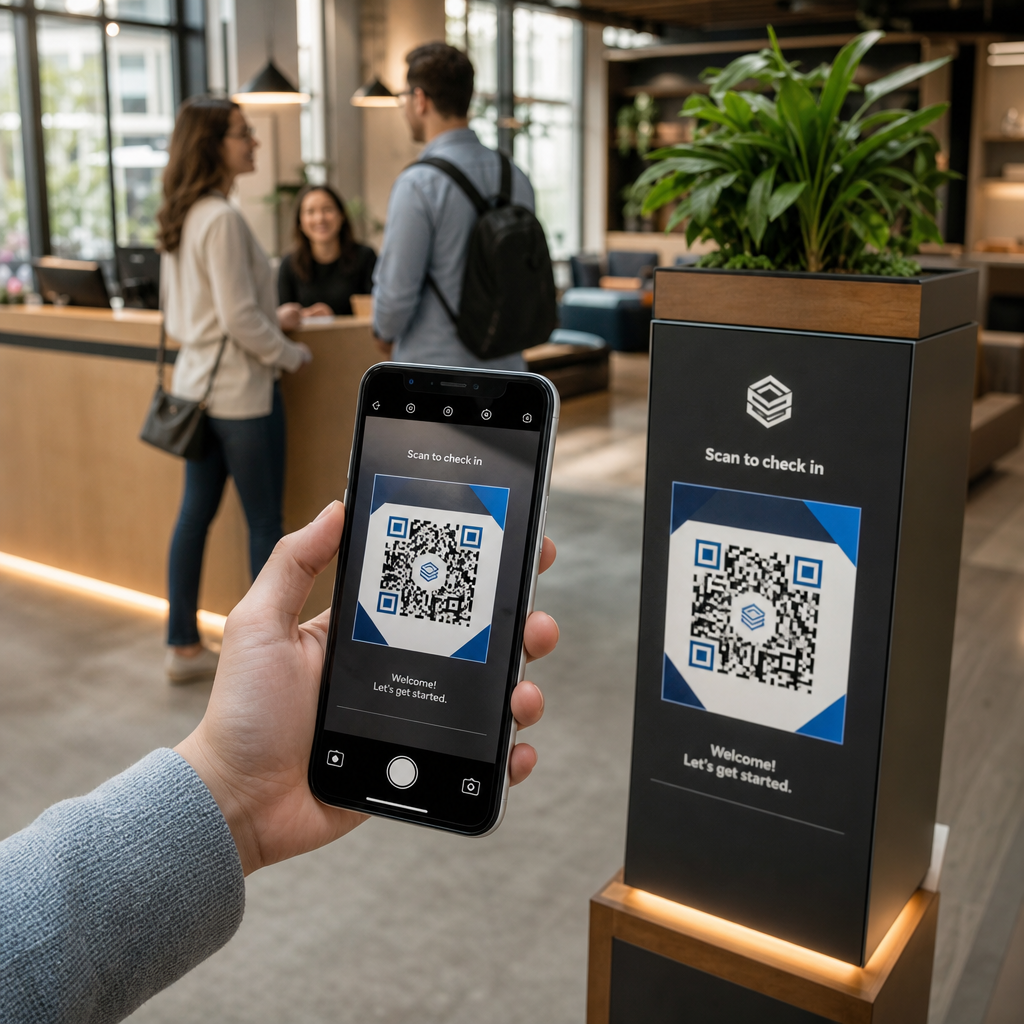
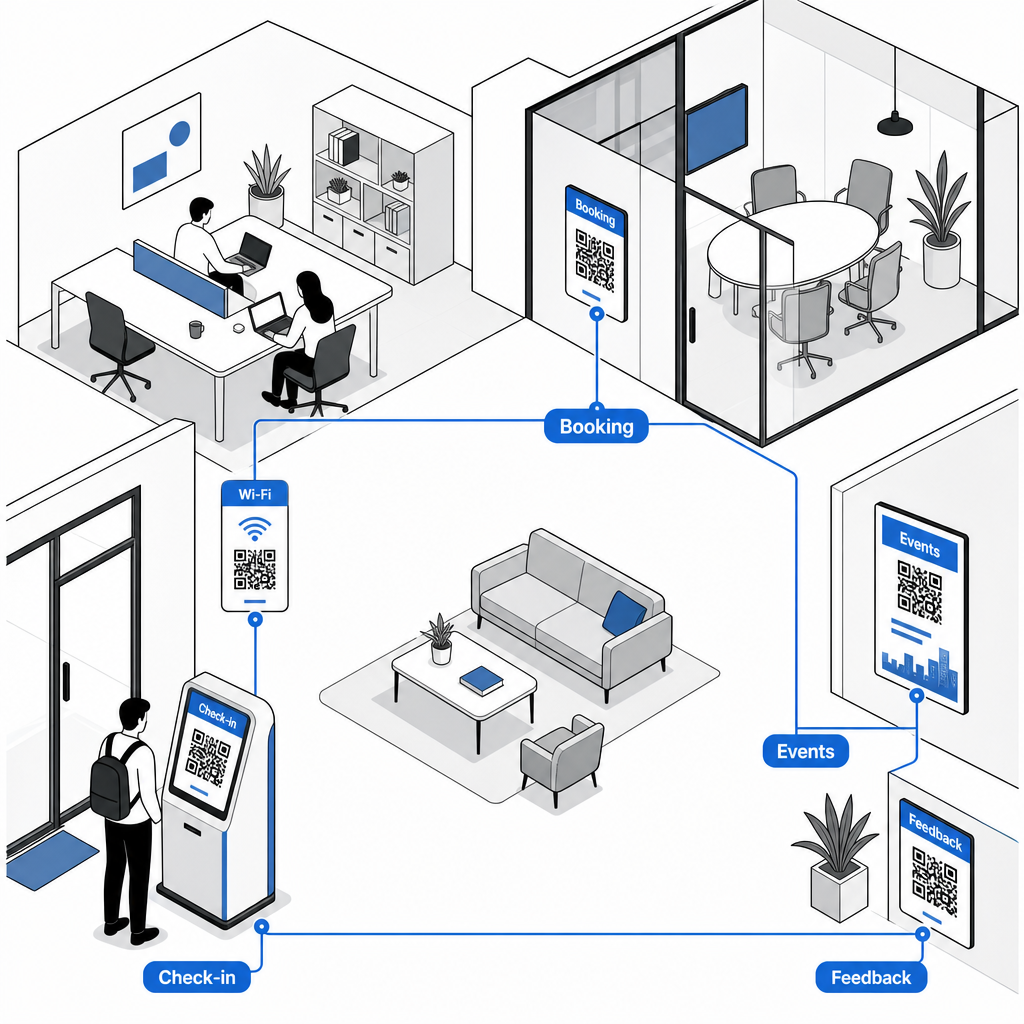
Kağıt kayıt defterlerini veya fiziksel anahtar kartlarını özel bir katılım QR kodu resepsiyon girişini kolaylaştırır. Ziyaretçiler ve üyeler, akıllı telefonlarını kullanarak ana girişinizdeki kodu tarayarak dijital bir varış formu açar veya varlıklarını otomatik olarak kaydederler. Tıpkı kullanılan otomatik check-in sistemleri gibi spor salonlarında, dijital kayıt, resepsiyon kuyruklarını ortadan kaldırır, idari yükü azaltır ve tesis kullanımına ilişkin doğru, gerçek zamanlı kayıtlar sağlar.
Manuel Şifreler Olmadan Anında Wi-Fi Erişimi
Tahtalarda veya kağıt ekranlarda uzun, karmaşık ağ şifreleri paylaşmak sık sık yazım hatalarına ve tekrarlayan destek taleplerine yol açar. Tıpkı ev sahiplerinin bağlantıyı yönettiği gibi kısa dönem kiralık konutlarda, ağ erişim noktalarını doğrudan yoğun trafikli alanlarda yayınlayabilirsiniz. Özel bir Wi-Fi QR kodu oluşturucukurarak, üyelerin cihaz kameralarını tabelaya doğrultarak anında Wi-Fi'ye bağlanmalarını SSID ayrıntılarını veya şifreleri manuel olarak yazmadan sağlarsınız.
İsteğe Bağlı Toplantı Odası ve Masa Rezervasyonları
Konferans odalarının veya esnek çalışma masalarının hemen dışına QR kodları yerleştirmek, üyelerin gerçek zamanlı oda müsaitliğini anında görmesini ve boş alanları anında programlamasını sağlar. Bir üye boş bir konferans odası fark ettiğinde, kapı çerçevesindeki tabelayı taramak onları doğrudan odanı hemen rezerve edebilecekleri web rezervasyon portalınıza götürür.
Rezervasyon Bağlantılarını Yeniden Basmadan Güncelle Rezervasyon sistemlerini değiştirmeniz veya çalışma alanınızdaki oda bağlantılarını ayarlamanız mı gerekiyor? Kullanın: Dinamik QR Kod Oluşturucu düzenlenebilir URL'leri yönetmek ve tek bir gösterge panosundan tarama etkileşimini izlemek için.
Topluluk Etkinliği Kayıtları ve Takvim Hatırlatıcıları
Ortak çalışma toplulukları, ağ oluşturma kahvaltıları, atölye çalışmaları ve sosyal saatler gibi ortak etkinliklerle gelişir. Lobi dijital ekranlarına, asansör çerçevelerine veya ortak alan ilan panolarına bir Etkinlik QR Kod Oluşturucu aracılığıyla etkinlik kodları yerleştirmek, üyelere yaklaşan programlara sorunsuz erişim sağlar. Üyeler, konuşmacı ayrıntılarını görüntülemek, bilet ayırmak veya etkinlik hatırlatıcılarını doğrudan kişisel takvimlerine kaydetmek için kodu tarar.
Geri Bildirim Toplama ve Bakım Talepleri
Yüksek operasyonel standartları sürdürmek, bitmiş kahve istasyonları, arızalı ekipman veya oda sıcaklığı ayarlamaları gibi konularda hızlı geri bildirim gerektirir. Ortak alanlara, mutfaklara ve telefon kulübelerine bir Google Form QR Kod Oluşturucu kullanarak anket kodları konumlandırmak, üyelerin saniyeler içinde talep göndermesini sağlar. Daha yüksek yanıt oranları oluşturan anketler tasarlamak için kanıtlanmış yöntemleri gözden geçirin: müşteri geri bildirim QR kodları.
Tesisler İçin Statik ve Dinamik QR Kodları Seçimi
Doğru kod formatını seçmek, alanınız geliştikçe dijital altyapınızın yönetiminin kolay kalmasını sağlar:
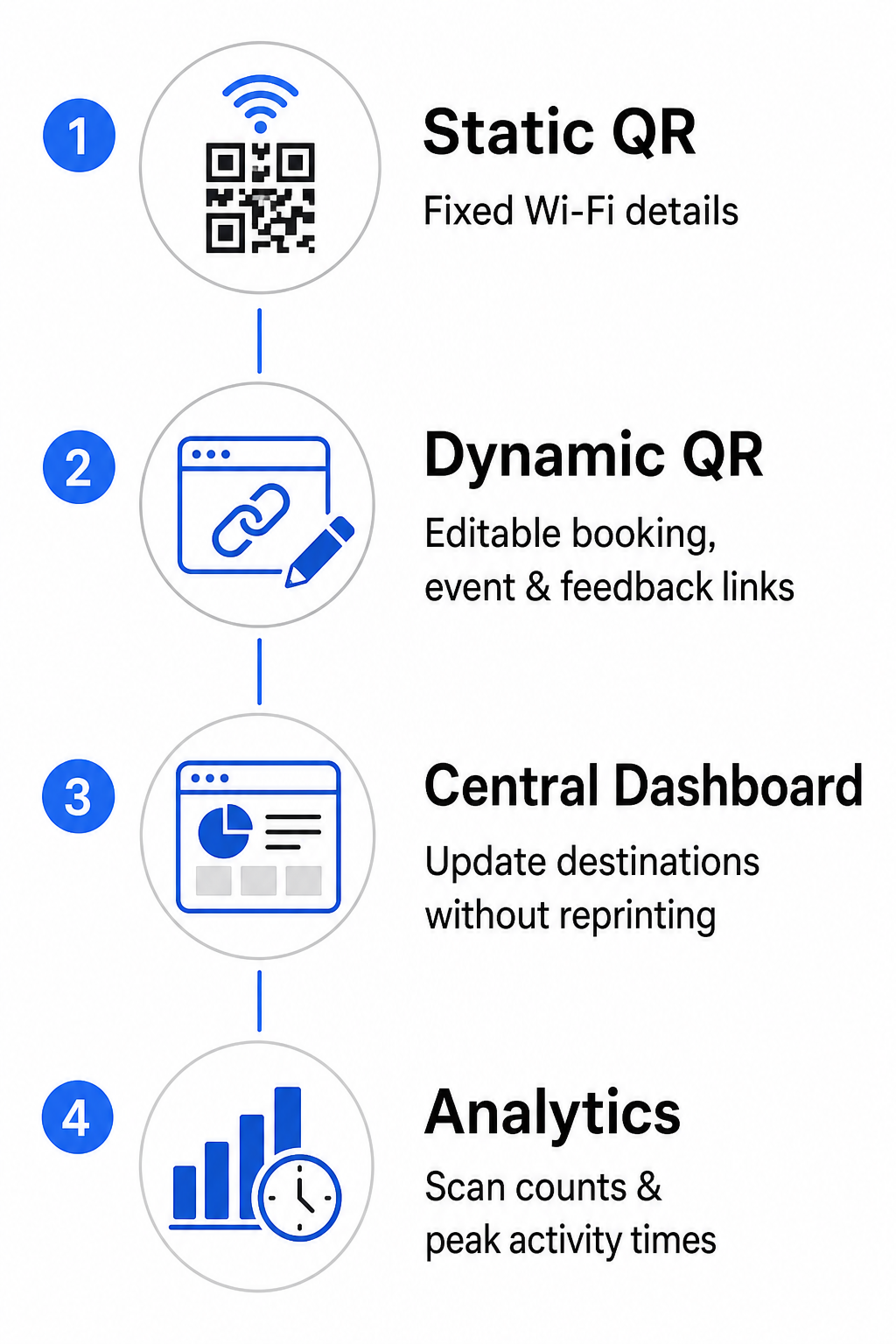
- Statik QR Kodları: SSID ve parola dahil olmak üzere kalıcı Wi-Fi ağı kimlik bilgileri gibi asla değişmeyen sabit bilgiler için idealdir.
- Dinamik QR Kodları: Oda rezervasyon portalları, geri bildirim formları ve haftalık etkinlik programları gibi aktif operasyonel bağlantılar için en iyisidir; basılı tabelaları değiştirmeden hedef güncellemelerine olanak tanır.
Dinamik kodlar, kullanıcıları hafif bir yönlendirme bağlantısı aracılığıyla yönlendirir; bu, topluluk ekiplerinin hedef URL'leri merkezi bir kontrol panelinde istedikleri zaman güncelleyebileceği anlamına gelir. Ayrıca, dinamik kodlar tarama sayıları, yoğun etkinlik saatleri ve cihaz türleri gibi yerleşik analizleri toplar. Ek çalışma alanı yönetimi araçlarını şurada keşfedebilirsiniz: QR kod özellikleri genel bakışımızda veya özelleştirilmiş seçenekleri şurada görüntüleyebilirsiniz: endüstriyel uygulamalara yerleştirin Sayfa.
QR Kod Yerleşimi ve Taranabilirliği için En İyi Uygulamalar
Çalışma alanınızda güvenilir taramayı sağlamak için açık düzen, boyut ve konumlandırma yönergelerine uyun:
- Minimum boyutları koruyun: Yakın çekim tarama için masa standlarında veya kapı kasalarında kodları minimum 2 × 2 cm (0.8 × 0.8 inç) boyutunda yazdırın. Daha uzun görüş mesafeleri için, kod genişliğini tarama mesafesinin en az onda biri olarak hesaplayın (örneğin, 1 metre uzaktan tarama için 10 cm genişliğinde bir kod).
- Göz hizasında konumlandırın: İşaretleri, matris desenini bozabilecek köşelerden, birleşme yerlerinden veya dokulu malzemelerden kaçınarak, düz ve pürüzsüz yüzeylere zeminden 3.5 ila 5.5 fit yükseklikte monte edin. Kapsamlı düzen rehberliği için, şuraya göz atın: QR kodu yerleştirme kılavuzunu takip ederek.
- Yüksek renk kontrastı sağlayın: Açık arka planlar üzerine koyu ön plan modülleri uygulayın, en az 4:1 kontrast oranını (veya özel marka renkleri kullanırken kontrastı) koruyun.
- Sessiz bölgeyi koruyun: Görsel bozulmayı önlemek için kodun etrafında, dört kenarında da en az 4 modüle – yani bir küçük QR karesinin genişliğine – eşit basılmamış bir boşluk bırakın.
- Aydınlatmayı ve erişilebilirliği optimize edin: Parlak ışıklar altında yansımayı önlemek için mat baskı yüzeylerini seçin ve kodları ağır gölgelerden uzakta, iyi aydınlatılmış alanlara yerleştirin. Bağlantıları manuel olarak yazmayı tercih eden üyelere yardımcı olmak için her zaman kodun yanında düz metin URL'leri bulundurun.
Ortak Çalışma İş Akışınızı Optimize Etme
Stratejik QR kodlarıyla tesis operasyonlarını modernize etmek idari yükleri azaltır, resepsiyon tıkanıklıklarını ortadan kaldırır ve modern profesyonellerin talep ettiği kesintisiz self-servis deneyimini sunar. Manuel giriş kayıtlarını, karmaşık Wi-Fi şifrelerini ve kağıt programlarını net dijital temas noktalarıyla değiştirerek, topluluk ekibiniz üye etkileşimi ve büyüme üzerine odaklanmak için değerli zaman kazanır. Alanınızın başlıca sürtünme noktalarını bugün belirleyin ve verimli, yüksek teknolojili bir çalışma alanı oluşturmak için özelleştirilmiş QR kodlarını dağıtın.
Sıkça sorulan sorular
Toplantı odası QR kodları, yakından tarama için en az 2 × 2 cm (0.8 × 0.8 in) boyutunda olmalıdır. Üyeler 1 metre mesafeden tarama yaparsa, güvenilir taramayı sürdürmek için kodu en az 10 cm genişliğinde yazdırın.
Evet, dinamik bir QR kodu oluşturmanız koşuluyla. Dinamik kodlar bir yönlendirme URL'sine işaret eder ve bu sayede fiziksel tabelaları yeniden basmanıza gerek kalmadan yönetim panonuzdaki hedef bağlantıyı güncelleyebilirsiniz.
Bir Wi-Fi QR kodu, ağ SSID'sini ve parolasını şifreler. Bir kullanıcı telefon kamerasını koda doğrulttuğunda, cihaz, herhangi bir kimlik bilgisini manuel olarak girmeye gerek kalmadan ağı otomatik olarak katılmaya yönlendirir.