
> 산업 > How to Use QR Codes for Landscaping Business Growth
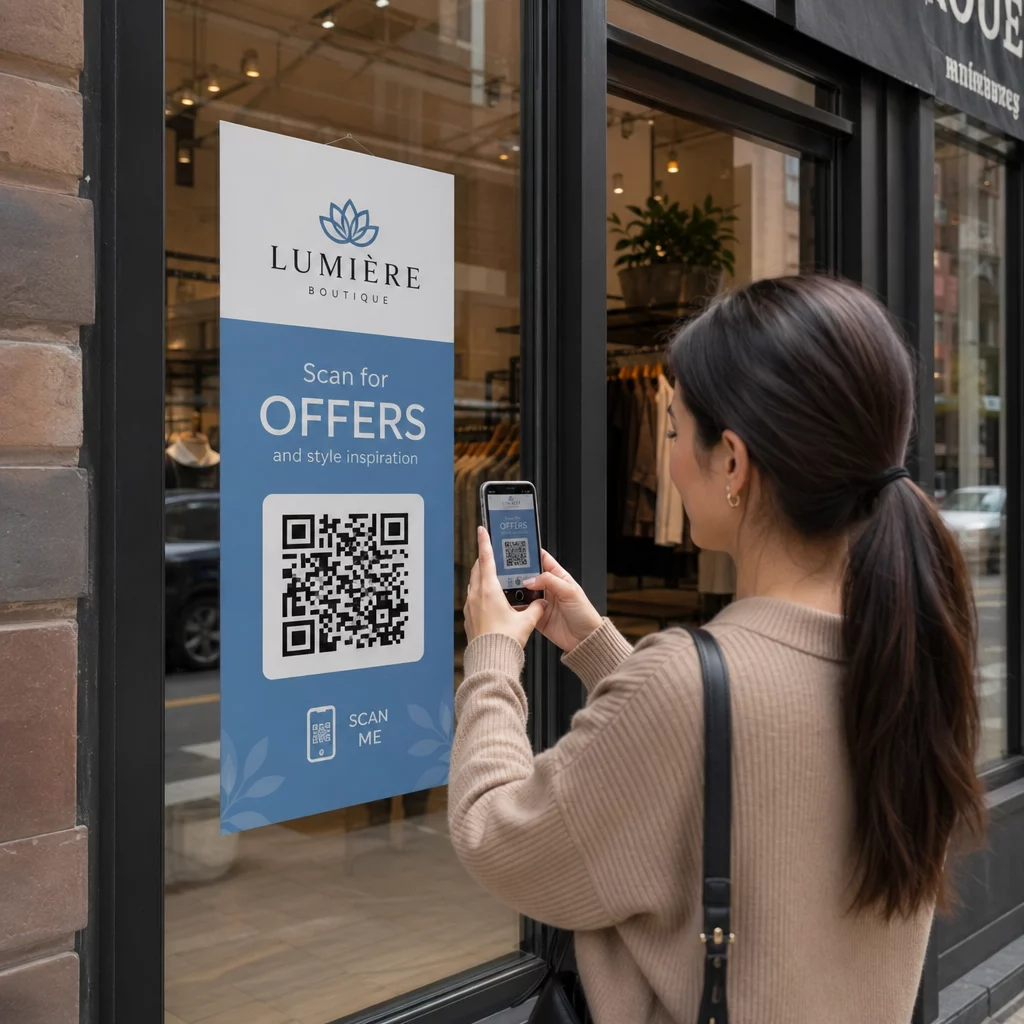
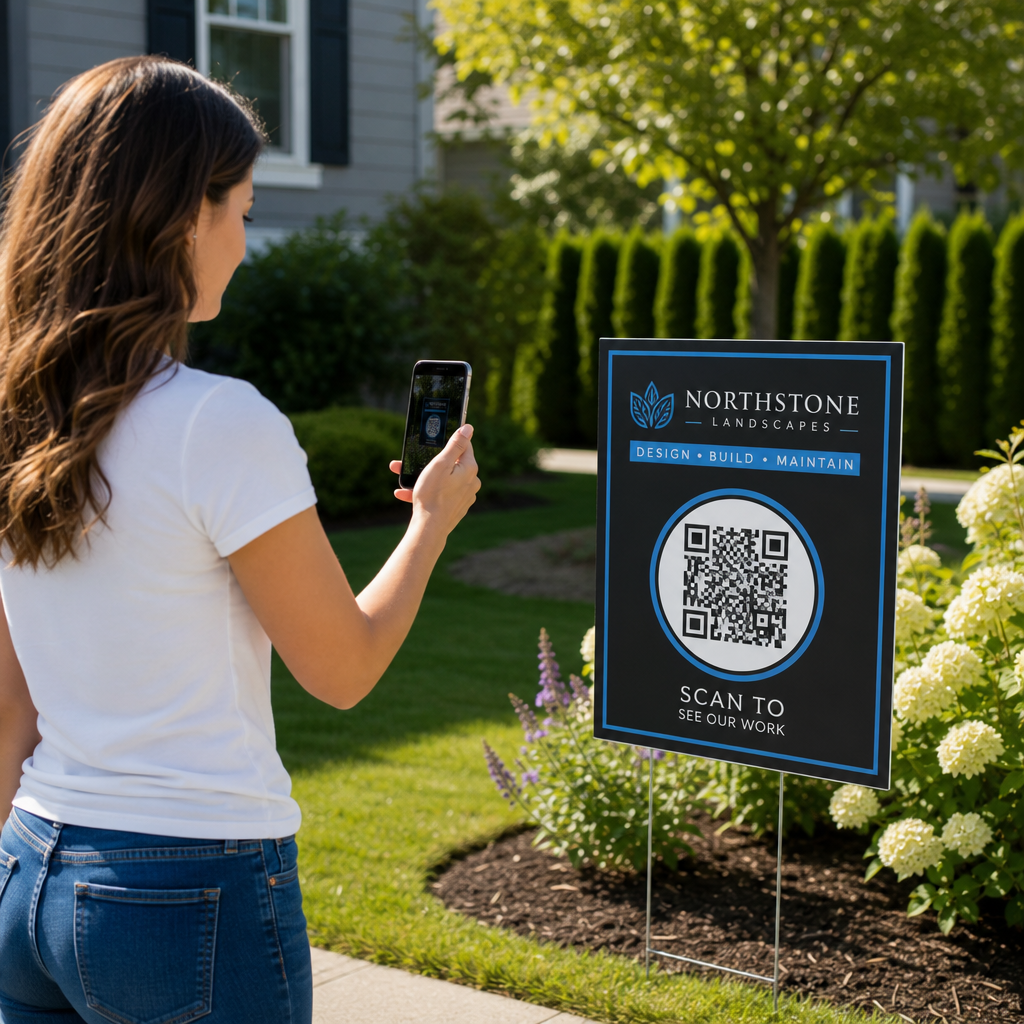
Scanning a landscaping sign

How to Use QR Codes for Landscaping Business Growth

Learn how landscaping companies use QR codes on yard signs, invoices, and business cards to generate local leads, speed up payments, and track marketing ROI.
Updated on 7월 27, 2026
목차

Are your yard signs and paper estimates failing to generate digital leads? Leaving potential clients without a quick way to request quotes often drives them straight to competitors. Integrating strategic QR codes into your physical marketing and billing touchpoints instantly converts neighborhood onlookers into booked jobs and faster payments.

Why Landscaping Companies Need Dynamic QR Codes

Landscaping is a field-driven business where physical presence drives brand awareness. However, traditional printed materials limit how much information you can display on a lawn sign, truck magnet, or door hanger. Adding scannable codes creates an immediate digital pathway connecting your physical job sites to online quote forms and booking channels.

When deploying campaigns across print media, dynamic QR codes provide distinct operational advantages over static alternatives:

  • Updating destinations instantly: Change destination URLs anytime – such as switching a spring cleanup promotion to a fall aeration offer – without reprinting signs or cards.
  • Analyzing scan performance: Track overall scan counts, peak engagement times, user devices, and geographic locations to identify which neighborhoods generate the most high-value leads.
  • Attributing leads accurately: Attach custom campaign parameters to distinguish traffic coming from job site yard signs, direct mailers, or billing inserts.

Implementing flexible QR code solutions for service businesses ensures that your physical marketing investments continue driving qualified leads season after season.

Automate Your Customer Reviews Want to build trust and gather more 5-star ratings on Google after completing a project? Use the Google 리뷰 QR 코드 생성기 to send happy clients directly to your feedback page.

Transforming Yard Signs into High-Converting Lead Sources

Yard signs placed on active job sites represent high-value local advertising space. Neighbors regularly admire fresh hardscaping or manicured lawns and often want similar upgrades for their own properties. Placing a scannable code on your job site signs gives interested homeowners an instant way to request a site visit while your work is fresh in their minds.

Size and Distance Guidelines

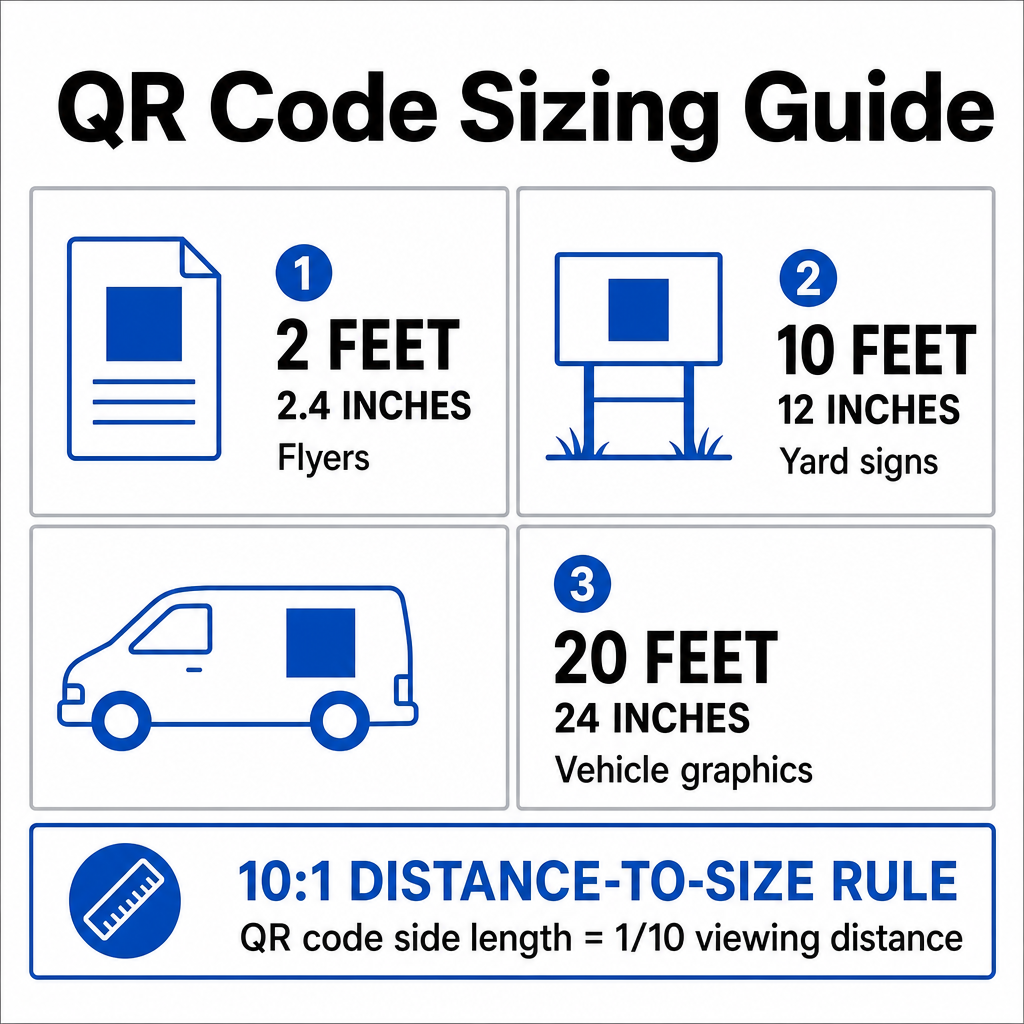
Outdoor signage requires larger code dimensions because prospects often view them from driveways, sidewalks, or passing vehicles. To maintain scannability across various viewing distances, calculate print dimensions using a 10:1 거리-크기 비율, where the side length of the code equals one-tenth of the total scanning distance:

QR code sizing guide
Viewing Distance Minimum QR Code Width Recommended Application
2 feet (0.6 m) 2.4 inches (6 cm) Handheld flyers, door hangers
10 feet (3.0 m) 12 inches (30 cm) Standard yard signs
20 feet (6.0 m) 24 inches (60 cm) Vehicle magnets, trailer wraps

High Error Correction for Outdoor Durability

Outdoor signs encounter harsh environmental conditions, including mud, grass clippings, water splashes, and sun exposure. Standard QR codes use Reed-Solomon error correction to restore missing or obscured data modules. For outdoor landscaping signs, select Level Q (25% data restoration) 또는 Level H (30% data restoration). Higher error correction levels ensure that smartphone cameras can read the code accurately even if dirt, scratches, or rain droplets cover parts of the printed surface.

For complete technical specifications on maintaining camera readability across various print surfaces, consult our guide on QR 코드 가독성 모범 사례.

Accelerating Payments on Estimates and Invoices

Delayed billing cycles disrupt cash flow for field service businesses. Printing digital payment options directly on physical paperwork eliminates friction in your accounting workflows and reduces payment collection times.

  • Simplifying invoice payments: Print scannable codes on paper bills that redirect clients to secure digital payment links, eliminating manual check processing. Read our detailed guide on using QR codes on invoices to format financial prints correctly.
  • Securing estimate approvals: Feature codes on paper project proposals that point directly to digital signature forms and deposit portals so clients lock in scheduling immediately.
  • Driving service reorders: Include links on post-service door hangers that let homeowners instantly re-book routine lawn care or enroll in seasonal maintenance programs.

Modernizing Landscaping Business Cards with vCards

Networking at local trade shows or handing out business cards during initial site walkthroughs requires quick, error-free contact exchange. Paper business cards are easily misplaced, requiring prospects to manually enter contact details into their phones.

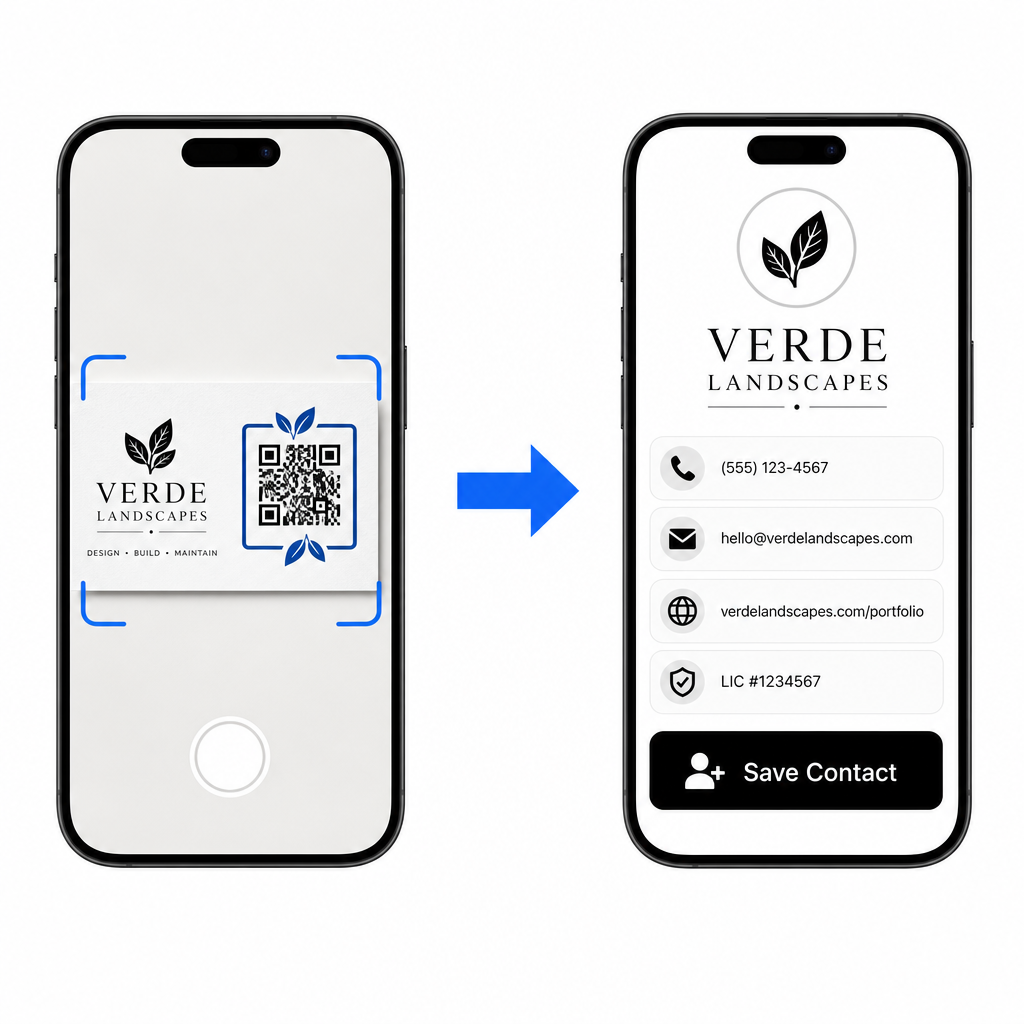
Adding a vCard QR code converts a standard paper card into an interactive digital contact file. When a client scans the card, their mobile operating system prompts them to save your business phone number, email address, portfolio link, and licensing information directly to their contact list.

Saving a landscaper contact

Follow these practical guidelines when printing codes on business cards:

  • Sizing codes properly: Keep codes at least 0.8 x 0.8인치 (2 x 2 cm) on standard cards, and never drop below the absolute functional minimum of 0.6 x 0.6 inches (1.5 x 1.5 cm). Check out our guide on business card QR code sizes for complete dimensions.
  • Preserving the quiet zone: Maintain a blank margin around the code that is at least four modules wide on all sides to keep surrounding graphic elements from interfering with camera optical sensors.
  • Adding clear callout text: Place a brief instruction beneath the pattern, such as “Scan to Save Contact” or “Scan for Portfolio,” to clarify what happens after scanning.

Generate digital business card codes using our specialized vCard QR 코드 생성기 or customize print layouts using the 명함 QR 코드 생성기.

Track Your Marketing Performance Ready to find out which yard signs and print flyers generate the most project requests? Use our 무료 QR 코드 생성기 to build custom dynamic codes with built-in scan analytics.

Essential Print and Design Standards for Outdoor Media

To protect your marketing budget and prevent scanning failures in the field, follow these core technical guidelines for all printed assets:

  • Maintaining strong color contrast: Print dark foreground modules against a light background to achieve at least a 4:1 대비율, ensuring mobile phone cameras read the code under intense sunlight.
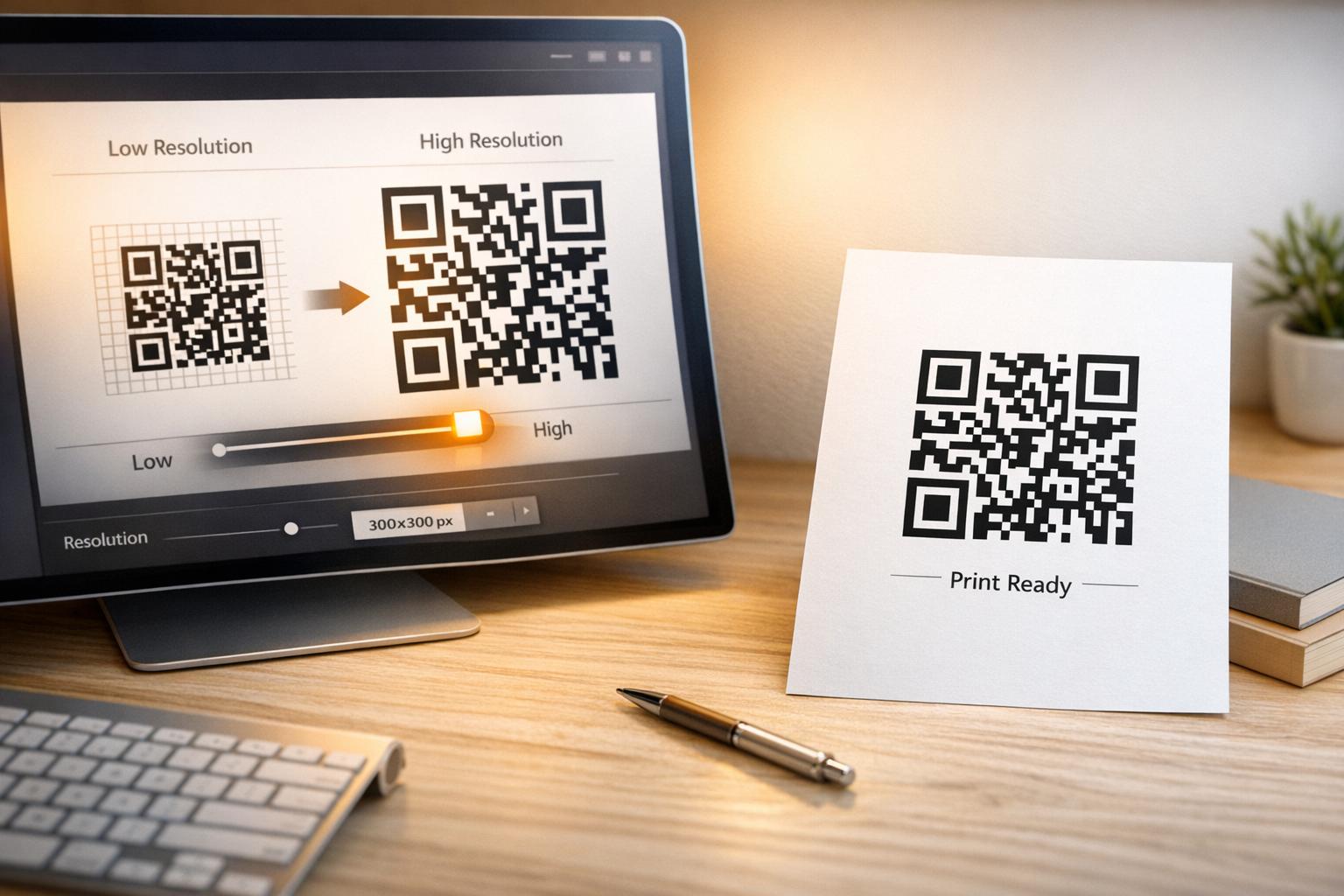
  • Exporting crisp vector artwork: Download finished designs as high-resolution vector files (SVG, EPS, or PDF) at 300 DPI 이상 to prevent pixelation when expanding graphics for vehicle wraps or banners.
  • Optimizing landing page speed: Direct codes to fast-loading, mobile-friendly landing pages with prominent contact buttons designed for quick mobile browsing. Learn more about measuring customer response rates in our guide to QR 코드 추적.
  • Testing across multiple devices: Scan printed test samples using both iOS and Android smartphones in full sun, partial shade, and indoor lighting prior to launching full commercial print runs.

Streamlining Field Operations and Marketing

Connecting your physical touchpoints to online workflows transforms routine job site signs, estimates, and billing statements into automated lead generation channels. Dynamic management tools give your landscaping business full control over campaigns, allowing you to update destinations seasonally and measure marketing return on investment with confidence. Start building custom dynamic codes today to modernize your customer interactions and drive predictable business growth.

자주 묻는 질문

What size should a QR code be on a landscaping yard sign?

Follow the 10:1 viewing distance ratio. For a yard sign scanned from 10 feet away, make the QR code at least 12 x 12 inches (30 x 30 cm) with a high-contrast border and a clear quiet zone.

Can I change where my yard sign QR code links without reprinting the sign?

Yes, provided you use dynamic QR codes. Dynamic codes allow you to update the destination URL at any time from your management dashboard without reprinting your physical signage.

What error correction level should outdoor lawn signs use?

Use Level Q (25% damage restoration) or Level H (30% restoration). Higher error correction ensures the code remains scannable even if the physical sign gets scratched, dirty, or partially covered by lawn debris.

작성자 정보

시임 코스타비는 페이지루트의 콘텐츠 책임자입니다. 그는 페이지루트의 혁신적인 QR 코드 생성 서비스에 대한 글을 쓰고 있습니다. 5년 이상 QR 코드 분야에서 쌓아온 깊이 있는 전문 지식을 바탕으로, 시임은 이 분야의 전문가로 인정받고 있습니다. 그는 QR 기술을 활용하여 디지털 상호작용을 간소화하고 향상시키는 데 크게 기여하고 있습니다.

범주
에 대해 자세히 알아보기
QR 라벨 스캔
QR 코드 인쇄 제품 라벨
그룹 QR 코드 스캔
QR 코드 Facebook 그룹

온라인으로 QR 코드를 생성해야하는 경우 QR 코드 만들기 무료로 여기!
Pageloot는 #1 Go-To 솔루션 QR 코드를 만들고 스캔합니다.

BL-0347

블로그 세대

20,000개 이상의 브랜드로부터 신뢰를 받아 더 많은 매출, 리뷰, 팔로워를 확보했습니다.

클라이언트 로고
최고 브랜드의 신뢰
5 중 4.8 평가

4.86 / 5 별점

휴고 로랑
휴고 로랑
레스토랑 주인
가장 쉽고 안정적인 QR 코드 생성기. PDF 파일을 즉시 업로드할 수 있습니다. 이제 레스토랑 메뉴가 디지털화되었습니다.
루카스 얀센
루카스 얀센
부동산 개발사
이것은 훌륭한 도구이며 QR 코드를 사용하면 원하는 곳으로 이동할 수 있습니다. 우리는 위치 QR 코드만 사용하지만 유용한 기능이 너무 많습니다.
엠마 모레티
엠마 모레티
소매 제품
사용하기 쉽고 빠릅니다. 그것은 훌륭하게 작동하고 완벽한 이미지를 생성하므로 직원들이 내 vCard를 다운로드할 수 있습니다.
휴고 로랑
휴고 로랑
레스토랑 주인
가장 쉽고 안정적인 QR 코드 생성기. PDF 파일을 즉시 업로드할 수 있습니다. 이제 레스토랑 메뉴가 디지털화되었습니다.
루카스 얀센
루카스 얀센
부동산 개발사
이것은 훌륭한 도구이며 QR 코드를 사용하면 원하는 곳으로 이동할 수 있습니다. 우리는 위치 QR 코드만 사용하지만 유용한 기능이 너무 많습니다.
엠마 모레티
엠마 모레티
소매 제품
사용하기 쉽고 빠릅니다. 그것은 훌륭하게 작동하고 완벽한 이미지를 생성하므로 직원들이 내 vCard를 다운로드할 수 있습니다.
더 많은 QR 코드보기
QR code beverage label
QR 코드 사용 병 및 캔
병원 QR 체크인
QR 코드 병원 및 의료
무엇이든 디지털 경험으로 전환하세요 3분 이내에.

14일 무료 체험.

신용카드는 필요 없습니다.

첫 구매 시 30% 할인

코드를 사용하세요:

MP3 파일 공유

PDF QR 코드를 생성하려면 가입하세요

필요한 모든 것을 업로드하고 표시합니다.

  • 오디오 파일
  • 팟캐스트
  • 음악

가입 시 14일 무료 체험.
체험 기간 후 QR 코드 만료.

오디오 mp3 QR 코드를 생성하려면 가입하세요

프레임으로 더 많은 스캔 확보

QR 코드에 더 많은 프레임을 추가하려면 가입하세요

클릭 유도 문안 프레임은 고객이 QR 코드와 쉽게 상호 작용할 수 있도록 도와줍니다. 사용해 보세요!

가입 시 14일 무료 체험.
체험 기간 후 QR 코드 만료.

QR 코드에 더 많은 프레임을 추가하려면 가입하세요

도형으로 더 많은 스타일 추가

더 많은 도형을 만들려면 가입하세요

QR 코드는 정사각형일 필요가 없습니다. 브랜드 이미지에 맞게 전환해 보세요.

가입 시 14일 무료 체험.
체험 기간 후 QR 코드 만료.

더 많은 도형을 만들려면 가입하세요

QR 코드에 로고 추가

QR 코드에 로고를 추가하려면 가입하세요

로고와 브랜드를 추가하여 QR 코드를 돋보이게 만드세요.

가입 시 14일 무료 체험.
체험 기간 후 QR 코드 만료.

QR 코드에 로고를 추가하려면 가입하세요

스마트 앱 스토어 리디렉션

앱 스토어 QR 코드를 생성하려면 가입하세요

스마트 앱 스토어 QR 코드에 앱 링크를 추가하세요. 사용자는 장치에 따라 리디렉션됩니다.

가입 시 14일 무료 체험.
체험 기간 후 QR 코드 만료.

앱 스토어 QR 코드를 생성하려면 가입하세요

QR 코드에 이미지 업로드

이미지 QR 코드를 생성하려면 가입하세요

이미지를 쉽게 공유하세요. 몇 초 안에 동적으로 이미지를 변경하십시오.

가입 시 14일 무료 체험.
체험 기간 후 QR 코드 만료.

이미지 QR 코드를 생성하려면 가입하세요

PDF 파일 공유

PDF QR 코드를 생성하려면 가입하세요

필요한 모든 것을 업로드하고 표시합니다.

  • 메뉴 및 가격표
  • 명령
  • 모든 문서

가입 시 14일 무료 체험.
체험 기간 후 QR 코드 만료.

PDF QR 코드를 생성하려면 가입하세요

인쇄 없이 나중에 편집

다시 인쇄하지 않고 QR 코드를 편집하려면 가입하세요

동적 QR 코드를 사용하면 새 QR 코드를 인쇄하지 않고도 QR 코드의 내용을 변경할 수 있습니다.

가입 시 14일 무료 체험.
체험 기간 후 QR 코드 만료.

다시 인쇄하지 않고 QR 코드를 편집하려면 가입하세요

언제? 어디서? QR 코드 스캔 추적

QR 코드를 추적하려면 가입하세요

어떤 QR 코드가 가장 많이 스캔되고 무엇이 고객을 가장 흥분시키는지 알아보십시오.

가입 시 14일 무료 체험.
체험 기간 후 QR 코드 만료.

QR 코드를 추적하려면 가입하세요

인쇄 준비 파일 제공

PDF 및 SVG와 같은 벡터 QR 코드를 생성하려면 가입하세요.

.EPS, .PDF, .SVG

HD 해상도로 QR 코드를 다운로드하고 싶으신가요? 인쇄할 준비가 된 벡터 또는 픽셀 형식을 가져옵니다.

가입 시 14일 무료 체험.
체험 기간 후 QR 코드 만료.

PDF 및 SVG와 같은 벡터 QR 코드를 생성하려면 가입하세요.

기다리세요. 귀하의 QR 코드는 로드 중... 로드 중...

나만의 것으로 만들기

나중을 위해 QR 코드를 저장하려면 가입하세요.

다양한 색상, 로고 및 클릭 유도문안 프레임으로 멋진 QR 코드를 만들어 더 많은 스캔을 받으세요.

가입 시 14일 무료 체험.
체험 기간 후 QR 코드 만료.

나중을 위해 QR 코드를 저장하려면 가입하세요.