ホーム > QRコードマーケティング > QR Code Marketing Ideas for Businesses
QRコードマーケティング

QR Code Marketing Ideas for Businesses

Discover practical QR code marketing ideas for businesses. Learn to use codes for coupons, reviews, lead capture, and tracking scans for better results.
Updated on 6月 10, 2026
目次

Not sure how to use QR codes beyond linking to your homepage? Most businesses barely scratch the surface of what these codes can do, and the missed opportunities often mean fewer conversions, weaker campaigns, and no way to measure what’s working. This guide walks you through practical QR code marketing ideas you can apply across your channels right now.

Link Customers to Any Page on Your Website

The most common use – and still one of the most effective – is linking a QR code to a specific web page. That doesn’t have to mean your homepage. A dedicated landing page for a promotion, a seasonal offer, or a product launch converts far better than sending visitors to a generic URL.

The key is making sure the destination is mobile-optimized. Most people will scan from their phone, so a slow or poorly formatted page will kill your results before they start. You can use the リンクQRコードジェネレーター to create codes for any URL and update the destination without reprinting if you choose a dynamic code.

Drive Offline Traffic to Your Digital Campaigns Place QR codes on flyers, packaging, or in-store signage and link them directly to your campaign landing pages. Use the QRコードジェネレーター to get started in seconds – no design skills required.

Offer Coupons and Discount Codes

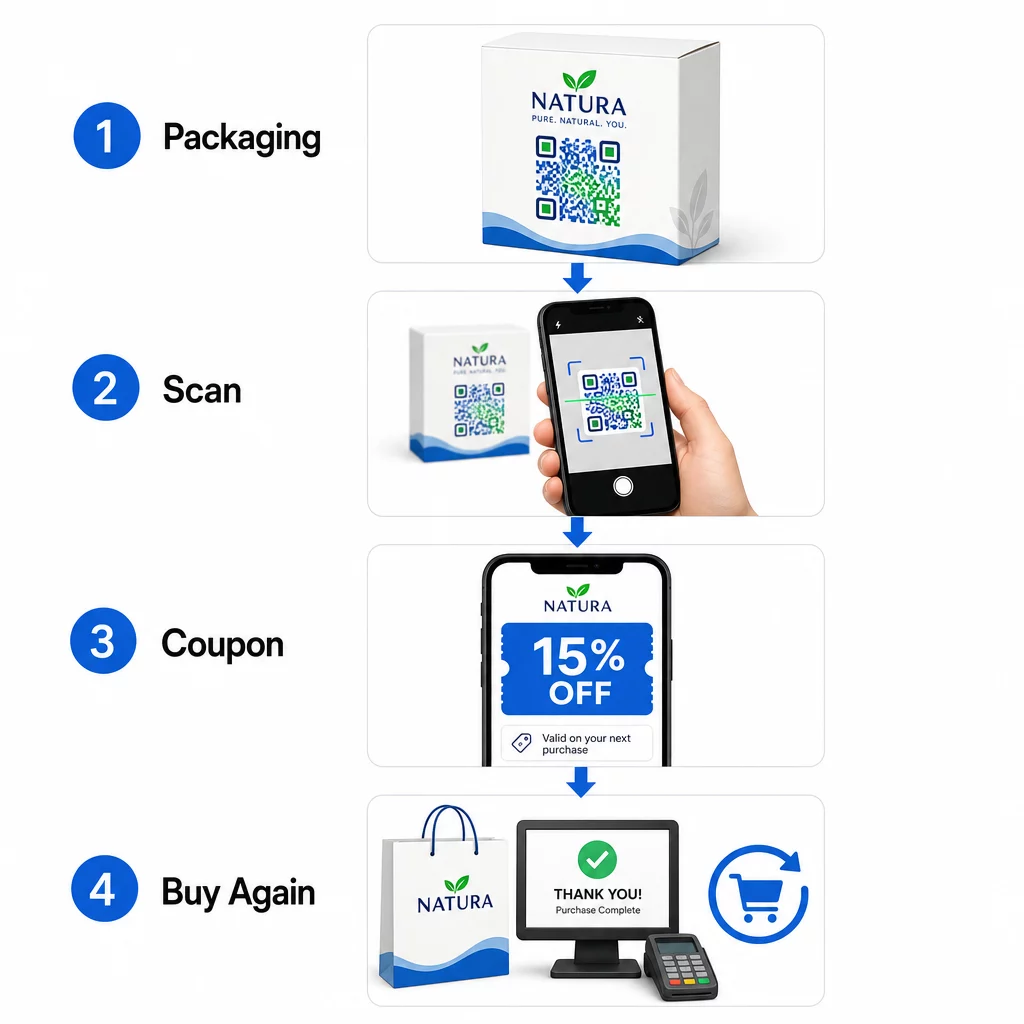
One of the highest-performing QR code marketing ideas is using a code to deliver a coupon or exclusive discount. Packaging, receipts, direct mail, and in-store signage are all natural placements. When a customer scans and immediately receives value – say, 15% off their next purchase – you reduce friction in the buying process and give people a concrete reason to scan.

QR coupon flow

Packaged food and beverage brands in the U.S. already use this approach extensively, printing QR codes on labels that unlock digital coupons and encourage repeat buying. A クーポンQRコードジェネレーター lets you set up a landing page with multiple offers, add terms and conditions, and share the code across print and digital channels.

Share Contact Details Instantly with a QR Business Card

Most paper business cards end up in a drawer – or the trash – before the contact is ever saved. A QR code on your business card changes that. When someone scans it, your name, phone number, email, website, and other details are automatically added to their phone’s address book with no manual entry required.

This is especially valuable at trade shows, conferences, and networking events where people exchange cards quickly. A 名刺QRコードジェネレーター lets you include all your contact fields and customize the design to match your brand.

Collect Customer Reviews

Getting customers to leave a Google review is one of the hardest asks in local marketing. A QR code removes nearly all of the friction. Place codes on receipts, table tents, packaging, or near your checkout counter with a prompt like “Enjoyed your experience? Scan to leave us a review.”

When customers scan, they land directly on your Google review page – no searching, no navigation. The GoogleレビューQRコードジェネレーター makes it straightforward to set this up, and more reviews directly support your local search rankings.

Run Surveys and Capture Lead Data

QR codes that link to forms are a practical way to collect first-party customer data – information you own and can use directly in your marketing. Link a code to a short survey, a sweepstakes entry, or an email sign-up form and place it anywhere your audience naturally pauses: product packaging, waiting areas, event booths, or printed menus.

A beverage brand running a sweepstakes via front-of-pack QR codes generated more than 579,000 landing page views and over 28,000 email subscription entries in a single campaign. The GoogleフォームQRコードジェネレーター is a simple way to create a scannable link to any Google Form you’ve already built.

Provide Wi-Fi Access Without Sharing the Password

If your business has a waiting room, lobby, café, or retail floor, a Wi-Fi QR code is a small touch that customers genuinely appreciate. The code contains your network credentials, and when someone scans it, their phone connects automatically – no password entry needed, and your actual password stays private.

This works well in restaurants, hotels, gyms, medical offices, and any space where guests spend time. It’s low effort to set up and creates an immediately positive experience.

Help Customers Find You

If your location is off the beaten path or your address is tricky to navigate to, a geolocation QR code saves customers the frustration of a wrong turn. The code contains your latitude and longitude coordinates, and when scanned, it opens your exact location in the user’s default maps app.

This is a practical addition to business cards, event invitations, direct mail, and local advertising – anywhere someone might need to drive to you for the first time.

Add Events to Calendars Automatically

Promoting a product launch, open house, or seasonal sale? A QR code can prompt customers to save the event directly to their phone calendar with a single tap. Include the event name, date, time, and location in the code, and when someone scans it, they’re asked to confirm the save.

This is far more effective than simply printing the date on a flyer and hoping people remember it.

Trigger a Phone Call or Text Message

If a direct response is the goal – getting someone to call your sales line or text for a callback – a QR code can pre-fill the phone number and dial it automatically, or open a pre-written text message waiting for confirmation. Both options remove the effort of manually typing digits, which meaningfully increases the likelihood someone actually follows through.

These are useful on printed ads, in-store signage, and direct mail where the call to action is time-sensitive.

Put QR Codes on Product Packaging

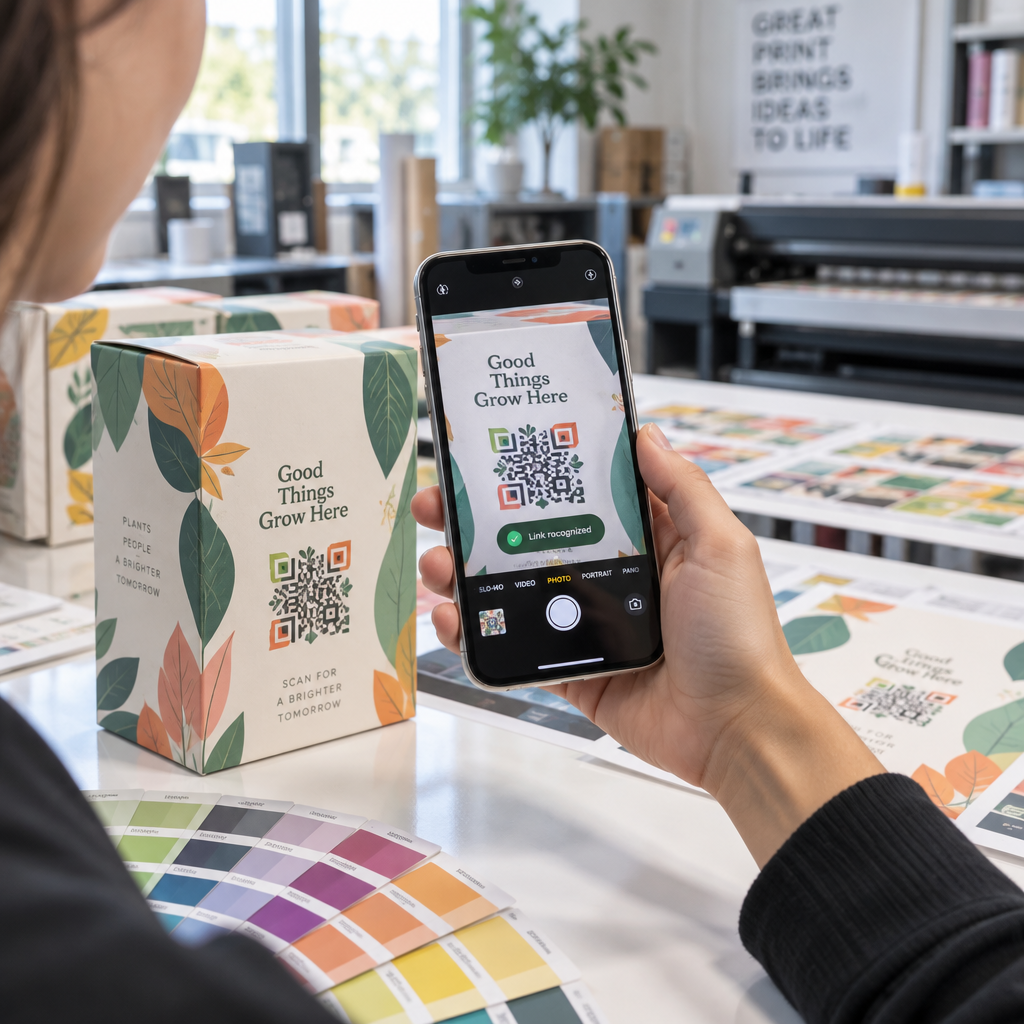
Retail packaging is one of the most underused QR placements in physical marketing. A code on the side or back of a product can link to how-to videos, detailed ingredient or sourcing information, warranty registration, or complementary product recommendations. Consumer-packaged-goods brands use this to share content that would never fit on a label – detailed nutrition data, recipe ideas, or product backstory.

Some brands go further: a wine label QR code that unlocks an augmented reality experience, or an energy drink can that rewards gamers with in-game items when scanned. The point is that packaging is already in customers’ hands – make it interactive.

For a broader view of how QR codes fit into physical marketing materials, the guide to QR code placement in marketing covers size, positioning, and design best practices in detail.

Brand Your QR Codes for Better Scan Rates

A plain black-and-white QR code signals nothing about the brand behind it, which can reduce trust and scanning rates. Adding your logo, brand colors, and a short call-to-action frame – like “Scan for 10% off” or “See the menu” – makes the code more recognizable and gives people a reason to act.

Customized QR codes stand out among competing visual elements on packaging, signage, and printed materials. The ロゴ付きQRコードジェネレーター makes it simple to apply consistent branding across all your codes.

Make Every Code Recognizable Add your logo, brand colors, and a call-to-action frame to your QR codes with the ロゴ付きQRコードジェネレーター to increase trust and scan rates across all your print and digital materials.

Track Performance and Update Codes Without Reprinting

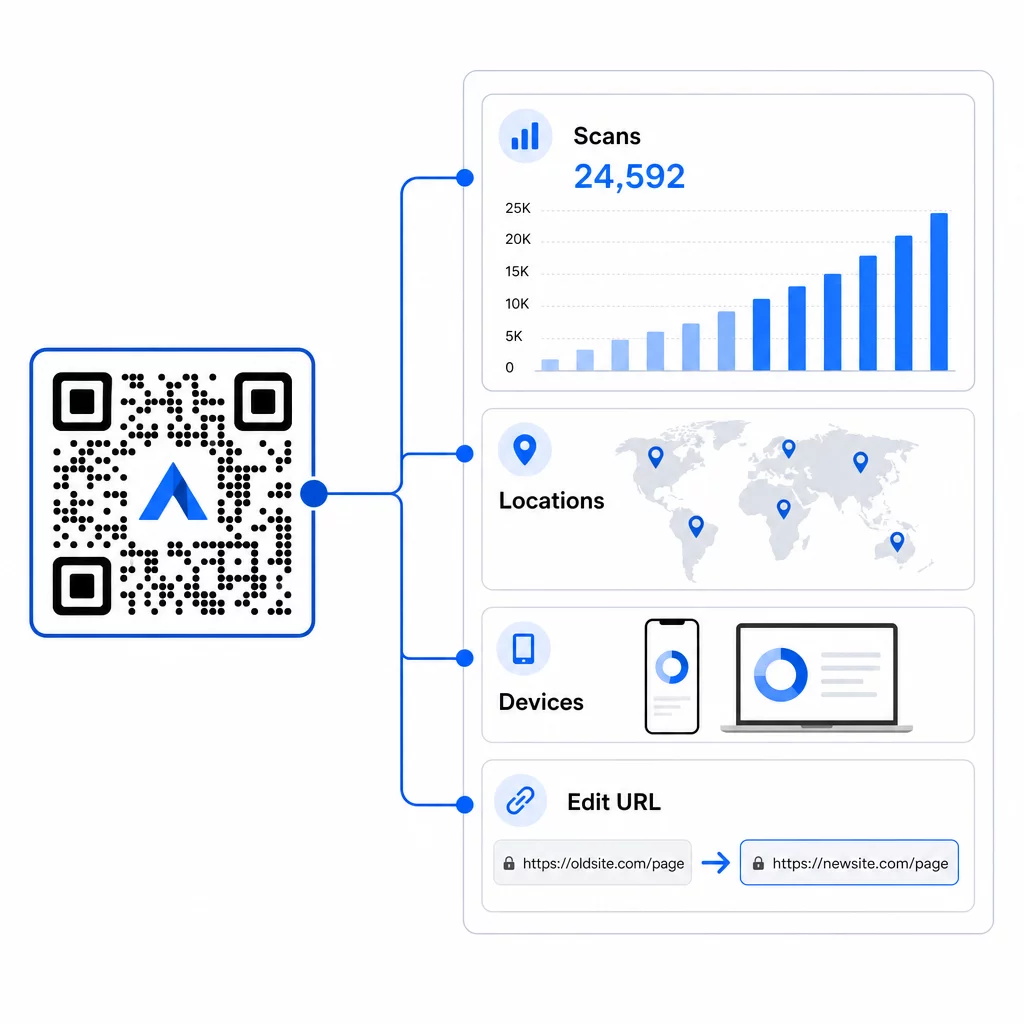
Static QR codes are fixed – once printed, you can’t change where they point or see how they’re performing. Dynamic QR codes solve both problems. You can update the destination URL at any time without touching the printed code, and you get access to scan analytics: total scans, unique users, device types, geographic data, and time-based patterns.

動的QR分析

This matters most in ongoing campaigns. If a seasonal promotion ends, you can redirect the same printed code to a new offer. If one placement is outperforming another, your analytics will show you exactly where and when people are scanning. For a full breakdown of what tracking captures, see the guide to トラッキングQRコード.

Real campaigns demonstrate the impact: a major hotel group deployed QR codes to replace printed menus and in-room materials, saving approximately $150,000 in printing costs while improving the guest experience. Flexibility like that comes from using dynamic codes from the start.

すべてのスキャンをリアルタイムで追跡 を使用しています。 ダイナミックQRコードジェネレーター to create trackable, editable codes and monitor performance across all your placements from a single dashboard.

Placement and Design Tips That Actually Matter

The best marketing idea won’t perform if the code is too small, poorly placed, or hard to scan. A few practical rules to follow:

  • Size for the scanning distance – a rough guideline is 1 cm of code width for every 10 cm of expected viewing distance; aim for at least 2 × 2 cm as a minimum
  • Place at eye level – roughly 3.5 to 5.5 feet from the ground for most standing placements
  • Use high contrast – a dark code on a light background; reversed colors frequently cause scan failures
  • Keep a quiet zone – leave clear space around the code with no text, patterns, or logos bleeding into that border
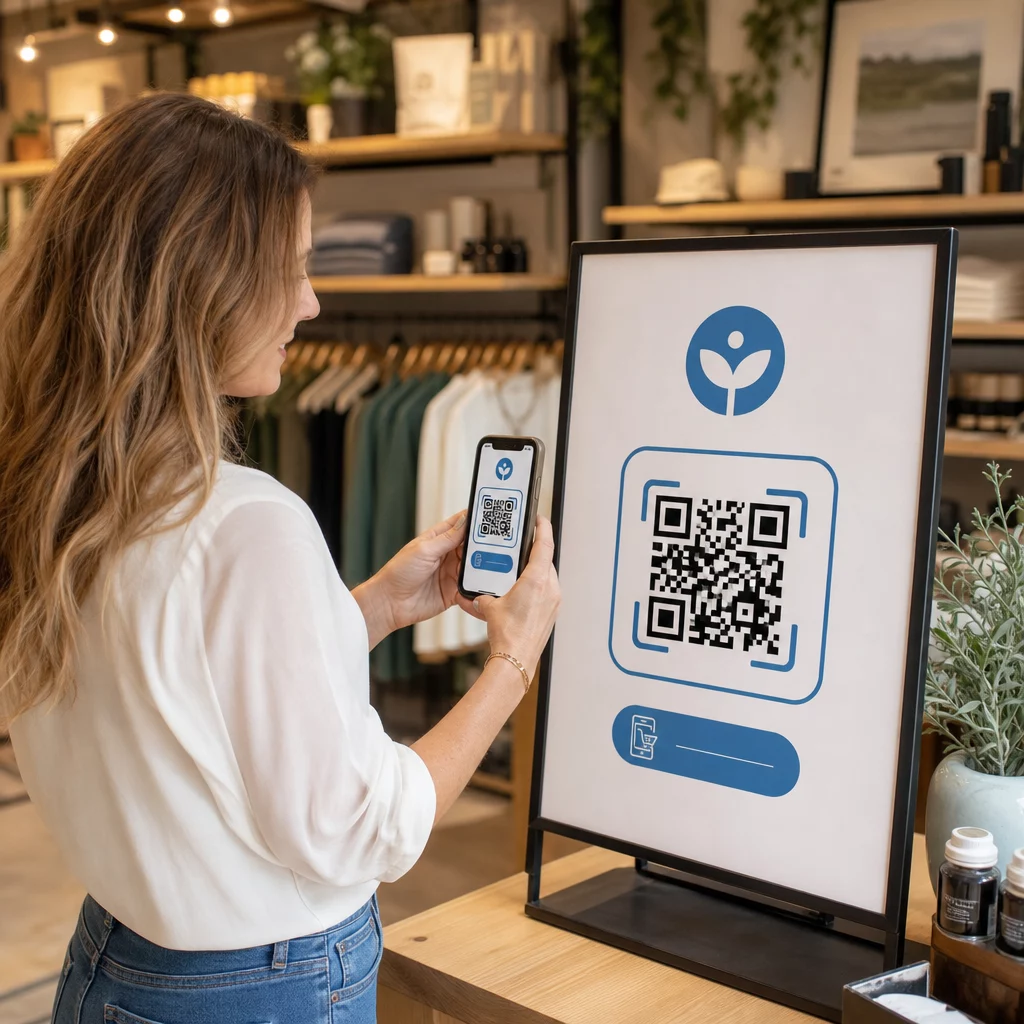
  • Add a clear call to action – a QR code on its own tells people nothing; always include a short prompt explaining what they’ll get
  • Test before printing – scan the code on multiple devices, in different lighting conditions, and at the intended physical size

For a complete breakdown of placement strategies by format and industry, the QRコード配置ガイド covers everything from business cards to billboards.

よくある質問

What types of QR codes work best for marketing campaigns?

Dynamic QR codes work best for marketing because they can be updated after printing and include scan analytics. Use URL codes for landing pages and promotions, coupon codes for discounts, vCard codes for networking, and form codes for lead capture. The right type depends on your campaign goal – the guide to choosing the right QR code for your campaign can help you decide.

How do I measure whether my QR code campaign is working?

With dynamic QR codes, you get access to real-time analytics that show total scans, unique users, device types, geographic location, and time-based patterns. You can also add UTM parameters to your destination URLs to track QR-driven traffic in Google Analytics alongside your other channels. Learn more about tracking QR codes.

Do I need a separate QR code for each marketing channel?

Not necessarily, but using separate codes per placement – one for packaging, one for a flyer, one for a poster – lets you compare performance across channels and identify which touchpoints drive the most engagement. Dynamic codes make this easy to manage since you can update destinations centrally without reprinting each material.

著者について

Siim KostabiはPagelootのコンテンツリードです。Pagelootの革新的なQRコード生成サービスについて執筆しています。5年以上にわたるQRコードに関する深い専門知識を持つSiimは、この分野の専門家です。QRテクノロジーを活用してデジタルインタラクションを簡素化・拡張する上で、大きな進歩を遂げています。.

カテゴリー
について詳しくはこちら
作業員が在庫QRをスキャン中
のQRコードを作る 製品在庫
✅ QRコードの#1ソリューション

オンラインでQRコードを作成する必要がある場合は QRコードを作る ここで無料で
ページルートは #1のGo-Toソリューション でQRコードを作成してスキャンすることができます。

QM-07

ブログジェネ

売上、レビュー、フォロワーを増やすために 20,000 を超えるブランドから信頼されています。

クライアントのロゴ
トップブランドから信頼される
5 のうち 4.8 と評価しました

4.86 / 5つ星評価

ユーゴ・ローラン
ユーゴ・ローラン
レストランオーナー
最も簡単で信頼性の高いQRコードジェネレータです。PDFファイルを即座にアップロードできます。レストランのメニューがデジタル化されました。
ルーカス・ジャンセン
ルーカス・ジャンセン
不動産開発業者
これは優れたツールで、QRコードでちょうど欲しいところに連れて行ってくれます。私たちは位置情報のQRコードしか使っていませんが、とても便利な機能がたくさんあります。
エマ・モレッティ
エマ・モレッティ
小売製品
使いやすいし、早い。素晴らしい機能で、完璧な画像を作成してくれるので、社員は私のvCardをダウンロードすることができます。
ユーゴ・ローラン
ユーゴ・ローラン
レストランオーナー
最も簡単で信頼性の高いQRコードジェネレータです。PDFファイルを即座にアップロードできます。レストランのメニューがデジタル化されました。
ルーカス・ジャンセン
ルーカス・ジャンセン
不動産開発業者
これは優れたツールで、QRコードでちょうど欲しいところに連れて行ってくれます。私たちは位置情報のQRコードしか使っていませんが、とても便利な機能がたくさんあります。
エマ・モレッティ
エマ・モレッティ
小売製品
使いやすいし、早い。素晴らしい機能で、完璧な画像を作成してくれるので、社員は私のvCardをダウンロードすることができます。
QRコードをもっと見る
あらゆるものをデジタル体験に変えよう 3分以内に。

14日間の無料トライアル。

クレジットカードは必要ありません。

初回購入で30%オフ

次のコードを使用してください:

MP3ファイルを共有

PDF QRコードを作成するにはサインアップしてください

必要なものをすべてアップロードして表示する。

  • オーディオファイル
  • ポッドキャスト
  • 音楽

サインアップで14日間無料トライアル。.
トライアル終了後、QRコードは期限切れになります。.

オーディオmp3 QRコードを作成するにはサインアップしてください

フレームでより多くのスキャンを獲得

QRコードにフレームを追加するにはサインアップしてください

コールトゥアクションフレームは、お客様が簡単にQRコードと対話できるようにします。ぜひお試しください。

サインアップで14日間無料トライアル。.
トライアル終了後、QRコードは期限切れになります。.

QRコードにフレームを追加するにはサインアップしてください

シェイプでスタイルを追加

より多くの図形を作成するにはサインアップしてください

QRコードは四角いものである必要はありません。あなたのブランドのイメージに合わせて変えてみてください。

サインアップで14日間無料トライアル。.
トライアル終了後、QRコードは期限切れになります。.

より多くの図形を作成するにはサインアップしてください

QRコードにロゴを追加

QRコードにロゴを追加するにはサインアップしてください

QRコードにロゴやブランドを入れることで、目立たせることができます。

サインアップで14日間無料トライアル。.
トライアル終了後、QRコードは期限切れになります。.

QRコードにロゴを追加するにはサインアップしてください

スマートなApp Storeリダイレクト

アプリストアのQRコードを作成するにはサインアップしてください

スマートなApp StoreのQRコードに、あなたのアプリのリンクを追加します。ユーザーは、デバイスに応じてリダイレクトされます。

サインアップで14日間無料トライアル。.
トライアル終了後、QRコードは期限切れになります。.

アプリストアのQRコードを作成するにはサインアップしてください

QRコードに画像をアップロード

画像QRコードを作成するにはサインアップしてください

画像を簡単に共有できます。どんな画像も、数秒でダイナミックに変化します。

サインアップで14日間無料トライアル。.
トライアル終了後、QRコードは期限切れになります。.

画像QRコードを作成するにはサインアップしてください

PDFファイルを共有

PDF QRコードを作成するにはサインアップしてください

必要なものをすべてアップロードして表示する。

  • メニュー&プライスリスト
  • 指示
  • 任意の書類

サインアップで14日間無料トライアル。.
トライアル終了後、QRコードは期限切れになります。.

PDF QRコードを作成するにはサインアップしてください

印刷せずに後で編集

再度印刷せずにQRコードを編集するにはサインアップしてください

ダイナミックQRコードは、新たにQRコードを印刷することなく、QRコードの内容を変更することができます。

サインアップで14日間無料トライアル。.
トライアル終了後、QRコードは期限切れになります。.

再度印刷せずにQRコードを編集するにはサインアップしてください

いつ?どこで?QRコードのスキャンを追跡

QRコードを追跡するにはサインアップしてください

どのQRコードが最も多くスキャンされ、何が最も顧客を喜ばせているのかを知ることができます。

サインアップで14日間無料トライアル。.
トライアル終了後、QRコードは期限切れになります。.

QRコードを追跡するにはサインアップしてください

印刷可能なファイルが利用可能

PDFやSVGのようなベクターQRコードを作成するにはサインアップしてください

.eps、.pdf、.svg

QRコードをHD解像度でダウンロードしたいですか?すぐに印刷できるベクターまたはピクセル形式を入手しましょう。

サインアップで14日間無料トライアル。.
トライアル終了後、QRコードは期限切れになります。.

PDFやSVGのようなベクターQRコードを作成するにはサインアップしてください

しばらくお待ちください。あなたのQRコードは ロード... ロード...

あなただけのものに

サインアップしてQRコードを後で保存してください

異なる色、ロゴ、コールトゥアクションフレームで素晴らしいQRコードを作成することで、より多くのスキャンを得ることができます。

サインアップで14日間無料トライアル。.
トライアル終了後、QRコードは期限切れになります。.

サインアップしてQRコードを後で保存してください