Er du i tvivl om, hvordan du bruger QR-koder ud over at linke til din hjemmeside? De fleste virksomheder udnytter knap nok potentialet i disse koder, og de forpassede muligheder betyder ofte færre konverteringer, svagere kampagner og ingen måde at måle, hvad der virker. Denne guide fører dig gennem praktiske QR-kode marketingidéer, som du kan anvende på tværs af dine kanaler lige nu.
Link kunder til enhver side på din hjemmeside
Den mest almindelige brug – og stadig en af de mest effektive – er at linke en QR-kode til en specifik webside. Det behøver ikke at betyde din hjemmeside. En dedikeret landingsside for en kampagne, et sæsonbestemt tilbud eller en produktlancering konverterer langt bedre end at sende besøgende til en generisk URL.
Nøglen er at sikre, at destinationen er mobiloptimeret. De fleste mennesker scanner fra deres telefon, så en langsom eller dårligt formateret side vil ødelægge dine resultater, før de starter. Du kan bruge Link QR-kodegenerator til at oprette koder for enhver URL og opdatere destinationen uden at genudskrive, hvis du vælger en dynamisk kode.
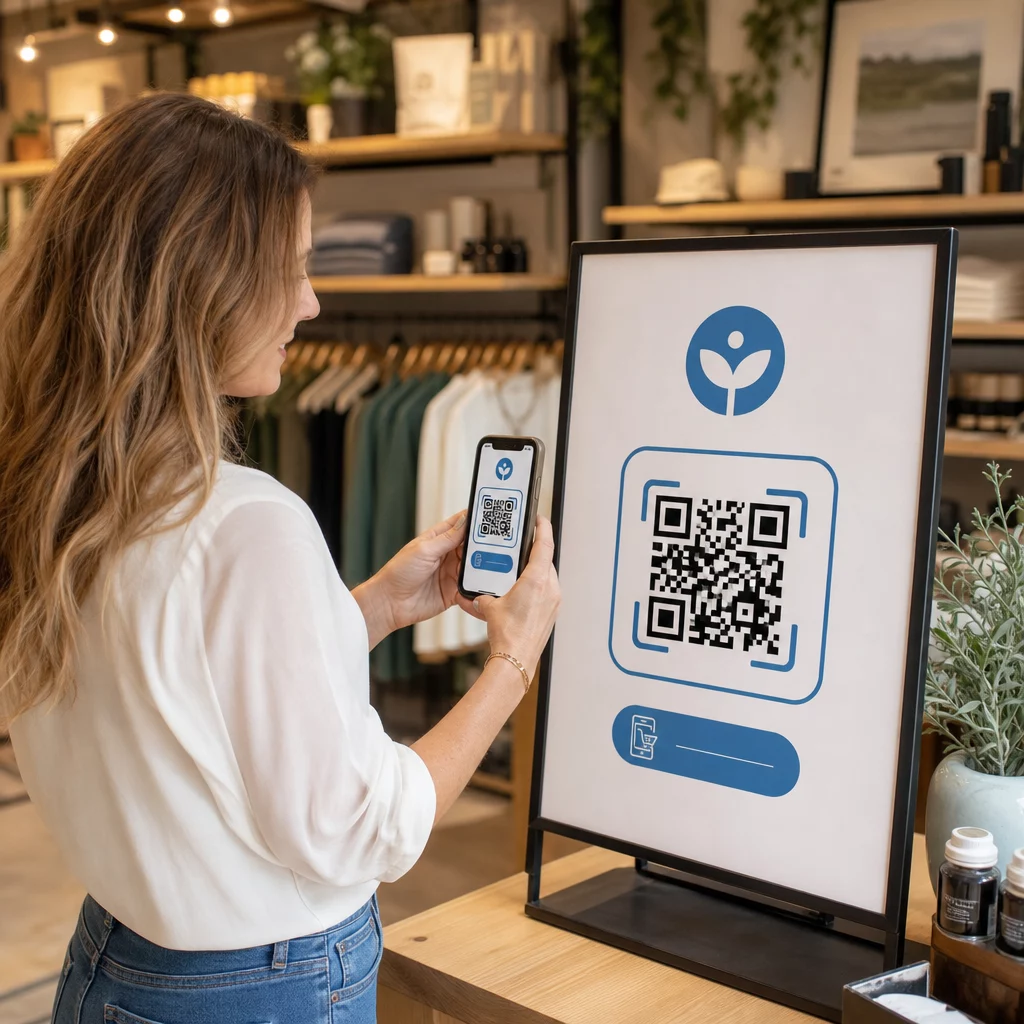
Driv offline trafik til dine digitale kampagner Placer QR-koder på flyers, emballage eller skilte i butikken og link dem direkte til dine kampagnelandingssider. Brug QR-kodegenerator for at komme i gang på få sekunder – ingen designfærdigheder påkrævet.
Tilbyd kuponer og rabatkoder
En af de mest effektive QR-kode marketingidéer er at bruge en kode til at levere en kupon eller eksklusiv rabat. Emballage, kvitteringer, direct mail og skilte i butikken er alle naturlige placeringer. Når en kunde scanner og straks modtager værdi – f.eks. 15% rabat på deres næste køb – reducerer du friktionen i købsprocessen og giver folk en konkret grund til at scanne.
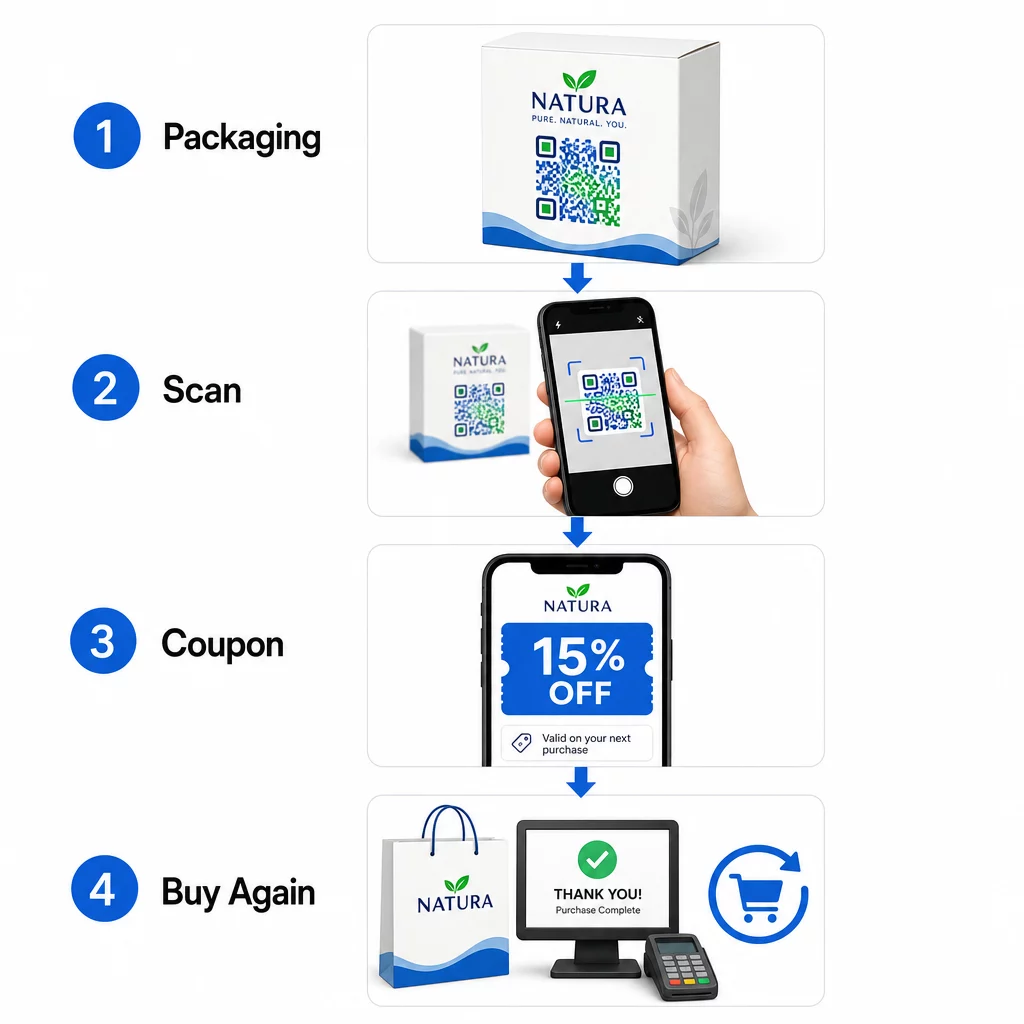
Pakkede fødevare- og drikkevaremærker i USA bruger allerede denne tilgang i vid udstrækning, idet de printer QR-koder på etiketter, der låser op for digitale kuponer og opmuntrer til gentagne køb. En Kupon QR-kode generator lader dig oprette en landingsside med flere tilbud, tilføje vilkår og betingelser og dele koden på tværs af print- og digitale kanaler.
Del kontaktoplysninger øjeblikkeligt med et QR-visitkort
De fleste papirvisitkort ender i en skuffe – eller skraldespanden – før kontakten nogensinde bliver gemt. En QR-kode på dit visitkort ændrer det. Når nogen scanner det, tilføjes dit navn, telefonnummer, e-mail, hjemmeside og andre detaljer automatisk til deres telefons adressebog uden manuel indtastning.
Dette er især værdifuldt på messer, konferencer og netværksarrangementer, hvor folk udveksler kort hurtigt. En QR-kode visitkort generator lader dig inkludere alle dine kontaktfelter og tilpasse designet, så det matcher dit brand.
Indsaml kundeanmeldelser
At få kunder til at skrive en Google-anmeldelse er en af de sværeste opgaver inden for lokal markedsføring. En QR-kode fjerner næsten al friktion. Placer koder på kvitteringer, bordkort, emballage eller nær din kasse med en opfordring som “Nød du din oplevelse? Scan for at give os en anmeldelse.”
Når kunder scanner, lander de direkte på din Google-anmeldelsesside – ingen søgning, ingen navigation. Den Google Review QR-kode generator gør det ligetil at sætte dette op, og flere anmeldelser understøtter direkte dine lokale søgerangeringer.
Udfør undersøgelser og indsaml lead-data
QR-koder, der linker til formularer, er en praktisk måde at indsamle førsteparts kundedata på – information du ejer og kan bruge direkte i din markedsføring. Link en kode til en kort undersøgelse, en konkurrence eller en e-mail-tilmeldingsformular og placer den hvor som helst dit publikum naturligt stopper op: produktemballage, venteområder, eventstande eller trykte menuer.
Et drikkevaremærke, der kørte en konkurrence via QR-koder på forsiden af pakken, genererede mere end 579.000 visninger af landingssider og over 28.000 e-mail-tilmeldinger i en enkelt kampagne. Den Google Form QR-kode generator er en enkel måde at oprette et scanbart link til enhver Google Form, du allerede har bygget.
Giv Wi-Fi-adgang uden at dele adgangskoden
Hvis din virksomhed har et venteværelse, lobby, café eller butiksgulv, er en Wi-Fi QR-kode en lille detalje, som kunderne virkelig sætter pris på. Koden indeholder dine netværksoplysninger, og når nogen scanner den, forbinder deres telefon automatisk – ingen adgangskodeindtastning nødvendig, og din faktiske adgangskode forbliver privat.
Dette fungerer godt i restauranter, hoteller, fitnesscentre, lægekontorer og ethvert sted, hvor gæster tilbringer tid. Det er nemt at sætte op og skaber en øjeblikkeligt positiv oplevelse.
Hjælp kunder med at finde dig
Hvis din placering er afsides, eller din adresse er svær at navigere til, sparer en geolokations-QR-kode kunderne for frustrationen ved en forkert drejning. Koden indeholder dine bredde- og længdegradskoordinater, og når den scannes, åbner den din nøjagtige placering i brugerens standardkortapp.
Dette er en praktisk tilføjelse til visitkort, eventinvitationer, direct mail og lokal annoncering – overalt hvor nogen måske skal køre til dig for første gang.
Tilføj begivenheder til kalendere automatisk
Promoverer du en produktlancering, åbent hus eller sæsonudsalg? En QR-kode kan bede kunder om at gemme begivenheden direkte i deres telefonkalender med et enkelt tryk. Inkluder begivenhedsnavn, dato, tid og sted i koden, og når nogen scanner den, bliver de bedt om at bekræfte gemningen.
Dette er langt mere effektivt end blot at printe datoen på en flyer og håbe, at folk husker den.
Udløs et telefonopkald eller en tekstbesked
Hvis et direkte svar er målet – at få nogen til at ringe til din salgslinje eller sende en sms for et tilbagekald – kan en QR-kode forududfylde telefonnummeret og ringe det automatisk, eller åbne en forudskrevet tekstbesked, der venter på bekræftelse. Begge muligheder fjerner besværet med manuelt at indtaste cifre, hvilket meningsfuldt øger sandsynligheden for, at nogen faktisk følger op.
Disse er nyttige på trykte annoncer, butiksskilte og direkte mail, hvor opfordringen til handling er tidsfølsom.
Sæt QR-koder på produktemballage
Detailhandelsemballage er en af de mest underudnyttede QR-placeringer inden for fysisk markedsføring. En kode på siden eller bagsiden af et produkt kan linke til how-to-videoer, detaljerede ingrediens- eller kildeoplysninger, garantiregistrering eller anbefalinger af komplementære produkter. Brands inden for forbrugerpakkede varer bruger dette til at dele indhold, der aldrig ville passe på en etiket – detaljerede ernæringsdata, opskriftsideer eller produktets baggrundshistorie.
Nogle brands går videre: en vinetiket QR-kode, der låser op for en augmented reality-oplevelse, eller en energidrikdåse, der belønner gamere med in-game-genstande, når den scannes. Pointen er, at emballagen allerede er i kundernes hænder – gør den interaktiv.
For et bredere overblik over, hvordan QR-koder passer ind i fysiske marketingmaterialer, dækker vejledning om QR-kodeplacering i marketing størrelse, placering og design bedste praksis i detaljer.
Brand dine QR-koder for bedre scanningsrater
En almindelig sort-hvid QR-kode signalerer intet om brandet bag den, hvilket kan reducere tillid og scanningsrater. Tilføjelse af dit logo, brandfarver og en kort call-to-action-ramme – som “Scan for 10% rabat” eller “Se menuen” – gør koden mere genkendelig og giver folk en grund til at handle.
Tilpassede QR-koder skiller sig ud blandt konkurrerende visuelle elementer på emballage, skilte og trykte materialer. QR-kode generator med logo gør det nemt at anvende konsekvent branding på tværs af alle dine koder.
Gør hver kode genkendelig Tilføj dit logo, brandfarver og en call-to-action-ramme til dine QR-koder med QR-kode generator med logo for at øge tillid og scanningsrater på tværs af alle dine print- og digitale materialer.
Spor ydeevne og opdater koder uden genoptryk
Statiske QR-koder er faste – når de først er printet, kan du ikke ændre, hvor de peger hen, eller se, hvordan de performer. Dynamiske QR-koder løser begge problemer. Du kan opdatere destinations-URL'en når som helst uden at røre den printede kode, og du får adgang til scanningsanalyser: samlede scanninger, unikke brugere, enhedstyper, geografiske data og tidsbaserede mønstre.
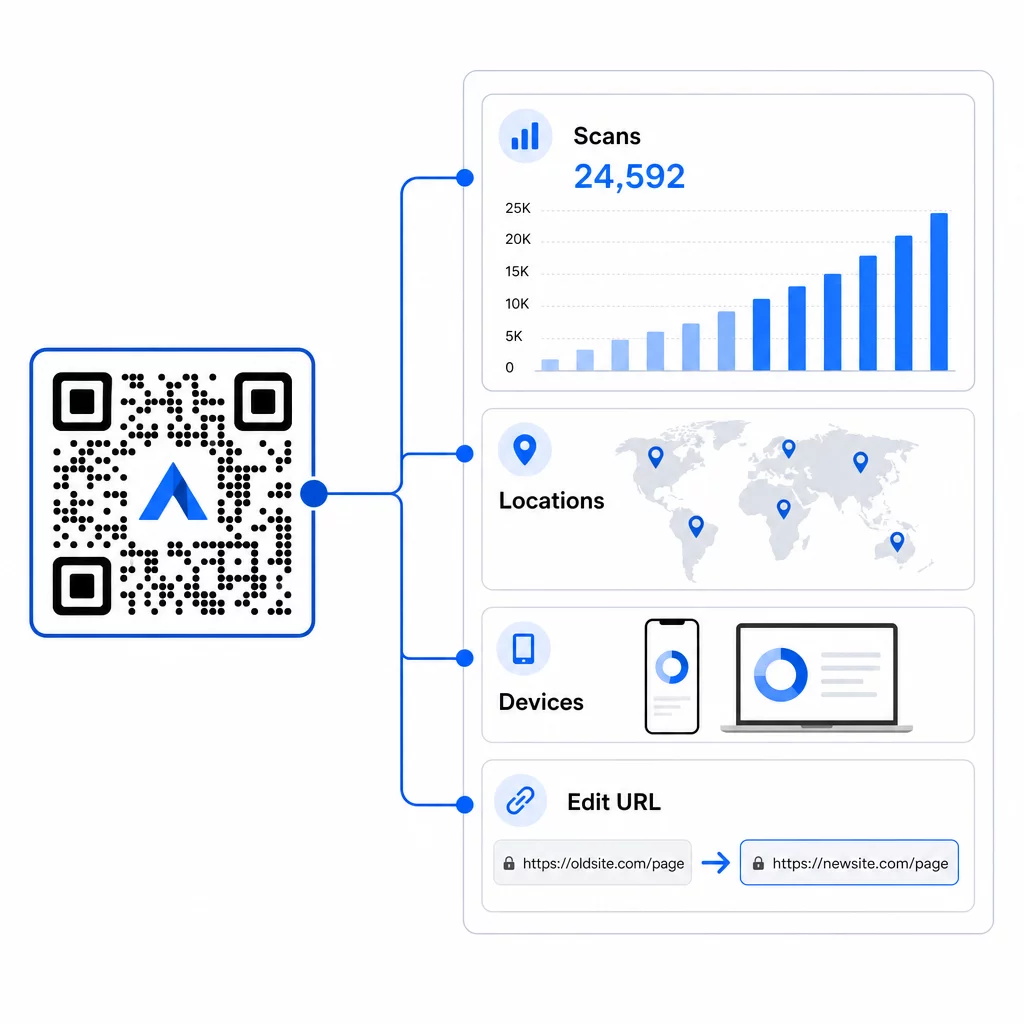
Dette er vigtigst i igangværende kampagner. Hvis en sæsonbestemt kampagne slutter, kan du omdirigere den samme printede kode til et nyt tilbud. Hvis én placering performer bedre end en anden, vil dine analyser vise dig præcis, hvor og hvornår folk scanner. For en fuld oversigt over, hvad sporing fanger, se guiden til sporing af QR-koder.
Reelle kampagner viser effekten: en stor hotelgruppe implementerede QR-koder for at erstatte printede menuer og materialer på værelset, hvilket sparede cirka $150.000 i printomkostninger, samtidig med at gæsteoplevelsen blev forbedret. Fleksibilitet som denne kommer fra at bruge dynamiske koder fra starten.
Spor hver scanning i realtid Brug Dynamisk QR-kode generator til at oprette sporbare, redigerbare koder og overvåge ydeevnen på tværs af alle dine placeringer fra et enkelt dashboard.
Tips til placering og design, der faktisk betyder noget
Den bedste marketingidé vil ikke fungere, hvis koden er for lille, dårligt placeret eller svær at scanne. Her er et par praktiske regler at følge:
- Størrelse i forhold til scanningsafstanden – en grov retningslinje er 1 cm kodebredde for hver 10 cm forventet visningsafstand; sigt efter mindst 2 × 2 cm som et minimum
- Placer i øjenhøjde – cirka 3,5 til 5,5 fod fra jorden for de fleste stående placeringer
- Brug høj kontrast – en mørk kode på en lys baggrund; omvendte farver forårsager ofte scanningsfejl
- Hold en stille zone – efterlad fri plads omkring koden uden tekst, mønstre eller logoer, der flyder ind i den kant
- Tilføj en tydelig opfordring til handling – en QR-kode alene fortæller folk intet; inkluder altid en kort opfordring, der forklarer, hvad de får
- Test før udskrivning – scan koden på flere enheder, under forskellige lysforhold og i den tilsigtede fysiske størrelse
For en komplet gennemgang af placeringsstrategier efter format og branche, den QR-kode placeringsguide dækker alt fra visitkort til billboards.
Ofte stillede spørgsmål
Dynamiske QR-koder fungerer bedst til markedsføring, fordi de kan opdateres efter udskrivning og inkluderer scanningsanalyser. Brug URL-koder til landingssider og kampagner, kuponkoder til rabatter, vCard-koder til netværk og formular-koder til leadgenerering. Den rigtige type afhænger af dit kampagnemål – guiden til at vælge den rigtige QR-kode til din kampagne kan hjælpe dig med at beslutte.
Med dynamiske QR-koder får du adgang til realtidsanalyser, der viser samlede scanninger, unikke brugere, enhedstyper, geografisk placering og tidsbaserede mønstre. Du kan også tilføje UTM-parametre til dine destinations-URL'er for at spore QR-drevet trafik i Google Analytics sammen med dine andre kanaler. Lær mere om sporing af QR-koder.
Ikke nødvendigvis, men at bruge separate koder pr. placering – én til emballage, én til en flyer, én til en plakat – lader dig sammenligne ydeevne på tværs af kanaler og identificere hvilke berøringspunkter der skaber mest engagement. Dynamiske koder gør dette nemt at administrere, da du kan opdatere destinationer centralt uden at genoptrykke hvert materiale.