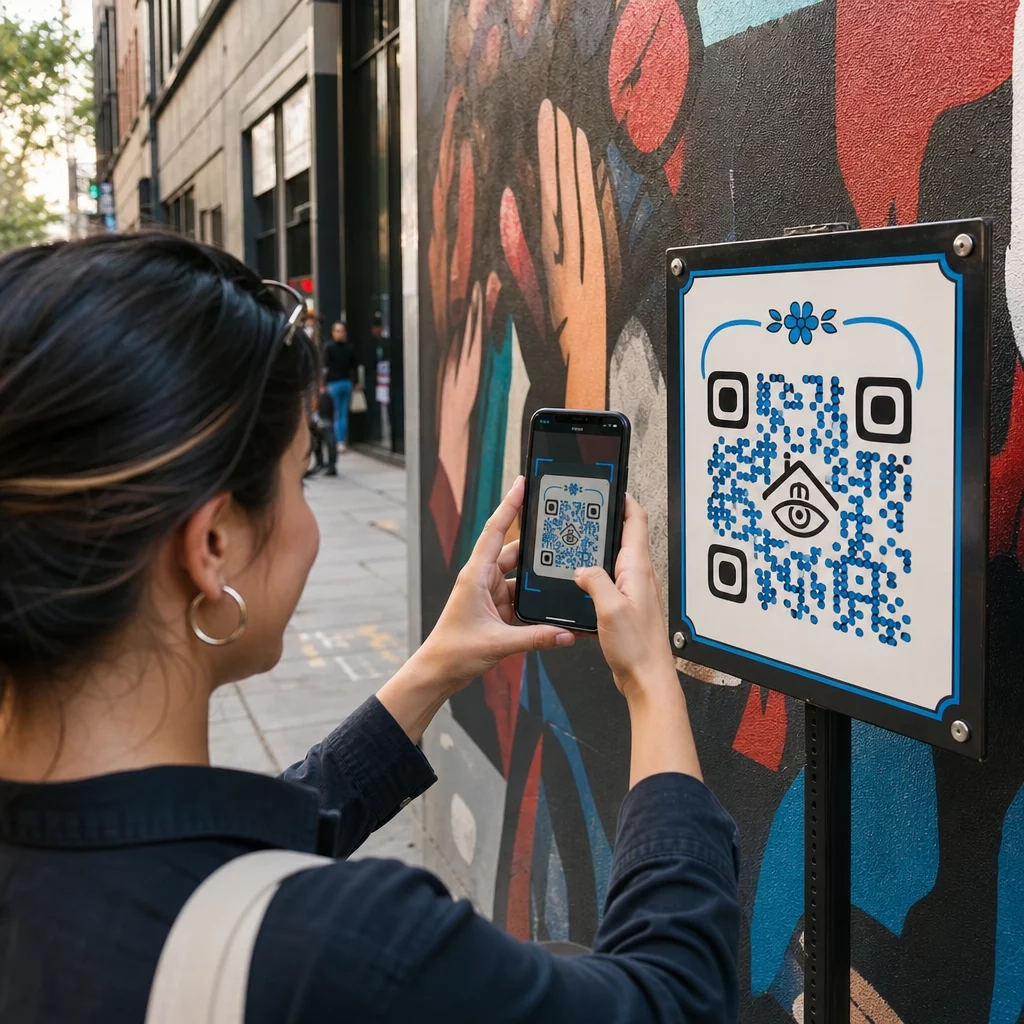
Miten antaa katsojille enemmän kuin mitä kylttiin mahtuu – sotkematta itse taideteosta? Staattiset etiketit eivät voi sisältää taiteilijahaastatteluja, suullisia historioita tai lisätyn todellisuuden kokemuksia, ja tämä aukko jättää yleisön irralliseksi teoksen koko tarinasta. Tämä opas käsittelee käytännön strategioita QR-koodien integroimiseksi julkiseen taiteeseen ja muraaleihin, suunnittelusta ja sijoittelusta sisällön tyyppeihin ja analytiikkaan.
Miksi QR-koodit toimivat julkisen taiteen ympäristöissä
Muraalin viereen sijoitettu – tai siihen kudottu – QR-koodi toimii siltana fyysisen teoksen ja runsaan digitaalisen sisällön välillä. Älypuhelimen omaavat katsojat voivat skannata välittömästi, lataamatta erillistä sovellusta, ja päästä äänioppaisiin, videohaastatteluihin, lahjoitussivuille tai interaktiivisiin AR-kokemuksiin.
Useat julkisen taiteen ohjelmat ovat osoittaneet mallin toimivuuden:
- Raleighissa, Pohjois-Carolinassa, Q-Art Code -projekti sijoitti QR-älykoodit julkisten taideteosten yhteyteen ympäri kaupunkia, jotta yhteisön jäsenet pääsivät välittömästi käsiksi tietoihin kustakin teoksesta ja sen tekijästä.
- Miamin Wynwoodin kaupunginosassa taiteilija Ruben Ubiera upotti QR-koodin suoraan muraaliin, joka esittää kahdeksaa maahanmuuttajaa, yhdistäen jokaisen kasvon tallennettuun suulliseen historiaan – mukaan lukien kertomuksia perheiden erottamisesta ja karkotuksista.
- Syracusen keskustassa S.Alt City muraali on rakennettu kokonaan QR-koodilaatoista, joista jokainen laatta linkittyy eri nykytaideorganisaatioon alueella, muuttaen seinän tehokkaasti skannattavaksi hakemistoksi.
- Punta Gordassa, Floridassa, paikallinen muraaliyhdistys asensi QR-koodikylttejä historiallisiin muraaliseiniin, jotta kävijät voivat opastaa itseään kokoelman läpi sesongin ulkopuolella, päästen lyhyisiin historiatunteihin puhelimistaan.
Nämä projektit jakavat yhteisen periaatteen: QR-koodi ei korvaa taidetta – se laajentaa sitä.
Yhdistä julkinen taiteesi digitaaliseen sisältöön Käytä Linkki QR-koodigeneraattori luodaksesi skannattavan koodin, joka ohjaa katsojat taiteilijoiden elämäkertoihin, äänioppaisiin, videohaastatteluihin tai mihin tahansa valitsemaasi verkkokohteeseen.
Mitä sisältöä linkittää julkisen taiteen QR-koodeista
Skannauksen arvo riippuu täysin siitä, mitä se tuottaa. Oikean sisältömuodon valitseminen kontekstiin tekee eron uteliaan napautuksen ja merkityksellisen vuorovaikutuksen välillä.
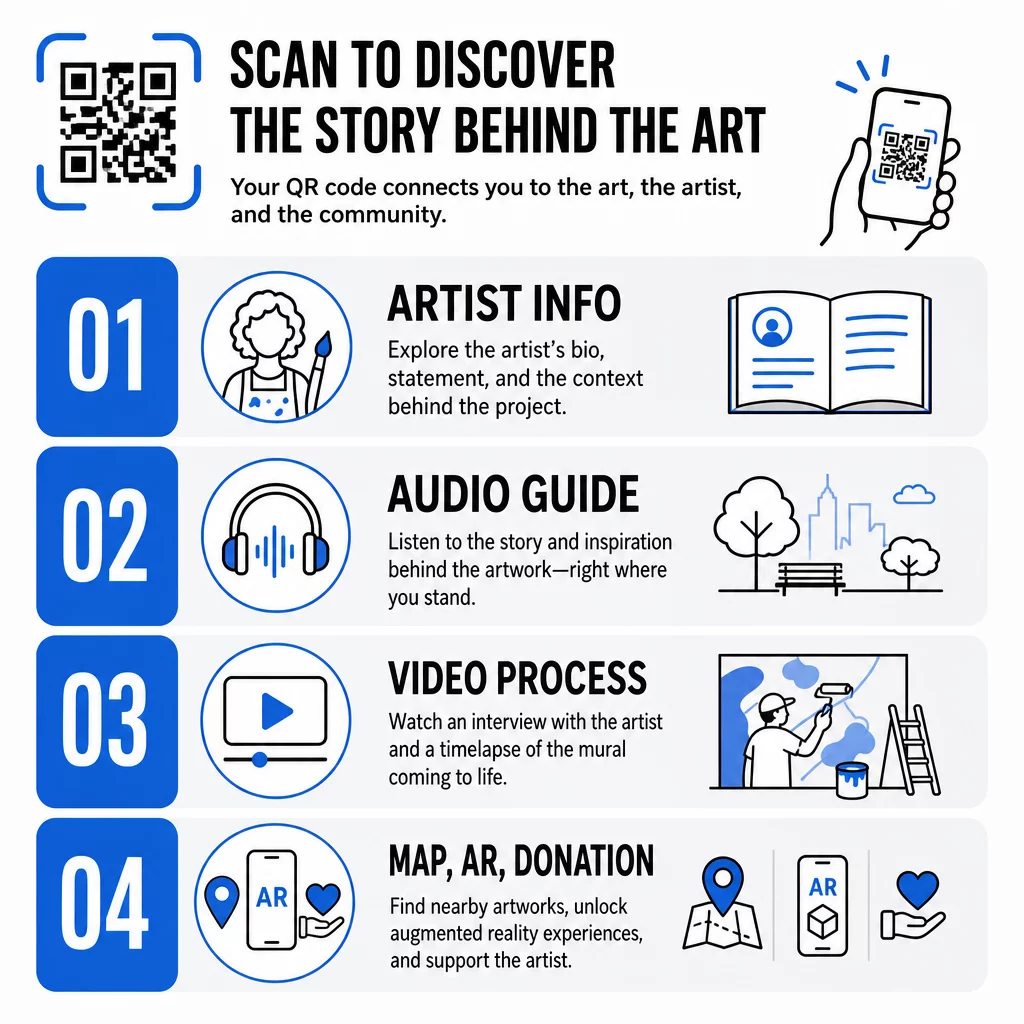
Taiteilijan tiedot ja konteksti
Linkki lyhyeen elämäkertaan, lausuntoon teoksesta tai aikajanaan, joka näyttää projektin kehityksen. Tämä on erityisen arvokasta väliaikaisissa asennuksissa, joissa seinätila on rajallinen.
Äänioppaat
Puhuttu selostus toimii hyvin ulkona, missä kävijät voivat liikkua tai olla meluisissa ympäristöissä. Voit isännöidä äänitiedostoja suoraan käyttämällä MP3 QR-koodiksi joka toistetaan millä tahansa älypuhelimella.
Videohaastattelut ja prosessidokumentaatio
Linkittäminen taiteilijan haastatteluun tai seinämaalauksen maalaamisen aikaviivevideoon antaa katsojille kulissien takaisen näkökulman, joka syventää valmiin teoksen arvostusta.
PDF-oppaat ja kierroskartat
Asennuksissa, jotka ovat osa laajempaa reittiä tai aluetta, a PDF QR-koodi voi tarjota ladattavan kävelykierroskartan tai vastaavan painetun oppaan – ilman painokustannuksia.
Sijainti ja opastus
Usean kohteen julkisen taiteen kokoelmissa a Google Maps QR-koodi antaa kävijöiden navigoida teoksesta toiseen ilman manuaalista hakua.
Lisätyn todellisuuden kokemukset
AR-linkitetyt QR-koodit antavat katsojille mahdollisuuden avata animaatioita, 3D-peittokuvia tai kehittyviä tarinoita fyysisen teoksen päälle kerrostettuna. Museot, kuten Smithsonian, ja interaktiiviset paikat, kuten Meow Wolfin Convergence Station Denverissä, ovat käyttäneet tätä lähestymistapaa muuttaakseen staattiset näyttelyt osallistaviksi kokemuksiksi. Syvemmän katsauksen siihen, miten AR muuttaa tarinankerrontaa taidetiloissa, löydät kohdasta miten AR QR-koodit muuttavat museoiden tarinankerrontaa.
Lahjoitus- ja tukilinkit
Ranskalainen katutaiteilija Pascal “PBOY” Boyart upotti Bitcoin-QR-koodeja muraaleihinsa, jolloin katsojat voivat lähettää kryptovaluuttalahjoituksia skannaamalla. Koodit suunniteltiin taideteoksen olennaisiksi osiksi, ei jälkikäteen lisätyiksi, ja ne johtivat suoraan yhteisön tukeen hänen toiminnalleen.
Taiteeseen kuuluvien QR-koodien suunnittelu
QR-koodi, joka visuaalisesti riitelee ympäröivän teoksen kanssa, rikkoo katsojan uppoutumisen. Harkittu suunnittelu pitää koodin toimivana kunnioittaen samalla taiteellista kontekstia.
Kontrasti on ehdoton
Tummat kuviot vaalealla taustalla skannautuvat luotettavasti. Käänteiset värimaailmat – vaalea tummalla – ovat useimmille lukijoille vaikeampia havaita. Minkä tahansa väripaletin valitsetkin, priorisoi riittävä kontrasti koodin etualan ja taustan välillä.
Pidä hiljainen vyöhyke vapaana
Jätä vähintään neljä moduulia tyhjää tilaa koodin ulkoreunan ympärille. Teksti, kuvat ja koriste-elementit, jotka tunkeutuvat tälle rajalle, häiritsevät skannausta.
Käytä korkeaa virheenkorjausta logoja lisättäessä
Logon tai symbolin upottaminen QR-koodin keskelle on yleinen tapa integroida brändäys tai taiteilijan allekirjoitus. Aseta virheenkorjaus tasolle H ennen minkään peittokuvan lisäämistä – tämä taso voi palauttaa jopa 30 % vaurioituneesta datasta, mikä kompensoi logon peittämän osan koodista.
Mitoita katseluetäisyyden mukaan
Yleissääntö on, että koodin tulisi olla noin kymmenesosa odotetun skannausetäisyyden leveydestä. Muraalista 10 jalan päässä seisova kävijä tarvitsee vähintään 12 tuumaa leveän koodin skannatakseen mukavasti. Lähikylteissä sovelletaan vähintään 1 × 1 tuuman kokoa. Suurikokoisissa muraaleissa suunnittele koodit 1–1,5 jalkaa leveiksi.
Valitse kestävät materiaalit ulkokäyttöön
UV-kestävät musteet, kaiverrettu metalli tai muovi sekä säänkestävät laminaatit pidentävät kaikki ulkokoodien käyttöikää. Kiiltävät pinnat aiheuttavat heijastuksia; mattapintaiset alustat toimivat paremmin vaihtelevassa valaistuksessa. Testaa koodia eri vuorokaudenaikoina ja niissä valaistusolosuhteissa, joita asennus todellisuudessa kohtaa.
Vie vektorimuodossa tulostusta varten
Lataa QR-koodisi SVG-, EPS- tai PDF-tiedostona matalaresoluutioisen rasterikuvan sijaan. Vektorimuodot skaalautuvat puhtaasti mihin tahansa kokoon ilman pikselöitymistä, mikä on olennaista suurissa ulkosovelluksissa.
Täydellisen erittelyn kontrastisuhteista, hiljaisista vyöhykkeistä ja virheenkorjaustasoista löydät kohdasta QR-koodin käytettävyyden parhaita käytäntöjä ja parhaita käytäntöjä QR-koodin luettavuudelle.
Minne sijoittaa QR-koodeja muraaleihin ja installaatioihin
Jopa täydellisesti suunniteltu koodi jää skannaamatta, jos se on väärässä paikassa. Sijoituspäätökset vaikuttavat sekä löydettävyyteen että käyttömukavuuteen.
Silmien tasolla ja ulottuvilla
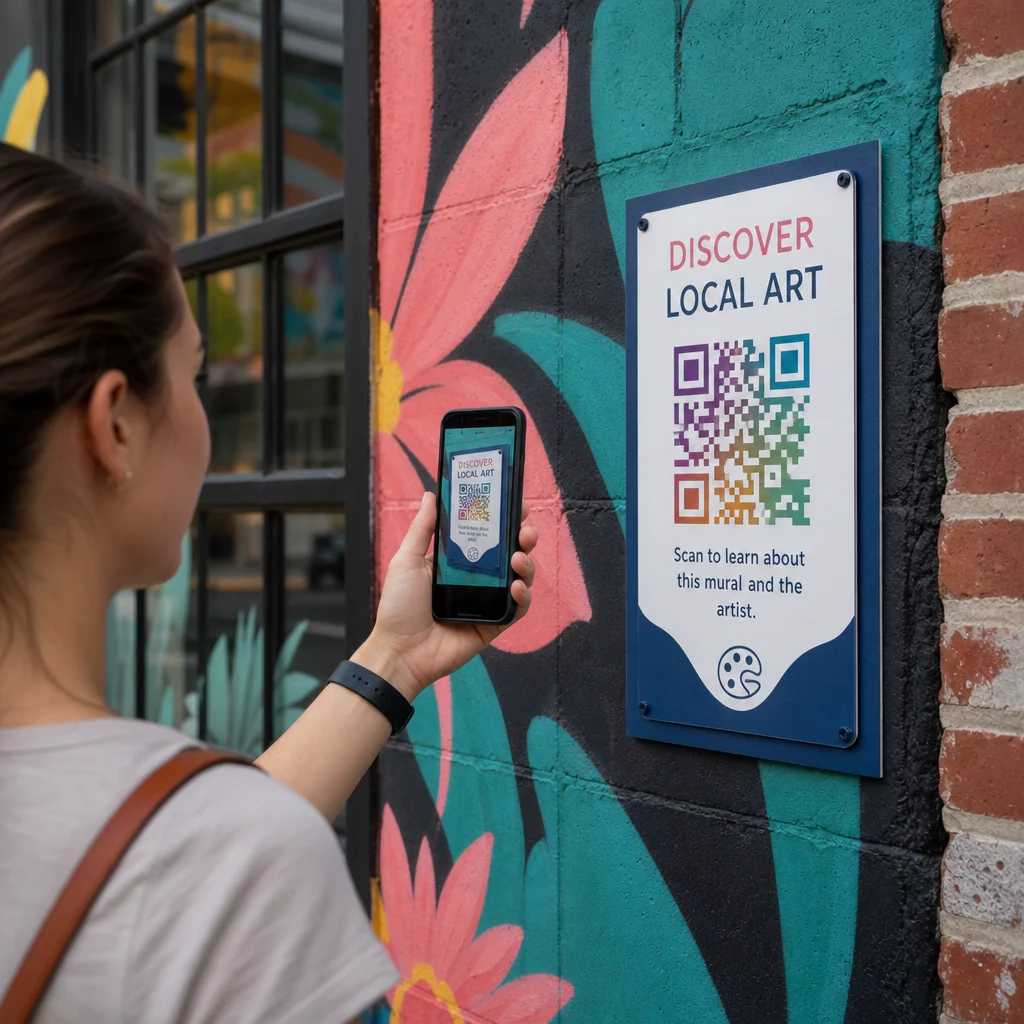
Sijoita koodit noin 1,2–1,5 metrin korkeuteen maasta – tämä on useimpien aikuisten luonnollinen skannausasento. Liian korkealle sijoitetut koodit vaativat katsojia nostamaan puhelimensa hankalasti; maan tasolla olevat koodit on helppo jättää huomaamatta.
Missä ihmiset jo pysähtyvät
Paikallaan olevat katsojat skannaavat paljon todennäköisemmin kuin ohi kävelevät katsojat. Tunnista luonnolliset pysähdyspaikat – istuinalueet, varjoisat paikat, kulmat, joihin ihmiset kokoontuvat – ja sijoita koodit sinne sen sijaan, että ne olisivat vilkkaan kävelytien varrella keskellä askelta.
Tasaiset, vakaat pinnat
Tasaiset pinnat antavat skannereille selkeän, vääristymättömän lukeman. Hieman kaarevat tai kuvioidut pinnat voivat toimia, jos koodi on riittävän suuri, mutta ne lisäävät skannausvirheen mahdollisuutta. Vältä erittäin heijastavia pintoja, jotka aiheuttavat häikäisyä.
Selkeät opasteet
Lisää koodin lähelle lyhyt toimintakehote: “Skannaa kuullaksesi taiteilijan tarinan” tai “Skannaa saadaksesi täyden oppaan”. Katsojat, jotka eivät heti tunnista, mitä koodi tekee, kokeilevat sitä epätodennäköisemmin. Ohjeita tehokkaiden toimintakehotteiden kirjoittamiseen, katso QR-koodien sijoittamisen parhaat käytännöt.
Dynaamisten QR-koodien käyttö julkisen taiteen hallinnassa ja seurannassa
Staattiset QR-koodit koodaavat kiinteän kohteen. Kun ne on painettu tai asennettu, linkitettyä sisältöä ei voi muuttaa ilman fyysisen koodin vaihtamista. Pitkäaikaisissa julkisen taiteen installaatioissa – tai projekteissa, joissa sisältö kehittyy – tämä luo todellisen ylläpito-ongelman.
Dynaamiset QR-koodit ratkaise tämä ohjaamalla lyhyeen uudelleenohjaus-URL-osoitteeseen, jota hallitset. Fyysinen koodi pysyy samana, mutta voit päivittää kohteen milloin tahansa hallintapaneelista. Jos taiteilijan verkkosivusto muuttuu, video isännöidään uudelleen tai kausiluonteinen opas korvaa vanhemman, päivitys tapahtuu alustalla koskematta asennettuun koodiin.
Dynaamiset koodit tarjoavat myös analytiikkaa. Voit seurata, kuinka monta kertaa koodi on skannattu, milloin skannaukset tapahtuvat ja missä päin maailmaa skannerit sijaitsevat. Kuraattoreille ja näyttelyjärjestäjille tämä data paljastaa, mitkä kokoelman teokset herättävät eniten kiinnostusta, mihin vuorokaudenaikaan toiminta on vilkkaimmillaan ja ylittävätkö tietyt sijainnit toiset. Nämä oivallukset tukevat parempia sijoituspäätöksiä ja relevantimpia sisällön päivityksiä ajan myötä.
Taiteilijoille, jotka hallinnoivat väliaikaisia installaatioita tai kehittyviä projekteja, kyky kerrostaa sisältöä – tarjoamalla perustietoa ensimmäisellä skannauksella ja avaamalla syvempää materiaalia toistuvilla käynneillä – kannustaa jatkuvaan sitoutumiseen samaan teokseen.
Seuraa jokaista skannausta julkisen taidekokoelmasi alueella Se Dynaaminen QR-koodi generaattori antaa sinun päivittää linkitettyä sisältöä ilman uudelleenpainatusta ja tarjoaa täyden analytiikan hallintapaneelin sitoutumisen seuraamiseen kaikissa asennuksissa.
QR-koodit museoissa ja kulttuurilaitoksissa
Sisätiloissa sijaitsevat kulttuurikohteet toimivat erilaisten rajoitusten alaisena kuin ulkomaalaukset, mutta samat periaatteet pätevät. Museot ovat ottaneet käyttöön QR-koodeja laajentaakseen sitä, mitä näyttelyetiketit voivat viestiä, tarjotakseen monikielistä sisältöä kansainvälisille vierailijoille ja korvatakseen painetut esitteet päivitettävillä digitaalisilla vaihtoehdoilla.
Käyttötapauksia museoympäristöissä ovat:
- Interaktiiviset äänioppaat ja itseohjautuvat kierrokset
- Digitaaliset kartat näyttelytilasta
- AR-kokemukset, jotka elävöittävät esineitä tai paljastavat maalauksien piilotettuja kerroksia
- Työpaja-aikataulut, luentoilmoittautumiset ja tapahtumamarkkinointi
- Vierailijapalautelomakkeet linkitettyinä uloskäynneillä tai koko galleriassa
M+ -museo Hongkongissa kirjasi 148 000 vierailijavuorovaikutusta QR-koodien kautta, osoittaen yleisön vahvan valmiuden älypuhelinpohjaiseen sitoutumiseen taidetiloissa. Musea Brugge on käyttänyt Pageloot QR-koodeja erityisesti rikastuttaakseen vierailijoiden sitoutumista ja virtaviivaistaakseen pääsyä näyttelytietoihin.
Laajemman katsauksen saamiseksi siihen, miten laitokset soveltavat tätä teknologiaa, katso QR-koodit museoille, QR-koodit taidegallerioille: parhaat käytännöt, ja tapaustutkimuksia QR-koodeista modernin taiteen asennuksissa.
Turvallisuus, tietosuoja ja pitkäaikainen ylläpito
Julkiset QR-koodit ovat saatavilla kaikkina aikoina ja kaikille yleisöille, mikä tekee jatkuvasta ylläpidosta olennaista. Rikkinäinen linkki tai vanhentunut kohde heikentää katsojan luottamusta ja hukkaa skannauksen luoman mahdollisuuden.
Vastuullisen pitkäaikaisen käyttöönoton keskeiset käytännöt:
- Testaa säännöllisesti useilla laitteilla ja erilaisissa valaistusolosuhteissa varmistaaksesi, että koodit pysyvät skannattavina ja linkit toimivat.
- Käytä HTTPS-kohteita osoittaaksesi laillisuutta ja suojataksesi kävijöitä epävarmoilta uudelleenohjauksilta.
- Aseta selkeät kyltit siitä, mitä tietoja, jos mitään, kerätään katsojien skannatessa, ja noudata sovellettavia tietosuojasäännöksiä.
- Käytä kestäviä fyysisiä materiaaleja jotka sopivat ulkoympäristöön – UV-kestävät musteet, säänkestävät laminaatit tai suojatut digitaaliset näytöt pysyviin asennuksiin.
- Tarkasta linkitetty sisältö säännöllisesti varmistaaksesi, että videot, PDF-tiedostot ja taiteilijasivut pysyvät ajantasaisina ja saavutettavina.
Dynaamiset QR-koodit vähentävät merkittävästi ylläpitotaakkaa, sillä sisällön päivitykset ja linkkien muutokset tapahtuvat alustalla sen sijaan, että asennettuja koodeja tarvitsisi fyysisesti vaihtaa. Kun QR-koodit suunnitellaan samalla huolellisuudella kuin niiden mukana oleva taideteos – oikean kokoisina, asianmukaisesti kontrastoiduina, harkitusti sijoitettuina ja aidosti arvokkaaseen sisältöön linkitettyinä – ne pidentävät julkisen taiteen elinikää ja ulottuvuutta paljon pidemmälle kuin mitä yksittäinen katselukerta voi tarjota. Olitpa sitten dokumentoimassa katumaalausta, rakentamassa interaktiivista veistosreittiä tai digitalisoimassa museokokoelmaa, QR-koodityökalut taiteelle jotka ovat saatavilla Pagelootin kautta, tarjoavat suoraviivaisen polun fyysisestä asennuksesta mitattavaan digitaaliseen sitoutumiseen.
Usein kysytyt kysymykset
Koko riippuu skannausetäisyydestä. Käytännöllinen sääntö on tehdä koodista vähintään kymmenesosan levyinen siitä etäisyydestä, jolta odotat katsojien skannaavan. Jos joku seisoo 10 jalan päässä, koodin tulisi olla vähintään 12 tuumaa leveä. Lähikylteissä vähintään 1 × 1 tuuman koko on riittävä. Suurikokoiset seinämaalaukset vaativat tyypillisesti 1–1,5 jalan levyisiä koodeja, jotta ne pysyvät skannattavissa mukavalta etäisyydeltä.
Julkisen taiteen QR-koodit voivat linkittää lähes mihin tahansa digitaaliseen sisältöön: taiteilijaelämäkertoihin, äänioppaisiin, videohaastatteluihin, AR-kokemuksiin, PDF-kävelykierrosoppaisiin, lahjoitussivuille, Google Maps -navigointiin, sosiaalisen median profiileihin tai palautelomakkeisiin. Oikea sisältötyyppi riippuu taideteoksen kontekstista – ulkomaalaukset hyötyvät usein äänestä tai lyhyestä videosta, kun taas museoasennukset voivat tukea yksityiskohtaisempia multimediaguideja.
Staattinen QR-koodi koodaa kiinteän kohteen, jota ei voi muuttaa sen jälkeen kun koodi on tulostettu tai asennettu. Dynaaminen QR-koodi osoittaa uudelleenohjaus-URL-osoitteeseen, jonka voit päivittää milloin tahansa hallintapaneelista, joten fyysinen koodi pysyy paikallaan samalla kun linkitetty sisältö kehittyy. Dynaamiset koodit tarjoavat myös analytiikkaa – skannausmäärät, ajoitus ja maantieteelliset tiedot – mikä auttaa kuraattoreita ymmärtämään, mitkä asennukset tuottavat eniten sitoutumista ja hienosäätämään lähestymistapaansa ajan myötä.