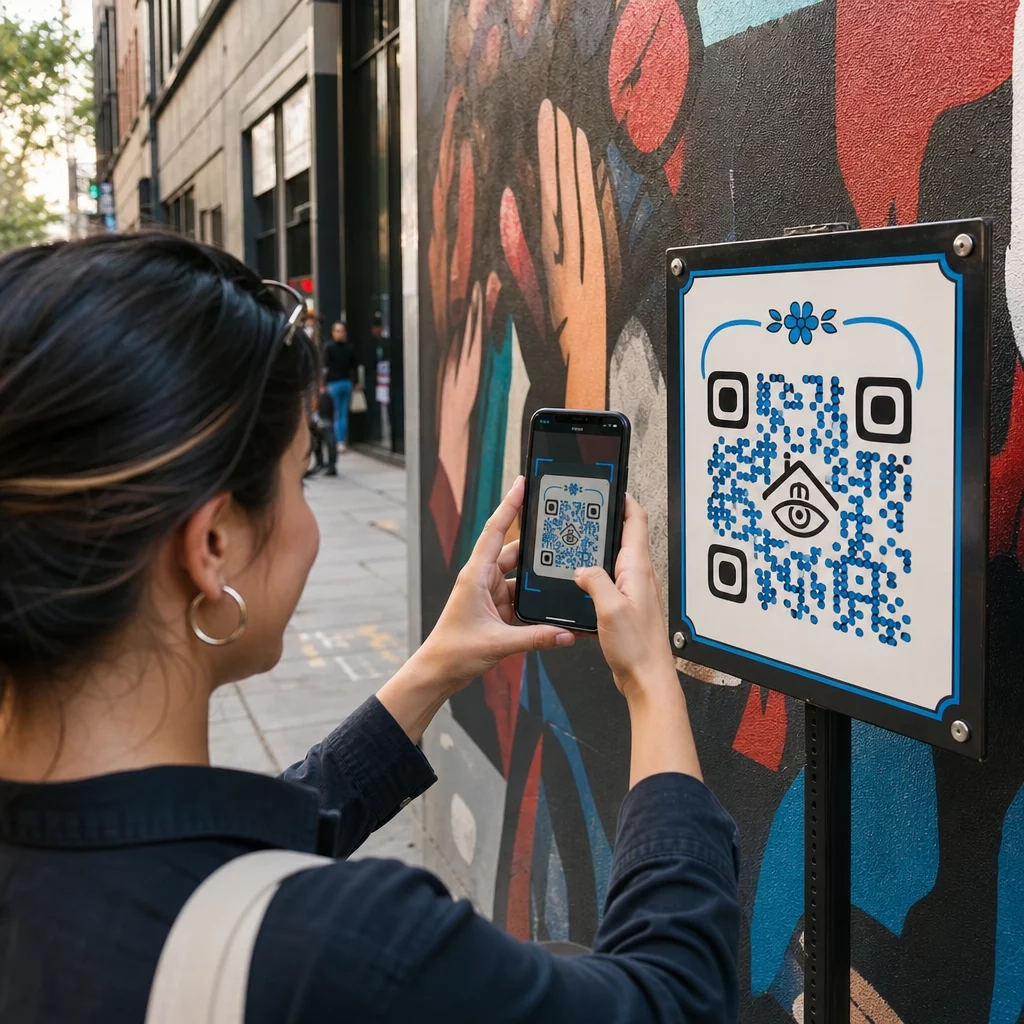
Hvordan giver man seerne mere, end hvad der passer på et skilt – uden at overfylde selve kunstværket? Statiske etiketter kan ikke indeholde kunstnerinterviews, mundtlige historier eller augmented reality-oplevelser, og det hul efterlader publikum afkoblet fra den fulde historie bag værket. Denne guide dækker praktiske strategier for integration af QR-koder i offentlig kunst og vægmalerier, fra design og placering til indholdstyper og analyser.
Hvorfor QR-koder virker i offentlige kunstmiljøer
En QR-kode placeret ved siden af – eller vævet ind i – et vægmaleri fungerer som en bro mellem det fysiske værk og et væld af digitalt indhold. Seere med smartphones kan scanne øjeblikkeligt, uden at downloade en separat app, og blive ført til lydguider, videointerviews, donationssider eller interaktive AR-oplevelser.
Flere offentlige kunstprogrammer har demonstreret modellen:
- I Raleigh, North Carolina, har Q-Art Code Project placeret QR-smartkoder ved offentlige kunstværker i hele byen, så lokalsamfundets medlemmer øjeblikkeligt kunne få adgang til information om hvert værk og dets skaber.
- I Miamis Wynwood-kvarter indlejrede kunstneren Ruben Ubiera en QR-kode direkte i et vægmaleri, der forestiller otte immigranter, og forbandt hvert ansigt med en optaget mundtlig historie – herunder beretninger om familieseparation og deportation.
- I downtown Syracuse er S.Alt City vægmaleriet udelukkende bygget af QR-kodefliser, hvor hver flise linker til en forskellig moderne kunstorganisation i regionen, hvilket effektivt forvandler væggen til en scanningsbar oversigt.
- I Punta Gorda, Florida, monterede et lokalt vægmaleriforening QR-kodeskilte på historiske vægmalerivægge, så besøgende kan selvguide gennem samlingen uden for sæsonen og få adgang til korte historielektioner fra deres telefoner.
Disse projekter deler et fælles princip: QR-koden erstatter ikke kunsten – den udvider den.
Forbind din offentlige kunst med digitalt indhold Brug Link QR-kodegenerator for at skabe en scanningsbar kode, der peger seere mod kunstnerbiografier, lydguider, videointerviews eller enhver webdestination, du vælger.
Hvilket indhold skal linkes fra QR-koder i offentlig kunst
Værdien af en scanning afhænger udelukkende af, hvad den leverer. At vælge det rigtige indholdsformat til konteksten gør forskellen mellem et nysgerrigt tryk og en meningsfuld interaktion.
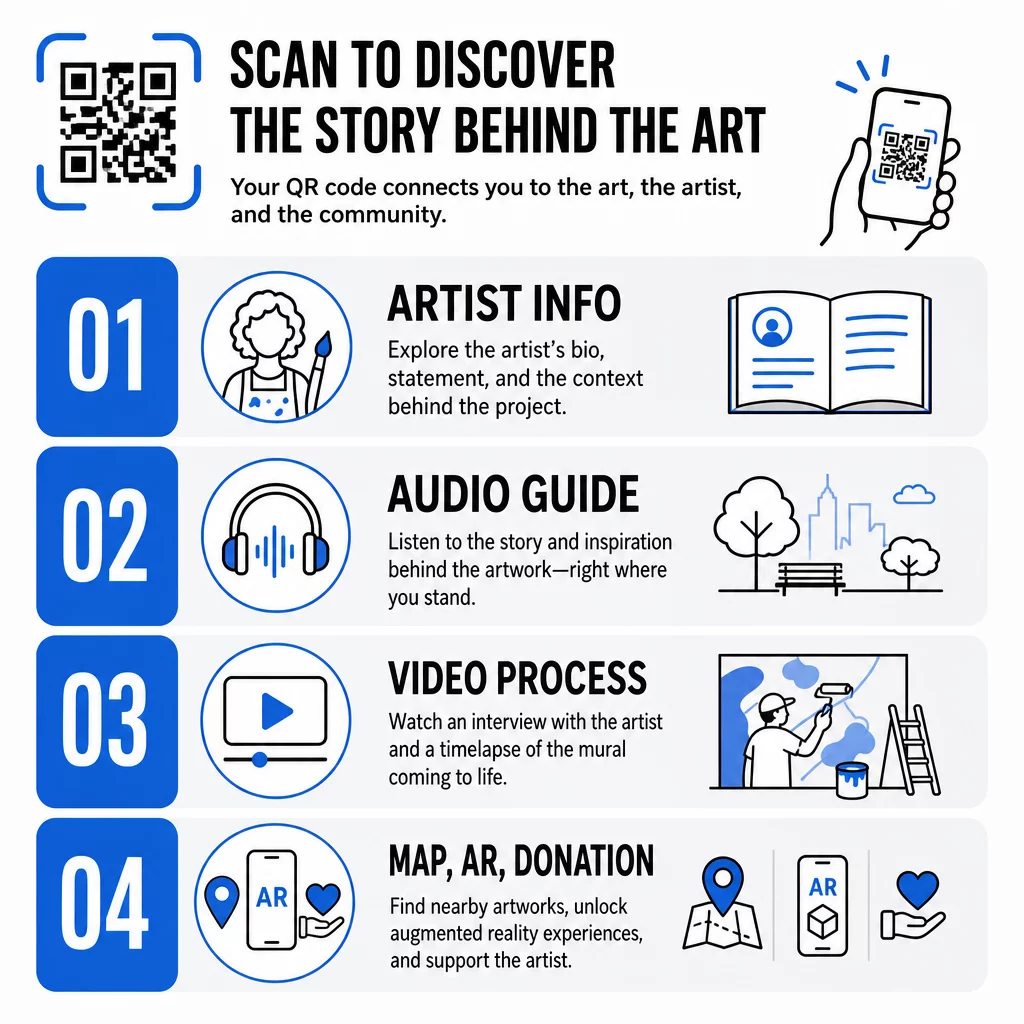
Kunstnerinformation og kontekst
Link til en kort biografi, en udtalelse om værket eller en tidslinje, der viser projektets udvikling. Dette er især værdifuldt for midlertidige installationer, hvor vægpladsen er begrænset.
Audioguides
Talt narration fungerer godt udendørs, hvor besøgende kan være i bevægelse eller i støjende omgivelser. Du kan hoste lydfiler direkte ved hjælp af en MP3 QR-kode der afspilles på enhver smartphone.
Videointerviews og procesdokumentation
At linke til et kunstnerinterview eller en time-lapse af vægmaleriet, der males, giver seerne et kig bag kulisserne, der uddyber værdsættelsen af det færdige værk.
PDF-guider og turkort
For installationer, der er en del af en større rute eller et distrikt, kan en PDF QR-kode levere et downloadbart vandreturskort eller en trykt guideækvivalent – uden printomkostninger.
Sted og vejvisning
For offentlige kunstsamlinger på flere steder kan en Google Maps QR-kode lade besøgende navigere fra ét værk til det næste uden at skulle søge manuelt.
Augmented reality-oplevelser
AR-forbundne QR-koder giver seerne mulighed for at låse op for animationer, 3D-overlejringer eller udviklende fortællinger lagt oven på det fysiske værk. Museer som Smithsonian og interaktive steder som Meow Wolfs Convergence Station i Denver har brugt denne tilgang til at omdanne statiske udstillinger til deltagende oplevelser. For et dybere kig på, hvordan AR ændrer historiefortællingen i kunstrum, se hvordan AR QR-koder transformerer museumsfortælling.
Donations- og supportlinks
Den franske gadekunstner Pascal “PBOY” Boyart indlejrede Bitcoin QR-koder i sine vægmalerier, hvilket gjorde det muligt for seere at sende kryptovaluta-donationer ved at scanne. Koderne blev designet som integrerede elementer af kunstværket, ikke som eftertanker, og resulterede i direkte samfundsstøtte til hans praksis.
Design af QR-koder, der hører hjemme i kunsten
En QR-kode, der visuelt kolliderer med det omkringliggende værk, bryder beskuerens fordybelse. Gennemtænkt design holder koden funktionel, samtidig med at den respekterer den kunstneriske kontekst.
Kontrast er ikke til forhandling
Mørke mønstre på en lys baggrund scanner pålideligt. Inverterede farveskemaer – lyst på mørkt – er sværere for de fleste læsere at registrere. Uanset hvilken farvepalet du vælger, skal du prioritere tilstrækkelig kontrast mellem kodens forgrund og baggrund.
Hold den stille zone fri
Efterlad mindst fire moduler med blank plads omkring kodens yderkant. Tekst, billeder og dekorative elementer, der trænger ind på denne kant, forstyrrer scanningen.
Brug høj fejlkorrektion, når du tilføjer logoer
Indlejring af et logo eller symbol i midten af en QR-kode er en almindelig måde at integrere branding eller kunstnerens signatur på. Indstil fejlkorrektion til niveau H, før du tilføjer et overlay – dette niveau kan gendanne op til 30% af beskadigede data, hvilket kompenserer for den del af koden, der er skjult af logoet.
Størrelse i forhold til synsafstanden
Den generelle regel er, at koden skal være cirka en tiendedel af bredden af den forventede scanningsafstand. En besøgende, der står 10 fod fra et vægmaleri, har brug for en kode, der er mindst 12 tommer bred for at scanne komfortabelt. For skiltning på kort afstand gælder et minimum på 1 × 1 tomme. For store vægmalerier skal du planlægge koder, der er 1 til 1,5 fod brede.
Vælg holdbare materialer til udendørs brug
UV-bestandige blæk, indgraveret metal eller plast og vejrbestandige laminater forlænger alle udendørs koders funktionelle levetid. Glatte overflader skaber genskin; matte underlag fungerer bedre i varierende belysning. Test koden på forskellige tidspunkter af dagen og under de lysforhold, installationen faktisk vil blive udsat for.
Eksporter i vektorformat til print
Download din QR-kode som en SVG-, EPS- eller PDF-fil i stedet for et lavopløseligt rasterbillede. Vektorformater skalerer rent til enhver størrelse uden pixelering, hvilket er essentielt for store udendørs applikationer.
For en komplet oversigt over kontrastforhold, stille zoner og fejlkorrektionsniveauer, se bedste praksis for QR-kodebrugervenlighed og bedste praksis for QR-kodelæsbarhed.
Hvor man skal placere QR-koder på vægmalerier og installationer
Selv en perfekt designet kode vil ikke blive scannet, hvis den er placeret forkert. Placeringsbeslutninger påvirker både opdagelighed og brugervenlighed.
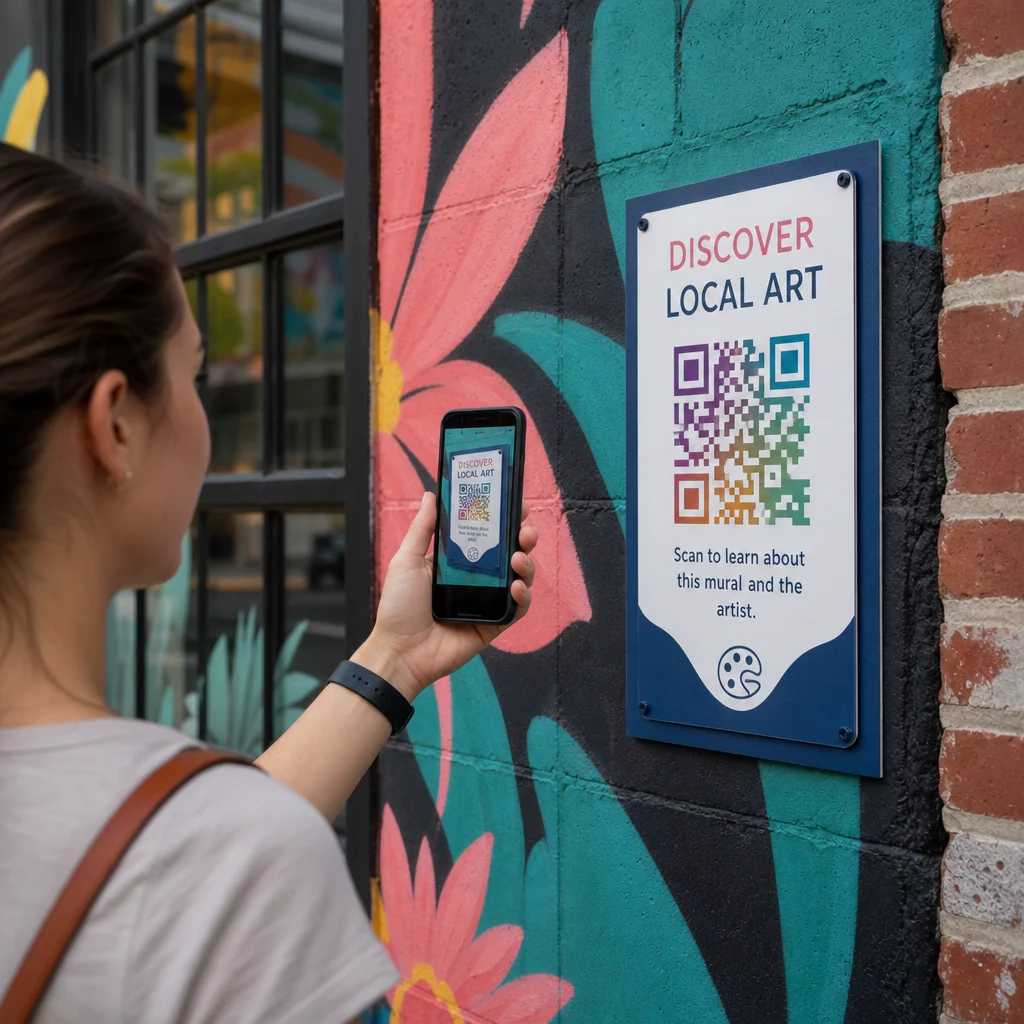
I øjenhøjde og inden for rækkevidde
Placer koder i cirka 1,2 til 1,5 meters højde fra jorden – den naturlige scanningsposition for de fleste voksne. Koder placeret for højt kræver, at seerne løfter deres telefoner akavet; koder placeret på jorden er lette at overse.
Hvor folk allerede stopper op
Seere, der står stille, er langt mere tilbøjelige til at scanne end seere, der går forbi. Identificer naturlige stoppesteder – siddeområder, skyggefulde steder, hjørner hvor folk samles – og placer koder der i stedet for midt i skridtet langs en travl gangsti.
Flade, stabile overflader
Flade overflader giver scannere en ren, uforvrænget aflæsning. Let buede eller teksturerede overflader kan fungere, hvis koden er stor nok, men de øger risikoen for scanningsfejl. Undgå stærkt reflekterende overflader, der skaber genskin.
Tydelige skiltehenvisninger
Tilføj en kort opfordring til handling nær koden: “Scan for at høre kunstnerens historie” eller “Scan for den komplette guide.” Seere, der ikke umiddelbart genkender, hvad koden gør, er mindre tilbøjelige til at prøve. For vejledning om at skrive effektive CTA'er, se Bedste praksis for placering af QR-koder.
Brug af dynamiske QR-koder til at administrere og spore offentlig kunst
Statiske QR-koder koder en fast destination. Når de er printet eller installeret, kan det linkede indhold ikke ændres uden at udskifte den fysiske kode. For langvarige offentlige kunstinstallationer – eller projekter hvor indholdet udvikler sig – skaber dette et reelt vedligeholdelsesproblem.
Dynamiske QR-koder løse dette ved at pege på en kort omdirigerings-URL, som du kontrollerer. Den fysiske kode forbliver den samme, men du kan opdatere destinationen når som helst fra et dashboard. Hvis en kunstners hjemmeside ændres, en video genhostes, eller en sæsonbestemt turguide erstatter en ældre, sker opdateringen i platformen uden at røre den installerede kode.
Dynamiske koder giver også analyser. Du kan spore, hvor mange gange en kode er blevet scannet, hvornår scanninger sker, og hvor i verden scannere befinder sig. For kuratorer og udstillingsarrangører afslører disse data, hvilke værker i en samling der genererer mest engagement, hvilke tidspunkter på dagen der oplever spidsaktivitet, og om visse placeringer præsterer bedre end andre. Disse indsigter understøtter bedre placeringsbeslutninger og mere relevante indholdsopdateringer over tid.
For kunstnere, der administrerer midlertidige installationer eller projekter i udvikling, fremmer evnen til at lagdele indhold – ved at give grundlæggende information ved første scanning og låse op for dybere materiale ved gentagne besøg – et vedvarende engagement med det samme værk.
Spor hver scanning på tværs af din offentlige kunstsamling Det Dynamisk QR-kode generator giver dig mulighed for at opdatere linket indhold uden genoptryk og giver et komplet analyse-dashboard til at overvåge engagement på tværs af hver installation.
QR-koder på museer og kulturinstitutioner
Indendørs kultursteder opererer under andre begrænsninger end udendørs vægmalerier, men de samme principper gælder. Museer har taget QR-koder i brug for at udvide, hvad udstillingsetiketter kan kommunikere, tilbyde flersproget indhold til internationale besøgende og erstatte trykte brochurer med opdaterbare digitale alternativer.
Anvendelsestilfælde i museumsindstillinger inkluderer:
- Interaktive lydguider og selvguidede ture
- Digitale kort over udstillingsrummet
- AR-oplevelser, der animerer artefakter eller afslører skjulte lag i malerier
- Workshop-planer, tilmelding til foredrag og eventpromovering
- Besøgsfeedbackformularer linket ved udgange eller i hele galleriet
M+ museet i Hong Kong registrerede 148.000 besøgsinteraktioner via QR-koder, hvilket demonstrerer en stærk publikumsberedskab for smartphone-baseret engagement i kunstrum. Musea Brugge har specifikt brugt Pageloot QR-koder til at berige besøgsengagement og strømline adgangen til udstillingsinformation.
For et bredere kig på, hvordan institutioner anvender denne teknologi, se QR-koder til museer, QR-koder til kunstgallerier: bedste praksis, og casestudier om QR-koder i moderne kunstinstallationer.
Sikkerhed, privatliv og langsigtet vedligeholdelse
Offentlige QR-koder er tilgængelige døgnet rundt og for alle publikummer, hvilket gør løbende vedligeholdelse afgørende. Et ødelagt link eller en forældet destination underminerer seerens tillid og spilder den mulighed, scanningen skabte.
Nøglepraksis for ansvarlig langsigtet implementering:
- Test regelmæssigt på tværs af flere enheder og under forskellige lysforhold for at bekræfte, at koder forbliver scanbare, og links er aktive.
- Brug HTTPS-destinationer for at signalere legitimitet og beskytte besøgende mod usikre omdirigeringer.
- Opsæt tydelig skiltning om hvilke data, hvis nogen, der indsamles, når seere scanner, og overhold gældende privatlivsregler.
- Brug holdbare fysiske materialer passende til udendørsmiljøet – UV-resistente blæk, vejrbestandige laminater eller beskyttede digitale skærme til permanente installationer.
- Gennemgå linket indhold periodisk for at sikre, at videoer, PDF'er og kunstnersider forbliver aktuelle og tilgængelige.
Dynamiske QR-koder reducerer vedligeholdelsesbyrden betydeligt, da indholdsopdateringer og linkændringer sker på platformen i stedet for at kræve fysisk udskiftning af installerede koder. Når QR-koder designes med samme omhu som det kunstværk, de ledsager – korrekt størrelse, passende kontrast, gennemtænkt placering og linket til ægte værdifuldt indhold – forlænger de offentlig kunsts levetid og rækkevidde langt ud over, hvad en enkelt visning kan tilbyde. Uanset om du dokumenterer et gademaleri, bygger en interaktiv skulptursti eller digitaliserer en museumssamling, giver de QR-kodeværktøjer til kunst tilgængelige via Pageloot dig en ligetil vej fra fysisk installation til målbar digital engagement.
Ofte stillede spørgsmål
Størrelse afhænger af scanningsafstanden. En praktisk regel er at gøre koden mindst en tiendedel så bred som den afstand, hvorfra du forventer, at seere scanner. For en person, der står 10 fod væk, bør koden være mindst 12 tommer bred. For skiltning på nært hold er et minimum på 1 × 1 tomme tilstrækkeligt. Store vægmalerier kræver typisk koder mellem 1 og 1,5 fod brede for at forblive scanbare fra en behagelig afstand.
QR-koder i offentlig kunst kan linke til næsten ethvert digitalt indhold: kunstnerbiografier, lydguider, videointerviews, AR-oplevelser, PDF-vandretursguider, donationssider, Google Maps-navigation, sociale medieprofiler eller feedbackformularer. Den rette indholdstype afhænger af kunstværkets kontekst – udendørs vægmalerier drager ofte fordel af lyd eller korte videoer, mens museumsinstallationer kan understøtte mere detaljerede multimedieguider.
En statisk QR-kode koder for en fast destination, der ikke kan ændres, efter at koden er printet eller installeret. En dynamisk QR-kode peger på en omdirigerings-URL, som du kan opdatere når som helst fra et administrationspanel, så den fysiske kode forbliver på plads, mens det linkede indhold udvikler sig. Dynamiske koder giver også analyser – antal scanninger, tidspunkt og geografiske data – som hjælper kuratorer med at forstå, hvilke installationer der genererer mest engagement, og forfine deres tilgang over tid.