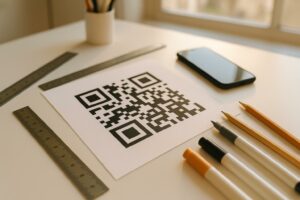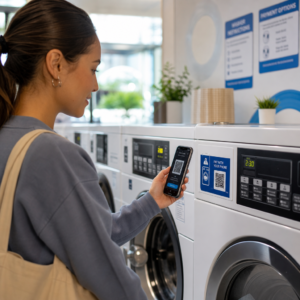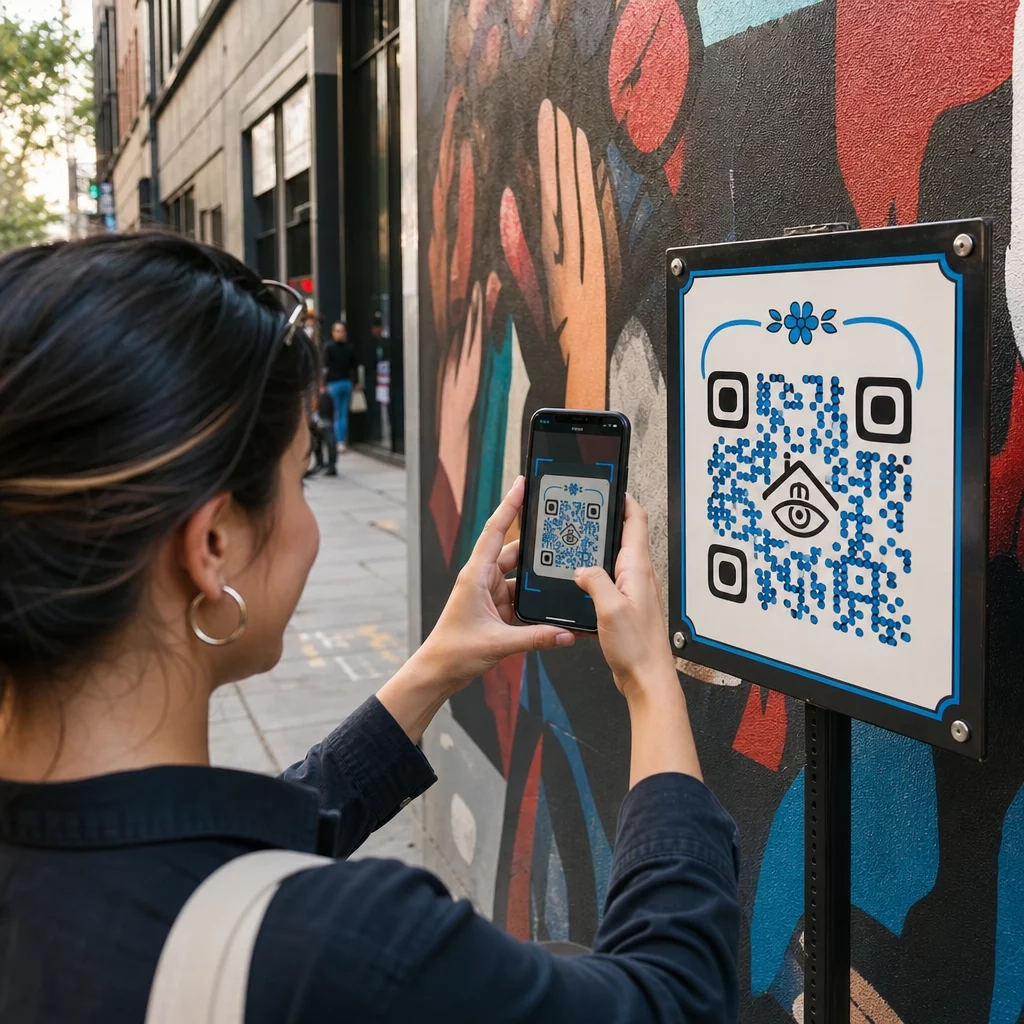
Cum oferiți privitorilor mai mult decât încape pe o placă – fără a aglomera opera de artă în sine? Etichetele statice nu pot conține interviuri cu artiști, istorii orale sau experiențe de realitate augmentată, iar această lacună lasă publicul deconectat de povestea completă din spatele lucrării. Acest ghid acoperă strategii practice pentru integrarea codurilor QR în arta publică și murale, de la design și plasare la tipuri de conținut și analize.
De ce funcționează codurile QR în setările de artă publică
Un cod QR plasat lângă – sau integrat în – o murală acționează ca o punte între piesa fizică și o multitudine de conținut digital. Privitorii cu smartphone-uri pot scana instantaneu, fără a descărca o aplicație separată, și pot fi direcționați către ghiduri audio, interviuri video, pagini de donații sau experiențe AR interactive.
Mai multe programe de artă publică au demonstrat modelul:
- În Raleigh, Carolina de Nord, Proiectul Q-Art Code a plasat coduri inteligente QR cu opere de artă publică în tot orașul, astfel încât membrii comunității să poată accesa instantaneu informații despre fiecare piesă și creatorul acesteia.
- În cartierul Wynwood din Miami, artistul Ruben Ubiera a încorporat un cod QR direct într-o murală care înfățișează opt imigranți, legând fiecare față de o istorie orală înregistrată – inclusiv relatări despre separarea familiilor și deportare.
- În centrul orașului Syracuse, murala S.Alt City este construită în întregime din plăci de coduri QR, fiecare placă legând la o organizație de artă contemporană diferită din regiune, transformând efectiv peretele într-un director scanabil.
- În Punta Gorda, Florida, o societate locală de murale a montat semne cu coduri QR pe pereții murali istorici, astfel încât vizitatorii să se poată ghida singuri prin colecție în extrasezon, accesând scurte lecții de istorie de pe telefoanele lor.
Aceste proiecte împărtășesc un principiu comun: codul QR nu înlocuiește arta – o extinde.
Conectați-vă arta publică la conținutul digital Folosește Generator de coduri QR pentru linkuri pentru a crea un cod scanabil care direcționează privitorii către biografii de artiști, ghiduri audio, interviuri video sau orice destinație web alegeți.
Ce conținut să legați de la codurile QR de artă publică
Valoarea unei scanări depinde în întregime de ceea ce oferă. Alegerea formatului de conținut potrivit pentru context face diferența între o atingere curioasă și o interacțiune semnificativă.
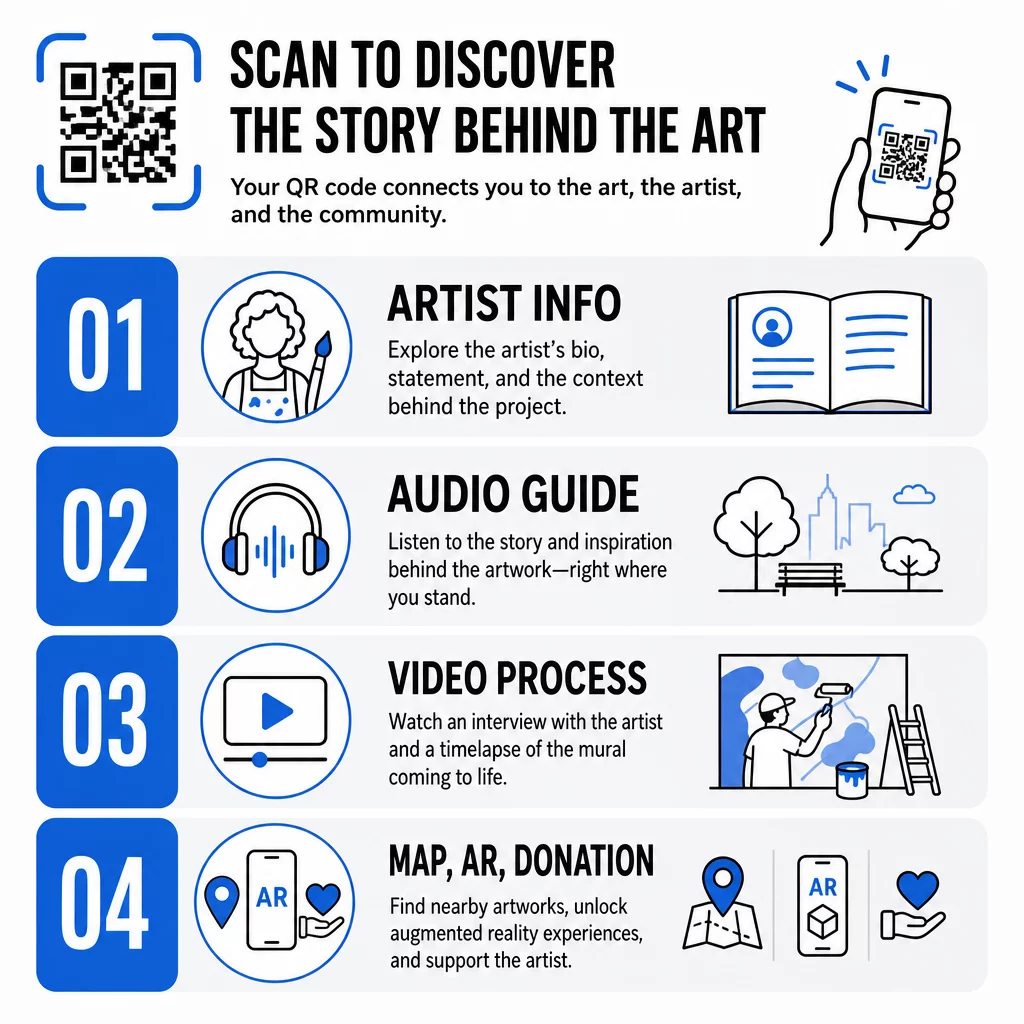
Informații despre artist și context
Link către o scurtă biografie, o declarație despre lucrare sau o cronologie care arată dezvoltarea proiectului. Acest lucru este deosebit de valoros pentru instalațiile temporare unde spațiul pe perete este limitat.
Ghiduri audio
Narațiunea vorbită funcționează bine în aer liber, unde vizitatorii se pot mișca sau în medii zgomotoase. Puteți găzdui fișiere audio direct folosind un cod QR MP3 care se redă pe orice smartphone.
Interviuri video și documentație de proces
Legarea la un interviu cu artistul sau la un time-lapse al picturii murale oferă privitorilor o perspectivă din culise care aprofundează aprecierea lucrării finite.
Ghiduri PDF și hărți de tur
Pentru instalațiile care fac parte dintr-o rută sau un district mai mare, un Codul PDF QR poate oferi o hartă descărcabilă a turului pietonal sau un echivalent al ghidului tipărit – fără costuri de imprimare.
Locație și orientare
Pentru colecțiile de artă publică multi-site, un Codul QR Google Maps permite vizitatorilor să navigheze de la o piesă la alta fără a fi nevoie să caute manual.
Experiențe de realitate augmentată
Codurile QR legate de AR permit privitorilor să deblocheze animații, suprapuneri 3D sau narațiuni în evoluție stratificate peste lucrarea fizică. Muzee precum Smithsonian și locații interactive precum Convergence Station de la Meow Wolf din Denver au folosit această abordare pentru a transforma expozițiile statice în experiențe participative. Pentru o privire mai aprofundată asupra modului în care AR schimbă povestirea în spațiile de artă, vezi cum codurile QR AR transformă povestirea în muzee.
Linkuri de donație și suport
Artistul stradal francez Pascal “PBOY” Boyart a încorporat coduri QR Bitcoin în picturile sale murale, permițând privitorilor să trimită donații în criptomonede prin scanare. Codurile au fost concepute ca elemente integrante ale operei de artă, nu ca elemente adăugate ulterior, și au dus la sprijin comunitar direct pentru practica sa.
Proiectarea codurilor QR care aparțin artei
Un cod QR care se ciocnește vizual cu lucrarea înconjurătoare rupe imersiunea privitorului. Un design atent menține codul funcțional, respectând în același timp contextul artistic.
Contrastul este nenegociabil
Modelele închise pe un fundal deschis se scanează fiabil. Schemele de culori inversate – deschis pe închis – sunt mai greu de detectat pentru majoritatea cititorilor. Indiferent de paleta de culori pe care o alegeți, prioritizați un contrast suficient între prim-planul și fundalul codului.
Păstrați zona liniștită clară
Lăsați cel puțin patru module de spațiu gol în jurul marginii exterioare a codului. Textul, imaginile și elementele decorative care încalcă această margine interferează cu scanarea.
Utilizați corecție înaltă a erorilor la adăugarea de logo-uri
Încorporarea unui logo sau simbol în centrul unui cod QR este o modalitate comună de a integra brandingul sau semnătura artistului. Setați corecția erorilor la Nivel H înainte de a adăuga orice suprapunere – acest nivel poate recupera până la 30% din datele deteriorate, ceea ce compensează porțiunea codului obturată de logo.
Dimensiune pentru distanța de vizualizare
Regula generală este că codul ar trebui să aibă aproximativ o zecime din lățimea distanței de scanare așteptate. Un vizitator aflat la 10 picioare de o pictură murală are nevoie de un cod de cel puțin 12 inci lățime pentru a scana confortabil. Pentru semnalizarea de aproape, se aplică un minim de 1 × 1 inch. Pentru picturile murale la scară mare, planificați coduri de 1 până la 1,5 picioare lățime.
Alegeți materiale durabile pentru utilizare în exterior
Cernelurile rezistente la UV, metalul sau plasticul gravat și laminatele rezistente la intemperii prelungesc toate durata de viață funcțională a codurilor exterioare. Finisajele lucioase creează reflexii; substraturile mate funcționează mai bine în condiții de iluminare variate. Testați codul la diferite ore ale zilei și în condițiile de iluminare cu care se va confrunta efectiv instalația.
Exportați în format vectorial pentru imprimare
Descărcați codul QR ca fișier SVG, EPS sau PDF, mai degrabă decât o imagine raster de rezoluție scăzută. Formatele vectoriale se scalează curat la orice dimensiune fără pixelare, ceea ce este esențial pentru aplicațiile exterioare mari.
Pentru o defalcare completă a rapoartelor de contrast, zonelor liniștite și nivelurilor de corecție a erorilor, consultați cele mai bune practici de utilizare a codurilor QR și cele mai bune practici pentru lizibilitatea codurilor QR.
Unde să Plasezi Coduri QR pe Murale și Instalații
Chiar și un cod perfect conceput va rămâne nescanat dacă se află în locația greșită. Deciziile de plasare afectează atât descoperirea, cât și ușurința în utilizare.
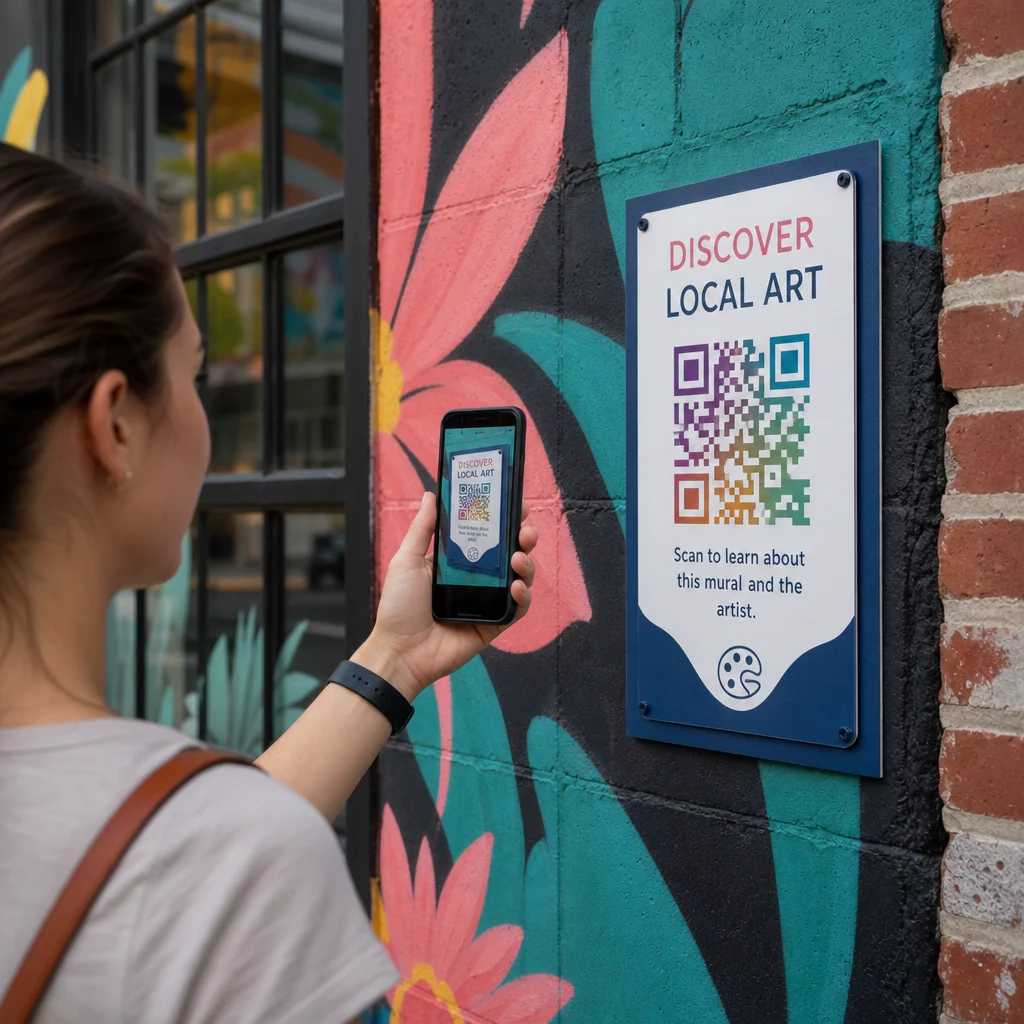
La nivelul ochilor și accesibil
Poziționează codurile la aproximativ 1,2 până la 1,5 metri de sol – poziția naturală de scanare pentru majoritatea adulților. Codurile plasate prea sus necesită ca privitorii să-și ridice telefoanele într-un mod stângaci; codurile plasate la nivelul solului sunt ușor de ratat.
Unde oamenii se opresc deja
Privitorii care sunt staționari sunt mult mai predispuși să scaneze decât privitorii care trec pe lângă. Identifică punctele naturale de oprire – zone de ședere, locuri umbrite, colțuri unde oamenii se adună – și plasează codurile acolo, mai degrabă decât în poziții de mijloc de pas de-a lungul unei alei aglomerate.
Suprafețe plane, stabile
Suprafețele plane oferă scanerelor o citire clară, nedistorsionată. Suprafețele ușor curbate sau texturate pot funcționa dacă codul este suficient de mare, dar cresc șansa de eșec la scanare. Evită suprafețele foarte reflectorizante care generează strălucire.
Indicații clare de semnalizare
Adaugă un scurt apel la acțiune lângă cod: “Scanează pentru a asculta povestea artistului” sau “Scanează pentru ghidul complet.” Privitorii care nu recunosc imediat ce face codul sunt mai puțin predispuși să încerce. Pentru îndrumări privind scrierea unor CTA-uri eficiente, vezi Cele mai bune practici de plasare a codurilor QR.
Utilizarea Codurilor QR Dinamice pentru Gestionarea și Urmărirea Artei Publice
Codurile QR statice codifică o destinație fixă. Odată imprimate sau instalate, conținutul legat nu poate fi modificat fără a înlocui codul fizic. Pentru instalațiile de artă publică pe termen lung – sau proiecte în care conținutul evoluează – acest lucru creează o problemă reală de întreținere.
Coduri QR dinamice rezolvă acest lucru prin indicarea unei adrese URL scurte de redirecționare pe care o controlezi. Codul fizic rămâne același, dar poți actualiza destinația oricând dintr-un tablou de bord. Dacă site-ul web al unui artist se schimbă, un videoclip este re-găzduit sau un ghid turistic sezonier înlocuiește unul mai vechi, actualizarea are loc în platformă fără a atinge codul instalat.
Codurile dinamice oferă, de asemenea, analize. Poți urmări de câte ori a fost scanat un cod, când au loc scanările și unde în lume se află scanerii. Pentru curatori și organizatori de expoziții, aceste date relevă ce piese dintr-o colecție generează cel mai mare angajament, ce ore ale zilei înregistrează activitate maximă și dacă anumite locații depășesc performanțele altora. Aceste informații susțin decizii mai bune de plasare și actualizări de conținut mai relevante în timp.
Pentru artiștii care gestionează instalații temporare sau proiecte în evoluție, capacitatea de a stratifica conținutul – oferind informații de bază la prima scanare și deblocând material mai profund la vizite repetate – încurajează angajamentul continuu cu aceeași piesă.
Urmăriți fiecare scanare în cadrul colecției dumneavoastră de artă publică Cel Generator cod QR dinamic vă permite să actualizați conținutul legat fără a retipări și oferă un tablou de bord complet de analiză pentru a monitoriza implicarea în fiecare instalație.
Coduri QR în Muzee și Instituții Culturale
Locurile culturale interioare operează sub constrângeri diferite față de muralele exterioare, dar aceleași principii se aplică. Muzeele au adoptat codurile QR pentru a extinde ceea ce pot comunica etichetele expozițiilor, pentru a oferi conținut multilingv vizitatorilor internaționali și pentru a înlocui broșurile tipărite cu alternative digitale actualizabile.
Cazurile de utilizare în mediile muzeale includ:
- Ghiduri audio interactive și tururi autoghidate
- Hărți digitale ale spațiului expozițional
- Experiențe AR care animă artefacte sau dezvăluie straturi ascunse ale picturilor
- Programe de ateliere, înscrieri la prelegeri și promovări de evenimente
- Formulare de feedback pentru vizitatori legate la ieșiri sau în întreaga galerie
Muzeul M+ din Hong Kong a înregistrat 148.000 de interacțiuni ale vizitatorilor prin coduri QR, demonstrând o puternică pregătire a publicului pentru implicarea bazată pe smartphone în spațiile de artă. Musea Brugge a folosit coduri QR Pageloot în mod specific pentru a îmbogăți implicarea vizitatorilor și a simplifica accesul la informațiile expoziției.
Pentru o privire mai amplă asupra modului în care instituțiile aplică această tehnologie, consultați Coduri QR pentru muzee, Coduri QR pentru galerii de artă: cele mai bune practici, și studii de caz privind codurile QR în instalațiile de artă modernă.
Securitate, Confidențialitate și Întreținere pe Termen Lung
Codurile QR publice sunt accesibile la orice oră și pentru toate publicurile, ceea ce face ca întreținerea continuă să fie esențială. Un link rupt sau o destinație depășită subminează încrederea vizitatorului și irosește oportunitatea creată de scanare.
Practici cheie pentru implementarea responsabilă pe termen lung:
- Testați regulat pe mai multe dispozitive și în diferite condiții de iluminare pentru a confirma că codurile rămân scanabile și linkurile sunt active.
- Utilizați destinații HTTPS pentru a semnala legitimitatea și a proteja vizitatorii de redirecționări nesigure.
- Afișați semnalizare clară despre ce date, dacă există, sunt colectate atunci când vizitatorii scanează și respectați reglementările aplicabile privind confidențialitatea.
- Utilizați materiale fizice durabile adecvate mediului exterior – cerneluri rezistente la UV, laminate rezistente la intemperii sau ecrane digitale protejate pentru instalații permanente.
- Verificați periodic conținutul legat pentru a vă asigura că videoclipurile, PDF-urile și paginile artiștilor rămân actuale și accesibile.
Codurile QR dinamice reduc semnificativ povara întreținerii, deoarece actualizările de conținut și modificările de link se întâmplă în platformă, mai degrabă decât să necesite înlocuirea fizică a codurilor instalate. Atunci când codurile QR sunt proiectate cu aceeași grijă ca și opera de artă pe care o însoțesc – dimensionate corect, contrastate corespunzător, plasate cu atenție și legate de conținut cu adevărat valoros – ele extind durata de viață și acoperirea artei publice mult dincolo de ceea ce poate oferi o singură vizionare. Indiferent dacă documentați o pictură murală stradală, construiți o potecă interactivă de sculpturi sau digitalizați o colecție de muzeu, instrumentele de cod QR pentru artă disponibile prin Pageloot vă oferă o cale directă de la instalarea fizică la implicarea digitală măsurabilă.
Întrebări frecvente
Dimensiunea depinde de distanța de scanare.
Codurile QR în arta publică pot face legătura cu aproape orice conținut digital: biografii de artiști, ghiduri audio, interviuri video, experiențe AR, ghiduri PDF pentru tururi pietonale, pagini de donații, navigare Google Maps, profiluri de social media sau formulare de feedback. Tipul corect de conținut depinde de contextul operei de artă – picturile murale în aer liber beneficiază adesea de audio sau videoclipuri scurte, în timp ce instalațiile muzeale pot suporta ghiduri multimedia mai detaliate.
Un cod QR static codifică o destinație fixă care nu poate fi modificată după ce codul este imprimat sau instalat. Un cod QR dinamic indică o adresă URL de redirecționare pe care o puteți actualiza oricând dintr-un tablou de bord de gestionare, astfel încât codul fizic rămâne pe loc în timp ce conținutul legat evoluează. Codurile dinamice oferă, de asemenea, analize – număr de scanări, momentul scanării și date geografice – care îi ajută pe curatori să înțeleagă ce instalații generează cel mai mult angajament și să-și rafineze abordarea în timp.