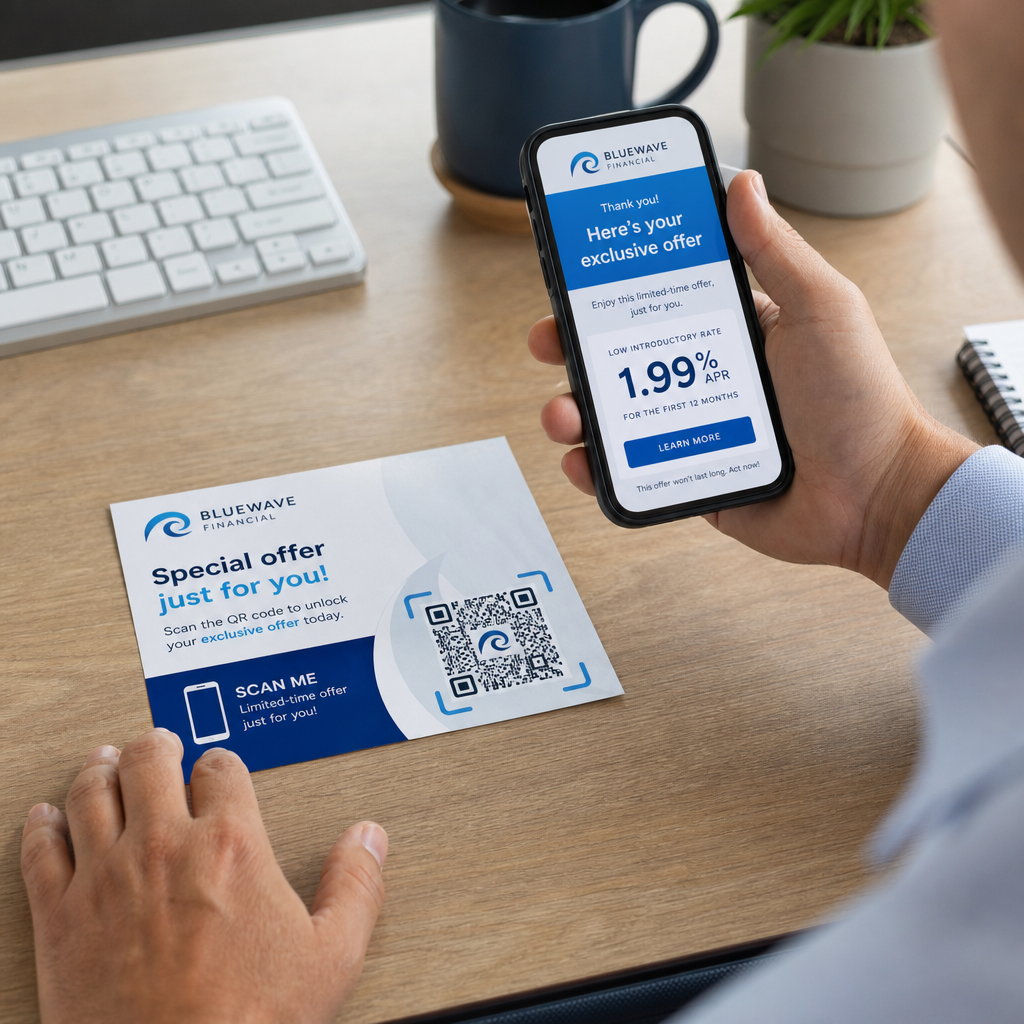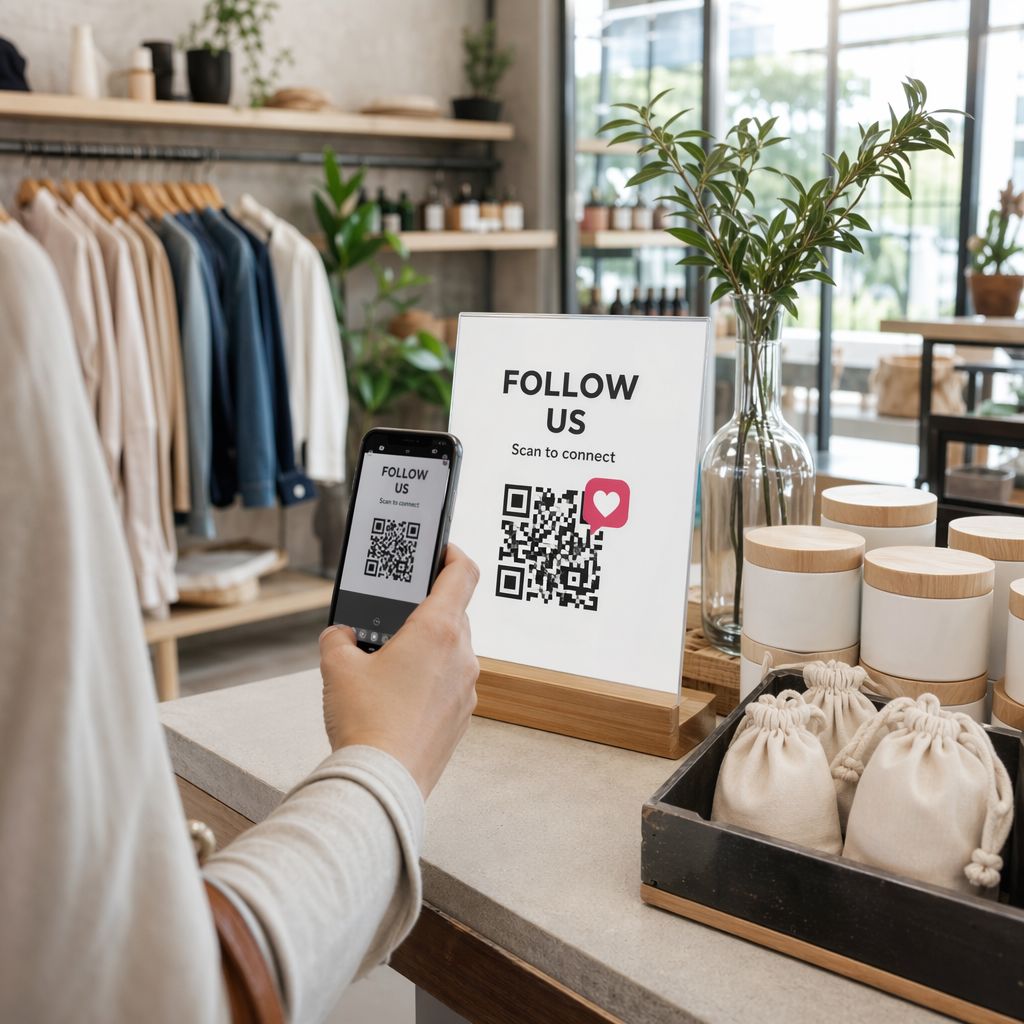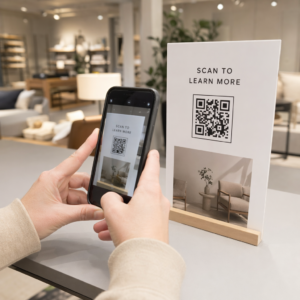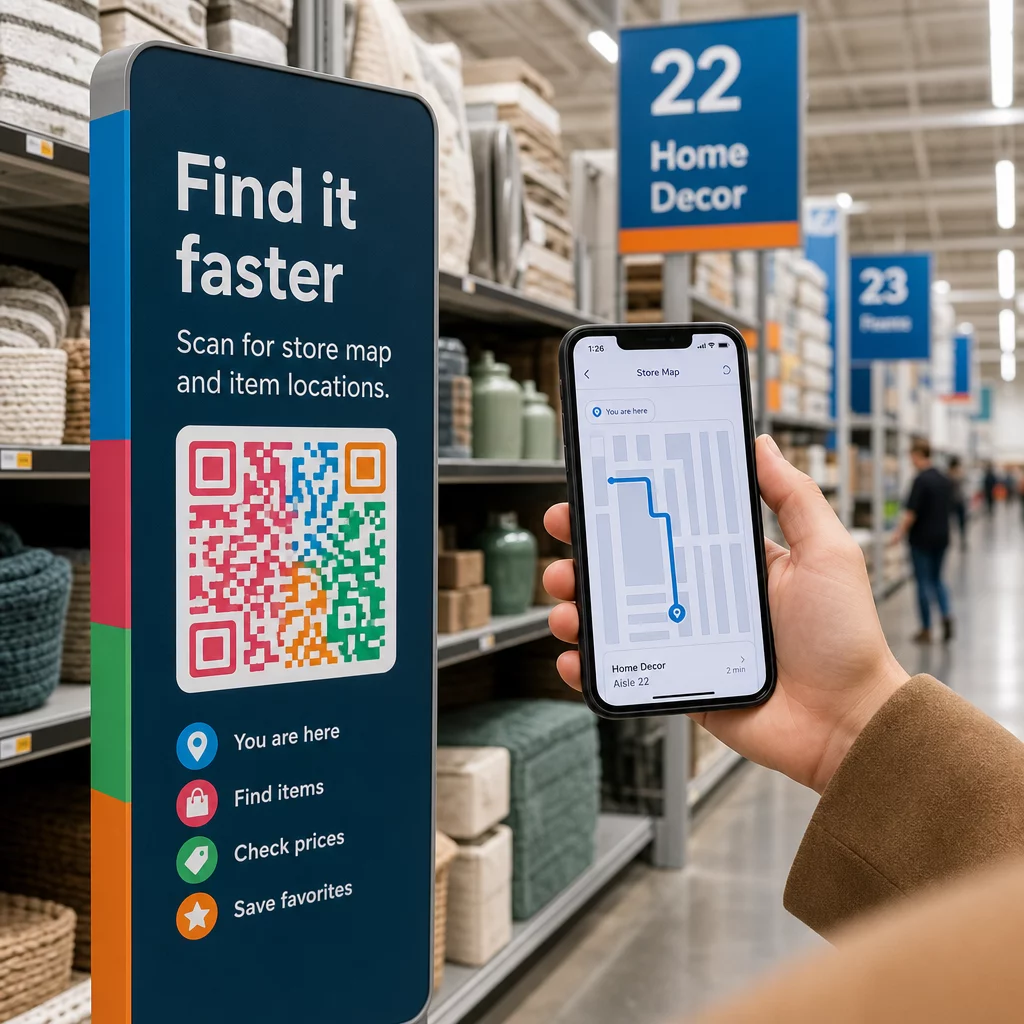
Ar jūsų klientai klaidžioja po praėjimus, nusivylę ir tuščiomis rankomis? Prasta navigacija parduotuvėje išvaro pirkėjus pro duris dar prieš jiems ką nors nupirkus. Šis vadovas parodo, kaip naudoti QR kodus, kad nukreiptumėte klientus tiesiai prie reikiamų produktų, žemėlapių ir akcijų.
Kodėl navigacija parduotuvėje yra reali problema mažmenininkams
Didelėse prekybos erdvėse sunku orientuotis. Klientas, ieškantis konkrečios prekės statybinių prekių parduotuvėje ar didelėje prekybos centre, gali praleisti kelias minutes ieškodamas, kol pasiduos. Ši trintis kainuoja jums pardavimus.
Skaitmeninis kelio nurodymas tai išsprendžia, tačiau sukurti specialią parduotuvės programėlę yra brangu, ir dauguma klientų jos neatsisiųs. 72% vartotojų mieliau nuskaito QR kodą, nei atsisiunčia konkrečiai įmonei skirtą programėlę, todėl QR kodai yra praktiška, nebrangi alternatyva. Jie veikia su kamera, kuri jau yra kiekvieno pirkėjo kišenėje – nereikia jokio diegimo.
Kadangi 2025 m. 89 milijonai amerikiečių nuskaitys QR kodus, jūsų klientai jau žino, kaip jais naudotis. Klausimas yra, ar jūs juos naudojate efektyviai.
Ką QR kodai gali padaryti navigacijai parduotuvėje
QR kodai veikia kaip momentiniai tiltai tarp fizinės vietos ir skaitmeninio turinio. Mažmeninės prekybos kontekste tai reiškia, kad galite pritvirtinti nuskaitomą kodą prie beveik bet kokio paviršiaus – lentynos etiketės, grindų ženklo, vitrinos – ir nukreipti pirkėjus tiesiai prie naudingos informacijos.
Štai pagrindiniai navigacijos naudojimo atvejai:
- Parduotuvės žemėlapiai ir grindų planai – Nuoroda į PDF arba tinklalapį, kuriame parodytas jūsų parduotuvės išdėstymas, su aiškiai pažymėtais skyriais
- Produktų vietos vadovai – Nukreipkite klientus į konkretų praėjimą ar skyrių
- „Google Maps“ nuorodos – Padėkite klientams rasti jūsų parduotuvės įėjimą, automobilių stovėjimo aikštelę arba konkrečią vietą dideliame objekte
- Akcijų zonos – Nukreipkite pirkėjus į dabartines išpardavimų zonas arba pristatomus stendus
- Produkto detalės ir prieinamumas – Leiskite pirkėjams peržiūrėti specifikacijas, atsargų būseną ar susijusias prekes stovint prekybos salėje
Kiekvienas iš šių naudojimo atvejų yra pasiekiamas naudojant vieną QR kodą ir gerai suprojektuotą paskirties puslapį.
Įdėkite savo parduotuvę į žemėlapį Sukurkite nuskaitomą kodą, kuris atidaro jūsų parduotuvės vietą tiesiogiai „Google Maps“. Naudokite "Google" žemėlapių QR kodų generatorius kad klientai iš automobilių stovėjimo aikštelės per kelias sekundes pasiektų tinkamą įėjimą.
Kaip nustatyti QR kodus navigacijai: praktinis vadovas
1 žingsnis: apibrėžkite navigacijos problemą, kurią sprendžiate
Pradėkite nuo konkretaus trinties taško. Ar klientams sunku rasti konkretų skyrių? Ar jie pasimeta prie įėjimo? Ar sezonines akcijas sunku rasti? Tikslios problemos nustatymas padeda nuspręsti, su kuo turėtų būti susietas QR kodas ir kur jis turėtų būti patalpintas.
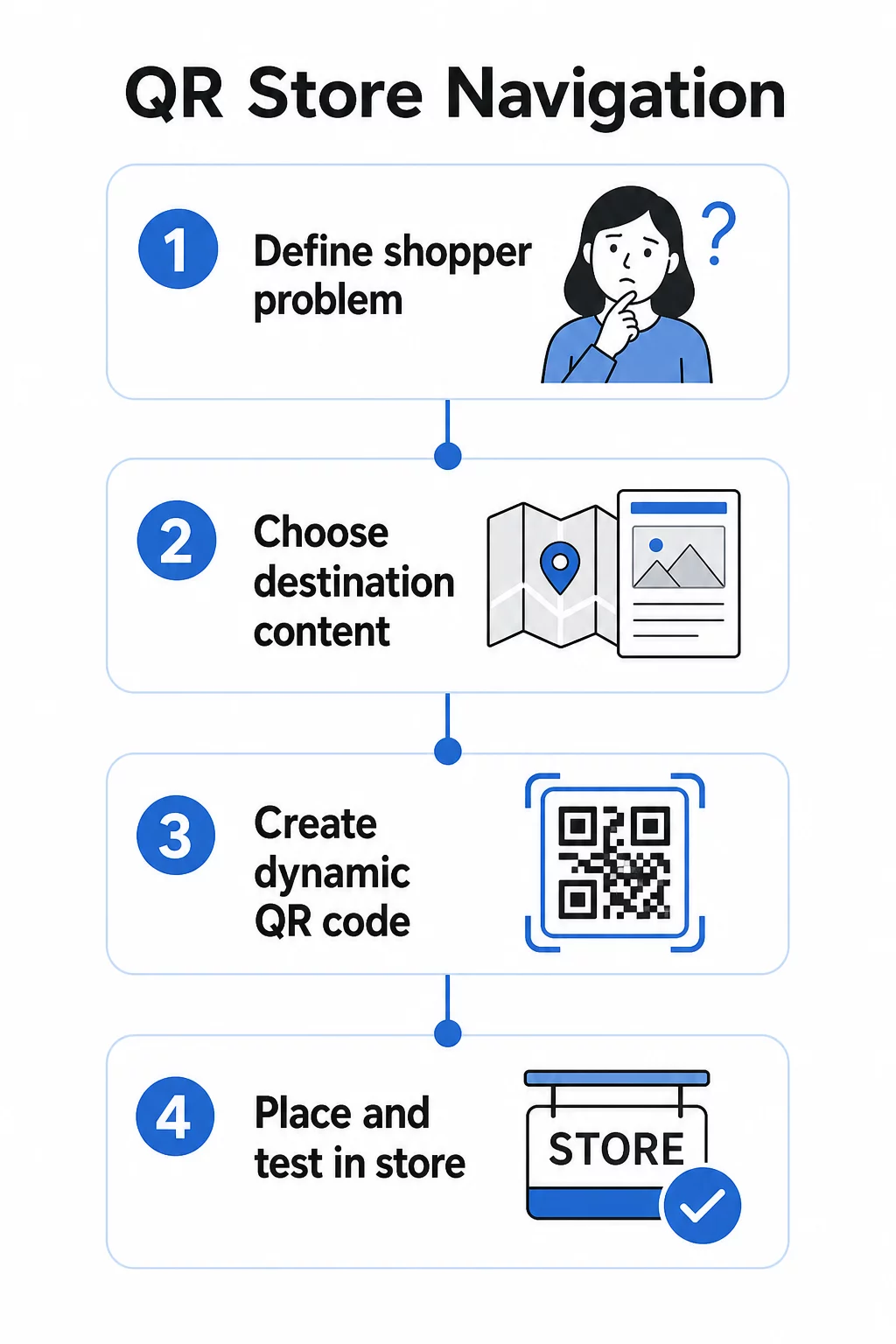
2 žingsnis: pasirinkite tinkamą paskirties turinį
Suderinkite QR kodo paskirtį su pirkėjo poreikiu:
| Pirkėjo problema | QR paskirtis |
|---|---|
| Negali rasti skyriaus | Parduotuvės žemėlapis PDF formatu arba pažymėtas grindų planas |
| Reikia produkto detalių prekybos salėje | Produkto puslapis arba specifikacijų lapas |
| Ieško dabartinių akcijų | Kuponų nukreipimo puslapis arba pasiūlymų puslapis |
| Bando rasti jūsų parduotuvę | "Google" žemėlapių nuoroda |
| Nori palyginti variantus | PDF katalogas arba įvaizdžio knyga |
Parduotuvės žemėlapiams ir produktų vadovams, a PDF QR kodas yra vienas praktiškiausių variantų – galite sukurti aiškų grindų planą, įkelti jį vieną kartą ir atnaujinti bet kada, kai pasikeičia jūsų išdėstymas, neatsispausdinant naujų kodų.
3 žingsnis: Naudokite dinaminius QR kodus, kad galėtumėte atnaujinti neperspausdinant
Šis žingsnis yra svarbesnis, nei dauguma mažmenininkų supranta. Parduotuvių išdėstymai keičiasi. Akcijos rotuojasi. Produktai juda. Jei atspausdinsite statinius QR kodus, susietus su fiksuotu URL, ir tada reikės atnaujinti paskirties vietą, kiekvienas atspausdintas kodas taps nenaudingas.
Dinaminiai QR kodai išspręskite tai saugodami trumpą nukreipimo URL, kurį galite atnaujinti iš valdymo pulto. Kodas lentynoje lieka tas pats; keičiasi tik paskirties vieta. Mažmeninės prekybos aplinkoje, kur informacija keičiasi kas savaitę ar sezoniškai, tai yra būtina.
Pagelooto QR kodo generatorių sukuria dinaminius kodus, kurie leidžia atnaujinti parduotuvės žemėlapį, pakeisti akciją arba nukreipti į naują produkto puslapį – visa tai nepaliečiant fizinių iškabų.
4 žingsnis: Padėkite kodus ten, kur pirkėjams jų iš tikrųjų reikia
Išdėstymas lemia, ar QR kodas bus naudojamas, ar ignoruojamas. Laikykitės šių gairių:
- Akių lygyje ir rankos atstumu – Padėkite kodus ten, kur pirkėjai gali juos natūraliai nuskaityti, nesilenkdami ar nesitempdami. Optimalus nuskaitymo atstumas daugumai išmaniųjų telefonų yra maždaug 10–50 cm.
- Sumišimo taške – Įėjimo kodas, susietas su parduotuvės žemėlapiu, yra naudingiausias, kai klientas pirmą kartą įeina ir orientuojasi.
- Prie atitinkamo produkto ar skyriaus – Lentynos krašto kodai, skirti produkto detalėms, geriausiai veikia, kai jie yra tiesiai prie prekės, o ne praėjimo gale.
- Ant kelio nuorodų ženklų – Skyrių ženklai, virš galvos esantys plakatai ir grindų grafika yra veiksmingi paviršiai navigacijos QR kodams.
- Prieinama visiems pirkėjams – Užtikrinkite, kad išdėstymo aukštis tiktų klientams, naudojantiems neįgaliųjų vežimėlius. Venkite kodų išdėstymo per žemai ar per aukštai, kad jie nepašalintų jokios jūsų pirkėjų dalies.
Išsamesnių patarimų dėl išdėstymo ieškokite mūsų vadove apie geriausių QR kodų išdėstymo vietų mažmeninės prekybos parduotuvėms.
5 žingsnis: Sukurkite kodus, kurie tikrai nuskaitomi
Kodas, kuris patikimai nenuskaitomas, sugadina patirtį. Laikykitės šių techninių minimumų:
- Dydis – Lentynų etiketėms ir lipdukams naudokite mažiausiai 2 × 2 cm. Didesniems ženklams taikykite 10:1 taisyklę: maksimalus nuskaitymo atstumas neturėtų viršyti dešimt kartų kodo pločio.
- Kontrastas – Naudokite tamsų priekinį planą ant šviesaus fono. Venkite apverstų arba mažo kontrasto spalvų schemų.
- Tylioji zona – Išlaikykite aiškų bent keturių modulių kraštą iš visų pusių. Neleiskite tekstui, kraštinėms ar grafikai persidengti su šia erdve.
- Paviršius – Venkite atspindinčių, tekstūruotų ar išlenktų paviršių, kur įmanoma. Matiniai paviršiai nuskaitomi patikimiau nei blizgūs.
- Atskyrimas – Jei dedate kelis kodus arti vienas kito (pvz., ant produkto stendo su keliais elementais), atskirkite juos pakankamai toli, kad kamera netyčia nenuskenuotų neteisingo.
Visada išbandykite savo kodus tikruoju dydžiu, atstumu ir apšvietimo sąlygomis, su kuriomis susidurs pirkėjai, prieš juos diegdami visoje savo parduotuvėje. Daugiau informacijos rasite mūsų vadovuose apie su QR kodų skaitomumo geriausia praktika ir QR kodo dydžio nustatymas skirtingoms spausdinimo medžiagoms.
Konkretūs navigacijos scenarijai ir kaip juos įdiegti
Nuoroda į parduotuvės žemėlapį
Sukurkite paprastą, aiškiai pažymėtą parduotuvės planą PDF formatu. Padalinkite parduotuvę į pavadintas zonas – Elektronika, Drabužiai, Klientų aptarnavimas, Tualetai – ir pažymėkite dabartinę vietą žymekliu “Jūs esate čia”. Įkelkite PDF į Pageloot's PDF QR kodų generatorius ir padėkite gautą kodą prie savo parduotuvės įėjimo, šalia klientų aptarnavimo stalų ir pagrindinėse praėjimų sankryžose.
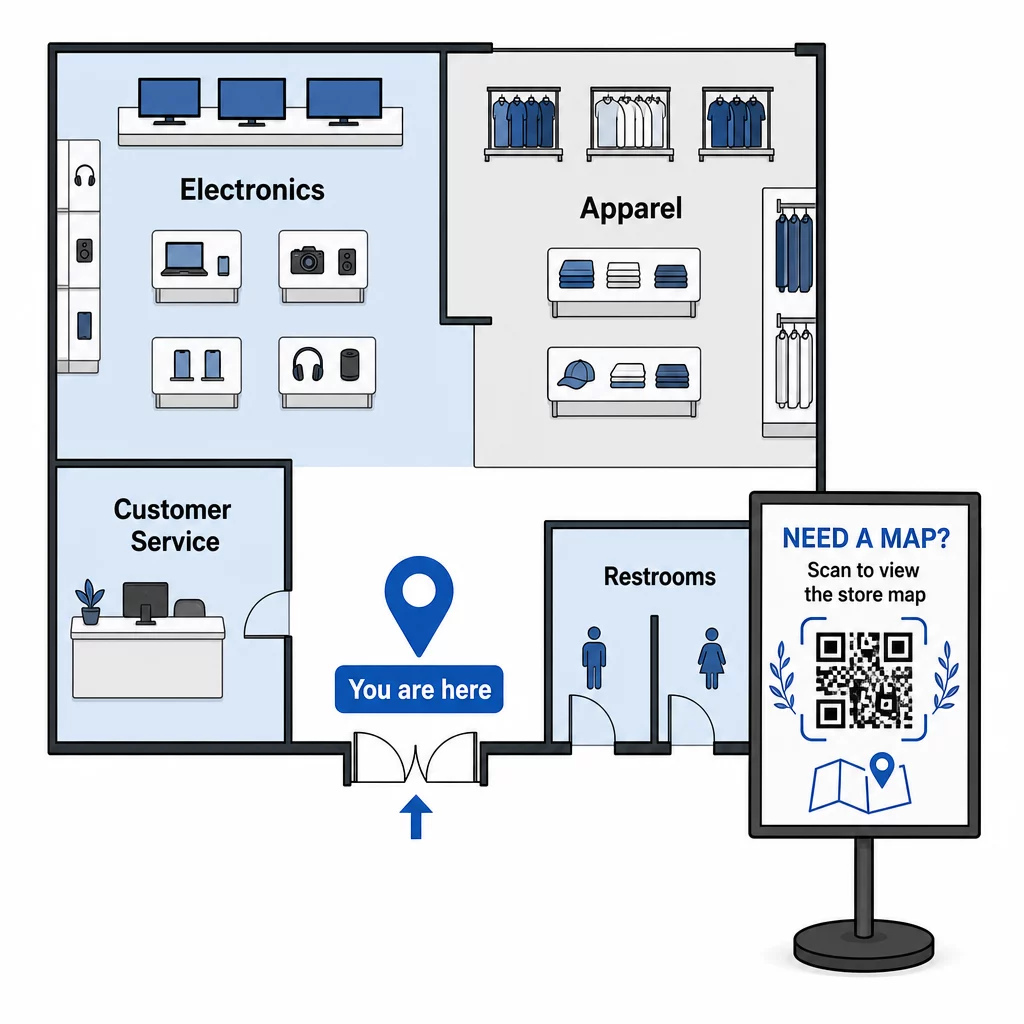
Kai jūsų išdėstymas pasikeičia dėl sezoninio atnaujinimo, atnaujinkite PDF savo prietaisų skydelyje. Atspausdinti QR kodai veiks toliau.
Klientų nukreipimas į parduotuvės įėjimą arba automobilių stovėjimo aikštelę
Didesnėms mažmeninės prekybos patalpoms, prekybos centrams ar parduotuvėms su keliais įėjimais, a "Google Maps" QR kodas gali būti įterptas į išankstinio apsilankymo komunikacijas – el. pašto patvirtinimus, kvitus ar jūsų svetainę – kad klientai atvyktų tiksliai žinodami, kur eiti. Padėkite tą patį kodą ant išorinių iškabų, kad padėtumėte klientams, kurie pastatė automobilį nepažįstamoje vietoje, rasti tinkamą įėjimą.
Parduotuvėms, kurios dalijasi kompleksu ar miesteliu su kitais mažmenininkais, šis metodas taip pat tinka nukreipiant pirkėjus į konkretų pastatą ar sklypą. Sužinokite daugiau apie tai, kaip QR kodai palaiko nuorodas ir vietos bendrinimą įvairiose žemėlapių paslaugose.
Pirkėjų nukreipimas į akcijas
Išpardavimo ar sezoninio renginio metu padėkite QR kodus prie parduotuvės įėjimo ir ant atitinkamų iškabų, kurios tiesiogiai nukreipia į akcijų nukreipimo puslapį. Pageloot's kuponų QR kodo generatorius leidžia jums sukurti specialų puslapį dabartiniams pasiūlymams, kurį pirkėjai gali akimirksniu atsidaryti ir pateikti kasoje.
Kadangi naudojate dinaminius kodus, pasibaigus išpardavimui galite pakeisti akcijos puslapį, nekeisdami jokių parduotuvės iškabų.
Produkto lygio navigacija lentynoje
Uždėkite mažus QR kodus ant lentynų kraštų etikečių šalia pagrindinių produktų. Susiekite juos su puslapiu, kuriame yra:
- Produkto specifikacijos arba palyginimo lentelės
- Atsargų informacija (yra sandėlyje, ribotas kiekis)
- Susiję produktai ar priedai
- Mokomieji vaizdo įrašai arba nustatymo vadovai
Šis metodas ypač efektyvus perkant brangias prekes – elektroniką, buitinę techniką ar specializuotus įrankius – kai pirkėjai nori daugiau informacijos, nei gali suteikti kainos etiketė. Mažmenininkai gali naudoti nuorodos QR kodai nukreipti tiesiai į bet kurį produkto puslapį ar pasirinktinį nukreipimo puslapį.
Nuolat atnaujinkite navigacijos turinį Parduotuvių išdėstymas, akcijos ir produktų linijos nuolat keičiasi. Naudokite Pageloot dinaminiai QR kodai kad bet kada atnaujintumėte savo paskirties puslapius, neperspausdindami parduotuvės iškabų.
Stebėjimas, kurie navigacijos kodai veikia
Vienas iš labiausiai nepanaudotų QR pagrindu veikiančios navigacijos privalumų yra jos generuojami duomenys. Kiekvienas nuskaitymas yra signalas: klientui reikėjo pagalbos ieškant kažko toje vietoje, tuo metu.
Naudodami dinaminius QR kodus ir integruotą analizę, galite stebėti:
- Kurios vietos generuoja daugiausiai nuskaitymų – Didelis nuskaitymų skaičius prie konkretaus skyriaus gali reikšti prastą fizinį ženklinimą toje vietoje.
- Kai pirkėjai naršo – Didžiausio nuskaitymų piko laikas parodo, kada klientai yra aktyviausi ir labiausiai reikalingi pagalbos.
- Koks turinys sulaukia daugiausiai įsitraukimo – Jei jūsų parduotuvės žemėlapis nuskaitomas dešimt kartų daugiau nei jūsų akcijų kodas, žinote, kur pirkėjai susiduria su sunkumais.
Šie duomenys padeda patobulinti parduotuvės išdėstymą, pagerinti ženklinimą ir priimti geresnius sprendimus dėl to, kur fiziškai turėtų būti išdėstytos akcijos. Mažmenininkams, valdantiems kelias vietas, ta pati analizės sistema taikoma visose parduotuvėse, leidžianti palyginti našumą ir standartizuoti tai, kas veikia.
Tas Pageloot mažmeninės prekybos QR kodų sprendimas yra sukurtas būtent tokiam nuolatiniam optimizavimui, suteikiant parduotuvių vadovams centralizuotą prietaisų skydelį, skirtą valdyti ir analizuoti kiekvieną kodą jų parduotuvėse.
Dažniausiai pasitaikančios klaidos, kurių reikia vengti
- Statinio kodo spausdinimas turiniui, kuris keičiasi – Visada naudokite dinaminius kodus viskam, ką gali prireikti atnaujinti.
- Kodų dėjimas ten, kur nėra signalo – Išbandykite susietus puslapius naudodami mobiliojo ryšio duomenis, o ne tik parduotuvės „Wi-Fi“. Kai kurie pirkėjai nebus prisijungę prie jūsų tinklo.
- Trūksta raginimo veikti – QR kodas be konteksto ignoruojamas. Visada įtraukite trumpą teksto eilutę, paaiškinančią, ką pirkėjas gaus: “Nuskaitykite parduotuvės žemėlapį”, “Nuskaitykite šiandienos pasiūlymus” arba “Nuskaitykite produkto detales”.”
- Kodai per maži, kad būtų galima nuskaityti iš natūralaus atstumo – Naudokite 10:1 dydžio taisyklę ir išbandykite prieš spausdindami dideliu masteliu.
- Nuorodos į ne mobiliesiems optimizuotus puslapius – Kiekviena paskirties vieta turėtų greitai įkelti ir aiškiai rodyti išmaniojo telefono ekrane.
Pradžia
QR pagrindu veikianti navigacija yra vienas ekonomiškiausių būdų pagerinti apsipirkimo parduotuvėje patirtį. Jums nereikia specialios programėlės, didelio biudžeto ar sudėtingos infrastruktūros. Jums reikia gerai išdėstytų kodų, aiškaus paskirties turinio ir galimybės atnaujinti abu, kai jūsų parduotuvė vystosi.
Pradėkite nuo vieno didelės trinties taško savo parduotuvėje – įėjimo, sunkiai randamo skyriaus ar dabartinės akcijos zonos – ir plėtokite nuo ten. Nuo pat pradžių naudokite dinaminius kodus, kad nereikėtų perspausdinti medžiagų kiekvieną kartą, kai kas nors pasikeičia.
Išbandykite „Pageloot“ QR kodų įrankius mažmeninei prekybai norėdami sukurti savo pirmąjį navigacijos kodą, arba naršykite visą asortimentą pramonės specifinių QR sprendimų kad pamatytumėte, kaip kitos įmonės naudoja tą pačią technologiją.
Dažnai užduodami klausimai
PDF QR kodas puikiai tinka parduotuvių žemėlapiams – galite sukurti aiškų grindų planą, įkelti jį kaip PDF ir susieti kodą su juo. Naudokite dinaminį QR kodą, kad galėtumėte atnaujinti žemėlapį kiekvieną kartą, kai pasikeičia jūsų išdėstymas, neperspausdindami jokių iškabų. „Pageloot“ PDF QR kodų generatorius vienoje vietoje tvarko tiek įkėlimą, tiek dinaminį atnaujinimą.
Navigacijos kodus išdėstykite tose vietose, kur klientams greičiausiai prireiks pagalbos: prie parduotuvės įėjimo (apžvalgos žemėlapiui), pagrindinėse praėjimų sankirtose (skyrių nuorodoms) ir tiesiai prie produktų ar reklaminių stendų (konkrečiam prekės turiniui). Kodai turėtų būti akių lygyje, gerai apšviestose vietose ir ant lygių, matinių paviršių, kad būtų patikimai nuskaitomi. Žr. mūsų išsamų vadovą apie geriausias QR kodų išdėstymo vietas mažmeninės prekybos parduotuvėse, kad gautumėte išdėstymo rekomendacijas pagal parduotuvės zoną.
Naudokite dinaminius QR kodus vietoj statinių. Dinaminis kodas turi trumpą peradresavimo URL, kurį valdote iš prietaisų skydelio. Kai pasikeičia jūsų parduotuvės išdėstymas arba baigiasi akcija, atnaujinate paskirties vietą savo paskyroje, o esami atspausdinti kodai automatiškai nukreipia į naują turinį. „Pageloot“ QR kodų generatorius sukuria dinaminius kodus su visiška redagavimo ir analizės prieiga.