首页 > 博客 > How to Use QR Codes for Retail Navigation
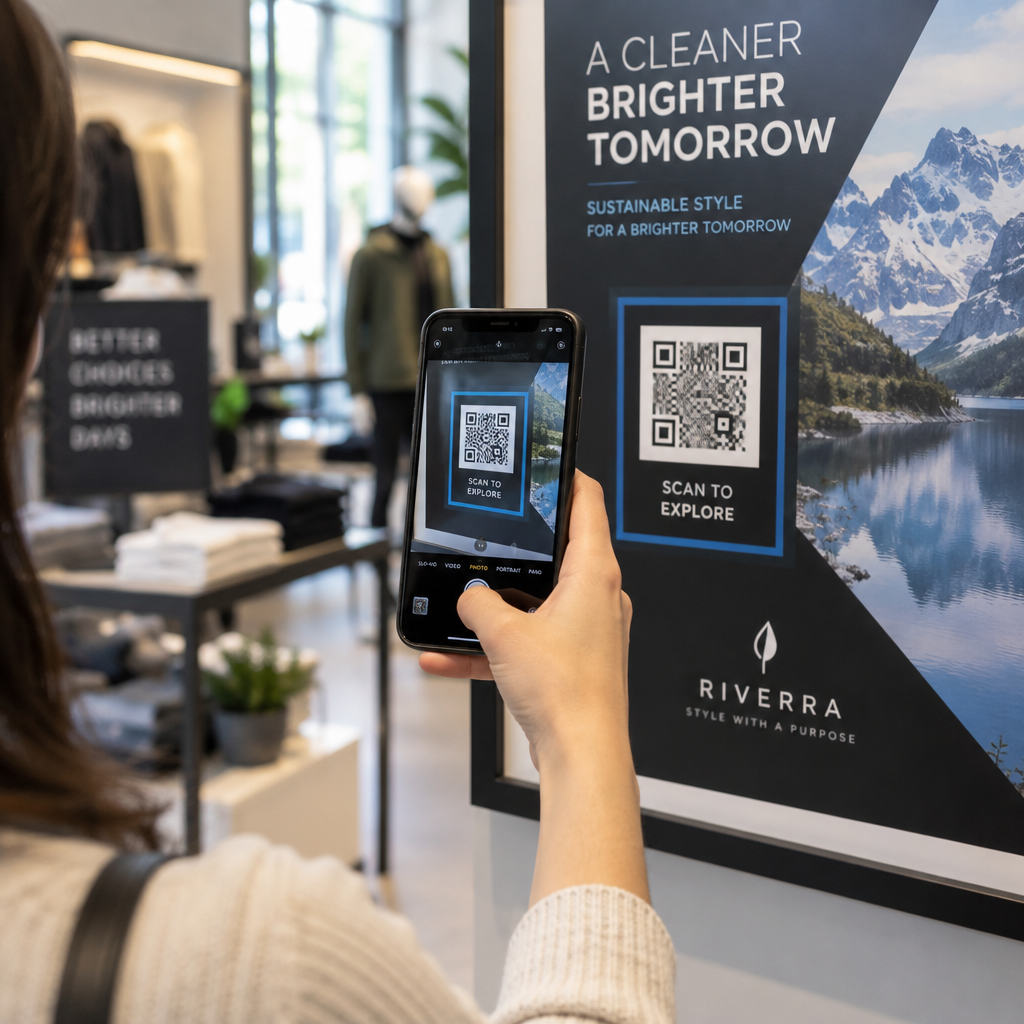
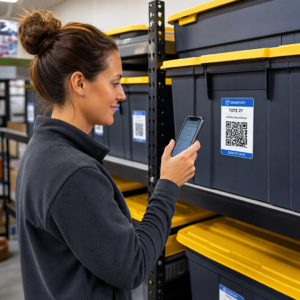
购物者扫描二维码

How to Use QR Codes for Retail Navigation

Learn how to use QR codes for retail navigation to guide shoppers to products and maps. Use dynamic codes for floor plans, digital wayfinding, and promotions.
Updated on 6 月 10, 2026
目录

Are your customers wandering the aisles, frustrated and empty-handed? Poor in-store navigation drives shoppers out the door before they buy. This guide shows you how to use QR codes to guide customers directly to the products, maps, and promotions they need.

Why In-Store Navigation Is a Real Problem for Retailers

Large retail spaces are difficult to navigate. A customer looking for a specific item in a hardware store or big-box retailer may spend several minutes searching before giving up. That friction costs you sales.

Digital wayfinding solves this, but building a dedicated store app is expensive and most customers won’t download it. 72% of consumers prefer scanning a QR code to downloading a business-specific app, which makes QR codes a practical, low-cost alternative. They work with the camera already in every shopper’s pocket – no installation required.

With 89 million Americans scanning QR codes in 2025, your customers already know how to use them. The question is whether you’re using them effectively.

What QR Codes Can Do for In-Store Navigation

QR codes act as instant bridges between a physical location and digital content. In a retail context, that means you can attach a scannable code to almost any surface – a shelf tag, a floor sign, a window display – and send shoppers directly to useful information.

Here are the core navigation use cases:

  • Store maps and floor plans – Link to a PDF or webpage showing your store layout, with sections clearly labeled
  • Product location guides – Point customers toward a specific aisle or department
  • Google Maps directions – Help customers find your store entrance, parking, or a specific location within a large property
  • Promotional zones – Guide shoppers to current sale areas or featured displays
  • Product details and availability – Let shoppers pull up specs, inventory status, or related items while standing in the aisle

Each of these use cases is achievable with a single QR code and a well-designed destination page.

Put Your Store on the Map Create a scannable code that opens your store location directly in Google Maps. Use the 谷歌地图二维码生成器 to get customers from the parking lot to the right entrance in seconds.

How to Set Up QR Codes for Navigation: A Practical Walkthrough

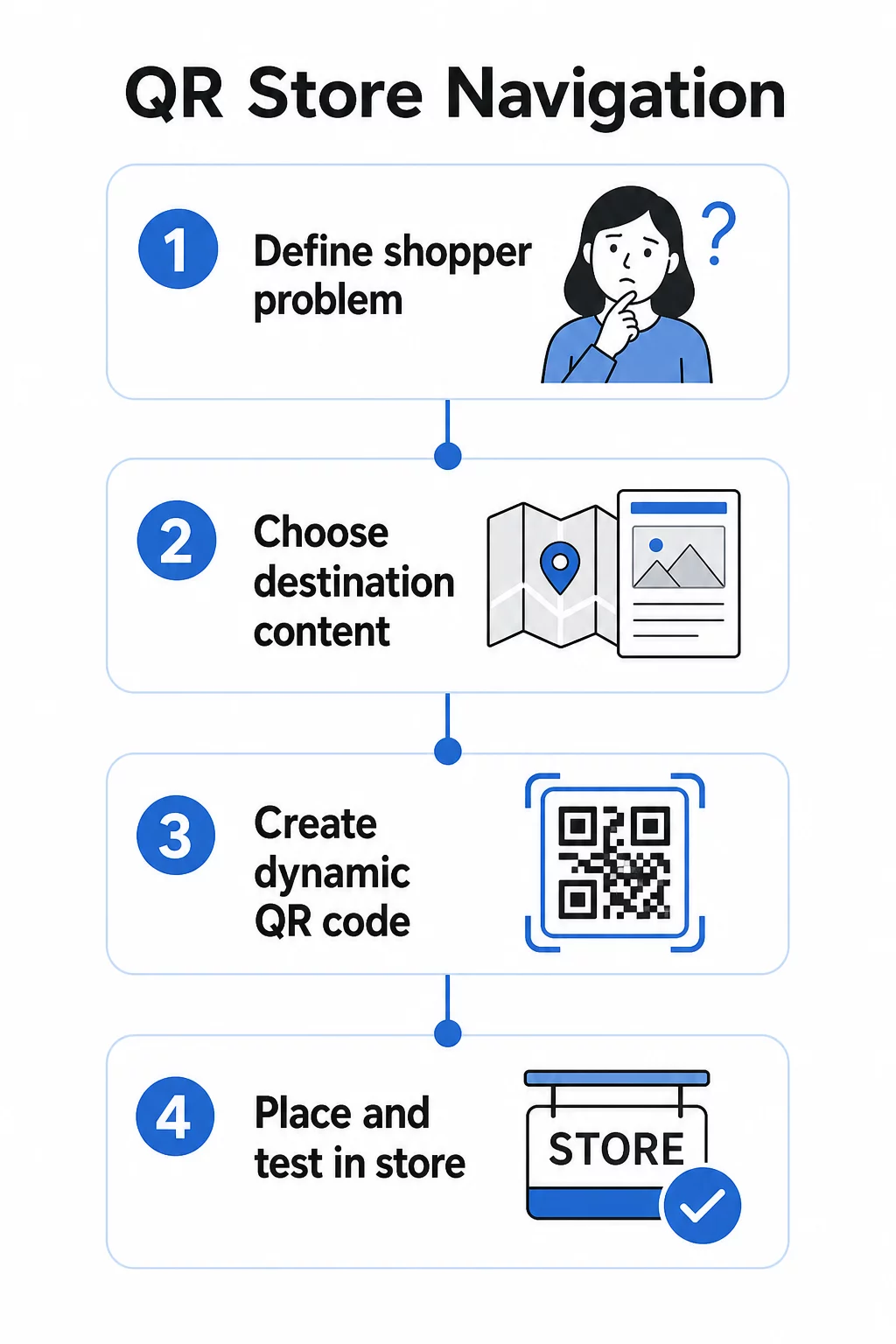
Step 1: Define the Navigation Problem You’re Solving

Start with a specific friction point. Are customers struggling to find a particular department? Do they get confused near the entrance? Are seasonal promotions hard to locate? Identifying the exact problem helps you decide what the QR code should link to and where it should be placed.

QR navigation steps

Step 2: Choose the Right Destination Content

Match the QR code’s destination to the shopper’s need:

Shopper Problem QR Destination
Can’t find a department PDF store map or labeled floor plan
Needs product details in the aisle Product page or spec sheet
Looking for current promotions Coupon landing page or deals page
Trying to find your store 谷歌地图链接
Wants to compare options PDF catalog or lookbook

For store maps and product guides, a PDF QR 码 is one of the most practical options – you can design a clear floor plan, upload it once, and update it any time your layout changes without printing new codes.

Step 3: Use Dynamic QR Codes So You Can Update Without Reprinting

This step matters more than most retailers realize. Store layouts change. Promotions rotate. Products move. If you print static QR codes tied to a fixed URL and then need to update the destination, every printed code becomes useless.

动态 QR 码 solve this by storing a short redirect URL that you can update from a dashboard. The code on the shelf stays the same; only the destination changes. For a retail environment where information changes weekly or seasonally, this is essential.

Pageloot 的 二维码生成器 creates dynamic codes that let you update your store map, swap out a promotion, or redirect to a new product page – all without touching the physical signage.

Step 4: Place Codes Where Shoppers Actually Need Them

Placement determines whether a QR code gets used or ignored. Follow these guidelines:

  • Eye level and arm’s reach – Place codes where shoppers can scan them naturally, without crouching or stretching. The optimal scan distance for most smartphones is roughly 10–50 cm.
  • At the point of confusion – A code at the entrance that links to a store map is most useful when a customer first walks in and is orienting themselves.
  • Near the relevant product or section – Shelf-edge codes for product details work best when they’re right beside the item, not at the end of the aisle.
  • On wayfinding signage – Department signs, overhead banners, and floor graphics are all effective surfaces for navigation QR codes.
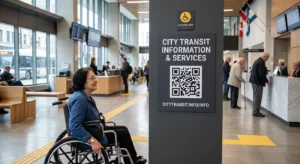
  • Accessible to all shoppers – Ensure placement height works for customers using wheelchairs. Avoid positioning codes so low or so high that they exclude any segment of your shoppers.

For detailed placement advice, see our guide on 零售店最佳二维码放置位置.

Step 5: Design Codes That Actually Scan

A code that doesn’t scan reliably destroys the experience. Follow these technical minimums:

  • 尺寸 – For shelf tags and labels, use a minimum of 2 × 2 cm. For larger signage, apply the 10:1 rule: the maximum scanning distance should be no more than ten times the code’s width.
  • 对比 – Use a dark foreground on a light background. Avoid reversed or low-contrast color schemes.
  • Quiet zone – Maintain a clear margin of at least four modules on all sides. Don’t let text, borders, or graphics bleed into this space.
  • Surface – Avoid reflective, textured, or curved surfaces where possible. Matte finishes scan more reliably than glossy ones.
  • Separation – If you’re placing multiple codes near each other (e.g., on a product display with several items), space them far enough apart so a camera doesn’t accidentally read the wrong one.

Always test your codes at the actual size, distance, and lighting conditions shoppers will encounter before deploying them across your store. For more detail, see our guides on 二维码可读性最佳实践不同印刷材料的二维码尺寸.

Specific Navigation Scenarios and How to Implement Them

Linking to a Store Map

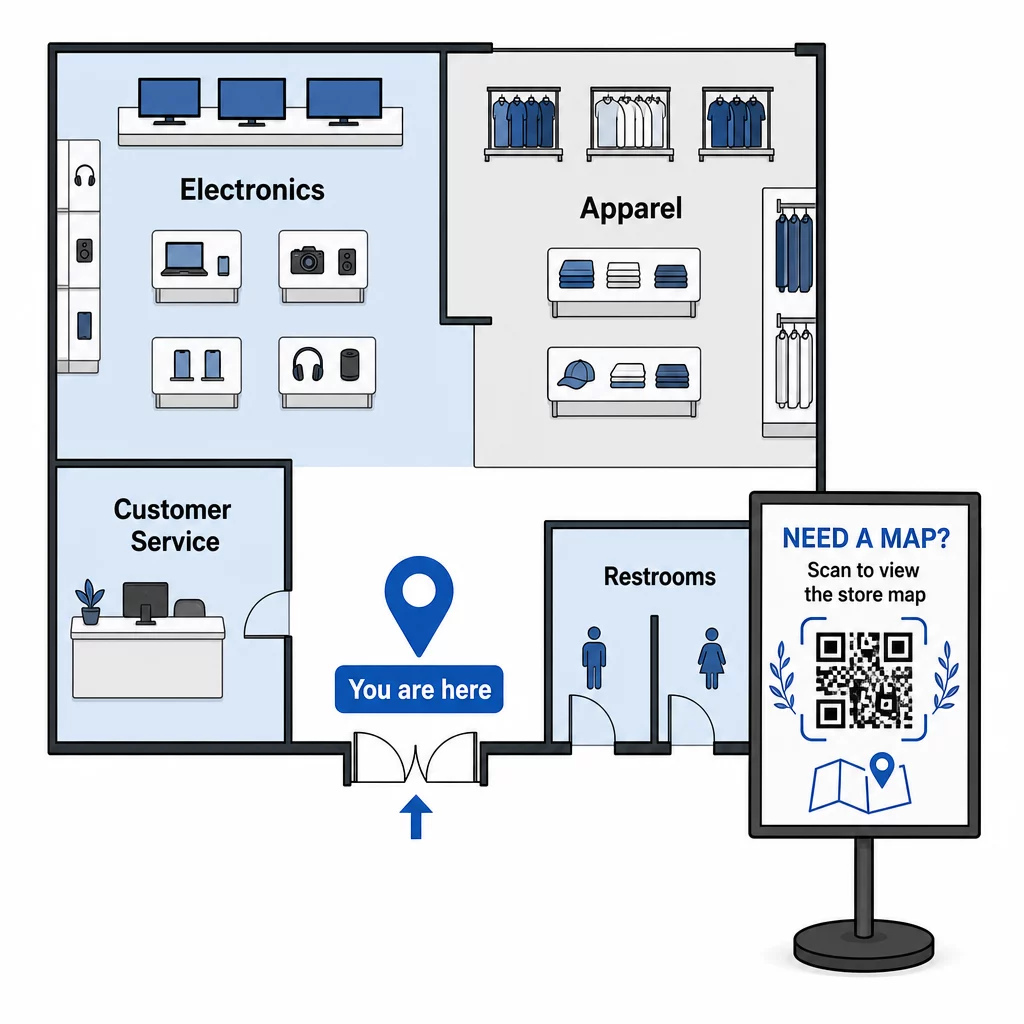
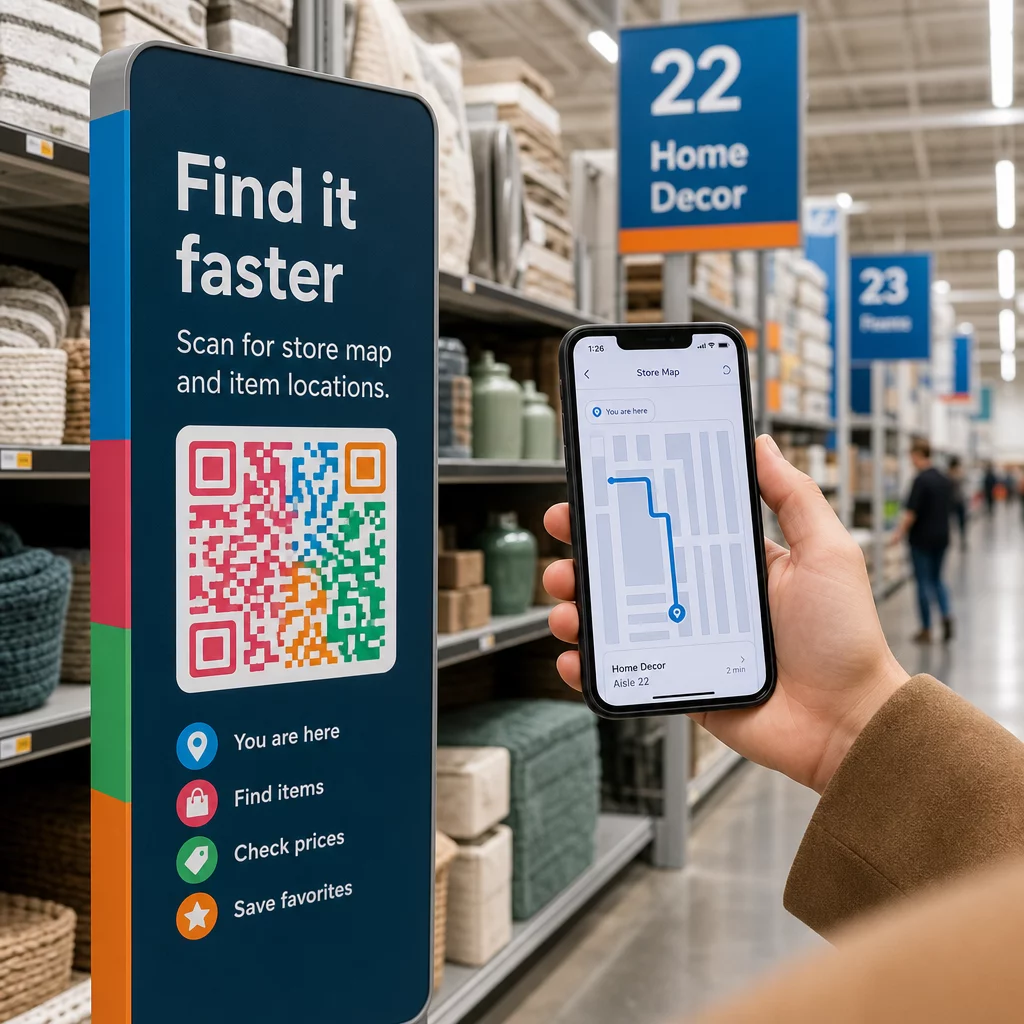
Design a simple, clearly labeled floor plan in PDF format. Divide the store into named zones – Electronics, Apparel, Customer Service, Restrooms – and highlight the current location with a “You are here” marker. Upload the PDF to Pageloot’s PDF QR 码生成器 and place the resulting code at your store entrance, near customer service desks, and at major aisle intersections.

Store map QR code

When your layout changes for a seasonal reset, update the PDF in your dashboard. The printed QR codes keep working.

Guiding Customers to Your Store Entrance or Parking

For larger retail properties, shopping centers, or stores with multiple entrances, a 谷歌地图二维码 can be embedded in pre-visit communications – email confirmations, receipts, or your website – so customers arrive knowing exactly where to go. Place the same code on exterior signage to help customers who parked in an unfamiliar area find the right entrance.

For stores that share a complex or campus with other retailers, this approach also works for directing shoppers to a specific building or lot. Learn more about how QR codes support directions and location sharing across different map services.

Directing Shoppers to Promotions

During a sale or seasonal event, place QR codes at the store entrance and on relevant signage that link directly to a promotions landing page. Pageloot’s 优惠券二维码生成器 lets you create a dedicated page for current deals, which shoppers can pull up instantly and present at checkout.

Because you’re using dynamic codes, you can swap out the promotion page at the end of a sale without replacing any in-store signage.

Product-Level Navigation on the Shelf

Place small QR codes on shelf edge labels beside key products. Link them to a page that includes:

  • Product specifications or comparison charts
  • Inventory information (in stock, limited availability)
  • Related products or accessories
  • Instructional videos or setup guides

This approach is particularly effective for high-consideration purchases – electronics, appliances, or specialty tools – where shoppers want more information than a price tag can provide. Retailers can use 链接二维码 to point directly to any product page or custom landing page.

Keep Your Navigation Content Fresh Store layouts, promotions, and product lines change constantly. Use Pageloot 的动态二维码 to update your destination pages anytime without reprinting your in-store signage.

Tracking Which Navigation Codes Are Working

One of the most underused advantages of QR-based navigation is the data it generates. Every scan is a signal: a customer needed help finding something at that location, at that time.

With dynamic QR codes and built-in analytics, you can track:

  • Which locations generate the most scans – High scan volume near a particular department might indicate poor physical signage in that area.
  • When shoppers are navigating – Peak scan times tell you when customers are most active and most in need of guidance.
  • Which content gets the most engagement – If your store map gets ten times more scans than your promotions code, you know where shoppers are struggling.

This data helps you refine your store layout, improve signage, and make better decisions about where promotions should be physically placed. For retailers managing multiple locations, the same analytics framework applies across all stores, letting you compare performance and standardize what works.

Pageloot retail QR code solution is built for exactly this kind of ongoing optimization, giving store managers a centralized dashboard to manage and analyze every code in their stores.

应避免的常见错误

  • Printing static codes for content that changes – Always use dynamic codes for anything that might need updating.
  • Placing codes where there’s no signal – Test your linked pages on cellular data, not just store Wi-Fi. Some shoppers won’t be connected to your network.
  • Missing the call to action – A QR code without context gets ignored. Always include a short line of text explaining what the shopper will get: “Scan for store map,” “Scan for today’s deals,” or “Scan for product details.”
  • Codes too small to scan from a natural distance – Use the 10:1 sizing rule and test before printing at scale.
  • Linking to non-mobile-optimized pages – Every destination should load quickly and display cleanly on a smartphone screen.

入门

QR-based navigation is one of the most cost-effective ways to improve the in-store experience. You don’t need a custom app, a large budget, or complex infrastructure. You need well-placed codes, clear destination content, and the ability to update both as your store evolves.

Start with one high-friction point in your store – the entrance, a notoriously hard-to-find department, or your current promotion area – and build from there. Use dynamic codes from the start so you’re not reprinting materials every time something changes.

Explore Pageloot’s QR code tools for retail to create your first navigation code, or browse the full range of industry-specific QR solutions to see how other businesses are using the same technology.

常见问题

What type of QR code should I use for a store map?

A PDF QR code works well for store maps – you can design a clear floor plan, upload it as a PDF, and link the code to it. Use a dynamic QR code so you can update the map whenever your layout changes without reprinting any signage. Pageloot’s PDF QR code generator handles both the upload and dynamic updating in one place.

Where should I place QR codes for in-store navigation?

Place navigation codes at the points where customers are most likely to need guidance: the store entrance (for an overview map), major aisle intersections (for department directions), and directly beside products or promotional displays (for item-specific content). Codes should be at eye level, in well-lit areas, and on flat, matte surfaces for reliable scanning. See our full guide on top QR code placements for retail stores for placement recommendations by store zone.

How do I update a navigation QR code without reprinting my signs?

Use dynamic QR codes instead of static ones. A dynamic code contains a short redirect URL that you control from a dashboard. When your store layout changes or a promotion ends, you update the destination in your account and the existing printed codes automatically point to the new content. Pageloot’s QR code generator creates dynamic codes with full editing and analytics access.

关于作者

Siim Kostabi 是 Pageloot 的内容主管,负责撰写关于我们创新型二维码生成器服务的文章。凭借五年多来在二维码领域积累的深厚专业知识,Siim 是该领域的专家。他致力于利用二维码技术简化和增强数字交互,并取得了显著的成果。.

类别
了解更多关于
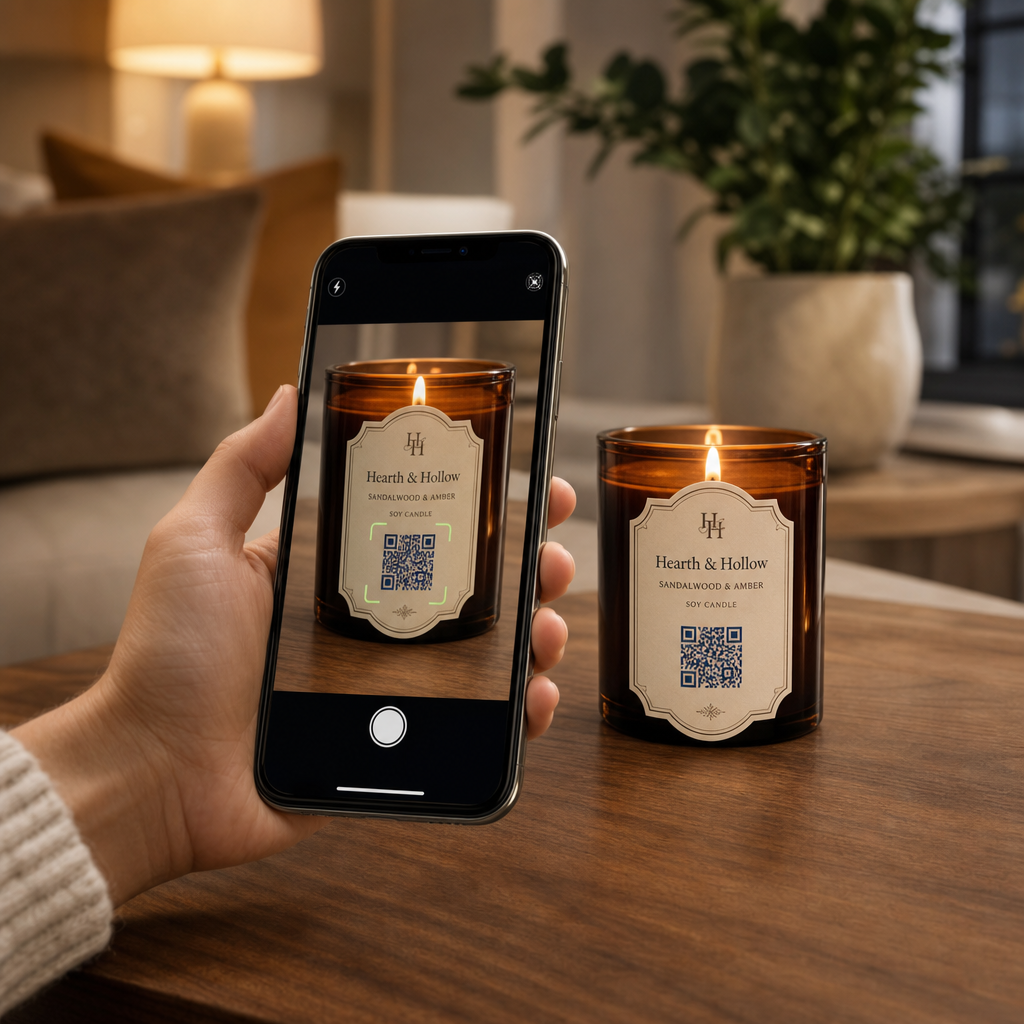
QR name card scan
的QR码 名片
QR QR码的#1解决方案

如果您需要在线创建QR码,则可以 制作二维码 就在这里免费!
Pageloot是 #1转到解决方案 创建和扫描QR码。

BL-0046

受到超过 20,000 个品牌的信赖,可获得更多销售、评论和关注者。

客户徽标
受到顶级品牌的信赖
评分为 4.8(共 5)

4.86 / 5 星评级

雨果·劳伦特
雨果·劳伦特
餐馆老板
有史以来最容易和最可靠的QR码生成器。PDF文件可以立即上传。我们的餐厅菜单现在是数字化的。
卢卡斯-詹森
卢卡斯-詹森
房地产开发商
这是一个很好的工具,二维码带你到你想要的地方。我们只使用位置二维码,但有许多有用的功能。
艾玛-莫雷蒂
艾玛-莫雷蒂
零售产品
易于使用和快速。它工作得很好,创造了一个完美的图像,所以员工可以下载我的vCard。
雨果·劳伦特
雨果·劳伦特
餐馆老板
有史以来最容易和最可靠的QR码生成器。PDF文件可以立即上传。我们的餐厅菜单现在是数字化的。
卢卡斯-詹森
卢卡斯-詹森
房地产开发商
这是一个很好的工具,二维码带你到你想要的地方。我们只使用位置二维码,但有许多有用的功能。
艾玛-莫雷蒂
艾玛-莫雷蒂
零售产品
易于使用和快速。它工作得很好,创造了一个完美的图像,所以员工可以下载我的vCard。
查看更多QR码
品牌二维码设计
使用以下方式制作QR码 定制设计
将一切转化为数字体验 不到3分钟。

免费试用 14 天。

无需信用卡。

首次购买可享受 30% 折扣

使用代码:

分享您的 MP3 文件

注册以创建 PDF QR 码

上传和显示你需要的一切。

  • 音频文件
  • 播客
  • 音乐

注册即可享 14 天免费试用。.
试用期结束后,二维码将失效。.

注册以创建音频 mp3 二维码

使用边框获得更多扫描

注册以向您的二维码添加更多框架

呼叫行动框架帮助您的客户与QR码轻松互动。试试吧!

注册即可享 14 天免费试用。.
试用期结束后,二维码将失效。.

注册以向您的二维码添加更多框架

使用形状添加更多样式

注册以创建更多形状

二维码不一定是方形的。试着改变它以适应你的品牌形象。

注册即可享 14 天免费试用。.
试用期结束后,二维码将失效。.

注册以创建更多形状

为您的二维码添加徽标

注册以将您的徽标添加到二维码中

通过在二维码上添加你的标志和品牌,使你的二维码脱颖而出。

注册即可享 14 天免费试用。.
试用期结束后,二维码将失效。.

注册以将您的徽标添加到二维码中

智能应用商店重定向

注册以创建应用商店二维码

将您的应用程序链接添加到我们的智能应用程序商店QR码。用户会根据他们的设备被重新定向。

注册即可享 14 天免费试用。.
试用期结束后,二维码将失效。.

注册以创建应用商店二维码

将图片上传到二维码

注册以创建图像二维码

轻松分享你的图像。在几秒钟内动态地改变任何图像。

注册即可享 14 天免费试用。.
试用期结束后,二维码将失效。.

注册以创建图像二维码

分享您的 PDF 文件

注册以创建 PDF QR 码

上传和显示你需要的一切。

  • 菜单和价格表
  • 使用说明
  • 任何文件

注册即可享 14 天免费试用。.
试用期结束后,二维码将失效。.

注册以创建 PDF QR 码

稍后编辑,无需打印

注册即可编辑您的二维码,无需再次打印

动态QR码让你改变你的QR码的内容,而不需要打印新的QR码。

注册即可享 14 天免费试用。.
试用期结束后,二维码将失效。.

注册即可编辑您的二维码,无需再次打印

何时?何地?追踪您的二维码扫描

注册以追踪您的二维码

发现你的哪些二维码收到了最多的扫描,以及什么最能让你的客户兴奋。

注册即可享 14 天免费试用。.
试用期结束后,二维码将失效。.

注册以追踪您的二维码

提供可打印文件

注册以创建 PDF 和 SVG 等矢量二维码

.EPS, .PDF, .SVG

想下载高清分辨率的QR码吗?获得矢量或像素格式,可随时打印。

注册即可享 14 天免费试用。.
试用期结束后,二维码将失效。.

注册以创建 PDF 和 SVG 等矢量二维码

请等待。您的二维码是 正在加载... 正在加载...

打造专属

注册以保存您的二维码以供日后使用

通过创建具有不同颜色、标识和行动呼吁框架的出色的QR码,获得更多的扫描。

注册即可享 14 天免费试用。.
试用期结束后,二维码将失效。.

注册以保存您的二维码以供日后使用